

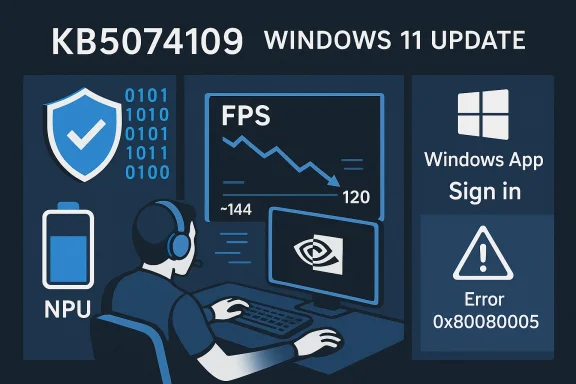
Microsoftosoft’s January cumulative update for Windows 11, published as KB5074109 on January 13, 2026, delivered a heavy bundle of security fixes and an NPU-related battery optimization—but it also coincided with a wave of high-impact regressions that have left gamers and some enterprise customers choosing between security and usability. Reports from community forums and editorial test labs describe persistent frame-rate losses on systems with NVIDIA GeForce GPUs, intermittent black-screen freezes, and driver crashes; at the same time, Azure Virtual Desktop users encountered an authentication failure (error 0x80080005) that broke certain Remote Desktop sign-ins and forced Microsoft to publish mitigations. The net result is a messy, real-world reminder that large cumulative updates can ripple into unexpected hardware and software interactions across the Windows ecosystem.
Key real-world observations:
For now, the pragmatic path is clear: measure before you change, stage before you deploy, and prefer surgical mitigations (KIR, vendor hotfix testing) over broad uninstall when possible. Expect Microsoft and GPU vendors to issue further fixes in the coming weeks; until then, affected users should rely on objective telemetry, safe rollback procedures, and the mitigations documented by Microsoft and vendor support channels.
Source: fakti.bg Attention all gamers: New Windows 11 update crashes Nvidia graphics cards
 Background
What Microsoft shipped in KB5074109
KB5074109 is the January 13, 2026 cumulative update for Windows 11 (applied to 24H2 and 25H2 branches) and moves affected systems to OS builds 26100.7623 and 26200.7623 depending on the SKU. The update bundles a large set of security fixes—Microsoft notes a broad remediation surface carried forward from prior updates—and includes non-security improvements such as a fix to prevent Neural Processing Units (NPUs) from staying powered when idle, which improves battery life on AI-capable laptops. The official KB page details these improvements and the change log for the release.The two problem vectors
Two problem classes became prominent almost immediately after deployment:- Consumer/Gaming/Graphics symptoms: Community reports and independent benches showed measurable drops in frame rates, worse 1%/0.1% lows, micro‑stutter, and occasional black-screen or driver crash behavior that dispro machines running NVIDIA GeForce GPUs. Many affected users reported performance losses in the range of ~15–20 FPS in demanding scenes, while some independent testbeds from prior related incidents recorded even larger proportional hits on certain titles and configurations.
- Enterprise/AVD authentication failure: Azure Virtual Desktop (AVD) and Windows 365 Cloud PC users reported sign-in failures and credential prompts that fail, producing error code 0x80080005 when attempting to connect via the Windows App. Microsoft acknowledged the AVD regression, published mitigation guidance (including Known Issue Rollback, or KIR), and issued an out‑of‑band patch and support guidance for affected managed environments.
What users and admins have seen in the wild
Gaming and GPU behavior
Gamers began reporting sudden performance regressions after installing KB5074109: titles that previously ran smoothly began to suffer frame-rate drops, micro‑stutter, and recovery events. The reports cluster around NVIDIA hardware and driver combinations, although not every configuration is affected and instances involving other GPU vendors were also mentioned in community threads. Many affected users say uninstalling the cumulative update immediately restores prior performance, while others found relief after a clean driver reinstall or waiting for vendor driver updates.Key real-world observations:
- The regression is highly workload-dependent: modern DirectX 12 titles with heavy draw-call patterns or complex composition engines are most likely to reveal the issue.
- Monitoring tools sometimes show high GPU utilization even when delivered frame rates are low—this suggests a scheduling, synchronization, or driver interaction problem rather than simple thermal throttling.
- The severity varies: some users report a 15–20 FPS drop (enough to change perceived smoothness), while editorial test benches from the prior, similar October 2025 incident measured cases where FPS halved in a specific scene.
AVD and authentication outage
Enterprise users relying on Azure Virtual Desktop or Windows 365 Cloud PCs reported a synchronous authentication failure when using the Windows App client. Microsoft’s documentation confirms credential prompt failures and indicates the issue primarily affects managed/enterprise devices; consumer Home and Pro devices are less likely to experience the AVD problem. Microsoft recommends a Known Issue Rollback for managed fleets and provided a group policy-based workaround while engineering prepares a permanent fix or a follow-up servicing update.Other anomalies
A number of users also observed oddities when formatting USB drives (notably FAT32) and other edge-case system behaviors. While those reports are fewer and more heterogeneous, they emphasize that a large cumulative update that touches kernel scheduling, device-driver interfaces (WDDM), and power-management heuristics can produce an array of observable regressions depending on the installed software stack.Why this happened: a technical assessment
The nature of cumulative updates
Cumulative updates (LCUs) are inherently risky at scale because they touch many low-level components: kernel scheduler code, deets, WDDM and graphics runtime paths, and power and certificate-management subsystems. Small timing or semantic changes at this layer can reveal latent assumptions in third-party drivers or application code. The Windows–GPU interaction is especially sensitive because modern GPU pipelines depend on millisecond-level coordination between the OS, the graphics driver, and the game engine. When that coordination changes, visible performance and stability regressions can surface quickly.Probable root causes (what evidence supports and what remains speculative)
- Driver ↔ OS interaction: The concentration of complaints on NVIDIA GeForce hardware points toward an interaction between updated Windows components and NVIDIA drivers. Vendor hotfixes and prior incidents show GPU vendors often mitigate OS-induced regressions by releasing a driver that restores prior timing or synchronization behavior. This pattern played out in a similar October 2025 incident (KB5066835) where NVIDIA released GeForce Hotfix 581.94 to mitigate severe FPS reductions. That precedent supports the theory that an OS change exposed a timing or API-surface assumption in driver code.
- Timing/race conditions: Symptoms such as high GPU utilization but low frame output, plus frame-pacing degradation, are consistent with a synchronization or submission bottleneck—i.e., the GPU is busy but not being fed valid frames quickly enough, or a driver/OS interaction prevents efficient submission/scanout.
- Not a single-vendor hardware fault: The regression’s workload-specific behavior and sporadic distribution across hardware SKUs make hardware failure unlikely; the more probable cause is a combination of OS changes and driver assumptions.
- AVD regression as an independent client-side issue: Microsoft’s public guidance and KIR distribution for the AVD problem indicate that authentication failure is a verified Micr with official mitigations, rather than a third-party driver fault. That divergence in root cause (OS client-path change vs. graphics driver interaction) explains the different remediation channels and timeframes.
Practical guidance: what affected users should do now
For gamers and consumers
- Confirm whether KB5074109 is installed: check Settings > Windows Update > Update history to see the January cumulative.
- Reproduce a reproducible benchmark: measure baseline frame times using a benchmark or repeatable in-game scene before changing the system.
- If you see significant regression:
- Try a clean driver reinstall (use DDU inll the latest GeForce driver or NVIDIA’s hotfix if available).
- If driver reinstall doesn't help, uninstall KB5074109 via Settings > Update history > Uninstall updates and verify whether performance returns; ensure you have a restore point or system image before uninstalling.
- If you must remain patched for security reasons, consider:
- Pausing updates in Windows Update temporarily while monitoring vendor advisories.
- Running games on a staged driver regression path (test hotfix drivers in a controlled way).
- Maintain objective telemetry (frame-time logs and GPU traces) to validate whether a fix works in your configuration rather than relying on subjective impressions. Editorial experience shows objective metrics are essential for accurate triage.
For IT administrators and enterprise fleets
- Apply Microsoft’s Known Issue Rollback (KIR) policy if AVD/Windows 365 Cloud PC access is interrupted. Microsoft’s KB entry provides KIR artifacts and group-policy deployment instructions that let you disable the offending change while retaining the security content of the update—this is the recommended enterprise mitigation for AVD authentication failures.
- Prioritize staged deployments: pilot KB5074109 across a representative set of hardware images before broad rollout. Staging catches driver–OS interaction regressions in lab environments and prevents mass outages.
- If rolling back KB5074109 is necessary in a subset of endpoints, ensure you maintain compensating controls (e.g., network-level protections, increased endpoint monitoring) to mitigate exposure to the security fixes you’re temporarily forgoing.
- Communicate clearly with users: give staff instructions on how to use alternate AVD clients (web client or classic Remote Desktop client) and document the rollback policy.
- Track vendor advisories: GPU vendors sometimes ship hotfix drivers to mitigate OS-triggered regressions; plan driver testing and validation for the fleet.
Vendor and Microsoft responses to expect
- Microsoft has acknowledged the AVD authentication regression and published mitigation steps and KIR distribution guidance; the KB page also notes a numeric inventory of fixes and explicitly mentions the NPU power improvement in the update. A formal servicing fix or follow-up update is expected in a subsequent release.
- GPU vendors (NVIDIA in particular) have historically responded to OS-triggered regressions by releasing targeted hotfix drivers that aim to restore prior behavior quickly. This risks an abbreviated QA cycle, but it’s a pragmatic short-term solution for many gamers; a fully validated WHQL/Game Ready driver that folds the hotfix into a conventional release usually follows. The October 2025 KB5066835 incident is a close precedent.
- Expect Microsoft to coordinate with vendors and possibly issue a KIR or out-of-band update for the most disruptive symptoms if they can narrow the root cause to a specific change. In the interim, vendor hotfixes and KIRs are the practical mitigation tools available.
Strengths and risks of Microsoft’s approach in this incident
Notable strengths
- The update addresses a large set of security vulnerabilities and corrects a real battr NPU-equipped devices—both legitimate and important improvements that benefit users and enterprise security posture.
- Microsoft’s Known Issue Rollback (KIR) mechanism lets IT administrators surgically disable problematic behavioral changes in a deployed update while preserving the broader security payload, which is an important operational tool for enterprise continuity.
Significant risks and weaknesses
- The update’s simultaneous delivery of many low-level fixes increases the chance of interaction regressions, which is precisely what appears to have happened. The end-user effect—lost productivity or spoiled gaming sessions—highlights the fragility of tightly coupled OS/driver ecosystems.
- Vendor coordination and public communication lag can leave users in the dark. When updates produce broad, visible regressions, quick, transparent vendor post-mortems and remediation roadmaps are essential to maintain trust.
- Relying on hotfix dan operational trade-off: hotfixes are faster but typically undergo reduced QA, potentially creating secondary risks in untested configurations. IT teams must adopt measured testing strategies when applying emergency drivers across fleets.
How this fits into a broader pattern
Windows servicing at scale has delivered numerous improvements in security and functionality, but the past two years have produced several notable servicing regressions where cumulative updates inadvertently exposed edge-case faults in drivers or platform assumptions. The October 2025 KB5066835 episode—where an October cumulative was tied to large FPS drops and prompted NVIDIA’s emergency hotfix 581.94—serves as a close analog for the January KB5074109 situation and offers an operational template for triage and mitigation. These incidents reinforce the importance of staged rollouts, better cross-vendor testing matrices, and improved telemetry to detect problems early in pilot rings.Checklist: Immediate actions for affected readers
- If you’re a gamer experiencing lower FPS, collect objective frame-time data and try a clean driver reinstall (DDU + driver). If that fails and the regression coincides with KB5074109 installation, test uninstalling the KB as a diagnostic step—keep a backup or system image before you change system state.
- If you’re an AVD admin seeing authentication outages with error 0x80080005, deploy Microsoft’s Known Issue Rollback (KIR) or apply the recommended out-of-band patch (KB5077744 where applicable), and instruct users to use the web client or classic Remote Desktop client as a temporary fallback.
- For enterprises: stage updates, maintain rollback and compensation plans, and preserve log/telemetry evidence so you can revert selectively while still meeting security obligations.
Final analysis and conclusion
KB5074109 demonstrates the uneasy trade-off at the heart of modern OS servicing: monthly cumulative updates are essential for security and reliability, yet the scale and depth of changes make rare but impactful regressions almost inevitable. In this case, the update fixed over a hundred vulnerabilities and improved NPU power behavior, but those gains were offset by an AVD authentication regression that disrupted enterprise access and by graphics-stack interactions that degraded gaming performance for many NVIDIA users. Microsoft’s KIR mechanism and vendor hotfixes provide practical, short-term mitigations, but the episode highlights the need for stronger cross-vendor testing, clearer communication, and better staging practices to protect both security and availability.For now, the pragmatic path is clear: measure before you change, stage before you deploy, and prefer surgical mitigations (KIR, vendor hotfix testing) over broad uninstall when possible. Expect Microsoft and GPU vendors to issue further fixes in the coming weeks; until then, affected users should rely on objective telemetry, safe rollback procedures, and the mitigations documented by Microsoft and vendor support channels.
Source: fakti.bg Attention all gamers: New Windows 11 update crashes Nvidia graphics cards
