

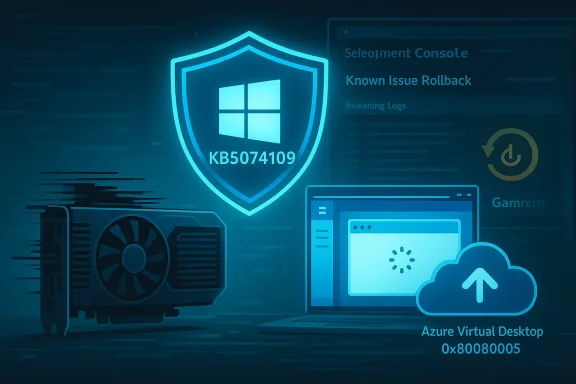
Microsoft’s January cumulative for Windows 11, KB5074109, intended to harden Secure Boot and fix NPU power-drain problems, has instead introduced a cluster of high-impact regressions — from intermittent black screens on GPU systems to Outlook POP freezes, Azure Virtual Desktop authentication failures, and broken desktop.ini localized names — forcing administrators and power users into cautious rollouts and emergency mitigations.
Background / Overview
KB5074109 is the January 13, 2026 cumulative update for Windows 11 (OS builds 26100.7623 and 26200.7623 depending on channel). It bundles a servicing stack update (SSU) and the latest LCU, and its stated goals include important security fixes, a correction for Neural Processing Unit (NPU) idle power consumption, and a staged mechanism to refresh Secure Boot certificates before a mid‑year expiration window. These are non-trivial platform changes touching the boot and kernel surface. Because KB5074109 packages an SSU together with the LCU, the update changes the rollback calculus: the SSU portion cannot be removed by standard wusa.exe uninstall once committed, and removing only the LCU requires DISM /Remove‑Package with the precise package identity. That permanence raises the stakes for testing and image hygiene in enterprise rollouts.What surfaced in the wild — symptom inventory
Shortly after rollout, community telemetry and vendor notices converged on a set of distinct problems. Each of these symptoms has different causes, scopes, and mitigations:- Intermittent black screens and display freezes, reported primarily on machines with NVIDIA GPUs but present across other hardware in some cases. Reports describe short blackouts (seconds to a minute) where the desktop disappears then recovers without a full reboot.
- Classic Outlook (desktop) POP profiles hang or fail to exit, leaving background Outlook processes running, preventing clean restarts, and in some reports causing sent‑items or UI inconsistencies. Microsoft has acknowledged the issue and marked it as Investigating.
- Azure Virtual Desktop (AVD) / Windows 365 Cloud PC authentication failures when launching connections from the Windows App; the client sometimes fails at the credential prompt with authentication errors (reported as 0x80080005 in many reproductions). Microsoft published a(KIR) artifact and advised managed deployments to apply KIR or use alternate connection paths while a fix is prepared.
- LocalizedResourceName in desktop.ini stopped being honored (custom folder names defined by LocalizedResourceName now revert to the physical folder name until the update is removed). Developers and administrators reported this regression in Microsoft Q&A and community forums.
- Install/servicing errors on some machines (error codes like 0x800f0922, 0x80070306, 0x80073712 reported), and a separate Known Issue in KB5073455 (23H2) where devices with System Guard Secure Launch enabled may restart instead of shutting down/hibernating. Microsoft documented a manual shutdown workaround (shutdown /s /t 0) for that specific symptom.
Deep dive: Black screens and GPU interactions
Symptoms and user reports
Affected users describe two related visual problems after installing KB5074109:- A brief black screen that lasts a few seconds to a minute and then recovers (display comes back, applications are still running), sometimes followed by corruption of the desktop background.
- Short black flashes or driver resets that interrupt gaming or video playback.
- In rarer cases, longer freezes that require a reboot.
Likely technical surface and why it happens
The pattern — display pipeline interruption with recovery rather than a full kernel crash — points to a driver-level or driver‑OS interface problem, not necessarily a bug in the GPU firmware alone. Kernel or user-mode display components changed by the LCU/SSU can alter timing and handshake assumptions between Windows Display Driver Model (WDDM), GPU drivers, and firmware. When timing or API semantics shift, the driver may reset the display adapter, producing a black screen until the driver recovers.Because GPU vendors maintain multiple driver branches (Studio/Game, WHQL vs. optional), a mismatch between the driver branch and a new OS code path can surface only after an OS update is widely installed. That is why vendor driver updates are often the first corrective instrument.
Practical mitigations for users
- Update to the latest GPU driver published by your vendor (NVIDIA/AMD/Intel); vendors may quickly roll driver builds that target the new Windows build.
- If updating doesn’t help, temporarily roll back to the last known-good driver version that was stable before January 13.
- If the problem persists, uninstall KB5074109 and block reinstallation until a vendor/Windows fix is available — but note uninstalling reduces security posture (see rollback caveats below). Collect logs (Event Viewer, nvlddmkm or amdkmpfd errors, minidumps) and open vendor support tickets with reproducible steps.
Classic Outlook POP freeze — why it matters
What Microsoft says and what users see
Microsoft formally published an advisory titled “Classic Outlook POP account profiles hang and freeze after Windows 11 update to KB5074109” and marked the issue Investigating. Reported symptoms include Outlook failing to exit properly (background processes remain), hangs, and sent items not reliably appearing in the Sent Items folder. The issue appears most often with classic POP/SMTP profiles rather than Exchange/modern M365 accounts. Community threads show impacted users resorted to uninstalling the LCU to restore Outlook behavior. Because Microsoft’s engineering teams are investigating, a formal hotfix or updated cumulative is the expected remediation path. Meanwhile, administrators must balance the operational impact of broken mail clients against the security risk of leaving systems unpatched.Recommended interim steps
- Collect diagnostic logs: Outlook logging (enable via Mail Setup → Email Accounts → Enable Logging), Windows Event logs, and application crash dumps.
- Use webmail or alternative mail clients for affected POP accounts until the vendor patch ships.
- For severe enterprise impacts, consider targeted rollback of the LCU on affected endpoints using WSUS/ConfigMgr or apply a device‑level hold via Update rings. If a broad rollback is required, prepare for the SSU permanence caveat (SSU remains after combined package install).
Azure Virtual Desktop / Windows 365 Cloud PC breaks — the KIR path
Symptom and impact
After KB5074109, some users could not authenticate when connecting to Azure Virtual Desktop (AVD) or Windows 365 Cloud PCs via the Windows App — the failure appears at the credential prompt and aborts before session establishment. Error code 0x80080005 has been commonly reported in reproductions. This is a client-side regression: the cloud service remained healthy while client launches failed en masse. For organizations that rely on Cloud PCs and AVD for day-to-day operations, this failure equates to a synchronous productivity outage for any user whose client can’t complete authentication.Microsoft mitigation: Known Issue Rollback (KIR)
Microsoft published a KIR deliverable that lets managed fleets surgically disable the change causing the regression while preserving the rest of the security baseline. KIR can be deployed as Group Policy/MSI artifacts via enterprise management tools (Intune, WSUS/ConfigMgr). Microsoft also recommended using alternate access methods (AVD web client or classic Remote Desktop client) as a stopgap.Admin checklist (fast action)
- Detect affected devices (inventory which endpoints have KB5074109 iort 0x80080005 or authentication failures).
- Deploy KIR using your management tooling to affected rings rather than uninstalling the entire LCU when possible.
- Communicate alternate access paths to users (web client, classic RDP client) while KIR or the permanent fix rolls out.
- Log & escalate with Microsoft Support if KIR or alternative clients fail to restore operations.
LocalizedResourceName (desktop.ini) regression
A surprising but real usability regression emerged: desktop.ini entries using LocalizedResourceName are no longer honored after KB5074109 on affected builds; folders display their physical names rather than the localized or custom names set in desktop.ini. The behavior was reproduced and reported on Microsoft Q&A and in community channels; uninstalling the KB restores expected behavior. This is primarily a usability regression but can affect localized deployments and scripts that rely on folder name overrides. At the moment, the practical mitigation is to uninstall the KB on affected systems or wait for a fix from Microsoft; report your specific reproduction steps in Microsoft Q&A to accelerate triage.Installation, rollback, and SSU permanence — wh## Why rollback is not always clean
KB5074109 arrives as a combined SSU + LCU on many channels. Once an SSU is committed, it cannot be removed with the same wusa.exe /uninstall trick used for stand‑alone LCUs. Microsoft documents using DISM /Remove‑Package with the exact package identity to remove an LCU component but warns that SSUs remain. That means a full rollback to pre‑update parity often requires recovery from golden images or reprovisioning instead of simple uninstall.Recommended enterprise rollout posture
- Pilot widely: include representative hardware (GPU, NPU, firmware variants), security agents, and VDI/AVD clients in your pilot ring for at least a week before broad push.
- Keep golden images and WinRE images unmodified and readily available for reprovisioning.
- Enable telemetry and a rapid escalation path to Microsoft Support; collect DISM/CBS logs, WindowsUpdate logs, Event Viewer artifacts, and any application traces.
- Use Known Issue Rollback (KIR) where available rather than uninstalling LCUs across fleets, because KIR surgically reverses specific behavior while preserving security fixes.
Quick, actionable troubleshooting cheatsheet
- Confirm installed build:
- Run winver or check Settings → System → About to verify build 26100.7623 / 26200.7623.
- For AVD/Cloud PC authentication failures:
- Apply Microsoft’s KIR to affected devices via Group Policy/Intune/ConfigMgr. m](]) [*]Use AVD Web client or classic...l-desktop-localizedresourcename-desktop-ini/]
