
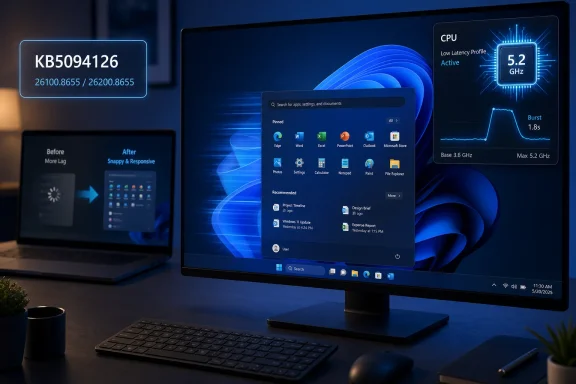
Microsoft’s June 9, 2026 cumulative update for Windows 11 versions 24H2 and 25H2, KB5094126, brings Low Latency Profile to mainstream users on builds 26100.8655 and 26200.8655, adding a short CPU responsiveness boost meant to make common desktop actions feel faster. That sounds modest because it is. But in Windows performance work, modest is often where the real story lives. Microsoft is not suddenly making an old laptop new again; it is trying to make Windows 11 feel less heavy in the moments users notice most.
For years, the Windows 11 performance debate has been split between benchmarks and vibes. Benchmarks can show that the operating system is broadly competent on modern hardware, yet users still complain that File Explorer hesitates, Search feels gummy, the Start menu takes a beat too long, and basic interactions sometimes seem less immediate than they did on older versions of Windows.
Low Latency Profile is interesting because it appears aimed directly at that gap. It is not a gaming turbo mode, not a new scheduler revolution, and not a magic compatibility layer for aging CPUs. It is a short-lived responsiveness policy that reportedly raises CPU clocks for a second or three when Windows detects certain interactive workloads.
That distinction matters. Microsoft is not promising higher sustained performance. It is trying to shave delay from the small interactions that shape a user’s perception of the system: launching an app, opening Start, invoking Search, or triggering parts of the shell.
In other words, Windows 11’s June update is less about speed in the traditional sense and more about latency as user experience. A computer can be powerful and still feel slow if it waits at the wrong time. Low Latency Profile is Microsoft acknowledging that the wrong 500 milliseconds can do more reputational damage than a mediocre benchmark score.
This is not a new idea in computing. Modern operating systems already juggle power, thermals, foreground tasks, background services, and device state constantly. Phones have long used aggressive burst-and-idle strategies to make touch interactions feel immediate without running the processor flat out all day.
What makes this notable on Windows is the target. Microsoft is applying that thinking to the old-fashioned desktop experience, where responsiveness has often been sacrificed at the altar of background services, visual complexity, telemetry, cloud hooks, and power efficiency. Low Latency Profile is a tacit admission that the Windows shell needs help not just doing work, but doing it at the right instant.
The feature’s short duration is also why expectations need to stay grounded. If your PC is slow because it has 4GB of RAM, a failing SSD, a decade of startup junk, or thermal paste that has become archaeology, Low Latency Profile will not rescue it. But if your machine is mostly fine and simply hesitates during bursty UI tasks, this is the kind of tuning that can make Windows feel less sluggish than its raw specifications suggest.
Older laptops are different. Many of them live in conservative power states, especially on battery. Their CPUs may have fewer cores, lower boost ceilings, slower memory, weaker integrated graphics, and storage that is no longer fast by 2026 standards. On those systems, the delay between an interaction and a clock ramp can become part of the user’s daily irritation.
That is why this feature could be more meaningful than its size suggests. Windows 11 has spent much of its life asking users to accept heavier system requirements in exchange for a more modern platform. Low Latency Profile is one of the rare changes that appears to give something back to the people running Windows 11 on hardware that is supported, but hardly luxurious.
Still, “could speed up your old PC” needs careful translation. It may make an old PC feel snappier in specific interface moments. It will not make software compile faster, export video faster, render games faster, or overcome the physics of insufficient memory. The best-case result is not a transformed computer; it is a desktop that stops making you wait quite so often.
For home users, that packaging is mostly invisible. Windows Update offers the cumulative update, the machine reboots, and the OS build moves to 26100.8655 on 24H2 or 26200.8655 on 25H2. For IT admins, the same bundling is the eternal Windows trade-off: useful fixes and new platform behavior arrive together with security updates that organizations cannot ignore for long.
The Secure Boot certificate work is particularly important in the background. Microsoft has been updating certificates as older Secure Boot material approaches expiration, and June’s update continues that phased targeting. Most users will never see this unless something goes wrong, which is precisely how firmware-adjacent maintenance is supposed to behave.
But this bundling also complicates the narrative around Low Latency Profile. If a user installs KB5094126 and the machine feels better, the new profile may deserve credit. If something breaks, users may blame the feature even when the cause lies elsewhere in the cumulative update. Windows servicing makes cause and effect hard to separate, and June’s release is no exception.
That complaint is not always fair in the details, but it is potent because it reflects lived experience. Users do not judge an operating system only by whether it boots. They judge it by whether it gets out of the way. When opening a folder or searching for an app feels slower than it should, the whole platform feels less trustworthy.
Low Latency Profile is the sort of change Microsoft needs more of because it lives below the marketing layer. It does not require a Copilot key, a new subscription, or a cloud account. It does not ask the user to learn a new workflow. It simply tries to make the existing workflow respond faster.
That is also why Microsoft should be careful not to oversell it. The company has a habit of presenting incremental Windows improvements as if they settle years of complaints. They do not. Low Latency Profile is a useful sign of engineering attention, but it is only one step toward the larger goal: making Windows 11 feel consistently responsive across the messy reality of consumer and business hardware.
Those are not necessarily catastrophic, but they are reminders that cumulative updates are never just a feature drop. A performance improvement for the shell may arrive in the same package as a workflow-breaking problem for accounting, legal, healthcare, or research environments that depend on older integration paths. Windows compatibility is still a web of old assumptions, and OLE automation is exactly the kind of plumbing many organizations forget about until it cracks.
The practical response is the same as ever: ring deployments, watch support channels, validate line-of-business apps, and avoid treating a Patch Tuesday build as benign simply because the headline feature sounds consumer-friendly. If your organization depends on Office being launched from document-management, tax, dental, citation, or practice-management software, June’s update deserves testing rather than blind enthusiasm.
Low Latency Profile itself may be low risk. The package that carries it is not risk-free. That distinction is where mature Windows administration lives.
Windows has been moving in this direction for years. Features arrive through cumulative updates, controlled feature rollout, enablement packages, cloud-side configuration, and policy surfaces that may or may not be exposed to normal users. The result is an operating system that can evolve more fluidly, but is harder to interrogate.
For enthusiasts, that uncertainty is maddening. A user can install the update, reboot, check the build number, and still lack an obvious way to prove that a specific responsiveness policy is active. That invites registry spelunking, third-party tooling, and forum lore — the traditional Windows triangle of curiosity, risk, and half-confirmed behavior.
Microsoft’s challenge is to make invisible performance tuning trustworthy. If the feature is automatic, users need confidence that it is not hurting battery life, thermals, or gaming consistency. If it is controllable by policy, admins need clear documentation. Silent improvements are welcome, but silent ambiguity is how Windows users end up arguing with their own operating system.
A one-to-three-second CPU boost for interactive shell tasks is aimed at desktop responsiveness, not sustained frame rates. If a game stutters after the June update, that deserves investigation, but the culprit may be a driver interaction, a separate update component, an overlay, a power policy change, or the usual chaos of PC configurations. Blaming Low Latency Profile by default is too easy.
The more interesting gaming angle is indirect. Microsoft has been under pressure from SteamOS, handheld gaming devices, and console-like Windows shells to make Windows feel lighter and more appliance-like. Low Latency Profile is not an answer to SteamOS, but it belongs to the same family of work: reducing the friction users feel before they reach the thing they actually want to do.
For a handheld, a living-room PC, or a low-power gaming laptop, perceived responsiveness matters. The OS shell cannot feel like a tax. If Microsoft wants Windows to remain the default PC gaming platform, it needs not only compatibility and performance at full load, but also a front-end experience that wakes instantly and behaves predictably.
Low Latency Profile’s success will not be measured by a single chart. It will be measured by whether people on midrange and aging PCs stop describing Windows 11 as sticky, delayed, or overburdened. It will be measured by whether File Explorer and app launches feel less like negotiations with the scheduler.
This is also why Microsoft needs to keep going beyond CPU bursts. Windows 11’s responsiveness problems are not caused by one thing. They are the cumulative effect of shell architecture, storage access, indexing, Defender scanning, graphics composition, cloud integrations, background tasks, OEM utilities, and third-party software. A short CPU boost can smooth some edges, but it cannot substitute for deeper cleanup.
Still, there is value in treating responsiveness as a first-class feature. Windows has often optimized for capability first and feel second. Low Latency Profile suggests Microsoft understands that feel is capability. A system that responds immediately lets users stay in flow; a system that hesitates makes even powerful hardware feel cheap.
If the update is not offered yet, that does not necessarily mean anything is wrong. Microsoft stages update availability across hardware, regions, policies, and compatibility states. Managed devices may also be governed by Windows Update for Business, WSUS, Intune, or other deployment controls.
Manual installation from the Microsoft Update Catalog remains an option for users and admins who know exactly what architecture and version they need. But the usual caution applies: manually forcing a cumulative update to chase a performance feature is rarely worth it on production hardware unless you have a reason to move early.
The better approach for most people is patience. If your PC is eligible and not blocked, the update should arrive through normal servicing. If you are responsible for many PCs, controlled deployment beats curiosity.
 Microsoft Finally Targets the Lag Users Actually Feel
For years, the Windows 11 performance debate has been split between benchmarks and vibes. Benchmarks can show that the operating system is broadly competent on modern hardware, yet users still complain that File Explorer hesitates, Search feels gummy, the Start menu takes a beat too long, and basic interactions sometimes seem less immediate than they did on older versions of Windows.Low Latency Profile is interesting because it appears aimed directly at that gap. It is not a gaming turbo mode, not a new scheduler revolution, and not a magic compatibility layer for aging CPUs. It is a short-lived responsiveness policy that reportedly raises CPU clocks for a second or three when Windows detects certain interactive workloads.
That distinction matters. Microsoft is not promising higher sustained performance. It is trying to shave delay from the small interactions that shape a user’s perception of the system: launching an app, opening Start, invoking Search, or triggering parts of the shell.
In other words, Windows 11’s June update is less about speed in the traditional sense and more about latency as user experience. A computer can be powerful and still feel slow if it waits at the wrong time. Low Latency Profile is Microsoft acknowledging that the wrong 500 milliseconds can do more reputational damage than a mediocre benchmark score.
The CPU Boost Is a Scalpel, Not a Sledgehammer
The reported mechanism behind Low Latency Profile is simple enough: briefly encourage the processor to ramp up faster when Windows expects an interaction to benefit from immediate compute. On a laptop or desktop that normally keeps clocks low to save power, that kind of nudge can reduce the lag between a click and a visible response.This is not a new idea in computing. Modern operating systems already juggle power, thermals, foreground tasks, background services, and device state constantly. Phones have long used aggressive burst-and-idle strategies to make touch interactions feel immediate without running the processor flat out all day.
What makes this notable on Windows is the target. Microsoft is applying that thinking to the old-fashioned desktop experience, where responsiveness has often been sacrificed at the altar of background services, visual complexity, telemetry, cloud hooks, and power efficiency. Low Latency Profile is a tacit admission that the Windows shell needs help not just doing work, but doing it at the right instant.
The feature’s short duration is also why expectations need to stay grounded. If your PC is slow because it has 4GB of RAM, a failing SSD, a decade of startup junk, or thermal paste that has become archaeology, Low Latency Profile will not rescue it. But if your machine is mostly fine and simply hesitates during bursty UI tasks, this is the kind of tuning that can make Windows feel less sluggish than its raw specifications suggest.
Older PCs Stand to Gain Because They Lose the Most Time Waiting
The early framing around Low Latency Profile has centered on older and lower-end PCs, and that makes sense. High-end desktops already have enough thermal and electrical headroom that a short boost may be invisible. A modern enthusiast CPU sitting under a large cooler does not need much persuasion to wake up quickly.Older laptops are different. Many of them live in conservative power states, especially on battery. Their CPUs may have fewer cores, lower boost ceilings, slower memory, weaker integrated graphics, and storage that is no longer fast by 2026 standards. On those systems, the delay between an interaction and a clock ramp can become part of the user’s daily irritation.
That is why this feature could be more meaningful than its size suggests. Windows 11 has spent much of its life asking users to accept heavier system requirements in exchange for a more modern platform. Low Latency Profile is one of the rare changes that appears to give something back to the people running Windows 11 on hardware that is supported, but hardly luxurious.
Still, “could speed up your old PC” needs careful translation. It may make an old PC feel snappier in specific interface moments. It will not make software compile faster, export video faster, render games faster, or overcome the physics of insufficient memory. The best-case result is not a transformed computer; it is a desktop that stops making you wait quite so often.
June’s Patch Is Bigger Than One Performance Toggle
KB5094126 is not merely the Low Latency Profile delivery vehicle. Microsoft’s June 2026 update also carries security fixes, servicing stack work, Secure Boot certificate changes, and other quality improvements pulled forward from the previous month’s optional preview release. That matters because the performance feature arrives inside the usual Patch Tuesday machinery, not as a clean standalone experiment.For home users, that packaging is mostly invisible. Windows Update offers the cumulative update, the machine reboots, and the OS build moves to 26100.8655 on 24H2 or 26200.8655 on 25H2. For IT admins, the same bundling is the eternal Windows trade-off: useful fixes and new platform behavior arrive together with security updates that organizations cannot ignore for long.
The Secure Boot certificate work is particularly important in the background. Microsoft has been updating certificates as older Secure Boot material approaches expiration, and June’s update continues that phased targeting. Most users will never see this unless something goes wrong, which is precisely how firmware-adjacent maintenance is supposed to behave.
But this bundling also complicates the narrative around Low Latency Profile. If a user installs KB5094126 and the machine feels better, the new profile may deserve credit. If something breaks, users may blame the feature even when the cause lies elsewhere in the cumulative update. Windows servicing makes cause and effect hard to separate, and June’s release is no exception.
Microsoft’s Performance Promise Has Moved From Marketing to Plumbing
The broader context is Microsoft’s effort to repair Windows 11’s reputation. The operating system has absorbed years of criticism over sluggish shell behavior, aggressive hardware requirements, Start menu regressions, File Explorer delays, update friction, and the sense that Microsoft keeps adding AI and promotional surfaces while leaving everyday rough edges intact.That complaint is not always fair in the details, but it is potent because it reflects lived experience. Users do not judge an operating system only by whether it boots. They judge it by whether it gets out of the way. When opening a folder or searching for an app feels slower than it should, the whole platform feels less trustworthy.
Low Latency Profile is the sort of change Microsoft needs more of because it lives below the marketing layer. It does not require a Copilot key, a new subscription, or a cloud account. It does not ask the user to learn a new workflow. It simply tries to make the existing workflow respond faster.
That is also why Microsoft should be careful not to oversell it. The company has a habit of presenting incremental Windows improvements as if they settle years of complaints. They do not. Low Latency Profile is a useful sign of engineering attention, but it is only one step toward the larger goal: making Windows 11 feel consistently responsive across the messy reality of consumer and business hardware.
The Enterprise Risk Is Not the Feature, It Is the Update Envelope
For sysadmins, the most relevant question is not whether Low Latency Profile sounds clever. It is whether KB5094126 behaves across real fleets. June’s update already has known issues, including Office launch problems from certain third-party applications using OLE automation and a Recycle Bin confirmation dialog bug that can display an internal file name instead of the original one.Those are not necessarily catastrophic, but they are reminders that cumulative updates are never just a feature drop. A performance improvement for the shell may arrive in the same package as a workflow-breaking problem for accounting, legal, healthcare, or research environments that depend on older integration paths. Windows compatibility is still a web of old assumptions, and OLE automation is exactly the kind of plumbing many organizations forget about until it cracks.
The practical response is the same as ever: ring deployments, watch support channels, validate line-of-business apps, and avoid treating a Patch Tuesday build as benign simply because the headline feature sounds consumer-friendly. If your organization depends on Office being launched from document-management, tax, dental, citation, or practice-management software, June’s update deserves testing rather than blind enthusiasm.
Low Latency Profile itself may be low risk. The package that carries it is not risk-free. That distinction is where mature Windows administration lives.
The Missing Toggle Is a Very Windows Problem
One awkward detail is that Low Latency Profile does not appear to present ordinary users with a clear visual status indicator or friendly Settings toggle. If KB5094126 is installed and the build number matches, the feature is expected to be present, subject to rollout behavior and device eligibility. That is elegant for consumers who never want to think about it, and irritating for power users who very much do.Windows has been moving in this direction for years. Features arrive through cumulative updates, controlled feature rollout, enablement packages, cloud-side configuration, and policy surfaces that may or may not be exposed to normal users. The result is an operating system that can evolve more fluidly, but is harder to interrogate.
For enthusiasts, that uncertainty is maddening. A user can install the update, reboot, check the build number, and still lack an obvious way to prove that a specific responsiveness policy is active. That invites registry spelunking, third-party tooling, and forum lore — the traditional Windows triangle of curiosity, risk, and half-confirmed behavior.
Microsoft’s challenge is to make invisible performance tuning trustworthy. If the feature is automatic, users need confidence that it is not hurting battery life, thermals, or gaming consistency. If it is controllable by policy, admins need clear documentation. Silent improvements are welcome, but silent ambiguity is how Windows users end up arguing with their own operating system.
Gaming PCs Are the Wrong Place to Judge This Update
Some of the loudest Windows performance conversations inevitably come from gamers, and KB5094126 is no exception. That is understandable: gamers notice frame pacing, CPU behavior, background tasks, and small regressions quickly. But Low Latency Profile should not be judged primarily as a gaming feature.A one-to-three-second CPU boost for interactive shell tasks is aimed at desktop responsiveness, not sustained frame rates. If a game stutters after the June update, that deserves investigation, but the culprit may be a driver interaction, a separate update component, an overlay, a power policy change, or the usual chaos of PC configurations. Blaming Low Latency Profile by default is too easy.
The more interesting gaming angle is indirect. Microsoft has been under pressure from SteamOS, handheld gaming devices, and console-like Windows shells to make Windows feel lighter and more appliance-like. Low Latency Profile is not an answer to SteamOS, but it belongs to the same family of work: reducing the friction users feel before they reach the thing they actually want to do.
For a handheld, a living-room PC, or a low-power gaming laptop, perceived responsiveness matters. The OS shell cannot feel like a tax. If Microsoft wants Windows to remain the default PC gaming platform, it needs not only compatibility and performance at full load, but also a front-end experience that wakes instantly and behaves predictably.
The Real Benchmark Is Whether Users Stop Noticing Windows
The best operating-system performance work is often the least glamorous. Users rarely praise a Start menu for opening quickly. They simply stop thinking about it. That is the standard Microsoft is chasing here.Low Latency Profile’s success will not be measured by a single chart. It will be measured by whether people on midrange and aging PCs stop describing Windows 11 as sticky, delayed, or overburdened. It will be measured by whether File Explorer and app launches feel less like negotiations with the scheduler.
This is also why Microsoft needs to keep going beyond CPU bursts. Windows 11’s responsiveness problems are not caused by one thing. They are the cumulative effect of shell architecture, storage access, indexing, Defender scanning, graphics composition, cloud integrations, background tasks, OEM utilities, and third-party software. A short CPU boost can smooth some edges, but it cannot substitute for deeper cleanup.
Still, there is value in treating responsiveness as a first-class feature. Windows has often optimized for capability first and feel second. Low Latency Profile suggests Microsoft understands that feel is capability. A system that responds immediately lets users stay in flow; a system that hesitates makes even powerful hardware feel cheap.
How to Tell Whether June’s Update Has Reached Your PC
For individual users, the practical check is straightforward. Open Settings, go to System, then Windows Update, and look for KB5094126. If it is installed, check Settings, System, About, and confirm that Windows 11 24H2 reports OS build 26100.8655 or Windows 11 25H2 reports OS build 26200.8655.If the update is not offered yet, that does not necessarily mean anything is wrong. Microsoft stages update availability across hardware, regions, policies, and compatibility states. Managed devices may also be governed by Windows Update for Business, WSUS, Intune, or other deployment controls.
Manual installation from the Microsoft Update Catalog remains an option for users and admins who know exactly what architecture and version they need. But the usual caution applies: manually forcing a cumulative update to chase a performance feature is rarely worth it on production hardware unless you have a reason to move early.
The better approach for most people is patience. If your PC is eligible and not blocked, the update should arrive through normal servicing. If you are responsible for many PCs, controlled deployment beats curiosity.
June’s Small Boost Carries a Bigger Message
The most concrete lessons from KB5094126 are not complicated, but they are easy to overstate. Low Latency Profile is promising precisely because it is narrow.- KB5094126 was released on June 9, 2026 for Windows 11 versions 24H2 and 25H2, bringing systems to builds 26100.8655 and 26200.8655 respectively.
- Low Latency Profile is meant to improve short interactive tasks such as opening apps, Start, Search, and other shell actions rather than raise sustained performance.
- Older and lower-end PCs are the most likely to feel a benefit because they have less performance headroom and often ramp CPU clocks more conservatively.
- The update also includes security and servicing changes, so IT teams should test the whole cumulative package rather than focusing only on the headline feature.
- Known issues in the June update mean some organizations should pay particular attention to Office automation workflows and other business-critical integrations.
- Users should not expect a visible switch or dramatic benchmark uplift; the intended win is a system that feels a little less hesitant in everyday use.
References
- Primary source: aol.com
Published: 2026-06-20T21:22:07.459561
Loading…
www.aol.com - Related coverage: techradar.com
Microsoft still has an uphill battle against Valve's SteamOS — Windows 11's Xbox mode saves on RAM usage, but apparently doesn't help with gaming performance | TechRadar
And it still hasn't fully rolled out yet...www.techradar.com - Related coverage: windowscentral.com
I dug through the Windows 11 Insider builds for June 2026 and found 7 features worth paying attention to | Windows Central
Microsoft's June Insider preview builds show a growing focus on polishing the OS experience across accessibility, updates, and performance.www.windowscentral.com - Related coverage: allthings.how
KB5094126 for Windows 11 (June 2026): Builds 26200.8655 and 26100.8655
The June Patch Tuesday update brings the Low Latency Profile, Shared Audio, multi-app camera streaming, and the Secure Boot certificate push.allthings.how - Related coverage: windowslatest.com
Windows 11 KB5094126 out with CPU boost for performance, direct download links for offline installer (.msu)
Windows 11 KB5094126 is now rolling out with Low Latency Profile, Shared audio, Secure Boot certificate update, and more. www.windowslatest.com
- Related coverage: pcworld.com
Windows' June update finally makes your sluggish PC feel snappier | PCWorld
KB5094126 brings Windows 11's Low Latency Profile to all 24H2 and 25H2 PCs. Here's what it does and how to verify it's running on your machine.www.pcworld.com
- Related coverage: windowsforum.com
Windows 11 KB5094126 (June 2026) Guide: Low Latency, Shared Audio, Secure Boot | Windows Forum
Microsoft released Windows 11 KB5094126 on June 9, 2026, as the June Patch Tuesday security update for Windows 11 versions 25H2 and 24H2, raising systems to...windowsforum.com - Related coverage: windowscult.com
Windows 11 KB5094126: What’s New and How to Install It
Microsoft has released Windows 11 KB5094126 (Build 26100.8655). Here's what's new, including Low Latency Profile, Shared Audio, June 2026 Patch Tuesday security fixes, and known issues.www.windowscult.com - Related coverage: pcgameshardware.de
Windows 11: Juni-Update schaltet den CPU-Boost scharf
Windows 11: Das Juni-Update KB5094126 schaltet den CPU-Boost frei. So lässt sich das Low Latency Profile überprüfen und per Vivetool aktivieren.www.pcgameshardware.de
- Related coverage: tomshardware.com
Microsoft is reportedly working to fix Windows 11's most annoying flaws — wants to restore the operating system's reputation | Tom's Hardware
Apparently, complaints from the Windows Insider community have reached a tipping point for Microsoft higher-ups.www.tomshardware.com - Related coverage: pcgamer.com
'Let Windows cook': Microsoft defends new Low Latency mode and asks you 'see it yourself'
The new mode is reportedly snappier.www.pcgamer.com