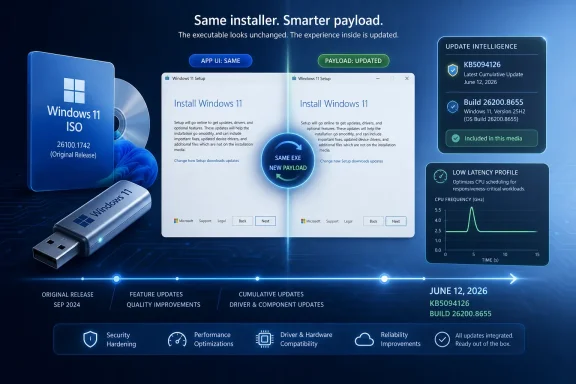
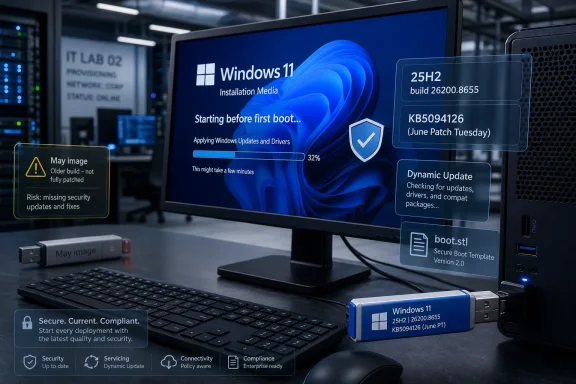
Microsoft has refreshed the Windows 11 Media Creation Tool download path so that, as of June 2026, new installation media pulls the KB5094126 release for Windows 11 version 25H2, producing build 26200.8655 images with the latest Patch Tuesday fixes baked in. That sounds like routine housekeeping, and in one narrow sense it is. But this refresh matters because the installer image is no longer just a recovery convenience; it is Microsoft’s preferred escape hatch when Windows Update, in-place repair, unsupported hardware experiments, or fleet imaging go sideways. The quiet update also shows how much of modern Windows servicing now happens behind the curtain, with the tool itself standing still while the payload it retrieves changes underneath it.
The Media Creation Tool used to feel like a seasonal utility. You downloaded it when a new Windows release arrived, wrote a USB stick, and forgot about it until the next major upgrade. In the Windows 11 era, that rhythm has changed: install media is increasingly part of the monthly servicing story.
This June refresh is a clean example. The executable’s visible version information may not advertise a dramatic new release, but the images it now downloads have moved forward to Windows 11 version 25H2, build 26200.8655. In practical terms, someone creating a USB installer today is no longer starting from an older 25H2 baseline and then waiting through a large cumulative update after setup. They are starting much closer to the current serviced state.
That distinction matters for home users, but it matters even more for administrators. Every stale ISO is a time tax: another reboot, another post-install cumulative update, another chance for a driver, policy, or provisioning step to collide with an update still pending in the background. A refreshed Media Creation Tool reduces that friction by making the “fresh install” path less fresh-from-last-quarter and more fresh-from-this-week.
Microsoft has not turned the tool into a transparent versioned product in the way many IT pros would prefer. Neowin notes that the app itself still appears to carry the previous version in its file properties, meaning the only reliable way to confirm the change is to create or inspect the resulting ISO. That is very Microsoft: the delivery mechanism is treated as plumbing, while the build it fetches is the real product.
The headline feature is a new performance behavior described around a low latency profile. The idea is simple enough: Windows briefly raises processor responsiveness when rendering key interface surfaces, such as Start, Search, Quick Settings, and other shell-adjacent experiences. The goal is not higher benchmark scores in a sustained workload; it is making the operating system feel less gummy in the exact moments users notice delay.
That is a revealing design choice. Microsoft is not pretending that modern Windows is lightweight. Instead, it is tuning the system’s burst behavior so the interface gets a small shot of CPU urgency when a user asks it to do something visible. The operating system may briefly draw more power or register higher CPU load, but the bargain is that Start opens faster, transitions feel sharper, and the machine seems more responsive.
For desktop enthusiasts, this is catnip. For laptop users, it is a trade-off. For enterprise IT, it is another reminder that “performance improvement” is not a single axis; it can involve power policy, thermals, battery behavior, telemetry-driven rollout gates, and hardware-specific outcomes that may not look identical across a fleet.
For years, complaints about Windows 11 performance have often been less about raw throughput than about the feel of the shell. Context menus hesitated. Start sometimes took a beat. Search could feel detached from the hardware beneath it. Even on fast machines, small interface delays damaged the illusion that the system was in command.
Microsoft’s answer is not a grand rewrite of the shell, at least not in this release. It is a scheduling and responsiveness maneuver: spike the CPU briefly when the user’s attention is on the interface, then fall back. That is closer to smartphone UX thinking than old-school desktop tuning. The machine does not need to run flat out all the time; it needs to be awake at the right moments.
The risk is that such optimizations can become cosmetic if they mask deeper complexity rather than reducing it. Windows 11’s interface stack has accumulated layers: legacy Win32 surfaces, modern XAML components, web-backed experiences, cloud suggestions, account nudges, search integrations, widgets, Copilot-era hooks, and security boundaries. A low latency profile can make those layers feel less heavy, but it does not make them simpler.
Still, users judge systems by touch and delay, not architecture diagrams. If this change makes Start and Quick Settings feel reliably faster across common hardware, Microsoft will have solved a real annoyance even if the solution is inelegant. Desktop operating systems have always involved sleight of hand; the only scandal is when the trick fails.
An in-place repair install using current media is one of the least glamorous but most effective Windows troubleshooting moves. It preserves apps and files while rebuilding much of the operating system state. The catch is that the ISO needs to be at an equal or newer build than the installed system, or the process becomes awkward, blocked, or counterproductive.
That is why Microsoft’s refreshed payload matters. If a Windows 11 25H2 system is already on build 26200.8655 and begins misbehaving after KB5094126, an older ISO can leave the user stuck hunting for matching media. A current Media Creation Tool gives them a supported route back to an install image aligned with the machine’s present servicing level.
This is also why direct ISO downloads and Media Creation Tool ISOs occupy slightly different niches. Direct ISO downloads are convenient for power users who already know how to write bootable USB media with third-party tools. The Media Creation Tool remains the mainstream path because it bundles the decision tree: edition selection, architecture, download, and USB creation. It is not the most flexible option, but it is the one Microsoft can reasonably point ordinary users toward without a page of caveats.
From the perspective of an administrator trying to document a repeatable process, it is less satisfying. If the file version does not tell you what ISO you will get, then the tool is not self-describing. The only way to prove the result is to download the media, mount it, inspect the build, and record the hash or install.wim details yourself.
That is not a fatal flaw, but it is a needless source of ambiguity. Windows servicing already asks IT teams to track KB numbers, OS builds, enablement packages, edition channels, safeguard holds, feature rollouts, and management policy states. A Media Creation Tool whose visible version does not map cleanly to the payload adds one more “trust but verify” step.
Microsoft’s likely answer is that the official download page is the source of truth. The problem is that enterprises often need artifacts, not assumptions. They need to know which USB stick was created, which ISO was archived, which build was used for a repair, and whether a help desk technician accidentally reused last month’s media because the executable looked identical.
That separation has benefits. It lets Microsoft stage rollouts, monitor telemetry, and pause features if something breaks. It also lets the company ship one cumulative update while enabling specific behaviors only for eligible systems or selected rollout cohorts. From a reliability perspective, that is rational.
But for enthusiasts and administrators, it complicates the meaning of “I installed the latest build.” Two machines can show the same KB and OS build while presenting different feature states. One may have the new responsiveness behavior active; another may not. One may expose a camera improvement immediately; another may wait behind a rollout gate.
This is where tools like ViVeTool enter the conversation, though they sit outside Microsoft’s supported management model. Enthusiasts may force-enable hidden feature IDs to test changes early, but that is not a sane fleet strategy. For managed environments, the right interpretation is more conservative: KB5094126 delivers the code and security baseline, while some user-visible changes may remain subject to Microsoft’s staged enablement logic.
Cameras are now core productivity hardware, not occasional accessories. Hybrid work turned webcam reliability, multi-app camera access, and device switching into daily concerns. A Windows update that improves camera behavior is not a niche convenience; it is maintenance on the modern office’s front door.
Shared audio support points in a similar direction. Bluetooth audio expectations have been shaped by phones and tablets, where sharing or routing audio has become more flexible. Windows has long been powerful in audio plumbing but inconsistent in consumer-friendly presentation. Any move toward easier shared listening or modern Bluetooth audio behavior is part of making the PC less clumsy next to mobile devices.
Task Manager, meanwhile, remains the one power-user surface Microsoft cannot afford to neglect. It is where enthusiasts diagnose bloat, where admins verify runaway processes, and where ordinary users go when something is obviously wrong but not obviously named. Updating it is not cosmetic. It is Microsoft acknowledging that observability is part of usability.
This month also sits against a larger security backdrop: Secure Boot certificate expiration beginning in June 2026. Microsoft has been updating certificates across consumer and enterprise devices, and its support materials indicate that devices without the newest certificates should continue to boot and install standard Windows updates while certificate delivery continues. Even so, the timing is a reminder that some of the most consequential Windows maintenance happens far below the Start menu.
Secure Boot certificate rotation is exactly the kind of plumbing users do not notice until it fails. It intersects firmware, bootloaders, recovery media, enterprise imaging, and long-lived devices that may not have been touched by a technician in years. For IT departments, current installation media is part of that hygiene. Old bootable media is not just inconvenient; in edge cases, it can become a compatibility and trust-chain liability.
That does not mean every organization needs to rebuild every USB stick the moment Microsoft refreshes the Media Creation Tool. It does mean that recovery media should be treated as a maintained asset, not a drawer full of mystery drives. If the operating system is serviced monthly, the tools used to install and repair it cannot remain frozen indefinitely.
For administrators, the advice is similar but the workflow is different. The refreshed media should be validated, documented, and placed into whatever internal process governs repair installs, lab deployment, or break-glass recovery. That means recording the build, testing it on representative hardware, checking driver behavior, and confirming that provisioning still works as expected.
There is also a policy question. Some organizations deliberately avoid the newest install media until a monthly update has survived internal rings. That is reasonable. Fresh media is useful, but it is not automatically blessed. A current ISO can accelerate recovery, but it can also import the same regression your deployment rings are trying to catch.
The best approach is to separate availability from adoption. Download and archive the new media so it is there when needed. Then decide when it becomes the default for production repairs and rebuilds. Windows servicing rewards teams that move deliberately, not teams that pretend monthly updates are either instantly safe or permanently dangerous.
That shift changes how users should think about the Media Creation Tool. The executable is less important than the image it brokers. The version shown in file properties is less meaningful than the build inside the ISO. The download date, KB level, and OS build are now part of the artifact’s identity.
It also changes how tech sites and forums should cover these updates. A refreshed Media Creation Tool is not headline-grabbing in the way a new Insider build or a controversial Start menu change can be. But for anyone who has repaired a broken Windows install at midnight, the availability of current media is operationally important. It can be the difference between a clean in-place repair and a long detour through Windows Update errors, DISM commands, and forum archaeology.
This is why the June 2026 refresh deserves attention. Not because the tool gained a flashy interface or a new feature. It did not. It matters because Microsoft quietly moved the floor under Windows 11 installation and recovery.
 The Installer Became Part of Patch Tuesday
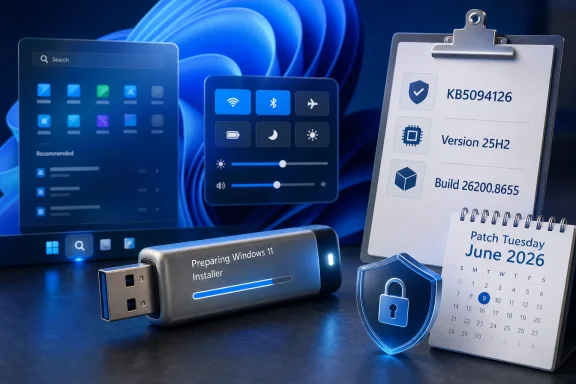
The Media Creation Tool used to feel like a seasonal utility. You downloaded it when a new Windows release arrived, wrote a USB stick, and forgot about it until the next major upgrade. In the Windows 11 era, that rhythm has changed: install media is increasingly part of the monthly servicing story.This June refresh is a clean example. The executable’s visible version information may not advertise a dramatic new release, but the images it now downloads have moved forward to Windows 11 version 25H2, build 26200.8655. In practical terms, someone creating a USB installer today is no longer starting from an older 25H2 baseline and then waiting through a large cumulative update after setup. They are starting much closer to the current serviced state.
That distinction matters for home users, but it matters even more for administrators. Every stale ISO is a time tax: another reboot, another post-install cumulative update, another chance for a driver, policy, or provisioning step to collide with an update still pending in the background. A refreshed Media Creation Tool reduces that friction by making the “fresh install” path less fresh-from-last-quarter and more fresh-from-this-week.
Microsoft has not turned the tool into a transparent versioned product in the way many IT pros would prefer. Neowin notes that the app itself still appears to carry the previous version in its file properties, meaning the only reliable way to confirm the change is to create or inspect the resulting ISO. That is very Microsoft: the delivery mechanism is treated as plumbing, while the build it fetches is the real product.
KB5094126 Is More Than a Security Rollup
June 2026’s Windows 11 Patch Tuesday update is not just a bundle of vulnerability fixes with a new build number attached. KB5094126 applies to Windows 11 versions 24H2 and 25H2, raising 24H2 systems to build 26100.8655 and 25H2 systems to build 26200.8655. It also folds in non-security improvements from the previous optional preview updates, which is now the familiar Windows servicing cadence: preview first, broad deployment later.The headline feature is a new performance behavior described around a low latency profile. The idea is simple enough: Windows briefly raises processor responsiveness when rendering key interface surfaces, such as Start, Search, Quick Settings, and other shell-adjacent experiences. The goal is not higher benchmark scores in a sustained workload; it is making the operating system feel less gummy in the exact moments users notice delay.
That is a revealing design choice. Microsoft is not pretending that modern Windows is lightweight. Instead, it is tuning the system’s burst behavior so the interface gets a small shot of CPU urgency when a user asks it to do something visible. The operating system may briefly draw more power or register higher CPU load, but the bargain is that Start opens faster, transitions feel sharper, and the machine seems more responsive.
For desktop enthusiasts, this is catnip. For laptop users, it is a trade-off. For enterprise IT, it is another reminder that “performance improvement” is not a single axis; it can involve power policy, thermals, battery behavior, telemetry-driven rollout gates, and hardware-specific outcomes that may not look identical across a fleet.
Microsoft Is Optimizing the Feeling of Windows
The most interesting thing about the low latency profile is not that it exists. It is that Microsoft is now willing to treat perceived responsiveness as a first-class update target. That says something about where Windows 11 criticism has landed.For years, complaints about Windows 11 performance have often been less about raw throughput than about the feel of the shell. Context menus hesitated. Start sometimes took a beat. Search could feel detached from the hardware beneath it. Even on fast machines, small interface delays damaged the illusion that the system was in command.
Microsoft’s answer is not a grand rewrite of the shell, at least not in this release. It is a scheduling and responsiveness maneuver: spike the CPU briefly when the user’s attention is on the interface, then fall back. That is closer to smartphone UX thinking than old-school desktop tuning. The machine does not need to run flat out all the time; it needs to be awake at the right moments.
The risk is that such optimizations can become cosmetic if they mask deeper complexity rather than reducing it. Windows 11’s interface stack has accumulated layers: legacy Win32 surfaces, modern XAML components, web-backed experiences, cloud suggestions, account nudges, search integrations, widgets, Copilot-era hooks, and security boundaries. A low latency profile can make those layers feel less heavy, but it does not make them simpler.
Still, users judge systems by touch and delay, not architecture diagrams. If this change makes Start and Quick Settings feel reliably faster across common hardware, Microsoft will have solved a real annoyance even if the solution is inelegant. Desktop operating systems have always involved sleight of hand; the only scandal is when the trick fails.
Fresh ISOs Are the Quiet Fix for Broken Update Paths
The Media Creation Tool refresh lands at a useful moment because cumulative updates are not merely something users install. They are also something users recover from. When a monthly update fails, half-installs, corrupts a component store, or leaves Windows Update stuck in a loop, the current ISO becomes a repair instrument.An in-place repair install using current media is one of the least glamorous but most effective Windows troubleshooting moves. It preserves apps and files while rebuilding much of the operating system state. The catch is that the ISO needs to be at an equal or newer build than the installed system, or the process becomes awkward, blocked, or counterproductive.
That is why Microsoft’s refreshed payload matters. If a Windows 11 25H2 system is already on build 26200.8655 and begins misbehaving after KB5094126, an older ISO can leave the user stuck hunting for matching media. A current Media Creation Tool gives them a supported route back to an install image aligned with the machine’s present servicing level.
This is also why direct ISO downloads and Media Creation Tool ISOs occupy slightly different niches. Direct ISO downloads are convenient for power users who already know how to write bootable USB media with third-party tools. The Media Creation Tool remains the mainstream path because it bundles the decision tree: edition selection, architecture, download, and USB creation. It is not the most flexible option, but it is the one Microsoft can reasonably point ordinary users toward without a page of caveats.
The Version Number Still Tells a Messy Story
There is a small absurdity in this update: the Media Creation Tool can download a new Windows build while appearing unchanged in its own properties. From Microsoft’s engineering point of view, that may be perfectly reasonable. The tool is a downloader and media generator; the content it retrieves can change without requiring the executable to be rebuilt.From the perspective of an administrator trying to document a repeatable process, it is less satisfying. If the file version does not tell you what ISO you will get, then the tool is not self-describing. The only way to prove the result is to download the media, mount it, inspect the build, and record the hash or install.wim details yourself.
That is not a fatal flaw, but it is a needless source of ambiguity. Windows servicing already asks IT teams to track KB numbers, OS builds, enablement packages, edition channels, safeguard holds, feature rollouts, and management policy states. A Media Creation Tool whose visible version does not map cleanly to the payload adds one more “trust but verify” step.
Microsoft’s likely answer is that the official download page is the source of truth. The problem is that enterprises often need artifacts, not assumptions. They need to know which USB stick was created, which ISO was archived, which build was used for a repair, and whether a help desk technician accidentally reused last month’s media because the executable looked identical.
Gradual Rollout Makes the ISO a Snapshot, Not a Promise
The low latency profile is reportedly rolling out gradually, and that caveat deserves more attention than it will probably get. A Windows ISO can capture a build, but it cannot guarantee that every controlled feature in that build is active on every device on day one. Microsoft’s feature delivery model increasingly separates code presence from feature availability.That separation has benefits. It lets Microsoft stage rollouts, monitor telemetry, and pause features if something breaks. It also lets the company ship one cumulative update while enabling specific behaviors only for eligible systems or selected rollout cohorts. From a reliability perspective, that is rational.
But for enthusiasts and administrators, it complicates the meaning of “I installed the latest build.” Two machines can show the same KB and OS build while presenting different feature states. One may have the new responsiveness behavior active; another may not. One may expose a camera improvement immediately; another may wait behind a rollout gate.
This is where tools like ViVeTool enter the conversation, though they sit outside Microsoft’s supported management model. Enthusiasts may force-enable hidden feature IDs to test changes early, but that is not a sane fleet strategy. For managed environments, the right interpretation is more conservative: KB5094126 delivers the code and security baseline, while some user-visible changes may remain subject to Microsoft’s staged enablement logic.
The Camera, Audio, and Task Manager Changes Point to a Broader Desktop Reset
The June update also brings a cluster of quality-of-life improvements beyond shell responsiveness. Webcam improvements, Task Manager changes, and shared audio support do not sound like a unified strategy at first glance. Taken together, they show Microsoft continuing to sand down Windows 11’s rough edges in areas where the PC has changed since 2020.Cameras are now core productivity hardware, not occasional accessories. Hybrid work turned webcam reliability, multi-app camera access, and device switching into daily concerns. A Windows update that improves camera behavior is not a niche convenience; it is maintenance on the modern office’s front door.
Shared audio support points in a similar direction. Bluetooth audio expectations have been shaped by phones and tablets, where sharing or routing audio has become more flexible. Windows has long been powerful in audio plumbing but inconsistent in consumer-friendly presentation. Any move toward easier shared listening or modern Bluetooth audio behavior is part of making the PC less clumsy next to mobile devices.
Task Manager, meanwhile, remains the one power-user surface Microsoft cannot afford to neglect. It is where enthusiasts diagnose bloat, where admins verify runaway processes, and where ordinary users go when something is obviously wrong but not obviously named. Updating it is not cosmetic. It is Microsoft acknowledging that observability is part of usability.
Security Still Sets the Clock
For all the attention on performance and UI polish, KB5094126 remains a Patch Tuesday security update. That means the clock is not optional for most users. The update is part of the monthly mechanism by which Microsoft closes vulnerabilities, updates platform components, and keeps supported Windows installations within the expected servicing envelope.This month also sits against a larger security backdrop: Secure Boot certificate expiration beginning in June 2026. Microsoft has been updating certificates across consumer and enterprise devices, and its support materials indicate that devices without the newest certificates should continue to boot and install standard Windows updates while certificate delivery continues. Even so, the timing is a reminder that some of the most consequential Windows maintenance happens far below the Start menu.
Secure Boot certificate rotation is exactly the kind of plumbing users do not notice until it fails. It intersects firmware, bootloaders, recovery media, enterprise imaging, and long-lived devices that may not have been touched by a technician in years. For IT departments, current installation media is part of that hygiene. Old bootable media is not just inconvenient; in edge cases, it can become a compatibility and trust-chain liability.
That does not mean every organization needs to rebuild every USB stick the moment Microsoft refreshes the Media Creation Tool. It does mean that recovery media should be treated as a maintained asset, not a drawer full of mystery drives. If the operating system is serviced monthly, the tools used to install and repair it cannot remain frozen indefinitely.
The Home User Gets Convenience; The Admin Gets Another Control Point
For a home user, the advice is simple: if you need Windows 11 installation media today, download the Media Creation Tool today. Do not rely on a copy you saved months ago. The current tool should pull the current Windows 11 25H2 media, reducing the post-install update burden and improving your odds of a smoother repair install.For administrators, the advice is similar but the workflow is different. The refreshed media should be validated, documented, and placed into whatever internal process governs repair installs, lab deployment, or break-glass recovery. That means recording the build, testing it on representative hardware, checking driver behavior, and confirming that provisioning still works as expected.
There is also a policy question. Some organizations deliberately avoid the newest install media until a monthly update has survived internal rings. That is reasonable. Fresh media is useful, but it is not automatically blessed. A current ISO can accelerate recovery, but it can also import the same regression your deployment rings are trying to catch.
The best approach is to separate availability from adoption. Download and archive the new media so it is there when needed. Then decide when it becomes the default for production repairs and rebuilds. Windows servicing rewards teams that move deliberately, not teams that pretend monthly updates are either instantly safe or permanently dangerous.
The ISO Is Now a Servicing Artifact
The broader lesson is that Windows installation media has become part of Microsoft’s servicing fabric. It is no longer merely the thing you use before updates begin. It is one of the ways Microsoft distributes a known-good baseline after updates have already happened.That shift changes how users should think about the Media Creation Tool. The executable is less important than the image it brokers. The version shown in file properties is less meaningful than the build inside the ISO. The download date, KB level, and OS build are now part of the artifact’s identity.
It also changes how tech sites and forums should cover these updates. A refreshed Media Creation Tool is not headline-grabbing in the way a new Insider build or a controversial Start menu change can be. But for anyone who has repaired a broken Windows install at midnight, the availability of current media is operationally important. It can be the difference between a clean in-place repair and a long detour through Windows Update errors, DISM commands, and forum archaeology.
This is why the June 2026 refresh deserves attention. Not because the tool gained a flashy interface or a new feature. It did not. It matters because Microsoft quietly moved the floor under Windows 11 installation and recovery.
The June Media Refresh Draws a New Line for Windows 11 Maintenance
The practical picture is narrow but important: current Windows 11 media now reflects the June 2026 servicing baseline, and that baseline includes both security fixes and user-visible performance work. The strategic picture is larger: Microsoft is making the install image part of the same continuously serviced Windows experience it has spent years building through cumulative updates.- New Media Creation Tool downloads should now produce Windows 11 version 25H2 media at build 26200.8655 with KB5094126 included.
- The visible file version of the Media Creation Tool may not prove which Windows build it will download, so the resulting ISO should be inspected if version certainty matters.
- KB5094126 is a June 2026 Patch Tuesday update for Windows 11 24H2 and 25H2, with security fixes plus improvements carried forward from recent preview releases.
- The low latency profile is aimed at making common Windows 11 interface surfaces feel faster by briefly increasing processor responsiveness during visible UI actions.
- Administrators should treat refreshed ISOs and USB installers as maintained recovery assets rather than one-time downloads.
- Gradual rollout means two machines on the same build may not expose every new feature at the same time.
References
- Primary source: Neowin
Published: Fri, 12 Jun 2026 07:44:00 GMT
Microsoft releases new Windows 11 Media Creation Tool with the latest updates - Neowin
A new version of the official Media Creation Tool app is now available, making it easier to clean-install the most recent Windows 11 update with its new features and performance improvements. www.neowin.net
- Related coverage: windowslatest.com
Windows 11 KB5094126 out with CPU boost for performance, direct download links for offline installer (.msu)
Windows 11 KB5094126 is now rolling out with Low Latency Profile, Shared audio, Secure Boot certificate update, and more. www.windowslatest.com
- Official source: learn.microsoft.com
Builds 26100 & 26200.8655 out to RP Channels - Microsoft Q&A
Live in Windows Updatelearn.microsoft.com - Related coverage: cyberq.tw
Windows 11 六月強制更新 KB5094126 改善 CPU 效能減少介面卡頓,藍牙音訊共享與多重相機功能全面實裝 – CyberQ 賽博客
微軟在 2026 年 6 月的「例行性安全修補日」(Patch Tuesday)依約為 Windows 11 ...cyberq.tw - Official source: support.microsoft.com
- Related coverage: windows-faq.de
Windows 11 KB5094126 Update für 24H2 und 25H2 für Secure Boot & Sicherheit - Windows FAQ
Windows 11 KB5094126 bringt Sicherheitsfixes, Secure Boot Änderungen und Fehlerbehebungen für 24H2 und 25H2.www.windows-faq.de

- Related coverage: pcgameshardware.de
Windows 11: Juni-Update schaltet den CPU-Boost scharf
Windows 11: Das Juni-Update KB5094126 schaltet den CPU-Boost frei. So lässt sich das Low Latency Profile überprüfen und per Vivetool aktivieren.www.pcgameshardware.de
- Related coverage: windowsforum.com
Windows 11 KB5094126 (June 2026) Guide: Low Latency, Shared Audio, Secure Boot | Windows Forum
Microsoft released Windows 11 KB5094126 on June 9, 2026, as the June Patch Tuesday security update for Windows 11 versions 25H2 and 24H2, raising systems to...windowsforum.com - Official source: catalog.update.microsoft.com