

Microsoft’s July 22, 2025 preview cumulative (KB5062663) for Windows 11 surfaced as a compact but consequential quality rollup — delivered for both servicing families as OS Builds 22621.5699 and 22631.5699 — that fixes a handful of high‑impact reliability problems, bundles a servicing‑stack update, and reiterates a platform‑level warning about expiring Secure Boot certificates that administrators must treat as urgent.
Microsoft’s servicing model in 2025 continues to maintain parallel build families (commonly referred to as the 22621 and 22631 baselines). A single cumulative update can be packaged for both families and shipped with slightly different build suffixes depending on whether feature flags are enabled. Preview updates published to the Release Preview channel are optional by default and intended to validate fixes before they are moved into the monthly cumulative (Patch Tuesday) rollups. KB5062663 is a non‑security preview update that Microsoft published on July 22, 2025. It concentrates on quality and reliability fixes rather than introducing new consumer features. The package also includes a servicing stack update (SSU) — KB5062686 — which improves the Windows update installation pipeline and is combined with the LCU (Latest Cumulative Update) to reduce installation failures. Be mindful: combined SSU+LCU packages change rollback dynamics because the SSU portion cannot be removed once installed.
However, the larger operational imperative that cannot be deferred is preparation for the Secure Boot certificate expirations beginning in June 2026. That timeline is independent of a single KB and requires immediate inventory, OEM coordination, and testing. Treat Secure Boot certificate replacement as a program: inventory now, pilot firmware/OS CA updates soon, and escalate to OEM partners for devices lacking clear update paths. Finally, treat Windows Backup for Organizations as a helpful migration and settings‑rehydration tool, but not a substitute for your enterprise backup and disaster recovery strategy. Combine it with existing backup, endpoint protection, and imaging tools rather than relying on it as a primary data protection mechanism. By piloting selectively, validating behavior against representative scenarios, and prioritizing the Secure Boot certificate program, IT teams can adopt the KB’s fixes without elevating systemic risk — and use the preview as a targeted tool to close pain points quickly while preparing for the platform upgrades that the Windows ecosystem now demands.
Conclusions
KB5062663 is an example of the incremental but practical engineering updates Microsoft is using to keep Windows usable and reliable for specific enterprise and multilingual workloads. The package will be most valuable for environments experiencing the flagged regressions, but even teams that are not affected directly should treat the Secure Boot certificate advisory as a top priorities planning item. Approach the preview with a standard QA and rollback plan, and coordinate early with OEM partners to ensure firmware and certificate rollouts are in your timeline.
Source: Microsoft Support July 22, 2025—KB5062663 (OS Builds 22631.5699) Preview - Microsoft Support
 Background / Overview
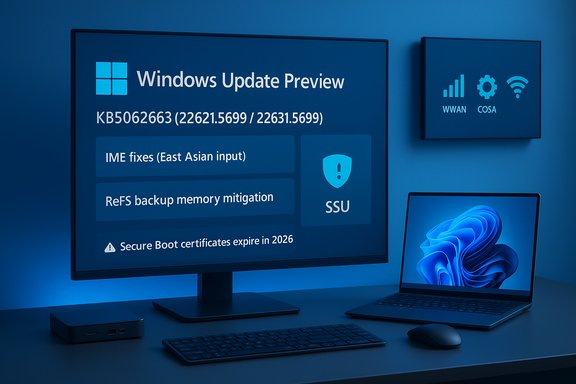
Microsoft’s servicing model in 2025 continues to maintain parallel build families (commonly referred to as the 22621 and 22631 baselines). A single cumulative update can be packaged for both families and shipped with slightly different build suffixes depending on whether feature flags are enabled. Preview updates published to the Release Preview channel are optional by default and intended to validate fixes before they are moved into the monthly cumulative (Patch Tuesday) rollups. KB5062663 is a non‑security preview update that Microsoft published on July 22, 2025. It concentrates on quality and reliability fixes rather than introducing new consumer features. The package also includes a servicing stack update (SSU) — KB5062686 — which improves the Windows update installation pipeline and is combined with the LCU (Latest Cumulative Update) to reduce installation failures. Be mindful: combined SSU+LCU packages change rollback dynamics because the SSU portion cannot be removed once installed. What’s in KB5062663 — the fixes and improvements
This preview is deliberately compact; its engineering design is to target specific real‑world problems observed in telemetries and Insider reports. The principal items called out by Microsoft and mirrored in Insider notes are:- Country and Operator Settings Asset (COSA) updates to refresh profiles for certain mobile carriers. This can affect eSIM/provisioning behavior on WWAN‑enabled devices.
- File system fixes:
- A Resilient File System (ReFS) bug where backup applications operating against very large files could intermittently exhaust system memory. This fix reduces the risk of backup‑induced out‑of‑memory conditions on ReFS volumes.
- A search issue where querying for PDF files in a shared folder could return errors like “No More Files” or STATUS_NO_MORE_FILES, which in some configurations blocked output to virtual PDF printers and interfered with backup jobs.
- Input method fixes (notably for East Asian IMEs): The update resolves an issue affecting the Microsoft Changjie IME for Traditional Chinese and also addresses phonetic input problems (such as Hindi and Marathi phonetic keyboards) that could have been broken or unresponsive after an earlier July security rollup. This is the targeted remediation for the IME regressions introduced by the July security update family.
- Networking: Improved resume behavior for devices with active cellular connections so that certain peripheral devices come online more quickly after hibernation. This matters for mobile workers using docking and WWAN connectivity.
- Printing: Improved identification of printer names during IPP Directed Discovery so printers show clearer names during discovery and setup.
- Stability: A correction for rare stability regressions observed after the May 2025 security update and subsequent rollups; some devices had become unresponsive under specific conditions, and this patch addresses that scenario.
- Taskbar/accessibility: Fix to restore certain accessibility feature icons that had stopped appearing on the taskbar.
Servicing‑stack update (KB5062686)
KB5062663 also includes SSU KB5062686 (22621.5690 / 22631.5690). SSUs are important: they harden the component that performs update installations and reduce the likelihood of failed installs. When combined with an LCU, administrators should expect a more reliable installation but must also plan for the consequence that the SSU cannot be removed without a full OS reimage; only the LCU portion can be uninstalled in most cases.Why administrators should pay attention — operational impacts and risks
KB5062663 is small, but several operational considerations make it worth a close look for IT teams:- IME and localized input regressions can be disruptive. The Changjie IME regression impacted composition and selection flows for Traditional Chinese users and could be functionally blocking for affected users; the July preview resolves that. Organizations with Chinese‑language users should prioritize testing and installation. Microsoft’s release health pages and a number of community trackers confirm the origin (July security updates) and the remediation path.
- Combined SSU + LCU packaging affects rollback and imaging strategy. The SSU portion is persistent after install. If your deployment pipeline requires the ability to uninstall a problematic cumulative quickly, the presence of an SSU in the package complicates rollback; additional offline servicing or image‑based recovery steps may be needed. Pilot the preview on representative hardware first.
- Secure Boot certificate timeline — platform risk that transcends one KB. Microsoft used the KB notes to reiterate a broader advisory: several Microsoft Secure Boot certificates (originally issued circa 2011) will begin expiring in June 2026, with related CA expirations following through October 2026. If devices do not receive updated 2023 certificates before the old ones expire, they may lose the ability to install pre‑boot/boot manager fixes or trust new boot loaders and could, in some firmware configurations, experience boot issues. This is not hypothetical: Microsoft’s Secure Boot guidance and the Windows IT Pro community both advise inventory, OEM coordination, and a test plan now. Treat the platform certificate replacement schedule as a high‑priority operational task.
- Preview vs. production — choose the right lanes. KB5062663 is a preview update. For most production fleets the conservative approach is:
- Pilot in Release Preview or a small test ring if you need immediate fixes (for example, to resolve Changjie IME or ReFS backup memory exhaustion).
- Wait for the fixes to appear in a Patch Tuesday cumulative before broad deployment if your environment prioritizes maximum stability.
How to obtain KB5062663 and deployment notes
- Windows Update (Settings > Windows Update): Preview updates appear under Optional updates available. Devices enrolled in Release Preview or that opt into “get the latest updates as they are available” will see the preview listed.
- Microsoft Update Catalog: Offline MSU packages are available for manual download when automatic channels are unsuitable. Use the Update Catalog to pull architecture‑specific installers.
- WSUS / Windows Update for Business / ConfigMgr: The preview may be made available through these channels depending on Microsoft’s publishing choices and catalog metadata; check the catalog and test before wide deployment. Community Q&A threads and Microsoft Learn discussion confirm WSUS can distribute preview packages when set up to do so.
- Create a recovery image or ensure backups are current (especially if the update is applied to imaging servers or storage hosts).
- Identify a small selection of representative devices: WWAN/docked laptops, devices using the affected IMEs, and servers using ReFS for backup tests.
- Confirm you have plans to gather logs (Event Viewer, Windows Update logs, mini dumps) if a problem reproduces.
Windows Backup for Organizations — related but distinct
Microsoft’s KB mentions Windows Backup for Organizations appearing in the same timeframe as a limited public preview. This new enterprise feature is designed to back up Windows settings and a list of Microsoft Store installed apps for Microsoft Entra‑joined devices; it is not a full device image or disk‑level backup solution. The core purpose is faster device migration, reset recovery, and smoother transitions when reimaging or provisioning new Windows 11 endpoints. Administrators should note:- Backups are targeted at settings and Store app lists, not end‑user file/data backups or imaging. It simplifies OOBE (Out‑Of‑Box Experience) restoration of user preferences and Start menu app layout on Windows 11 devices.
- The restoration experience is supported only on Windows 11 (22H2 and later). While backups may be taken on Windows 10 (22H2) or Windows 11, restores require Windows 11 — Microsoft is clearly steering customers toward Windows 11.
- The feature is opt‑in and disabled by default; IT must enable and configure policies. Backups are encrypted and (per Microsoft’s announcements) stored within Microsoft 365 services in the customer’s region, which raises policy and compliance questions that security teams must vet.
Cross‑verification of key claims (what we checked and where)
To ensure accuracy of the headline claims and timelines:- The KB content and build numbers were verified against Microsoft’s KB article for July 22, 2025 and the Windows Insider blog release notes for the Release Preview channel. These confirm OS Builds 22621.5699 and 22631.5699 and the small, targeted list of fixes.
- The Changjie IME regression’s origin in the July security rollups and its resolution appear in Microsoft’s release health/resolved issues documents and community trackers; independent sites mirror the timeline and recommend installing the non‑security preview where necessary.
- The Secure Boot certificate expiration timeline and the requirement to roll in replacement CA/KEK certificates was confirmed via Microsoft guidance pages and Windows IT Pro community advisories; independent coverage highlights the June–October 2026 window and the operational need to inventory and test firmware update paths.
- Windows Backup for Organizations particulars (scope, preview cadence, restore limitations) are corroborated by Microsoft’s Windows IT Pro blog post and independent trade coverage.
Practical, prioritized checklist for IT teams (recommended deployment steps)
- Inventory & risk triage:
- Identify devices using affected features: ReFS backup hosts, WWAN‑enabled laptops, and users who rely on Traditional Chinese IMEs. Flag devices in the top two risk tiers.
- Review Secure Boot posture:
- Audit firmware KEK/DB contents where possible, check OEM advisories for certificate rollout plans, and confirm whether your fleet’s devices will receive firmware updates that accept the 2023 certificates. Prioritize devices that are out of OEM support.
- Pilot the update:
- Apply KB5062663 in a controlled test ring containing representative devices (a mix of touch/tablet, WWAN/docked laptops, ReFS hosts). Observe for at least 72 hours under production‑like workloads.
- Validate post‑install behaviors:
- For IME: confirm composition, candidate windows, and spacebar behavior on devices configured for Traditional Chinese input.
- For ReFS: run backup workflows against large files and verify memory usage and completion.
- For docking/hibernation devices: confirm peripheral attach/resume latency.
- Log & rollback readiness:
- Capture event logs, WER dumps, and Windows Update logs. If you must rollback the LCU, test the DISM uninstall workflow in your lab — but remember SSU persistence.
- Plan for Secure Boot certificate updates:
- Document OEM update pathways, pilot firmware certificate replacements on a test image, and confirm recovery workflows; escalate to vendor support for hardware that lacks firmware update options.
- Communicate with users:
- For language teams and device owners impacted by IME or WWAN fixes, pre‑announce the pilot and expected behavior changes and give a channel for quick feedback.
Strengths and limitations — critical analysis
Strengths:- The KB’s targeted nature demonstrates Microsoft’s iterative, telemetry‑driven approach: small, surgical fixes often deliver outsized operational improvement for specific user cohorts (IME users, ReFS backup hosts, WWAN mobile workers).
- Bundled SSUs improve installation robustness for future updates when deployed successfully, reducing downstream failed update scenarios.
- The cross‑reference to platform‑level concerns (Secure Boot certificates) in the same KB is helpful for raising awareness and prompting administrators to act early.
- Preview updates are optional and designed for validation; they may not be appropriate for broad deployment in conservative production environments without piloting. Community experience repeatedly shows that preview fixes trade immediacy for a slightly higher regression risk.
- The SSU component’s non‑removability complicates emergency rollback options and requires administrators to rely on image‑based recovery if an SSU‑level regression is detected.
- The Secure Boot certificate replacement is an ecosystem problem that exceeds a single KB: it requires OEM firmware coordination, and device‑level details are not centrally enumerated by Microsoft — which leaves fleets with uneven exposure and demands vendor outreach. Claims about exact device impact should be treated as contingent until vendor confirmation is obtained.
- Windows Backup for Organizations is useful but narrowly scoped — settings and Store app lists only. Organizations must not conflate it with comprehensive backup/DR capabilities.
Bottom line and recommendations
KB5062663 (OS Builds 22621.5699 / 22631.5699) is a focused Release Preview update that remedies several disruptive, real‑world regressions — notably the Changjie IME composition problems and ReFS backup memory exhaustion — while bundling an SSU to strengthen update reliability. For organizations affected by any of the listed symptoms, piloting and then deploying the preview can deliver meaningful operational relief. For conservative production fleets, waiting for the fixes to be folded into a scheduled Patch Tuesday cumulate is still a reasonable strategy.However, the larger operational imperative that cannot be deferred is preparation for the Secure Boot certificate expirations beginning in June 2026. That timeline is independent of a single KB and requires immediate inventory, OEM coordination, and testing. Treat Secure Boot certificate replacement as a program: inventory now, pilot firmware/OS CA updates soon, and escalate to OEM partners for devices lacking clear update paths. Finally, treat Windows Backup for Organizations as a helpful migration and settings‑rehydration tool, but not a substitute for your enterprise backup and disaster recovery strategy. Combine it with existing backup, endpoint protection, and imaging tools rather than relying on it as a primary data protection mechanism. By piloting selectively, validating behavior against representative scenarios, and prioritizing the Secure Boot certificate program, IT teams can adopt the KB’s fixes without elevating systemic risk — and use the preview as a targeted tool to close pain points quickly while preparing for the platform upgrades that the Windows ecosystem now demands.
Conclusions
KB5062663 is an example of the incremental but practical engineering updates Microsoft is using to keep Windows usable and reliable for specific enterprise and multilingual workloads. The package will be most valuable for environments experiencing the flagged regressions, but even teams that are not affected directly should treat the Secure Boot certificate advisory as a top priorities planning item. Approach the preview with a standard QA and rollback plan, and coordinate early with OEM partners to ensure firmware and certificate rollouts are in your timeline.
Source: Microsoft Support July 22, 2025—KB5062663 (OS Builds 22631.5699) Preview - Microsoft Support
