

A widely distributed December cumulative update for Windows 11 — KB5072033 — quietly changed the startup behavior of a core app deployment service and, for a significant subset of PCs, turned routine background activity into persistent resource pressure that can make systems sluggish, noisy in monitoring consoles, and in some cases practically unusable until the configuration is reverted.
Microsoft shipped the December 9, 2025 cumulative update identified as KB5072033 for Windows 11 (builds 26100.7462 for 24H2 and 26200.7462 for 25H2). The update bundles security hardenings and quality fixes, but its change log includes one short, consequential line: “The AppX Deployment Service (Appxsvc) has moved to Automatic startup type to improve reliability in some isolated scenarios.” That single configuration change is the proximate cause of the performance reports that followed. What changed is small in terms of text but large in effect. A service that historically ran on demand — trigger-start — is now configured to launch at boot on updated machines. For devices already near resource limits (low RAM, mechanical HDDs, or dense virtual desktop hosts), that persistent presence can produce continuous CPU, RAM and disk activity at times when the system should be idle or responsive to user actions. Community reporting and corporate monitoring logs have consistently tied noticeable slowdowns and monitoring flapping to this startup-type change.
However, the rollout also exposed the operational risk of altering service defaults across a massively heterogeneous installed base without broad, visible opt‑out options or clearer communications about trade-offs for low‑spec and server scenarios. The lack of an immediate, documented mitigation from Microsoft left many users to discover and apply the workaround themselves — a situation that increases support overhead and may create a temporary security‑usability tension when administrators consider uninstalling security updates. The episode is a reminder of two enduring truths in OS maintenance:
Conclusion
KB5072033’s documented configuration tweak to AppX Deployment Service (AppXSVC) is a textbook example of reliability-driven change colliding with a diverse device ecosystem. The evidence is consistent across Microsoft’s update notes, vendor blogs and community diagnostics: the Automatic startup change explains the slowdowns and monitoring disturbances reported since December 9, 2025. The safe, pragmatic path for affected users and administrators is a temporary reversion to the trigger-start model with
Source: Mix Vale New Windows 11 update generates slowness and high resource consumption problems on several PCs
 Background / Overview
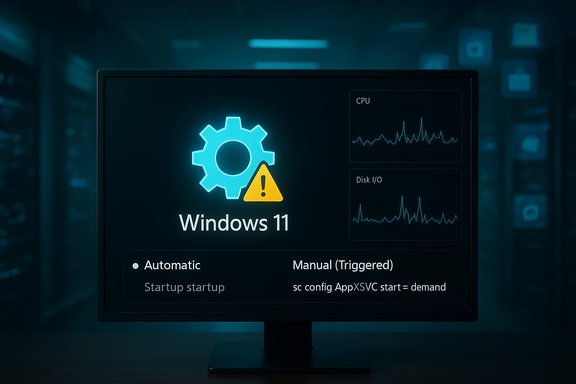
Microsoft shipped the December 9, 2025 cumulative update identified as KB5072033 for Windows 11 (builds 26100.7462 for 24H2 and 26200.7462 for 25H2). The update bundles security hardenings and quality fixes, but its change log includes one short, consequential line: “The AppX Deployment Service (Appxsvc) has moved to Automatic startup type to improve reliability in some isolated scenarios.” That single configuration change is the proximate cause of the performance reports that followed. What changed is small in terms of text but large in effect. A service that historically ran on demand — trigger-start — is now configured to launch at boot on updated machines. For devices already near resource limits (low RAM, mechanical HDDs, or dense virtual desktop hosts), that persistent presence can produce continuous CPU, RAM and disk activity at times when the system should be idle or responsive to user actions. Community reporting and corporate monitoring logs have consistently tied noticeable slowdowns and monitoring flapping to this startup-type change. Why AppXSVC matters: what the service does
- AppX Deployment Service (AppXSVC) is the Windows component responsible for installing, registering, updating and removing Microsoft Store‑distributed packages (AppX, MSIX, UWP). It unpacks packages, registers app containers and coordinates background provisioning tasks for Store-distributed and some system-provided apps.
- Historically, AppXSVC operated as a manual (triggered) service: started only when app package work is required, then stopped to conserve resources.
- The KB5072033 change flips that model to Automatic, causing AppXSVC to start during boot and remain resident (or to be repeatedly restarted by the Service Control Manager), shifting package work into early-session windows where responsiveness matters most.
Symptoms reported by affected systems
Common, reproducible signs tied to the KB5072033/AppXSVC interaction include:- Sustained high disk I/O and repeated reads/writes during early session periods or while idle, especially on HDDs.
- Elevated CPU utilization from the AppXSVC process or its host (svchost), sometimes approaching or hitting 100% during bursts.
- Growing memory footprint for background deployment or delivery services when they remain resident.
- System sluggishness: slow boot, delayed application launches, laggy window switching and frozen UI interactions.
- Monitoring noise: on servers and managed endpoints, monitoring platforms report start/stop “flapping” or repeated service restart alerts, causing alert fatigue.
How to check whether your PC is affected
Quick checks any user or admin can run:- Open Services: press Win + R, type
services.mscand press Enter. - Locate AppX Deployment Service (AppXSVC) in the list and inspect the Startup Type column.
- If it reads Automatic, your device has the changed behavior and may be subject to the symptoms above.
- Open Task Manager (Ctrl+Shift+Esc) and sort by Disk, CPU, or Memory to observe which processes spike during the sluggish behavior.
- On servers, check monitoring tools (Zabbix, Nagios, SCOM, etc. for repeated start/stop alerts tied to AppXSVC.
Temporary (effective) mitigation: revert AppXSVC to trigger-start
Community troubleshooting uncovered a simple, reversible workaround: revert AppXSVC to its default trigger-start mode — Manual (Triggered). The minimally invasive method uses the Service Control utility and requires administrative privileges.- Open an elevated Terminal (right‑click Start → Terminal (Admin).
- Run the command:
sc config AppXSVC start= demand- Restart the PC.
- Do not simply disable AppXSVC. Disabling the service can break Store app installations, updates and some app provisioning tasks.
- If you manage many machines, apply the change via Group Policy, Intune (PowerShell script), or a management tool rather than manually visiting each device.
- Some community posts claim Microsoft has made AppXSVC a “protected” service that resists manual changes on patched systems; this assertion appears in third‑party writeups but lacks a clear, consistent vendor-side confirmation and thus should be treated cautiously until Microsoft clarifies. Administrators should test any bulk configuration in a small pilot before wide rollout.
Recommended steps for home users and IT teams
For home users- Confirm the Startup Type for AppXSVC as described above.
- If set to Automatic and you observe slowdowns, use the
sc config AppXSVC start= demandcommand and reboot. - Monitor behavior for 24–48 hours to confirm improvements.
- Avoid uninstalling KB5072033 unless you accept the security exposure; Microsoft distributed important security corrections with this rollup.
- Pilot the workaround on a controlled group of endpoints (10–50 devices) and collect telemetry (CPU, disk I/O, DoSvc/ AppXSVC memory consumption).
- If the pilot is successful, deploy a scripted remediation using Intune, Group Policy preferences, or your RMM tool:
- Example script (PowerShell elevated):
sc.exe config AppXSVC start= demand - Update monitoring rules to suppress false-positive alerts while changes roll out (e.g., temporary suppression windows for AppXSVC restarts).
- Prepare rollback instructions should Microsoft issue a formal remediation that should be applied instead.
- Document the change and inform helpdesk staff; expect inbound tickets and be ready with the standard checklist: check KB installation time, confirm startup type, revert if necessary.
Why Microsoft might have made this change
Microsoft framed the change as an intentional reliability improvement for “some isolated scenarios,” presumably to reduce installation or update failures for Store apps or to harmonize app deployment with evolving update pipelines. By starting AppXSVC early, the system may pre-populate caches or ensure certain package registration tasks are completed proactively, which can prevent edge-case failures in complex environments. That reliability gain can be valuable in environments where package provisioning is frequent or fragile. The wording in Microsoft’s KB reflects this intent even though the side effect profile was broader than Microsoft signaled. However, a reliability-first decision that increases early-session resource usage is a classic engineering trade-off. In a heterogeneous OS landscape where devices range from modern NVMe-equipped laptops to year-old HDD-based notebooks and dense VDI hosts, the one-size-fits-all configuration can produce real friction. That friction is what the community and IT teams are now confronting.Risks, trade-offs and secondary effects
- Security vs. Performance: Rolling back the startup type locally preserves the security fixes in KB5072033 while reducing the performance impact, but any future Microsoft patch that assumes AppXSVC is Automatic could reintroduce the change.
- Monitoring churn: On servers, the Automatic setting can cause start/stop sequences that monitoring systems interpret as service failures. This generates noisy alerts that can obscure real incidents. Evidence from Microsoft Q&A and community forums shows multiple administrators encountering Zabbix/monitoring alarms.
- Unsupported workarounds: Some “recipes” circulating online try to disable AppXSVC entirely or change system ownership of the service. These are risky, may be blocked by system protections, and can prevent Store apps and certain provisioning scenarios from functioning. Treat such steps as last-resort and test thoroughly.
- Future reversion by Microsoft: Microsoft can change service defaults again in a future cumulative update; permanent enterprise policy should align with Microsoft guidance once a formal remediation is published. Until Microsoft publishes a fix or recommendation, the industry workaround remains a pragmatic interim step.
What Microsoft has said (and not said)
Microsoft’s official KB for KB5072033 documents the AppXSVC startup-type change in the update notes, which constitutes an explicit admission that the configuration was altered as part of the rollup. At the time of writing, Microsoft has not published a separate “known issues” entry pointing to a performance regression that affects broad device classes, nor has it issued a public rollback patch that restores the prior trigger-start default for all customers. That suggests the vendor considers the change intentional and limited to “isolated scenarios,” while the field evidence shows a broader practical impact. Administrators should therefore monitor Microsoft’s Windows release health page and support channels for a final engineering fix or guidance.Cross‑checking the reporting — what independent sources show
Multiple independent outlets and community forums documented the same pattern shortly after the December rollout:- Microsoft’s KB note for KB5072033 explicitly records the AppXSVC startup-type change on December 9, 2025.
- Tech outlets and community forums recorded user complaints of high CPU/disk usage and slowdowns that match the AppXSVC behavior. These writeups also provide reproduction guidance and worked-around fixes.
- Microsoft Q&A threads and server administrator posts highlighted a related problem on Windows Server 2025: forced Automatic start generating start/stop cycles and monitoring noise in server images. This corroborates that the change affects both client and server channels.
- Independent community analysis and forums recommend the same temporary reversion to
start= demandand provide operational tips for fleets.
Practical checklist for safe remediation (concise)
- Verify KB5072033 installed (Settings → Windows Update → Update history) — record install timestamp.
- Check AppXSVC startup type in Services (
services.msc). If Automatic and symptoms exist, proceed. - Apply workaround: open Terminal (Admin) → run
sc config AppXSVC start= demand. - Reboot and validate: monitor Task Manager for reduced disk/CPU spikes and confirm monitoring tools stop alerting on AppXSVC restarts.
- For enterprise: pilot on a small group, then roll out via script or management tool; update runbooks and monitor for reappearance after future cumulative updates.
- Maintain backups and ensure helpdesk has scripted steps for safe rollback if Microsoft releases an official guidance or fix.
Final analysis — strengths, responsibilities and the broader lesson
The engineering choice Microsoft made with KB5072033 reflects a legitimate reliability concern: ensuring Store app updates and provisioning succeed across varied environments is an important goal. The change is easy to document and explain: Automatic start improves availability of deployment pipelines in some scenarios. That is the update’s strength.However, the rollout also exposed the operational risk of altering service defaults across a massively heterogeneous installed base without broad, visible opt‑out options or clearer communications about trade-offs for low‑spec and server scenarios. The lack of an immediate, documented mitigation from Microsoft left many users to discover and apply the workaround themselves — a situation that increases support overhead and may create a temporary security‑usability tension when administrators consider uninstalling security updates. The episode is a reminder of two enduring truths in OS maintenance:
- Small configuration changes at scale can have outsized impacts on perceived performance.
- Clear vendor communication, fast telemetry from field pilots, and a robust rollback or mitigation path are essential whenever defaults that affect resource usage change.
start= demand is a low-risk, effective mitigation that preserves security patches while restoring expected responsiveness on affected machines. Administrators should deploy the change carefully and watch for subsequent Microsoft updates that may either formalize a fix or reintroduce the configuration. Conclusion
KB5072033’s documented configuration tweak to AppX Deployment Service (AppXSVC) is a textbook example of reliability-driven change colliding with a diverse device ecosystem. The evidence is consistent across Microsoft’s update notes, vendor blogs and community diagnostics: the Automatic startup change explains the slowdowns and monitoring disturbances reported since December 9, 2025. The safe, pragmatic path for affected users and administrators is a temporary reversion to the trigger-start model with
sc config AppXSVC start= demand, paired with careful monitoring, pilot testing for fleet rollouts, and readiness to adopt any formal Microsoft remediation when it is published. Source: Mix Vale New Windows 11 update generates slowness and high resource consumption problems on several PCs
