

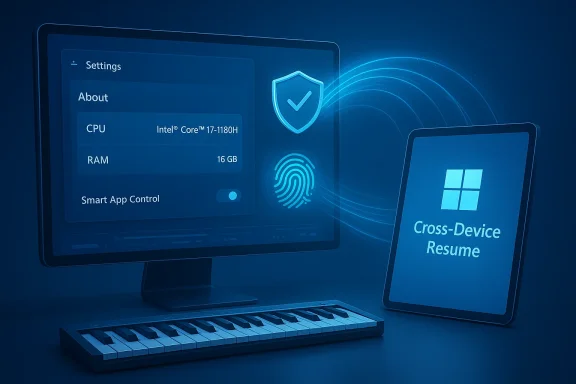
Microsoft’s latest Windows 11 preview update is doing something Microsoft hasn’t always done well: it stitches together a string of modest, practical refinements into a package that meaningfully improves everyday continuity, biometric security, and creator workflows — without waiting for the next big feature release. The optional Release Preview package shipped as KB5074105 (appearing in Release Preview builds 26100.7701 / 26200.7701 and later variants) bundles a broadened Cross‑Device Resume that now covers Spotify playback, Copilot‑opened Microsoft 365 files, and certain browser sessions; it brings Windows Hello Enhanced Sign‑in Security protections to peripheral fingerprint readers; it removes the clean‑install barrier from Smart App Control; modernizes Windows MIDI Services (including MIDI 2.0 support); and introduces several accessibility and device‑management touches that matter to power users and IT teams alike.
Background: where this update fits in Microsoft's cadence
Microsoft publishes optional preview updates ahead of Patch Tuesday to give testers and administrators a chance to validate changes before wide distribution. KB5074105 is a Release Preview cumulative update for Windows 11 servicing lanes and is deliberately split between broad reliability fixes and a set of features that are delivered via a controlled feature rollout (server‑side gating). That means installing the KB makes your device eligible for the new experiences, but Microsoft may enable them gradually per device, account, OEM partnership, or region.The rollout model matters because some headline features — notably Cross‑Device Resume and certain Copilot+ Settings experiences — are entitlement gated. Expect variability: some users will see the new UI and behaviors immediately, others will only become eligible after Microsoft flips the server‑side switch.
Cross‑Device Resume: practical continuity, not Android emulation
What changed
Cross‑Device Resume, Microsoft’s answer to cross‑device handoff, moves from a narrow OneDrive/Phone Link experiment into a broader OS surface that third‑party apps and OEMs can tap. In this release Microsoft explicitly called out these initial resume scenarios:- Resume Spotify playback you started on a supported Android phone and continue on your PC (Windows may prompt to install the desktop Spotify client if it isn’t present).
- Resume online Microsoft 365 files (Word, Excel, PowerPoint) opened in the Copilot mobile app on supported phones; the PC will open the document in the installed desktop Office app if available, otherwise it falls back to the browser.
- Restore browser sessions handed off from compatible Android browsers (Vivo Browser was explicitly noted for Vivo phones).
Why this matters
This update pushes continuity into the operating system rather than relying solely on vendor apps. For most users, the convenience of a single taskbar affordance that surfaces “resume” actions — and opens the right app with one click — will feel smoother than juggling app‑level syncs. For creators moving between devices, the Copilot‑to‑desktop Office handoff can save friction when editing documents on the go.However, the novelty is incremental rather than revolutionary: many apps (Spotify, Office) already provide cross‑device features (e.g., Spotify Connect, cloud‑sync for Office). The OS surface improves discoverability and unifies the experience — but only where the app, OEM, and Microsoft entitlements align. Expect spotty availability until partnerships and broader developer integration arrive.
Practical limitations and testing tips
- Offline‑only content stored solely on the phone is not supported; the mechanism depends on cloud‑reachable metadata.
- Availability is phased and depends on account sign‑in, OEM integration, and region. Installing the KB alone does not guarantee immediate access.
- If you’re testing: join the Release Preview Channel, install KB5074105, ensure your Android device is running a supported OEM/browser combination, and sign into the same Microsoft account on both devices.
Device card and Settings refinements: small UX, meaningful payoff
Microsoft’s Settings app has slowly moved toward card‑based, glanceable summaries. KB5074105 introduces a more unified device card on Settings > About that consolidates CPU, RAM, storage, and related system information into a single summary slide. This is a small UI change, but it reduces noise for users who want a quick system snapshot without navigating multiple pages.A note of caution: a few outlets reported an unexpected change requiring administrator permission via User Account Control (UAC) to access the Storage settings (Settings > System > Storage). That modification was described as an intentional move to protect system files, but it has puzzled some users because it changes a commonly used settings path. The claim originates from early reporting and user summaries; it is worth verifying against Microsoft’s official release notes or your own test device because the behavior was not uniformly observed across all preview builds at the time of reporting. Treat this as a flagged item during pilot testing.
Windows Hello Enhanced Sign‑in Security (ESS): biometric protection expands
Windows Hello ESS uses the Trusted Platform Module (TPM) to add an extra layer of protection around biometric credentials. Historically, ESS protected depth cameras and integrated webcams; this update extends ESS protections to external and peripheral fingerprint readers, broadening hardware options while keeping biometric templates secured inside the TPM where supported. That means desktop systems using USB fingerprint readers that meet ESS device criteria can store credential data with the same enhanced protections previously limited to cameras.Why that’s important: fingerprint readers are a common convenience on laptops and a growing option for desktops. Extending ESS to those peripherals reduces the attack surface for credential theft, especially in scenarios where the fingerprint sensor sits on an external peripheral or kiosk device. For enterprise managers and security‑minded users, this is a meaningful step toward consistent biometric hardening across device form factors.
Caveats: the protections depend on device firmware and driver compliance with Microsoft’s ESS expectations and the presence of a compatible TPM. Organizations should validate with peripheral vendors and test biometric enrollment/backup workflows before mass deployment.
Smart App Control: the manageability relief admins have asked for
Smart App Control (SAC) evaluates app reputation and behavior to block potentially malicious or untrusted executables. Until now, one of the biggest complaints was that enabling SAC on an existing installation could be easy, but re‑enabling SAC if it was ever turned off required a clean OS install — a showstopper for anyone who tried SAC, found a false positive, and then wanted to reactivate it.KB5074105 changes that. You can now toggle Smart App Control on or off from Windows Security without resetting your PC, eliminating that friction and making SAC far more usable for testers, developers, and admins who occasionally need to run unsigned tools. This is a significant manageability improvement and should increase SAC adoption among advanced users and pilot fleets.
Security trade‑off: the ease of toggling SAC increases convenience but also invites configuration drift. Organizations should keep SAC policies codified and monitor changes — don’t treat the new toggle as a substitute for a formal app allowlist process. Where precise audit trails matter, use management tooling (Intune / Group Policy) to lock SAC state or record changes.
Accessibility and voice improvements: incremental but thoughtful
KB5074105 includes a cluster of accessibility upgrades that refine voice and screen‑reading workflows:- Voice Typing now supports an optional wait time before executing voice commands, which helps people who speak more slowly or need a pause between dictation and command execution. This setting reduces misfires and makes voice typing more forgiving for different speech cadences.
- Voice Access (for full PC control via voice) gains an updated AI voice model per language, improving recognition and naturalness for non‑standard speech patterns and localized deployments.
- Narrator receives more granular controls over which on‑screen control details are announced and in which order, allowing users to tailor the output to how they navigate apps. Improved verbosity and ordering help reduce noise and highlight relevant elements first.
Windows MIDI Services and creators: MIDI 2.0 arrives in Windows
For music creators, KB5074105 modernizes the Windows MIDI Services stack. The update adds better support for MIDI 1.0 and MIDI 2.0, shared ports across apps, loopback routing, app‑to‑app routing for lower latency, and translation layers to bridge older WinMM APIs with newer WinRT models. Microsoft ships an App SDK/Tools package to expose MIDI utilities (MIDI Console, MIDI Settings), though community notes cautioned that early packages might be unsigned and could trigger installer warnings.For audio professionals and hobbyists, the improvements may finally remove long‑standing headaches around app routing and inconsistent device naming. Lower latency routing and shared ports make live‑monitoring and plugin workflows smoother on Windows, while MIDI 2.0 support unlocks higher resolution controls for modern gear. Musicians should pilot the new stack with their DAW and hardware to validate timing, driver behavior, and plugin compatibility.
Enterprise and security‑sensitive items: pre‑boot and cryptographic changes
Beyond user‑facing enhancements, KB5074105 includes changes that touch pre‑boot and cryptographic administration — areas that require careful validation in managed environments:- Microsoft replaces older‑signed boot manager binaries on systems with certain certificates to ensure compatibility with updated UEFI signing chains. That change can influence Secure Boot behavior and recovery images.
- The update exposes DPAPI enterprise backup key management options and other domain‑oriented controls that affect how credentials and keys are recovered. Administrators need to re‑test backup, restore, and migration workflows in lab environments before broad deployment.
Risks, tradeoffs, and what to watch for
- Privacy and metadata signaling. Cross‑Device Resume depends on pushing metadata/activity descriptors across devices and services. Although Microsoft’s model minimizes content transfer and emphasizes native handlers, organizations and privacy‑conscious users should audit what metadata is shared and ensure policies cover cross‑device entitlements. Expect OEM and app vendors to shape how much context is included in resume descriptors.
- Entitlement complexity. The controlled feature rollout model creates inconsistency across fleets. For enterprises, this complicates helpdesk troubleshooting — some users will have the capability, others will not. Document feature entitlements and incorporate checks into your support scripts.
- Manageability vs. security posture. Making Smart App Control reversible improves usability, but it creates a vector for policy drift if toggles are used ad hoc. Use centralized management to maintain consistent enforcement where security posture matters.
- Driver/firmware dependencies. Windows Hello ESS expansion depends on compliant fingerprint reader firmware and drivers, and the MIDI stack depends on stable audio drivers. Test peripheral firmware updates and vendor drivers in your lab to avoid surprise regressions.
- Pre‑boot and recovery impacts. Changes to boot manager signing and DPAPI handling can affect recovery processes. Validate imaging, Secure Boot policies, and DPAPI backup/restore procedures on representative hardware.
How to pilot KB5074105 safely (recommended steps)
- Identify a small pilot group: pick a mix of hardware models, user personas (creators, accessibility users, developers), and representative Android phone models (if you’ll test Cross‑Device Resume).
- Join Release Preview or deploy KB5074105 in a controlled ring: ensure devices are set to receive Release Preview builds and apply the optional update through Windows Update’s “Optional updates” UI.
- Validate identity and entitlements: make sure pilot devices use Microsoft accounts or enterprise identities that match your entitlement plan and that OEM partners (where relevant) are supported.
- Test user scenarios: resume Spotify playback, Copilot mobile → desktop Office handoff, Vivo Browser tab resumption (if using Vivo), fingerprint enrollment for ESS, SAC toggling, MIDI routing in DAWs, and Voice Typing/Voice Access flows. Document expected vs. observed behavior.
- Monitor logs and telemetry: collect Windows Event logs for boot/DPAPI events, SAC state changes, and driver errors. Watch for installer warnings if you experiment with the optional MIDI SDK tools.
- Rollback and recovery: create system images or restore points before testing pre‑boot or cryptographic changes; keep a rollback plan if Secure Boot or DPAPI key changes alter recovery behavior.
Bottom line: a cohesive update that nudges Windows toward smoother continuity and stronger defaults
KB5074105 is not a single flashy revision to Windows 11. Instead, it’s a cohesive package of incremental but meaningful improvements:- Cross‑Device Resume makes phone→PC handoff genuinely useful for music, documents, and browsing in supported scenarios, and it does so without streaming or emulating Android UI. That standardization of continuity is valuable for users and developers alike.
- Windows Hello ESS support for fingerprint peripherals spreads strong biometric protections to more hardware form factors.
- Smart App Control becomes manageable without requiring a reinstall, lowering the barrier for adoption while increasing the need for governance.
- Creators gain a modernized Windows MIDI stack that embraces MIDI 2.0 and app‑to‑app routing — a welcome modernization for music professionals on Windows.
- Accessibility improvements and UI consolidations (device card) are modest but improve day‑to‑day usability for specific populations.
If you’re an early adopter or admin who manages mixed fleets, treat KB5074105 as an invitation to pilot. If you’re a cautious user, it’s worth waiting for the broader, non‑preview rollouts unless you have a specific scenario — like MIDI workflows or Copilot continuity — that you want to try now. Above all, document what you see: the phased rollout model means behavior will vary, and solid documentation will save time when you scale the update across more devices.
Conclusion
KB5074105 exemplifies a pragmatic approach to Windows evolution: stitch together targeted feature expansions, security hardening, and platform modernizations into a single preview package that advances cross‑device continuity, strengthens biometric protections, and improves creator workflows. The technical design choices — metadata‑based resume, TPM‑backed biometric storage, reversible Smart App Control, and a modern MIDI stack — all point toward a Windows that emphasizes native desktop behavior, manageability, and inclusivity. The update’s controlled rollout and low‑level cryptographic changes demand careful pilot testing, but for users and organizations willing to test, KB5074105 delivers a clear set of practical gains without waiting for the next big feature release.
Source: PCWorld Windows update ties Spotify, smarter security into your PC
