

Microsoft's February cumulative, KB5077181, is Microsoft's formal response to a class of boot failures that first surfaced after the January 13, 2026 security rollup (KB5074109), but the fix's arrival has exposed a complex truth: the problem was real, Microsoft has declared it resolved for affected commercial devices, yet community telemetry and post‑patch reports show the recovery is uneven and operational risk remains for some environments. om]
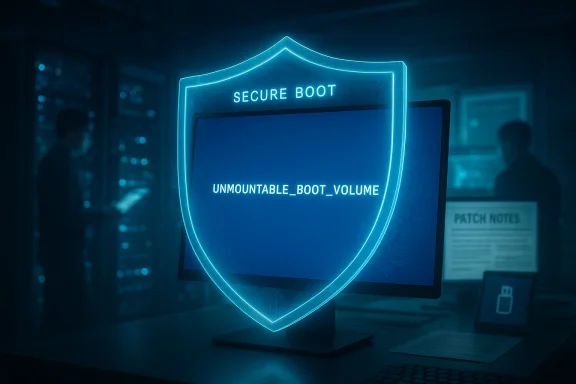
Community and enterprise reports converged on a small but serious subset of failures: devices that, after the January update or after subsequent attempts to install later patches, would present a black screen and a stop code such as UNMOUNTABLE_BOOT_VOLUME or otherwise refuse to boot into a usable Windows session. Those systems frequently required recovery via WinRE, recovery media, or full image restores. Microsoft described the incidence as limited but acknowledged the issue and recommended rollbacks or mitigation while engineers investigated.
However, the operational reality remains uneven. Community telemetry and follow‑on reports show that some systems remain unbootable and that KB5077181 itself produced instability for particular configurations. The combination of SSU/LCU complexity, Secure Boot certificate refreshes, and the diversity of OEM firmware and drivers in the field means organizations cannot treat February’s cumulative as a universal cure in all contexts. Recovery for machines that were already left in an improper state may still require manual remediation or vendor support.
For administrators, the actionable takeaway is simple and stark: treat KB5077181 as the vendor‑released fix, but proceed cautiously. Inventory devices, test in controlled rings, prepare recovery media, and be ready to execute the validated rollback and integrity‑repair steps if a device exhibits boot problems. For Microsoft, this incident underlines the need for faster, clearer public communication when updates risk rendering systems unbootable — because the cost of silence in a connected, patch‑driven ecosystem is measured in downtime, helpdesk overload, and organizational risk.
If your systems are currently affected and you require step‑by‑step assistance beyond the recovery checklist above, reach out to Microsoft Support for Business (enterprise customers) or follow the WinRE uninstall guidance and consult with a qualified systems administrator before performing destructive recovery steps.
Source: FilmoGaz Windows 11 Update KB5077181 Resolves Boot Failures from Previous Update Errors
 Background
What happened in January
On January 13, 2026 Microsoft released the monthly security cumulative identified as KB5074109 for Windows 11 (versions 25H2 and 24H2). The package included a number of security fixes and quality changes — among them preparatory work tied to Secure Boot certificate updates — and quickly became associated with a range of post‑update regressions. Microsoft’s own release notes for KB5074109 list the update contents and later amendments, and independent reporting documented widespread customer impact affecting boot, graphics, and Outlook behavior.Community and enterprise reports converged on a small but serious subset of failures: devices that, after the January update or after subsequent attempts to install later patches, would present a black screen and a stop code such as UNMOUNTABLE_BOOT_VOLUME or otherwise refuse to boot into a usable Windows session. Those systems frequently required recovery via WinRE, recovery media, or full image restores. Microsoft described the incidence as limited but acknowledged the issue and recommended rollbacks or mitigation while engineers investigated.
Microsoft’s interim mitigation (January 29)
Before the full February release, Microsoft published an optional non‑security preview update KB5074105 on January 29, 2026 targeted at preventing new devices from being placed into the problematic state. That preview was not a universal fix for systems already unbootable; it was intended as a prophylactic measure. Administrators were advised to withhold affected devices from further updates until a definitive resolution was released.The February fix: KB5077181
What Microsoft released
On February 10, 2026 Microsoft shipped KB5077181 (OS Builds 26200.7840 and 26100.7840) as the February Patch Tuesday cumulative. The official KB describes the package as a combined servicing stack update (SSU) and cumulative (LCU), bundling security corrections, quality improvements, and staged items from January preview releases. The release notes explicitly reference preparatory Secure Boot work, servicing stack hardenings, and several quality fixes including items tied to boot and startup behavior. Microsoft’s KB page lists the release date and asserts that — at the time of publication — there were no known outstanding issues with this update.Microsoft’s claim: the boot failure is “fully resolved”
Shortly after the February rollup, Microsoft marked the boot failure problem as fully resolved within the security update released on February 10. In private enterprise advisories and follow‑ups, Microsoft stated that systems which had been left in an improper state by failed December/January servicing operations could be restored by the fixes included in KB5077181 and later packages. Microsoft also reiterated that the highest‑risk group were physical, commercial devices on builds tied to the January rollup; it reported no confirmed cases among home devices or virtual machines.What the evidence shows: confirmations and contradictions
Independent confirmation that KB5074109 caused real outages
Multiple reputable outlets and community threads documented that KB5074109 was causing real-world boot failures and other regressions. Reporting from investigative outlets and major Windows news sites consolidated user telemetry, recovery logs, and Microsoft statements that pointed to improper rollbacks or failed servicing commits as the proximate cause of the unbootable state. Administrators were repeatedly told to uninstall the offending January update whe recovery tools when desktops could not be reached.Microsoft’s remedy is explicit — but not universal
Microsoft’s public KB text for KB5077181 and follow‑on advisories list fixes and explicit improvements that address the scenarios leading to boot failures; BleepingComputer and other industry outlets reported Microsoft’s statement that the boot problem was resolved in the February cumulative. This is an authoritative confirmation that the company intended the February package to remediate the regression introduced earlier.Community telemetry shows mixed outcomes
At the same time, independent community discussions and some technical outlets reported that KB5077181 itself has, for some configurations, produced startup loops, SENS service failures, DHCP connectivity problems, and update/servicing error codes (e.g., 0x800f0983, 0x800f0991). In other words, while KB5077181 carries the corrective code for the UNMOUNTABLE_BOOT_VOLUME edge cases, real-world interactions among SSUs, LCU components, OEM firmware, drivers (especially GPU drivers), and Secure Boot policy changes resulted in a non‑trivial fraction of devices still experiencing instability after the February rollup. Those affected often found rollback and recovery via WinRE or full image restore still necessary.Root causes and technical plausibility
How servicing can leave an image in an “improper state”
Windows cumulative updates are complex artifacts: they are delivered as a combined set of files (LCU + SSU) with multiple servicing actions expected to perform atomically. When a servicing commit partially fails, or a dependency is missing (for instance due to driver or firmware mismatch or because a preback incorrectly), the system’s component store (WinSxS) and boot configuration can be left inconsistent. In some scenarios, that inconsistency can surface as boot manager failures, file system mount errors, or services failing during early initialization (SENS errors are a symptom of services failing to register or initialize correctly). The technical mechanism is well‑understood among Windows servicing engineers and recovery specialists, and the symptoms reported are consistent with partial or failed servicing commits.Secure Boot certificate refresh as a complicating factor
The January/February caden Microsoft’s work to refresh Secure Boot certificates across the installed base. This engineering work required updates to boot components (for example, the Boot Manager and bootloader signatures). When updates change pre‑boot artifacts, interactions with OEM firmware and Secure Boot policy databases can produce firmware‑level failures in rare cases: attempts to boot with an unexpected signature or a mismatched DB entry can result in Secure Boot violations and unbootable states. Delivering certificate updates safely required targeted rollouts and gating logic; anything that alters that chain can amplify the risk posed by failed servicing actions.What administrators and power users should do now
Short checklist (practical triage)
- If your machine is currently stable KB5077181 until you can test it in a lab or confirm through trusted channels that your hardware/OEM combination is unaffected. Use Settings → Windows Update → Pause updates.
- If your machine installed KB5074109 and is now unbootable: attempt recovery via WinRE. Use Troubleshoot → Advanced options → Uninstall Updates → Uninstall latest quality update. If the graphical option is not present, use the Command Prompt in WinRE to run the uninstall commands or use DISM to revert pending actions. Community responders report these steps as the most consistently successful first moves.
- If your machine installed KB5077181 and shows new instability: follow the same WinRE uninstall paths and, if you can recover the desktop, run integrity checks (sfc /scannow and DISM /Online /Cleanup‑Image /RestoreHealth) before re‑evaluating updates.
- For enterprise fleets: inventory devices by build number (check for 26200.7623/26100.7623 and 26200.7840/26100.7840), prioritize remediation for machines in the affected build range, and apply update deferral or blocking policies (WSUS, Update Rings, or Intune rings) while Microsoft and OEMs clarify compatibility.
Verified recovery commands and steps (tested, high‑risk operations)
- Force WinRE by interrupting boot three times or using recovery media.
- In WinRE: Troubleshoot → Advanced options → Uninstall Updates → Uninstall latest quality update. If that GUI is not available, open Command Prompt and attempt:
- wusa /uninstall /kb:5077181 /quiet /norestart
- If the package is pending, in an offline image context, use DISM to view packages and remove the appropriate LCU: DISM /Image:C:\ /Get-Packages then DISM /Image:C:\ /Remove-Package /PackageName:<name>
- After uninstall, reboot. Run DISM /Online /Cleanup‑Image /RestoreHealth and sfc /scannompt to repair component store inconsistencies.
- Pause Windows Update to prevent immediate reinstallation.
Risk analysis: security vs. stability tradeoffs
ulus
Rolling back a security cumulative is never a risk‑free choice. The January cumulative (KB5074109) contained security fixes; uninstalling it leaves devices with missing patches that could be exploited in some environments. Conversely, leaving an unbootable device in production is an immediate operational crisis. Microsoft’s guidance — uninstall where needed, apply KB5074105 as an interim measure, and deploy KB5077181 when safe — reflects the tension between operational continuity and security hygiene. Administrators must evaluate this tradeoff per‑system and per‑network: devices exposed to high‑risk networks or sensitive data should be prioritized for careful remediation and compensating controls if rollbacks are necessary.Why enterprise devices were disproportionately affected
Microsoft’s advisories and community reports emphasize that the largest share of serious cases came from commevices. Those machines frequently run specialized drivers, older firmware, and complex management policies (Intune, on‑prem provisioning, corporate VPN gateways, disk encryption schemes) that elevate the probability of servicing interactions gone awry. In addition, enterprises tend to have different update cadences — including staged hotpatches — which can compound interdependent changes. The result is a narrower but more severe failure mode profile than one would expect in the consumer space.Communication and transparency concerns
Was Microsoft sufficiently transparent?
FilmoGaz and other outlets questioned the public visibility of Microsoft’s advisory — noting that the enterprise advisory containing explicit remediation guidance was not broadly posted to consumer‑facing pages at the same time. Microsoft’uary and February updates do document the changes and the Secure Boot work, but some of the more specific remediation steps and the characterization of the issue as “fully resolved” appeared first in enterprise channels and private advisories, according to reporting. This staggered disclosure frustrated admins and independent responders who rely on unified, public communications in crises.The cost of opacity
When vendor guidance is split between public KBs and private enterprise notices, organizations without enterprise support agreements can be left scrambling. That raises systemic concerns about update governance: the expectation that a security patch will not disrupt boot behavior is fundamental, and when that expectation fails, the remediation path mufor every admin and user. The KB5077181 sequence — a breaking January rollup, an optional January preview, and a February cumulative “fix” — illustrates the need for clearer change logs and expedited public advisories in high‑impact scenarios.Lessons learned and recommended policy changes
For Microsoft and vendors
- Increase public transparency when issues are classified as causing boot failures or data‑loss potential: publish consumer‑facing advisories in parallel with enterprise advisories.
- Add clearer file‑level or binary hashes in KB file manifests so enterprises can automate verification of SSU/LCU integrity before broad deployment.
- Consider an extra gating layer for updates that modify pre‑boot code (bootmgr, bootmgfw.efi) or Secure Boot artifacts; such changes should ideally have OEM/firmware compatibility checks baked into update targeting rules.
For IT teams and power users
- Harden rollout practices: test cumulative updates in representative pilot rings that include older firmware and specialized drivers.
- Maintain up‑to‑date recovery media and validated image backups; confirm WinRE functionality on a scheduled basis.
- Define and document a rollback runbook that includes WinRE uninstall steps and offline DISM commands; train helpdesk staff to execute them under guidance.
Closing assessment
Microsoft’s technical claim that KB5077181 resolves the UNMOUNTABLE_BOOT_VOLUME boot failures introduced or exposed by earlier servicing actions is supported by Microsoft’s KB text and by independent reporting summarizing Microsoft’s enterprise advisories. That confirmation is important: it marks a completed engineering cycle from incident to remediation.However, the operational reality remains uneven. Community telemetry and follow‑on reports show that some systems remain unbootable and that KB5077181 itself produced instability for particular configurations. The combination of SSU/LCU complexity, Secure Boot certificate refreshes, and the diversity of OEM firmware and drivers in the field means organizations cannot treat February’s cumulative as a universal cure in all contexts. Recovery for machines that were already left in an improper state may still require manual remediation or vendor support.
For administrators, the actionable takeaway is simple and stark: treat KB5077181 as the vendor‑released fix, but proceed cautiously. Inventory devices, test in controlled rings, prepare recovery media, and be ready to execute the validated rollback and integrity‑repair steps if a device exhibits boot problems. For Microsoft, this incident underlines the need for faster, clearer public communication when updates risk rendering systems unbootable — because the cost of silence in a connected, patch‑driven ecosystem is measured in downtime, helpdesk overload, and organizational risk.
If your systems are currently affected and you require step‑by‑step assistance beyond the recovery checklist above, reach out to Microsoft Support for Business (enterprise customers) or follow the WinRE uninstall guidance and consult with a qualified systems administrator before performing destructive recovery steps.
Source: FilmoGaz Windows 11 Update KB5077181 Resolves Boot Failures from Previous Update Errors
