Windows 11 KB5079391 Adds Support for Refresh Rates Above 1,000 Hz

  • Thread Author
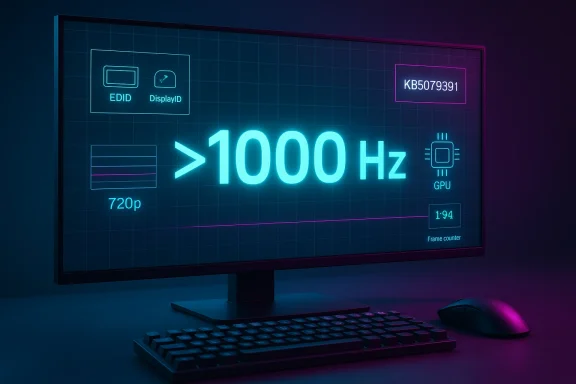
Windows 11 is entering a new phase of display support, and the headline number is as wild as it sounds: refresh rates above 1,000 Hz. Microsoft’s March 26, 2026 preview update, KB5079391, adds support for monitors that can report refresh rates higher than 1,000 Hz, a change aimed squarely at the next wave of esports hardware and the companies racing to build it. The update was briefly pulled after installation problems surfaced, but the display-stack shift is real and is expected to return in a later release. (support.microsoft.com)

A digital visualization related to the article topic.Overview​

For years, the consumer monitor market has been climbing a familiar ladder: 60 Hz gave way to 120 Hz, then 144 Hz, then 240 Hz, 360 Hz, and more recently 480 Hz and 500 Hz-class panels. Windows itself has largely kept pace, but operating-system support has always been a quiet bottleneck in the race to ever higher refresh ceilings. Microsoft’s latest change matters because it removes one of the last software constraints on displays that are trying to push far beyond the traditional comfort zone of PC gaming.
That does not mean 1,000 Hz or 5,000 Hz monitors instantly become useful for everyone. It does mean Windows 11 will no longer be the thing holding back hardware vendors that want to advertise extreme modes, especially in low-resolution competitive configurations where bandwidth and panel speed can be traded for raw refresh. Microsoft’s release notes are careful and narrow: monitors can now report refresh rates higher than 1,000 Hz, not “all systems now run at 5,000 Hz.” That distinction matters, because the software ceiling is only one piece of the chain. (support.microsoft.com)
The timing is also notable. At CES 2026, Acer, AOC, Philips, and others showed off monitors that flirt with four-digit refresh numbers, usually by dropping resolution to 720p in a dual-mode or dynamic-frequency setup. Acer’s Predator XB273U F6, for example, can reach 1,000 Hz at 1,280 x 720, while Philips and AOC have promoted their own 1,000 Hz dual-mode concepts. In other words, the hardware ecosystem is already trying to make the number real, and Windows is now adjusting to meet it.
There is also a broader strategic point here. Microsoft is not just reacting to one monitor or one enthusiast niche; it is preparing Windows for a future in which display technology keeps diverging between practical mass-market utility and spec-sheet extremity. That split has already happened with storage and memory, and now it is arriving in the display world. The result is a feature that sounds absurd on paper, but is actually a sober compatibility fix for where the industry is headed. (support.microsoft.com)

Background​

The meaning of refresh rate is simple, but the implications are not. A 60 Hz display redraws the picture 60 times per second, while a 120 Hz panel does so twice as often, and each jump reduces the visible time between frames. Microsoft’s own support guidance says higher refresh rates can improve responsiveness and reduce input lag, which is why gaming communities have spent years treating refresh rate as a competitive advantage rather than a luxury metric.
That matters most in fast-paced games, where milliseconds add up. A higher refresh display gives the GPU and game engine more frequent opportunities to show new visual information, reducing motion blur and making target tracking easier. It also helps the desktop experience feel cleaner and less fatiguing, which is why many users notice a jump from 60 Hz to 120 Hz far more than they expected. Once you have lived with high refresh long enough, 60 Hz starts to feel sticky.
The recent acceleration toward 500 Hz and 1,000 Hz panels is not happening in a vacuum. Display makers have been pairing lower resolution modes with faster scanning, and some of the sharpest gains are appearing in esports-oriented monitors rather than mainstream creator screens. That split is logical: a 720p mode is much easier to drive at absurd refresh rates than 1440p or 4K, and it allows vendors to chase bragging rights without pretending that every pixel pipeline can keep up.
Microsoft has also been steadily modernizing Windows 11’s display behavior in smaller ways, including Dynamic Refresh Rate, HDR-related fixes, and power-management improvements for connected displays. These are not flashy features, but they show the same underlying direction: the OS is becoming more adaptive, more aware of panel capabilities, and more willing to let hardware vendors expose unusual modes. In that sense, the new 1,000 Hz support is less a one-off headline and more a continuation of a long-running engineering cleanup.

Why the Ceiling Matters​

The important thing about Microsoft’s update is not that every user needs four-digit refresh. It is that Windows now acknowledges a world where such panels exist and where future variants may go higher. Blur Busters has argued that Microsoft could go as high as 5,000 Hz, and its blog claims the company made a change to raise the retail limit accordingly. Even if one treats that claim cautiously, the public Microsoft note itself is already enough to confirm the direction of travel. (blurbusters.com)
That may sound overbuilt, but software ceilings tend to be conservative until they suddenly become restrictive. Once a ceiling is too low, it can distort product roadmaps, prevent EDID modes from surfacing properly, and force vendors into ugly workarounds. Raising the ceiling now is a classic future-proofing move: most users will never notice it, but hardware companies will absolutely depend on it.

What Microsoft Actually Changed​

Microsoft’s wording is precise. In the Windows 11 KB5079391 preview notes, the company says that monitors can now report refresh rates higher than 1,000 Hz. That tells us this is a reporting and enumeration change inside the display stack, not a magic performance boost. The OS is making room for higher values in the way it recognizes, stores, and exposes refresh-rate modes. (support.microsoft.com)
The difference between “reporting” and “delivering” matters. A monitor can advertise a mode all day long, but the GPU, cable, port, driver, timing controller, and panel physics still have to cooperate before the mode is usable. In other words, Windows can stop being the limiting factor, but it cannot turn a 240 Hz panel into a genuine 1,000 Hz panel by decree. That is why the software change is significant but not miraculous.
Microsoft also bundled the refresh-rate change with a handful of unrelated display and usability improvements. The same update mentions better auto-rotation and HDR reliability, plus improved power efficiency for sleeping monitors over USB4. That combination suggests the company is trying to tighten the overall display experience, not just cater to a niche esports audience. (support.microsoft.com)

A Quiet but Important Platform Shift​

The long-term story here is that Windows is becoming more permissive about exotic hardware. The operating system has to cope not only with higher refresh rates, but also with different panel types, different display IDs, different adaptive-sync behaviors, and different controller logic across laptops and desktops. Once the display stack is comfortable with very high numbers, future products have a much easier path to market.
That is especially relevant for OEMs. A monitor vendor does not want to ship a headline feature that Windows mishandles, hides, or caps in settings. Microsoft removing those barriers is a signal that the ecosystem is ready to present extreme refresh as a supported class of feature rather than a lab experiment. (blurbusters.com)

The Hardware Race Behind the Announcement​

The announcement would be easier to dismiss if the hardware market had not already moved first. It has. CES 2026 brought a wave of ultra-high-refresh gaming displays, with Acer, AOC, and Philips showing designs that reach the 1,000 Hz territory in reduced-resolution modes. These products are not aimed at the average office user; they are sharply focused on competitive gaming, where motion clarity and latency trump everything else.
Acer’s Predator XB273U F6 is a good example of the trend. It offers 500 Hz at 1440p and 1,000 Hz at 720p, which tells you everything about the tradeoffs involved. The industry is no longer pretending that high resolution and extreme refresh are always compatible; instead, it is splitting the difference based on use case, with “best at 720p” becoming a legitimate esports strategy.
That model also changes how the market talks about monitor value. For years, the premium pitch was “higher refresh at the same resolution.” Now the pitch is more surgical: lower the resolution, unlock an absurd refresh rate, and optimize for tracking or flick shots in the handful of games where that advantage matters. It is a niche strategy, but it is a real one, and Windows has to support the mode cleanly if the products are going to make sense.

Why 720p Keeps Showing Up​

The repeated appearance of 720p is not accidental. Four-digit refresh rates are far easier to achieve at lower pixel counts, because the data requirements and panel response constraints become less punishing. That is why 1,000 Hz displays keep arriving as dual-mode panels rather than as native QHD or 4K monsters.
This is also why the conversation has a slightly comic edge. “1,000 Hz” sounds futuristic, but the fine print often reveals a deliberately reduced resolution. That does not make the feature fake; it makes it specialized. Specialized hardware is still hardware, and esports buyers tend to understand tradeoffs better than most of the market.

Blur Busters, 5,000 Hz, and the Science of Diminishing Returns​

Blur Busters played an outsized role in the public conversation because it framed the Windows change as a waystation on the road to much higher ceilings. In its own write-up, the site said a Microsoft contact indicated the retail limit would be raised to 5,000 Hz, and that multiple manufacturers are already working on 2,000 Hz panels expected by 2030. That is not official Microsoft messaging, but it helps explain why the update notes were written so broadly. (blurbusters.com)
The larger argument from Blur Busters is that human perception does not stop at 240 Hz, 360 Hz, or 500 Hz, even if the returns taper off. The site claims that the benefits of higher refresh can remain visible well beyond current mainstream hardware, especially when pixel response is fast and motion is large enough to notice. Whether you buy the full argument or not, it reflects an important reality: display performance is still a moving target, and “good enough” is not universally agreed upon. (blurbusters.com)
Microsoft is not endorsing that philosophy in so many words. What it is doing is making sure the OS does not become a hard stop for experimental hardware. That distinction lets Microsoft stay neutral while still keeping Windows useful to every serious monitor maker that wants to push the envelope. (support.microsoft.com)

The Real Bottleneck Is the Whole Pipeline​

A 1,000 Hz display mode is only worthwhile if the rest of the pipeline can keep up. The GPU has to render fast enough, the game has to frame pace correctly, the driver has to expose the mode cleanly, and the display itself has to change state without introducing new artifacts. If any one of those pieces lags, the theoretical benefit melts away.
That is why software support is best understood as necessary but insufficient. Windows can help the mode appear; it cannot guarantee that a given game, cable, or monitor firmware revision will make it feel better. For enthusiasts, that nuance is second nature. For the broader market, it is where the marketing battle will become messy.

Consumer Impact Versus Enterprise Reality​

For consumers, especially gamers, the value proposition is straightforward. High refresh rates reduce visible blur, make scrolling feel smoother, and can reduce the perceived delay between input and action. The jump from 60 Hz to 120 Hz is still the watershed moment for most users, but ultra-high-refresh support matters because it keeps the path open for future hardware upgrades.
For enterprises, the relevance is much thinner. Most office deployments care about stability, battery life, docking reliability, and compatibility across mixed fleets, not 1,000 Hz esports modes. Still, the broader display-stack improvements in the same update matter to businesses because they touch reliability, sleep behavior, and device consistency. That means enterprise value is indirect, but real. (support.microsoft.com)

Consumer Upside​

The consumer upside is mostly in gaming and enthusiast setups. Competitive players get another step in the never-ending race for lower latency and clearer motion, while display hobbyists get a signal that Windows is ready for the next wave of panel experimentation. It is also a psychological milestone: once Windows supports the mode, the market can sell it as a normal option rather than a technical curiosity. (support.microsoft.com)
There is also a broader consumer benefit in staying ahead of hardware. Users who buy premium monitors do not want an OS update to cap their device at an arbitrary number. Microsoft’s move reduces the chance that someone with bleeding-edge hardware will run into an artificial software bottleneck. (support.microsoft.com)

Enterprise Reality​

Enterprise buyers are more likely to care about the reliability pieces bundled into the update. Improvements to auto-rotation, HDR behavior, and USB4 power management can matter in creative, mobile, and docking-heavy environments where stability is more important than specs. Those are not headline-grabbing changes, but they often deliver more value than exotic refresh modes. (support.microsoft.com)
It is also worth noting that Windows 11 version 26H1 is a separate track for new devices and is not an in-place update for existing PCs, while 24H2 and 25H2 remain the broad mainstream releases. That means Microsoft is juggling multiple platform branches at once, which makes a conservative, forward-compatible display strategy especially sensible. (learn.microsoft.com)

The Technical Stakes for Windows​

Windows display behavior has become more complex over time, and support for refresh rates above 1,000 Hz is a sign of that complexity rather than a triumph of raw speed. The operating system must handle EDID or DisplayID descriptors, multiple refresh modes, mixed-resolution capabilities, and a growing set of adaptive behaviors. If Windows is too rigid, the hardware stagnates; if it is too permissive, users see instability.
That balancing act explains why Microsoft usually moves in small steps. It prefers to validate new behavior in preview builds, monitor feedback, and then fold the change into a later release once the ecosystem catches up. The temporary pull of KB5079391 after installation issues is a reminder that even incremental display changes can have side effects outside the headline feature set.
Microsoft is also trying to avoid a repeat of the old trap where OS policy lags behind hardware reality. If the display stack cannot enumerate a mode, users cannot select it, apps cannot target it, and vendors cannot properly advertise it. Raising the ceiling is, in that sense, a small act of engineering housekeeping that prevents a lot of future frustration. (support.microsoft.com)

What This Means for Driver and Firmware Teams​

Driver teams now have a clearer target. They need to expose high-refresh modes faithfully and ensure the signaling path remains stable at the edge of what the panel can tolerate. Firmware teams, meanwhile, have to make sure EDID and timing tables are accurate enough for Windows to trust the mode.
That work is not glamorous, but it is how advanced displays become boringly dependable. The best hardware features are often the ones you stop thinking about because the software handshake is clean. That is exactly what Microsoft is trying to preserve as panels move into stranger territory. (support.microsoft.com)

The Competitive Implications​

The immediate beneficiary is the monitor industry. When Windows accepts higher refresh modes cleanly, vendors can pitch outrageous numbers without fearing that the OS will nullify the claim or hide it behind an unsupported ceiling. That lowers the risk of shipping a product that looks great in a launch video but fails in a real desktop environment. (support.microsoft.com)
GPU vendors also benefit, though more indirectly. Once monitors chase ultra-high refresh, graphics makers can frame their ecosystem as ready for the new race, even if few games can fully exploit it. This keeps the high-end conversation alive and preserves the logic of premium GPU purchases in an era where raw frame-rate gains have become harder and harder to sell.

Rival Platforms and the Broader Market​

For rivals, the message is clear: if your operating system or display stack cannot keep up with emerging monitor specs, you become the bottleneck. That is bad news in a market where hardware makers want the freedom to experiment with lower-resolution, higher-refresh modes and advertise them without caveats. Microsoft’s move is therefore as much a competitive signal as a technical one. (support.microsoft.com)
The broader market will likely split into two narratives. One says ultra-high refresh is a meaningful step toward ultra-smooth gaming and lower latency. The other says it is mostly a spec race with diminishing practical returns after the mid-hundreds. Both can be true at once, and that tension is exactly why the feature is generating so much attention. (blurbusters.com)

Strengths and Opportunities​

Microsoft’s change has a lot going for it, even if most people will never personally use a 1,000 Hz display. The biggest opportunity is not immediate mainstream adoption, but ecosystem readiness: Windows is now aligned with where display vendors are trying to go, which reduces friction for the next several product cycles. That makes the platform look future-safe rather than reactive. (support.microsoft.com)
  • Future-proofing for monitor vendors that want to push above 1,000 Hz.
  • Cleaner OS support for exotic EDID/DisplayID modes.
  • Better compatibility with dual-mode esports panels.
  • Stronger gaming credibility for Windows 11 among enthusiasts.
  • Reduced risk of artificial software ceilings blocking hardware claims.
  • Broader display-stack improvements bundled into the same update.
  • A clearer path for 2,000 Hz and beyond if hardware evolves as expected.
The update also reinforces Windows 11’s image as the default operating system for PC gaming innovation. That matters because PC gamers are unusually sensitive to platform signals, and they notice when an OS takes their hardware ambitions seriously. Perception matters, especially in enthusiast markets where word of mouth drives purchasing decisions.

Risks and Concerns​

The flip side is that extreme refresh support can sound more transformative than it really is. Consumers may hear “1,000 Hz” and assume a universal leap in smoothness, when in reality the benefit depends on the entire chain from game engine to cable to panel response. The result could be disappointment if buyers expect miracles from a number that is only one part of the story.
  • Marketing overreach could outpace practical gains.
  • Bandwidth limits will constrain many systems.
  • Lower-resolution tradeoffs may undercut the appeal for some users.
  • Panel response time may blunt the theoretical advantage.
  • Driver instability could emerge at the cutting edge.
  • Game engine limits will keep most titles far below the ceiling.
  • Update reliability remains a concern after the temporary pull of KB5079391.
There is also a risk that the industry chases numbers faster than it solves actual user problems. If manufacturers spend too much energy on the four-digit refresh race, they may underinvest in contrast, HDR accuracy, local dimming, or color consistency — areas that affect far more people every day. More Hz is not automatically better if the rest of the experience is compromised. (support.microsoft.com)

Looking Ahead​

The next phase will be about whether Microsoft’s change quietly becomes mainstream infrastructure or remains a footnote for esports enthusiasts. If the update returns without further issues and the industry keeps pushing high-refresh panels, Windows will have already done the boring but necessary work of clearing the runway. That is often how big platform changes happen: first the OS admits the hardware, then the market decides whether the hardware matters.
It will also be worth watching whether the 1,000 Hz figure stays the headline or gets replaced by even more aggressive claims as vendors and enthusiasts continue pressing the limit upward. Blur Busters’ 5,000 Hz talk may prove premature, but it has already helped shift the conversation from “can Windows handle 500 Hz?” to “how far can the stack go before physics says stop?” That is a very different and much more ambitious question. (blurbusters.com)
  • Microsoft’s re-release of KB5079391 after the installation issues are resolved.
  • Whether monitor vendors ship more 720p/1,000 Hz dual-mode products in 2026.
  • Whether Windows 11’s display stack exposes higher refresh values consistently across builds.
  • How GPU drivers and game engines respond to the new ceiling.
  • Whether the conversation shifts toward 2,000 Hz prototypes by the end of the decade.
In the end, this is less about a magic number than about removing a ceiling before the next wave of hardware arrives. Windows 11 now looks prepared for a future where “ultra-smooth gaming” is not just marketing shorthand, but a real, if highly specialized, performance category. The vast majority of users will stay happily below that threshold, but the ecosystem now has room to grow without being tripped up by the operating system itself.

Source: Windows Central Windows 11 is gearing up for insane 1000Hz displays and the future of ultra‑smooth gaming
 

Windows 11 is quietly removing one of the last software ceilings standing in the way of absurdly fast gaming displays, and that matters even if most people will never own a 1,000 Hz monitor. Microsoft’s March 26, 2026 preview update, KB5079391, adds support for monitors that can report refresh rates higher than 1,000 Hz, a change that lines up with a new generation of ultra-high-refresh panels being shown off across the PC display market. The headline sounds almost comical, but the real story is more measured: Windows 11 is preparing itself for hardware that is already arriving, even if the practical payoff remains confined to a very small slice of the enthusiast world. Microsoft’s own support note confirms the change directly, while the surrounding ecosystem reporting has expanded the conversation to 5,000 Hz as a theoretical upper bound in the OS, even though that claim should be treated cautiously as an interpretation rather than the company’s exact wording.

A completely black, empty image with no visible objects or details.Overview​

The display industry has spent the last decade climbing a familiar ladder. First came the move from 60 Hz to 120 Hz, then 144 Hz, then 240 Hz, and more recently 360 Hz, 480 Hz, and 500 Hz-class panels, each step promising lower latency, smoother motion, and better responsiveness for competitive play. Microsoft’s own guidance still frames refresh rate in classic terms: a display refreshes the image a certain number of times per second, and higher rates can improve responsiveness and reduce the sense of input lag.
That history matters because operating systems are not passive bystanders in display innovation. Windows has long had to balance compatibility, driver behavior, and practical hardware limits, which means seemingly tiny changes in the OS display stack can affect whether a monitor’s advertised mode shows up cleanly in Settings or gets hidden behind legacy assumptions. The fact that Microsoft is now explicitly updating the platform to recognize refresh rates above 1,000 Hz says as much about future-proofing as it does about gaming.
The timing is also important. Microsoft has been steadily improving display behavior in smaller ways for months, including refresh-related guidance, dynamic refresh rate features, and reliability work around connected displays and HDR. That pattern suggests the company is not making a one-off concession to an enthusiast niche, but rather modernizing the display layer so it can absorb more exotic hardware without drama.
At the same time, hardware vendors have been making the software look less futuristic and more inevitable. The current generation of “extreme refresh” monitors often pairs a lower-resolution mode, such as 720p, with very high refresh targets to keep bandwidth and panel timing within reach. That design choice makes the headline number more plausible, even if it still only serves a narrow audience of esports players and spec-sheet chasers. In other words, the market moved first, and Windows is catching up.

What Microsoft Actually Changed​

Microsoft’s wording in the March 26 preview release is precise and deliberately limited. The company says monitors can now report refresh rates higher than 1,000 Hz, which means the operating system has expanded how it accepts and exposes refresh-rate values inside the display stack. That is an important distinction: this is not a claim that every system suddenly runs at 1,000 Hz, and it is not a magical boost to a panel’s physical capabilities.
The update is better understood as a compatibility fix. Windows needs to be able to parse, store, and report unusual display modes without capping them at older assumptions that made sense when 240 Hz or 360 Hz was considered bleeding-edge. By lifting that ceiling, Microsoft removes a potential bottleneck between a monitor’s firmware and the user-facing settings UI.

Reporting Is Not the Same as Delivering​

This is the most important technical caveat in the entire story. A monitor can report a refresh rate all day long, but the GPU, driver, cable, port standard, timing controller, and panel physics all still have to cooperate before that mode becomes usable in practice. Microsoft’s support note is about reporting support, not guaranteed end-to-end performance.
That distinction matters because headlines about 5,000 Hz can create the impression that Windows itself has become a kind of overclocking wand. It has not. What it has done is stop being the thing that blocks the conversation before the hardware stack even gets a chance to negotiate the mode. That is a meaningful platform shift, but it is also a narrow one.
A good way to read the change is as future readiness rather than current utility. Most users will never encounter a monitor that legitimately needs this ceiling today, but OEMs and display vendors absolutely care whether Windows will accept their mode tables without hacks or workarounds. That alone can shape product roadmaps and certification strategies.
  • Microsoft explicitly says monitors can now report refresh rates above 1,000 Hz.
  • The change appears in Windows 11 preview update KB5079391.
  • The OS-level shift is about reporting and enumeration, not a universal performance boost.
  • Hardware still determines whether any advertised mode is actually usable.
  • The update reduces the risk of Windows becoming a compatibility bottleneck.

Why This Matters to OEMs​

For monitor makers, the critical issue is not bragging rights alone. A display vendor wants its highest mode to appear correctly in Windows Settings, be recognized by drivers, and remain stable across different configurations. If the operating system caps the reported value too low, it can distort how the product is marketed and how it behaves in real use.
That is especially true for multi-mode gaming displays, where low-resolution ultra-high-refresh operation is a deliberate design choice. If a monitor offers 720p at an extreme refresh rate, the OS must be willing to surface that mode cleanly or the whole feature becomes less useful. Microsoft’s move suggests the company wants fewer surprises for hardware partners.

The Hardware Race Behind the Headline​

The reason this announcement feels so strange is that refresh rates above 1,000 Hz still sound like science fiction to anyone who spends most of their time on a standard 60 Hz or 144 Hz screen. But the display industry has been pushing hard into that territory, especially in esports-oriented products where raw motion clarity matters more than resolution or color depth. Microsoft’s update is arriving because the hardware conversation is already moving in that direction.
A few recent examples make the point. At CES 2026, vendors including Acer, AOC, and Philips showed off monitors designed to flirt with four-digit refresh numbers, often by pairing that speed with a reduced-resolution mode. Acer’s Predator XB273U F6, for instance, is reported to reach 1,000 Hz at 1,280 x 720. That kind of mode exists because it is far easier to drive a lower-resolution frame stream at an extreme refresh rate than it is to do the same thing at 1440p or 4K.

Why Lower Resolution Makes the Number Possible​

There is a hard physics story underneath the marketing. More refresh means more frequent frame delivery, and more pixels mean more work for the panel and the signal chain. Dropping to 720p is a way to free up bandwidth and timing budget so the monitor can chase an eye-catching number that sounds impressive in a product listing.
This is why the current wave of ultra-high-refresh monitors should be viewed as a specialized branch of the market, not the next universal standard. A creator editing video, a business user working in spreadsheets, or even a casual gamer on a 4K panel will likely care far more about resolution, color accuracy, and HDR quality than about whether the screen can technically advertise 1,000 Hz. The practical audience remains narrow, even if the engineering milestone is real.
Still, the existence of these panels changes the software contract. Once a monitor family ships with a four-digit mode in its firmware, Windows can either embrace it or obstruct it. Microsoft has chosen embrace, which is exactly what platform owners are supposed to do when the ecosystem pushes into new territory.
  • Esports monitors are leading the push toward four-digit refresh rates.
  • Lower resolutions like 720p make those modes technically more feasible.
  • The market is chasing motion clarity, not mainstream consumer demand.
  • Windows support helps vendors avoid awkward compatibility gaps.
  • The trend is real even if the audience is still tiny.

The 5,000 Hz Question​

The number that has generated the most chatter is not 1,000 Hz but 5,000 Hz. Some reporting and community interpretation have suggested that Microsoft’s implementation may allow refresh-rate values as high as 5,000 Hz to be registered, which is where the more extravagant headlines come from. That claim should be treated carefully, because Microsoft’s own support language confirms only the 1,000 Hz-plus reporting change and does not promise a magical 5,000 Hz consumer panel tomorrow.
The safest reading is that 5,000 Hz represents a plausible software ceiling in the new implementation, not a meaningful consumer target. In platform engineering, it is common to set the allowance well above current hardware needs so future products do not immediately run into another wall. That is likely what is happening here: Microsoft is building headroom, not marketing fantasy.

Why Ceiling Math Is Not the Same as Market Reality​

There is a tendency in tech journalism to confuse theoretical support with product readiness. Just because a system can register an extreme value does not mean a manufacturer can build a stable, useful product at that exact number. The display chain would need corresponding support in silicon, firmware, link bandwidth, and panel response before any such mode mattered outside a lab.
That is why the “5,000 Hz monitor” framing is best understood as shorthand for “Windows now tolerates absurdly high refresh values.” It makes for a cleaner headline, but it risks overstating the immediate impact. The real milestone is the removal of an OS bottleneck, not the birth of a consumer product category that suddenly needs to exist at 5,000 Hz.
Microsoft’s own release notes point in that direction by describing the feature narrowly and without fanfare. The company is not trying to sell a dream; it is quietly adjusting the plumbing so future monitors do not break against old assumptions. That restraint is a clue in itself.
  • 1,000 Hz is the confirmed support threshold in Microsoft’s note.
  • 5,000 Hz is better viewed as a theoretical ceiling, not a shipping product promise.
  • The software allowance is larger than today’s hardware demands.
  • Extreme values often exist to future-proof a platform.
  • The OS change is less dramatic than the headlines suggest.

The Spec Sheet Problem​

The display industry has long used spec sheets to win attention before the real-world utility is obvious. Refresh rate is especially prone to that dynamic, because most consumers do not have an easy way to feel the difference between 360 Hz and 500 Hz, let alone 1,000 Hz, without extremely controlled testing. That makes it tempting for marketing teams to inflate the emotional weight of the number itself.
Microsoft’s change does not eliminate that tendency, but it does give the industry a cleaner technical foundation. If a vendor wants to ship a monitor with a genuinely extreme mode, the OS will no longer be the first obstacle. That should make product testing and certification less awkward, even if the average buyer never uses those modes.

Competitive Gaming and the Real Use Case​

The clearest use case for this update is competitive gaming. In fast shooters and esports titles, players obsess over frame latency, motion clarity, and target tracking because even tiny gains can matter. Higher refresh rates do not rewrite the laws of physics, but they do reduce the delay between one frame and the next, which can make a game feel more immediate and readable.
That said, the jump from 240 Hz to 1,000 Hz is not remotely as transformative as the jump from 60 Hz to 144 Hz once felt. Diminishing returns are very real at the high end, and many players would see more benefit from a better mouse, a more stable frame rate, or reduced system latency than from a four-digit panel. The new support is exciting, but it is not a universal upgrade path.

How Esports Players Actually Benefit​

For the small number of users who can genuinely take advantage of these panels, the value lies in motion cadence and reduced visual blur. Faster refresh can help with flick shots, tracking fast-moving targets, and reducing perceived smearing in rapid camera pans. Those gains are most relevant when the system can also sustain very high frame rates in the game engine itself.
The OS update matters because it helps ensure that a monitor’s mode list is not the weak link. If a player buys a cutting-edge display, they want the advertised mode to appear and behave correctly without endless driver tinkering. Microsoft’s move lowers one more barrier between the enthusiast and the hardware they paid for.
  • Competitive players care about responsiveness more than pixel density.
  • Extremely high refresh rates are only useful when the game can match them.
  • The biggest gains still come from the jump out of 60 Hz territory.
  • Windows compatibility helps new displays feel less experimental.
  • The audience is real, but far smaller than the hype cycle suggests.

Enterprise and Consumer Impact​

For consumer buyers, the update will mostly be invisible unless they shop in the bleeding edge of gaming monitors. Ordinary laptop and desktop users will not notice a direct difference, and they should not assume that higher numbers in the OS equal better everyday experience. If anything, the change is a reminder that Windows is supporting a broader range of display designs than most people will ever encounter.
For enterprise users, the significance is even more indirect. Businesses are unlikely to deploy 1,000 Hz monitors at scale, but they do benefit from an OS that handles display descriptors, multi-monitor configurations, and refresh reporting more gracefully. In that sense, the same plumbing that supports an esports panel can also reduce compatibility issues in less flashy environments.

Consumer Value Is Mostly Psychological​

The consumer side of this story is as much about expectation management as it is about engineering. A new ceiling sounds exciting, but most people are better served by stable HDR, accurate color, and dependable variable refresh rate behavior. The practical win is that Windows is less likely to get in the way when a vendor decides to push hardware boundaries.
That makes the change feel less like a feature for the masses and more like a platform insurance policy. Microsoft is preparing for the product categories that vendors are already prototyping, while leaving most users untouched. It is a very Microsoft kind of move: low drama, high compatibility value.

Platform Strategy and the Bigger Signal​

If there is a deeper takeaway here, it is that Windows is slowly becoming more permissive about unusual hardware. Microsoft has already been modernizing the display experience through Dynamic Refresh Rate, HDR reliability work, and other quality-of-life improvements. The new high-refresh support fits neatly into that larger trend of making the operating system more adaptive to whatever the panel can do.
That matters because platform companies win or lose trust based on whether they help new hardware feel normal. If Windows mishandles advanced display modes, monitor makers have to ship workarounds, and users end up blaming the vendor or the OS. By widening support now, Microsoft is helping prevent that friction before it becomes a common complaint.

This Is a Compatibility Story, Not a Revolution​

Some of the most important Windows changes are the ones users barely notice. A broader refresh-rate ceiling is one of those moves. It does not transform the desktop overnight, but it reduces the chance that Windows becomes the bottleneck when the display industry tries something ambitious.
That is why the story is less about hype and more about platform maturity. Microsoft is acknowledging that the display market now includes experiments the old stack was never designed to anticipate. Once the OS adjusts, hardware vendors get more room to innovate without fear of running into arbitrary software walls.
  • Windows is becoming more accommodating of exotic display hardware.
  • Microsoft’s display work has been incremental, not flashy.
  • Compatibility often matters more than raw performance.
  • The platform is being future-proofed for vendor experimentation.
  • Stability and enumeration are the real prizes here.

Strengths and Opportunities​

Microsoft’s decision has several clear strengths. It reduces the risk that Windows will lag behind display innovation, it supports the next wave of esports hardware, and it signals to OEMs that the company is willing to keep pace with rapid panel experimentation. Just as importantly, it does all of that without forcing ordinary users to care about the change at all.
The opportunity is broader than the headline suggests. Better handling of extreme refresh values could make Windows a friendlier platform for multi-mode displays, unusual panel timings, and future display descriptors that do not fit neatly into older assumptions. That should help vendors bring products to market with fewer compatibility surprises.
  • Helps future-proof Windows 11 for emerging hardware.
  • Improves compatibility for ultra-high-refresh gaming monitors.
  • Reduces the need for vendor workarounds.
  • Supports the broader modernization of the display stack.
  • Gives Microsoft room to absorb future panel formats.
  • Strengthens Windows as the default PC gaming platform.
  • Makes display mode enumeration more resilient.

Risks and Concerns​

The biggest risk is confusion. Consumers may see the 1,000 Hz and 5,000 Hz chatter and assume the update creates some dramatic real-world leap for every PC, when in fact it mostly removes a software ceiling. That gap between headline and reality can lead to inflated expectations and a fair amount of disappointment.
There is also a practical risk that vendors will overmarket the numbers. When a platform begins tolerating extreme values, the industry may lean too hard on spec-sheet spectacle instead of useful improvements like better HDR, cleaner color, or stronger adaptive sync behavior. The result could be another cycle of flashy numbers that outpace meaningful user benefit.
  • Headline hype may outpace real-world usefulness.
  • Consumers could confuse reporting support with performance gains.
  • Vendors may overemphasize raw numbers in marketing.
  • Extreme modes remain dependent on the full hardware chain.
  • Most users will see no meaningful day-to-day change.
  • Compatibility fixes can still expose driver edge cases.
  • The update may be mistaken for a universal gaming upgrade.

The Pullback Problem​

There is one more concern worth noting: preview features can move, change, or be paused before they reach broad release. Microsoft’s preview cadence often exposes early engineering decisions that are later refined, and the company has already shown that it will revisit update behavior when support issues arise. That means the current high-refresh support should be read as a strong signal, not an irreversible promise etched in stone.
That is not a weakness unique to this feature. It is simply how Windows servicing works in 2026, especially when new display behavior is being introduced through preview channels first. Enthusiasts should welcome the direction while remembering that the implementation details can still evolve.

Looking Ahead​

The next question is not whether Windows can support eye-popping refresh numbers in theory. It already can, at least in preview form. The real question is how quickly hardware vendors turn that capability into stable products that are actually worth buying, and whether those products can justify their existence beyond marketing theater.
The other thing to watch is whether Microsoft continues tightening the display stack in adjacent areas. If this release is part of a larger modernization push, we may see more explicit support for unusual panel descriptors, more polished multi-monitor handling, and additional reliability work around HDR and refresh behavior. That would make the 1,000 Hz story feel less like a stunt and more like part of a coherent platform strategy.

What to Watch Next​

  • Whether the feature ships broadly beyond preview channels.
  • Whether OEMs announce more 1,000 Hz-class monitor modes.
  • Whether Microsoft clarifies the upper ceiling more explicitly.
  • Whether DisplayID and WMI reporting continue improving.
  • Whether Windows Update notes add more display-stack refinements.
  • Whether the industry shifts from raw Hz marketing to user experience.
Windows 11’s new high-refresh support is not a revolution for everyday users, but it is a clear sign that the operating system is being reshaped to fit an increasingly ambitious display market. Microsoft is doing the unglamorous work of removing old limits before they become embarrassing, and that is exactly the kind of engineering that tends to matter most over time. If the next wave of extreme-refresh monitors succeeds, it will be because the ecosystem lined up behind them — and because Windows stopped standing in the way.

Source: gHacks Windows 11 Update Adds Support for Display Refresh Rates Above 1,000Hz - gHacks Tech News
Source: Zamin.uz Windows 11 to support 5000 Hz monitors
 

Windows 11’s display pipeline is getting a lot more interesting, and not just for people who obsess over frame times. According to the latest chatter around a recent GameGPU report, Microsoft has removed a previously cited 1,000 Hz cap in Windows 11 and is now testing support for refresh rates up to 5,000 Hz. That sounds absurdly futuristic, but it also fits a broader pattern: the operating system is being shaped ahead of the next wave of ultra-fast esports panels, even if the public rollout is still unfinished and a preview build was reportedly pulled back because of installation problems.

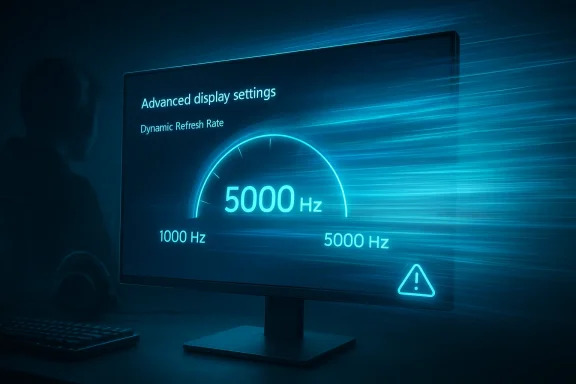
Monitor display shows “Advanced display settings” with a dynamic refresh rate gauge reading 5000 Hz.Background​

For years, refresh-rate talk in Windows has mostly been about practical jumps: 60 Hz to 144 Hz, then 240 Hz, then 360 Hz and 500 Hz. Those steps mattered because they matched the speed at which GPU vendors, panel makers, and Windows display settings were all able to cooperate. Microsoft’s own support guidance still frames refresh-rate selection around the hardware you actually own, noting that available values depend on the display and that Dynamic Refresh Rate can shift behavior based on what you are doing.
The new rumor is more provocative because it is not about a consumer-ready monitor category that is already mainstream. Instead, it suggests Windows is opening the door for future panels, including ultra-high-speed esports displays such as Acer’s Predator XB273U F6, which Acer says can reach 1,000 Hz at 1280 x 720 and 500 Hz at 2560 x 1440. Acer’s own product pages frame that model as a competitive gaming display built around responsiveness rather than conventional image quality priorities.
That distinction matters. A Windows refresh-rate limit is not a marketing flourish; it is part of the OS’s display enumeration and timing logic. If Microsoft is expanding that ceiling, it means the company expects panel vendors, GPU drivers, and transport standards to keep moving quickly enough that the old guardrails would become a bottleneck. In other words, this is less about what people can buy today and more about what Windows wants to be ready for tomorrow.
The timing also reflects a familiar Insider-channel pattern. Microsoft often seeds display and graphics changes in preview builds, then revises them after feedback or after a build develops installation or stability issues. The company has repeatedly documented bugs, rollback fixes, and quality-of-life refinements in Insider releases, which is why a temporary recall of a problematic preview would not be unusual. The important part is that the platform direction tends to survive even when the specific build does not.
There is also a competitive angle here. On one side, display makers are racing toward higher refresh rates as a differentiator for esports and enthusiast buyers. On the other, Microsoft has to ensure Windows remains the neutral layer that can expose those modes cleanly to users, games, and driver stacks. If Windows lags behind panel hardware, it creates friction for everyone from OEMs to tournament setups. If it moves ahead, it can become a quiet enabler of the next specification war.

What the Report Actually Suggests​

The core claim is straightforward: Windows 11 is said to support refresh-rate values up to 5,000 Hz, replacing an older 1,000 Hz ceiling. That would be a major internal change, even if the number sounds more theoretical than practical for current consumer panels. The meaningful part is the removal of the limit itself, because operating systems often impose guardrails long before hardware reaches them.
That said, it is worth treating the claim as early-stage and provisional. The article circulating the news also says the update is not yet available to the general public and that the preview build was temporarily withdrawn due to installation issues. Without a public Microsoft changelog confirming the exact 5,000 Hz behavior, the safest interpretation is that this is an Insider-level capability or a preparatory change rather than a finished mainstream feature.

Why the number matters​

A 5,000 Hz ceiling is far above anything commonly sold in stores. Even Acer’s newly announced Predator XB273U F6, which is one of the most aggressive monitors in current marketing, tops out at 1,000 Hz in a reduced-resolution mode and 500 Hz at its native QHD setting.
That gap tells you the change is about future-proofing, not immediate consumer utility. Windows is likely laying groundwork for odd but plausible display modes that could emerge in specialized esports hardware, lab equipment, simulation rigs, or next-generation panels that prioritize motion fidelity over all else.
  • It reduces the chance that Windows becomes the bottleneck in future display certification.
  • It gives OEMs room to experiment with extreme refresh modes.
  • It signals confidence in driver and protocol evolution.
  • It does not mean average users will suddenly benefit today.

A software limit can be a real constraint​

People sometimes dismiss refresh-rate caps in the OS as decorative. They are not. When Windows exposes a refresh rate, it has to reconcile resolution, bandwidth, timing, and display identification data in a way that the GPU driver and monitor firmware can all agree on. If the OS cap is too low, the mode never appears as an option, even if the hardware could theoretically support it.
That is why removing a cap can matter more than the headline number. It broadens the space of valid modes, which is exactly what an ecosystem preparing for more extreme monitors would want.

Why Esports Hardware Is Driving the Conversation​

The biggest real-world pressure behind this change is the esports market. Competitive gaming monitor makers have spent years chasing tiny latency gains and ever-higher refresh rates because the enthusiast audience pays for measurable advantage, not just prettier images. That market has already moved from “fast enough” to “fast is the baseline,” and now it is pushing into territory that once seemed like a lab demo.
Acer’s latest Predator messaging is instructive here. The company says the XB273U F6 can reach 1,000 Hz in a 1280 x 720 mode and 500 Hz at 2560 x 1440, and it positions the display explicitly for esports. That is a very different product philosophy from mainstream gaming monitors, where HDR, color volume, and resolution usually share the spotlight with refresh rate.
Microsoft has a strong incentive to support this category cleanly because Windows is where PC gaming hardware ultimately has to land. If a manufacturer can advertise a spectacular refresh rate but the operating system cannot expose it reliably, the feature loses credibility. In that sense, this is a platform economics story as much as a technical one.

The engineering challenge behind extreme refresh​

At very high refresh rates, the display stack has to handle more than raw speed. It also has to keep timing stable, avoid mode-switch failures, and preserve compatibility with variable refresh rate features and game overlays. Windows already documents that DRR and VRR can interact with performance and battery behavior in ways users may notice.
The higher the ceiling goes, the more important that orchestration becomes. A tiny mismatch in timing at 500 Hz may be invisible to casual users, but a competitive player, a tester, or an enthusiast can spot instability fast.
  • Higher refresh rates increase the importance of driver quality.
  • Cable and bandwidth constraints become more visible.
  • Mode-switch reliability matters as much as peak mode availability.
  • Small UI or compositor delays can undercut the headline spec.
For Windows, then, supporting extreme refresh rates is not a vanity move. It is a defensive move to keep the operating system aligned with hardware vendors who are marketing the next incremental leap as a competitive differentiator.

The Insider Build Problem Changes the Story​

The most important caveat in the report is that the feature is not broadly live for everyone. The circulating text says the preliminary build was pulled back because of installation problems, which means there is likely a stability issue in the delivery pipeline, not necessarily in the display capability itself. That distinction is critical because a broken build can delay a feature even when the underlying code path is functioning.
Microsoft has a long history of shipping preview changes, finding regressions, and then reissuing the build after fixes. In recent Insider updates, the company has documented rollbacks, known issues, and temporary workarounds for a range of features, from Recall to general installation problems. That pattern makes the reported recall believable even if the 5,000 Hz detail still needs direct confirmation from Microsoft.
The practical implication is that Windows users should not expect a simple Settings toggle to suddenly unlock a new display universe. Preview features often live behind channel membership, hardware requirements, and build-specific quirks. A recalled build can also delay vendor testing, which matters if monitor makers need Windows to validate their own firmware or EDID behavior.

What a temporary recall means​

A temporary pullback usually tells us three things. First, Microsoft noticed a bug severe enough to disrupt installation or upgrade reliability. Second, the company believed the issue outweighed the value of leaving the build in circulation. Third, the feature may return once the underlying problem is fixed.
That means the story is not “Windows 11 now has 5,000 Hz for everyone.” It is closer to “Windows 11 is being prepared for much higher refresh ceilings, but the rollout is still in flux.” Those are very different claims, and only the second one is fully defensible right now.
  • Preview instability can delay feature visibility.
  • Installation bugs often hit broader rollout plans first.
  • Feature code and shipping readiness are not the same thing.
  • A recalled build does not necessarily mean the feature is dead.
This is also a reminder that the Windows Insider pipeline is a laboratory, not a product shelf. Enthusiasts can learn a lot from it, but they should avoid assuming that every preview capability will make it to the public in exactly the same form.

What Windows Already Supports Today​

Microsoft’s own support page on refresh rates makes clear that Windows 11 already lets users change display refresh rate through Advanced display settings, and that the options shown depend on what the connected display supports. It also documents Dynamic Refresh Rate, which is designed to adapt refresh behavior based on workload and hardware support.
That matters because the current Windows model is flexible but conservative. It is meant to surface valid display modes without confusing users or destabilizing the desktop experience. If Microsoft is expanding the range, it is doing so inside a system already built around hardware negotiation rather than arbitrary manual forcing.
The other key point is that Windows has long treated refresh rate as a function of display capability, not just a system-wide preference. That means OEMs and panel vendors play an enormous role in what users can actually select. A higher ceiling in Windows is only useful if drivers, monitors, and connection standards can all keep up.

The difference between support and usefulness​

People often conflate “Windows supports it” with “people will benefit from it.” Those are not the same thing. A supported refresh rate can be useful only when the monitor, GPU, cable, game engine, and user workflow all align.
At the moment, the real beneficiary of ultra-high refresh support is the future ecosystem, not the average desktop. For office work, web browsing, and many games, the gains beyond the current high-end ceiling are likely to be marginal or situational. For esports players and display engineers, however, every extra bit of timing flexibility can still matter.
  • Support expands the design space.
  • Utility depends on the whole signal chain.
  • Mainstream users will mostly notice compatibility, not the raw number.
  • Enthusiasts and OEMs notice the ceiling first.
That is why this report is best understood as infrastructure news. It is not a consumer feature in the ordinary sense; it is a compatibility bet.

The Competitive Stakes for Microsoft and Rival Platforms​

Microsoft cannot afford to let Windows look conservative while GPU vendors and display makers market ever-higher performance claims. The PC gaming audience expects the OS to be a facilitator, not an obstacle, and that expectation is especially strong in esports. If Windows lags display innovation, rivals in the broader ecosystem gain leverage even if they are not direct operating system competitors.
That leverage can show up in subtle ways. OEMs may optimize their launch messaging around Windows support. GPU vendors may highlight proprietary tuning tools. Monitor makers may shape firmware behavior around what Windows exposes cleanly. When refresh-rate ceilings rise, the value of platform alignment rises with them.
This also gives Microsoft a chance to reinforce the idea that Windows 11 is the home for advanced gaming hardware. The company has already been talking up gaming-centric improvements, and its Insider program remains the vehicle for showing that Windows can keep pace with enthusiast demands. If the 5,000 Hz support becomes real and stable, it becomes another talking point in the “best PC gaming platform” narrative.

Why rivals should care​

Even if no rival operating system is directly threatened by a 5,000 Hz limit, the symbolism matters. High-refresh support is a sign that the platform can absorb the next generation of display experimentation without drama. That matters for manufacturers evaluating where to launch showcase products first.
  • It strengthens Windows’ role as the default gaming platform.
  • It helps monitor vendors justify extreme specs.
  • It gives GPU makers room to market more advanced timing modes.
  • It raises the bar for how display support is judged.
In practical terms, this is the kind of quiet platform progress that can shape product roadmaps more than headlines suggest. Hardware companies design for the operating system they expect to meet in the market, not the one that existed two years ago.

Consumer Impact Versus Enterprise Impact​

For consumers, the immediate effect is mostly psychological unless they are already shopping in the bleeding-edge gaming monitor segment. Most users will not own a panel anywhere near 1,000 Hz, much less 5,000 Hz, and most software will not be engineered to exploit such extremes. The value proposition is therefore indirect: better compatibility, fewer artificial ceilings, and more headroom for future purchases.
For enterprises, the impact is even more muted, but not irrelevant. High-refresh support can matter for specialized visualization, simulation, engineering review stations, or kiosks where smooth motion and low latency are operationally important. Still, enterprises tend to prefer stability, which means a preview build with installation issues is not something most IT departments will touch lightly.
There is also a split in how each audience evaluates risk. Consumers are more likely to experiment with Insider builds and hardware novelty. Enterprises are more likely to ask whether the display stack will remain consistent across driver updates, policy enforcement, and remote management tools. That makes public rollout and validation cycles especially important.

The likely adoption curve​

The adoption curve here will probably be slow, uneven, and very hardware-specific. First, the feature needs to land cleanly in a stable Windows build. Then monitor vendors need to keep shipping compatible panels. Finally, software developers need to decide whether any of this matters enough to tune around.
That process typically takes longer than enthusiasts want, but the delay is normal. Extreme hardware specs become meaningful only after the entire ecosystem catches up.
  • Consumers will see the headline first.
  • Enthusiasts will test the limits first.
  • Enterprises will wait for stability first.
  • Developers will care only when the installed base grows.
This is why early support announcements can feel underwhelming in the short term. Their actual value often reveals itself one product cycle later.

Strengths and Opportunities​

Microsoft’s move, if the report proves accurate in the final build, has several strengths. It shows the company is planning ahead for the next leap in gaming display technology, while also preserving Windows’ role as the central compatibility layer for enthusiast hardware. It also gives OEMs and panel makers a cleaner story to tell when they launch extreme-refresh monitors.
The opportunity is bigger than the number itself. A higher refresh ceiling can become a signal to the market that Windows is ready for whatever comes next, even if today’s users never see 5,000 Hz in practice.
  • Future-proofing for emerging display hardware.
  • Better alignment with esports-focused monitors.
  • More room for OEM experimentation in firmware and panel tuning.
  • Stronger Windows gaming platform messaging.
  • Reduced risk of artificial software bottlenecks.
  • Potential support for niche professional and simulation use cases.
  • Improved confidence for hardware vendors planning next-gen launches.
The strategic upside is that Microsoft gets to look proactive rather than reactive. That matters in a market where hardware hype moves quickly and platform inertia can become a weakness.

Risks and Concerns​

The biggest risk is overpromising. A 5,000 Hz ceiling sounds dramatic, but if the feature is unstable, undocumented, or tied to a recalled preview build, the optics can easily turn into confusion. Users may assume the capability is ready when it is not, while OEMs may be forced to answer questions about hardware that is still years from mass adoption.
There is also a compatibility risk. Higher refresh ceilings can expose bugs in drivers, cables, timing logic, and display handshakes that were invisible at lower rates. That means the move could increase support burden before it improves real-world user experience.
  • Preview instability can undermine trust.
  • Driver and firmware mismatches may appear more often.
  • The feature may be mostly irrelevant to mainstream users.
  • Marketing can outpace actual availability.
  • Extreme modes may create confusion around resolution tradeoffs.
  • IT environments may avoid the feature until it is fully validated.
  • A recalled build can slow adoption even if the feature is sound.
The other concern is that ultra-high refresh becomes a spec race with diminishing returns. If the industry starts treating bigger numbers as the main value proposition, it risks overshadowing more meaningful improvements such as panel quality, motion clarity at common resolutions, power efficiency, and reliability.

What to Watch Next​

The next few Windows Insider builds will tell the real story. If Microsoft reintroduces the feature cleanly, adds explicit refresh-rate documentation, or references the ceiling in release notes, then the 5,000 Hz claim starts to look much more concrete. If the build remains withdrawn or the display options never surface publicly, then this may stay a preview-only engineering waypoint.
It will also be worth watching Acer and other monitor vendors. If they begin advertising modes that explicitly depend on Windows 11 behavior, that is a strong signal that the ecosystem believes the software stack is ready. If not, the change may remain more theoretical than practical for a while longer.
The most important question is not whether Windows can list 5,000 Hz in a menu. It is whether the operating system, drivers, and monitors can make that number useful, stable, and meaningful enough for users to care.
  • Whether Microsoft republishes the recalled preview build.
  • Whether release notes mention refresh-rate changes explicitly.
  • Whether Acer and rival vendors market new Windows-specific modes.
  • Whether drivers expose the new ceiling consistently.
  • Whether the change reaches the public channel or stays Insider-only.
If the feature survives the preview cycle, it will be another sign that Windows 11 is quietly evolving around the needs of the fast-moving gaming hardware market. If it does not, the episode will still have revealed something useful: the next front in PC display competition is no longer just about panels and GPUs, but about how far the operating system is willing to go to keep pace.
Windows 11’s reported move toward a 5,000 Hz ceiling is therefore less a finished consumer headline than a statement of intent. Microsoft appears to be preparing the platform for a future where today’s “extreme” monitor settings look modest, and that preparation is exactly what a mature gaming ecosystem needs. The details may still shift as preview builds stabilize, but the direction is clear: Windows wants to be ready before the hardware arrives in force.

Source: GameGPU https://en.gamegpu.com/news/igry/windows-11-teper-podderzhivaet-chastoty-do-5000-gts/
 

Back
Top