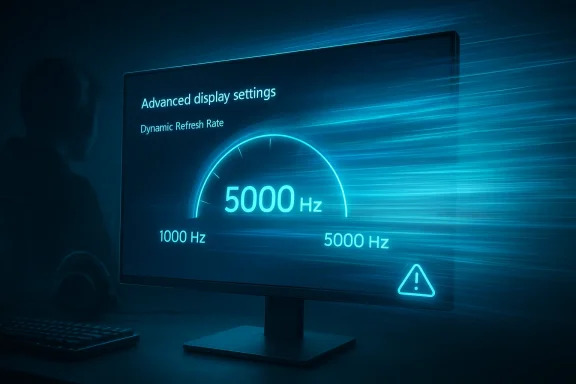
Windows 11 is entering a new phase of display support, and the headline number is as wild as it sounds: refresh rates above 1,000 Hz. Microsoft’s March 26, 2026 preview update, KB5079391, adds support for monitors that can report refresh rates higher than 1,000 Hz, a change aimed squarely at the next wave of esports hardware and the companies racing to build it. The update was briefly pulled after installation problems surfaced, but the display-stack shift is real and is expected to return in a later release. (support.microsoft.com)
For years, the consumer monitor market has been climbing a familiar ladder: 60 Hz gave way to 120 Hz, then 144 Hz, then 240 Hz, 360 Hz, and more recently 480 Hz and 500 Hz-class panels. Windows itself has largely kept pace, but operating-system support has always been a quiet bottleneck in the race to ever higher refresh ceilings. Microsoft’s latest change matters because it removes one of the last software constraints on displays that are trying to push far beyond the traditional comfort zone of PC gaming.
That does not mean 1,000 Hz or 5,000 Hz monitors instantly become useful for everyone. It does mean Windows 11 will no longer be the thing holding back hardware vendors that want to advertise extreme modes, especially in low-resolution competitive configurations where bandwidth and panel speed can be traded for raw refresh. Microsoft’s release notes are careful and narrow: monitors can now report refresh rates higher than 1,000 Hz, not “all systems now run at 5,000 Hz.” That distinction matters, because the software ceiling is only one piece of the chain. (support.microsoft.com)
The timing is also notable. At CES 2026, Acer, AOC, Philips, and others showed off monitors that flirt with four-digit refresh numbers, usually by dropping resolution to 720p in a dual-mode or dynamic-frequency setup. Acer’s Predator XB273U F6, for example, can reach 1,000 Hz at 1,280 x 720, while Philips and AOC have promoted their own 1,000 Hz dual-mode concepts. In other words, the hardware ecosystem is already trying to make the number real, and Windows is now adjusting to meet it.
There is also a broader strategic point here. Microsoft is not just reacting to one monitor or one enthusiast niche; it is preparing Windows for a future in which display technology keeps diverging between practical mass-market utility and spec-sheet extremity. That split has already happened with storage and memory, and now it is arriving in the display world. The result is a feature that sounds absurd on paper, but is actually a sober compatibility fix for where the industry is headed. (support.microsoft.com)
That matters most in fast-paced games, where milliseconds add up. A higher refresh display gives the GPU and game engine more frequent opportunities to show new visual information, reducing motion blur and making target tracking easier. It also helps the desktop experience feel cleaner and less fatiguing, which is why many users notice a jump from 60 Hz to 120 Hz far more than they expected. Once you have lived with high refresh long enough, 60 Hz starts to feel sticky.
The recent acceleration toward 500 Hz and 1,000 Hz panels is not happening in a vacuum. Display makers have been pairing lower resolution modes with faster scanning, and some of the sharpest gains are appearing in esports-oriented monitors rather than mainstream creator screens. That split is logical: a 720p mode is much easier to drive at absurd refresh rates than 1440p or 4K, and it allows vendors to chase bragging rights without pretending that every pixel pipeline can keep up.
Microsoft has also been steadily modernizing Windows 11’s display behavior in smaller ways, including Dynamic Refresh Rate, HDR-related fixes, and power-management improvements for connected displays. These are not flashy features, but they show the same underlying direction: the OS is becoming more adaptive, more aware of panel capabilities, and more willing to let hardware vendors expose unusual modes. In that sense, the new 1,000 Hz support is less a one-off headline and more a continuation of a long-running engineering cleanup.
That may sound overbuilt, but software ceilings tend to be conservative until they suddenly become restrictive. Once a ceiling is too low, it can distort product roadmaps, prevent EDID modes from surfacing properly, and force vendors into ugly workarounds. Raising the ceiling now is a classic future-proofing move: most users will never notice it, but hardware companies will absolutely depend on it.
The difference between “reporting” and “delivering” matters. A monitor can advertise a mode all day long, but the GPU, cable, port, driver, timing controller, and panel physics still have to cooperate before the mode is usable. In other words, Windows can stop being the limiting factor, but it cannot turn a 240 Hz panel into a genuine 1,000 Hz panel by decree. That is why the software change is significant but not miraculous.
Microsoft also bundled the refresh-rate change with a handful of unrelated display and usability improvements. The same update mentions better auto-rotation and HDR reliability, plus improved power efficiency for sleeping monitors over USB4. That combination suggests the company is trying to tighten the overall display experience, not just cater to a niche esports audience. (support.microsoft.com)
That is especially relevant for OEMs. A monitor vendor does not want to ship a headline feature that Windows mishandles, hides, or caps in settings. Microsoft removing those barriers is a signal that the ecosystem is ready to present extreme refresh as a supported class of feature rather than a lab experiment. (blurbusters.com)
Acer’s Predator XB273U F6 is a good example of the trend. It offers 500 Hz at 1440p and 1,000 Hz at 720p, which tells you everything about the tradeoffs involved. The industry is no longer pretending that high resolution and extreme refresh are always compatible; instead, it is splitting the difference based on use case, with “best at 720p” becoming a legitimate esports strategy.
That model also changes how the market talks about monitor value. For years, the premium pitch was “higher refresh at the same resolution.” Now the pitch is more surgical: lower the resolution, unlock an absurd refresh rate, and optimize for tracking or flick shots in the handful of games where that advantage matters. It is a niche strategy, but it is a real one, and Windows has to support the mode cleanly if the products are going to make sense.
This is also why the conversation has a slightly comic edge. “1,000 Hz” sounds futuristic, but the fine print often reveals a deliberately reduced resolution. That does not make the feature fake; it makes it specialized. Specialized hardware is still hardware, and esports buyers tend to understand tradeoffs better than most of the market.
The larger argument from Blur Busters is that human perception does not stop at 240 Hz, 360 Hz, or 500 Hz, even if the returns taper off. The site claims that the benefits of higher refresh can remain visible well beyond current mainstream hardware, especially when pixel response is fast and motion is large enough to notice. Whether you buy the full argument or not, it reflects an important reality: display performance is still a moving target, and “good enough” is not universally agreed upon. (blurbusters.com)
Microsoft is not endorsing that philosophy in so many words. What it is doing is making sure the OS does not become a hard stop for experimental hardware. That distinction lets Microsoft stay neutral while still keeping Windows useful to every serious monitor maker that wants to push the envelope. (support.microsoft.com)
That is why software support is best understood as necessary but insufficient. Windows can help the mode appear; it cannot guarantee that a given game, cable, or monitor firmware revision will make it feel better. For enthusiasts, that nuance is second nature. For the broader market, it is where the marketing battle will become messy.
For enterprises, the relevance is much thinner. Most office deployments care about stability, battery life, docking reliability, and compatibility across mixed fleets, not 1,000 Hz esports modes. Still, the broader display-stack improvements in the same update matter to businesses because they touch reliability, sleep behavior, and device consistency. That means enterprise value is indirect, but real. (support.microsoft.com)
There is also a broader consumer benefit in staying ahead of hardware. Users who buy premium monitors do not want an OS update to cap their device at an arbitrary number. Microsoft’s move reduces the chance that someone with bleeding-edge hardware will run into an artificial software bottleneck. (support.microsoft.com)
It is also worth noting that Windows 11 version 26H1 is a separate track for new devices and is not an in-place update for existing PCs, while 24H2 and 25H2 remain the broad mainstream releases. That means Microsoft is juggling multiple platform branches at once, which makes a conservative, forward-compatible display strategy especially sensible. (learn.microsoft.com)
That balancing act explains why Microsoft usually moves in small steps. It prefers to validate new behavior in preview builds, monitor feedback, and then fold the change into a later release once the ecosystem catches up. The temporary pull of KB5079391 after installation issues is a reminder that even incremental display changes can have side effects outside the headline feature set.
Microsoft is also trying to avoid a repeat of the old trap where OS policy lags behind hardware reality. If the display stack cannot enumerate a mode, users cannot select it, apps cannot target it, and vendors cannot properly advertise it. Raising the ceiling is, in that sense, a small act of engineering housekeeping that prevents a lot of future frustration. (support.microsoft.com)
That work is not glamorous, but it is how advanced displays become boringly dependable. The best hardware features are often the ones you stop thinking about because the software handshake is clean. That is exactly what Microsoft is trying to preserve as panels move into stranger territory. (support.microsoft.com)
GPU vendors also benefit, though more indirectly. Once monitors chase ultra-high refresh, graphics makers can frame their ecosystem as ready for the new race, even if few games can fully exploit it. This keeps the high-end conversation alive and preserves the logic of premium GPU purchases in an era where raw frame-rate gains have become harder and harder to sell.
The broader market will likely split into two narratives. One says ultra-high refresh is a meaningful step toward ultra-smooth gaming and lower latency. The other says it is mostly a spec race with diminishing practical returns after the mid-hundreds. Both can be true at once, and that tension is exactly why the feature is generating so much attention. (blurbusters.com)
It will also be worth watching whether the 1,000 Hz figure stays the headline or gets replaced by even more aggressive claims as vendors and enthusiasts continue pressing the limit upward. Blur Busters’ 5,000 Hz talk may prove premature, but it has already helped shift the conversation from “can Windows handle 500 Hz?” to “how far can the stack go before physics says stop?” That is a very different and much more ambitious question. (blurbusters.com)
Source: Windows Central Windows 11 is gearing up for insane 1000Hz displays and the future of ultra‑smooth gaming
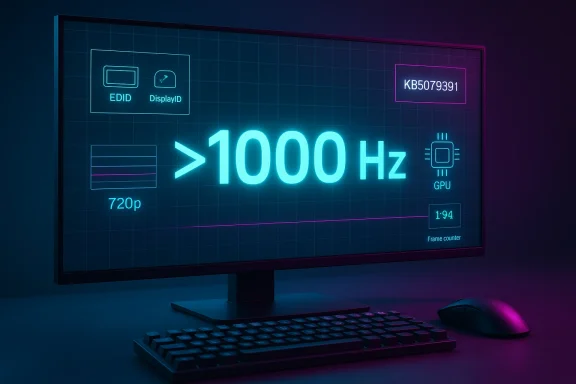 Overview
For years, the consumer monitor market has been climbing a familiar ladder: 60 Hz gave way to 120 Hz, then 144 Hz, then 240 Hz, 360 Hz, and more recently 480 Hz and 500 Hz-class panels. Windows itself has largely kept pace, but operating-system support has always been a quiet bottleneck in the race to ever higher refresh ceilings. Microsoft’s latest change matters because it removes one of the last software constraints on displays that are trying to push far beyond the traditional comfort zone of PC gaming.That does not mean 1,000 Hz or 5,000 Hz monitors instantly become useful for everyone. It does mean Windows 11 will no longer be the thing holding back hardware vendors that want to advertise extreme modes, especially in low-resolution competitive configurations where bandwidth and panel speed can be traded for raw refresh. Microsoft’s release notes are careful and narrow: monitors can now report refresh rates higher than 1,000 Hz, not “all systems now run at 5,000 Hz.” That distinction matters, because the software ceiling is only one piece of the chain. (support.microsoft.com)
The timing is also notable. At CES 2026, Acer, AOC, Philips, and others showed off monitors that flirt with four-digit refresh numbers, usually by dropping resolution to 720p in a dual-mode or dynamic-frequency setup. Acer’s Predator XB273U F6, for example, can reach 1,000 Hz at 1,280 x 720, while Philips and AOC have promoted their own 1,000 Hz dual-mode concepts. In other words, the hardware ecosystem is already trying to make the number real, and Windows is now adjusting to meet it.
There is also a broader strategic point here. Microsoft is not just reacting to one monitor or one enthusiast niche; it is preparing Windows for a future in which display technology keeps diverging between practical mass-market utility and spec-sheet extremity. That split has already happened with storage and memory, and now it is arriving in the display world. The result is a feature that sounds absurd on paper, but is actually a sober compatibility fix for where the industry is headed. (support.microsoft.com)
Background
The meaning of refresh rate is simple, but the implications are not. A 60 Hz display redraws the picture 60 times per second, while a 120 Hz panel does so twice as often, and each jump reduces the visible time between frames. Microsoft’s own support guidance says higher refresh rates can improve responsiveness and reduce input lag, which is why gaming communities have spent years treating refresh rate as a competitive advantage rather than a luxury metric.That matters most in fast-paced games, where milliseconds add up. A higher refresh display gives the GPU and game engine more frequent opportunities to show new visual information, reducing motion blur and making target tracking easier. It also helps the desktop experience feel cleaner and less fatiguing, which is why many users notice a jump from 60 Hz to 120 Hz far more than they expected. Once you have lived with high refresh long enough, 60 Hz starts to feel sticky.
The recent acceleration toward 500 Hz and 1,000 Hz panels is not happening in a vacuum. Display makers have been pairing lower resolution modes with faster scanning, and some of the sharpest gains are appearing in esports-oriented monitors rather than mainstream creator screens. That split is logical: a 720p mode is much easier to drive at absurd refresh rates than 1440p or 4K, and it allows vendors to chase bragging rights without pretending that every pixel pipeline can keep up.
Microsoft has also been steadily modernizing Windows 11’s display behavior in smaller ways, including Dynamic Refresh Rate, HDR-related fixes, and power-management improvements for connected displays. These are not flashy features, but they show the same underlying direction: the OS is becoming more adaptive, more aware of panel capabilities, and more willing to let hardware vendors expose unusual modes. In that sense, the new 1,000 Hz support is less a one-off headline and more a continuation of a long-running engineering cleanup.
Why the Ceiling Matters
The important thing about Microsoft’s update is not that every user needs four-digit refresh. It is that Windows now acknowledges a world where such panels exist and where future variants may go higher. Blur Busters has argued that Microsoft could go as high as 5,000 Hz, and its blog claims the company made a change to raise the retail limit accordingly. Even if one treats that claim cautiously, the public Microsoft note itself is already enough to confirm the direction of travel. (blurbusters.com)That may sound overbuilt, but software ceilings tend to be conservative until they suddenly become restrictive. Once a ceiling is too low, it can distort product roadmaps, prevent EDID modes from surfacing properly, and force vendors into ugly workarounds. Raising the ceiling now is a classic future-proofing move: most users will never notice it, but hardware companies will absolutely depend on it.
What Microsoft Actually Changed
Microsoft’s wording is precise. In the Windows 11 KB5079391 preview notes, the company says that monitors can now report refresh rates higher than 1,000 Hz. That tells us this is a reporting and enumeration change inside the display stack, not a magic performance boost. The OS is making room for higher values in the way it recognizes, stores, and exposes refresh-rate modes. (support.microsoft.com)The difference between “reporting” and “delivering” matters. A monitor can advertise a mode all day long, but the GPU, cable, port, driver, timing controller, and panel physics still have to cooperate before the mode is usable. In other words, Windows can stop being the limiting factor, but it cannot turn a 240 Hz panel into a genuine 1,000 Hz panel by decree. That is why the software change is significant but not miraculous.
Microsoft also bundled the refresh-rate change with a handful of unrelated display and usability improvements. The same update mentions better auto-rotation and HDR reliability, plus improved power efficiency for sleeping monitors over USB4. That combination suggests the company is trying to tighten the overall display experience, not just cater to a niche esports audience. (support.microsoft.com)
A Quiet but Important Platform Shift
The long-term story here is that Windows is becoming more permissive about exotic hardware. The operating system has to cope not only with higher refresh rates, but also with different panel types, different display IDs, different adaptive-sync behaviors, and different controller logic across laptops and desktops. Once the display stack is comfortable with very high numbers, future products have a much easier path to market.That is especially relevant for OEMs. A monitor vendor does not want to ship a headline feature that Windows mishandles, hides, or caps in settings. Microsoft removing those barriers is a signal that the ecosystem is ready to present extreme refresh as a supported class of feature rather than a lab experiment. (blurbusters.com)
The Hardware Race Behind the Announcement
The announcement would be easier to dismiss if the hardware market had not already moved first. It has. CES 2026 brought a wave of ultra-high-refresh gaming displays, with Acer, AOC, and Philips showing designs that reach the 1,000 Hz territory in reduced-resolution modes. These products are not aimed at the average office user; they are sharply focused on competitive gaming, where motion clarity and latency trump everything else.Acer’s Predator XB273U F6 is a good example of the trend. It offers 500 Hz at 1440p and 1,000 Hz at 720p, which tells you everything about the tradeoffs involved. The industry is no longer pretending that high resolution and extreme refresh are always compatible; instead, it is splitting the difference based on use case, with “best at 720p” becoming a legitimate esports strategy.
That model also changes how the market talks about monitor value. For years, the premium pitch was “higher refresh at the same resolution.” Now the pitch is more surgical: lower the resolution, unlock an absurd refresh rate, and optimize for tracking or flick shots in the handful of games where that advantage matters. It is a niche strategy, but it is a real one, and Windows has to support the mode cleanly if the products are going to make sense.
Why 720p Keeps Showing Up
The repeated appearance of 720p is not accidental. Four-digit refresh rates are far easier to achieve at lower pixel counts, because the data requirements and panel response constraints become less punishing. That is why 1,000 Hz displays keep arriving as dual-mode panels rather than as native QHD or 4K monsters.This is also why the conversation has a slightly comic edge. “1,000 Hz” sounds futuristic, but the fine print often reveals a deliberately reduced resolution. That does not make the feature fake; it makes it specialized. Specialized hardware is still hardware, and esports buyers tend to understand tradeoffs better than most of the market.
Blur Busters, 5,000 Hz, and the Science of Diminishing Returns
Blur Busters played an outsized role in the public conversation because it framed the Windows change as a waystation on the road to much higher ceilings. In its own write-up, the site said a Microsoft contact indicated the retail limit would be raised to 5,000 Hz, and that multiple manufacturers are already working on 2,000 Hz panels expected by 2030. That is not official Microsoft messaging, but it helps explain why the update notes were written so broadly. (blurbusters.com)The larger argument from Blur Busters is that human perception does not stop at 240 Hz, 360 Hz, or 500 Hz, even if the returns taper off. The site claims that the benefits of higher refresh can remain visible well beyond current mainstream hardware, especially when pixel response is fast and motion is large enough to notice. Whether you buy the full argument or not, it reflects an important reality: display performance is still a moving target, and “good enough” is not universally agreed upon. (blurbusters.com)
Microsoft is not endorsing that philosophy in so many words. What it is doing is making sure the OS does not become a hard stop for experimental hardware. That distinction lets Microsoft stay neutral while still keeping Windows useful to every serious monitor maker that wants to push the envelope. (support.microsoft.com)
The Real Bottleneck Is the Whole Pipeline
A 1,000 Hz display mode is only worthwhile if the rest of the pipeline can keep up. The GPU has to render fast enough, the game has to frame pace correctly, the driver has to expose the mode cleanly, and the display itself has to change state without introducing new artifacts. If any one of those pieces lags, the theoretical benefit melts away.That is why software support is best understood as necessary but insufficient. Windows can help the mode appear; it cannot guarantee that a given game, cable, or monitor firmware revision will make it feel better. For enthusiasts, that nuance is second nature. For the broader market, it is where the marketing battle will become messy.
Consumer Impact Versus Enterprise Reality
For consumers, especially gamers, the value proposition is straightforward. High refresh rates reduce visible blur, make scrolling feel smoother, and can reduce the perceived delay between input and action. The jump from 60 Hz to 120 Hz is still the watershed moment for most users, but ultra-high-refresh support matters because it keeps the path open for future hardware upgrades.For enterprises, the relevance is much thinner. Most office deployments care about stability, battery life, docking reliability, and compatibility across mixed fleets, not 1,000 Hz esports modes. Still, the broader display-stack improvements in the same update matter to businesses because they touch reliability, sleep behavior, and device consistency. That means enterprise value is indirect, but real. (support.microsoft.com)
Consumer Upside
The consumer upside is mostly in gaming and enthusiast setups. Competitive players get another step in the never-ending race for lower latency and clearer motion, while display hobbyists get a signal that Windows is ready for the next wave of panel experimentation. It is also a psychological milestone: once Windows supports the mode, the market can sell it as a normal option rather than a technical curiosity. (support.microsoft.com)There is also a broader consumer benefit in staying ahead of hardware. Users who buy premium monitors do not want an OS update to cap their device at an arbitrary number. Microsoft’s move reduces the chance that someone with bleeding-edge hardware will run into an artificial software bottleneck. (support.microsoft.com)
Enterprise Reality
Enterprise buyers are more likely to care about the reliability pieces bundled into the update. Improvements to auto-rotation, HDR behavior, and USB4 power management can matter in creative, mobile, and docking-heavy environments where stability is more important than specs. Those are not headline-grabbing changes, but they often deliver more value than exotic refresh modes. (support.microsoft.com)It is also worth noting that Windows 11 version 26H1 is a separate track for new devices and is not an in-place update for existing PCs, while 24H2 and 25H2 remain the broad mainstream releases. That means Microsoft is juggling multiple platform branches at once, which makes a conservative, forward-compatible display strategy especially sensible. (learn.microsoft.com)
The Technical Stakes for Windows
Windows display behavior has become more complex over time, and support for refresh rates above 1,000 Hz is a sign of that complexity rather than a triumph of raw speed. The operating system must handle EDID or DisplayID descriptors, multiple refresh modes, mixed-resolution capabilities, and a growing set of adaptive behaviors. If Windows is too rigid, the hardware stagnates; if it is too permissive, users see instability.That balancing act explains why Microsoft usually moves in small steps. It prefers to validate new behavior in preview builds, monitor feedback, and then fold the change into a later release once the ecosystem catches up. The temporary pull of KB5079391 after installation issues is a reminder that even incremental display changes can have side effects outside the headline feature set.
Microsoft is also trying to avoid a repeat of the old trap where OS policy lags behind hardware reality. If the display stack cannot enumerate a mode, users cannot select it, apps cannot target it, and vendors cannot properly advertise it. Raising the ceiling is, in that sense, a small act of engineering housekeeping that prevents a lot of future frustration. (support.microsoft.com)
What This Means for Driver and Firmware Teams
Driver teams now have a clearer target. They need to expose high-refresh modes faithfully and ensure the signaling path remains stable at the edge of what the panel can tolerate. Firmware teams, meanwhile, have to make sure EDID and timing tables are accurate enough for Windows to trust the mode.That work is not glamorous, but it is how advanced displays become boringly dependable. The best hardware features are often the ones you stop thinking about because the software handshake is clean. That is exactly what Microsoft is trying to preserve as panels move into stranger territory. (support.microsoft.com)
The Competitive Implications
The immediate beneficiary is the monitor industry. When Windows accepts higher refresh modes cleanly, vendors can pitch outrageous numbers without fearing that the OS will nullify the claim or hide it behind an unsupported ceiling. That lowers the risk of shipping a product that looks great in a launch video but fails in a real desktop environment. (support.microsoft.com)GPU vendors also benefit, though more indirectly. Once monitors chase ultra-high refresh, graphics makers can frame their ecosystem as ready for the new race, even if few games can fully exploit it. This keeps the high-end conversation alive and preserves the logic of premium GPU purchases in an era where raw frame-rate gains have become harder and harder to sell.
Rival Platforms and the Broader Market
For rivals, the message is clear: if your operating system or display stack cannot keep up with emerging monitor specs, you become the bottleneck. That is bad news in a market where hardware makers want the freedom to experiment with lower-resolution, higher-refresh modes and advertise them without caveats. Microsoft’s move is therefore as much a competitive signal as a technical one. (support.microsoft.com)The broader market will likely split into two narratives. One says ultra-high refresh is a meaningful step toward ultra-smooth gaming and lower latency. The other says it is mostly a spec race with diminishing practical returns after the mid-hundreds. Both can be true at once, and that tension is exactly why the feature is generating so much attention. (blurbusters.com)
Strengths and Opportunities
Microsoft’s change has a lot going for it, even if most people will never personally use a 1,000 Hz display. The biggest opportunity is not immediate mainstream adoption, but ecosystem readiness: Windows is now aligned with where display vendors are trying to go, which reduces friction for the next several product cycles. That makes the platform look future-safe rather than reactive. (support.microsoft.com)- Future-proofing for monitor vendors that want to push above 1,000 Hz.
- Cleaner OS support for exotic EDID/DisplayID modes.
- Better compatibility with dual-mode esports panels.
- Stronger gaming credibility for Windows 11 among enthusiasts.
- Reduced risk of artificial software ceilings blocking hardware claims.
- Broader display-stack improvements bundled into the same update.
- A clearer path for 2,000 Hz and beyond if hardware evolves as expected.
Risks and Concerns
The flip side is that extreme refresh support can sound more transformative than it really is. Consumers may hear “1,000 Hz” and assume a universal leap in smoothness, when in reality the benefit depends on the entire chain from game engine to cable to panel response. The result could be disappointment if buyers expect miracles from a number that is only one part of the story.- Marketing overreach could outpace practical gains.
- Bandwidth limits will constrain many systems.
- Lower-resolution tradeoffs may undercut the appeal for some users.
- Panel response time may blunt the theoretical advantage.
- Driver instability could emerge at the cutting edge.
- Game engine limits will keep most titles far below the ceiling.
- Update reliability remains a concern after the temporary pull of KB5079391.
Looking Ahead
The next phase will be about whether Microsoft’s change quietly becomes mainstream infrastructure or remains a footnote for esports enthusiasts. If the update returns without further issues and the industry keeps pushing high-refresh panels, Windows will have already done the boring but necessary work of clearing the runway. That is often how big platform changes happen: first the OS admits the hardware, then the market decides whether the hardware matters.It will also be worth watching whether the 1,000 Hz figure stays the headline or gets replaced by even more aggressive claims as vendors and enthusiasts continue pressing the limit upward. Blur Busters’ 5,000 Hz talk may prove premature, but it has already helped shift the conversation from “can Windows handle 500 Hz?” to “how far can the stack go before physics says stop?” That is a very different and much more ambitious question. (blurbusters.com)
- Microsoft’s re-release of KB5079391 after the installation issues are resolved.
- Whether monitor vendors ship more 720p/1,000 Hz dual-mode products in 2026.
- Whether Windows 11’s display stack exposes higher refresh values consistently across builds.
- How GPU drivers and game engines respond to the new ceiling.
- Whether the conversation shifts toward 2,000 Hz prototypes by the end of the decade.
Source: Windows Central Windows 11 is gearing up for insane 1000Hz displays and the future of ultra‑smooth gaming
Last edited: