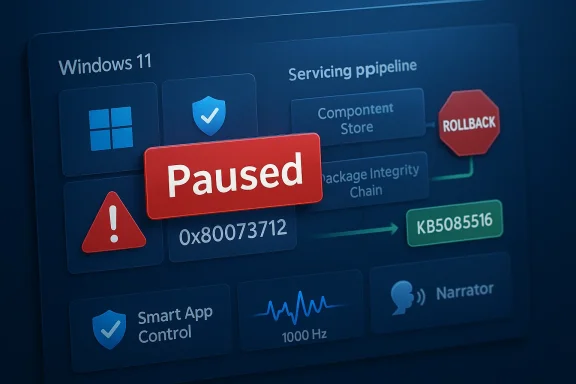
Microsoft’s latest Windows 11 preview update has run into a familiar and frustrating problem: installation failures severe enough to stop the rollout entirely. Microsoft has updated the KB5079391 support entry to say the release was paused because some users hit error 0x80073712, a code Microsoft associates with missing or damaged Windows Update files. That makes this more than a cosmetic hiccup; it is the kind of servicing problem that can undermine confidence in an update before most users have even seen it. pause matters because KB5079391 was not a minor maintenance patch. According to the materials now circulating in Windows-focused coverage and forum discussion, it was the March 2026 non-security update for Windows 11 versions 24H2 and 25H2, shipping with a broad set of usability and platform refinements. Microsoft’s own servicing model for those branches treats monthly preview releases as the proving ground for changes that later flow into the mandatory Patch Tuesday cycle, so a broken preview can ripple into the next required update if the issue is not fixed quickly. ([support.microsoft.microsoft.com/en-gb/topic/march-10-2026-kb5079473-os-builds-26200-8037-and-26100-8037-9c222a8e-cc02-40d4-a1f8-ad86be1bc8b6)
That is why a rollout pause is significant even when the company has not publicly disclosed an exact root cause. In Microsoft’s own support guidance, error 0x80073712 is tied to a missing or damaged file needed by Windows Update, and the company recommends repairing system files with DISM and related tools. When an error code appears in a mainstream update channel, the immediate assumption is not that a single machine is misbehaving; it is that a sizeable portion of the install base may be encountering the same broken state.
The larger context is that Windows 11 servicing has become more complex, not less. Microsoft now maintains separate update histories and release-health pages for 24H2 and 25H2 while also shipping out-of-band fixes when the normal cadence is not fast enough. That layered servicing model helps Microsoft respond faster, but it also raises the stakes when one branch or package misfires, because the company has to decide whether to patch forward, pause the rollout, or both.
This pause also lands in a period when Windows users are unusually sensitive to update quality. March 2026 has already seen the normal Patch Tuesday cycle, follow-up hotpatch activity, and emergency servicing across the Windows 11 family. In other words, Microsoft is not just shipping updates; it is managing a continuous repair pipeline. That makes any installation error feel less like an isolated defect and more like evidence that the pipeline itself is under strain.
--A
The clearest practical effect of the halt is that users checking Windows Update are no longer being offered KB5079391 in the normal way. Instead, the reporting indicates Windows 11 is now surfacing KB5085516, the out-of-band fix Microsoft released to address Microsoft Account-related issues in Windows apps. That is a strong sign that Microsoft has removed the preview release from broad delivery while it sorts out the servicing problem behind the scenes.
That kind of pause is not unusual in principle, but it does carry a specific implication. Microsoft usually wants preview updates to act as the final validation step before non-security improvements are merged into the more widely deployed monthly release. When a preview is pulled back, it means the company would rather delay feature improvements than risk shipping a package that can fail installation on enough systems to become a support liability. That is the right move operationally, even if it frustrates users who were expecting the new features.
A bug in a preview build is one thing. A bug that forces Microsoft to stop rollout is another. The distinction is important because it suggests the issue was not limited to an edge case or to a narrow hardware configuration, but was serious enough to trip Microsoft’s internal release threshold. In practical terms, that usually means telemetry, support signals, or install failure rates were pointing in the wrong direction.
For Windows users, that is a mixed blessing. On the one hand, stopping distribution prevents more machines from being affected. On the other hand, it also means the update was bad enough that Microsoft could not simply let the rollout continue and promise to clean up later. That is a reminder that even preview updates are not harmless experiments; on Windows, they are part of the production servicing chain.
That matters because it narrows the likely failure modes. If users are seeing 0x80073712 during an otherwise routine install, the underlying issue could be in the component store, the update cache, or the package itself. Microsoft has not disclosed which of those is responsible for KB5079391, but the fact that the company paused rollout suggests the failure was not limited to a few obviously broken endpoints.
For home users, this often looks like “Windows Update just won’t finish.” For admins, it looks worse, because repeated install failures can break rollout rings, stall image refresh cycles, and create false confidence that a package has deployed successfully when it has not. That is why installation error codes often become enterprise incidents long before they become consumer headlines. (support.microsoft.com)
That is why the rollback stings. Users who ibility improvements or smoother multi-display behavior now have to wait while Microsoft resolves a servicing issue. The irony is hard to miss: a release meant to improve reliability is itself being held back because reliability is in question. That is not unusual in Windows land, but it is never a good look.
That makes the installation failure more frustrating than a simple cosmetic bug would be. If a patch only added an obscure admin setting, it would be easier to ignore. But when the package contains accessibility, security, and display polish, the delay becomes a reminder that servicing quality can block user-facing progress just as much as design decisions can.
There is also a strong practical reason to stop rollout of a preview update rather than wait for Patch Tuesday. Preview builds are not mandatory, but they are supposed to be stable enough to validate the next month’s cumulative changes. If the preview cannot be installed cleanly, then Microsoft loses an important testing signal before the update family becomes compulsory. That makes a pause far more than a public-relations move; it is a servicing-control decision.
There is a broader strategic issue here too. Microsoft has publicly talked about improving Windows Update reliability and even allowing indefinite pauses, which suggests it knows trust in the update process is an unresolved problem. A pullback like this reinforces the sense that Microsoft is still in the middle of that credibility repair. The company can promise better updates to prove it in the field.
The consumer experience is especially sensitive because Windows 11 has increasingly tied everyday tasks to cloud identity, app syncing, and update-driven feature changes. When a quality update goes wrong, users do not just lose a convenience feature; they can lose confidence that the next automatic install will be safe. That erosion of trust is difficult to measure, but it is very real.
If the update eventually returns, it will likely do so with a revised servicing approach or after Microsoft confirms the failure pattern has been cleared. That means the best consumer posture is patience, not manual force-install attempts. Chasing a preview package that Microsoft has already paused is usually not worth the trouble.
The enterprise angle is also important because Windows 11 now sits inside a much wider operational ecosystem. Update problems can cascade into image rebuild schedules, application compatibility testing, help-desk volume, and device baselines. A pause at the servicing layer can therefore disrupt work that has nothing to do with the visible features in the update notes.
A paused preview also complicates ringed deployment. If one pilot group got the update before the rollback and another did not, the organization can wind up with mixed servicing states that make troubleshooting messy. That is why a seemingly modest update failure often becomes a process problem, not just a technical one.
That pressure is not unique to Microsoft, but it is more visible here because Windows is so widely deployed and so tightly coupled to both consumer and enterprise expectations. Microsoft has to satisfy casual users who want nothing to go wrong, power users who want control, and administrators who want predictable servicing. Those goals do not always align, and rollout pauses are what those tensions look like in practice.
The company’s recent willingness to ship out-of-band fixes shows it understands the problem. Yet every emergency patch also underlines how much of Windows now depends on quick reaction rather than perfect first-pass quality. That is efficient in the short term, but it raises expectations that every monthly update will now be judged like a production release in a cloud service. ([support.//support.microsoft.com/en-us/topic/march-16-2026-hotpatch-kb5084897-os-builds-26200-7984-and-26100-7984-out-of-band-74c779d7-e666-49a2-a809-1cbb31a79e7f)
What matters most now is whether Microsoft treats this as a one-off servicing defect or a symptom of a broader quality problem in the Windows 11 update pipeline. The company has already said it wants to improve update reliability and make Windows Update less disruptive, which means the credibility test is ongoing. Users and administrators will be watching not just for a fix, but for evidence that the fix was delivered with less friction than the bug.
Source: Neowin Microsoft stops rollout of the latest Windows 11 feature update due to installation errors
That is why a rollout pause is significant even when the company has not publicly disclosed an exact root cause. In Microsoft’s own support guidance, error 0x80073712 is tied to a missing or damaged file needed by Windows Update, and the company recommends repairing system files with DISM and related tools. When an error code appears in a mainstream update channel, the immediate assumption is not that a single machine is misbehaving; it is that a sizeable portion of the install base may be encountering the same broken state.
The larger context is that Windows 11 servicing has become more complex, not less. Microsoft now maintains separate update histories and release-health pages for 24H2 and 25H2 while also shipping out-of-band fixes when the normal cadence is not fast enough. That layered servicing model helps Microsoft respond faster, but it also raises the stakes when one branch or package misfires, because the company has to decide whether to patch forward, pause the rollout, or both.
This pause also lands in a period when Windows users are unusually sensitive to update quality. March 2026 has already seen the normal Patch Tuesday cycle, follow-up hotpatch activity, and emergency servicing across the Windows 11 family. In other words, Microsoft is not just shipping updates; it is managing a continuous repair pipeline. That makes any installation error feel less like an isolated defect and more like evidence that the pipeline itself is under strain.
--A
The clearest practical effect of the halt is that users checking Windows Update are no longer being offered KB5079391 in the normal way. Instead, the reporting indicates Windows 11 is now surfacing KB5085516, the out-of-band fix Microsoft released to address Microsoft Account-related issues in Windows apps. That is a strong sign that Microsoft has removed the preview release from broad delivery while it sorts out the servicing problem behind the scenes.
That kind of pause is not unusual in principle, but it does carry a specific implication. Microsoft usually wants preview updates to act as the final validation step before non-security improvements are merged into the more widely deployed monthly release. When a preview is pulled back, it means the company would rather delay feature improvements than risk shipping a package that can fail installation on enough systems to become a support liability. That is the right move operationally, even if it frustrates users who were expecting the new features.
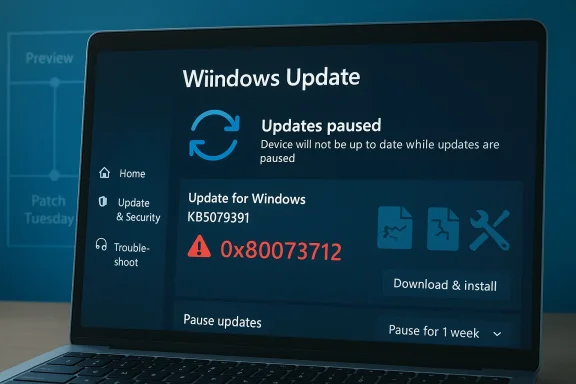 Why a pause is more serious than a normal bug
A bug in a preview build is one thing. A bug that forces Microsoft to stop rollout is another. The distinction is important because it suggests the issue was not limited to an edge case or to a narrow hardware configuration, but was serious enough to trip Microsoft’s internal release threshold. In practical terms, that usually means telemetry, support signals, or install failure rates were pointing in the wrong direction.For Windows users, that is a mixed blessing. On the one hand, stopping distribution prevents more machines from being affected. On the other hand, it also means the update was bad enough that Microsoft could not simply let the rollout continue and promise to clean up later. That is a reminder that even preview updates are not harmless experiments; on Windows, they are part of the production servicing chain.
- The update was paused after installation errors surfaced.
- Microsoft has not yet said which systems are most affected.
- Error 0x80073712 is associated with missing or damaged update files.
- The pause appears to affect the broad rollout, not a tiny test group.
- Microsoft has not publicly given a return date for the update.
The Error Code Matters
Error 0x80073712 is not random noise. Microsoft’s own troubleshooting material says the code usually means a file needed by Windows Update is damaged or missing, and it suggests running DISM or the Windows Update Troubleshooter as a first-line repair. In other words, the code points to corruption or incomplete servicing state, not just a flaky network connection or a temporary server problem.That matters because it narrows the likely failure modes. If users are seeing 0x80073712 during an otherwise routine install, the underlying issue could be in the component store, the update cache, or the package itself. Microsoft has not disclosed which of those is responsible for KB5079391, but the fact that the company paused rollout suggests the failure was not limited to a few obviously broken endpoints.
What 0x80073712 usually signals
Microsoft’s guidance is consistent across languages and support pages: 0x80073712 usually means a required update file is missing or damaged. The recommended response is to repair system files, clear damaged update state, and retry the install. That is a good clue that the bug may involve servicing integrity rather than an issue confined to a single feature in the preview update.For home users, this often looks like “Windows Update just won’t finish.” For admins, it looks worse, because repeated install failures can break rollout rings, stall image refresh cycles, and create false confidence that a package has deployed successfully when it has not. That is why installation error codes often become enterprise incidents long before they become consumer headlines. (support.microsoft.com)
- 0x80073712 usually points to missing or damaged servicing files.
- DISM repair is Microsoft’s default first-step remediation.
- Rebooting alone is often not enough if the component store is affected.
- Repeated failures can distort update compliance reports.
- The code is often a sign of deeper update-state corruption.
What KB5079391 Was Supposed to Bring
The preview update itself was not trivial. Reporting around the release said KB5079391 included Narrator improvements, a change to Smart App Control so it no longer requires reinstalling Windows to re-enable itself, and display-related enhancements for very high refresh-rate monitors, including support for 1000Hz-plus panels. Those kinds of quality-of-life changes do not usually dominate headlines, but they are exactly the kind of refinements that make a monthly preview worth shipping.That is why the rollback stings. Users who ibility improvements or smoother multi-display behavior now have to wait while Microsoft resolves a servicing issue. The irony is hard to miss: a release meant to improve reliability is itself being held back because reliability is in question. That is not unusual in Windows land, but it is never a good look.
Why these features matter
Narrator changes matter because accessibility is not a side feature anymore; it is a core part of Windows usability. Smart App Control matters because many users have long complained about the friction involved in re-enabling it after turning it off. Display support matters because high-refresh monitors are moving from enthusiast gear into mainstream productivity setups. Taken together, these updates point to Microsoft trying to modernize Windows in places that real people actually notice.That makes the installation failure more frustrating than a simple cosmetic bug would be. If a patch only added an obscure admin setting, it would be easier to ignore. But when the package contains accessibility, security, and display polish, the delay becomes a reminder that servicing quality can block user-facing progress just as much as design decisions can.
- Accessibility fixes affect a broad range of users.
- Smart App Control changes reduce friction for security-conscious users.
- High-refresh display improvements target newer PC hardware.
- Preview updates often seed the next mandatory monthly build.
- A failed preview can delay features that were close to mainstream release.
Why Microsoft Pulled the Plug Now
The timing suggests Microsoft acted quickly once the install issue became visible. That is consistent with how handling Windows 11 servicing this year: if a bug shows signs of broad impact, Microsoft increasingly prefers to pause, patch, and re-release rather than let a flawed package keep spreading. The company’s own recent support documentation for Windows 11 24H2 and 25H2 shows how heavily it relies on release health monitoring to manage such decisions.There is also a strong practical reason to stop rollout of a preview update rather than wait for Patch Tuesday. Preview builds are not mandatory, but they are supposed to be stable enough to validate the next month’s cumulative changes. If the preview cannot be installed cleanly, then Microsoft loses an important testing signal before the update family becomes compulsory. That makes a pause far more than a public-relations move; it is a servicing-control decision.
The Patch Tuesday pressure
Microsoft over two weeks before the April 2026 Patch Tuesday window, which means the company has a narrow window to decide whether KB5079391 can be repaired and reintroduced. If it cannot, then the fixes and features it carried may need to wait for the next servicing train. That kind of delay is not catastrophic, but it does complicate Microsoft’s promise that Windows 11 updates will become more predictable and reliable.There is a broader strategic issue here too. Microsoft has publicly talked about improving Windows Update reliability and even allowing indefinite pauses, which suggests it knows trust in the update process is an unresolved problem. A pullback like this reinforces the sense that Microsoft is still in the middle of that credibility repair. The company can promise better updates to prove it in the field.
- Microsoft has a short window to fix and reissue the update.
- Preview updates feed the mandatory monthly cycle.
- Release health monitoring appears to guide the pause decision.
- Reliability promises are only as strong as the next rollout.
- Delays can compound if preview fixes miss the monthly cutoff.
Consumer Impact
For consumers, the immediate consequence is simple: the new features stay on hold, and the update menu becomes less cluttered. That sounds benign, but it also means ordinary users are now relying on Microsoft to clean up a servicing issue they never asked for in the first place. For most people, update reliability is invisible right up until it breaks, and then it becomes the only thing that matters.The consumer experience is especially sensitive because Windows 11 has increasingly tied everyday tasks to cloud identity, app syncing, and update-driven feature changes. When a quality update goes wrong, users do not just lose a convenience feature; they can lose confidence that the next automatic install will be safe. That erosion of trust is difficult to measure, but it is very real.
What home users should infer
Home users should not panic over the pause itself. A removed preview is usually a sign that Microsoft would rather fix the problem than let it spread. Still, users who were eager to get the latest accessibility or display improvements should understand that the delay reflects a real installation issue, not a routine staggered release.If the update eventually returns, it will likely do so with a revised servicing approach or after Microsoft confirms the failure pattern has been cleared. That means the best consumer posture is patience, not manual force-install attempts. Chasing a preview package that Microsoft has already paused is usually not worth the trouble.
- Home users lose access to the latest preview improvements for now.
- The pause reduces the chance of more failed installs.
- Manual workarounds can be riskier than waiting.
- Feature previews often return in a corrected package.
- Trust in Windows Update matters as much as the features themselves.
Enterprise Impact
Enterprises will care about this differently. A preview pause is not just a missed feature window; it is a warning signal for patch-ring governance, image validation, and compliance reporting. If KB5079391 was failing broadly enough to trigger a rollout stop, IT teams will want to know whether their own update automation already touched affected systems and whether any repair actions are required.The enterprise angle is also important because Windows 11 now sits inside a much wider operational ecosystem. Update problems can cascade into image rebuild schedules, application compatibility testing, help-desk volume, and device baselines. A pause at the servicing layer can therefore disrupt work that has nothing to do with the visible features in the update notes.
Why admins will notice first
Admins are the people who see these failures at scale. Even if only a fraction of endpoints are affected, that fraction can become enough to force a policy change. Microsoft’s own guidance around Windows Update errors emphasizes repair tools, troubleshooting steps, and careful checking of update history, which is exactly the sort of discipline enterprise teams need when a release misbehaves. (support.microsoft.com)A paused preview also complicates ringed deployment. If one pilot group got the update before the rollback and another did not, the organization can wind up with mixed servicing states that make troubleshooting messy. That is why a seemingly modest update failure often becomes a process problem, not just a technical one.
- Mixed baselines can make troubleshooting harder.
- Pilot rings may already contain partially updated systems.
- Compliance dashboards may show inconsistent states.
- Image refresh cycles can be delayed by a bad preview.
- Help desks often absorb the first wave of confusion.
Microsoft’s Update Strategy Under Pressure
This incident also says something about Microsoft’s broader update strategy. The company has spent the past year talking about reliability, staged rollout, and faster remediation, but every pause reminds users that Windows Update is still a high-stakes system with real failure modes. Even a non-security update can become a news event if it causes enough installation trouble.That pressure is not unique to Microsoft, but it is more visible here because Windows is so widely deployed and so tightly coupled to both consumer and enterprise expectations. Microsoft has to satisfy casual users who want nothing to go wrong, power users who want control, and administrators who want predictable servicing. Those goals do not always align, and rollout pauses are what those tensions look like in practice.
Reliability versus velocity
Microsoft wants velocity because the platform is now moving too quickly for old servicing assumptions. But it also wants reliability because one bad update can undo months of trust-building. That is the central tension in modern Windows maintenance: the faster Microsoft moves, the more visible its mistakes become. Speed without confidence is just faster disappointment.The company’s recent willingness to ship out-of-band fixes shows it understands the problem. Yet every emergency patch also underlines how much of Windows now depends on quick reaction rather than perfect first-pass quality. That is efficient in the short term, but it raises expectations that every monthly update will now be judged like a production release in a cloud service. ([support.//support.microsoft.com/en-us/topic/march-16-2026-hotpatch-kb5084897-os-builds-26200-7984-and-26100-7984-out-of-band-74c779d7-e666-49a2-a809-1cbb31a79e7f)
- Faster servicing raises the stakes for quality control.
- Rollback capability is now part of Microsoft’s public reputation.
- Release health transparency matters more than ever.
- Out-of-band fixes are becoming standard rather than exceptional.
- Users now expect cloud-like reliability from a local OS.
Strengths and Opportunities
The silver lining is that Microsoft appears to have caught the problem before it became a wider mess. Pausing a rollout is not glamorous, but it is exactly what a mature servicing organization should do when update failures start to look systemic. It also gives Microsoft a chance to improve the package rather than letting the flaw infect the next mandatory build.- Microsoft acted before the bug became entrenched.
- The pause likely reduced the number of affected devices.
- The company still has time to fold fixes into April servicing.
- Update health telemetry can help narrow the root cause.
- Users may ultimately receive a more stable package.
- The incident reinforces the value of release-health monitoring.
- Microsoft can use the pause to improve internal validation.
Risks and Concerns
The obvious risk is trust erosion. Users remember when an update fails, even if the fix arrives later, and repeated servicing incidents can make people more reluctant to install optional releases at all. That reluctance can backfire, because preview updates are meant to de-risk the next month’s mandatory patch.- Trust in Windows Update can suffer after a public rollback.
- Optional updates may see lower adoption if users become cautious.
- Enterprise teams may extend pilot cycles, slowing adoption further.
- Mixed system states can create harder support cases.
- Microsoft may have to compensate with more emergency servicing.
- A delayed preview can compress the next release schedule.
- Repeated issues can make Windows feel less predictable.
Looking Ahead
The next few weeks will tell us whether KB5079391 returns as a corrected preview or gets folded into a later cumulative update. If Microsoft can fix the install path cleanly and communicate the resolution clearly, the damage may be limited to a brief delay and a few annoyed early adopters. If not, the update will become another data point in the case against Windows Update’s reliability.What matters most now is whether Microsoft treats this as a one-off servicing defect or a symptom of a broader quality problem in the Windows 11 update pipeline. The company has already said it wants to improve update reliability and make Windows Update less disruptive, which means the credibility test is ongoing. Users and administrators will be watching not just for a fix, but for evidence that the fix was delivered with less friction than the bug.
- Whether KB5079391 returns before the April 2026 Patch Tuesday cycle.
- Whether Microsoft identifies a specific cause for 0x80073712 in this case.
- Whether the fix is reissued as a revised preview or a later cumulative build.
- Whether Windows Update reliability visibly improves in coming releases.
- Whether enterprise admins see better consistency across rollout rings.
Source: Neowin Microsoft stops rollout of the latest Windows 11 feature update due to installation errors