

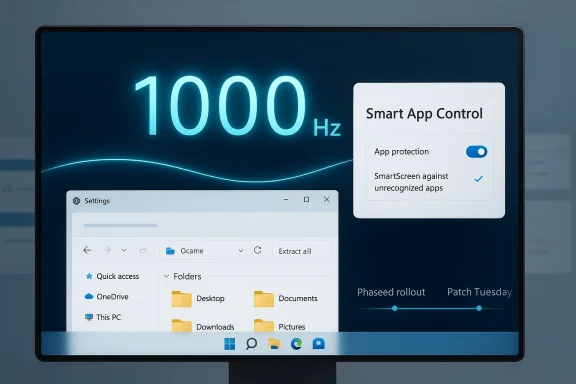
Microsoft’s latest Windows 11 optional update, KB5079391, lands as one of those releases that looks routine at first glance and then turns out to be more consequential than expected. It brings a handful of visible refinements, including support for 1000 Hz refresh rate monitors, a long-requested change to Smart App Control that finally lets users toggle it without reinstalling Windows, and a broader round of File Explorer and Settings improvements. It is also, as preview updates now often are, a signal of what Microsoft wants to fold into the next security Patch Tuesday rather than a standalone one-off. Microsoft’s own update history confirms KB5079391 is the March 26, 2026 preview release for Windows 11 version 25H2 and 24H2, with build numbers 26200.8116 and 26100.8116 respectively. (support.microsoft.com)
Windows 11 preview updates have become more than housekeeping. They are now a monthly staging ground for Microsoft’s continuous-innovation model, where the company tests UI changes, reliability fixes, and gradual-rollout features before they hit the broader base in the next cumulative security update. That pattern matters because it changes how users experience Windows: updates are no longer just about patching vulnerabilities, but about shaping the operating system in public, one controlled wave at a time. Microsoft’s February 2026 preview, KB5077241, explicitly framed the release as a mix of gradual and normal rollouts, and KB5079391 follows the same logic. (support.microsoft.com)
This month’s update is especially notable because it touches both the enthusiast and enterprise ends of the Windows audience. On one side, there is the gaming and high-refresh-rate crowd, where 1000 Hz support is clearly aimed at bleeding-edge hardware buyers. On the other side, there is the much broader productivity and admin base, where Smart App Control, File Explorer, Settings, and reliability fixes affect day-to-day workflows far more than a niche display mode ever will. The result is a patch that looks small in build number terms, but broad in strategic intent. (support.microsoft.com)
There is also a clear timing story here. Microsoft says preview update content is bundled into the next security release, which means users who skip the optional March update should still receive the same feature set in April’s Patch Tuesday, scheduled for April 14, 2026. That makes KB5079391 optional in the practical sense, but not necessarily optional in the product roadmap sense. If you care about getting features early, you install it; if you care about stability first, you can wait. Either way, the changes are moving.
That same flexibility is visible in the way Microsoft is polishing the Settings app and File Explorer instead of chasing big branding moves. The company continues to treat these core surfaces as living systems, not static panels. That is a smart place to invest, because most Windows frustration comes from the places users hit every day, not from headline-grabbing features that appear once a quarter. (support.microsoft.com)
The January and February 2026 releases established much of the groundwork for KB5079391. Microsoft previewed broader UI refinement, performance tuning, and security-adjacent changes in KB5074105, KB5077181, and KB5077241, while also continuing the long-running Secure Boot certificate transition story. By March, Microsoft’s release notes were already emphasizing the future expiration of Secure Boot certificates in June 2026, a reminder that servicing updates are increasingly being used as delivery vehicles for platform migrations, not just fixes. (support.microsoft.com)
The Smart App Control story is equally instructive. Microsoft previously said in January 2026 that it was rolling out a change that would allow SAC to be enabled or disabled without reinstalling Windows, but the feature did not reach most users and later appeared to stall. KB5079391 is the moment that promise seems to be turning into something tangible. That matters because it shows how Microsoft can effectively pause, revise, and relaunch features without changing the headline narrative around them. (support.microsoft.com)
Finally, the optional update model itself is part of the backdrop. Preview releases are meant to be safe enough for adopters, but not so disruptive that everyone is forced into them immediately. Microsoft’s own support pages for recent Windows 11 preview updates repeatedly note that if you have already installed earlier updates, your device downloads only the new pieces in the package. That reduction in payload size helps explain why optional updates can look large in update catalog form while being much lighter via Windows Update. (support.microsoft.com)
For enterprises, this creates a new test window. IT teams can observe how a feature behaves before it becomes the default baseline, but they also have to watch for gradual-rollout behavior that means user experience can vary inside the same organization. For consumers, the impact is simpler: preview updates can feel like a lottery, where your PC may get the new thing today or a month later. That inconsistency is not a bug in the model; it is the model. (support.microsoft.com)
The practical significance is straightforward. If a monitor can actually drive 1000 Hz, Windows now needs to recognize and negotiate that mode correctly. That is not trivial from a platform standpoint, because refresh-rate handling touches timing, graphics reporting, and the way the desktop coordinates with drivers and presentation pipelines. In other words, the number itself is the headline, but the engineering work is in all the plumbing behind it.
Still, the feature is not likely to be universally visible right away, because Microsoft says it is rolling out gradually. That means even users with compatible hardware may not see the option immediately after updating. Gradual rollout is often the quiet asterisk on Windows feature stories, and this one is no exception.
Smart App Control is designed to block malicious or suspicious apps before they can run, which sounds great until legitimate software gets caught in the net. Games, anti-cheat components, and unsigned utilities have all historically been the kinds of workloads that create friction here. A feature that can stop malware is useful, but a feature that blocks trustworthy software without an easy escape hatch is liable to be disabled, ignored, or resented. (support.microsoft.com)
For OEMs, the update is also useful because some machines may ship with SAC enabled by default or recommended in certain configurations. If a customer runs into a false positive, they can now recover more sensibly. That reduces the risk that a well-meaning security feature becomes a support nightmare. (support.microsoft.com)
The Microsoft 365 integration is especially revealing. If a user is on Microsoft 365 Basic, Microsoft now lets them move to a higher plan from within Settings > Accounts. That sounds like a business feature, but it also shows how Microsoft is tightening the loop between Windows and its subscription ecosystem. The OS is becoming a subscription gateway as much as a desktop environment.
That may sound cosmetic, but it reflects a bigger usability principle: the less users have to bounce between old Control Panel remnants and new Settings surfaces, the more coherent Windows feels. A cleaner route to key system information can save time for consumers and reduce support overhead for IT. Small consistency gains often add up to a much larger perception shift. (support.microsoft.com)
The preview update also addresses a long-running frustration around previewing files downloaded from the internet. Microsoft previously blocked some previews to improve security, particularly against NTLM-related attack scenarios, but the unlock and whitelist process was not working reliably in all cases. KB5079391 is meant to make that path more dependable, which suggests Microsoft is finally tightening the behavior after an awkward rollout.
File Explorer’s changes also show how much emphasis Microsoft is putting on low-friction workflows. Opening a second Explorer window more reliably may sound trivial, but it is the sort of task that power users and IT staff do constantly. When the basics are trustworthy, the entire desktop feels more professional. (support.microsoft.com)
There is also a broader theme here: Microsoft is trying to reduce the accumulated paper cuts that make Windows feel less refined than it should. Faster settings pages, better visual consistency, improved sign-in reliability, and more stable printing all speak to the same objective. The operating system is being tuned as a living product, not merely updated as a software package. (support.microsoft.com)
Microsoft’s own update notes also point out that there are no known issues at publication time, which is a welcome change from the more contentious releases that have occasionally shipped with visible regressions. That does not guarantee perfection, but it suggests the company is at least comfortable with the patch’s current risk profile. (support.microsoft.com)
The Secure Boot material is also highly relevant for IT teams. Microsoft continues to warn that Secure Boot certificates used by most Windows devices begin expiring in June 2026, and the March updates include additional targeting data and PowerShell tooling to help manage the rollout. That means patch management is now intersecting with platform certificate lifecycle management in a more direct way than many teams may be used to. (support.microsoft.com)
There is also a tension between convenience and control. Allowing users to switch SAC on or off may reduce support burden, but it may also introduce variability in endpoint security posture unless organizations lock the feature down through policy. The same goes for Microsoft 365 plan and account integration: useful for end users, but not something every business will want casually available from the OS shell.
The downside is that more power can come with more ambiguity. A user who sees a feature in a blog post may not see it immediately after installing the update because of gradual rollout, and that can lead to confusion or support questions. Microsoft’s continuing use of staged delivery makes the operating system safer to evolve, but also harder to explain in simple terms. (support.microsoft.com)
That said, optional updates still require judgment. Users who dislike surprise changes can wait for Patch Tuesday, while those who want the latest features now can install the preview. The important point is that Microsoft has made the update path a choice, not a requirement, at least until the next security cycle brings the same changes forward.
The practical reason people care about offline installers is simple. Not every machine has reliable internet access, and not every admin wants to trust an in-band Windows Update flow for a test lab, a disconnected system, or a controlled deployment. The catalog route gives IT staff and enthusiasts a deterministic package to stage, verify, and apply on their own terms. (support.microsoft.com)
It is also worth noting that Microsoft’s documentation increasingly treats the catalog as one deployment path among several rather than the preferred path for everyone. That is a subtle but important distinction. The company wants most consumers on Windows Update and most enterprises on managed channels, while keeping the catalog as a reliable escape hatch for the people who need it. (support.microsoft.com)
The second question is whether Microsoft can keep turning previously rigid behaviors into sensible user controls without creating new confusion. Smart App Control is the clearest test case, but it is not the only one. As Windows 11 continues to absorb more security, account, and service management features into the shell, Microsoft will need to prove that added capability does not come at the expense of clarity. That is the real Windows balancing act now. (support.microsoft.com)
Source: Windows Latest Windows 11 KB5079391 out with features, direct download links for offline installers (.msu)
 Overview
Windows 11 preview updates have become more than housekeeping. They are now a monthly staging ground for Microsoft’s continuous-innovation model, where the company tests UI changes, reliability fixes, and gradual-rollout features before they hit the broader base in the next cumulative security update. That pattern matters because it changes how users experience Windows: updates are no longer just about patching vulnerabilities, but about shaping the operating system in public, one controlled wave at a time. Microsoft’s February 2026 preview, KB5077241, explicitly framed the release as a mix of gradual and normal rollouts, and KB5079391 follows the same logic. (support.microsoft.com)This month’s update is especially notable because it touches both the enthusiast and enterprise ends of the Windows audience. On one side, there is the gaming and high-refresh-rate crowd, where 1000 Hz support is clearly aimed at bleeding-edge hardware buyers. On the other side, there is the much broader productivity and admin base, where Smart App Control, File Explorer, Settings, and reliability fixes affect day-to-day workflows far more than a niche display mode ever will. The result is a patch that looks small in build number terms, but broad in strategic intent. (support.microsoft.com)
There is also a clear timing story here. Microsoft says preview update content is bundled into the next security release, which means users who skip the optional March update should still receive the same feature set in April’s Patch Tuesday, scheduled for April 14, 2026. That makes KB5079391 optional in the practical sense, but not necessarily optional in the product roadmap sense. If you care about getting features early, you install it; if you care about stability first, you can wait. Either way, the changes are moving.
What makes this release different
The most important shift is not any single feature. It is the way Microsoft keeps moving previously “locked” behaviors into user control, particularly around security and device management. Smart App Control has been a good example of a security feature that helps in theory, but often frustrates in practice because the only easy way to change it used to be a reinstall or reset. By making it switchable in-place, Microsoft is acknowledging that modern Windows security has to be more flexible if it wants to be tolerated by enthusiasts and power users. (support.microsoft.com)That same flexibility is visible in the way Microsoft is polishing the Settings app and File Explorer instead of chasing big branding moves. The company continues to treat these core surfaces as living systems, not static panels. That is a smart place to invest, because most Windows frustration comes from the places users hit every day, not from headline-grabbing features that appear once a quarter. (support.microsoft.com)
Background
Windows 11’s update cadence has been steadily reshaped over the last two years. Microsoft has leaned harder into preview channels, gradual rollout, and feature gating, making the monthly optional update a kind of feature-train rehearsal rather than a simple prelude to security patching. In practical terms, that means users see changes land in phases, with Microsoft collecting telemetry, watching for regressions, and adjusting rollout timing as needed. That is why some features show up immediately on one machine and not another, even if both are on the same build. (support.microsoft.com)The January and February 2026 releases established much of the groundwork for KB5079391. Microsoft previewed broader UI refinement, performance tuning, and security-adjacent changes in KB5074105, KB5077181, and KB5077241, while also continuing the long-running Secure Boot certificate transition story. By March, Microsoft’s release notes were already emphasizing the future expiration of Secure Boot certificates in June 2026, a reminder that servicing updates are increasingly being used as delivery vehicles for platform migrations, not just fixes. (support.microsoft.com)
The Smart App Control story is equally instructive. Microsoft previously said in January 2026 that it was rolling out a change that would allow SAC to be enabled or disabled without reinstalling Windows, but the feature did not reach most users and later appeared to stall. KB5079391 is the moment that promise seems to be turning into something tangible. That matters because it shows how Microsoft can effectively pause, revise, and relaunch features without changing the headline narrative around them. (support.microsoft.com)
Finally, the optional update model itself is part of the backdrop. Preview releases are meant to be safe enough for adopters, but not so disruptive that everyone is forced into them immediately. Microsoft’s own support pages for recent Windows 11 preview updates repeatedly note that if you have already installed earlier updates, your device downloads only the new pieces in the package. That reduction in payload size helps explain why optional updates can look large in update catalog form while being much lighter via Windows Update. (support.microsoft.com)
Why preview updates matter more now
Preview updates increasingly determine the “feel” of Windows long before security Patch Tuesday arrives. Features like the redesigned Start menu, battery icon changes, and Settings refinements often show up first in these non-security releases, then expand quietly over time. That makes the preview track a very real part of Windows product planning, not a side lane for hobbyists.For enterprises, this creates a new test window. IT teams can observe how a feature behaves before it becomes the default baseline, but they also have to watch for gradual-rollout behavior that means user experience can vary inside the same organization. For consumers, the impact is simpler: preview updates can feel like a lottery, where your PC may get the new thing today or a month later. That inconsistency is not a bug in the model; it is the model. (support.microsoft.com)
1000 Hz Support: A Tiny Feature with Outsized Symbolism
Support for 1000 Hz refresh rate monitors is the kind of change that sounds absurdly niche until you look at where the display market is headed. Microsoft’s update does not suddenly make every monitor faster, of course, but it does show the company is tracking the march of ultra-high-refresh gaming hardware closely enough to update the platform around it. For a small group of users, this is a genuine capability unlock. For everyone else, it is a marker of how far the display ecosystem has moved.The practical significance is straightforward. If a monitor can actually drive 1000 Hz, Windows now needs to recognize and negotiate that mode correctly. That is not trivial from a platform standpoint, because refresh-rate handling touches timing, graphics reporting, and the way the desktop coordinates with drivers and presentation pipelines. In other words, the number itself is the headline, but the engineering work is in all the plumbing behind it.
Why gamers should care
The first 1000 Hz gaming monitor was announced at CES 2026, and Acer’s Predator XB273U F6 is one of the early examples highlighted in coverage. Microsoft’s build support therefore functions as an ecosystem enabler: it gives hardware makers a Windows path for bragging rights, and it gives early adopters a reason to stay current with the latest build. Without OS support, even premium hardware can feel half-finished.Still, the feature is not likely to be universally visible right away, because Microsoft says it is rolling out gradually. That means even users with compatible hardware may not see the option immediately after updating. Gradual rollout is often the quiet asterisk on Windows feature stories, and this one is no exception.
The market signal
This change also tells rivals something important: Microsoft is willing to support ultra-premium gaming gear quickly when the hardware category is real enough to matter. That can strengthen the Windows PC gaming ecosystem relative to more constrained platforms, especially when paired with the company’s broader push to make the shell and graphics stack feel more modern. It is a small checkmark, but it is the kind of checkmark that hardware vendors notice.- It helps validate next-gen gaming monitors.
- It strengthens Windows as the default platform for high-end PC gaming.
- It suggests Microsoft is tracking ultra-low-latency hardware trends.
- It may be mostly invisible to mainstream users.
- It depends on gradual rollout and compatible hardware.
Smart App Control Finally Becomes Manageable
If there is one feature in KB5079391 that matters beyond the spec sheet, it is Smart App Control. Microsoft now allows users to turn SAC on or off without reinstalling Windows, which directly addresses one of the biggest complaints about the feature: once it gets in the way, the remedy used to be unreasonably heavy-handed. That made SAC feel less like a security setting and more like a gamble. (support.microsoft.com)Smart App Control is designed to block malicious or suspicious apps before they can run, which sounds great until legitimate software gets caught in the net. Games, anti-cheat components, and unsigned utilities have all historically been the kinds of workloads that create friction here. A feature that can stop malware is useful, but a feature that blocks trustworthy software without an easy escape hatch is liable to be disabled, ignored, or resented. (support.microsoft.com)
Why this matters for everyday users
For consumer PCs, this is a quality-of-life change more than a security revolution. It means users can experiment with SAC, evaluate whether it causes app compatibility problems, and reverse the decision without undertaking a clean reinstall. That lowers the cost of trying security features, which is exactly how Microsoft should want security controls to behave. (support.microsoft.com)For OEMs, the update is also useful because some machines may ship with SAC enabled by default or recommended in certain configurations. If a customer runs into a false positive, they can now recover more sensibly. That reduces the risk that a well-meaning security feature becomes a support nightmare. (support.microsoft.com)
Enterprise implications
In enterprise settings, SAC’s new flexibility could simplify policy conversations. Security teams can evaluate whether the feature fits their fleet without making “reset the device” the default answer to compatibility issues. That said, administrators will still need to be careful: more user-side control means more opportunities for inconsistent security posture across endpoints. Flexibility is valuable, but so is enforcement. (support.microsoft.com)- SAC can now be toggled in place.
- Users no longer need a reinstall just to change the setting.
- False positives remain the core trust issue.
- Enterprise policy and consumer convenience will not always align.
- Microsoft is clearly responding to compatibility feedback.
Settings Gets More Practical, Less Cluttered
KB5079391 also continues a less flashy but very important trend: making the Settings app feel like the actual control center of Windows rather than a thin skin over legacy dialogs. Microsoft is expanding Microsoft 365 management inside Settings > Accounts, updating account and other-user dialogs, and making the About page easier to navigate. These are incremental changes, but they matter because Settings is where users now expect to find system-level actions.The Microsoft 365 integration is especially revealing. If a user is on Microsoft 365 Basic, Microsoft now lets them move to a higher plan from within Settings > Accounts. That sounds like a business feature, but it also shows how Microsoft is tightening the loop between Windows and its subscription ecosystem. The OS is becoming a subscription gateway as much as a desktop environment.
What is changing in Settings
Microsoft says the dialog boxes in Settings > Accounts > Other users have been updated to match Windows 11’s design language more closely. The Settings > About page is also being reorganized so hardware specs are easier to find and related actions, like storage settings, are only a click away. The Settings home page Device card is rolling out to more users as well.That may sound cosmetic, but it reflects a bigger usability principle: the less users have to bounce between old Control Panel remnants and new Settings surfaces, the more coherent Windows feels. A cleaner route to key system information can save time for consumers and reduce support overhead for IT. Small consistency gains often add up to a much larger perception shift. (support.microsoft.com)
Subscription strategy in plain English
There is also a competitive angle here. By moving Microsoft 365 plan switching into Windows itself, Microsoft makes its ecosystem more sticky and more discoverable. That helps retention, but it also blurs the line between the OS and the service stack, which can make Windows feel less neutral than it once did. Some users will welcome the convenience; others will see a bit more platform self-promotion baked into the shell.- Microsoft 365 plan changes are now easier to surface.
- Account settings are becoming a richer subscription hub.
- About and device information is easier to navigate.
- The Device card is rolling out more broadly.
- The Settings app keeps absorbing tasks that once lived elsewhere.
File Explorer Keeps Evolving, Even If Microsoft Is Still Catching Up
File Explorer remains one of Windows 11’s most scrutinized components, and KB5079391 delivers a practical set of reliability improvements. Microsoft is making it easier to open a new Explorer window from the taskbar, adding an Extract all command for non-ZIP archive folders, and improving the reliability of the Network page. Those are not revolutionary changes, but they are the kind of refinements that affect real productivity. (support.microsoft.com)The preview update also addresses a long-running frustration around previewing files downloaded from the internet. Microsoft previously blocked some previews to improve security, particularly against NTLM-related attack scenarios, but the unlock and whitelist process was not working reliably in all cases. KB5079391 is meant to make that path more dependable, which suggests Microsoft is finally tightening the behavior after an awkward rollout.
The security-usability balancing act
This is a classic Windows problem: the safer default often makes the product feel more restrictive, and the more permissive default can create attack surface. Microsoft’s challenge is not to choose one side forever, but to make the safety controls understandable, reversible, and consistent. When a user can’t preview a file they expect to preview, the feature feels broken even if the motivation is valid.File Explorer’s changes also show how much emphasis Microsoft is putting on low-friction workflows. Opening a second Explorer window more reliably may sound trivial, but it is the sort of task that power users and IT staff do constantly. When the basics are trustworthy, the entire desktop feels more professional. (support.microsoft.com)
The practical list
- New Explorer windows open more reliably.
- Archive handling is a bit more intuitive.
- Network device visibility improves.
- Preview behavior for internet-downloaded files is more dependable.
- The update suggests Microsoft is still untangling past security tradeoffs.
Performance and Reliability: The Quiet Wins
A lot of KB5079391 is about making Windows 11 feel smoother rather than introducing new marquee features. Microsoft says the update improves display-related wake-from-sleep behavior, shortens resume times under heavy load, and makes the Windows printing service more responsive. These are the kinds of improvements that show up in user perception even when no one can point to a flashy new button. (support.microsoft.com)There is also a broader theme here: Microsoft is trying to reduce the accumulated paper cuts that make Windows feel less refined than it should. Faster settings pages, better visual consistency, improved sign-in reliability, and more stable printing all speak to the same objective. The operating system is being tuned as a living product, not merely updated as a software package. (support.microsoft.com)
Why reliability updates matter
Reliability fixes rarely go viral, but they often have the largest aggregate impact. A slightly faster resume from sleep affects every laptop owner. A better print spooler helps offices, schools, and home users who still print more than they should. Better Windows Update responsiveness matters because it changes the emotional experience of patching, which is a surprisingly important part of keeping people current. (support.microsoft.com)Microsoft’s own update notes also point out that there are no known issues at publication time, which is a welcome change from the more contentious releases that have occasionally shipped with visible regressions. That does not guarantee perfection, but it suggests the company is at least comfortable with the patch’s current risk profile. (support.microsoft.com)
Reliability checklist
- Sleep and wake behavior are better tuned.
- Resume performance gets attention under load.
- Printing should feel less sluggish.
- Windows Update itself responds more quickly.
- The release is currently listed with no known issues.
Enterprise Impact: More Control, More Responsibility
For enterprises, KB5079391 is significant less because of 1000 Hz monitors and more because of what it says about Microsoft’s platform direction. SAC control without reinstalling, broader Settings functionality, and improved File Explorer reliability all reduce friction for managed environments. At the same time, the patch continues Microsoft’s shift toward phased rollout and feature availability that can vary by device, which complicates standardization. (support.microsoft.com)The Secure Boot material is also highly relevant for IT teams. Microsoft continues to warn that Secure Boot certificates used by most Windows devices begin expiring in June 2026, and the March updates include additional targeting data and PowerShell tooling to help manage the rollout. That means patch management is now intersecting with platform certificate lifecycle management in a more direct way than many teams may be used to. (support.microsoft.com)
What administrators need to notice
The biggest enterprise lesson is that Windows servicing is becoming more policy-sensitive and more phased by design. Administrators cannot assume every machine on the same build will have identical feature exposure immediately after patching. That means documentation, help desk scripts, and rollout communication all need to reflect a more probabilistic reality. (support.microsoft.com)There is also a tension between convenience and control. Allowing users to switch SAC on or off may reduce support burden, but it may also introduce variability in endpoint security posture unless organizations lock the feature down through policy. The same goes for Microsoft 365 plan and account integration: useful for end users, but not something every business will want casually available from the OS shell.
- Security tooling is becoming more manageable.
- Feature rollout remains phased and uneven.
- Secure Boot is now a real planning item.
- Admins should expect more user-facing control surfaces.
- Standardization may require tighter policy enforcement.
Consumer Impact: Convenience Gains, but Not Free of Tradeoffs
For consumers, KB5079391 is easier to appreciate. The update makes Windows feel more responsive, more coherent, and less hostile to the idea of user choice. Being able to manage Smart App Control without reinstalling Windows is a big win for normal people, even if they never touch a 1000 Hz monitor or a Microsoft 365 subscription screen. (support.microsoft.com)The downside is that more power can come with more ambiguity. A user who sees a feature in a blog post may not see it immediately after installing the update because of gradual rollout, and that can lead to confusion or support questions. Microsoft’s continuing use of staged delivery makes the operating system safer to evolve, but also harder to explain in simple terms. (support.microsoft.com)
The everyday user view
Most people will care about the update only if it solves a problem they already have. If File Explorer feels a little more reliable or Settings feels a little faster, the patch will be a quiet success. If Smart App Control was blocking software they depend on, the new toggle will feel like a genuine liberation. (support.microsoft.com)That said, optional updates still require judgment. Users who dislike surprise changes can wait for Patch Tuesday, while those who want the latest features now can install the preview. The important point is that Microsoft has made the update path a choice, not a requirement, at least until the next security cycle brings the same changes forward.
Download Strategy and Offline Installers
Microsoft’s release history page points users to the Microsoft Update Catalog for manual installation paths, and KB5077241’s support page shows the model clearly: install via Windows Update, Windows Update for Business, WSUS, or the Update Catalog, depending on how your environment is managed. That framework is still how offline installers, including .msu packages, fit into the picture. (support.microsoft.com)The practical reason people care about offline installers is simple. Not every machine has reliable internet access, and not every admin wants to trust an in-band Windows Update flow for a test lab, a disconnected system, or a controlled deployment. The catalog route gives IT staff and enthusiasts a deterministic package to stage, verify, and apply on their own terms. (support.microsoft.com)
Why catalog packages still matter
Even in 2026, offline installers are still useful because they make patching auditable and repeatable. They also matter when you are testing rollback strategies or building a standardized image for multiple systems. In the Windows servicing world, the ability to download a package is less about convenience than about control. (support.microsoft.com)It is also worth noting that Microsoft’s documentation increasingly treats the catalog as one deployment path among several rather than the preferred path for everyone. That is a subtle but important distinction. The company wants most consumers on Windows Update and most enterprises on managed channels, while keeping the catalog as a reliable escape hatch for the people who need it. (support.microsoft.com)
- Windows Update is the easiest path for most users.
- Catalog packages remain important for offline and managed deployments.
- WSUS/WUfB suit larger organizations.
- The catalog helps with staging and repeatability.
- MSU handling is still central to IT deployment workflows.
Strengths and Opportunities
KB5079391 is strongest when viewed as a practical update rather than a headline generator. It improves user control, modernizes key UI surfaces, and adds just enough hardware support to show Microsoft is not ignoring the extreme end of the PC market. The opportunity is that these kinds of updates can make Windows feel both safer and less frustrating, which is exactly the balance Microsoft needs to keep improving.- Smart App Control becomes genuinely manageable.
- 1000 Hz support future-proofs Windows for elite gaming hardware.
- Settings keeps moving toward a more coherent control center.
- File Explorer gets reliability improvements that affect daily use.
- Printing and sleep/wake refinements should improve perceived performance.
- Microsoft’s phased rollout model reduces blast-radius risk.
- The update provides a clear bridge to April’s security release.
Risks and Concerns
The main risk is not that KB5079391 is bad, but that it inherits the usual complications of modern Windows servicing: phased feature rollout, inconsistent visibility across devices, and a mix of consumer convenience and enterprise complexity. The Smart App Control change is welcome, but it also reminds users that security features can still behave unexpectedly if they are not explained well.- Gradual rollout can make features seem missing.
- Smart App Control still risks false positives and user confusion.
- Subscription and OS integration may feel intrusive to some users.
- Enterprise fleets may see uneven feature exposure.
- Security-usability tradeoffs remain unresolved in File Explorer.
- Small reliability fixes can be overshadowed by update fatigue.
- Hardware-specific features such as 1000 Hz support benefit only a narrow segment.
Looking Ahead
The most important question now is not whether KB5079391 is good in isolation, but how quickly Microsoft folds it into the broader March-to-April servicing rhythm. If the company stays on schedule, the preview release should mostly disappear into the next Patch Tuesday package, leaving users with the same features but less need to think about them. That is often the best outcome for a Windows update: noticed by enthusiasts, invisible to everyone else.The second question is whether Microsoft can keep turning previously rigid behaviors into sensible user controls without creating new confusion. Smart App Control is the clearest test case, but it is not the only one. As Windows 11 continues to absorb more security, account, and service management features into the shell, Microsoft will need to prove that added capability does not come at the expense of clarity. That is the real Windows balancing act now. (support.microsoft.com)
What to watch next
- Whether Microsoft expands the Smart App Control toggle experience to more devices quickly.
- Whether the 1000 Hz display support reaches compatible monitors without delay.
- Whether the improved File Explorer file-unblocking behavior holds up in real-world use.
- Whether April’s cumulative update lands with the same feature set and fewer surprises.
- How organizations adjust to the looming Secure Boot certificate transition.
Source: Windows Latest Windows 11 KB5079391 out with features, direct download links for offline installers (.msu)
