

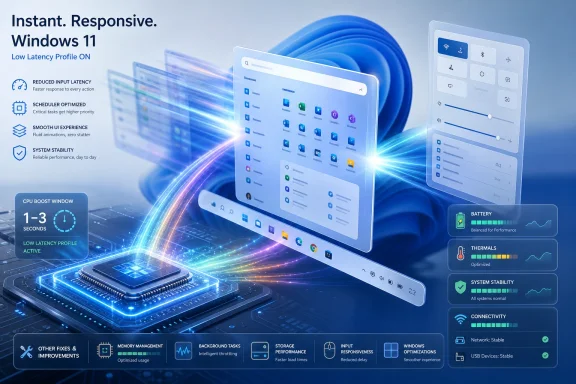
Microsoft’s May 2026 optional Windows 11 update, KB5089573, brings builds 26100.8524 and 26200.8524 to Windows 11 24H2 and 25H2 with a new performance push commonly described as Low Latency Profile. The change is narrow, technical, and easy to oversell. It is also the clearest sign yet that Microsoft understands the complaint behind years of Windows 11 grumbling: users do not merely want more features, they want the operating system to feel immediate. If this update matters, it is because Microsoft is finally treating perceived speed as a first-class Windows feature rather than an accidental byproduct of faster hardware.
Low Latency Profile is not a new visual shell, a gaming mode, or a magical “make my PC faster” button. The feature reportedly prompts the CPU to jump to its maximum boost frequency for a very short burst — roughly one to three seconds — when the user triggers certain high-priority Windows interactions. Opening Start, Search, Action Center, and some native shell surfaces should feel snappier because the processor is not allowed to lazily ramp up after the user has already noticed the delay.
That sounds almost embarrassingly simple, which is why the early backlash was predictable. If Windows needs to goose the CPU just to open the Start menu, critics argue, then Microsoft is compensating for bloat rather than fixing it. There is truth in that critique, but it misses the more practical point: modern operating systems already play games with power states, scheduling, and frequency curves to make interactive work feel instant while preserving idle efficiency.
The real indictment is not that Microsoft is doing this now. It is that Windows 11 has spent years feeling oddly casual about the tiny pauses that shape a user’s opinion of the entire system. Nobody writes an enterprise migration plan around a 200-millisecond flyout delay, but everyone notices when the machine feels a beat behind their hand.
That is the difference between benchmark performance and felt performance. Windows can win a synthetic test and still feel sluggish if the shell hesitates when you click the thing you click a hundred times a day.
In other words, installing the update may not mean every new capability is active on your system on day one. Microsoft’s controlled feature rollout machinery has become a defining part of Windows servicing, for better and worse. It lets the company limit blast radius, but it also makes Windows feel less like a product version and more like a cloud service with regional weather.
The builds involved are notable because they straddle Windows 11’s current production branch and the next enablement path. Build 26100 belongs to Windows 11 version 24H2, while build 26200 is associated with version 25H2. Microsoft is using the same servicing train to move much of the practical Windows 11 experience forward, even as version labels remain important for support calendars, deployment rings, and compatibility tracking.
For home users, this means the update is tempting but not mandatory. For IT departments, it means the usual caution applies: test, measure, and wait for the security cumulative if the change is not urgently needed. Performance improvements are welcome, but optional previews have historically been the place where Microsoft discovers which fixes behave differently outside the lab.
Both readings can be true. A short CPU burst can be a legitimate scheduling optimization and still be evidence that the Windows shell has grown too comfortable with expensive abstractions. Windows 11’s Start menu, search experience, widgets, notification surfaces, settings pages, and app frameworks have all been criticized for feeling heavier than their jobs should require.
A good operating system is not merely one that uses little CPU. It is one that spends CPU at the right time. The user clicking Start is exactly the right time to spend a little power, because the alternative is a machine that saves energy while irritating the person in front of it.
Still, Microsoft cannot boost its way out of every design decision. If a native menu is delayed by unnecessary web-rendered surfaces, background service chatter, search indexing weirdness, or layered UI frameworks, frequency boosting treats the symptom. The better long-term answer is to make the path from click to pixels shorter.
That is why Low Latency Profile should be judged as one piece of a larger repair job. Microsoft has reportedly been moving some Windows experiences back toward native code and away from heavier web-based components. If the company pairs scheduling tricks with genuine shell simplification, the result could be meaningful. If it uses CPU bursts as camouflage for more complexity, users will notice.
That distinction matters because Windows performance discourse is often poisoned by mismatched expectations. Gamers hear “latency” and think frame pacing or input lag. Office workers hear “faster app launch” and imagine Chrome, Teams, Photoshop, or a line-of-business app opening dramatically sooner. Laptop users hear “CPU boost” and worry about battery life or fan noise.
The current implementation appears focused primarily on Windows shell experiences and native Microsoft surfaces. Microsoft has also indicated that broader third-party app benefits are expected later, which means the immediate update is more about making Windows itself feel less reluctant than about transforming every workload on the machine.
That is still worthwhile. The Start menu is not a benchmark app, but it is psychologically central to Windows. Search and Action Center are not heavy workloads, but they are trust signals. If those surfaces hitch, users infer that the whole OS is tired.
The best case for Low Latency Profile is not that it turns an old laptop into a workstation. It is that it reduces the frequency of tiny betrayals — the click that does not immediately respond, the menu that arrives after your attention has already moved, the native tool that feels less native than it should.
But the mechanism itself is not automatically reckless. A short, targeted burst can sometimes be more efficient than allowing a task to crawl through lower frequency states for longer. The CPU wakes hard, finishes the interactive task, and returns to idle. This is the same basic philosophy that underpins much of modern mobile and desktop power management.
The risk is implementation detail. If the profile is too eager, it could promote unnecessary boost events. If OEM firmware reacts poorly, it could produce audible fan ramps. If background tasks get misclassified as interactive, Microsoft could burn power on work the user never sees.
That is why rollout control matters. Microsoft needs telemetry not just on speed, but on thermals, battery drain, fan behavior, and regressions across the chaotic zoo of Windows hardware. Windows is not macOS, where the OS vendor controls the whole stack. It is a negotiation among Microsoft, silicon vendors, firmware teams, driver authors, OEM power utilities, and whatever “performance optimizer” the user installed three years ago and forgot about.
Admins should pay particular attention to laptops in shared fleets, virtualized environments, and devices with custom OEM power management. A feature that feels great on a plugged-in desktop may be less compelling on a field laptop expected to survive a full workday.
That is the context PCMag’s framing captures well. After a year in which Microsoft’s AI push often felt louder than its work on the operating system’s fundamentals, a performance-focused update lands differently. Users do not reject innovation; they reject priorities that appear detached from daily annoyance.
A faster Start menu is not glamorous. It will not headline a developer keynote like a new Copilot capability. It does, however, answer a complaint that has followed Windows 11 since launch: why does an operating system running on modern NVMe storage, high-core-count CPUs, and powerful GPUs sometimes feel less immediate than older versions did on weaker machines?
Microsoft’s challenge is that trust lost through nagging cannot be fully restored through milliseconds. The company has to show, repeatedly, that it is willing to improve the everyday substrate of Windows without using every improvement as an excuse to add another engagement funnel.
Low Latency Profile is therefore a small technical feature carrying a larger symbolic burden. It says Microsoft knows responsiveness matters. The question is whether Microsoft can keep acting like it knows.
This is the kind of feature Windows has often been oddly late to polish. Bluetooth audio on PCs has improved, but the experience still carries the scars of codec confusion, unreliable pairing, headset profile weirdness, and OEM-specific behavior. Shared Audio will depend on compatible hardware, which means many users will not see the full benefit immediately.
Still, the feature points in the right direction. PCs are no longer only solitary productivity boxes. They are entertainment hubs, travel screens, gaming stations, and shared household devices. Windows needs these human-scale conveniences as much as it needs enterprise policy controls.
The same update also improves Task Manager’s visibility into NPU usage, adding optional columns for NPU and NPU engine activity along with memory-related columns on supported hardware. That is a quiet but important move in the Copilot+ PC era. If Microsoft and its partners are going to sell users on neural processors, Windows needs to make those processors observable rather than mystical.
Task Manager has long been the place where Windows users go to confirm suspicion. CPU pegged? Memory leaking? Disk thrashing? Something behaving badly? If NPUs are becoming part of the performance and battery story, they belong in that same diagnostic vocabulary.
That change reflects the reality of modern work. A webcam is no longer an accessory used occasionally by one app. It may be touched by Teams, Zoom, browser tabs, Windows Hello, screen recorders, remote support tools, security software, and virtual camera utilities. Exclusive access models made more sense when video calls were occasional; they are less defensible now.
The setup improvement allowing users to customize the user folder name during Windows setup is another small but overdue fix. Anyone who has ended up with a truncated, awkward, or Microsoft-account-derived profile folder knows the irritation. It is the sort of decision that becomes permanent before the user understands it has been made.
Search improvements for recognizing files and folders from just two characters also target a daily annoyance. Windows Search has been the butt of jokes for years because it can feel both overambitious and undercompetent: eager to search the web, less reliable at finding the thing on your disk. Any step toward making local intent more accurate is welcome.
USB4 and USB3 stability improvements are similarly unglamorous. They will not sell a PC, but they may prevent the dock display that fails to wake, the device that disappears after standby, or the peripheral chain that behaves like a superstition. In professional environments, those are the bugs that generate tickets and erode confidence far more than missing headline features.
The first test group should include machines that represent the messiness of the estate: older supported laptops, newer NPU-equipped systems, docking-heavy setups, hybrid workers’ machines, and devices with OEM power utilities. Low Latency Profile may look straightforward, but the Windows hardware ecosystem has a way of turning straightforward changes into edge cases.
Admins should also avoid measuring only app launch timing. Watch battery runtime, resume behavior, thermals, fan curves, event logs, help desk noise, camera compatibility, Bluetooth audio support, and docking reliability. The update is a bundle, and the bundle’s operational value depends on more than the feature getting headlines.
There is also a policy question. If Low Latency Profile becomes more widely controllable in the future, enterprises may want separate defaults for desktops, plugged-in workstations, mobile laptops, VDI-like environments, and specialized devices. A single “faster is better” posture rarely survives contact with procurement diversity.
For now, the practical advice is boring because boring is safe: test the optional update, document the before-and-after experience, and wait for broader release if there is no urgent need. Microsoft may have accelerated the rollout, but that does not mean every admin must accelerate deployment.
That may sound like faint praise, but it is exactly where Windows needs attention. The operating system’s biggest problem is not that it lacks ambition. It is that ambition has too often arrived as surface area before the foundation felt settled. Copilot buttons and AI hooks land poorly when the Start menu stutters or a docked monitor refuses to wake.
Low Latency Profile is therefore less important as a feature than as a signal. Microsoft is willing to optimize for the moment of interaction, not just the architecture diagram. It is also willing to ship improvements that are measurable in user patience rather than subscription attach rates.
Of course, Windows veterans have seen promising turns before. A few solid updates do not erase years of inconsistent UX, update anxiety, and feature clutter. But the direction matters, and this update’s center of gravity is refreshingly practical.
The irony is that Microsoft may get less credit for fixing the boring stuff than for launching the shiny stuff. That is the burden of platform stewardship. If Microsoft does the job well, Windows simply feels less annoying, and users move on with their day.
 Microsoft Finally Chases the Milliseconds Users Actually Feel
Low Latency Profile is not a new visual shell, a gaming mode, or a magical “make my PC faster” button. The feature reportedly prompts the CPU to jump to its maximum boost frequency for a very short burst — roughly one to three seconds — when the user triggers certain high-priority Windows interactions. Opening Start, Search, Action Center, and some native shell surfaces should feel snappier because the processor is not allowed to lazily ramp up after the user has already noticed the delay.That sounds almost embarrassingly simple, which is why the early backlash was predictable. If Windows needs to goose the CPU just to open the Start menu, critics argue, then Microsoft is compensating for bloat rather than fixing it. There is truth in that critique, but it misses the more practical point: modern operating systems already play games with power states, scheduling, and frequency curves to make interactive work feel instant while preserving idle efficiency.
The real indictment is not that Microsoft is doing this now. It is that Windows 11 has spent years feeling oddly casual about the tiny pauses that shape a user’s opinion of the entire system. Nobody writes an enterprise migration plan around a 200-millisecond flyout delay, but everyone notices when the machine feels a beat behind their hand.
That is the difference between benchmark performance and felt performance. Windows can win a synthetic test and still feel sluggish if the shell hesitates when you click the thing you click a hundred times a day.
The Optional Update Is a Preview of Microsoft’s New Windows Pitch
KB5089573 is an optional preview update, not a security baseline that every sane admin must install immediately. That matters. Optional previews are where Microsoft stages non-security fixes and feature work ahead of broader Patch Tuesday distribution, and the company’s own notes describe a gradual rollout in which features reach devices over time rather than appearing everywhere at once.In other words, installing the update may not mean every new capability is active on your system on day one. Microsoft’s controlled feature rollout machinery has become a defining part of Windows servicing, for better and worse. It lets the company limit blast radius, but it also makes Windows feel less like a product version and more like a cloud service with regional weather.
The builds involved are notable because they straddle Windows 11’s current production branch and the next enablement path. Build 26100 belongs to Windows 11 version 24H2, while build 26200 is associated with version 25H2. Microsoft is using the same servicing train to move much of the practical Windows 11 experience forward, even as version labels remain important for support calendars, deployment rings, and compatibility tracking.
For home users, this means the update is tempting but not mandatory. For IT departments, it means the usual caution applies: test, measure, and wait for the security cumulative if the change is not urgently needed. Performance improvements are welcome, but optional previews have historically been the place where Microsoft discovers which fixes behave differently outside the lab.
A CPU Burst Is Not a Substitute for a Lean Shell
The most interesting thing about Low Latency Profile is the tension it exposes. Microsoft wants to say it is making Windows faster. Skeptics hear an admission that Windows needs special tricks to mask shell overhead.Both readings can be true. A short CPU burst can be a legitimate scheduling optimization and still be evidence that the Windows shell has grown too comfortable with expensive abstractions. Windows 11’s Start menu, search experience, widgets, notification surfaces, settings pages, and app frameworks have all been criticized for feeling heavier than their jobs should require.
A good operating system is not merely one that uses little CPU. It is one that spends CPU at the right time. The user clicking Start is exactly the right time to spend a little power, because the alternative is a machine that saves energy while irritating the person in front of it.
Still, Microsoft cannot boost its way out of every design decision. If a native menu is delayed by unnecessary web-rendered surfaces, background service chatter, search indexing weirdness, or layered UI frameworks, frequency boosting treats the symptom. The better long-term answer is to make the path from click to pixels shorter.
That is why Low Latency Profile should be judged as one piece of a larger repair job. Microsoft has reportedly been moving some Windows experiences back toward native code and away from heavier web-based components. If the company pairs scheduling tricks with genuine shell simplification, the result could be meaningful. If it uses CPU bursts as camouflage for more complexity, users will notice.
The Performance Numbers Sound Big Because the Baseline Was Small
Early reports around Low Latency Profile have cited gains as high as 40 percent for app launch and 70 percent for shell flyouts in some testing. Those figures are attention-grabbing, but they deserve careful interpretation. A 70 percent improvement in a tiny interaction does not mean your PC is 70 percent faster; it means a short, visible delay may have become much shorter.That distinction matters because Windows performance discourse is often poisoned by mismatched expectations. Gamers hear “latency” and think frame pacing or input lag. Office workers hear “faster app launch” and imagine Chrome, Teams, Photoshop, or a line-of-business app opening dramatically sooner. Laptop users hear “CPU boost” and worry about battery life or fan noise.
The current implementation appears focused primarily on Windows shell experiences and native Microsoft surfaces. Microsoft has also indicated that broader third-party app benefits are expected later, which means the immediate update is more about making Windows itself feel less reluctant than about transforming every workload on the machine.
That is still worthwhile. The Start menu is not a benchmark app, but it is psychologically central to Windows. Search and Action Center are not heavy workloads, but they are trust signals. If those surfaces hitch, users infer that the whole OS is tired.
The best case for Low Latency Profile is not that it turns an old laptop into a workstation. It is that it reduces the frequency of tiny betrayals — the click that does not immediately respond, the menu that arrives after your attention has already moved, the native tool that feels less native than it should.
Battery Life Is the Obvious Fear, but Not Necessarily the Biggest One
The phrase “maximum boost frequency” sounds like a battery warning label. On laptops, particularly thin-and-light systems with aggressive thermal limits, users reasonably wonder whether Windows is about to trade responsiveness for heat, fan noise, and shorter runtime. That concern should not be dismissed, especially on machines already tuned to the edge by OEM power profiles.But the mechanism itself is not automatically reckless. A short, targeted burst can sometimes be more efficient than allowing a task to crawl through lower frequency states for longer. The CPU wakes hard, finishes the interactive task, and returns to idle. This is the same basic philosophy that underpins much of modern mobile and desktop power management.
The risk is implementation detail. If the profile is too eager, it could promote unnecessary boost events. If OEM firmware reacts poorly, it could produce audible fan ramps. If background tasks get misclassified as interactive, Microsoft could burn power on work the user never sees.
That is why rollout control matters. Microsoft needs telemetry not just on speed, but on thermals, battery drain, fan behavior, and regressions across the chaotic zoo of Windows hardware. Windows is not macOS, where the OS vendor controls the whole stack. It is a negotiation among Microsoft, silicon vendors, firmware teams, driver authors, OEM power utilities, and whatever “performance optimizer” the user installed three years ago and forgot about.
Admins should pay particular attention to laptops in shared fleets, virtualized environments, and devices with custom OEM power management. A feature that feels great on a plugged-in desktop may be less compelling on a field laptop expected to survive a full workday.
Microsoft’s Real Problem Is Trust, Not Turbo
The strongest argument against Low Latency Profile is emotional, not technical. Windows users have been asked to tolerate a lot: aggressive account nudges, Edge prompts, AI entry points, Start menu promotions, Settings migrations, and inconsistent control surfaces. When Microsoft now says it has a new way to make Windows feel faster, many users hear another layer of engineering applied to a problem Microsoft helped create.That is the context PCMag’s framing captures well. After a year in which Microsoft’s AI push often felt louder than its work on the operating system’s fundamentals, a performance-focused update lands differently. Users do not reject innovation; they reject priorities that appear detached from daily annoyance.
A faster Start menu is not glamorous. It will not headline a developer keynote like a new Copilot capability. It does, however, answer a complaint that has followed Windows 11 since launch: why does an operating system running on modern NVMe storage, high-core-count CPUs, and powerful GPUs sometimes feel less immediate than older versions did on weaker machines?
Microsoft’s challenge is that trust lost through nagging cannot be fully restored through milliseconds. The company has to show, repeatedly, that it is willing to improve the everyday substrate of Windows without using every improvement as an excuse to add another engagement funnel.
Low Latency Profile is therefore a small technical feature carrying a larger symbolic burden. It says Microsoft knows responsiveness matters. The question is whether Microsoft can keep acting like it knows.
Shared Audio Is the Friendlier Feature Hiding in the Same Update
KB5089573 is not only about performance. Shared Audio is one of the more obviously consumer-friendly additions in the update, allowing two people to listen to audio from the same Windows 11 PC through two supported Bluetooth LE Audio devices. The use cases are delightfully ordinary: watching a movie on a plane, sharing a game session on a couch, or listening together without passing one earbud back and forth like it is 2012.This is the kind of feature Windows has often been oddly late to polish. Bluetooth audio on PCs has improved, but the experience still carries the scars of codec confusion, unreliable pairing, headset profile weirdness, and OEM-specific behavior. Shared Audio will depend on compatible hardware, which means many users will not see the full benefit immediately.
Still, the feature points in the right direction. PCs are no longer only solitary productivity boxes. They are entertainment hubs, travel screens, gaming stations, and shared household devices. Windows needs these human-scale conveniences as much as it needs enterprise policy controls.
The same update also improves Task Manager’s visibility into NPU usage, adding optional columns for NPU and NPU engine activity along with memory-related columns on supported hardware. That is a quiet but important move in the Copilot+ PC era. If Microsoft and its partners are going to sell users on neural processors, Windows needs to make those processors observable rather than mystical.
Task Manager has long been the place where Windows users go to confirm suspicion. CPU pegged? Memory leaking? Disk thrashing? Something behaving badly? If NPUs are becoming part of the performance and battery story, they belong in that same diagnostic vocabulary.
Camera, USB, Search, and Setup Changes Show a More Practical Microsoft
The update’s other improvements are less flashy, but they may matter more in aggregate. Multi-App Camera support allows multiple applications to access a camera stream at the same time, while a Basic Camera mode provides a fallback for troubleshooting or stability. Enterprise administrators can manage these camera modes through Group Policy, which is exactly where such a feature belongs if it is going to survive real deployment.That change reflects the reality of modern work. A webcam is no longer an accessory used occasionally by one app. It may be touched by Teams, Zoom, browser tabs, Windows Hello, screen recorders, remote support tools, security software, and virtual camera utilities. Exclusive access models made more sense when video calls were occasional; they are less defensible now.
The setup improvement allowing users to customize the user folder name during Windows setup is another small but overdue fix. Anyone who has ended up with a truncated, awkward, or Microsoft-account-derived profile folder knows the irritation. It is the sort of decision that becomes permanent before the user understands it has been made.
Search improvements for recognizing files and folders from just two characters also target a daily annoyance. Windows Search has been the butt of jokes for years because it can feel both overambitious and undercompetent: eager to search the web, less reliable at finding the thing on your disk. Any step toward making local intent more accurate is welcome.
USB4 and USB3 stability improvements are similarly unglamorous. They will not sell a PC, but they may prevent the dock display that fails to wake, the device that disappears after standby, or the peripheral chain that behaves like a superstition. In professional environments, those are the bugs that generate tickets and erode confidence far more than missing headline features.
For IT Pros, the Sensible Move Is Curiosity Without Haste
Enterprise administrators should treat KB5089573 as a preview, not a commandment. The performance improvements are interesting enough to test, especially on Windows 11 fleets where users complain about responsiveness. But optional updates should still flow through rings, pilot groups, and hardware diversity before broad deployment.The first test group should include machines that represent the messiness of the estate: older supported laptops, newer NPU-equipped systems, docking-heavy setups, hybrid workers’ machines, and devices with OEM power utilities. Low Latency Profile may look straightforward, but the Windows hardware ecosystem has a way of turning straightforward changes into edge cases.
Admins should also avoid measuring only app launch timing. Watch battery runtime, resume behavior, thermals, fan curves, event logs, help desk noise, camera compatibility, Bluetooth audio support, and docking reliability. The update is a bundle, and the bundle’s operational value depends on more than the feature getting headlines.
There is also a policy question. If Low Latency Profile becomes more widely controllable in the future, enterprises may want separate defaults for desktops, plugged-in workstations, mobile laptops, VDI-like environments, and specialized devices. A single “faster is better” posture rarely survives contact with procurement diversity.
For now, the practical advice is boring because boring is safe: test the optional update, document the before-and-after experience, and wait for broader release if there is no urgent need. Microsoft may have accelerated the rollout, but that does not mean every admin must accelerate deployment.
The Windows 11 Repair Job Is Becoming Visible
The larger story is that Microsoft seems to be recalibrating Windows 11 around fundamentals. Performance, reliability, observability, setup polish, camera behavior, USB resilience, and local search are not revolutionary. They are the maintenance work users notice only when it is absent.That may sound like faint praise, but it is exactly where Windows needs attention. The operating system’s biggest problem is not that it lacks ambition. It is that ambition has too often arrived as surface area before the foundation felt settled. Copilot buttons and AI hooks land poorly when the Start menu stutters or a docked monitor refuses to wake.
Low Latency Profile is therefore less important as a feature than as a signal. Microsoft is willing to optimize for the moment of interaction, not just the architecture diagram. It is also willing to ship improvements that are measurable in user patience rather than subscription attach rates.
Of course, Windows veterans have seen promising turns before. A few solid updates do not erase years of inconsistent UX, update anxiety, and feature clutter. But the direction matters, and this update’s center of gravity is refreshingly practical.
The irony is that Microsoft may get less credit for fixing the boring stuff than for launching the shiny stuff. That is the burden of platform stewardship. If Microsoft does the job well, Windows simply feels less annoying, and users move on with their day.
The Millisecond Update Leaves a Clear Trail
KB5089573 is worth watching because it packages a performance philosophy with a set of practical repairs. It does not reinvent Windows 11, and it should not be installed blindly across managed fleets. But it does suggest Microsoft is paying attention to the parts of the OS that shape daily trust.- Low Latency Profile is designed to make Windows shell interactions and some native experiences feel faster by briefly boosting CPU frequency during high-priority user actions.
- The update is optional and subject to gradual rollout, so availability and feature activation may differ by device, region, and servicing state.
- The immediate performance gains appear focused on Windows experiences such as Start, Search, Action Center, and native surfaces rather than every third-party application.
- Shared Audio, Multi-App Camera, NPU visibility in Task Manager, improved setup naming, better short-query search, and USB reliability fixes make the update broader than its headline CPU feature.
- Home users can reasonably wait for the cumulative release unless they enjoy testing previews, while IT teams should validate the update across representative hardware before wider deployment.
- The feature’s success will depend less on peak benchmark claims than on whether Windows 11 feels consistently more responsive without hurting battery life, thermals, or reliability.
References
- Primary source: PCMag UK
Published: Thu, 28 May 2026 14:39:16 GMT
Loading…
uk.pcmag.com - Related coverage: windowscentral.com
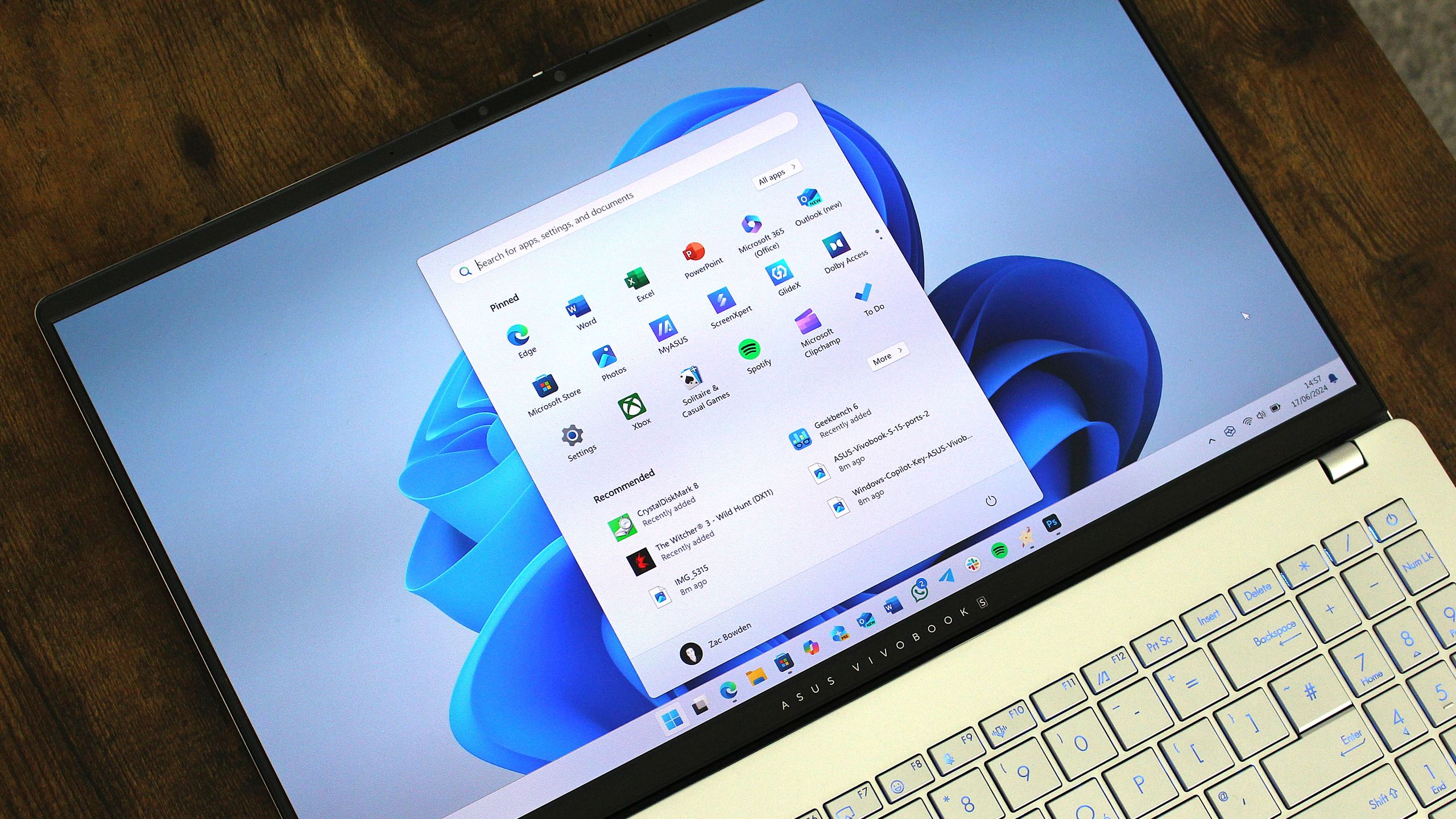
Windows 11's latest OS update is packing serious performance gains
Windows 11 update KB5089573 is now generally available as Microsoft's non-security preview update for May, and is packing genuinely notable performance improvements. www.windowscentral.com
- Related coverage: windowslatest.com

Microsoft's Windows 11 CPU boost is rolling out, and here's how to enable it right now
Windows 11’s hidden Low Latency Profile boosts CPU responsiveness for smoother UI and faster app launches. Here’s how to enable it now. www.windowslatest.com
- Related coverage: windowsreport.com
Loading…
windowsreport.com - Related coverage: notebookcheck.net

Windows 11 update KB5089573: Shared audio & partition fix
Microsoft's KB5089573 preview adds Shared Audio and NPU tracking to Windows 11, while flagging an EFI partition install failure on older OEM hardware. www.notebookcheck.net
- Official source: learn.microsoft.com
Loading…
learn.microsoft.com
- Related coverage: pcworld.com

Microsoft's new CPU trick might finally fix Windows 11's app stutters
Microsoft is testing a CPU trick in Windows 11 that cuts app launch times by up to 40% and speeds up the Start menu by up to 70%. www.pcworld.com
- Related coverage: notebookcheck.com

Windows 11 KB5089573 erscheint mit Fehlerbehebungen für Audio-Sharing und Systempartition
Die KB5089573-Vorschau von Microsoft erweitert Windows 11 um Shared Audio sowie NPU-Tracking und weist gleichzeitig auf einen Installationsfehler im Zusammenhang mit der EFI-Systempartition auf älterer OEM-Hardware hin. www.notebookcheck.com
- Related coverage: techspot.com
Loading…
www.techspot.com - Related coverage: techradar.com
Loading…
www.techradar.com - Related coverage: es.digitaltrends.com
Loading…
es.digitaltrends.com - Related coverage: tomshardware.com
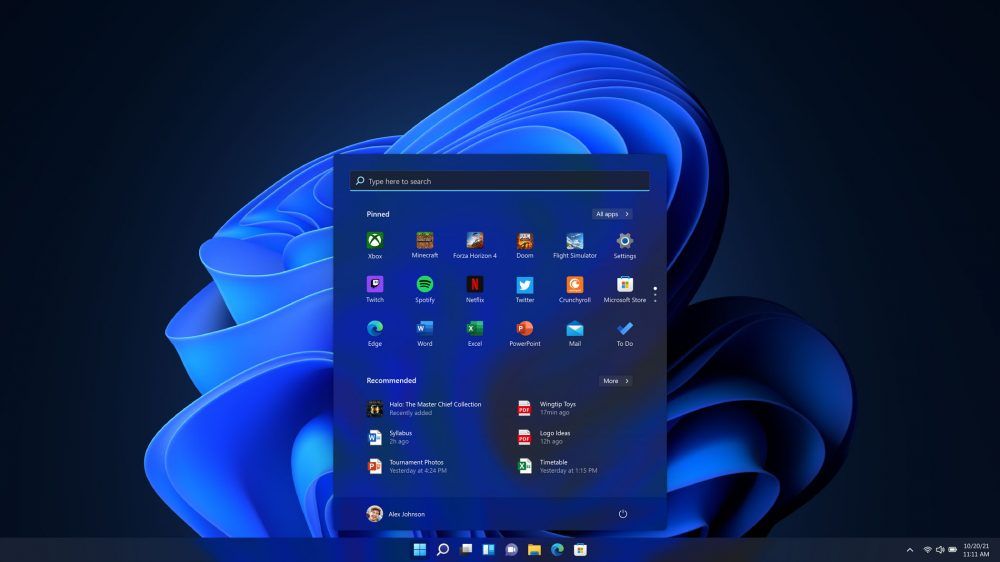
Microsoft staunchly defends its new 'Low Latency Profile' for Windows 11 after community backlash — says every other OS already boosts CPU speeds for quicker load times
The quest to fix Windows 11 is a bumpy one.www.tomshardware.com
- Related coverage: pcgamer.com
'Let Windows cook': Microsoft defends new Low Latency mode and asks you 'see it yourself'
The new mode is reportedly snappier.www.pcgamer.com
- Official source: download.microsoft.com
Loading…
download.microsoft.com