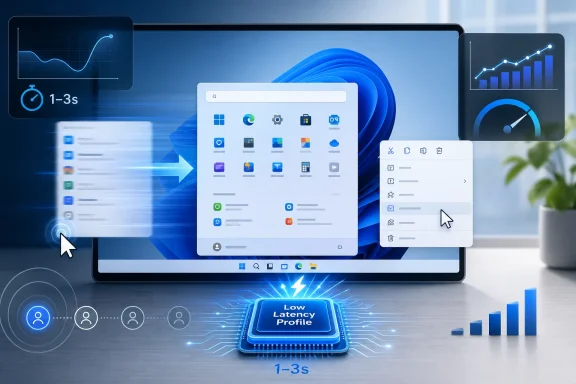
Microsoft released the optional Windows 11 preview update KB5089573 on May 26, 2026, for Windows 11 versions 24H2 and 25H2, moving systems to builds 26100.8524 and 26200.8524 while beginning a gradual rollout of performance changes associated with its new Low Latency Profile. The practical pitch is simple: Windows will briefly push the CPU harder when the user does something that benefits from immediate responsiveness. The more complicated truth is that Microsoft is trying to fix a perception problem as much as a performance problem. Windows 11 has often felt heavier than it should, and this update is an admission that polish now matters as much as features.
For years, Windows performance debates have been trapped between benchmark charts and vibes. One user says Windows 11 is fine because Cinebench scores are normal; another says the Start menu feels sticky, File Explorer hesitates, and context menus animate like they are asking permission from a committee. Both can be right, because raw throughput and perceived latency are different animals.
Low Latency Profile is aimed at the second problem. It is not designed to make a 20-minute video encode finish dramatically faster or turn a low-end laptop into a workstation. It is designed to make the operating system feel less reluctant when the user opens an app, invokes a flyout, calls up the Start menu, or interacts with pieces of the shell that should respond immediately.
That distinction matters. Windows 11’s reputation has not been damaged only by catastrophic failures. It has been worn down by small delays repeated thousands of times: the extra beat before Search feels ready, the momentary wait for a modern context menu, the inconsistent rhythm of bundled apps opening on hardware that should have no trouble launching them.
Microsoft’s bet is that shaving those moments can change the emotional temperature of Windows 11. The company is not just chasing speed. It is chasing trust.
The update appears in Windows Update as a May 2026 preview package and is installed manually through optional updates. Microsoft’s servicing model uses these late-month previews to stage non-security fixes and feature work before wider distribution. In normal terms, what arrives here is likely to be folded into the next scheduled cumulative update unless Microsoft finds a reason to hold something back.
That is especially relevant here because reports around Low Latency Profile have not been perfectly uniform. Microsoft’s official changelog discusses general performance improvements but does not necessarily present the feature with the same branding used in reporting and testing. Some testers say the behavior is present or can be enabled; others have found that the headline CPU-boost behavior is still gated, staged, or dependent on rollout flags.
This is modern Windows in miniature. The update package can be installed, the build number can change, the changelog can be accurate, and the actual user-visible feature can still arrive later through controlled feature rollout. That may be rational engineering at Windows scale, but it is also maddening for anyone trying to answer the simple question, “Do I have the new thing yet?”
That makes it easy to mock. “Microsoft made Windows faster by flooring the accelerator” is the kind of line that writes itself. Critics argue that the company should optimize shell code, reduce framework overhead, and fix the causes of sluggishness rather than spending more power to bulldoze through them.
There is truth in that criticism, but it is incomplete. Modern operating systems have long used scheduling, boosting, priority hints, and power-state tricks to make interactive workloads feel responsive. The line between “optimization” and “power management policy” is blurrier than forum arguments suggest.
A desktop OS is not a moral essay about elegant code. It is a messy negotiation between silicon, firmware, drivers, background tasks, animation systems, app frameworks, battery life, thermals, and user impatience. If a short CPU burst makes the Start menu appear more quickly without meaningfully damaging battery life or fan noise, most users will not care whether the fix is philosophically pure.
The real question is not whether boosting is cheating. The real question is whether Microsoft can make it predictable, restrained, and broadly beneficial without creating new weirdness for users who already distrust Windows feature rollouts.
The redesigned Start menu, centered taskbar, modern context menus, Settings migration, notification surfaces, widgets, search integration, and web-backed experiences have all created moments where Windows looks cleaner but does not always feel lighter. The most frustrating delays are not necessarily long. They are inconsistent. A menu that opens instantly nine times and hesitates the tenth teaches users to expect hesitation.
That is why the reported targets for Low Latency Profile are so revealing. Edge, Outlook, Start, Notification Center, right-click menus, and other shell areas are not obscure components. They are the places where Windows 11 either convinces users that the OS is modern or reminds them that “modern” can mean “wrapped in another layer.”
The reported gains are attention-grabbing: up to around 40 percent faster launches for some Microsoft in-box apps and up to around 70 percent faster shell flyouts in certain scenarios. Those numbers should be treated as scenario-dependent rather than universal promises. Still, they explain why Microsoft would prioritize the feature. Even modest improvements in those surfaces compound across a normal workday.
The irony is that enthusiasts often judge Windows by the very areas Microsoft has spent the last decade redesigning. A fast kernel and mature driver model do not save the experience if the daily shell feels overbuilt. Low Latency Profile is not just a performance tweak; it is a reputational repair attempt aimed at the parts of Windows users touch constantly.
That is a dangerous kind of promise. Windows users have heard many versions of “we are focusing on quality now.” The company has made similar pivots before after rocky releases, servicing problems, driver drama, Start menu controversies, and enterprise complaints. The hard part is not announcing renewed discipline. The hard part is sustaining it after the marketing cycle moves on.
K2 also creates a measurement problem. If Microsoft says Windows 11 is getting faster, users will expect obvious improvements. But performance work often lands unevenly: one machine feels transformed, another sees no change, and a third picks up a new bug because of a vendor driver or a device-specific power plan. The moment a user installs the update and still sees a sluggish right-click menu, the narrative becomes “Microsoft overpromised again.”
That does not mean Microsoft should avoid ambitious performance work. It means the company needs to be clearer about what is universal, what is staged, what is experimental, and what depends on hardware or workload. Windows is too large for mystery-meat rollout language to satisfy power users or IT departments.
The best version of K2 would not be a parade of flashy benchmark claims. It would be a steady reduction in the small annoyances that make Windows feel less composed than its competitors.
So Microsoft stages features. It enables them for some users, studies telemetry, expands availability, pauses if something looks wrong, and sometimes ships the bits long before the feature is broadly visible. Engineers like this because it reduces blast radius. Users hate it because it makes Windows feel arbitrary.
Low Latency Profile is especially vulnerable to this tension. If a user installs KB5089573 expecting the new CPU boost and sees no difference, they may conclude the update is fake, broken, or overhyped. If another user force-enables hidden flags and gets the feature early, forum threads fill with commands, screenshots, and half-supported advice.
ViVeTool culture exists because Microsoft created a world where enthusiasts can see features buried in their systems but cannot always access them. That is fun for hobbyists and risky for everyone else. Force-enabling staged Windows features can bypass the exact compatibility checks Microsoft is using to avoid trouble.
For most users, waiting is the right answer. For IT departments, waiting is not caution; it is process. Optional previews belong in test rings, not on production fleets, especially when the headline change modifies CPU behavior in response to interactive workloads.
On a desktop with generous cooling, a one-to-three-second boost may be a non-event. On a fanless tablet, compact ultrabook, or corporate laptop running endpoint protection and video conferencing software, the tradeoff could be more noticeable. A feature that makes menus snappier but nudges fans into audible bursts will divide users quickly.
Battery impact is similarly complicated. Short bursts can be efficient if they let the CPU finish work quickly and return to lower-power states. They can also be wasteful if triggered too often, stacked with background activity, or poorly tuned for specific hardware. The difference between “race to idle” and “death by a thousand boosts” is implementation.
Microsoft will likely argue that the policy is targeted and brief. That may be true. But Windows users have learned to judge power features by lived behavior, not architectural intent. If Low Latency Profile makes a laptop feel faster without obvious heat or noise, it wins. If it becomes another setting people try to disable after hearing fans ramp up during ordinary browsing, it becomes a meme.
This is where telemetry can help Microsoft but cannot fully substitute for trust. The company can measure latency, power, and failures at scale. It still needs to respect the user’s sense that their machine belongs to them.
The third-party app angle is particularly important. Current reporting suggests the initial optimization focus is on Microsoft’s own apps and core shell experiences, with third-party support expected later. That makes sense technically, because Microsoft can target known surfaces first. But it also means the first wave may make Windows itself feel faster while leaving line-of-business apps unchanged.
In an enterprise, that distinction matters. Users do not experience “the shell” and “the app” as separate trust domains. If Outlook launches faster but an internal ERP client still hangs on startup, the perceived improvement may be modest. If a shell flyout improves but a security agent reacts badly to the update, the help desk sees only the regression.
There is also a governance question. If Microsoft extends Low Latency Profile to third-party apps, how will applications qualify? Will developers need to mark workloads? Will Windows infer behavior? Will admins get policy controls? Performance hints can be useful, but they can also become a new battleground where every app insists its work is urgent.
Microsoft should be careful here. A low-latency mechanism that begins as a disciplined shell optimization could become less elegant if opened too broadly. The OS needs to privilege user-perceived responsiveness, not reward every process that wants to sprint.
When people say Microsoft should “just optimize the code,” they are often saying something broader. They want Windows to feel less like a platform for Microsoft’s strategic priorities and more like a fast, local, respectful operating system. They want fewer delays, fewer surprises, fewer experiments, and fewer moments where the OS seems to be doing something other than the task the user requested.
Low Latency Profile cannot answer all of that. It does not remove unwanted recommendations. It does not simplify the Settings app. It does not restore every Windows 10 taskbar behavior. It does not solve the philosophical discomfort around cloud integration or AI surfaces. It just makes some interactions faster.
But speed has symbolic power. A snappier shell buys goodwill. It makes other annoyances feel less insulting. Conversely, a sluggish shell makes every unwanted prompt feel worse, because the user experiences both friction and delay.
That is why Microsoft’s performance push is strategically smart. The company may not be able to satisfy every constituency in the Windows community, but it can reduce the everyday irritation that amplifies every other complaint.
Force-enabling Low Latency Profile is not the same as changing a wallpaper or enabling a cosmetic Start menu variant. The feature touches scheduling, power behavior, and workload responsiveness. Even if the risk is low, it is not zero, especially on systems used for work, production audio, competitive gaming, or battery-sensitive travel.
There is also a basic attribution problem. If a user enables staged performance behavior through unsupported means and later sees crashes, stutter, driver timeouts, or battery oddities, it becomes difficult to know whether the feature is at fault, the update is at fault, or the machine was already unstable. That kind of ambiguity is poison for troubleshooting.
Enthusiast experimentation has value. It surfaces bugs early and pressures Microsoft to explain itself. But the average user should not be told that hidden flags are a normal path to stable Windows features. They are not. They are a shortcut through a construction site.
For WindowsForum readers, the sane advice is boring: install KB5089573 only on machines where preview updates make sense, document what changed, avoid force-enabling the feature on production systems, and wait for the June Patch Tuesday rollout if reliability matters more than curiosity.
It is also politically awkward. Windows users are already sensitive to the idea that Microsoft gives its own apps privileged treatment. If Edge and Outlook get special responsiveness benefits before third-party apps, critics will argue that Microsoft is once again using Windows to favor its ecosystem.
The answer depends on implementation. If Low Latency Profile is merely being validated first against Microsoft-controlled surfaces before becoming a general facility, the concern is manageable. If it remains a privileged internal optimization with limited access for outsiders, the concern becomes more serious.
Third-party support will be the test of Microsoft’s platform instincts. Developers should not need private relationships or undocumented behavior to benefit from OS-level responsiveness improvements. If there is a hinting model, it should be documented. If there are eligibility rules, they should be transparent. If admins need controls, they should exist before the feature becomes widespread enough to create support questions.
Windows succeeds when it is a platform, not just a delivery mechanism for Microsoft experiences. Low Latency Profile should be judged partly by whether it helps the broader ecosystem feel faster, not merely whether Microsoft’s own surfaces look better in demos.
That changes the burden of proof. Early claims can be exciting, but broad deployment exposes edge cases. Users will test the feature on old Ryzen desktops, new Intel ultrabooks, Arm devices, gaming rigs, corporate laptops, heavily managed endpoints, and machines carrying years of cruft. Some will report improvements. Some will report nothing. A few will report problems.
Microsoft should welcome that mess if it is serious about K2. Performance work that survives only in controlled demonstrations is not enough. Windows needs improvements that hold up across the chaotic installed base that makes the platform valuable in the first place.
The June Patch Tuesday expectation also matters. If the full rollout arrives in June 2026 as anticipated, the next few weeks become a live proving ground. Microsoft can tune rollout gates, respond to telemetry, clarify documentation, and decide how aggressively to expand availability.
This is the rhythm of Windows now: preview, controlled rollout, Patch Tuesday integration, and gradual broadening. It is not always satisfying, but it is the system Microsoft has built. The question is whether that system can deliver visible quality improvements quickly enough to change user sentiment.
The concrete points are now clear enough for users and admins to act on:
Microsoft’s Low Latency Profile will not settle the argument over whether Windows 11 is too heavy, too webby, too inconsistent, or too eager to serve Microsoft’s priorities. But it does show the company understands that responsiveness is not cosmetic; it is central to whether an operating system feels trustworthy. If K2 becomes a sustained campaign rather than a one-update talking point, Windows 11 may finally start to feel less like a modern interface waiting on itself and more like the fast, confident desktop Microsoft has been promising all along.
 Microsoft Is Finally Treating Latency as a First-Class Windows Bug
For years, Windows performance debates have been trapped between benchmark charts and vibes. One user says Windows 11 is fine because Cinebench scores are normal; another says the Start menu feels sticky, File Explorer hesitates, and context menus animate like they are asking permission from a committee. Both can be right, because raw throughput and perceived latency are different animals.Low Latency Profile is aimed at the second problem. It is not designed to make a 20-minute video encode finish dramatically faster or turn a low-end laptop into a workstation. It is designed to make the operating system feel less reluctant when the user opens an app, invokes a flyout, calls up the Start menu, or interacts with pieces of the shell that should respond immediately.
That distinction matters. Windows 11’s reputation has not been damaged only by catastrophic failures. It has been worn down by small delays repeated thousands of times: the extra beat before Search feels ready, the momentary wait for a modern context menu, the inconsistent rhythm of bundled apps opening on hardware that should have no trouble launching them.
Microsoft’s bet is that shaving those moments can change the emotional temperature of Windows 11. The company is not just chasing speed. It is chasing trust.
The Optional Preview Is the Delivery Vehicle, Not the Finish Line
KB5089573 is a preview cumulative update, which means it sits in the familiar gray zone between testing and mainstream deployment. It is available to Windows 11 24H2 and 25H2 users who go looking for it, but it is not the same as a mandatory Patch Tuesday security release. That distinction should guide how enthusiasts and administrators approach it.The update appears in Windows Update as a May 2026 preview package and is installed manually through optional updates. Microsoft’s servicing model uses these late-month previews to stage non-security fixes and feature work before wider distribution. In normal terms, what arrives here is likely to be folded into the next scheduled cumulative update unless Microsoft finds a reason to hold something back.
That is especially relevant here because reports around Low Latency Profile have not been perfectly uniform. Microsoft’s official changelog discusses general performance improvements but does not necessarily present the feature with the same branding used in reporting and testing. Some testers say the behavior is present or can be enabled; others have found that the headline CPU-boost behavior is still gated, staged, or dependent on rollout flags.
This is modern Windows in miniature. The update package can be installed, the build number can change, the changelog can be accurate, and the actual user-visible feature can still arrive later through controlled feature rollout. That may be rational engineering at Windows scale, but it is also maddening for anyone trying to answer the simple question, “Do I have the new thing yet?”
The CPU Burst Is a Blunt Instrument With a Surprisingly Subtle Job
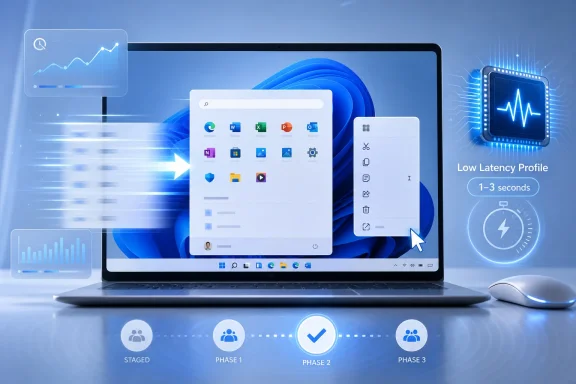
The central mechanism behind Low Latency Profile is reportedly straightforward: when Windows detects a high-priority interactive action, it briefly allows or requests a jump toward maximum CPU frequency for a short burst, commonly described as one to three seconds. The intent is not sustained performance. It is immediacy.That makes it easy to mock. “Microsoft made Windows faster by flooring the accelerator” is the kind of line that writes itself. Critics argue that the company should optimize shell code, reduce framework overhead, and fix the causes of sluggishness rather than spending more power to bulldoze through them.
There is truth in that criticism, but it is incomplete. Modern operating systems have long used scheduling, boosting, priority hints, and power-state tricks to make interactive workloads feel responsive. The line between “optimization” and “power management policy” is blurrier than forum arguments suggest.
A desktop OS is not a moral essay about elegant code. It is a messy negotiation between silicon, firmware, drivers, background tasks, animation systems, app frameworks, battery life, thermals, and user impatience. If a short CPU burst makes the Start menu appear more quickly without meaningfully damaging battery life or fan noise, most users will not care whether the fix is philosophically pure.
The real question is not whether boosting is cheating. The real question is whether Microsoft can make it predictable, restrained, and broadly beneficial without creating new weirdness for users who already distrust Windows feature rollouts.
Windows 11’s Shell Has Earned This Scrutiny
The reason this update is getting attention is not that CPU boosting is exotic. It is that Windows 11’s shell has spent years feeling like a premium interface layered over an operating system still negotiating with itself.The redesigned Start menu, centered taskbar, modern context menus, Settings migration, notification surfaces, widgets, search integration, and web-backed experiences have all created moments where Windows looks cleaner but does not always feel lighter. The most frustrating delays are not necessarily long. They are inconsistent. A menu that opens instantly nine times and hesitates the tenth teaches users to expect hesitation.
That is why the reported targets for Low Latency Profile are so revealing. Edge, Outlook, Start, Notification Center, right-click menus, and other shell areas are not obscure components. They are the places where Windows 11 either convinces users that the OS is modern or reminds them that “modern” can mean “wrapped in another layer.”
The reported gains are attention-grabbing: up to around 40 percent faster launches for some Microsoft in-box apps and up to around 70 percent faster shell flyouts in certain scenarios. Those numbers should be treated as scenario-dependent rather than universal promises. Still, they explain why Microsoft would prioritize the feature. Even modest improvements in those surfaces compound across a normal workday.
The irony is that enthusiasts often judge Windows by the very areas Microsoft has spent the last decade redesigning. A fast kernel and mature driver model do not save the experience if the daily shell feels overbuilt. Low Latency Profile is not just a performance tweak; it is a reputational repair attempt aimed at the parts of Windows users touch constantly.
The K2 Framing Raises Expectations Microsoft May Regret
Reports have tied Low Latency Profile to Microsoft’s broader Windows K2 effort, described as an internal push to improve Windows 11 performance, reliability, and overall responsiveness through 2027. If that framing holds, KB5089573 is less interesting as a standalone update than as the first visible proof that Microsoft is trying to change the trajectory of Windows 11.That is a dangerous kind of promise. Windows users have heard many versions of “we are focusing on quality now.” The company has made similar pivots before after rocky releases, servicing problems, driver drama, Start menu controversies, and enterprise complaints. The hard part is not announcing renewed discipline. The hard part is sustaining it after the marketing cycle moves on.
K2 also creates a measurement problem. If Microsoft says Windows 11 is getting faster, users will expect obvious improvements. But performance work often lands unevenly: one machine feels transformed, another sees no change, and a third picks up a new bug because of a vendor driver or a device-specific power plan. The moment a user installs the update and still sees a sluggish right-click menu, the narrative becomes “Microsoft overpromised again.”
That does not mean Microsoft should avoid ambitious performance work. It means the company needs to be clearer about what is universal, what is staged, what is experimental, and what depends on hardware or workload. Windows is too large for mystery-meat rollout language to satisfy power users or IT departments.
The best version of K2 would not be a parade of flashy benchmark claims. It would be a steady reduction in the small annoyances that make Windows feel less composed than its competitors.
The Gradual Rollout Is Sensible Engineering and Terrible Messaging
Controlled feature rollout is one of Microsoft’s favorite modern Windows mechanisms, and it exists for good reasons. The Windows install base is a museum of CPUs, firmware revisions, drivers, peripherals, corporate policies, accessibility setups, gaming overlays, VPN clients, endpoint security tools, and aging utilities. Flipping every switch globally at once is a great way to discover the one combination that breaks millions of machines.So Microsoft stages features. It enables them for some users, studies telemetry, expands availability, pauses if something looks wrong, and sometimes ships the bits long before the feature is broadly visible. Engineers like this because it reduces blast radius. Users hate it because it makes Windows feel arbitrary.
Low Latency Profile is especially vulnerable to this tension. If a user installs KB5089573 expecting the new CPU boost and sees no difference, they may conclude the update is fake, broken, or overhyped. If another user force-enables hidden flags and gets the feature early, forum threads fill with commands, screenshots, and half-supported advice.
ViVeTool culture exists because Microsoft created a world where enthusiasts can see features buried in their systems but cannot always access them. That is fun for hobbyists and risky for everyone else. Force-enabling staged Windows features can bypass the exact compatibility checks Microsoft is using to avoid trouble.
For most users, waiting is the right answer. For IT departments, waiting is not caution; it is process. Optional previews belong in test rings, not on production fleets, especially when the headline change modifies CPU behavior in response to interactive workloads.
Battery Life, Thermals, and Fans Are the Real Trial
A short CPU frequency burst sounds harmless until it meets the reality of thin laptops, aggressive fan curves, aging thermal paste, and users who already believe Windows wakes machines too often. The success of Low Latency Profile will depend less on peak speed than on whether it stays invisible when it should.On a desktop with generous cooling, a one-to-three-second boost may be a non-event. On a fanless tablet, compact ultrabook, or corporate laptop running endpoint protection and video conferencing software, the tradeoff could be more noticeable. A feature that makes menus snappier but nudges fans into audible bursts will divide users quickly.
Battery impact is similarly complicated. Short bursts can be efficient if they let the CPU finish work quickly and return to lower-power states. They can also be wasteful if triggered too often, stacked with background activity, or poorly tuned for specific hardware. The difference between “race to idle” and “death by a thousand boosts” is implementation.
Microsoft will likely argue that the policy is targeted and brief. That may be true. But Windows users have learned to judge power features by lived behavior, not architectural intent. If Low Latency Profile makes a laptop feel faster without obvious heat or noise, it wins. If it becomes another setting people try to disable after hearing fans ramp up during ordinary browsing, it becomes a meme.
This is where telemetry can help Microsoft but cannot fully substitute for trust. The company can measure latency, power, and failures at scale. It still needs to respect the user’s sense that their machine belongs to them.
Enterprise IT Will Read “Faster” as “Test First”
For consumers, KB5089573 is a tempting optional update. For administrators, it is another reminder that Windows performance improvements arrive through the same channels as regressions. A preview update that changes responsiveness may be welcome, but it still needs to pass through rings, policy, application compatibility testing, and help desk awareness.The third-party app angle is particularly important. Current reporting suggests the initial optimization focus is on Microsoft’s own apps and core shell experiences, with third-party support expected later. That makes sense technically, because Microsoft can target known surfaces first. But it also means the first wave may make Windows itself feel faster while leaving line-of-business apps unchanged.
In an enterprise, that distinction matters. Users do not experience “the shell” and “the app” as separate trust domains. If Outlook launches faster but an internal ERP client still hangs on startup, the perceived improvement may be modest. If a shell flyout improves but a security agent reacts badly to the update, the help desk sees only the regression.
There is also a governance question. If Microsoft extends Low Latency Profile to third-party apps, how will applications qualify? Will developers need to mark workloads? Will Windows infer behavior? Will admins get policy controls? Performance hints can be useful, but they can also become a new battleground where every app insists its work is urgent.
Microsoft should be careful here. A low-latency mechanism that begins as a disciplined shell optimization could become less elegant if opened too broadly. The OS needs to privilege user-perceived responsiveness, not reward every process that wants to sprint.
The Backlash Says More About Windows Fatigue Than CPU Policy
The criticism of Low Latency Profile has been sharp because it fits a larger narrative: Microsoft, users argue, keeps adding layers, services, ads, recommendations, AI hooks, web content, and account nudges, then uses hardware to compensate for the drag. That complaint is not entirely fair to this specific feature, but it is fair to the mood around Windows 11.When people say Microsoft should “just optimize the code,” they are often saying something broader. They want Windows to feel less like a platform for Microsoft’s strategic priorities and more like a fast, local, respectful operating system. They want fewer delays, fewer surprises, fewer experiments, and fewer moments where the OS seems to be doing something other than the task the user requested.
Low Latency Profile cannot answer all of that. It does not remove unwanted recommendations. It does not simplify the Settings app. It does not restore every Windows 10 taskbar behavior. It does not solve the philosophical discomfort around cloud integration or AI surfaces. It just makes some interactions faster.
But speed has symbolic power. A snappier shell buys goodwill. It makes other annoyances feel less insulting. Conversely, a sluggish shell makes every unwanted prompt feel worse, because the user experiences both friction and delay.
That is why Microsoft’s performance push is strategically smart. The company may not be able to satisfy every constituency in the Windows community, but it can reduce the everyday irritation that amplifies every other complaint.
Enthusiasts Should Resist Turning This Into Another Flag-Hunting Contest
The existence of hidden feature IDs and third-party enablement tools creates a familiar temptation. Someone finds the switch, someone posts the command, and suddenly the story becomes less about Microsoft’s rollout and more about whether adventurous users can get the good stuff early. That culture is part of what makes Windows enthusiast communities useful, but it can also distort the risk.Force-enabling Low Latency Profile is not the same as changing a wallpaper or enabling a cosmetic Start menu variant. The feature touches scheduling, power behavior, and workload responsiveness. Even if the risk is low, it is not zero, especially on systems used for work, production audio, competitive gaming, or battery-sensitive travel.
There is also a basic attribution problem. If a user enables staged performance behavior through unsupported means and later sees crashes, stutter, driver timeouts, or battery oddities, it becomes difficult to know whether the feature is at fault, the update is at fault, or the machine was already unstable. That kind of ambiguity is poison for troubleshooting.
Enthusiast experimentation has value. It surfaces bugs early and pressures Microsoft to explain itself. But the average user should not be told that hidden flags are a normal path to stable Windows features. They are not. They are a shortcut through a construction site.
For WindowsForum readers, the sane advice is boring: install KB5089573 only on machines where preview updates make sense, document what changed, avoid force-enabling the feature on production systems, and wait for the June Patch Tuesday rollout if reliability matters more than curiosity.
Microsoft’s Own Apps Going First Is Both Logical and Politically Awkward
Starting with Microsoft in-box applications and shell components is the obvious engineering move. Microsoft controls the code, understands the launch paths, can instrument the experience, and can tune behavior around known workloads. Edge, Outlook, Start, Search, Notification Center, and context menus are high-visibility targets with measurable user impact.It is also politically awkward. Windows users are already sensitive to the idea that Microsoft gives its own apps privileged treatment. If Edge and Outlook get special responsiveness benefits before third-party apps, critics will argue that Microsoft is once again using Windows to favor its ecosystem.
The answer depends on implementation. If Low Latency Profile is merely being validated first against Microsoft-controlled surfaces before becoming a general facility, the concern is manageable. If it remains a privileged internal optimization with limited access for outsiders, the concern becomes more serious.
Third-party support will be the test of Microsoft’s platform instincts. Developers should not need private relationships or undocumented behavior to benefit from OS-level responsiveness improvements. If there is a hinting model, it should be documented. If there are eligibility rules, they should be transparent. If admins need controls, they should exist before the feature becomes widespread enough to create support questions.
Windows succeeds when it is a platform, not just a delivery mechanism for Microsoft experiences. Low Latency Profile should be judged partly by whether it helps the broader ecosystem feel faster, not merely whether Microsoft’s own surfaces look better in demos.
The May Preview Turns a Performance Rumor Into a Servicing Reality
The important shift this week is that Low Latency Profile has moved from “interesting thing reported in testing” to “part of the Windows servicing conversation.” Even with rollout caveats, even with naming ambiguity, even with staged availability, KB5089573 puts Microsoft’s responsiveness work into the hands of more users.That changes the burden of proof. Early claims can be exciting, but broad deployment exposes edge cases. Users will test the feature on old Ryzen desktops, new Intel ultrabooks, Arm devices, gaming rigs, corporate laptops, heavily managed endpoints, and machines carrying years of cruft. Some will report improvements. Some will report nothing. A few will report problems.
Microsoft should welcome that mess if it is serious about K2. Performance work that survives only in controlled demonstrations is not enough. Windows needs improvements that hold up across the chaotic installed base that makes the platform valuable in the first place.
The June Patch Tuesday expectation also matters. If the full rollout arrives in June 2026 as anticipated, the next few weeks become a live proving ground. Microsoft can tune rollout gates, respond to telemetry, clarify documentation, and decide how aggressively to expand availability.
This is the rhythm of Windows now: preview, controlled rollout, Patch Tuesday integration, and gradual broadening. It is not always satisfying, but it is the system Microsoft has built. The question is whether that system can deliver visible quality improvements quickly enough to change user sentiment.
The Snappier Windows Promise Now Has Receipts to Produce
For all the skepticism, Low Latency Profile is aimed at the right layer of the experience. Windows 11 does not need only higher benchmark scores. It needs fewer tiny hesitations. It needs core interactions that feel immediate on hardware that is already powerful enough. It needs to stop making users wonder why a modern PC pauses before showing a menu.The concrete points are now clear enough for users and admins to act on:
- KB5089573 is an optional May 2026 preview update for Windows 11 24H2 and 25H2, not a mandatory security update.
- The update moves supported systems to builds 26100.8524 or 26200.8524, depending on the Windows 11 version installed.
- Low Latency Profile is designed to improve perceived responsiveness by briefly boosting CPU frequency during high-priority interactive actions.
- The first visible benefits are expected around Microsoft-controlled apps and shell surfaces, with broader third-party support expected later.
- Availability may be staged even after the update is installed, so the presence of KB5089573 does not guarantee every user immediately sees the same behavior.
- Production systems should wait for normal rollout channels unless there is a specific testing reason to install the preview early.
Microsoft’s Low Latency Profile will not settle the argument over whether Windows 11 is too heavy, too webby, too inconsistent, or too eager to serve Microsoft’s priorities. But it does show the company understands that responsiveness is not cosmetic; it is central to whether an operating system feels trustworthy. If K2 becomes a sustained campaign rather than a one-update talking point, Windows 11 may finally start to feel less like a modern interface waiting on itself and more like the fast, confident desktop Microsoft has been promising all along.
References
- Primary source: TweakTown
Published: Thu, 28 May 2026 16:46:06 GMT

Microsoft starts rolling out new Windows 11 Low Latency Profile CPU boost with optional May update
The feature may not be available to everyone right away, and while there are ways to enable it early, it's better to wait for the official rollout. www.tweaktown.com
- Related coverage: windowslatest.com

Windows 11 KB5089573 just made PCs more responsive, direct download links (.msu)
Windows 11 KB5089573 is a major update that bumps the OS to Build 26200.8524 and adds multiple new features. www.windowslatest.com
- Related coverage: windowscentral.com
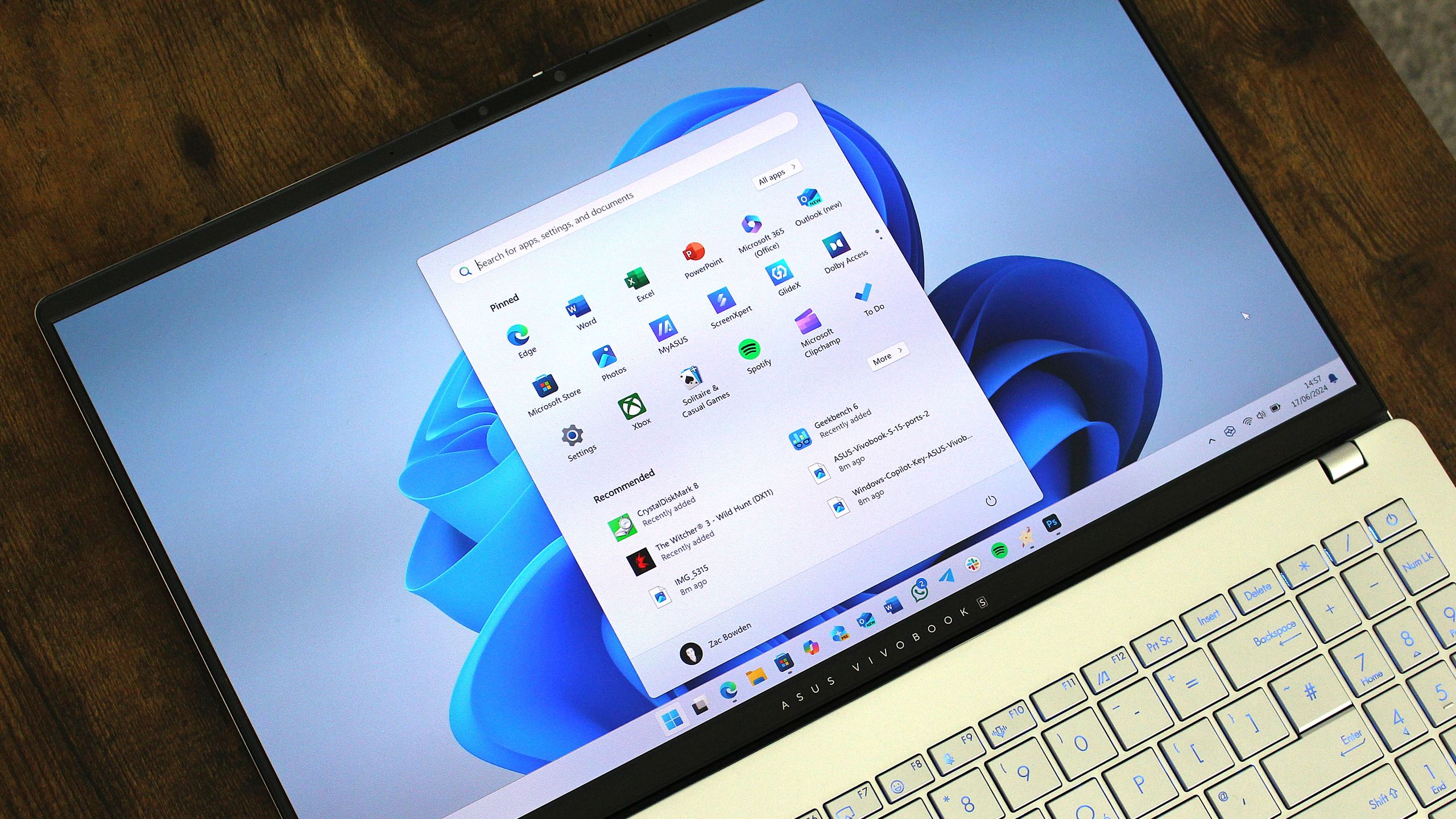
Windows 11's latest OS update is packing serious performance gains
Windows 11 update KB5089573 is now generally available as Microsoft's non-security preview update for May, and is packing genuinely notable performance improvements. www.windowscentral.com
- Related coverage: techspot.com
- Related coverage: games.gg

Windows 11 Low Latency Profile: Up to 70% Faster Load Times
Microsoft's rumored Windows 11 Low Latency Profile promises up to 70% faster interface loads and 40% quicker app launches by briefly maxing out your CPU.games.gg
- Related coverage: windowsforum.com

Windows 11 Optional Preview KB5089573: Faster Start, Search, and Shell Latency
Microsoft released the optional Windows 11 preview update KB5089573 on May 26, 2026, for Windows 11 versions 24H2 and 25H2, moving systems to builds 26100.8524 and 26200.8524 while beginning a gradual rollout of performance changes that make core shell interactions feel faster. The headline is... windowsforum.com
- Related coverage: techgear-guide.com
Windows 11に「Low Latency Profile」——アプリ起動が最大40%、スタートメニューが最大70%高速化か
MicrosoftがWindows 11向けに開発中の「Low Latency Profile」は、CPUクロックを1〜3秒間最大化することでEdge・Outlookの起動を最大40%、スタートメニュー等のUIを最大70%高速化する可能性があると報じられています。 techgear-guide.com
- Official source: support.microsoft.com
- Related coverage: techradar.com
- Related coverage: tomshardware.com
Microsoft staunchly defends its new 'Low Latency Profile' for Windows 11 after community backlash — says every other OS already boosts CPU speeds for quicker load times
The quest to fix Windows 11 is a bumpy one.www.tomshardware.com
- Related coverage: pcgamer.com
'Let Windows cook': Microsoft defends new Low Latency mode and asks you 'see it yourself'
The new mode is reportedly snappier.www.pcgamer.com
- Related coverage: builders.intel.com