

Microsoft says the March 2026 cumulative for Windows 11 (KB5079473) is not responsible for the wave of dramatic failure reports — and an investigation into machines that can’t access their C: drive points to a faulty Samsung app, not the Patch Tuesday rollup. com]
Microsoft published the March 10, 2026 Patch Tuesday cumulative identified as KB5079473 for Windows 11, advancing ld 26200.8037 and 24H2 systems to 26100.8037. The update bundles routine security hardenings, fixes for multiple CVEs, and a handful of user-facing quality-of-life features such as expanded emoji support, improved File Explorer search, and a built-in taskbar network speed test.
Rollups that land on Patch Tuesday are widely distributed and installed across millions of machines; when a high-profile problem surfaces immediately after a monthly rollup, the initial reflex is to blame the update. That reflex is understandable — updates touch the system stack — but it is also error-prone. In this case, Microsoft’s internal checks and partner investigations did not find a reproducible, platform-wide cause linking KB5079473 to Blue Screens of Death (BSODs), reboot loops, or broad GPU regressions.
A few important patterns stood out in the earliest reporting:
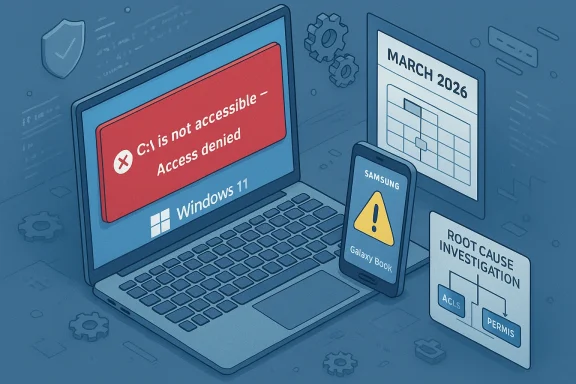
Crucially, Microsoft updated a support note after field reports surfaced and — in coordination with Samsung — flagged a software-induced permission lock affecting select Samsung Galaxy Book and some Samsung desktop models. Multiple reporting threads and community investigators report that Microsoft’s and Samsung’s joint investigation identified a recent update to the Samsung Galaxy Connect app as the proximate trigger that corrupted or mis-applied volume-level permissions on affected machines. The symptom most users saw was the operating system refusing access to the root of C: (the message “C:\ is not accessible — Access denied”), which then cascaded into broad application failures.
Microsoft’s public statements emphasize two related points:
Two journalistic mistakes contributed to the misattribution:
Immediate, conservative steps for non-technical users:
Source: Windows Latest Windows 11 KB5079473 is not causing BSODs or an inaccessible C: drive and app failures, says Microsoft
 Background / Overview
Microsoft published the March 10, 2026 Patch Tuesday cumulative identified as KB5079473 for Windows 11, advancing ld 26200.8037 and 24H2 systems to 26100.8037. The update bundles routine security hardenings, fixes for multiple CVEs, and a handful of user-facing quality-of-life features such as expanded emoji support, improved File Explorer search, and a built-in taskbar network speed test.Rollups that land on Patch Tuesday are widely distributed and installed across millions of machines; when a high-profile problem surfaces immediately after a monthly rollup, the initial reflex is to blame the update. That reflex is understandable — updates touch the system stack — but it is also error-prone. In this case, Microsoft’s internal checks and partner investigations did not find a reproducible, platform-wide cause linking KB5079473 to Blue Screens of Death (BSODs), reboot loops, or broad GPU regressions.
What happened in the field: complaints, virality, and the early narrative
Within days of the March 10 update, forum posts and social-media threads began to accumulate reports from users claiming severe instability: BSODs, persistent restart loops, app failures, and in a subset of cases a hard “C:\ is not accessible — Access denied” error that made core apps and services unusable. These anecdotes spread quickly across Reddit, support forums, and private channels, and were picked up by a handful of outlets that amplified the narrative that “the March u.”A few important patterns stood out in the earliest reporting:
- The number of unique, independently verifiable reports was small relative to the global Windows install base.
- A disproportionate share of the “C: drive inaccessible” reports came from recent Samsung Galaxy Book models and a small family of Samsung desktops.
- Some of the public writeups pulled together handfuls of forum threads without forensic detail, and at least one aggregation appeared—by Microsoft and other investigators—to be a low-quality synthesis rather than a field-grade incident report.
Microsoft’s position and the OEM finding
Microsoft’s public-facing Patch Tuesday documentation for KB5079473 does not list the sort of catastrophic regressions alleged in some posts, and Microsoft told outlets that telemetry and its internal investigations showed no spike in BSODs or system-wide reboot loops traceable to this rollup. In short: Microsoft’s platform telemetry and repro work did not support the “mass brort.microsoft.com]Crucially, Microsoft updated a support note after field reports surfaced and — in coordination with Samsung — flagged a software-induced permission lock affecting select Samsung Galaxy Book and some Samsung desktop models. Multiple reporting threads and community investigators report that Microsoft’s and Samsung’s joint investigation identified a recent update to the Samsung Galaxy Connect app as the proximate trigger that corrupted or mis-applied volume-level permissions on affected machines. The symptom most users saw was the operating system refusing access to the root of C: (the message “C:\ is not accessible — Access denied”), which then cascaded into broad application failures.
Microsoft’s public statements emphasize two related points:
- The timing of the reports coincided with the March update rollout, which naturally drew suspicion; but timing alone is not causation.
- The investigation found the problem on a narrow set of devices and traced the behavior to an OEM-supplied application, not a Windows servicing package or kernel regression.
Why an app can appear to “brick” a drive: plausible technical pathways
It’s hard to intuitively accept that a user-mode store app could lock access to the entire C: drive. Yet there are several technical mechanisms—some plausible and some speculative—that can result in the symptoms reported:- Broken or misapplied Access Control Lists (ACLs) on the root volume. If an OEM app or preinstalled agent runs code that changes the root DACL (discretionary ACL) and writes incorrect SID entries or malformed ACEs, NTFS can block access to critical system objects. Restoring safe ownership and ACLs can be non-trivial from within a locked Windows session. Community analysis and early triage posts pointed at orphaned SIDs and malformed ACL entries as a likely vector on factory images for a subset of Samsung devices.
- Faulty OEM provisioning or a corrupted sysprep/image. OEM images that mis-run sysprep or bake in incorrect can leave devices in a fragile, edge-case state that only surfaces under particular post-deployment changes or app updates. Some community posts suggested the affected Samsung models ship with an image that contained problematic security metadata.
- Store-app updates that alter “shared folder” or device-sharing features. Apps designed to provide ecosystem connectivity frequently interact with file system and device APIs—especially when they create shared folders, virtual file providers, or background services that assist in discovery. A buggy update could have attempted to change security settings or install a filter driver/component in a way that inadvertently removed or replaced critical ACEs.
Who and what was affected
Reports and OEM/MS joint messaging indicate the impact was concentrated g Galaxy Book (and some desktop) models. The community-compiled list of affected SKUs includes, but may not be limited to:- NP750XGJ, NP750XGL, NP754XGJ, NP754XFG, NP754XGK
- Desktop variants: DM500SGA, DM500TDA, DM500TGA, DM501SGA
The evidence footprint: why sample size matters and where reporting went wrong
A core reason this episode diverged into a near-viral “Windows update wrecks PCs” narrative is the small-but-visible-sample problem. When a tiny percentage of devices with a common OEM app and a common factory image all surface the same high-impact symptom, the sheer severity of the failure drives social amplification. But the underlying set of affected devices can still be numerically tiny relative to the global Windows install base.Two journalistic mistakes contributed to the misattribution:
- Aggregators and some reporters treated a handful of Reddit and support-forum threads as representative of a system-wide failure without waiting for vendor reconciliation or broad telemetry evidence.
- At least one summary that circulated widely showed hallmarks of an automated or LLM-produced synthesis: brief, loosely sourced, and lacking device-level forensic detail while making general claims about “millions” being affected. That low-quality aggregation accelerated social panic and forced vendors to respond publicly more quickly than they otherwise might have.
How to triage and mitigate (for end users and IT admins)
If you own a Samsung Galaxy Book or one of the models cited above and your system shows “C:\ is not accessible — Access denied,” treat the device as compromised with respect to usable administrative remediation in the running OS. Recovery options depend on your comfort level and whether you have backups:Immediate, conservative steps for non-technical users:
- Do not attempt risky ACL changes if you are unsure; seek vendor support.
- Boot into Windows Safe Mode to see whether the lock persists and whether you can access If you can, attach external media and copy your important files to another machine before attempting system repairs.
- Boot to Windows Recovery Environment (WinRE) or a known-good bootable rescue environment and collect event logs and a copy of the security descriptor for the root of C: for forensic review.
- Attempt to repair ACLs with authoritative tools from WinRE or a rescue environment:
- Use commands such as
takeown /f c:\ /r /d yfollowed byicacls c:\ /reset /T /Cto attempt to restore ownership and default ACLs. These commands are powerful and can have unintended side effects—test on a non-production device first. - If ACL repair fails, restore from a known-good system image or use the OEM recovery partition (Samsung Recovery) to re-image the machine after file-level backup.
- Where available, use offline tools to mount and inspect the volume from another OS instance to rescue data.
- Temporarily disable Microsoft Store auto-updates to prevent the offending app version from re-propagating to repaired or fresh devices.
- Remove or roll back the Samsung Galaxy Connect app and any associated Samsung “shared folder” or storage-share components until OEM publishes a verified fix.
- For enterprise fleets, block the specific app via endpoint management policies and stage re-imaging with updated OEM packages once Samsung and Microsoft release corrective artifacts.
What vendors did: rapid mitigation and app store actions
Community reporting and Microsoft/Saoduced a relatively fast mitigation posture:- The problematic Galaxy Connect update was pulled from the Microsoft Store (temporarily) to prevent further installs on unaffected machines.
- Samsung reportedly republished an earlier, stable version of the app while assessing remediation options for already-impacted systems.
- Microsoft and Samsung have been working together on further diagnostic and recovery guidance; publimentation was updated in response to the incident.
Critical analysis: strengths, gaps, and unknowns
Strengths of the joint vendor response:- Microsoft’s telemetry-first posture is appropriate: it prevents knee-jerk rollbacks based on low-sample noise.
- Coordinated mitigation with the OEM (application removal and rollback) is effective for an app-level root cause and reduces recurrence risk.
- For affected users, published recovery options remain limited and technical. The practical reality is that many consumers lack the skill or confidence to safely repair ACLs or re-image devices without vendor assistance. Early community fixes (manual icacls recipes)ve cautious vetting before broad recommendation.
- The forensic perimeter remains under-documented in public forums: we still lack a vendor-published, step-by-step forensic breakdown that explains precisely which ACL entries changed, how the Galaxy Connect update altered them, and why only specific SKUs were affected. Until that level of technical detail is released, some uncertainty will remain about whether firmware interactions or the OEM image are co-factors.
- Some outlets and aggregators built a narrative that the KB5079473 cumulative was the universal culprit based on a handful of posts. That approach risks damaging trust and triggers unnecessary update aversion across the Windows installed base. Journalistic standards require reproducible evidence or vendor confirmation before leveling sweeping claims about platform-wide breakage.
Advice for readers, sysadmins, and journalists
For consumers:- If you have a Samsung Galaxy Book, pause automatic Store updates until Samsung confirms a fix and you’ve verified your device is on a safe image. Back up critical files regularly and keep offline or cloud backups current.
- Push a temporary policy to block or uninstall the Samsung Galaxy Connect and related Samsung store apps from managed endpoints until the OEM publishes a vetted update.
- Consider t-time integrity check to image validation steps for new OEM devices entering the corporate fleet.
- Avoid treating forum anecdotes as evidence of a global failure. Demand vendor confirmation, sample-size context, and reproducible repro steps before asserting that a single monthly cumulative “wrecked” Windows.
- Be mindful of the amplification risk from LLM-generated summaries and social rejuvenation of low-sample incidents; verify by checking telemetry-backed vendor statements and multiple independent sources.
Lessons learned: updating the incident response playbook
This episode exposes two broader lessons for the Windows ecosystem:- Cross-stack fragility remains real. Modern PCs are a collection of OS, OEM firmware, preinstalled agents, and store-distributed apps. Small changes in one layer can interact with latent defects in another layer to produce systemic symptoms. That makes tight OEM-vendor coordination essential.
- Narrative containment matters as much as patch containment. Misinformation or low-evidence claims that propagate quickly can force vendors into defensive posture and raise disproportionate alarm. Vendors, journalists, and community moderators all carry a duty to favor methodical, evidence-based reporting over sensational conclusions.
Final word: practical takeaways and next steps
- Microsoft’s March 10, 2026 KB5079473 cumulative appears not to be the root cause of the reported BSODs and reboot loops; vendor telemetry and initial investigations did not find a reproducible, fleet-level regression tied to that rollup.
- A small but severe cluster of “C: drive inaccessible” incidents on select Samsung systems was investigated jointly by Microsoft and Samsung and — per vendor and community reporting — is linked to a faulty Samsung Galaxy Connect app update rather than a core Windows servicing package. Mitigations included removing the offending app from the Store and republishing a stable version while recovery guidance is refined.
- If you are affected: suspend risky in-place ACL fixes unless you are confident in the commands and have reliable backups. Prioritize data rescue and vendor-assisted restoration. If you manage fleets, block the app and coordinate with Samsung for remediation guidance.
Source: Windows Latest Windows 11 KB5079473 is not causing BSODs or an inaccessible C: drive and app failures, says Microsoft
