

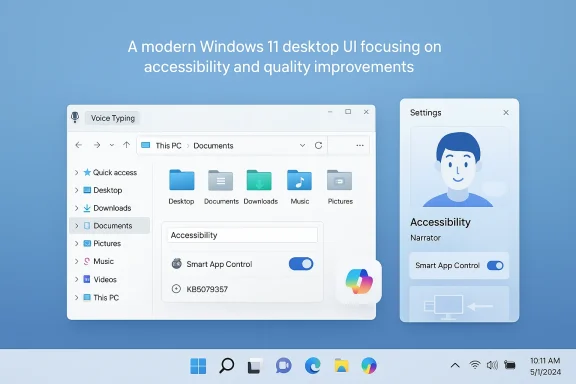
Microsoft has started rolling out the March optional update for Windows 11 to Insiders in the Release Preview Channel, delivering a collection of accessibility, File Explorer, Settings, and device‑management improvements under the package tracked as KB5079387.
This Release Preview update targets Windows 11 versions 25H2 and 24H2 and arrives as a non‑security, preview-style cumulative intended to smooth smaller but important friction points before broader distribution. The release notes published to Insider channels describe enhancements to Narrator, Smart App Control, File Explorer, and other platform components, while also noting staged rollouts for feature delivery and some region/device availability caveats. In practical terms, this update is a classic Microsoft quality release: modest on headline fireworks, but consequential for accessibility users, IT administrators, and power users who have been tracking several UX regressions and security-policy behaviors that surfaced over the last few months.
Two trends drove this particular update. First, small but highly visible regressions in File Explorer (notably a bright “white flash” when opening or resizing Explorer windows in Dark theme) required engineering attention and iterative testing across Insider channels. Second, accessibility improvements—especially around Narrator and richer image descriptions—have been a priority as Microsoft integrates AI capabilities into assistive experiences. This update bundles several of those incremental improvements alongside reliability tweaks for display, printing, and recovery scenarios.
Practical tips:
Plan a conservative pilot, validate the SAC behavior with your security stack, and test Narrator and Voice Typing in the locales and languages your users rely on. Treat AI‑enabled features with a governance checklist: know where speech and image data may be processed, log consent flows, and document acceptable use on corporate devices.
This March preview is not a watershed release, but it’s a practical one. Its real value is measured in fewer help desk tickets, smoother accessibility flows, and incremental reliability gains—small improvements that, when accumulated, make Windows more manageable and more usable for the people who depend on it every day.
Source: Thurrott.com Windows 11's March Optional Update is Now Available for Release Preview Insiders
 Overview
This Release Preview update targets Windows 11 versions 25H2 and 24H2 and arrives as a non‑security, preview-style cumulative intended to smooth smaller but important friction points before broader distribution. The release notes published to Insider channels describe enhancements to Narrator, Smart App Control, File Explorer, and other platform components, while also noting staged rollouts for feature delivery and some region/device availability caveats. In practical terms, this update is a classic Microsoft quality release: modest on headline fireworks, but consequential for accessibility users, IT administrators, and power users who have been tracking several UX regressions and security-policy behaviors that surfaced over the last few months.Background
Microsoft has continued the model introduced in recent years of channel‑based testing: Canary and Dev for early experimentation, Beta for stabilization, and Release Preview for packages that are essentially “preview releases” of the quality update expected to land more broadly. The March wave follows that same cadence: fixes and features first validate with Insiders, then appear as optional previews to broader non‑Insider systems before the cumulative security update pushes a final production build on Patch Tuesday.Two trends drove this particular update. First, small but highly visible regressions in File Explorer (notably a bright “white flash” when opening or resizing Explorer windows in Dark theme) required engineering attention and iterative testing across Insider channels. Second, accessibility improvements—especially around Narrator and richer image descriptions—have been a priority as Microsoft integrates AI capabilities into assistive experiences. This update bundles several of those incremental improvements alongside reliability tweaks for display, printing, and recovery scenarios.
What’s in KB5079387 — The Feature Summary
The Release Preview notes document a set of changes that are best understood as targeted quality and accessibility wins rather than large feature launches. Key highlights include:- Narrator improvements: More reliable Natural Voices setup and expanded availability of rich image descriptions via new keyboard shortcuts.
- Smart App Control (SAC): The long‑requested ability to toggle SAC on or off without a clean reinstall on devices that meet eligibility.
- Settings refinements: Improvements to the About page and more reliable handling of on‑demand update downloads from Settings > System > Advanced.
- Modern pen settings: A redesigned pen-tail configuration option to match the Copilot key behavior.
- Display enhancements: Better auto‑rotation, power savings for USB4 connected monitors while sleeping, and support for monitor refresh rates above 1000 Hz.
- File Explorer polish: Voice Typing (Win + H) now works inside inline rename boxes, improved unblocking reliability for downloaded files, and sorting of permissions by “Principal” in Advanced Security Settings.
- Windows Recovery Environment (WinRE): Improved responsiveness for x64 apps executing under ARM64 devices in the recovery environment.
- Several other stability and reliability fixes across Windows Hello, Safe Mode taskbar components, Voice Access number handling, Start menu layout application, and Remote Desktop management.
Narrator: AI-driven image descriptions and Natural Voices polish
What changed
Narrator receives two visible upgrades in this release. First, setup and reliability for Natural Voices—the modern, on‑device text‑to‑speech voices—have been improved so installation and initial configuration complete with fewer hiccups. Second, rich image descriptions that were previously limited to Copilot+ devices are being surfaced more broadly: dedicated shortcuts let users request a description of the focused image (Narrator key + Ctrl + D) or describe the full screen (Narrator key + Ctrl + S). On Copilot+ machines, the experience is instantaneous and on‑device; on other devices, Copilot can be invoked as an option for deeper context.Why it matters
For users who are blind or have low vision, granular control over what Narrator speaks and when it uses AI for image analysis is crucial. Making rich descriptions available via a keystroke keeps the experience predictable and privacy‑considerate: the image is only shared for analysis after the user elects to describe it. The improved Natural Voices reliability reduces setup friction for offline, on‑device text‑to‑speech, which benefits both privacy‑conscious users and environments with limited or no network connectivity.Caveats and risk notes
- Availability is staggered and may vary by device and market. Some features have explicit region exclusions in Insider notes.
- AI‑driven descriptions may occasionally misidentify elements in complex images; users and admins should treat these as assistive aids, not authoritative image transcriptions.
Smart App Control: finally toggleable without a clean install
The change
One of the more significant practical changes in this preview is that Smart App Control (SAC) can be switched on or off without forcing a clean OS install. Previously, Windows would only enable SAC at OOBE (or require a clean image) and, once disabled, left users with no supported way to re‑enable it other than reinstalling Windows. The updated behavior exposes SAC controls under Settings > Windows Security > App & Browser Control > Smart App Control settings, allowing administrators and users to flip the setting as needed.Why this matters to IT and security teams
SAC aims to block untrusted or potentially harmful applications by enforcing a runtime policy based on application reputation and machine state. The inability to re‑enable SAC after turning it off was an operational nuisance for organizations that wanted the protection but had to disable it temporarily to install a particular app, then restore enforcement. This toggle makes SAC far more practical for day‑to‑day management and should reduce the scope of imaging/repaving steps tied to SAC enforcement.Implementation considerations
- Organizations should validate SAC behavior in a test ring before rolling it out enterprise‑wide. The policy may interact with existing EDR/AV solutions and application allowlists.
- Even with a toggle, enterprises should consider using Group Policy, Intune, or other management tooling to centrally control SAC behavior and audit changes.
- Because the toggle is rolling out gradually, not all devices will see it immediately; documentation and helpdesk scripts should reflect both states.
File Explorer: Voice Typing in rename, unblock reliability, and permission sorting
Voice Typing when renaming a file
A subtle but practical accessibility improvement: pressing Windows key + H to invoke Voice Typing now works inside the inline rename field in File Explorer. That allows users who prefer or require speech input to dictate filenames without relying on the on‑screen keyboard or cumbersome workarounds.Practical tips:
- Place focus on a file and press F2 to enter rename mode.
- Press Windows + H to invoke Voice Typing and dictate the filename.
- Be mindful of invalid filename characters (Windows will reject characters such as \ / : * ? " < > |).
Unblocking downloaded files and permissions view
The update improves reliability when unblocking downloads for preview and adds the ability to sort permission entries by Principal in the Advanced Security Settings window. Both are administrative quality fixes: unblocking reduces friction for users trying to preview web‑downloaded documents, while permissions sorting helps auditors and power users scan ACLs more effectively.Settings and Input: About page, update reliability, and pen parity with Copilot key
Settings refinements
The Settings > System > About page has been reorganized for better readability and quicker access to related pages such as Storage. The Settings Home page receives a device information card that makes key specs more scannable. Microsoft also improved the reliability of prompting and downloading necessary updates from Settings > System > Advanced—an important step because failed update interactions are a perennial support headache.Pen settings: Same as Copilot key
Pen users can now choose Same as Copilot key for the pen tail button. In practice, that maps the pen tail behavior to whatever app Copilot launches, making hardware behavior consistent across input methods. This is a small but welcome polish for users who rely on pen workflows and expect consistency across new Copilot‑centric UX affordances.Display and power: USB4 power savings, rotation fixes, and very high refresh rates
This preview includes several display improvements:- Improved auto‑rotation reliability after resuming from sleep—reducing annoyances on convertible devices.
- When an external monitor is connected via native USB4, the USB controller can now enter the lowest power level while the PC is sleeping, saving battery life on mobile systems.
- Monitors can now declare refresh rates above 1000 Hz where supported, and DisplayID reporting and HDR handling have been improved.
Windows Recovery Environment (WinRE) improvements for ARM64 devices
The update addresses responsiveness issues when running x64 applications on ARM64 devices inside the Windows Recovery Environment. As x64 emulation on ARM64 becomes more common, ensuring WinRE behaves predictably during recovery tasks—such as offline repairs or crash diagnostics—is important for organizations adopting ARM‑based hardware.Rollout expectations and timeline
Microsoft’s staged model means this Release Preview package is rolling out gradually to Insiders now. Historically, preview updates offered to Release Preview Insiders appear as optional updates for non‑Insider systems in the final week of the month, with the full production cumulative landing on Patch Tuesday the following month. Expect:- Immediate availability to Release Preview Insiders via Windows Update (as KB5079387 expressed for specific builds).
- Optional preview offerings to broader consumer/professional systems later in March, for those who choose to install them.
- The public, mandatory or regular cumulative typically appearing on the next Patch Tuesday (April), folded into the security rollup for 24H2/25H2 builds.
Testing checklist for IT admins and power users
Before broad deployment, validate these items with a small pilot group:- Confirm device builds and service channel (25H2 vs 24H2) and the specific KB/OS builds that your test devices receive.
- Test the Smart App Control toggle in a controlled environment. Verify interactions with existing AV/EDR stacks, in‑place installers, and application allowlists.
- Validate Narrator behavior and privacy settings for image descriptions. Confirm that images are only shared after the user elects to describe them and test behavior in environments with restricted outbound network access.
- Exercise File Explorer rename + Voice Typing across the languages used in your org. Check filename character handling, extension preservation, and behavior on network shares and OneDrive.
- Verify display outcomes on USB4 monitors and test auto‑rotation and HDR behavior on convertible and external display setups.
- Run recovery scenarios on ARM64 devices to confirm the WinRE responsiveness gains are present.
- Monitor event logs, provisioning logs, and Feedback Hub for regressions.
Privacy, security, and governance implications
Several items in this update touch AI features, input methods, and security policies—areas where governance matters.- Narrator image descriptions: Microsoft’s design indicates the image is only shared for processing when the user requests a description, which mitigates inadvertent upload concerns. Nevertheless, organizations in regulated industries should review data‑handling policies for AI features and consider whether to allow Copilot‑assisted descriptions on work devices.
- Smart App Control toggle: Easier toggling improves manageability but raises the need for stricter change controls—admins should lock SAC settings via management tooling if the environment demands consistent posture.
- Voice Typing: Dictation introduces another input channel; speech data handling depends on whether the speech engine runs fully on‑device or routes to cloud services in specific locales. Confirm enterprise speech‑processing policies and locale behavior before widely enabling voice features.
- Feature availability differences: Some AI features are restricted per region or device capability; verify which policies are permitted in your deployment region.
Strengths and limitations — a critical appraisal
Strengths
- This update targets real user pain points—accessibility, power management, and File Explorer polish—rather than chasing shiny new features.
- The SAC toggle addresses a longstanding operational friction, making the protection more useful and administratively feasible.
- Expanded Narrator capabilities and Natural Voices reliability are meaningful for users who depend on assistive technologies and for deployments in constrained network environments.
- The staged Insider‑to‑preview‑to‑production model continues to provide a controlled environment to catch regressions before they hit broad fleets.
Limitations and risks
- Because the release is incremental and staged, availability will vary and some organizations may see inconsistent behavior across devices for weeks.
- AI‑enhanced features inevitably raise privacy and data‑handling questions. Even with consent flows, enterprise policy must govern Copilot and speech/image features on corporate endpoints.
- Some fixes are narrow or cosmetic; for organizations seeking large, structural OS improvements (driver model overhauls, filesystem changes), this update will feel modest.
- The history of controlled rollouts means a user on the latest preview may see changes earlier than colleagues on production, complicating internal support and reproducibility for help desks.
Practical how‑tos (quick reference)
- To check for the preview update on an Insider device: open Settings > Windows Update and look for an optional update matching the Release Preview build listed in the update history. If you are enrolled in the Release Preview Channel, the package may appear automatically.
- To use Narrator image descriptions: press the Narrator key (Caps Lock or Insert, depending on your configuration) + Ctrl + D to describe the focused image, or Narrator key + Ctrl + S to describe the entire screen.
- To invoke Rename + Voice Typing in File Explorer: select a file, press F2, then press Windows + H to start dictation into the name box. Watch for invalid characters and preserve extensions manually if necessary.
- To toggle Smart App Control: go to Settings > Windows Security > App & Browser Control > Smart App Control settings (availability depends on your device and the staged roll out).
Final take — who should care and what to do next
For accessibility advocates, power users, and IT administrators, KB5079387 is one of those quiet updates that improves day‑to‑day interactions: better Narrator behavior, less friction renaming files by voice, and a manageable Smart App Control toggle. For enterprise security teams, the SAC change is the most operationally important item; it reduces the need for clean reinstalls and should simplify policy enforcement if paired with management tooling.Plan a conservative pilot, validate the SAC behavior with your security stack, and test Narrator and Voice Typing in the locales and languages your users rely on. Treat AI‑enabled features with a governance checklist: know where speech and image data may be processed, log consent flows, and document acceptable use on corporate devices.
This March preview is not a watershed release, but it’s a practical one. Its real value is measured in fewer help desk tickets, smoother accessibility flows, and incremental reliability gains—small improvements that, when accumulated, make Windows more manageable and more usable for the people who depend on it every day.
Source: Thurrott.com Windows 11's March Optional Update is Now Available for Release Preview Insiders