

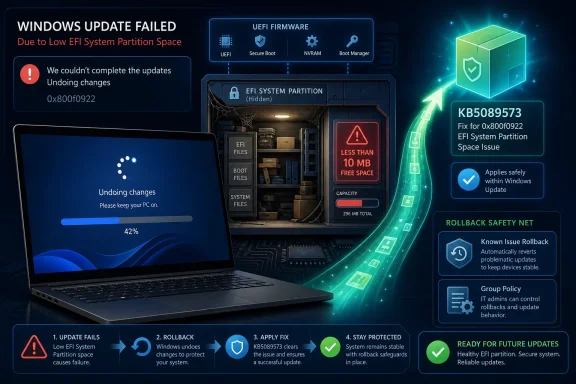
Microsoft resolved a Windows 11 May 2026 security update installation failure on May 26, 2026, after KB5089549 began rolling back on some version 24H2 and 25H2 systems with very little free space left on the EFI System Partition. The fix arrived in preview update KB5089573 and is expected to flow into the June Patch Tuesday cycle. The bug was narrow, but the lesson is not: Windows servicing still depends on hidden system plumbing most users never see until it breaks.
The visible failure was familiar enough to be dismissed as yet another Windows Update headache. A PC downloaded KB5089549, rebooted, advanced partway through installation, and then retreated into the now-infamous message: “Something didn’t go as planned. Undoing changes.” For many users, the only actionable clue was error 0x800f0922, a code that has appeared in enough update failures over the years to feel more like a shrug than a diagnosis.
Microsoft’s explanation was more precise. The affected systems had limited free space on the EFI System Partition, especially where 10 MB or less remained. The update could begin normally, but during the reboot phase — around the mid-30 percent range — servicing needed room to update boot-related files and could not get it.
That matters because the EFI System Partition is not some expendable cache. It is the small, usually hidden partition that stores boot files used by UEFI systems to start Windows. When servicing touches that area, the update process is operating close to the boundary between a routine cumulative update and the boot chain that determines whether the machine starts at all.
The good news is that the failure mode was conservative. Windows rolled back rather than leaving machines broadly unbootable. The bad news is that a security update still failed because a hidden partition had fallen below a margin most users have no practical way to monitor.
That expectation is the whole bargain. Microsoft gets to move Windows users onto a steady servicing conveyor belt; users and administrators accept frequent reboots and cumulative packages in exchange for security fixes, bug repairs, and a reduced need to manually curate individual patches. When the conveyor belt stops because of a hidden 100 MB-ish corner of the disk layout, the abstraction leaks.
The precise log messages made the problem clearer for administrators who knew where to look. CBS logs could show “SpaceCheck: Insufficient free space” and “ServicingBootFiles failed,” pointing away from generic component-store corruption and toward a cramped ESP. That is useful, but only after someone has already crossed from normal user territory into forensic troubleshooting.
For home users, this is where Windows remains frustratingly opaque. The operating system knows the ESP is too full. The update process knows the failure is tied to boot-file servicing. Yet the user-facing experience still collapses into a rollback screen and a hex error code.
Microsoft’s own issue description pointed to third-party or OEM files outside Microsoft boot directories as part of the space calculation. That is an important detail. It suggests this was not simply Windows being too large for Windows’ own layout, but Windows encountering an ecosystem where firmware, OEM tooling, security features, and servicing all compete for a small fixed space.
This is one of those bugs that exposes the difference between a clean lab image and the PC market as it exists. Windows runs on devices built by many manufacturers, imaged with different factory layouts, upgraded through different release histories, and modified by firmware tools that users rarely inspect. The diversity is a strength when Windows is working; it is a support nightmare when a tiny system partition becomes the bottleneck.
The most uncomfortable part is that many affected users probably did nothing wrong. They did not fill the ESP by dragging videos into it. They may never have known it existed. A system partition can become constrained through years of normal servicing, OEM decisions, and firmware-related debris, while the owner sees a healthy C: drive with plenty of free space.
That mechanism is genuinely useful. KIR is one of the better ideas Microsoft has added to Windows servicing in the last several years because it acknowledges a reality the old patch model often denied: even carefully tested updates can misbehave at scale. Rolling back a bad code path centrally is better than asking millions of people to become part-time servicing engineers.
But KIR also has limits. It is not magic dust for every update problem, and it is not always instantaneous in enterprise environments. Administrators still need to know the issue exists, determine whether their devices match the affected profile, deploy the right policy where necessary, and communicate clearly with users who may only see repeated installation failures.
The May incident also included a registry-based workaround involving the ESP padding behavior. That sort of workaround is useful for experienced administrators but dangerous as general public advice. Editing registry settings around boot servicing is not the same as clearing a browser cache, and treating it casually risks turning a failed update into a self-inflicted outage.
KB5089573 is therefore the cleaner answer. Once installed, it contains Microsoft’s fix for the issue and removes the need for the workaround on affected devices. The fact that it arrived as a preview cumulative update, with the fix planned for broader inclusion later, gives administrators a choice: deploy early to affected systems or wait for the normal Patch Tuesday channel if the environment can tolerate the delay.
Most endpoint management dashboards can report OS version, update compliance, disk free space, and hardware model. Far fewer organizations routinely track free space on the EFI System Partition. That is understandable; until something like this happens, ESP capacity feels like implementation detail rather than fleet health.
This incident argues that the boundary between “implementation detail” and “operational dependency” has shifted. Secure Boot, BitLocker, firmware updates, boot manager changes, and Windows servicing all make the boot environment more active than it was in the old BIOS era. If a monthly security update can fail because the ESP has fallen to 10 MB or less, then ESP capacity is no longer trivia.
The more mature response is not panic-resizing partitions across the fleet. That would be risky and unnecessary for most environments. The better response is visibility: sample the fleet, identify OEM models with unusually small or crowded ESPs, compare fresh images against upgraded machines, and document which remediation path is safe for each hardware class.
This is especially important for managed laptops that have lived through years of feature updates, encryption policy changes, firmware updates, and OEM utility revisions. Those machines may be the least glamorous assets in the estate, but they are often the ones where hidden state accumulates.
That sequence is not unique to Microsoft, and it is not always avoidable. Windows’ installed base is too varied for every configuration to be reproduced before release. Still, the pattern leaves a confidence gap: by the time official confirmation lands, many users have already tried repeated installs, repair commands, cache resets, manual downloads, and other rituals that were never going to create space in the ESP.
The reporting from SC Media and BleepingComputer was useful because it translated a vague update failure into a concrete cause. That matters for WindowsForum readers because “update failed” is not a diagnosis. A rollback caused by an ESP space check is a different problem from a corrupt component store, a broken network download, a third-party driver conflict, or a bad servicing stack.
Microsoft has improved its release health documentation over the years, but discoverability remains uneven. A user staring at Windows Update should not need to search the web to learn that a known issue exists for their exact build and error code. Windows Update could do more to surface known issue matches directly, especially when Microsoft already has enough telemetry and documentation to describe the failure.
The company does not need to turn every error dialog into a dissertation. But it could do better than a generic rollback message when the machine has tripped a known condition. “This update may have failed because the EFI System Partition has insufficient free space” would at least point administrators in the right direction and stop users from performing irrelevant fixes.
For affected machines, the calculus is different. A device that cannot install the May security update is already outside the desired compliance state. Installing the preview update may be less risky than leaving the system stuck, particularly if the failure repeats reliably and the machine otherwise remains stable.
For unaffected machines, there is less urgency. The June Patch Tuesday release should bring the fix through the normal channel, assuming Microsoft’s published plan holds. That is the boring path, and in enterprise patching, boring is usually a virtue.
The important distinction is between targeted remediation and broad reaction. Deploying KB5089573 to systems that are failing with the documented ESP condition is sensible. Treating the preview as a universal emergency patch for every Windows 11 machine is harder to justify unless internal testing supports it.
Most home users should take the safer path. If KB5089549 is failing and Windows Update offers KB5089573 or a later cumulative update, install that rather than trying to manually modify boot partitions. If the machine is unmanaged and KIR has propagated, restarting may also help the mitigation apply.
If the system continues to fail, the next step should be careful diagnosis rather than random cleanup. Confirm the Windows version, confirm the failing KB, check whether the error code and failure percentage match the documented pattern, and only then consider advanced remediation. A repair install, OEM recovery action, or professional support may be safer than manually deleting files from a hidden boot partition.
This is one of those cases where “I have 200 GB free on C:” does not answer the relevant question. The update was not failing because the main Windows volume was full. It was failing because a small boot partition had too little headroom for the servicing operation.
One path forward is better preflight checking. Windows Update should detect insufficient ESP space before committing to an installation that will fail during reboot. It should explain the condition in plain language and, where possible, offer a supported remediation path that does not require registry edits or partition spelunking.
Another path is more resilient servicing behavior. If Microsoft can safely adjust how much padding is required, or how boot files are staged, then updates should avoid tripping over marginal ESP configurations wherever possible. KB5089573 appears to move in that direction for this incident, but users should not have to learn about ESP internals every time the servicing model changes.
OEMs also have a role. Machines shipping with minimal ESP capacity may work perfectly on day one but become fragile over years of updates. The Windows ecosystem needs partition layouts that survive the realistic lifetime of a PC, not just the factory image validation process.
For administrators, the lesson is operational. Hidden partitions belong in health checks, especially on models with a history of update or firmware friction. A small PowerShell-based audit in a pilot group can reveal whether the fleet has an ESP problem before Patch Tuesday turns it into a help desk problem.
 Microsoft Fixed the Symptom, but the Partition Was the Story
The visible failure was familiar enough to be dismissed as yet another Windows Update headache. A PC downloaded KB5089549, rebooted, advanced partway through installation, and then retreated into the now-infamous message: “Something didn’t go as planned. Undoing changes.” For many users, the only actionable clue was error 0x800f0922, a code that has appeared in enough update failures over the years to feel more like a shrug than a diagnosis.Microsoft’s explanation was more precise. The affected systems had limited free space on the EFI System Partition, especially where 10 MB or less remained. The update could begin normally, but during the reboot phase — around the mid-30 percent range — servicing needed room to update boot-related files and could not get it.
That matters because the EFI System Partition is not some expendable cache. It is the small, usually hidden partition that stores boot files used by UEFI systems to start Windows. When servicing touches that area, the update process is operating close to the boundary between a routine cumulative update and the boot chain that determines whether the machine starts at all.
The good news is that the failure mode was conservative. Windows rolled back rather than leaving machines broadly unbootable. The bad news is that a security update still failed because a hidden partition had fallen below a margin most users have no practical way to monitor.
A Security Patch Should Not Need a Treasure Map
The May update, KB5089549, was not an optional experiment for hobbyists. It was a monthly security update for Windows 11, covering current release lines including 24H2 and 25H2. In the modern Windows model, cumulative updates are supposed to be boring, predictable, and broadly automatic.That expectation is the whole bargain. Microsoft gets to move Windows users onto a steady servicing conveyor belt; users and administrators accept frequent reboots and cumulative packages in exchange for security fixes, bug repairs, and a reduced need to manually curate individual patches. When the conveyor belt stops because of a hidden 100 MB-ish corner of the disk layout, the abstraction leaks.
The precise log messages made the problem clearer for administrators who knew where to look. CBS logs could show “SpaceCheck: Insufficient free space” and “ServicingBootFiles failed,” pointing away from generic component-store corruption and toward a cramped ESP. That is useful, but only after someone has already crossed from normal user territory into forensic troubleshooting.
For home users, this is where Windows remains frustratingly opaque. The operating system knows the ESP is too full. The update process knows the failure is tied to boot-file servicing. Yet the user-facing experience still collapses into a rollback screen and a hex error code.
The EFI Partition Has Become a Small Room With Too Many Tenants
The EFI System Partition was designed to hold bootloaders and firmware-facing files, not to serve as a long-term junk drawer. But in real machines, especially OEM systems and devices upgraded across multiple Windows releases, that partition can accumulate vendor files, boot assets, recovery components, and sometimes leftovers from old configurations.Microsoft’s own issue description pointed to third-party or OEM files outside Microsoft boot directories as part of the space calculation. That is an important detail. It suggests this was not simply Windows being too large for Windows’ own layout, but Windows encountering an ecosystem where firmware, OEM tooling, security features, and servicing all compete for a small fixed space.
This is one of those bugs that exposes the difference between a clean lab image and the PC market as it exists. Windows runs on devices built by many manufacturers, imaged with different factory layouts, upgraded through different release histories, and modified by firmware tools that users rarely inspect. The diversity is a strength when Windows is working; it is a support nightmare when a tiny system partition becomes the bottleneck.
The most uncomfortable part is that many affected users probably did nothing wrong. They did not fill the ESP by dragging videos into it. They may never have known it existed. A system partition can become constrained through years of normal servicing, OEM decisions, and firmware-related debris, while the owner sees a healthy C: drive with plenty of free space.
Known Issue Rollback Is a Safety Net, Not a Substitute for Clarity
Microsoft’s mitigation path followed the modern Windows playbook. Consumer and unmanaged business devices could receive relief through Known Issue Rollback, Microsoft’s mechanism for backing out problematic non-security behavior without requiring every user to manually uninstall a patch. Managed enterprise devices could apply a special Group Policy to trigger the rollback.That mechanism is genuinely useful. KIR is one of the better ideas Microsoft has added to Windows servicing in the last several years because it acknowledges a reality the old patch model often denied: even carefully tested updates can misbehave at scale. Rolling back a bad code path centrally is better than asking millions of people to become part-time servicing engineers.
But KIR also has limits. It is not magic dust for every update problem, and it is not always instantaneous in enterprise environments. Administrators still need to know the issue exists, determine whether their devices match the affected profile, deploy the right policy where necessary, and communicate clearly with users who may only see repeated installation failures.
The May incident also included a registry-based workaround involving the ESP padding behavior. That sort of workaround is useful for experienced administrators but dangerous as general public advice. Editing registry settings around boot servicing is not the same as clearing a browser cache, and treating it casually risks turning a failed update into a self-inflicted outage.
KB5089573 is therefore the cleaner answer. Once installed, it contains Microsoft’s fix for the issue and removes the need for the workaround on affected devices. The fact that it arrived as a preview cumulative update, with the fix planned for broader inclusion later, gives administrators a choice: deploy early to affected systems or wait for the normal Patch Tuesday channel if the environment can tolerate the delay.
The Enterprise Risk Is Not the Error Code; It Is the Inventory Gap
For IT departments, the direct remediation is straightforward enough: identify affected Windows 11 24H2 and 25H2 machines, install KB5089573 or later, and use KIR or policy where appropriate for systems still stuck on the May update. The harder problem is knowing which devices are at risk before the help desk tickets arrive.Most endpoint management dashboards can report OS version, update compliance, disk free space, and hardware model. Far fewer organizations routinely track free space on the EFI System Partition. That is understandable; until something like this happens, ESP capacity feels like implementation detail rather than fleet health.
This incident argues that the boundary between “implementation detail” and “operational dependency” has shifted. Secure Boot, BitLocker, firmware updates, boot manager changes, and Windows servicing all make the boot environment more active than it was in the old BIOS era. If a monthly security update can fail because the ESP has fallen to 10 MB or less, then ESP capacity is no longer trivia.
The more mature response is not panic-resizing partitions across the fleet. That would be risky and unnecessary for most environments. The better response is visibility: sample the fleet, identify OEM models with unusually small or crowded ESPs, compare fresh images against upgraded machines, and document which remediation path is safe for each hardware class.
This is especially important for managed laptops that have lived through years of feature updates, encryption policy changes, firmware updates, and OEM utility revisions. Those machines may be the least glamorous assets in the estate, but they are often the ones where hidden state accumulates.
Microsoft’s Messaging Still Arrives After the Community Has Done the Triage
The timeline is familiar. Users and administrators encounter failures first. Community forums and tech sites begin connecting symptoms. Microsoft then acknowledges the issue, documents the conditions, and eventually ships a fix or mitigation.That sequence is not unique to Microsoft, and it is not always avoidable. Windows’ installed base is too varied for every configuration to be reproduced before release. Still, the pattern leaves a confidence gap: by the time official confirmation lands, many users have already tried repeated installs, repair commands, cache resets, manual downloads, and other rituals that were never going to create space in the ESP.
The reporting from SC Media and BleepingComputer was useful because it translated a vague update failure into a concrete cause. That matters for WindowsForum readers because “update failed” is not a diagnosis. A rollback caused by an ESP space check is a different problem from a corrupt component store, a broken network download, a third-party driver conflict, or a bad servicing stack.
Microsoft has improved its release health documentation over the years, but discoverability remains uneven. A user staring at Windows Update should not need to search the web to learn that a known issue exists for their exact build and error code. Windows Update could do more to surface known issue matches directly, especially when Microsoft already has enough telemetry and documentation to describe the failure.
The company does not need to turn every error dialog into a dissertation. But it could do better than a generic rollback message when the machine has tripped a known condition. “This update may have failed because the EFI System Partition has insufficient free space” would at least point administrators in the right direction and stop users from performing irrelevant fixes.
The Preview Update Is a Test of Trust
KB5089573’s role as the first vehicle for the fix puts administrators in a familiar bind. Preview cumulative updates are useful because they deliver non-security fixes before the next Patch Tuesday. They are also, by design, not the default security baseline most conservative enterprises rush to install everywhere.For affected machines, the calculus is different. A device that cannot install the May security update is already outside the desired compliance state. Installing the preview update may be less risky than leaving the system stuck, particularly if the failure repeats reliably and the machine otherwise remains stable.
For unaffected machines, there is less urgency. The June Patch Tuesday release should bring the fix through the normal channel, assuming Microsoft’s published plan holds. That is the boring path, and in enterprise patching, boring is usually a virtue.
The important distinction is between targeted remediation and broad reaction. Deploying KB5089573 to systems that are failing with the documented ESP condition is sensible. Treating the preview as a universal emergency patch for every Windows 11 machine is harder to justify unless internal testing supports it.
The Home User Fix Is Mostly Patience, Not Partition Surgery
For enthusiasts, the temptation is obvious: mount the EFI partition, inspect it, delete something that looks old, and reclaim space. That can work in expert hands, but it is also a fine way to break boot on a system that was merely failing an update. The ESP is not a folder to clean casually.Most home users should take the safer path. If KB5089549 is failing and Windows Update offers KB5089573 or a later cumulative update, install that rather than trying to manually modify boot partitions. If the machine is unmanaged and KIR has propagated, restarting may also help the mitigation apply.
If the system continues to fail, the next step should be careful diagnosis rather than random cleanup. Confirm the Windows version, confirm the failing KB, check whether the error code and failure percentage match the documented pattern, and only then consider advanced remediation. A repair install, OEM recovery action, or professional support may be safer than manually deleting files from a hidden boot partition.
This is one of those cases where “I have 200 GB free on C:” does not answer the relevant question. The update was not failing because the main Windows volume was full. It was failing because a small boot partition had too little headroom for the servicing operation.
The Real Fix Is More Headroom in the Windows Servicing Model
Microsoft resolved this specific issue, but the broader design problem remains. Windows servicing needs adequate space in system partitions that users do not see and administrators often do not measure. As the boot chain becomes more security-sensitive and firmware-aware, the cost of cramped legacy layouts rises.One path forward is better preflight checking. Windows Update should detect insufficient ESP space before committing to an installation that will fail during reboot. It should explain the condition in plain language and, where possible, offer a supported remediation path that does not require registry edits or partition spelunking.
Another path is more resilient servicing behavior. If Microsoft can safely adjust how much padding is required, or how boot files are staged, then updates should avoid tripping over marginal ESP configurations wherever possible. KB5089573 appears to move in that direction for this incident, but users should not have to learn about ESP internals every time the servicing model changes.
OEMs also have a role. Machines shipping with minimal ESP capacity may work perfectly on day one but become fragile over years of updates. The Windows ecosystem needs partition layouts that survive the realistic lifetime of a PC, not just the factory image validation process.
For administrators, the lesson is operational. Hidden partitions belong in health checks, especially on models with a history of update or firmware friction. A small PowerShell-based audit in a pilot group can reveal whether the fleet has an ESP problem before Patch Tuesday turns it into a help desk problem.
The May Patch Left a Small Set of Very Practical Lessons
The KB5089549 failure will not be remembered as one of the great Windows disasters, and that is partly because rollback worked. Still, it is a useful case study in how modern Windows breaks: not always spectacularly, not always broadly, but often at the seam between old assumptions and new servicing demands.- KB5089549 could fail on some Windows 11 24H2 and 25H2 systems when the EFI System Partition had critically low free space.
- The common user-visible pattern was a rollback during reboot with error 0x800f0922 and the message that Windows was undoing changes.
- Microsoft resolved the issue in KB5089573, released May 26, 2026, with the fix expected to continue in later cumulative updates.
- Known Issue Rollback and a special Group Policy provided mitigation paths for systems not yet updated, especially in managed environments.
- Administrators should consider auditing EFI System Partition free space on representative devices rather than assuming C: drive capacity predicts update success.
C:\Windows. It is a choreography involving firmware-era partitions, boot policy, recovery behavior, OEM choices, and cloud-delivered mitigations. Microsoft patched this particular stumble, but the next credibility gain will come when Windows can tell users what went wrong before the rollback screen has to do the talking.References
- Primary source: SC Media
Published: Mon, 01 Jun 2026 22:45:40 GMT

Microsoft resolves Windows 11 update installation errors
The installation failures, often accompanied by messages like "Something didn't go as planned. Undoing changes," and log entries indicating "SpaceCheck" and "ServicingBootFiles failed," occurred when the ESP had 10 MB or less of available space.www.scworld.com
- Related coverage: windowslatest.com
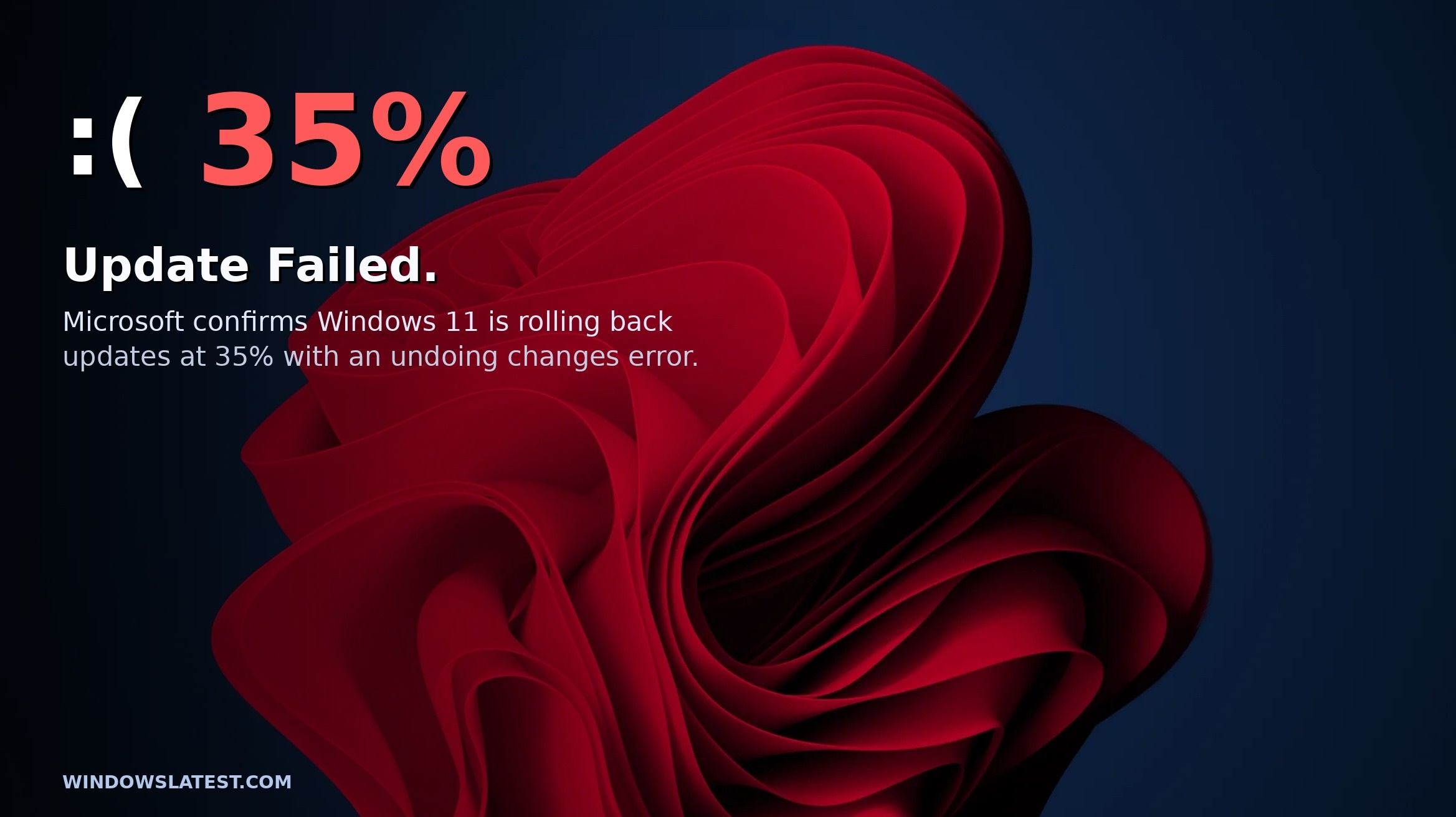
Microsoft confirms Windows 11 update is failing on some PCs, explains if you need a workaround
Microsoft confirms Windows 11 update is failing at 35% on some PCs, releases a fix, and publishes a workaround. www.windowslatest.com
- Related coverage: windowscentral.com
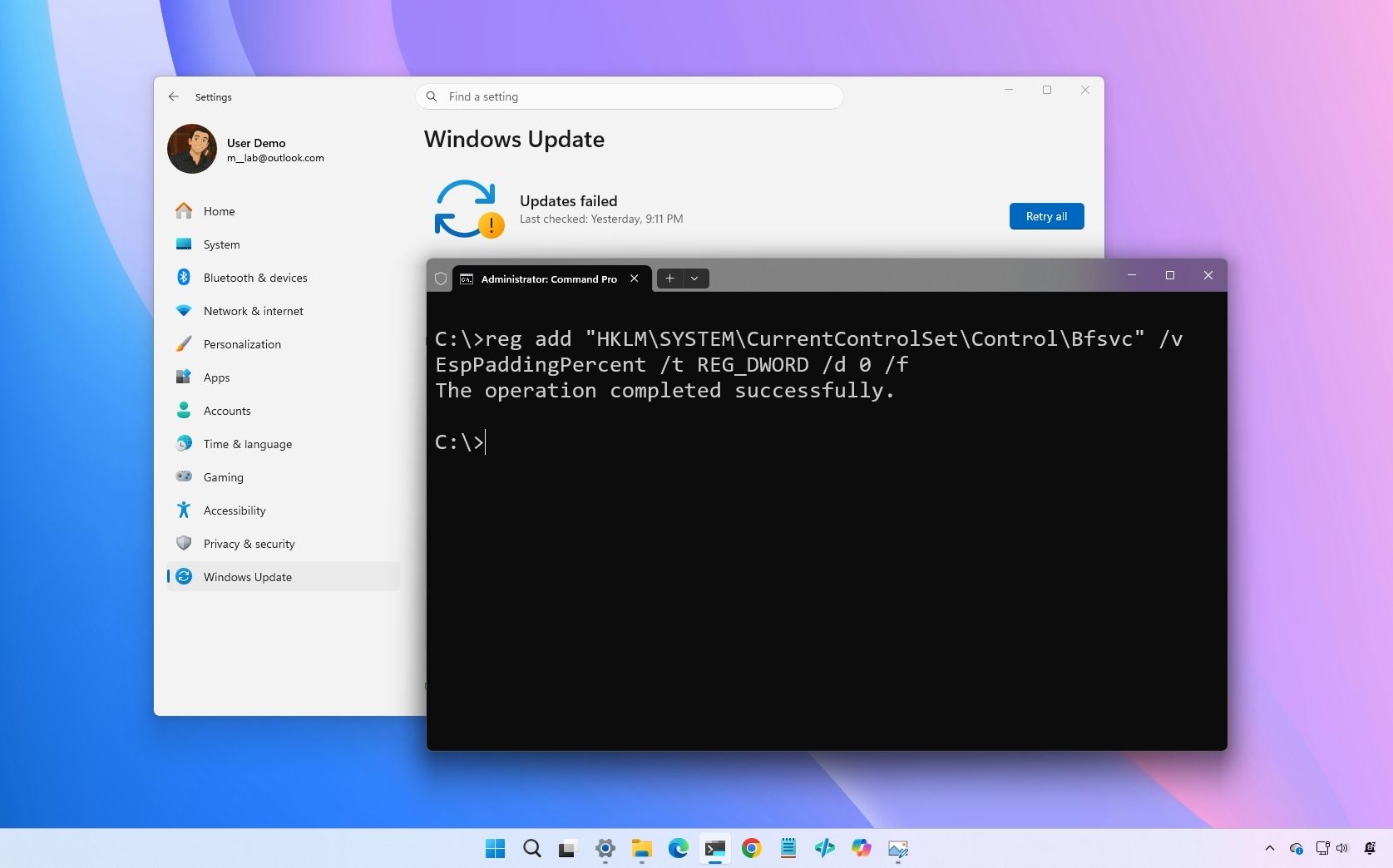
Microsoft confirms Windows 11 May update is failing with error 0x800f0922
Microsoft confirms that the Windows 11 May 2026 update fails with error 0x800f0922 on some computers, but a rollback and a fix are already available. www.windowscentral.com
- Related coverage: windowsreport.com
- Official source: support.microsoft.com
May 12, 2026—KB5089549 (OS Builds 26200.8457 and 26100.8457) - Microsoft Support
 support.microsoft.com
- Related coverage: bleepingcomputer.com
Microsoft confirms Windows 11 security update install issues
Microsoft has confirmed that the May 2026 Windows 11 security update (KB5089549) fails to install on some systems and triggers 0x800f0922 errors.www.bleepingcomputer.com
- Related coverage: ebisuda.net
Windows 11の2026年5月更新(KB5089549)でエラー0x800f0922が発生──MicrosoftがKIRで緩和、EFIパーティション空き不足が原因
MicrosoftがKB5089549のインストール失敗を公式認定。EFIシステムパーティションの空き容量10MB以下の環境でインストールが35%付近で停止し、KIRによる自動緩和が展開済み。 www.ebisuda.net
- Related coverage: yorkcomputerrepair.com
Windows 11 May Update Fails to Install? Microsoft Confirms an EFI Partition Bug — Emergency Fix Rolling Out
Microsoft confirmed Windows 11 KB5089549 is failing to install on PCs with low EFI partition space. A server-side fix is rolling out now. What York PC owners should do.yorkcomputerrepair.com - Related coverage: techrepublic.com

Microsoft Confirms Windows Update Bug Blocking Security Fixes
Microsoft confirmed that KB5089549 can fail with error 0x800f0922 on Windows 11 devices with low EFI partition space, and shared workarounds are available.www.techrepublic.com
- Related coverage: freeware.de

Probleme bei der Installation des Windows 11 Updates KB5089549 - Ursachen, Statistiken und Lösungen - Freeware.de
Das Windows 11 Sicherheitsupdate KB5089549, das am 12. Mai 2026 veröffentlicht wurde, schlägt bei vielen Geräten mit den Versionen 24H2 und 25H2 fehl. Der freeware.de