

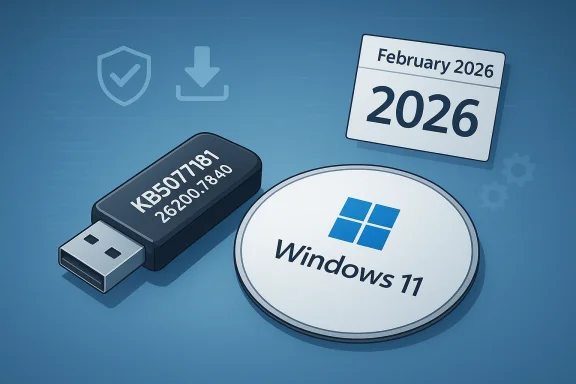
Microsoft has quietly changed the behavior of its official Windows 11 installation media generator so that freshly created ISOs and USB installers now contain a more up-to-date cumulative baseline, meaning new clean installs will typically require far fewer large post‑install updates than they did a few months ago. The change — visible in February 2026 builds where the Media Creation Tool begins packaging the February Patch Tuesday cumulative baseline (KB5077181, OS builds 26200.7840 / 26100.7840) — is small on the surface but immediately consequential for home users, IT pros, and imaging teams who build and deploy Windows 11 installations at scale. ([support.microsoft.microsoft.com/en-us/topic/february-10-2026-kb5077181-os-builds-26200-7840-and-26100-7840-f0fa9e54-a22a-4a06-96b6-bf5b2aded506)
Because an MCT‑created ISO that includes KB5077181 moves freshly installed systems to that same build by default, early adopters of the updated installer may encounter these same problems if they land on affected hardware or driver combinations. That is why testing is critical before wide deployment.
That said, the move is not risk‑free. The February cumulative that forms the new baseline generated a notable number of community reports about installation failures and performance regressions on certain hardware. Because the MCT now propagates that baseline into fresh installs, early adopters must exercise care: test, pilot, and have rollback plans. The surrounding reports of download access friction for third‑party tools deserve attention, too; they point to a shifting distribution landscape that automation teams should monitor and adapt to.
If you manage Windows devices, treat the updated Media Creation Tool as an operational improvement — but one you validate in your environment before flipping it into broad production. The tradeoffs are manageable, and the benefits tangible, as long as testing and controlled rollouts remain part of your deployment discipline.
Source: Neowin Microsoft updates official Windows 11 ISO tool with the latest system updates
 Background
What the Media Creation Tool (MCT) has been
For many years, the Media Creation Tool (MediaCreationToolW11.exe) has been Microsoft's simplest, supported route to generate official Windows 11 installation media on a Windows host. The tool historically downloads a backend image (ESD/WIM) and assembles an ISO or a bootable USB that represents Microsoft's canonical distribution of Windows 11 for a given point in time. That backend image, however, hasn't always been in sync with the latest monthly cumulative updates; tradiated media frequently shipped with an older baseline that required days or gigabytes of post‑install updating on first boot.Why the baseline matters
Windows cumulative updates (the so‑called Patch Tuesday rollups) are often substantial. If an ISO or installer contains an older baseline, newly imaged machines must download and apply many cumulative packages after first boot — which is time consuming, bandwidth heavy, and complicates offline or air‑gapped deployments. Bringing the installer closer to the current monthly baseline reduces the friction of rollouts and lowers the attack surface period between install and the machine becoming fully patched.What changed — the technical snapshot
The concrete update (February 2026)
On February 10, 2026 Microsoft published a cumulative update, KB5077181, that moves the Windows 11 servicing baseline to OS builds 26200.7840 for 25H2 and 26100.7840 for 24H2. The Media Creation Tool's backend behavior was adjusted so newly created ISOs in many cases now reflect that more recent cumulative baseline, rather than an older monthly baseline that previously dominated fresh ie change reporters and community researchers noticed in February 2026.How it presents to users
There is no overt “update” dialog or new UI inside the Media Creation Tool. The difference is backend: when you run the MCT, the payload it downloads (the partition of files used to build the Ilosely with Microsoft’s latest Patch Tuesday cumulative set. Practically, that means a freshly created USB stick or ISO will often land a system a patch or two closer to current than before, cutting the volume of post‑install downloads.Why this matters — immediate benefits
- Fewer post‑install updates: New clean installs often finish with fewer cumulative updatply, saving time and bandwidth.
- Faster imaging and provisioning: For IT teams and OEMs creating golden images, fresher installation media reduces the mang deployment.
- Improved offline readiness: Air‑gapped, kiosk, or offline provisioning scenarios benefit because images are closer to a secure baseline straight out of the box.
- Simpler end‑user experience: Casual users who create a USB to reinstall Windows will face fewer intermediate reboots and downloads after first boot.
The operational perspective for enterprise admins
Imaging pipelines
Enterprises that maintain gold images, task sequence automation, and driver-management pipelines will see direct a Media Creation Tool–generated ISO that contains the latest cumulative baseline can shorten your post‑deployment configuration steps and lower the chance of early post‑install update disruption.- Administrators running systems that rely on WSUS/Intune should still validate the ISO's build number and whether their downstream servicing plans expect the older baseline. The presence of the updated baseline does not change required servicing policies, but it does alter the starting point for patch state.
Compatibility and test windows
Despite improvements, enterprise test engineers must continue to treat freshly generated media as a test artifact. Changes in cumulative updates can include new behaviors, driver interactions, or compatibility changes, and KB5077181 itself generated community reports of installation and performance issues (see next section). Admins should pilot the updated media in a controlled ring before broad rollout.What to watch out for — known issues and community reports
KB5077181 installation problems and regressions
KB5077181 — the cumulative update that establishes the February 2026 baseline — has been widely published and is the basis for the Media Creation Tool change. Microsoft’s support documentation confirms the build numbers and the update content. At the same time, multiple independent outlets and community threads recorded reports of installation failures, boot issues, and performance regressions after installing the February cumulative on certain hardware. These community reports include installation errors, black screens, and, notably, rhythmic stuttering or FPS drops in some games after the update.Because an MCT‑created ISO that includes KB5077181 moves freshly installed systems to that same build by default, early adopters of the updated installer may encounter these same problems if they land on affected hardware or driver combinations. That is why testing is critical before wide deployment.
Third‑party tooling friction and download behavior
In the days following the change, reports surfaced that some automated ISO fetch scripts and third‑party tools (notably Rufus and community downloaders) experienced difficulty retrieving the newest Insider ISOs. Developers of Rufus reported access problems and suspected Microsoft-side throttling or blocking that resulted in failed downloads and even IP‑level bans for heavy scripted access; reporters suggested Microsoft may be steering users toward the Media Creation Tool for a more consistent distribution surface. Those accounts are based on community reporting and developer comments, and are still evolving; they should be considered reported behavior rather than confirmed intentional policy from Microsoft.Practical risk summary
- The MCT change reduces update churn after install but also spreads the same cumulative update (KB5077181) more widely — so any issues in thexposed to fresh installs more quickly.
- If you rely on third‑party tooling or scripted ISO downloads, expect to validate your automation and watch for changed download endpoints or throttling behavior. Reports indicate transient access problems to some Insider ISO endpoints. Treat those reports cautiously until Microsoft provides an authoritative statement.
Verifying the media you create — practical checks
Here are straightforward steps to verify what baseline your MCT-generated media contains and to maintain control over deployment quality.- Run the Media Creation Tool (MediaCreationToolW11.exe) and create an ISO or USB installer on a test machine.
- Boot a test VM or spare machine from the media and complete the Windows setup to the desktop without connecting to Windows Update.
- Open a Command Prompt and run:
- systeminfo (to see the installed OS build)
- winver (graphical confirmation of the OS build)
If the system shows Build 26200.7840 (or 26100.7840 for 24H2), the installer included the February 2026 baseline. - If you operate behind WSUS or a captive update proxy, ensure that the deployment ring you use has those build numbers approved and tre compatible.
- Run your application and driver regression tests on the test machine before permitting broad deployment.
Recommended rollout strategy
- Pilot first: Test the new media in a small, representative group for at least one week. Monitor for installation errors, driver complaints, and application performance regressions.
- Staged expansion: Use ringed deployment (pilot → broad pilot → production) and ensure telemetry and user reports are captured.
- Fallback readiness: Keep documented rollback and driver‑reinstallation procedures ready. If KB5077181 or subsequent cumulative updates cause issues, being able to revert quickly is valuable.
- Automation validation: If you use scripted downloads or third‑party ISO tools, check them against behavior. Adjust scripts to use official MCT endpoints or authenticated provisioning APIs where available. Reports show some third‑party downloaders experienced access problems after the change.
Longer term implications
For Microsoft’s update model
This tweak to the Media Creation Tool fits a broader pattern in Microsoft’s servicing philosophy: shipping features and fixes through shared servicing branches and enabling packages while keeping installation media closer to the cumulative baseline. The net effect is a smoother out-of-the-box security posture for new installs and simpler maintenance windows. For organizations, that reduces the delta between a vanilla image and the current security baseline — a net positive for operational security hygiene.For the community and tooling ecosystem
Third‑party tools that depend on direct access to Microsoft’s ISO endpoints may need to adapt. The community has historically relied on a mix of official media, insider images, and scriptable download endpoints. Any change in distribution cadence or access patterns will ripple through that ecosystem. Developers of utilities like Rufus and enterprise automation teams should pay attention and update their tools to remain compatible with Microsoft’s distribution chme developers have reported unexpected download failures that appear to be enforced at the server or network level; those reports are significant but not definitive proof of a permantomshardware.com]Strengths and potential risks — critical analysis
Notable strengths
- Tangible operational savings: The primary benefit is practical and measurable: fewer large downloads after a clean install, lower bandwidth usage in mass imaging operations, and faster time-es. That improves user experience and reduces friction for technicians.
- Security posture improvement: Shipping installers that include a recent cumulative baseline reduces the period when a freshly installed machine is missing important security fixes. This reduces the exposure window for newly provisioned systems.
- Alignment with modern servicing: The change reflects a sensible alignment between monthly servicing cadence and installers — a pragmatic step that benefits both consumers and professionals.
Potential risks and downsides
- Amplified impact of problematic cumulatives: When the installer baseline is updated to the most recent cumulative (as it was in Feb 2026 with KB5077181), any regression in that cumulative becomes more widely distributed. Fresh installs will be exposed to the same problems that affect in‑place updates. That accelerates the surface area for compatibility issues.
- Third‑party tooling friction: Reports of blocked or rate‑limited access to certain ISO endpoints, coupled with an apparent push to rely on MCT, for automated provisioning and for developers of imaging utilities. Those reports need clearer confirmation from Microsoft before firms make architectural decisions.
- Perception and communication: Microsoft made this backend change without prominent user‑facing notice. While the technical community noticed quickly, less technical users will not. Greater transparency would reduce confusion when post‑install behaviors change.
Actionable checklist for Windows 11 users and admins
- Before large-scale deployment, confirm the ISO's installed build (winver/systeminfo) after creating media with MCT.
- Pilot the installer on physical hardware that mirrors production — not just VMs. Driver interactions matter.
- For imaging automation, verify your download endpoints and rate‑limit behavior. Consider signing up for Insider or official distribution channels if you need early access for lab builds.
- If you maintain golden images, continue to include driver and firmware testing in your cadence — an updated installer helps but does not eliminate the need for validation.
Final assessment
The Media Creation Tool change is precisely the kind of small but practical update that matters to the people who build, deploy, and maintain Windows at scale. By refreshing the backend payload to include a more recent Patch Tuesday cumulative (KB5077181 — build 26200.7840 / 26100.7840), Microsoft reduces the administrative drag of fresh installs and improves the out‑of‑the‑box security state of new systems. For most users and administrators, that is a clear win.That said, the move is not risk‑free. The February cumulative that forms the new baseline generated a notable number of community reports about installation failures and performance regressions on certain hardware. Because the MCT now propagates that baseline into fresh installs, early adopters must exercise care: test, pilot, and have rollback plans. The surrounding reports of download access friction for third‑party tools deserve attention, too; they point to a shifting distribution landscape that automation teams should monitor and adapt to.
If you manage Windows devices, treat the updated Media Creation Tool as an operational improvement — but one you validate in your environment before flipping it into broad production. The tradeoffs are manageable, and the benefits tangible, as long as testing and controlled rollouts remain part of your deployment discipline.
Source: Neowin Microsoft updates official Windows 11 ISO tool with the latest system updates
