

The retirement of Windows 10 has moved from inevitability to operational reality, and for engineers who run test-and-measurement racks and lab systems the decision to move to Windows 11 is now a project, not an afterthought.
Windows 10’s formal end of mainstream support (October 14, 2025) removed the routine stream of OS security and quality updates for non‑ESU devices, forcing labs and OEMs to choose between migration, a time‑boxed Extended Security Updates (ESU) bridge, or isolation and replatforming. Windows 11 itself arrived in 2021 and imposes a stricter hardware baseline (64‑bit-only, TPM 2.0 or firmware equivalent, UEFI Secure Boot, minimum RAM and modern CPU families) that was designed to raise platform security but complicates in-place upgrades for many older machines.
This article synthesizes the practical guidance in the EE World piece “Contending with Windows 10’s retirement: part 3” with additional field-facing analysis and a clear, actionable migration playbook for measurement engineers and lab managers. The goal is to help you decide whether to upgrade now, how to plan it safely, and how to minimize test regressions and compliance risk while preserving long‑term security posture.
Practical test: build a representative non‑production clone of your measurement stack and run both functional and timing‑sensitive tests under Windows 11. Walk through every interprocess communication path that touches drivers and instrument APIs.
However, security gains are only realized when upgrades are complete and drivers are supported. Running a mixed fleet where some systems are patched and others run unsupported Windows 10 increases management complexity and can create lateral risk. For ineligible devices, ESU is a time‑boxed safety valve but not a sustainable security posture.
That said, migration must be treated as an engineering and programmatic exercise: verify hardware readiness, confirm driver and vendor support, run rigorous pilot tests, budget for revalidation and operator retraining, and avoid treating ESU as anything more than a time‑boxed bridge. Prioritize instrument and network‑exposed hosts for early migration, require vendor compatibility commitments in procurement, and plan hardware refreshes with sustainability in mind to reduce e‑waste.
A clear, documented migration project with measured pilots, vendor engagement, and a staged rollout will minimize surprises. The migration is worth the work: it replaces an unsupported platform with a modern, securable base that better enables cloud and AI workflows while protecting the integrity of measurement data—provided you manage the transition with discipline and engineering rigor.
Source: EE World Online Contending with Windows 10’s retirement: part 3
 Background
Windows 10’s formal end of mainstream support (October 14, 2025) removed the routine stream of OS security and quality updates for non‑ESU devices, forcing labs and OEMs to choose between migration, a time‑boxed Extended Security Updates (ESU) bridge, or isolation and replatforming. Windows 11 itself arrived in 2021 and imposes a stricter hardware baseline (64‑bit-only, TPM 2.0 or firmware equivalent, UEFI Secure Boot, minimum RAM and modern CPU families) that was designed to raise platform security but complicates in-place upgrades for many older machines.This article synthesizes the practical guidance in the EE World piece “Contending with Windows 10’s retirement: part 3” with additional field-facing analysis and a clear, actionable migration playbook for measurement engineers and lab managers. The goal is to help you decide whether to upgrade now, how to plan it safely, and how to minimize test regressions and compliance risk while preserving long‑term security posture.
Why upgrading is a program and not a single install
Upgrades that involve instrumentation, vendor drivers, and validated measurement software are fundamentally different from consumer laptop upgrades. Several interlocking reasons make this a staged engineering program:- Hardware gating: Windows 11 enforces 64‑bit and security primitives like TPM 2.0 and UEFI Secure Boot; many deployed PCs lack these or have them disabled by firmware settings.
- Driver risk: Instrumentation cards (PXI, PXIe, DAQ boards) and their kernel drivers are often tightly coupled to specific OS builds; vendor‑certified drivers may lag the OS cadence.
- Legacy software: Windows 11 is 64‑bit-only; 32‑bit legacy DLLs and applications require emulation (WOW64) or re‑architecting. WOW64 helps, but it is not a universal cure—some system components and timing behaviors can still differ.
- Validation and compliance: Regulated or certified test flows frequently require revalidation when the OS changes, which costs time and money and can’t be skipped without regulatory impact.
Windows 11 technical checkpoints every lab must verify
Before any migration, validate these concrete technical items for each candidate test host.1) Processor and architecture
- Windows 11 requires a 64‑bit processor with at least two cores running at 1 GHz or faster. A 64‑bit architecture is non‑negotiable for the OS image.
- Practical recommendation: target CPUs with more cores and better single‑thread performance than the bare minimum—instrument I/O and DAQ workloads frequently benefit from headroom.
2) TPM, UEFI and Secure Boot
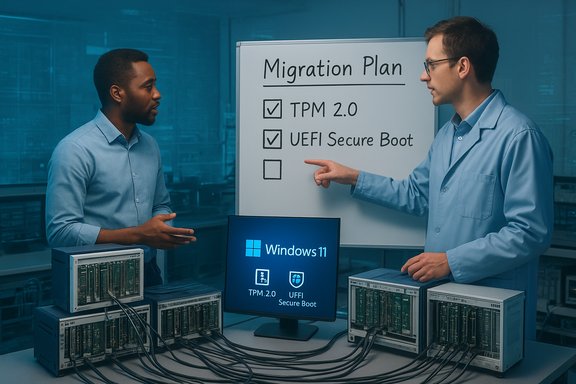
- TPM 2.0 (physical or firmware fTPM/Intel PTT) and UEFI Secure Boot should be present and enabled. Often these features are available but disabled in BIOS/UEFI and simply need enabling and a GPT disk conversion.
3) Memory and storage
- Microsoft’s minimums note 4 GB RAM and 64 GB storage; for real lab use, treat those as absolute minimums only. Aim for 8 GB–16 GB RAM and SSD storage with ample free space for capture files and updates.
4) Graphics and display (less critical for headless racks)
- DirectX 12 compatible GPU with WDDM 2.x is in the minimum list, but headless test PCs often avoid discrete GPUs; ensure basic driver compatibility for the installed GPU.
5) Certificates, legacy subsystems and real‑time components
- If your system uses real‑time kernels, custom system services, or legacy subsystems, confirm compatibility with Windows 11 kernel-mode behavior and driver signing rules before upgrading.
Software compatibility: 32‑bit DLLs, WOW64 and application behavior
Windows 10 is the last Windows version to include native 32‑bit as a primary platform. Windows 11 runs only 64‑bit system images, which creates three common compatibility patterns in lab environments:- Applications fully recompiled or shipped as 64‑bit: straightforward migration path.
- 32‑bit userland apps with 32‑bit DLLs: WOW64 allows most 32‑bit user apps to run on 64‑bit Windows, but timing, pathing, and interop with kernel drivers can still differ. Test comprehensively.
- 32‑bit kernel components or drivers: not supported on a 64‑bit kernel. Any vendor-supplied kernel driver must have a 64‑bit equivalent or replacement.
Practical test: build a representative non‑production clone of your measurement stack and run both functional and timing‑sensitive tests under Windows 11. Walk through every interprocess communication path that touches drivers and instrument APIs.
Drivers, instruments and vendor support
Driver availability is the single greatest risk to a successful upgrade in instrument-rich environments.- First priority: confirm with every instrument OEM whether they provide Windows 11‑certified drivers for the exact boards and firmware revisions you run. If drivers are not available, ask whether 64‑bit Windows 10 drivers are supported and tested on Windows 11. Some vendors explicitly support 64‑bit drivers across both OSes, but support commitments vary.
- Second priority: check driver dependencies on specific Visual C++ runtimes, unsigned kernel modules, or legacy I/O stacks. Vendor-provided redistributables (for example, a required Visual C++ runtime version) must be validated for the Windows 11 host image.
- Third priority: plan for no vendor support scenarios if a legacy driver is used on Windows 11 without explicit vendor certification—this is possible but should be treated as an emergency workaround only.
Testing and validation: how to avoid regression surprises
When test accuracy, timing, or throughput matters, a migration that passes a GUI sanity test can still break the system in subtle ways.- Build an isolated pilot bench that mirrors production: same DAQ boards, firmware, cables, and peripheral versions.
- Create an objective test suite that includes:
- Functional correctness checks (data values, units).
- Timing checks (latency, jitter, throughput).
- Long‑duration runs (soak tests) to surface memory leaks or driver instability.
- Comparison pipelines that produce byte‑for‑byte or statistical comparisons against Windows 10 baselines.
- Use instrumentation automation to run tests repeatedly and capture metrics to quantify any deviation.
- If your operation is regulated, integrate revalidation steps into your compliance artifacts and log the OS/build used for each certified run. Treat validation as project deliverables, not a user acceptance checkbox.
Security benefits and operational impacts of Windows 11
Windows 11 introduces platform security features that materially reduce attack surface for networked test benches, including hardware roots of trust and virtualization‑based protections when supported by firmware. Migrating improves long‑term patching and reduces cumulative risk—provided the full stack (drivers, firmware, apps) is supported.However, security gains are only realized when upgrades are complete and drivers are supported. Running a mixed fleet where some systems are patched and others run unsupported Windows 10 increases management complexity and can create lateral risk. For ineligible devices, ESU is a time‑boxed safety valve but not a sustainable security posture.
Upgrade paths: compare options and when to use them
- In‑place upgrade to Windows 11
- Best when hardware is eligible and vendors provide certified drivers and application support.
- Pros: Keeps host local, avoids cloud costs, restores OS patching.
- Cons: Risk of driver incompatibility and need for revalidation; firmware toggles (TPM/UEFI) may be required.
- Clean install on new/rebuilt hardware (preferred for long life)
- Best for older machines where component replacement is cheaper or more reliable than complex in-place remediation.
- Pros: Fresh image, fewer legacy artifacts, easier vendor support.
- Cons: Requires migration of settings and potentially requalification.
- Extended Security Updates (ESU) as a bridge
- Best for urgent, short‑term breathing room to plan and validate migration.
- Consumer ESU is time‑boxed through October 13, 2026 and may require Microsoft account enrollment for the free route; commercial ESU is available under volume licensing at rising per‑device costs. Use ESU strategically, not as a permanent workaround.
- Virtualization / Cloud PC (Windows 365 / VDI)
- Host legacy Windows 10 images in a patched hypervisor or run test workloads from Cloud PC to preserve compatibility while keeping endpoint surface hardened.
- Pros: Centralized patching, easier rollback, allows physical host replacement.
- Cons: Latency, I/O passthrough for instrumentation can be complex; some hardware cannot be virtualized cleanly or require special drivers.
- Replatform to Linux or dedicated appliance OS
- For some legacy applications and where vendor drivers exist for alternative OSes, migration off Windows may be feasible but typically requires reengineering of software and test harnesses. Community and commercial options exist but require strong validation.
Organizational considerations: procurement, vendor contracts and training
- Require Windows 11 compatibility commitments in new procurement and maintenance contracts when buying instrument stacks with long expected lifetimes. Treat driver roadmaps and OEM support windows as procurement acceptance criteria.
- Budget for revalidation and training explicitly in project proposals; operator UI changes and automation tweaks are a recurring source of friction after OS migration.
- Maintain a rollback image and documented restore procedures for every system in pilot and production to reduce downtime if regressions are discovered post-upgrade.
A practical migration checklist (technical + programmatic)
- Inventory every device and tag by criticality, network exposure, and test dependencies.
- Run readiness scans (PC Health Check for individuals, fleet tools for groups) and create an eligibility matrix.
- Contact each instrument OEM to confirm Windows 11‑certified drivers and ask for recommended firmware revisions.
- Build a pilot bench that mirrors production and run the objective test suite described above.
- Decide upgrade path per category: in‑place, clean install on refreshed hardware, virtualization, or temporary ESU.
- Create a revalidation plan and schedule for certified tests; include rollback and emergency procedures.
- Train operators on UI differences and updated procedures.
- Execute staged rollouts: pilot → small fleet → full deployment. Monitor error logs, driver crashes, and data fidelity closely.
- Document vendor commitments and retain archived images for audit and reproducibility.
Risk matrix — what to watch for and mitigation strategies
- Driver failure (high likelihood if vendor not ready) — mitigation: insist on vendor‑certified drivers or run targeted pilots; keep spare hardware images.
- Timing/latency regressions (medium likelihood) — mitigation: benchmark before/after and tune real‑time priorities or use higher‑spec CPUs.
- Compliance/regulatory invalidation (high impact) — mitigation: integrate revalidation into change control and schedule upgrades to align with audit cycles.
- E‑waste and procurement shocks (organizational/cost risk) — mitigation: prioritize refurbishment, trade‑in programs and staged procurement to smooth budgets.
Special notes and cautionary flags
- Any claim about exact percentages of machines unable to upgrade is model‑dependent and often unverifiable from a single public source; treat headline percentages as directional.
- Running Windows 10 drivers on Windows 11 without vendor support is possible in some cases, but it is an unsupported configuration—expect limited or no vendor troubleshooting and watch closely for failures after Windows cumulative updates.
- Beware unofficial workarounds to bypass hardware checks for Windows 11; such hacks can impact update entitlement and break future servicing. Use them only as emergency stopgaps and avoid them in controlled test environments.
A recommended timeline for a medium‑sized lab (example)
- Weeks 0–2: Inventory and readiness scans; vendor outreach; classify devices by criticality.
- Weeks 2–6: Build pilot bench; obtain driver binaries and create test suite.
- Weeks 6–10: Run pilot; iterate with vendors on driver fixes; tune firmware settings.
- Weeks 10–20: Prepare images; schedule staged rollouts; train operators.
- Weeks 20–36: Migrate noncritical systems; revalidate core certified flows.
- Weeks 36–52: Complete migration of remaining systems, retire or repurpose old hardware responsibly.
Conclusion — balancing security, stability and sustainability
The end of Windows 10 removed the safety net that many long‑lived measurement systems relied upon, and Windows 11 is both the vendor‑supported path forward and a meaningful break from the past. Upgrading is the best long‑term choice for most networked, security‑sensitive, or compliance-bound systems because it restores platform patching and modern hardware security features.That said, migration must be treated as an engineering and programmatic exercise: verify hardware readiness, confirm driver and vendor support, run rigorous pilot tests, budget for revalidation and operator retraining, and avoid treating ESU as anything more than a time‑boxed bridge. Prioritize instrument and network‑exposed hosts for early migration, require vendor compatibility commitments in procurement, and plan hardware refreshes with sustainability in mind to reduce e‑waste.
A clear, documented migration project with measured pilots, vendor engagement, and a staged rollout will minimize surprises. The migration is worth the work: it replaces an unsupported platform with a modern, securable base that better enables cloud and AI workflows while protecting the integrity of measurement data—provided you manage the transition with discipline and engineering rigor.
Source: EE World Online Contending with Windows 10’s retirement: part 3
