

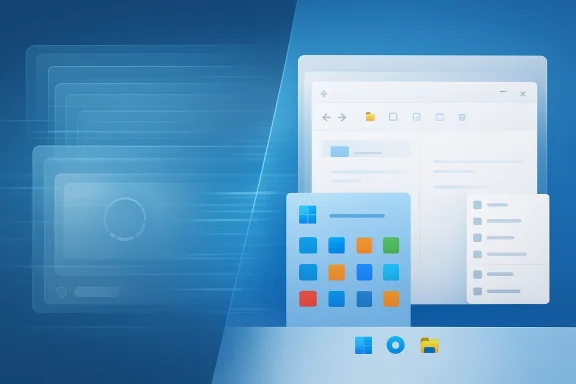
Microsoft is moving toward a more native-first Windows 11 experience, and if the shift holds, it could materially improve how the operating system feels in daily use. The core idea is simple but important: replace more web-wrapped interfaces with WinUI and other native Microsoft tools, a direction that aligns with Microsoft’s own platform guidance and with recent shell modernization work already visible in Windows 11. In practical terms, that could mean faster startup times, snappier menus, and a more coherent desktop experience. It also signals something bigger than a performance tweak: a course correction in how Microsoft wants Windows to be built.
The report circulating through the Windows community points to a familiar frustration that has lingered throughout the Windows 11 era: too many first-party experiences feel like they are built around browser technology rather than the operating system itself. Microsoft has not publicly framed this as a wholesale rejection of web technologies, but the direction is clear enough. The company has already been modernizing parts of the shell, and its own documentation describes WinUI as the modern native UI framework for Windows desktop apps and the Windows App SDK as the foundation for building modern desktop experiences on Windows 11 and earlier supported versions.
That matters because the performance debate around Windows 11 is not abstract. Users regularly notice when File Explorer launches slowly, when the Start menu hesitates, or when context menus appear to load in stages. Microsoft has already acknowledged shell responsiveness issues through support guidance and servicing notes, including a recent KB article that explicitly discusses Explorer, the Start menu, Settings, Taskbar, and Search behaving badly on some enterprise Windows 11 devices after certain updates and provisioning flows. In other words, the “make it native” argument is not just about ideology; it is about shaving friction from real user workflows.
There is also a strategic dimension. Microsoft has spent years telling developers that WinUI and the Windows App SDK are the recommended path for modern Windows apps. If the company now applies that same advice to its own software more consistently, it improves the credibility of the platform story. Microsoft’s own developer materials explicitly position WinUI as the modern native UI platform and the Windows App SDK as the route to responsive desktop experiences with Fluent-style visuals and native controls.
At the same time, the report should be treated carefully. The original GameGPU summary is a secondary source, and some of the more dramatic claims—such as a total abandonment of all web wrappers—have not been independently confirmed in a formal Microsoft announcement. What can be verified is the broader trend: Microsoft is already investing in native UI modernization, already moving parts of Windows toward WinUI, and already acknowledging that shell performance remains a live issue. The rumored shift fits that pattern rather neatly.
That shift did not eliminate the appeal of web technologies. WebView-based UI layers, PWAs, and browser-driven shells are attractive because they let teams ship faster, share code across platforms, and reuse service-layer logic. But those benefits come with tradeoffs. They often consume more memory, can feel less integrated, and may produce subtle delays during startup or interaction. Microsoft’s own Windows documentation still acknowledges that web content can be embedded in native apps, but embedding is not the same as delivering a fully native experience end to end.
The company has already shown that it knows how to modernize a core Windows component without leaning entirely on web wrappers. In Microsoft’s own developer and Insider materials, File Explorer has been moving toward the Windows App SDK and WinUI, with modernized File Explorer Home already tied to that stack in Insider builds. That is an important precedent because Explorer is not a side project. It is one of the most frequently used applications on the entire platform, and its feel shapes how users perceive the whole OS.
There is also a broader credibility problem. Microsoft has spent years urging third-party developers to build for Windows using native frameworks where appropriate, yet many of the company’s own first-party experiences have at times looked suspiciously like web portals in a desktop frame. That disconnect matters to users, enterprises, and developers alike. A company can only preach native excellence for so long before people start asking why its own products do not fully follow the script.
The current moment, then, is less a sudden revolution than a convergence of pressures. Windows 11 needs to feel faster. Microsoft needs its platform guidance to feel consistent. And users increasingly want software that behaves like it belongs on the desktop instead of merely occupying it.
That is why users notice the difference so quickly. They may not know or care whether an app was built with WinUI, Win32, or a browser engine, but they do notice whether it opens instantly or hesitates. They notice whether right-click menus appear immediately or seem to phase into existence. They notice whether search, navigation, and window interactions feel consistent or flaky.
This is especially visible in core shell surfaces like File Explorer or Start. Users expect those experiences to honor the operating system’s own rules. When they do not, the entire desktop feels more brittle than it should. That is why a native rebuild is not merely cosmetic; it can change the emotional tone of the OS.
If Microsoft can make Explorer feel faster and more stable, it has a template for other components. If it cannot, the case for more aggressive native rewrites becomes harder to justify. In that sense, Explorer is both a technical test and a psychological one.
The Start menu and taskbar have faced similar scrutiny. Microsoft has issued fixes and tweaks aimed at startup performance and shell responsiveness, which is a clear sign that the company still treats these areas as active engineering problems rather than finished work. That makes a native-app push feel like the next logical step rather than an unrelated experiment.
The company does not need to invent a new UI system to improve Windows 11. It already has one. WinUI is built to deliver modern visuals and better responsiveness while staying native to the platform. That is exactly the sort of framework that can support a Fluent-style desktop without relying on browser layers for everything.
That is why a native-app strategy is best understood as an execution choice, not a research bet. Microsoft already has the building blocks. The question is whether it will use them consistently.
Enterprise teams also tend to value consistency. They want apps that behave the same way across standardized hardware, controlled images, and scripted deployments. Native apps generally offer a better path there because they are closer to the operating system and less exposed to the moving parts of browser runtimes.
The answer will depend on execution. If Microsoft uses native development to simplify the shell and reduce latency, enterprises win. If it merely reshuffles complexity into a different stack, the benefit will be harder to prove.
This is where Microsoft has the most to gain. A cleaner, faster first-party app experience can soften many of the complaints that have dogged Windows 11 since launch. It can also help users believe that the company is paying attention to quality, not just branding.
That is why the transition has to be visible in the apps people touch most often. A polished native app here and there is nice. A consistently native-feeling shell is what changes perception.
That matters in a market where platform perception is part of the product itself. If Windows feels fast, coherent, and native, that changes how developers and buyers think about it. If it feels inconsistent, the opposite happens.
That signaling is useful. Platform vendors do not just build software; they set expectations. If Microsoft demonstrates that native UI matters inside its own house, third-party developers are more likely to treat that guidance seriously.
Microsoft has a history of emphasizing framework choices, but users usually judge outcomes. If the company hires or elevates people who understand both engineering and UX, it increases the odds that the transition becomes visible in daily use.
The next signposts will be easy to spot. If Microsoft keeps moving File Explorer, shell surfaces, and core utilities toward native frameworks, then this story becomes one of the most important quiet pivots in Windows 11’s lifecycle. If the company pauses halfway through, the benefits will be harder to feel and the credibility gap will remain.
What to watch next:
Source: GameGPU https://en.gamegpu.com/news/igry/microsoft-uskorit-windows-11-za-schjot-nativnykh-prilozhenij/
 Overview
The report circulating through the Windows community points to a familiar frustration that has lingered throughout the Windows 11 era: too many first-party experiences feel like they are built around browser technology rather than the operating system itself. Microsoft has not publicly framed this as a wholesale rejection of web technologies, but the direction is clear enough. The company has already been modernizing parts of the shell, and its own documentation describes WinUI as the modern native UI framework for Windows desktop apps and the Windows App SDK as the foundation for building modern desktop experiences on Windows 11 and earlier supported versions.That matters because the performance debate around Windows 11 is not abstract. Users regularly notice when File Explorer launches slowly, when the Start menu hesitates, or when context menus appear to load in stages. Microsoft has already acknowledged shell responsiveness issues through support guidance and servicing notes, including a recent KB article that explicitly discusses Explorer, the Start menu, Settings, Taskbar, and Search behaving badly on some enterprise Windows 11 devices after certain updates and provisioning flows. In other words, the “make it native” argument is not just about ideology; it is about shaving friction from real user workflows.
There is also a strategic dimension. Microsoft has spent years telling developers that WinUI and the Windows App SDK are the recommended path for modern Windows apps. If the company now applies that same advice to its own software more consistently, it improves the credibility of the platform story. Microsoft’s own developer materials explicitly position WinUI as the modern native UI platform and the Windows App SDK as the route to responsive desktop experiences with Fluent-style visuals and native controls.
At the same time, the report should be treated carefully. The original GameGPU summary is a secondary source, and some of the more dramatic claims—such as a total abandonment of all web wrappers—have not been independently confirmed in a formal Microsoft announcement. What can be verified is the broader trend: Microsoft is already investing in native UI modernization, already moving parts of Windows toward WinUI, and already acknowledging that shell performance remains a live issue. The rumored shift fits that pattern rather neatly.
Background
Windows has spent years in a complicated transition between old-school Win32 desktop software, modern native frameworks, and web-based application shells. Microsoft spent much of the last decade pushing UWP and later pivoting toward the Windows App SDK, which now serves as the company’s main vehicle for modern desktop app development. Microsoft’s own documentation is unambiguous that WinUI is the native UI framework it wants developers to use for Windows desktop apps, and that the Windows App SDK is intended to give developers a consistent way to build high-performance apps on Windows 11 and supported earlier versions.That shift did not eliminate the appeal of web technologies. WebView-based UI layers, PWAs, and browser-driven shells are attractive because they let teams ship faster, share code across platforms, and reuse service-layer logic. But those benefits come with tradeoffs. They often consume more memory, can feel less integrated, and may produce subtle delays during startup or interaction. Microsoft’s own Windows documentation still acknowledges that web content can be embedded in native apps, but embedding is not the same as delivering a fully native experience end to end.
The company has already shown that it knows how to modernize a core Windows component without leaning entirely on web wrappers. In Microsoft’s own developer and Insider materials, File Explorer has been moving toward the Windows App SDK and WinUI, with modernized File Explorer Home already tied to that stack in Insider builds. That is an important precedent because Explorer is not a side project. It is one of the most frequently used applications on the entire platform, and its feel shapes how users perceive the whole OS.
There is also a broader credibility problem. Microsoft has spent years urging third-party developers to build for Windows using native frameworks where appropriate, yet many of the company’s own first-party experiences have at times looked suspiciously like web portals in a desktop frame. That disconnect matters to users, enterprises, and developers alike. A company can only preach native excellence for so long before people start asking why its own products do not fully follow the script.
The current moment, then, is less a sudden revolution than a convergence of pressures. Windows 11 needs to feel faster. Microsoft needs its platform guidance to feel consistent. And users increasingly want software that behaves like it belongs on the desktop instead of merely occupying it.
Why Native Matters
Native Windows apps are not automatically better in every case, but they are almost always more predictable on the Windows desktop. A properly built WinUI app can use platform conventions more naturally, integrate with shell behaviors more cleanly, and reduce the overhead that comes with browser-based rendering. That usually translates into faster startup, smoother input handling, and a more immediate feel when opening dialogs or navigating menus.The performance argument
Performance is the most obvious reason this story matters. Microsoft has repeatedly had to refine shell responsiveness in Windows 11, and its support and Insider materials show that the company still sees launch delays, render latency, and shell dependence as real problems. Native code does not magically solve every performance issue, but it usually removes one entire layer of runtime overhead.That is why users notice the difference so quickly. They may not know or care whether an app was built with WinUI, Win32, or a browser engine, but they do notice whether it opens instantly or hesitates. They notice whether right-click menus appear immediately or seem to phase into existence. They notice whether search, navigation, and window interactions feel consistent or flaky.
The integration argument
Native apps also tend to integrate more naturally with Windows features such as window snapping, keyboard navigation, accessibility tools, and theming. Microsoft’s own WinUI documentation emphasizes rich XAML-based controls and modern Fluent Design support for desktop apps on Windows 11. That kind of integration matters because it makes an app feel like a system component rather than a foreign object.This is especially visible in core shell surfaces like File Explorer or Start. Users expect those experiences to honor the operating system’s own rules. When they do not, the entire desktop feels more brittle than it should. That is why a native rebuild is not merely cosmetic; it can change the emotional tone of the OS.
What Microsoft Has Already Changed
The idea that Microsoft is moving toward native-first Windows software would be less interesting if the company had not already been making visible changes. But it has. Windows 11 has steadily seen more native UI work, more shell refinements, and more attention paid to performance complaints. The recent KB guidance about XAML-dependent apps failing to start or close unexpectedly on some enterprise devices shows that Microsoft is paying close attention to the fragility of modern shell layers.File Explorer as the proof point
File Explorer is the clearest example of Microsoft’s direction. Microsoft has already tied modernized Explorer experiences to the Windows App SDK and WinUI in Insider-era messaging, which suggests the company is willing to apply native tools to core shell components rather than leaving them in a hybrid state forever. That matters because Explorer is the sort of app users interact with dozens of times a day.If Microsoft can make Explorer feel faster and more stable, it has a template for other components. If it cannot, the case for more aggressive native rewrites becomes harder to justify. In that sense, Explorer is both a technical test and a psychological one.
Context menus, Start, and taskbar behavior
Microsoft has also spent time explaining why the Windows 11 context menu was redesigned in the first place: too much clutter, too much shell-extension complexity, and too much perceived delay. Those concerns remain relevant because they map directly to what users complain about most often. Even when a menu is aesthetically cleaner, it still has to be fast.The Start menu and taskbar have faced similar scrutiny. Microsoft has issued fixes and tweaks aimed at startup performance and shell responsiveness, which is a clear sign that the company still treats these areas as active engineering problems rather than finished work. That makes a native-app push feel like the next logical step rather than an unrelated experiment.
WinUI and the Windows App SDK
If Microsoft really is making a more decisive push toward native Windows apps, there is no mystery about what foundation it would use. WinUI 3 and the Windows App SDK are already positioned as the modern path forward. Microsoft’s official documentation describes WinUI as the modern native UI framework for Windows desktop apps, and the Windows App SDK as the unified set of APIs and tools for modern desktop development on Windows 11 and earlier supported versions.Why the stack matters
This is not just a naming issue. Framework choice shapes development speed, UI consistency, performance, and maintainability. A platform vendor that uses the same stack it promotes to developers sends a strong message: this is the path that matters. That is why Microsoft’s own adoption is so symbolically important.The company does not need to invent a new UI system to improve Windows 11. It already has one. WinUI is built to deliver modern visuals and better responsiveness while staying native to the platform. That is exactly the sort of framework that can support a Fluent-style desktop without relying on browser layers for everything.
More than a cosmetic platform
There is a tendency to treat UI frameworks as if they are just about appearance. They are not. They define how quickly the app renders, how input is processed, how controls are composed, and how well the app fits with the rest of the OS. Microsoft’s documentation is explicit that WinUI is intended for responsive desktop experiences and that the Windows App SDK provides a modular way to bring modern capabilities into existing apps.That is why a native-app strategy is best understood as an execution choice, not a research bet. Microsoft already has the building blocks. The question is whether it will use them consistently.
Enterprise Impact
Enterprises may care less about the philosophical battle between web and native than about stability, manageability, and support burden. But for IT departments, the difference can be huge. A native-first app portfolio can reduce runtime dependency issues, make support cases more predictable, and lower the likelihood that a browser runtime mismatch will break a critical workflow.A supportability story
Microsoft’s own support documentation makes it clear that shell and XAML-related problems still occur in real enterprise environments. The KB article about Explorer, Start, Settings, Taskbar, and Search on Windows 11 24H2 and 25H2 enterprise devices is a good example of how deeply shell reliability can affect managed deployments. If Microsoft can make its own apps less dependent on fragile hybrid layers, that should help administrators.Enterprise teams also tend to value consistency. They want apps that behave the same way across standardized hardware, controlled images, and scripted deployments. Native apps generally offer a better path there because they are closer to the operating system and less exposed to the moving parts of browser runtimes.
The tradeoff enterprises will watch
That said, native is not a silver bullet. Native code can still break. Native apps still need testing. Native frameworks can create their own compatibility questions, especially across older devices and different update rings. IT teams will therefore watch Microsoft’s transition with a practical eye: does it reduce support noise, or simply change the kind of support noise they receive?The answer will depend on execution. If Microsoft uses native development to simplify the shell and reduce latency, enterprises win. If it merely reshuffles complexity into a different stack, the benefit will be harder to prove.
Consumer Impact
For consumers, the value proposition is much easier to explain: things should feel faster. A native app often launches quicker, redraws more predictably, and responds with less visible lag. That is the kind of improvement users notice every day even if they never think about code architecture.The felt experience
What consumers really care about is the feeling of Windows. They want File Explorer to open immediately. They want the Start menu to appear without hesitation. They want right-click menus to behave like part of the OS, not like a web page pretending to be a menu. That emotional response matters because it influences whether Windows feels premium or merely functional.This is where Microsoft has the most to gain. A cleaner, faster first-party app experience can soften many of the complaints that have dogged Windows 11 since launch. It can also help users believe that the company is paying attention to quality, not just branding.
A risk of uneven progress
But consumer gains depend on consistency. If Microsoft modernizes one app, then leaves another in a wrapper-heavy state, users will notice the contrast immediately. Mixed architecture across the shell can make Windows feel incoherent. It can also create the impression that native is just a marketing label rather than a meaningful improvement.That is why the transition has to be visible in the apps people touch most often. A polished native app here and there is nice. A consistently native-feeling shell is what changes perception.
Competitive Implications
This shift also has broader competitive consequences. Apple has long benefited from the perception that its first-party apps are deeply integrated with the operating system. Microsoft, by contrast, has sometimes looked like it tolerates too much architectural inconsistency inside its own platform. A native-first pivot would narrow that gap and make Windows feel more deliberate.Why rivals should care
A Microsoft that takes native desktop quality seriously is harder to dismiss. It can improve the story for Windows as a productivity platform, strengthen trust in first-party software, and make the Microsoft Store feel more legitimate as a destination for polished apps. It also weakens the old “Windows is just a browser host” narrative that critics like to throw around.That matters in a market where platform perception is part of the product itself. If Windows feels fast, coherent, and native, that changes how developers and buyers think about it. If it feels inconsistent, the opposite happens.
Developer confidence and platform signaling
There is another competitive angle here: developer recruitment. Microsoft is competing for engineers against web, mobile, and AI teams that often promise more obvious career glamour. A native-app initiative suggests that Windows craftsmanship still matters. It tells developers that the company values polish, performance, and platform identity, not just shipping speed.That signaling is useful. Platform vendors do not just build software; they set expectations. If Microsoft demonstrates that native UI matters inside its own house, third-party developers are more likely to treat that guidance seriously.
The Role of Rudy Huyn and Team Direction
The report’s mention of engineer Rudy Huyn is interesting because it suggests Microsoft may be pulling in people associated with strong app craftsmanship and user-facing product work. Huyn has long been associated with Windows app development circles, and his presence in any such effort would reinforce the idea that Microsoft is trying to improve the quality of the desktop experience rather than simply hitting a framework target.Why staffing matters
This is one of those cases where the makeup of a team can matter as much as the technology it uses. A native-app push can fail if it is managed like a pure refactor. It succeeds when the people driving it care about interaction design, startup performance, and the subjective feel of the desktop. That is why personnel signals are worth watching.Microsoft has a history of emphasizing framework choices, but users usually judge outcomes. If the company hires or elevates people who understand both engineering and UX, it increases the odds that the transition becomes visible in daily use.
What the hiring signal suggests
If the rumored staffing changes are real, they imply that Microsoft wants more than a cosmetic refresh. It suggests that the company is trying to assemble people who understand the difference between a technically functional UI and a polished Windows UI. That distinction matters because users are quick to forgive rough edges in a beta product, but much less forgiving in the operating system itself.Strengths and Opportunities
Microsoft’s move toward more native Windows app development has several obvious strengths if it is sustained and executed well. It aligns with the company’s own platform guidance, it could improve responsiveness across core experiences, and it offers a cleaner story for both consumers and enterprise buyers. Just as importantly, it gives Microsoft a chance to prove that Windows still matters as a native desktop platform.- Better startup speed for apps that currently feel sluggish or layered.
- Lower memory overhead than many browser-heavy wrappers.
- Stronger shell integration with File Explorer, Start, and taskbar behaviors.
- More coherent visuals across first-party apps through WinUI and Fluent Design.
- Better accessibility consistency when apps are built for the Windows desktop first.
- Improved credibility for Microsoft’s own developer guidance.
- A stronger Windows identity at a time when users want more polish and less bloat.
Risks and Concerns
The risks are just as real. Native development is slower and more expensive than shipping a web-based shell, and Microsoft could easily create a fragmented product story if some apps go native while others remain hybrid. The company also has to avoid overpromising. Users have heard “we’re fixing Windows” many times before, and they will only believe it when they can feel the difference.- Higher engineering cost than web-wrapper approaches.
- Slower feature delivery if products need deep rewrites.
- Framework fragmentation across WinUI, Win32, and other stacks.
- User skepticism if “native” is mostly a branding exercise.
- Support complexity if migration creates mixed architectures.
- Compatibility headaches across device classes and update states.
- Potentially uneven rollouts that make the shell feel inconsistent.
Looking Ahead
The key question is not whether Microsoft can build native Windows software. It clearly can, and it already has the framework stack to do it. The question is whether it will apply that capability to the parts of Windows 11 that users touch most often and notice most immediately. That is where trust is earned.The next signposts will be easy to spot. If Microsoft keeps moving File Explorer, shell surfaces, and core utilities toward native frameworks, then this story becomes one of the most important quiet pivots in Windows 11’s lifecycle. If the company pauses halfway through, the benefits will be harder to feel and the credibility gap will remain.
What to watch next:
- Whether more first-party apps shift away from WebView2 or other browser-based shells.
- Whether Microsoft formalizes a stronger WinUI-first posture for Windows-only software.
- Whether File Explorer and Start menu improvements continue to show up in Insider builds.
- Whether Microsoft’s support notes reduce the number of shell reliability incidents over time.
- Whether the company’s own hiring language starts emphasizing UX and platform craft more explicitly.
Source: GameGPU https://en.gamegpu.com/news/igry/microsoft-uskorit-windows-11-za-schjot-nativnykh-prilozhenij/
