

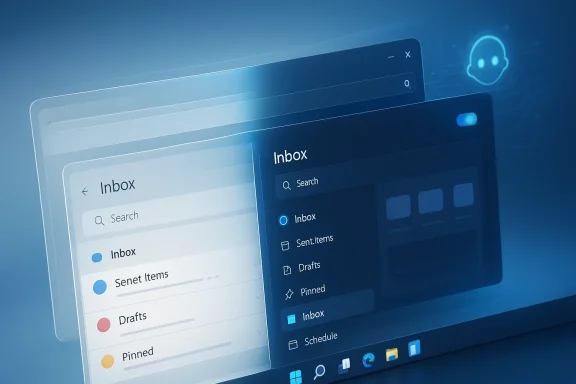
Microsoft is quietly setting the stage for one of the most consequential Windows 11 resets in years: a push to rebuild key inbox experiences as truly native apps rather than web-wrapped surfaces. The move, first reported through Microsoft-linked commentary and developer community coverage, suggests a renewed emphasis on performance, consistency, and the kind of interface polish that has long been easier to promise than to deliver. If the effort expands beyond a few apps, it could reshape how Windows 11 feels for both everyday users and enterprise admins. For a platform often criticized for uneven design and sluggish system utilities, that would be more than a cosmetic change; it would be a statement about where Microsoft believes the future of Windows should live.
For much of the last decade, Windows has lived with a split personality. Some of its built-in experiences were built with modern native frameworks, while others relied on web technologies, mixed rendering layers, or legacy components that behaved differently from one screen to the next. That inconsistency has been especially visible in system-level apps, where users expect speed, stability, and a coherent visual language rather than a patchwork of design decisions. Microsoft’s apparent decision to invest in a dedicated Windows 11 team for 100% native experiences is best understood as an attempt to clean up that fragmentation.
The timing matters. Windows 11 has already spent several years evolving through continuous updates, but user sentiment has remained split between admiration for the platform’s visual ambition and frustration with rough edges in app quality. Microsoft has also spent the last two years pushing harder on Arm support, Copilot+ PCs, and more modern development tooling, all of which depend on a healthier app ecosystem. In that context, rebuilding inbox apps natively is not just a UI refresh; it is part of a broader platform strategy to make Windows feel faster, more coherent, and more capable on the hardware Microsoft now wants to sell.
There is also a developer story underneath the product story. Microsoft has continued to promote WinUI 3 and the Windows App SDK as the native path for Windows desktop experiences, with official documentation describing WinUI as Microsoft’s modern native user interface framework for Windows desktop applications. That is important because platform direction is clearest when it matches the tools the company asks developers to use. If Microsoft’s own teams double down on WinUI-based native work, the message to external developers becomes much stronger.
The broader implication is that Microsoft appears ready to admit what many Windows users have already felt for years: a lot of system software simply works better when it is built like a real Windows app. Web content can be perfectly serviceable for light utilities and cross-platform dashboards, but it often struggles to match the responsiveness and integration expected from inbox tools. Native apps are not automatically better, but when executed well they tend to deliver the kind of predictability that makes an operating system feel finished.
One reason this matters is that first-party apps set the baseline for user expectations. If Settings, Photos, File Explorer, or other built-in tools feel inconsistent, third-party developers get no incentive to do better and users notice the seams immediately. Microsoft’s own documentation for WinUI emphasizes modern controls, Fluent design, high-performance rendering, and responsive desktop experiences. That language is not accidental; it reflects the standard Microsoft wants Windows apps to meet.
The company has been signaling this direction for some time through adjacent efforts. Microsoft has publicly highlighted increasing native Arm64 app support, stated that a large share of user time on Arm devices is now spent in native applications, and promoted better emulation via Prism for apps that still need translation. The logic is straightforward: the more Windows depends on modern silicon and AI-ready devices, the more important it becomes that core apps are compiled and optimized in a way that matches the hardware.
At the same time, Microsoft’s Windows engineering organization has been reshaping itself. Reporting on recent Windows reorganization suggests the company wants tighter alignment between core engineering and feature teams, with the long-term goal of building a more agentic, AI-aware operating system. A native-app push fits that pattern because it gives Microsoft more control over performance, design language, and system integration at the exact moment it is trying to simplify the Windows experience.
The critical question is not whether Windows can still support older app models. Of course it can. The real question is whether Microsoft wants its most visible first-party experiences to feel like the future or like legacy baggage dressed in modern clothing. On that front, the company seems to have chosen a direction that favors coherence over convenience. That is the meaningful signal behind the overhaul rumor.
Microsoft’s official platform docs underscore why the company keeps returning to WinUI and the Windows App SDK. WinUI 3 is positioned as the modern native user interface framework for Windows desktop apps, and the Windows App SDK is described as the way to create modern, high-performance interfaces aligned with Fluent Design. That is not merely developer marketing; it is the architectural foundation for a Windows experience that feels cohesive across hardware classes.
A native rebuild also helps Microsoft reduce dependence on browser-style rendering for system experiences. WebView-based interfaces can be useful, but they often carry tradeoffs in memory behavior, animation smoothness, and platform integration. Users may not name those issues directly, but they feel them as sluggish settings pages, delayed transitions, or inconsistent appearance between light and dark modes. The native route does not solve everything, but it eliminates an entire class of problems.
There is also a maintainability angle. Native apps built on consistent frameworks are easier to integrate with platform updates, theming changes, and accessibility improvements. When Microsoft uses one architectural path across more of its inbox software, it can iterate faster and reduce the number of special-case bugs that arise from older design stacks. In an OS that ships constant updates, fewer architectural exceptions usually means fewer surprises.
This matters because Windows has spent years trying to bridge old and new. Developers can still use Win32, WPF, Windows Forms, or XAML Islands, but Microsoft keeps steering new work toward WinUI 3 for polished desktop experiences. The fact that Microsoft itself appears to be re-embracing that path suggests confidence that the stack is mature enough to carry more of the company’s own software.
A stronger Windows App SDK story could also make Microsoft’s own app engineering more transparent. If the company uses the same public framework internally and externally, that creates a virtuous circle: improvements to controls, composition, windowing, or theming help everyone. It also makes Microsoft’s guidance easier to trust because the company is eating its own dog food rather than just recommending a framework it does not rely on for flagship products.
That baseline effect is powerful. Once Microsoft demonstrates that native apps can be fast, modern, and visually aligned with Windows 11, excuses for inconsistent third-party desktop design become weaker. In that sense, the overhaul could indirectly push the broader ecosystem toward better app architecture.
This is where the native pivot becomes strategically important. Microsoft’s AI ambitions require a reliable user interface layer that can respond quickly and consistently while the underlying system coordinates local and cloud-based services. Windows App SDK and WinUI are better suited to that job than a patchwork of web views and legacy surfaces because they offer stronger control over performance, compositing, and integration. That makes native apps not just a design preference, but a platform enabler.
There is also a hardware dimension. Copilot+ PCs and Arm-based machines are a major part of Microsoft’s current pitch, and the company has repeatedly stressed native Arm support to improve app performance and battery behavior. Native inbox apps help reinforce that message because they show that Microsoft is willing to optimize its own software for the machines it is asking people to buy.
There is a subtle but important branding issue here too. If Microsoft wants users to trust Windows as an AI platform, the OS must first feel like a well-engineered traditional operating system. Native apps are one of the simplest ways to communicate that the company has not forgotten fundamentals while it chases the next big thing.
This is especially relevant in managed environments where standardization matters. Enterprises tend to favor repeatable imaging, predictable updates, and stable application behavior across device fleets. Native apps that are more tightly integrated with Windows 11’s lifecycle and UI patterns should, in theory, reduce variance and improve policy compliance. That is not a headline-grabbing benefit, but it is a real one. Small quality improvements inside the OS often create outsized operational savings at scale.
Microsoft’s broader enterprise narrative also leans heavily on security and manageability. Native experiences are easier to align with system-level policies, and they typically interact more naturally with accessibility, identity, and windowing features than web-wrapped utilities. That can matter in regulated environments where IT wants fewer moving parts and more consistent behavior.
In practical terms, a cleaner native stack can improve:
That distinction matters because consumers rarely separate “the app” from “the OS.” When a built-in app is clumsy, people blame Windows. When the app is fast and polished, they credit Microsoft even if they do not know why it feels better. Native rebuilds are therefore a quiet but effective way to improve brand perception without launching a flashy new feature.
The consumer upside also depends on whether Microsoft is willing to modernize the right apps, not just the easiest ones. If the company starts with obvious candidates like utilities and simple inbox tools, users may dismiss the effort as incremental. If it reaches high-frequency surfaces that people touch every day, the improvement becomes much more visible. That is where the overhaul could become truly meaningful.
There is also a direct competitive angle in relation to hardware. Microsoft wants Windows 11, especially on Copilot+ devices and Arm PCs, to be seen as the best place to experience on-device AI and efficient computing. Better native apps help reinforce that message by making the platform itself an example of the performance story Microsoft is selling. That can help Windows hardware partners as well, because polished first-party software raises the value of the entire ecosystem.
Competitively, this also signals discipline. Microsoft has sometimes been criticized for spreading development across too many UI paradigms at once. A stronger native focus says the company wants to stop accepting inconsistency as the price of flexibility. That could pressure competitors and third-party app makers alike to offer cleaner, more platform-appropriate experiences rather than relying on the cheapest cross-platform abstraction.
In that sense, the native-app overhaul could become a subtle but important market signal:
There is also a timing issue. Microsoft is pushing AI, Arm, Copilot+, and Windows modernization all at once, which means the company cannot afford to let basic usability lag behind the narrative. Native apps are one of the few changes that can help on multiple fronts at the same time: speed, polish, consistency, and future-proofing. That makes this overhaul potentially far more important than its modest initial framing suggests.
Source: afterdawn.com AfterDawn - Software downloads, reviews, tech news and guides
 Overview
For much of the last decade, Windows has lived with a split personality. Some of its built-in experiences were built with modern native frameworks, while others relied on web technologies, mixed rendering layers, or legacy components that behaved differently from one screen to the next. That inconsistency has been especially visible in system-level apps, where users expect speed, stability, and a coherent visual language rather than a patchwork of design decisions. Microsoft’s apparent decision to invest in a dedicated Windows 11 team for 100% native experiences is best understood as an attempt to clean up that fragmentation.The timing matters. Windows 11 has already spent several years evolving through continuous updates, but user sentiment has remained split between admiration for the platform’s visual ambition and frustration with rough edges in app quality. Microsoft has also spent the last two years pushing harder on Arm support, Copilot+ PCs, and more modern development tooling, all of which depend on a healthier app ecosystem. In that context, rebuilding inbox apps natively is not just a UI refresh; it is part of a broader platform strategy to make Windows feel faster, more coherent, and more capable on the hardware Microsoft now wants to sell.
There is also a developer story underneath the product story. Microsoft has continued to promote WinUI 3 and the Windows App SDK as the native path for Windows desktop experiences, with official documentation describing WinUI as Microsoft’s modern native user interface framework for Windows desktop applications. That is important because platform direction is clearest when it matches the tools the company asks developers to use. If Microsoft’s own teams double down on WinUI-based native work, the message to external developers becomes much stronger.
The broader implication is that Microsoft appears ready to admit what many Windows users have already felt for years: a lot of system software simply works better when it is built like a real Windows app. Web content can be perfectly serviceable for light utilities and cross-platform dashboards, but it often struggles to match the responsiveness and integration expected from inbox tools. Native apps are not automatically better, but when executed well they tend to deliver the kind of predictability that makes an operating system feel finished.
Background
Windows has gone through repeated identity shifts since the days when “native” simply meant Win32. The platform later absorbed modern UI efforts through UWP, then split attention among WinUI, the Windows App SDK, web-powered experiences, and layered shell components. That evolution produced a more flexible ecosystem, but it also made the first-party experience harder to unify. Microsoft’s present push toward native apps looks like a corrective to that long, messy transition.One reason this matters is that first-party apps set the baseline for user expectations. If Settings, Photos, File Explorer, or other built-in tools feel inconsistent, third-party developers get no incentive to do better and users notice the seams immediately. Microsoft’s own documentation for WinUI emphasizes modern controls, Fluent design, high-performance rendering, and responsive desktop experiences. That language is not accidental; it reflects the standard Microsoft wants Windows apps to meet.
The company has been signaling this direction for some time through adjacent efforts. Microsoft has publicly highlighted increasing native Arm64 app support, stated that a large share of user time on Arm devices is now spent in native applications, and promoted better emulation via Prism for apps that still need translation. The logic is straightforward: the more Windows depends on modern silicon and AI-ready devices, the more important it becomes that core apps are compiled and optimized in a way that matches the hardware.
At the same time, Microsoft’s Windows engineering organization has been reshaping itself. Reporting on recent Windows reorganization suggests the company wants tighter alignment between core engineering and feature teams, with the long-term goal of building a more agentic, AI-aware operating system. A native-app push fits that pattern because it gives Microsoft more control over performance, design language, and system integration at the exact moment it is trying to simplify the Windows experience.
The critical question is not whether Windows can still support older app models. Of course it can. The real question is whether Microsoft wants its most visible first-party experiences to feel like the future or like legacy baggage dressed in modern clothing. On that front, the company seems to have chosen a direction that favors coherence over convenience. That is the meaningful signal behind the overhaul rumor.
Why Native Matters Now
A native app is not just a technical label. It usually means faster launch times, tighter OS integration, better responsiveness under load, and fewer awkward transitions between app content and system chrome. For Windows 11, where visual consistency is part of the brand promise, those qualities have outsized importance. When the system itself is meant to feel premium, the apps shipping inside it must not feel second-class.Microsoft’s official platform docs underscore why the company keeps returning to WinUI and the Windows App SDK. WinUI 3 is positioned as the modern native user interface framework for Windows desktop apps, and the Windows App SDK is described as the way to create modern, high-performance interfaces aligned with Fluent Design. That is not merely developer marketing; it is the architectural foundation for a Windows experience that feels cohesive across hardware classes.
A native rebuild also helps Microsoft reduce dependence on browser-style rendering for system experiences. WebView-based interfaces can be useful, but they often carry tradeoffs in memory behavior, animation smoothness, and platform integration. Users may not name those issues directly, but they feel them as sluggish settings pages, delayed transitions, or inconsistent appearance between light and dark modes. The native route does not solve everything, but it eliminates an entire class of problems.
Performance and Perception
Performance changes perception even when the underlying task is simple. A settings panel that opens instantly makes the whole OS feel sharper, while a slow-loading built-in app can make the system appear bloated. That is why Microsoft’s apparent native-app pivot is as much about psychology as engineering. Users tend to forgive a third-party app for lag, but they are far less forgiving when the lag comes from Windows itself.There is also a maintainability angle. Native apps built on consistent frameworks are easier to integrate with platform updates, theming changes, and accessibility improvements. When Microsoft uses one architectural path across more of its inbox software, it can iterate faster and reduce the number of special-case bugs that arise from older design stacks. In an OS that ships constant updates, fewer architectural exceptions usually means fewer surprises.
- Faster startup and lower perceived latency
- More consistent visuals across inbox apps
- Tighter OS integration for windowing, theming, and input
- Better fit for Copilot+ class hardware
- Reduced reliance on web runtime layers
- Simpler long-term maintenance for Microsoft teams
The Windows App SDK Connection
The native-app story cannot be separated from the Windows App SDK. Microsoft’s documentation describes it as the modern foundation for building desktop apps, with WinUI as its native UI framework and the broader SDK providing APIs, packaging, and windowing support. That makes the SDK the obvious place for Microsoft to anchor a new generation of first-party apps.This matters because Windows has spent years trying to bridge old and new. Developers can still use Win32, WPF, Windows Forms, or XAML Islands, but Microsoft keeps steering new work toward WinUI 3 for polished desktop experiences. The fact that Microsoft itself appears to be re-embracing that path suggests confidence that the stack is mature enough to carry more of the company’s own software.
A stronger Windows App SDK story could also make Microsoft’s own app engineering more transparent. If the company uses the same public framework internally and externally, that creates a virtuous circle: improvements to controls, composition, windowing, or theming help everyone. It also makes Microsoft’s guidance easier to trust because the company is eating its own dog food rather than just recommending a framework it does not rely on for flagship products.
What This Means for Developers
For developers, this is both encouraging and mildly intimidating. Encouraging, because Microsoft is signaling that native desktop work is still strategic and not a dead end. Intimidating, because if inbox apps become visibly better when built natively, the bar for third-party quality rises with them. The average user does not care what framework an app uses, but they do compare how it feels against the built-in baseline.That baseline effect is powerful. Once Microsoft demonstrates that native apps can be fast, modern, and visually aligned with Windows 11, excuses for inconsistent third-party desktop design become weaker. In that sense, the overhaul could indirectly push the broader ecosystem toward better app architecture.
- WinUI 3 is Microsoft’s modern native UI framework
- Windows App SDK is the recommended modern desktop app platform
- Microsoft can apply updates and fixes across shared layers more effectively
- A better first-party baseline raises expectations for the whole ecosystem
Copilot, AI, and the Future Windows Narrative
Microsoft’s new Windows direction is not only about native code. It is also about the role that AI will play in the OS, from Copilot features to more agentic interactions across the system. If Windows is supposed to evolve into something more proactive and intelligent, then the platform’s core apps need to be fast and predictable enough to support those interactions without friction. A sluggish system app undermines the whole AI story.This is where the native pivot becomes strategically important. Microsoft’s AI ambitions require a reliable user interface layer that can respond quickly and consistently while the underlying system coordinates local and cloud-based services. Windows App SDK and WinUI are better suited to that job than a patchwork of web views and legacy surfaces because they offer stronger control over performance, compositing, and integration. That makes native apps not just a design preference, but a platform enabler.
There is also a hardware dimension. Copilot+ PCs and Arm-based machines are a major part of Microsoft’s current pitch, and the company has repeatedly stressed native Arm support to improve app performance and battery behavior. Native inbox apps help reinforce that message because they show that Microsoft is willing to optimize its own software for the machines it is asking people to buy.
AI-Ready by Design
A modern OS has to balance local responsiveness with cloud intelligence. Native apps help with the local half of that equation by keeping interfaces snappy, reducing overhead, and making system transitions feel seamless. When an app is the front door to an AI feature, that front door should open instantly.There is a subtle but important branding issue here too. If Microsoft wants users to trust Windows as an AI platform, the OS must first feel like a well-engineered traditional operating system. Native apps are one of the simplest ways to communicate that the company has not forgotten fundamentals while it chases the next big thing.
- Copilot features need responsive system surfaces
- Arm and Copilot+ devices benefit from native app optimization
- Native UI helps keep AI interactions feeling integrated, not bolted on
- A fast shell improves confidence in Windows as a platform
Enterprise Impact
Enterprise customers often care less about fashion and more about predictability, but they may benefit the most from a native-app cleanup. A more consistent inbox app layer means fewer support tickets, fewer user complaints, and less confusion during helpdesk interactions. If Microsoft’s own tools behave well by default, IT departments can spend less time compensating for platform quirks.This is especially relevant in managed environments where standardization matters. Enterprises tend to favor repeatable imaging, predictable updates, and stable application behavior across device fleets. Native apps that are more tightly integrated with Windows 11’s lifecycle and UI patterns should, in theory, reduce variance and improve policy compliance. That is not a headline-grabbing benefit, but it is a real one. Small quality improvements inside the OS often create outsized operational savings at scale.
Microsoft’s broader enterprise narrative also leans heavily on security and manageability. Native experiences are easier to align with system-level policies, and they typically interact more naturally with accessibility, identity, and windowing features than web-wrapped utilities. That can matter in regulated environments where IT wants fewer moving parts and more consistent behavior.
Why Admins Should Care
Admins are unlikely to celebrate a UI framework change on principle. But they will notice if users complain less about sluggish settings pages, inconsistent app shells, or odd layout bugs after updates. They will also care if the changes reduce troubleshooting complexity around built-in tools that are supposed to be “just there.”In practical terms, a cleaner native stack can improve:
- User supportability
- UI consistency after updates
- Accessibility behavior
- Integration with management tools
- Long-term maintainability of first-party components
Consumer Impact
For consumers, the most immediate effect should be perceptual. Windows 11 may not suddenly become a different operating system, but it could start feeling more refined in places where people spend time every day. Native apps can make tasks such as changing settings, browsing photos, or opening utility panels feel less like visiting a web page and more like using the operating system itself.That distinction matters because consumers rarely separate “the app” from “the OS.” When a built-in app is clumsy, people blame Windows. When the app is fast and polished, they credit Microsoft even if they do not know why it feels better. Native rebuilds are therefore a quiet but effective way to improve brand perception without launching a flashy new feature.
The consumer upside also depends on whether Microsoft is willing to modernize the right apps, not just the easiest ones. If the company starts with obvious candidates like utilities and simple inbox tools, users may dismiss the effort as incremental. If it reaches high-frequency surfaces that people touch every day, the improvement becomes much more visible. That is where the overhaul could become truly meaningful.
Everyday Use Cases
Consumers tend to judge an OS by small moments: how quickly an app opens, whether a page scrolls smoothly, whether the controls match the rest of the system, and whether light and dark mode behave consistently. A native design approach can improve each of those moments.- Settings panels feel more responsive
- In-box tools look more coherent
- Animations feel less jarring
- Hardware-specific features behave more predictably
- Users see fewer visual mismatches across the OS
Competitive Implications
Microsoft does not operate in a vacuum. Apple continues to control the high end of perceived OS polish, while Google’s Android ecosystem shows how quickly fragmentation can erode consistency even when the underlying platform is strong. A Windows 11 native overhaul is one way for Microsoft to narrow the gap where it matters most: at the level of everyday feel.There is also a direct competitive angle in relation to hardware. Microsoft wants Windows 11, especially on Copilot+ devices and Arm PCs, to be seen as the best place to experience on-device AI and efficient computing. Better native apps help reinforce that message by making the platform itself an example of the performance story Microsoft is selling. That can help Windows hardware partners as well, because polished first-party software raises the value of the entire ecosystem.
Competitively, this also signals discipline. Microsoft has sometimes been criticized for spreading development across too many UI paradigms at once. A stronger native focus says the company wants to stop accepting inconsistency as the price of flexibility. That could pressure competitors and third-party app makers alike to offer cleaner, more platform-appropriate experiences rather than relying on the cheapest cross-platform abstraction.
The Ecosystem Effect
The biggest competitive impact may not be immediate market share movement, but ecosystem expectation. When the OS vendor raises the quality of the stock app experience, users become less tolerant of bloated or poorly integrated software. Developers and hardware makers then feel pressure to keep pace.In that sense, the native-app overhaul could become a subtle but important market signal:
- Windows is still investing in desktop-native software
- Performance and polish remain platform priorities
- Microsoft wants its own apps to lead by example
- The company is willing to reshape the stack to support that goal
Strengths and Opportunities
The strongest case for Microsoft’s native-app push is that it aligns product design, engineering architecture, and platform strategy around the same goal: make Windows 11 feel more coherent. If the company executes well, it can improve user experience while also strengthening its developer story and hardware narrative. The opportunity is not just to fix a few apps, but to establish a better baseline for everything that comes after.- More consistent UX across core Windows surfaces
- Better performance perception for system apps
- Stronger support for Copilot+ and AI features
- Clearer guidance for third-party developers
- Improved Arm optimization across first-party software
- Better enterprise supportability
- Potentially stronger Windows brand trust
Risks and Concerns
The overhaul still carries meaningful risks. Native rewrites can take longer than expected, introduce regressions, or create new inconsistencies if teams interpret the design language differently. Microsoft also has a history of ambitious app modernization efforts that produced partial gains rather than a clean platform-wide reset, so skepticism is justified. Promises are easy; consistent execution is the hard part.- Rewrite risk: rebuilding apps from scratch can create new bugs
- Scope creep: the effort may stay limited to a few apps
- Inconsistent rollout: some inbox tools may modernize faster than others
- Developer confusion: mixed platform messaging can persist
- User frustration if features move or behave differently
- Maintenance burden if Microsoft keeps multiple stacks alive
- Perception gap if the changes are too subtle to notice
Looking Ahead
The real test will be whether this initiative turns into a platform-wide philosophy or just another isolated improvement cycle. If Microsoft genuinely wants inbox apps to be rebuilt natively, the company will need to show visible progress across more than one or two headline tools. The best outcome would be a Windows 11 that feels less like a collection of eras and more like a single, intentional product.There is also a timing issue. Microsoft is pushing AI, Arm, Copilot+, and Windows modernization all at once, which means the company cannot afford to let basic usability lag behind the narrative. Native apps are one of the few changes that can help on multiple fronts at the same time: speed, polish, consistency, and future-proofing. That makes this overhaul potentially far more important than its modest initial framing suggests.
- Which core apps get rebuilt first
- Whether WinUI becomes the dominant internal standard
- How much the changes improve performance in practice
- Whether Microsoft exposes the same improvements to developers
- Whether the overhaul reaches enterprise-critical tools
- How users respond to the new visual and behavioral baseline
Source: afterdawn.com AfterDawn - Software downloads, reviews, tech news and guides
Last edited:
