

Microsoft’s quiet November cumulative for Windows 11 — shipped as KB5068861 and tied to the 25H2 enablement branch — includes small, targeted gaming fixes that have outsize importance for the growing category of Windows gaming handhelds. The update explicitly addresses the most persistent complaints owners have had for two years: excessive battery drain while devices sleep, a five‑second controller deadzone immediately after signing in with the built‑in gamepad, and a touch‑keyboard that refused to hide after PIN entry. Those three fixes, combined with Microsoft’s ongoing “Full Screen Experience” work for controller‑first launches, signal a shift: Windows is being nudged to behave more like a console on handheld form factors without becoming a separate OS.
Windows handheld PCs — devices such as the ASUS ROG Ally family, Lenovo Legion Go, MSI Claw and a growing number of boutique handhelds — run full Windows 11 on compact hardware that prioritizes performance. That design provides enormous flexibility: native PC games, multiple storefronts, cloud streaming and full desktop apps. The tradeoff, however, is battery life and a desktop UI that was not designed for couch‑ or handheld‑first navigation.
Owners and reviewers repeatedly documented poor standby and runtime battery figures, often reporting roughly one to two hours of play on the original Ally in high‑performance modes and frequent complaints about steep drain while the device was in Sleep. Community troubleshooting pointed to two patterns: Windows 11’s default Sleep behavior continued to power RAM and background services, and the OS loaded desktop subsystems and startup apps that needlessly consumed resources on a handheld. As a practical workaround, users recommended switching to Hibernate rather than Sleep to eliminate standby drain — at the cost of a slower resume. Community threads and hands‑on coverage captured this pattern consistently. That tension — a full desktop OS on a handheld form factor — set the stage for Microsoft’s new Full Screen Experience (FSE) effort and for cumulative fixes aimed specifically at handheld power behavior. The November cumulative (KB5068861) is the first broadly documented security-and-quality rollup to explicitly call out handheld low‑power state fixes in Microsoft’s public update notes.
Two important verification points:
Microsoft’s Full Screen Experience — a layered, controller‑first shell that can make the Xbox app the boot‑time home — also contributes second‑order savings by deferring Explorer and other desktop ornamentation at startup. By reducing what loads in the session that’s running while you game, FSE frees memory and reduces idle CPU activity, which in some real‑world tests has translated into measurable RAM savings and smoother frame rates on thermally constrained handhelds. That’s not a kernel‑level scheduling overhaul; it’s a pragmatic user‑space trimming strategy that produces real effects for handheld scenarios.
Handheld users should install the update, monitor post‑install behavior, and coordinate with OEM firmware updates. Enthusiasts can experiment with the Full Screen Experience, but mainstream users will be better served by waiting for official OEM rollouts and supported enablement paths. Finally, treat bold market‑share or sales claims with skepticism unless backed by manufacturer statements or recognized market research — the compelling technical progress here is real; the headline sales numbers are not independently verified.
Source: Windows Latest Windows 11 25H2 quietly rolls out gaming boost, including for handheld performance
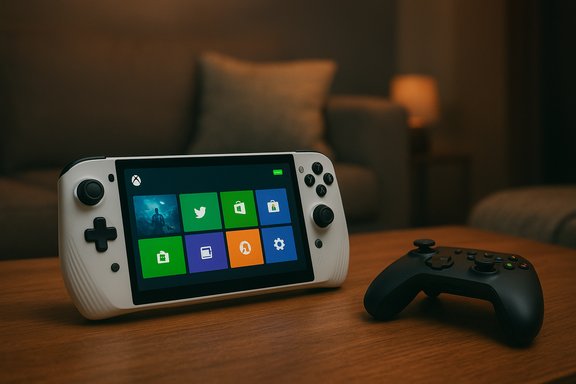 Background: why this matters for handheld Windows gaming
Windows handheld PCs — devices such as the ASUS ROG Ally family, Lenovo Legion Go, MSI Claw and a growing number of boutique handhelds — run full Windows 11 on compact hardware that prioritizes performance. That design provides enormous flexibility: native PC games, multiple storefronts, cloud streaming and full desktop apps. The tradeoff, however, is battery life and a desktop UI that was not designed for couch‑ or handheld‑first navigation.Owners and reviewers repeatedly documented poor standby and runtime battery figures, often reporting roughly one to two hours of play on the original Ally in high‑performance modes and frequent complaints about steep drain while the device was in Sleep. Community troubleshooting pointed to two patterns: Windows 11’s default Sleep behavior continued to power RAM and background services, and the OS loaded desktop subsystems and startup apps that needlessly consumed resources on a handheld. As a practical workaround, users recommended switching to Hibernate rather than Sleep to eliminate standby drain — at the cost of a slower resume. Community threads and hands‑on coverage captured this pattern consistently. That tension — a full desktop OS on a handheld form factor — set the stage for Microsoft’s new Full Screen Experience (FSE) effort and for cumulative fixes aimed specifically at handheld power behavior. The November cumulative (KB5068861) is the first broadly documented security-and-quality rollup to explicitly call out handheld low‑power state fixes in Microsoft’s public update notes.
What KB5068861 actually changes for handhelds
The KB documentation lists several relevant items under the Gaming section:- Fixed an issue that caused gaming handheld devices to be unable to stay in low‑power states, producing faster battery drain while idle or sleeping.
- Fixed an issue where, on some handhelds, after signing in with the built‑in Gamepad the controller might not respond in apps for about five seconds, creating a short but irritating deadzone.
- Fixed an issue where the touch keyboard remained visible on the sign‑in screen after entering a PIN or password; the keyboard now hides automatically after authentication.
Two important verification points:
- The KB entries and official Microsoft update pages are the authoritative reference for what the update intends to fix. The Microsoft Support KB entries confirm the handheld fixes and list the exact OS builds (25H2 builds in the 26200 series and the corresponding 24H2 26100 builds).
- Independent coverage and forum reporting corroborate the scope and intent of these fixes: mainstream outlets and Windows community forums summarised the same three handheld items (sleep/drain, controller deadzone, on‑screen keyboard). That second layer of reporting is useful for practical context (installation notes, rollout quirks) and the community experience of applying the update.
Why these fixes can materially affect battery and usability
On a hardware level, the most meaningful way to reduce standby battery drain is to prevent unnecessary power draw from components that remain active in Sleep — notably DRAM and background processors, and any software activity that wakes the CPU or I/O subsystems. Windows’ Modern Standby architecture keeps RAM powered to allow fast resume, but on high‑speed memory (LPDDR5/LPDDR5X at 6400 MT/s and beyond), even small currents add up on 40–80Wh batteries used in handhelds. Trimming background services, deferring nonessential explorer subsystems, and correcting pathological wake‑events are effective, low‑risk places to gain standby time without removing the benefits of a fast resume.Microsoft’s Full Screen Experience — a layered, controller‑first shell that can make the Xbox app the boot‑time home — also contributes second‑order savings by deferring Explorer and other desktop ornamentation at startup. By reducing what loads in the session that’s running while you game, FSE frees memory and reduces idle CPU activity, which in some real‑world tests has translated into measurable RAM savings and smoother frame rates on thermally constrained handhelds. That’s not a kernel‑level scheduling overhaul; it’s a pragmatic user‑space trimming strategy that produces real effects for handheld scenarios.
The Full Screen Experience: what it is, and what it’s not
What FSE does
- Boots into a controller‑friendly, full‑screen Xbox PC app by default, providing large tiles, aggregated libraries and controller navigation.
- Defers desktop subsystems (wallpaper, some Explorer processes) and some startup apps until the user requests the desktop, thereby reducing memory pressure and background wakeups.
- Reworks Game Bar and controller bindings to better match console ergonomics (Xbox button functionality, Game Bar navigation, on‑screen controller keyboard).
What FSE is not
- It is not a separate or forked operating system; Windows kernel, drivers, anti‑cheat and OS security remain intact.
- It does not modify kernel scheduling, GPU drivers at a low level, or anti‑cheat/DRM behavior. Performance gains are achieved primarily through user‑space and session startup optimizations, not by bypassing core subsystems.
Hands‑on and community experience: does it help?
Early hands‑on reports, community enablement guides and reviewer coverage show that enabling the Full Screen Experience on existing handhelds often yields an immediately better controller experience and modest battery or FPS improvements. Users have reported:- Smoother game launches and fewer background processes competing for memory when booting into FSE.
- Reduced idle CPU activity in some setups because fewer startup services are initialized.
- Fewer UI friction points for controller navigation (e.g., long‑press Xbox button mapped to Task View).
Verifying the hardware claims and the market picture
Windows handheld hardware evolved rapidly in 2023–2025. The most visible new entrant in late 2025 was ASUS’ ROG Xbox Ally family (the standard Ally and the high‑end Ally X), which shipped with the Xbox Full Screen Experience in partnership with Microsoft. Official ASUS materials and major press outlets consistently list the Ally X specs as including up to 24GB LPDDR5X, 1TB M.2 2280 SSD, and an 80Wh battery (double the original Ally’s ~40Wh cell). Independent reviews and hands‑on coverage by outlets such as Windows Central and TechRadar corroborate those core specifications. These figures are consistent across OEM press materials and multiple reviews, providing solid verification of the Ally X hardware envelope. On unit‑sales claims, some online circulation of large numbers (for example, "almost 500,000 units sold in the first month" for the original ROG Ally) appears in secondary commentary, but there is no public, verifiable sales report from ASUS or independent market analysts that confirms a 500k first‑month figure. That specific numeric claim does not appear in ASUS’ press materials or in widely cited market analysis published by established outlets. Treat any such high‑precision sales figure as unverified unless it is attributable to ASUS’ official earnings release or a reputable market research firm. This article flags that claim as unverified.The practical rollout and user guidance
- If you own a Windows gaming handheld: check Windows Update and the Microsoft Update Catalog for KB5068861 availability and review the Microsoft Support KB entry to confirm the builds applicable to your device before installing. The KB is listed for both 25H2 and 24H2 build branches and may appear as a cumulative security-and-quality update.
- Before installing: create a restore point and ensure you have current backups — the update is low‑risk but Windows updates can interact with OEM drivers and third‑party firmware in unexpected ways on specialty hardware.
- After installing: test Sleep/standby behavior over a few days. If issues persist, collect logs and power traces (Event Viewer, reliability monitor, and battery reports) and consult OEM support; in many cases, driver or firmware updates from the device manufacturer will be required in tandem with Windows fixes.
- If you want the console‑style experience: enable the Xbox Full Screen Experience only through supported channels (Settings → Gaming → Full screen experience) or via official Xbox app preview flows. Avoid unsupported registry hacks unless you can restore the device to factory state and accept instability risk.
Strengths and risks: a critical assessment
Strengths
- Targeted, practical fixes. KB5068861 addresses real, concrete usability faults that have dogged handheld owners: sleep drain, controller deadzones after sign‑in, and a stubborn sign‑in keyboard. Those fixes were low‑hanging fruit that improve day‑to‑day usability without radical rework.
- Platform approach that preserves openness. Microsoft’s FSE approach preserves Windows compatibility while reclaiming UX and resource budgets for handheld scenarios. That lets users keep PC games and multiple storefronts rather than locking them into a vendor ecosystem.
- OEM partnership momentum. ASUS’ Ally family shipping with FSE and Microsoft’s staged expansion plan mean the software environment and OEM firmware can be aligned over time to deliver a cleaner experience.
Risks and limitations
- Patch rollouts can be uneven on third‑party hardware. Some users report update installation failures or incomplete application of fixes on certain Ally X units; OEM drivers, Armoury/firmware and Windows updates must all be in compatible states. That makes the experience variable across devices. Treat the update as necessary but not universally sufficient.
- FSE is an ergonomic, not kernel, solution. Because gains are obtained mainly by trimming user‑space subsystems, deeply rooted performance or power problems that stem from drivers, firmware or kernel scheduling might not be solved by FSE or a cumulative update alone. Advanced battery anomalies may still require vendor firmware or hardware revisions.
- Community hacks create risk. Enthusiasts enabling FSE via feature flags or registry edits speed discovery and testing, but they also surface edge‑case stability issues and driver mismatches to mainstream users who may then blame Microsoft or OEMs. The official enablement path is the safer route.
- Unverified market claims. Some circulation of large sales numbers and market success claims lack public confirmation; readers should be cautious about accepting granular sales figures without traceable sources. This piece flags any such figures as unverified unless supported by official filings or established analyst reporting.
What to expect next
- Microsoft will continue to roll FSE to additional OEMs and models on a staged basis. Devices like Lenovo’s Legion Go family have been publicly targeted for a later rollout window (Lenovo mentioned spring 2026 for some Legion Go updates), indicating Microsoft’s plan to extend FSE beyond ASUS hardware. Expect additional driver and firmware coordination as the feature expands.
- Further incremental Windows fixes for handheld scenarios are likely — power management is a multi‑component problem that often requires a series of fine adjustments across firmware, drivers and user‑space services. Users should keep both Windows and OEM system firmware up to date.
- The ecosystem will increasingly split into two experiences: a console‑like, controller‑centric path (FSE) for handhelds and a traditional desktop path for power users. That choice will form the basis for future UX and developer guidance around “handheld‑optimized” badges and compatibility checks.
Conclusion
KB5068861 is not a blockbuster rework of Windows power management, but it is a meaningful, pragmatic step for Windows handhelds: correcting clear usability bugs and removing low‑effort wake and input problems that harmed the user experience. When combined with the Xbox Full Screen Experience’s lightweight session trimming, these fixes move the platform closer to being genuinely usable on small, thermally constrained hardware.Handheld users should install the update, monitor post‑install behavior, and coordinate with OEM firmware updates. Enthusiasts can experiment with the Full Screen Experience, but mainstream users will be better served by waiting for official OEM rollouts and supported enablement paths. Finally, treat bold market‑share or sales claims with skepticism unless backed by manufacturer statements or recognized market research — the compelling technical progress here is real; the headline sales numbers are not independently verified.
Source: Windows Latest Windows 11 25H2 quietly rolls out gaming boost, including for handheld performance
