• Thread Author
Microsoft has acknowledged a serious regression in its October 14, 2025 cumulative update for Windows 11 (KB5066835) and is rolling an emergency fix after the patch broke two very different but critical areas of the platform: local HTTP/2 (localhost) connections used by developers and many applications, and USB keyboard/mouse input inside the Windows Recovery Environment (WinRE). Microsoft’s own support and Release Health pages show the update (OS builds 26100.6899 and 26200.6899) and list the WinRE USB input problem as a confirmed issue while engineers prepare an out‑of‑band remedy.

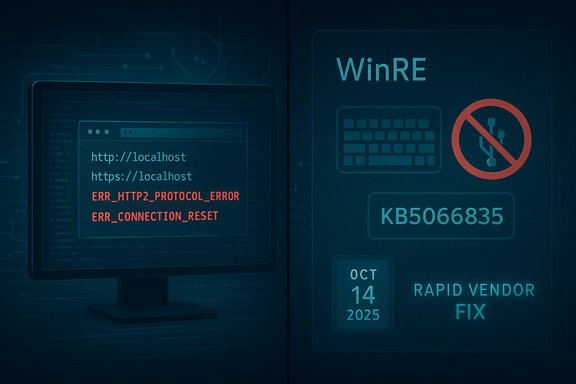
Illustration of localhost 127.0.0.1 HTTP/2 with a USB keyboard/mouse unresponsive warning.Background / Overview​

Microsoft shipped the October 2025 cumulative update to Windows 11 on October 14, 2025. The release bundled security hardenings, quality improvements and servicing‑stack updates intended for both 24H2 and 25H2 branches. Within hours of broad rollout, community and vendor signals started showing two high‑impact regressions emerging on upgraded machines: (a) localhost (127.0.0.1) HTTP/2 connections failing with protocol errors that prevent locally hosted web services from responding, and (b) USB keyboards and mice becoming unresponsive inside WinRE, making recovery and troubleshooting impossible without alternate input. These are not cosmetic bugs. One breaks common developer workflows, CI pipelines and many management or vendor tools that rely on loopback HTTP endpoints. The other undermines the system’s primary offline repair environment — the very fallback that users and administrators rely on when Windows will not boot. Multiple independent publications and community triage threads documented the scope and symptoms as they unfolded.

What Microsoft has confirmed​

The official position​

Microsoft’s KB page for the October 14 release lists the cumulative and servicing‑stack contents and describes improvements, while the Windows Release Health (known issues) page explicitly marks the WinRE USB input failure as Confirmed and notes Microsoft is “working to release a solution in the coming days.” That guidance appears alongside the standard update notes for KB5066835.

How Microsoft is distributing the fix​

Microsoft is using a combination of mechanisms commonly seen in emergency responses: an out‑of‑band hotfix and Known Issue Rollback (KIR) measures where appropriate. KIR can selectively disable a problematic change without requiring a full uninstall of the combined SSU+LCU package, which is useful because the cumulative shipped with a servicing‑stack update and in some cases cannot be uninstalled with the straightforward wusa /uninstall command. Administrators are therefore being advised to watch Release Health and Windows Update, since fixes may appear as targeted preview updates or require policy actions in enterprise environments.

Technical anatomy: what broke and why it matters​

The localhost (127.0.0.1) HTTP/2 regression​

  • Symptom: Browsers and client applications attempting to reach services on localhost started to error with ERR_HTTP2_PROTOCOL_ERROR or ERR_CONNECTION_RESET. Visual Studio and other development tools failed to attach to IIS Express, and vendor desktop apps that expose local HTTP endpoints stopped responding.
  • Probable technical locus: community triage and kernel‑level traces point to a regression in the kernel HTTP listener (HTTP.sys) — specifically in HTTP/2 negotiation and TLS handling on loopback interfaces. When HTTP.sys resets a connection during protocol negotiation, the user‑mode service never receives the request. That pattern explains why many different apps that share the same underlying plumbing failed simultaneously. Microsoft has not yet published a detailed code‑level root cause, so the precise line of code remains proprietary to their engineering investigation.
Why this matters: Local loopback is foundational. Developers depend on it for debugging web apps; many installers, management consoles and security tools also use local web servers for UI or inter‑process communication. When that plumbing breaks, a very large and diverse set of workflows halts in parallel.

The WinRE (Windows Recovery Environment) USB input failure​

  • Symptom: USB keyboards and mice work normally in the full Windows desktop but become unresponsive when the device boots into WinRE (the minimal Safe OS used for Startup Repair, Reset, Command Prompt, etc.. That leaves WinRE visually intact but non‑interactive.
  • Probable technical locus: WinRE runs a minimal driver set in a small Safe OS image (winre.wim). The failure pattern — peripherals that work in the full OS but not in WinRE — strongly suggests a Safe OS image/driver mismatch or an erroneous change to the Safe OS build that broke USB HID initialization or device enumeration within that environment. Community workarounds that replaced winre.wim with a known‑good copy restored functionality for some users, reinforcing the Safe OS image hypothesis. Microsoft’s published guidance does not yet name a single driver or binary as the confirmed root cause.
Why this matters: WinRE is the safety net for non‑booting machines. When it becomes unusable on affected devices, routine recovery operations — from entering Safe Mode to initiating a Reset — can’t be performed without external workarounds (PS/2 keyboard, serial console, external boot media), which are not available to many end users.

Confirmed and reported collateral issues​

Beyond the two headline regressions, community and vendor reports documented other symptoms appearing alongside KB5066835 on some systems:
  • File Explorer preview pane blocking documents due to a false security flag.
  • Some Logitech devices reporting problems, and other vendor peripherals showing partial regressions on specific hardware.
  • Installation failures for some systems with error codes during update application — complications amplified by the combined SSU+LCU packaging model.
Each of these issues varies by hardware, driver state, and upgrade path; clean images and fresh installs sometimes do not reproduce the regressions, which indicates stateful interactions with pre‑existing drivers or OEM images in many cases.

How to respond: practical guidance for users and administrators​

The situation demands different, risk‑calibrated responses depending on whether you are a home user, a developer, or an IT administrator managing fleets of devices.

For home users and power users​

  • Check Windows Update and Microsoft’s Release Health page for the official fix notice and apply any out‑of‑band updates when they appear. Microsoft has said fixes are coming “in the coming days.”
  • If you rely on local development servers or tools that use localhost, consider temporarily blocking KB5066835 until Microsoft’s fix is available, or roll back the update if it has already caused breakage and you cannot wait for the patch (see enterprise caveats below). Community workarounds have included disabling HTTP/2 for localhost by registry edits, but those are developer-level mitigations and should be used cautiously.
  • If you are concerned about recovery capability, create a validated recovery USB (fresh Windows 11 installation media) and safely store BitLocker recovery keys. That gives you a fallback if WinRE is non‑responsive.

For developers​

  • Short term: Disable HTTP/2 for local loopback if your environment supports it (registry toggle) or run services on 127.0.0.1 with HTTP/1.1 where feasible; test locally restored connections before proceeding with critical tasks. Community triage frequently pointed to HTTP/2 negotiation as the failure domain, so falling back to HTTP/1.1 mitigates many symptoms while the fix rolls out.

For IT administrators / enterprises​

  • Pause broad deployment on recovery‑critical endpoints until the fix is verified in a pilot ring. The update was delivered as a combined SSU+LCU on many systems and can complicate rollback semantics; in some configurations the SSU portion persists and prevents a simple wusa /uninstall command from removing the problem. Microsoft’s KB explains the combined packaging and the necessary DISM-based removal steps for those who must roll back.
  • If devices are managed via WSUS, ConfigMgr, or Windows Update for Business, use deployment rings and test hotfixes in a controlled pilot before broad rollout. Known Issue Rollback (KIR) can be used in many cases, but it requires validating the remediation on representative hardware.
  • Prepare manual recovery options: validate external boot media, confirm BitLocker keys are accessible, and ensure recovery playbooks include steps to replace or restore winre.wim from known‑good images where necessary. The WinRE regression means that relying solely on the device’s built‑in recovery image may be risky.

Why this happened: analysis and systemic risks​

A mismatch between security cadence and stability engineering​

Microsoft balances two competing imperatives: shipping security fixes quickly to protect billions of devices, and ensuring those fixes don’t break critical functionality. When an update touches fundamental OS plumbing — HTTP.sys in kernel mode or components used in the Safe OS — the blast radius can be large and diverse. Accelerating the cadence of changes while also combining SSU and LCU packages reduces the number of reboots and streamlines updates, but it raises the stakes when a regression escapes testing.
The October incident shows how a single change can cascade across unrelated use cases: web loopback for developers and USB initialization in a minimal Safe OS. That both things failed after the same cumulative patch suggests a shared change in low‑level components or build pipelines that affected multiple, subtly dependent subsystems. Community analysis points to HTTP.sys/HTTP2/TLS negotiation and Safe OS image drift as likely root domains, but Microsoft has not yet published a binary‑level post‑mortem.

Testing complexity and image/driver state​

Windows runs on a massive range of OEM hardware, and WinRE’s minimal driver set is sensitive to subtle mismatches. Combined with the fact that some failures reproduce only on upgraded machines (not fresh installs), the incident highlights the perennial challenge: stateful upgrades are harder to validate than clean images. This problem is amplified for enterprise fleets where OEM drivers, firmware versions and layered management controls introduce additional variables.

The KIR tradeoff​

Known Issue Rollback (KIR) is useful — it allows Microsoft to disable an offending change without removing the entire update package. But KIR is not universal: it’s most effective for targeted, reversible changes and depends on Microsoft's ability to isolate a single logical change that caused the problem. When updates include multiple moving parts or are already combined with SSU components, rollback semantics become more complicated. The October incident shows both the value and limits of KIR: it can provide a fast stopgap but does not replace the need for robust root‑cause analysis and full remediation.

Broader context: not an isolated pattern​

This episode is part of a repeated pattern of high‑visibility update regressions that Microsoft has had to correct with out‑of‑band patches or rollbacks. The company has previously pulled or mitigated problematic updates (for example, earlier servicing rollouts like KB5043145 and emergency fixes such as KB5068221) when they produced boot loops, device driver regressions, or application compatibility failures. Those historical precedents show Microsoft has established processes to respond quickly, but the frequent nature of these incidents raises concerns about update governance and the difficulty of exhaustively testing against every hardware and software configuration in the Windows ecosystem.

What reporters and data say about user impact and market timing​

Several outlets reported this as particularly awkward timing for Microsoft: Windows 10 support recently ended and Microsoft is pushing remaining users to migrate to Windows 11, which has crossed the mid‑50% global market threshold in several datasets while Windows 10 remains significant in installed base terms. That migration context increases the visibility and potential impact of an update that undermines recovery tools or developer workflows. Market numbers vary slightly by measurement provider — StatCounter and related trackers place Windows 11 at or near 50% globally while Windows 10 retains a large minority — but the key point is simple: a large installed base means even a low‑frequency regression will affect many users. Treat headline market shares as approximate: different telemetry sources report slightly different percentages.

Shortcomings, strengths and the road ahead​

Notable strengths in Microsoft’s response​

  • Rapid acknowledgement and listing on Windows Release Health demonstrates better transparency than the “silent” rollouts of years past. Microsoft publicly confirmed the WinRE symptom and signalled an imminent fix.
  • Use of KIR and out‑of‑band updates provides real operational value: many devices can be remediated without user intervention, and enterprise administrators have predictable levers (pilot rings, Group Policy) to control distribution.

Persistent risks and concerns​

  • Combining SSU with LCU helps streamline downloads but makes rollback harder; uninstall semantics are now more complex, and recovery playbooks need to account for DISM workflows. Microsoft’s KB page explains these packaging choices and their implications.
  • The underlying test surface remains enormous. When kernel-mode listeners or Safe OS images are affected, the consequences are wide — impacting unrelated customers (developers, IT admins, clinical equipment vendors) in parallel. That broad blast radius argues for more aggressive pilot testing across representative stateful upgrade scenarios.
  • Communication cadence matters. “Fix arriving in days” is necessary when engineering requires root‑cause identification and binary rebuilds, but for consumers and smaller businesses the uncertainty window is painful. Clearer interim mitigation instructions and a published expected timeline would reduce risk behavior (for example, panicked manual uninstalls that can leave SSU‑affected machines in a worse state).

Key takeaways and recommended actions​

  • If you are not experiencing a problem, avoid manually uninstalling KB5066835; instead, prepare recovery media and wait for Microsoft’s official patch.
  • Developers relying on localhost services should test fallback strategies (disable HTTP/2 on loopback or use HTTP/1.1) and pause non‑essential updates on critical development machines until the fix is verified.
  • Administrators should hold new deployments, run targeted pilots, validate winre.wim backups, and ensure BitLocker recovery keys are accessible; be ready to deploy KIR policies or DISM-based recovery if needed.
  • Watch Microsoft’s Release Health and the KB page for the official out‑of‑band update and formal remediation guidance; documentation will contain the safest and most supportable steps.

Final analysis​

This incident underscores the classic tradeoff in modern OS maintenance: speed and security versus compatibility and recoverability. Microsoft’s security cadence is understandable and necessary, but when a single cumulative update touches kernel network plumbing and Safe OS components it creates a high‑impact, multi‑domain failure mode that is exceptionally difficult to preempt with testing alone.
The good news is that Microsoft has acknowledged the problems, published known‑issue entries, and promised an out‑of‑band remedy — and it already has operational tools (KIR, targeted updates) to push fixes without waiting for the next Patch Tuesday. The broader lesson for enterprises and conscious end users is operational: maintain validated recovery media, stage updates in pilot rings, and treat update pipelines as a first‑class element of system reliability — because the rare broken update will continue to be a fact of life, and preparedness is the best mitigation.
This is a live remediation event; the technical details are evolving as Microsoft rolls out fixes and collects telemetry. Readers should follow Microsoft’s Release Health entries and apply official updates as they appear rather than relying solely on community workarounds unless they are comfortable bearing the operational risk.
Source: Mashable SEA Microsoft to release emergency fix for Windows 11 update that caused widespread problems
 

Microsoft’s October cumulative update briefly turned Windows’ last‑resort recovery toolkit into a trap: after the October 14, 2025 rollup (KB5066835) hit machines, many Windows 11 systems booted into the Windows Recovery Environment (WinRE) but refused to accept input from USB keyboards and mice, leaving recovery menus visible but completely unusable — a regression Microsoft patched with an out‑of‑band cumulative on October 20, 2025 (KB5070773), plus companion SafeOS servicing in the field.

Windows 11 recovery screen with an out-of-band update banner KB507073.Background / Overview​

The Windows Recovery Environment (WinRE) is the compact, pre‑boot “Safe OS” image Windows uses when the main operating system cannot start. WinRE provides the tools most users and IT teams need to restore functionality: Startup Repair, Safe Mode entry, Reset this PC, System Restore, offline Command Prompt, and firmware/UEFI access flows. To be resilient, WinRE intentionally runs a trimmed driver and service set and boots from a separate image (commonly winre.wim) mounted from the recovery partition or recovery media.
On October 14, 2025 Microsoft shipped the monthly cumulative update for Windows 11 (identified as KB5066835). Within days, field reports and enterprise telemetry showed a reproducible and high‑impact failure: after installing KB5066835, USB Human Interface Devices (HID) — keyboards and mice — continued to work normally inside the full Windows desktop but became unresponsive when the same PC booted to WinRE. The result: the recovery UI appears, but no keystrokes or mouse clicks register. For modern laptops and compact desktops that rely entirely on USB input (and where Bluetooth stacks are typically not available inside WinRE), the environment became effectively unusable.
Microsoft acknowledged the regression and issued an urgent out‑of‑band cumulative update on October 20, 2025 (KB5070773) that included the October fixes and targeted corrections to restore USB input in WinRE. In many deployments Microsoft also pushed a companion SafeOS dynamic refresh (reported in field manifests) to replace or repair the winre.wim image on affected devices.

What broke, technically speaking​

WinRE is a minimal “Safe OS” — and that minimalism cuts both ways​

WinRE is not the full Windows runtime. It boots a compact kernel and a deliberately small set of drivers to reduce complexity and attack surface. That design is an asset during recovery, but it also creates a fragile surface: a single mismatched or missing driver variant inside winre.wim can leave entire device classes uninitialized inside WinRE even though the identical hardware works fine under the full OS.
The October servicing wave appears to have introduced an incompatible or mismatched USB host controller / HID driver variant into the SafeOS image or the dynamic SafeOS update path. The symptom profile is consistent with a SafeOS image / winre.wim mismatch:
  • WinRE displays the standard tiles — Troubleshoot, Reset, Advanced options — but keyboard and mouse input do nothing.
  • The same USB devices operate normally once the full Windows desktop loads.
  • Systems with legacy PS/2 ports frequently retained input in WinRE because PS/2 bypasses the USB host controller subsystem that failed in the SafeOS context.
  • Replacing an updated winre.wim with a known‑good copy in many field reports restored WinRE input, strongly implicating the recovery image or SafeOS packaging as the fault vector.
Microsoft’s emergency update strategy focused on restoring the WinRE/SafeOS binary set and aligning servicing stack behavior so the minimal runtime initializes the correct USB host controller and HID drivers.

The packaging and servicing nuance — SSU, LCU and SafeOS dynamic updates​

Cumulative servicing in Windows is delivered as a combination of the latest cumulative update (LCU) and servicing stack updates (SSU). In some distribution paths Microsoft bundles SSU+LCU or applies SafeOS dynamic packages alongside the LCU. That packaging can complicate rollback semantics: when SSU and LCU are combined, uninstalling the LCU alone may not revert winre.wim or SafeOS artifacts to their previous state.
Microsoft’s quick fix arrived as an out‑of‑band cumulative (KB5070773) that included the October LCU plus corrective changes and, where required, a separate SafeOS dynamic refresh to update the on‑device winre.wim. Administrators deploying offline installers or catalog packages should be conscious that the fix might include servicing stack adjustments as well as the LCU itself.

Timeline (concise)​

  • October 14, 2025 — Microsoft releases the October cumulative for Windows 11 (KB5066835).
  • October 15–17, 2025 — Community and enterprise telemetry begin reporting USB input failures in WinRE. Microsoft marks the issue as known on Release Health.
  • October 20, 2025 — Microsoft publishes an out‑of‑band cumulative update (KB5070773) to restore WinRE USB functionality and distributes the package via Windows Update and the Update Catalog. Companion SafeOS dynamic refresh packages are used in the field to update winre.wim where necessary.

Who and what was affected​

  • Operating systems: Windows 11 client servicing branches (notably versions 24H2 and 25H2) and some Windows Server 2025 servicing channels reported in community telemetry.
  • Hardware: Modern laptops and mini‑PCs that lack legacy PS/2 ports and depend solely on USB input were most affected. Desktop PCs with internal PS/2 or firmware that exposes legacy keyboard input sometimes avoided the failure.
  • Scope: The defect was not a total USB blackout — devices continued to work under the fully booted OS. The failure was isolated to the pre‑boot WinRE environment, making it especially insidious and high‑impact for recovery scenarios.

Practical impact — why this was dangerous​

Losing input devices in WinRE is more than an inconvenience; it removes the primary on‑device recovery path. When a machine won’t boot or a driver update leaves the desktop unresponsive, WinRE is the toolset most users and support staff reach for. If WinRE won’t accept input:
  • Users cannot select Safe Mode, run Startup Repair, or perform a Reset this PC.
  • Help desks face longer mean time to repair (MTTR) and more onsite interventions.
  • Organizations risk higher operational costs and potential data‑availability delays.
  • Less technical users are at greater risk of being forced into full reinstalls because they cannot navigate recovery flows.

How Microsoft fixed it​

The remediation was delivered in two complementary ways:
  • KB5070773 — an out‑of‑band cumulative update (OOB LCU) that includes the October security fixes and explicit corrective changes to restore USB HID functionality in WinRE.
  • Companion SafeOS dynamic refreshes (field manifests reported separate SafeOS packages) to update winre.wim and SafeOS components on affected devices where the recovery image itself needed replacement.
The OOB approach addresses both metadata/servicing behavior and the binary set that composes WinRE, ensuring the minimal runtime contains driver variants that initialize modern USB host controllers.

Immediate advice for users and administrators​

  • Install the fix: Devices that received KB5066835 should be updated to the OOB cumulative (KB5070773) as soon as it is available for your channel and validated in pilot rings.
  • Validate recovery workflows: After applying the OOB update, explicitly test WinRE on representative devices: open Advanced Startup (Shift+Restart), navigate to Troubleshoot → Advanced options, and confirm USB keyboard and mouse input functions.
  • Maintain offline recovery media: Build and verify bootable Windows installation media or WinPE images for critical endpoints so you can boot and repair systems even if WinRE is compromised.
  • Keep BitLocker recovery keys accessible: If BitLocker is enabled, ensure recovery keys are stored in a secure central location (Azure AD, Active Directory, or your key management system) so external recovery is feasible.
  • Inventorize winre.wim: For imaging and OEM pipelines, maintain golden winre.wim images per hardware baseline and include SafeOS validation in the imaging pipeline.
  • Pause wide deployment in sensitive rings: If you manage recovery‑critical endpoints (kiosks, ATMs, medical devices, remote sites), pause broad deployment of any problematic cumulative until the fix has been validated in a pilot.

Workarounds and remediation steps for already affected devices​

If a device is currently trapped in WinRE with no usable USB input, practical recovery options include:
  • Use PS/2 input if available — many affected systems with a PS/2 fallback remained functional in WinRE.
  • Boot from external recovery media — create a bootable Windows install USB or WinPE image on another machine and boot the affected PC to perform repairs or to replace winre.wim.
  • Replace winre.wim offline — advanced technicians can export a known‑good winre.wim from a validated image and replace the file on the recovery partition, then re‑enable WinRE with reagentc. Example flow:
  • reagentc /disable
  • Copy validated winre.wim to the path reported by reagentc /info
  • reagentc /enable
  • Reboot and test WinRE
    Note: these steps must be performed carefully with validated images and backups; mismatched images can break recovery further.
  • Apply offline MSU/Catalog installers — for managed environments, download the out‑of‑band packages from your update catalog and apply them offline using wusa or your deployment tools (WSUS/ConfigMgr/Intune).
Caution: Be mindful that uninstalling an LCU alone may not revert the SafeOS image if the servicing stack was updated. Prefer vendor‑delivered OOB packages or Known Issue Rollback (KIR) mechanisms where possible.

What this incident reveals about Windows servicing and validation​

The October WinRE regression is a case study in how modern servicing complexity and the drive for monthly security rollups can inadvertently impact pre‑boot recovery artifacts:
  • Recovery images are a distinct update surface and require their own validation pipelines. WinRE (SafeOS) is intentionally minimal, so driver selection and packaging need strict compatibility checks across the broad diversity of OEM host controllers.
  • Combined SSU+LCU packaging and dynamic SafeOS updates complicate rollback semantics and make emergency mitigation more operationally complex.
  • Automated test coverage must include pre‑boot sequences — validating WinRE, WinPE flows and hardware driver initialization in the trimmed runtime should be a mandatory gate, not an afterthought.
  • Administrators should treat recovery tooling as part of the service level, maintain offline recovery images, and embed WinRE validation in staging and pilot tests.

Strengths in Microsoft’s response — and notable gaps​

What Microsoft did right
  • Rapid acknowledgement and public Release Health entry: Microsoft publicly confirmed the regression and flagged it as a known issue.
  • Fast out‑of‑band remediation: Microsoft shipped KB5070773 within a week, restoring functionality for most devices.
  • Multi‑path distribution: The fix was distributed via Windows Update and the Microsoft Update Catalog, allowing both automatic and manual remediation for managed environments.
Risks and remaining gaps
  • Lack of a detailed file‑level post‑mortem at time of fix: While the OOB update restored functionality, a complete, transparent post‑mortem identifying the definitive binary root cause was not published immediately; that hampers forensic clarity for admins seeking to understand which specific component or packaging decision caused the regression.
  • Complexity of rollback semantics: SSU+LCU bundling and SafeOS dynamic updates make it harder for admins to safely revert to a previous state if further issues arise.
  • Validation coverage: The incident underscores that the pre‑boot recovery path has not been tested with the same breadth as the full OS on a per‑hardware basis. Given the immense hardware diversity in the Windows ecosystem, Microsoft and OEMs need stronger gating and automated WinRE/WinPE tests.

Strategic takeaways for IT operations​

  • Treat WinRE as mission critical: Add WinRE/WinPE validation to every monthly update acceptance test. This includes real hardware checks for USB host controller initialization inside the trimmed SafeOS image.
  • Maintain golden recovery images and runbooks: For each hardware class, keep a validated winre.wim and documented, repeatable recovery steps that include reagentc checks and offline package application.
  • Use staged deployment with strong pilot rings: Validate updates in progressively wider rings and include recovery validation as a pass/fail criterion prior to enterprise wide deployments.
  • Train support teams: Help desks and field technicians must have validated external recovery media, and be comfortable performing winre.wim replacements and offline package installations under controlled conditions.
  • Push vendors for transparency and clear manifests: Request that Microsoft make SafeOS dynamic update manifests and KB entries discoverable and machine‑readable so administrative pipelines can react faster to emergency servicing changes.

Broader context: reliability, AI‑assisted development and the future of recovery​

This incident landed amid broader industry discussions about software development practices and AI assistance. Public remarks from Microsoft leadership earlier in 2025 noted a rapid increase in AI‑generated code within large software repositories; the company’s CEO indicated that a noticeable fraction of code contributions in some areas may originate from AI tooling. Whether AI‑assisted coding directly contributed to a given regression is speculative in the absence of a public root‑cause analysis, but the episode highlights the operational imperative: faster development cycles and AI‑augmented production must be matched by stronger validation, especially across fragile subsystems like pre‑boot recovery.
The long view: recovery tooling must remain human‑centric and resilient. Regardless of how code is produced, the recovery layer must be comprehensively tested and insulated from packaging regressions. In practice that means better test harnesses, fallback mechanisms (including easy external boot media options), and clearer rollback paths so a single monthly update cannot turn recovery into a dead end.

Quick technical checklist for administrators (actionable)​

  • Confirm whether the October 14 update (KB5066835) was applied: Settings → Windows Update → Update history.
  • If KB5066835 is present, verify KB5070773 has been installed and validate WinRE input.
  • Test WinRE explicitly on representative hardware: Shift+Restart → Troubleshoot → Advanced options; confirm keyboard and mouse work.
  • Build and validate bootable Windows install USB / WinPE and store it securely.
  • Inventory and backup winre.wim images for critical devices; maintain golden images per hardware profile.
  • Update runbooks: include reagentc /info checks and documented offline install steps for KB5070773 or SafeOS packages.
  • Pilot OOB packages in a controlled ring before wider deployment.

Conclusion​

The October cumulative regression that left USB input dead inside WinRE was a sharp reminder that the recovery layer — the environment users and administrators depend on when things go wrong — deserves as much attention as the desktop itself. Microsoft’s rapid out‑of‑band remediation restored functionality for the majority of devices, which was the right immediate outcome. The lasting lesson for organizations and platform maintainers is operational: assume that updates can affect recovery artifacts, stage and validate recovery paths in every update cycle, keep validated external recovery media at hand, and demand clearer, faster transparency from vendors when recovery tooling is at risk.
Reliability isn’t optional for an operating system’s last line of defense. When recovery breaks, trust and uptime break too — and fixing the build pipeline, testing, and packaging practices that allowed this regression will be the only durable path to restoring that trust.

Source: TechSpot Microsoft breaks, then quickly fixes Windows Recovery Environment bug that bricked USB input devices
 

Microsoft has pushed an out‑of‑band emergency update for Windows 11 this week after an October cumulative update caused multiple, high‑impact regressions — most critically leaving USB keyboards and mice unresponsive inside the Windows Recovery Environment (WinRE) and breaking some localhost/HTTP.sys scenarios for developers and services.

Graphic for KB5070773 Out-of-Band Emergency Patch for SafeOS/WinRE with USB recovery icon.Background / Overview​

Less than a week after Microsoft’s October Patch Tuesday cumulative (published October 14, 2025, as KB5066835), field reports and community labs showed two separate but serious regressions affecting Windows 11 versions 24H2 and 25H2 (and some server SKUs). The first problem was a kernel‑mode HTTP listener regression (HTTP.sys) that disrupted loopback/localhost HTTP/2 connections, breaking local dev servers, IIS‑backed apps, and some developer workflows. The second — and operationally more alarming — regression disabled USB input inside the Windows Recovery Environment (WinRE), leaving recovery UI visible but unusable on many modern systems that have no PS/2 fallback. Microsoft acknowledged the WinRE input issue, added it to the Windows Release Health / Known Issues dashboard, and shipped an out‑of‑band cumulative update (KB5070773) on October 20, 2025 to restore WinRE USB functionality. The fix is cumulative and includes the security and quality fixes from KB5066835 alongside explicit changes to repair the SafeOS / WinRE image so USB keyboards and mice again operate inside recovery. Microsoft and industry outlets advised that the patch is rolling out gradually and could take up to 48 hours to appear on some devices.

What exactly broke — technical summary​

WinRE (Windows Recovery Environment) USB/input failure​

  • Symptom: After installing the October cumulative (KB5066835), many devices booted to recovery screens (Advanced Startup / WinRE) but neither USB keyboards nor mice responded. The desktop environment remained functional; the failure was isolated to the Safe OS (WinRE) image. That meant users could not select recovery options such as Startup Repair, Safe Mode, Reset this PC, or offline Command Prompt in affected machines.
  • Scope: Windows 11 version 25H2 and 24H2 client builds, and affected Windows Server builds where the same cumulative was applied. Reports came from multiple OEMs and custom builds, indicating a SafeOS/driver mismatch or regression rather than a single vendor bug.
  • Community forensic leads: Early community investigations pointed to SafeOS driver/USB stack changes (examples pointed at USBHUB3.SYS variants and mismatched SafeOS driver versions) but Microsoft’s public notes stopped at describing the symptom and stating a fix was forthcoming; detailed root cause analysis has not been published by Microsoft at the time of the emergency patch. Treat driver‑file attribution as plausible but community‑sourced until Microsoft publishes a full post‑mortem.

HTTP.sys / localhost (developer) regression​

  • Symptom: Some systems experienced connection resets or HTTP/2 protocol errors when a browser or local client attempted to reach 127.0.0.1 or other loopback endpoints. This broke local ASP.NET/IIS Express workflows, certain developer tools, debugging servers and local dashboards that rely on kernel HTTP listeners. The regression manifested as connection resets or immediate refusal of HTTP/2 sessions.
  • Mitigation while fix was prepared: Some administrators could use Known Issue Rollback (KIR) server‑side mitigations or disable HTTP/2 (where applicable) to reduce impact; Microsoft deployed KIRs to reverse the immediate problematic code paths for some customers.

What Microsoft released and how it’s delivered​

Microsoft released an out‑of‑band (OOB) cumulative update on October 20, 2025 identified as KB5070773 (OS build targets reported as 26200.6901 and 26100.6901 in the published support notes). The update is cumulative — it includes the October 14 security fixes plus the targeted WinRE repair — and was made available via Windows Update and the Microsoft Update Catalog / offline channels for IT teams and technicians. Microsoft’s support entry explicitly lists the WinRE USB input fix in the improvements section. Key takeaways about delivery and rollout:
  • The update is being rolled out gradually (staged deployment). Microsoft warned that, depending on device telemetry and rollout staging, the fix may take up to 48 hours to appear for some devices via Windows Update. If Windows Update does not show the patch immediately, Microsoft recommended periodically checking for updates and rebooting the device so server‑side propagation and appraiser checks can complete.
  • For environments that need offline installers or controlled deployment, the update is available through the Microsoft Update Catalog and can be deployed via existing management tools (WSUS, SCCM / MEM, or manual catalog downloads).
  • Microsoft also used Known Issue Rollback (KIR) where practical to reverse particularly damaging changes (for example the localhost regression) while the full cumulative update was finalized and validated. KIRs and staged rollouts are standard measures to reduce blast radius during emergency remediation.

Immediate actions for home users and IT administrators (what to do now)​

Installing the emergency patch and validating recovery paths must be treated as a high‑priority step if you rely on built‑in recovery or run developer/local servers. Follow this checklist:
  • Check for the emergency update:
  • Settings → Windows Update → Check for updates. If KB5070773 appears, install it and reboot. Microsoft recommends rebooting even if Windows Update reports no new updates, as staged server‑side changes sometimes require a reboot to take effect.
  • If you prefer command‑line verification (admins/power users):
  • In PowerShell (run as Administrator): Get‑HotFix | Where‑Object { $_.HotFixID -eq 'KB5070773' }
  • Or use: wmic qfe list brief /format:list (look for the KB ID)
  • Confirm OS build: Settings → System → About or winver.exe to confirm you’re on the patched builds (Microsoft listed 26100.6901 and 26200.6901 variants in the KB notes).
  • Validate WinRE input after the update:
  • Boot to Advanced Startup → Troubleshoot → Advanced options and try selecting a recovery tile with keyboard and mouse.
  • Or from an elevated command prompt in Windows: reagentc /boottoreboot to force a reboot to WinRE, and check reagentc /info to validate WinRE configuration and the current winre.wim path. If WinRE is inaccessible on a device that cannot boot the full OS, use external recovery media. Community guidance and runbooks recommend keeping validated external recovery media (Windows 11 bootable USB / WinPE) and BitLocker keys available.
  • For devices that can’t boot or never show the update:
  • Download the KB5070773 offline package from the Microsoft Update Catalog on another machine and apply it (or install via management tools). For WinRE/SafeOS fixes, some systems require a SafeOS dynamic update or manual refresh of winre.wim; check Microsoft’s support note for specific manual steps in those exceptional cases.
  • Enterprise rollout guidance:
  • Pilot the OOB update in a small ring that represents your hardware families, verify WinRE on each hardware class, then widen deployment.
  • Update golden images and deployment media to include the patched SafeOS content (to prevent reintroducing the problem when imaging or deploying new devices).
  • Add a WinRE validation gate to your monthly patch testing: test reagentc /info and a full WinRE boot across representative devices.

Practical mitigations for trapped or offline systems​

If a device is stuck in WinRE with no USB input and cannot accept the update, try these options in order of invasiveness:
  • Use any available alternative input: PS/2 keyboard or an external USB hub that exposes a different controller may permit input in WinRE on some machines. Some laptops with built‑in touchscreens can still use touch in WinRE — try that if available.
  • Boot from external recovery media (Windows 11 USB or WinPE) to access command prompt and repair steps. Keep a validated Windows 11 boot USB handy for exactly this scenario; it’s the fastest route to regain control without hardware swaps.
  • Replace winre.wim with a known‑good copy via offline servicing if you manage to mount the recovery partition from another environment — advanced and risky, but an option for technicians comfortable with DISM / offline servicing. Microsoft’s guidance for applying SafeOS updates to WinRE is available in the WinRE-specific support notes.

Technical analysis — strengths, gaps, and potential risks​

Strengths in Microsoft’s response​

  • Speed and escalation: Microsoft recognized the severity quickly, added the issue to the Release Health dashboard, and shipped a targeted out‑of‑band cumulative (KB5070773) within days — the correct operational response for a regression that affects recoverability. The fix was distributed both automatically and via catalog/offline channels for enterprise management.
  • Defensive controls: The use of Known Issue Rollback (KIR) and staged rollouts reduced immediate blast radius for some of the regressions (for example the localhost/HTTP.sys problem) while the cumulative hotfix was finalized and validated. This shows focused telemetry and staged mitigations were used to limit further damage.

Gaps and ongoing risks​

  • Recovery artifacts are fragile: The incident highlights that WinRE / SafeOS is a distinct, minimal environment that requires explicit testing across driver permutations and OEM hardware. A change that is benign in the full OS can break input or driver load behavior inside WinRE. Organizations that treat WinRE as an afterthought are now visible victims. Community experts recommend treating WinRE as first‑class test coverage in patch pipelines.
  • Bundling complexity: When servicing stacks or SafeOS content are updated as part of combined SSU+LCU packages, simple uninstalls are not always an option. That complicates rollback semantics and can leave remnants altered in the recovery image even after removing an LCU. Administrators should expect some fixes may require manual SafeOS refresh or reimaging in the worst case.
  • Lack of a detailed vendor post‑mortem: At the time of the emergency patch, Microsoft’s public notes described the symptom and the fix but stopped short of a deep technical post‑mortem naming a single root cause or the exact driver file responsible. Community forensics have plausible hypotheses (USBHUB3.SYS and SafeOS driver version mismatch), but those remain provisional until Microsoft publishes a formal analysis. This opacity makes full fleet hardening and future prevention planning harder for large IT organizations. Flagged as unverifiable until Microsoft publishes a definitive root‑cause report.

Deeper developer impact: localhost / HTTP.sys regression and mitigations​

Developers and engineers who run local servers were hurt by a separate regression in HTTP.sys that interfered with localhost HTTP/2 connections. Practical mitigations while the fix rolled out included:
  • Forcing HTTP/1.1 for local listeners (temporary): Some workarounds involved disabling HTTP/2 for loopback or in-process servers, or using application‑level fallback to HTTP/1.1. Use caution: such workarounds can have side effects and should be tested.
  • Apply KIR or wait for staged rollback: Microsoft applied KIR where possible to reverse the problematic kernel code paths for customers unable to accept the full OOB update quickly. Enterprises that rely on local dev servers should either pilot the hotfix or adopt controlled mitigations.

Recommended long‑term actions and policy changes for IT teams​

  • Treat WinRE/SafeOS as a required validation target in every patch cycle. Add automated tests that boot into WinRE and verify keyboard/mouse and core tools (startup repair, command prompt, reset flows) across representative hardware families.
  • Maintain validated external recovery media and golden winre.wim copies for each hardware platform you support. Include these in disaster recovery runbooks and image pipelines.
  • Use phased update rings and pilot groups that match your fleet’s hardware diversity. Do not skip recovery validation checkpoints even for quality/security updates.
  • Update imaging and deployment media to embed fixed SafeOS content post‑incident so new images don’t reintroduce the bug.
  • Keep BitLocker recovery keys accessible and documented in case built‑in recovery is temporarily unavailable on some endpoints.

Summary of essential facts (concise)​

  • The October 14, 2025 cumulative for Windows 11 (KB5066835) produced multiple regressions: WinRE USB input failure and a localhost/HTTP.sys regression.
  • Microsoft released an out‑of‑band cumulative update KB5070773 on October 20, 2025 to repair the WinRE USB issue and included it in Windows Update and the Update Catalog. The update is cumulative and includes the fixes from KB5066835.
  • The emergency patch is staged; Microsoft warned that it may take up to 48 hours to appear for some devices. If the update doesn’t appear immediately, check Windows Update periodically and reboot to accelerate propagation.

Final verdict — what this episode means for Windows users​

This incident is an important, practical reminder: security updates can and sometimes do interact unpredictably with minimal preboot environments. Microsoft’s operational response — acknowledgement, Known Issue Rollbacks where possible, and an out‑of‑band cumulative update — was fast and appropriate for an issue that threatened recoverability for many users. That speed reduced the window of exposure and prevented many in‑field disasters.
Still, systemic lessons remain. WinRE must be a first‑class test target for both Microsoft and enterprise customers. Administrators should take this opportunity to improve recovery hygiene: validate WinRE routinely, keep external recovery media handy, update imaging pipelines, and add WinRE checks to patch‑validation gates. Home users should install KB5070773 as soon as it appears, create a bootable Windows 11 USB for recovery, and keep BitLocker keys accessible.
Microsoft’s public notes restore immediate functionality, but the community and IT teams should watch for a formal post‑mortem to understand the root cause fully; until then, treat specific file‑level diagnoses as provisional. Apply the patch, verify WinRE, and update your runbooks — because recovery matters more than any single month’s cumulative fix.
Practical two‑minute checklist
  • Check Windows Update now; install KB5070773 if present and reboot.
  • If you manage multiple devices, pilot the update on a representative ring and validate WinRE input.
  • Build or refresh a Windows 11 bootable USB and store BitLocker keys in an accessible location.
  • For local dev issues (localhost), consider temporary HTTP/1.1 fallback or apply Microsoft’s mitigations while HTTP.sys fixes roll out.
This is a time to be proactive: apply the emergency update, validate recovery paths, and update deployment images so your environment doesn’t fall back into the same trap next month.

Source: mibolsillo.co https://www.mibolsillo.co/check-you...emergency-update-this-week-t202510210007.html
 

South Africa’s Department of Justice and Constitutional Development reported widespread system disruptions after Microsoft’s October Windows 11 cumulative update (identified as KB5066835) introduced a regression that broke HTTP/2 loopback connections, leaving locally hosted services, developer workflows and some production management consoles unable to communicate on 127.0.0.1 and prompting an emergency remediation effort with Microsoft engineers.

A coder sits at a computer as Windows 11 shows error codes and a Known Issue Rollback dialog.Background / Overview​

Microsoft shipped the October 14, 2025 cumulative update for Windows 11 — commonly referenced as KB5066835 — as part of Patch Tuesday. The update was intended to deliver security and quality improvements for Windows 11 24H2 and 25H2 channels, but within hours community reports surfaced describing protocol-level failures for services bound to loopback addresses (127.0.0.1 and ::1). Symptoms ranged from browser errors such as ERR_HTTP2_PROTOCOL_ERROR to Visual Studio being unable to attach to IIS/IIS Express debug sessions and vendor management consoles failing to respond.
Multiple independent reports traced the most likely locus of the regression to HTTP.sys, the kernel-mode HTTP listener used by IIS, IIS Express and any application that uses the Windows kernel HTTP stack (HttpListener). When HTTP.sys mishandles HTTP/2 or TLS negotiation on loopback, connections can be reset before the user-mode server ever sees a request, producing the errors observed across developer and operational environments.
The problem affected both developer workstations and production devices that rely on local, loopback-based servers for management, inter-process communication, or embedded web UIs. In South Africa, the Department of Justice and Constitutional Development (DoJ&CD) confirmed it was among the organisations impacted and said it was working with Microsoft to restore affected services. Microsoft acknowledged the issue and began rolling out a follow-up patch and Known Issue Rollback measures to address the regression.

What broke and how it presented​

Symptoms observed in the wild​

  • Browsers attempting to reach localhost addresses returned protocol errors such as ERR_HTTP2_PROTOCOL_ERROR or ERR_CONNECTION_RESET.
  • Visual Studio projects that relied on IIS / IIS Express failed to start, failed to attach debuggers, or threw HttpListener exceptions.
  • Third‑party desktop and enterprise software that embeds a local HTTP server (for administrative consoles or UI) stopped responding to local requests.
  • Variability in reproduction: some freshly imaged machines did not show the fault while long-lived upgrade paths were more likely to produce failures, complicating triage.

Technical locus: HTTP.sys, HTTP/2 and TLS on loopback​

Windows routes many local HTTP requests through HTTP.sys, a kernel-mode listener that handles connection acceptance and protocol negotiation before handing requests to user-mode processes. The October update appears to have changed HTTP/2/TLS negotiation semantics or state handling inside HTTP.sys for loopback interfaces, causing session resets during protocol negotiation and preventing user-mode services from receiving expected traffic. Community triage and Microsoft community engineers converged on HTTP.sys and HTTP/2 negotiation as the primary fault domain, though Microsoft had not published a low-level code-level root-cause analysis at the time the incident circulated; that attribution remains a strong community-derived assessment until an official post-mortem is published.

Immediate impact: public services and government systems​

The DoJ&CD statement (via its media liaison) confirmed operational disruptions tied to the Windows 11 update and said restoration efforts were underway in coordination with Microsoft engineers. That admission mirrors how this class of regression disproportionately affects institutions that run specialised vendor management tools or internal consoles that use local web endpoints for administration — systems not always covered by traditional external-attack threat models but critical to day-to-day business and civic operations. Microsoft’s public communication indicated it had started rolling out a follow-up patch and recommended users check Windows Update or wait for the automated rollout (which can take up to 48 hours to reach all devices).

Confirmed vendor responses and mitigation tools​

Microsoft’s mitigation pathway included:
  • Acknowledgment of the issue on release-health channels and community forums.
  • Distribution of a follow-up patch or Known Issue Rollback (KIR) designed to revert the problematic behaviour on affected builds.
  • Advice for administrators to check Windows Update, apply hotfixes when available, or apply targeted rollback controls via enterprise management tooling where appropriate.
Community and vendor-sourced mitigations that circulated while Microsoft prepared fixes included:
  • Updating Microsoft Defender security intelligence and rebooting (some reports suggested this restored functionality in specific cases).
  • Disabling OS-level HTTP/2 via registry toggles under HKLM\SYSTEM\CurrentControlSet\Services\HTTP\Parameters to force HTTP/1.1 fallbacks.
  • Uninstalling the cumulative update (KB5066835) — a last-resort option which reintroduces the security exposure fixed by the update.
  • Using Known Issue Rollback (KIR) and out-of-band hotfixes targeted at affected devices.
Important: each mitigation carries trade-offs (functional restoration vs security posture), and enterprise-scale rollbacks must be weighed with appropriate compensating controls.

Practical triage and remediation playbook for IT teams​

The following is a condensed, prioritized remediation and triage checklist for administrators responsible for affected devices and services.
  • Identify affected hosts
  • Scan for build numbers corresponding to the October cumulative update (examples reported: 24H2 build 26100.6899 and 25H2 build 26200.6899).
  • Check developer workstations and servers that host local web UIs or vendor consoles bound to 127.0.0.1 / ::1.
  • Attempt low-risk fixes first
  • Update Microsoft Defender Security Intelligence and reboot; some administrators reported success with this step in isolated environments.
  • Test registry HTTP/2 disablement in isolated rings
  • Registry path: HKLM\SYSTEM\CurrentControlSet\Services\HTTP\Parameters.
  • Example knobs that have been used as mitigations: EnableHttp2Tls, EnableHttp2Cleartext, Http2MaxSettingsPerFrame, Http2MaxSettingsPerMinute.
  • Set these values carefully and only in test rings before wide deployment because disabling HTTP/2 at OS level is a blunt instrument and can have performance and feature implications.
  • If urgent production functionality is blocked, consider KIR or targeted rollback
  • Use Microsoft’s Known Issue Rollback mechanisms or apply the vendor-supplied hotfix where available.
  • If rolling back the LCU (uninstalling KB5066835), ensure compensating security measures for known CVEs fixed by the update (for example, network segmentation, host-based intrusion detection, stricter firewall rules).
  • Capture diagnostics for Microsoft support
  • Collect Event Viewer logs focusing on HTTP.sys and system/networking channels.
  • Capture network traces showing TCP-level resets or HTTP/2 frame failures to attach to Microsoft support requests.
  • Record affected application behaviors (IIS/IIS Express debug logs, HttpListener exceptions, vendor product logs).
  • Revert temporary mitigations once vendor patch is validated
  • Track and document any registry changes, rollbacks or policy exceptions so they can be reversed after Microsoft publishes a validated fix and your internal validation proves the regression is resolved.

Security versus availability: the unavoidable trade-off​

The October update addressed at least one important IIS-related vulnerability as part of its security remit, meaning indiscriminate uninstallation of the LCU reintroduces exposure that prompted the patch in the first place. This incident illustrates a recurring operational tension:
  • Keeping patches ensures a strong security posture against publicly disclosed CVEs.
  • Rolling back or disabling OS capabilities can restore local application availability but reduces the system’s defenses.
Enterprises must therefore make deliberate decisions: apply compensating controls if they choose rollback, or accept temporary productivity impacts while waiting for an official fix. The recommended enterprise approach is to use scoped, test-ring rollbacks with compensating mitigations rather than broad, immediate uninstalls across all devices.

Why this class of bug is so disruptive​

Several characteristics make HTTP.sys regressions uniquely painful:
  • Shared kernel plumbing: HTTP.sys is used by many distinct subsystems; a kernel-mode regression cascades widely across IIS, HttpListener, and any app that relies on the kernel HTTP stack. That scope amplifies impact beyond a single application vendor.
  • Loopback assumptions: Many dev tools and local admin consoles assume that “the machine can talk to itself” — an assumption rarely tested by patch validation suites at scale. Changes that affect loopback handling break developer productivity and some admin workflows in unpredictable ways.
  • State-dependent variability: Clean images sometimes did not reproduce the bug while long-lived upgrades did, which means the failure can depend on machine state, installed drivers, or third-party software. That variability complicates triage, increases support load, and makes automated rollback decisions risky.

Broader operational lessons and risk management​

This incident offers several clear lessons for patch governance, vendor response and risk planning.
  • Harden update testing: Expand QA to include loopback and local-service scenarios — test builds should include developer-focused workflows (IIS Express, Visual Studio debugging, embedded web admin UIs) and vendor appliances that rely on local HTTP listeners.
  • Expand telemetry coverage: Collect and surface HTTP.sys and loopback-related telemetry in endpoint monitoring systems so regressions can be detected rapidly and at scale.
  • Use staged rollouts: Continue using phased deployments with clear rollback plans, but ensure that pilot rings include a cross-section of device types: developer workstations, test servers, and management appliances.
  • Document fallbacks: Registry mitigations, KIR usage and emergency rollback steps must be fully documented, tested and rehearsed so IT teams can act quickly and consistently without introducing new vulnerabilities.
  • Vendor coordination: Critical public services (health, justice, utilities) should have escalation channels with key platform vendors and documented service-level expectations for emergency patches. The DoJ&CD’s public acknowledgement underlines how closely such coordination matters when uptime affects public-facing services.

What remains unverified and where to be cautious​

  • Microsoft and community engineers converged on an HTTP.sys/HTTP/2/TLS negotiation regression as the plausible root cause, but a formal, line-by-line root-cause analysis from Microsoft (naming the precise binary, code change or state machine defect) had not been published at the time these reports circulated. Treat low-level internal assertions as strong, community-derived analysis until Microsoft releases an official post-mortem.
  • Anecdotal mitigations such as Defender intelligence updates were reported to have fixed some systems in specific cases; those claims are not universally reproducible and should be treated as exploratory steps rather than guaranteed fixes.

Additional regressions surfaced during the same cycle​

While the HTTP/2 localhost regression was the highest-profile developer impact, other regressions tied to the same October cumulative update were reported — notably a Windows Recovery Environment (WinRE) issue where USB keyboard and mouse input was non-responsive inside the recovery environment on affected systems. Microsoft marked multiple regressions as Confirmed and accelerated hotfix and KIR distributions for the most severe cases. This cluster underscores the risk that broad cumulative updates — even when security-motivated — can introduce latent regressions in Safe OS components and recovery subsystems.

Recommendations for organizations (concise checklist)​

  • Prioritize internet-facing servers for retention of security updates; do not remove security LCUs from edge hosts unless absolutely necessary.
  • Treat developer and management workstations as a distinct risk group; consider temporary network isolation or compensating controls if rollback is applied.
  • Test registry-based HTTP/2 mitigations in a controlled lab ring before any enterprise-wide deployment.
  • Use Known Issue Rollback (KIR) and vendor hotfixes where available instead of broad uninstalls whenever possible.
  • Keep precise records of patches, registry changes and rollbacks to ensure full reversibility once vendor patches are validated.

Conclusion​

The October Windows 11 cumulative update (KB5066835) provided necessary security fixes but also produced a serious operational regression that disrupted local HTTP/2 loopback traffic and developer workflows — an outcome that reached into public-sector services, including South Africa’s Department of Justice and Constitutional Development. The incident illustrates the systemic fragility that can occur when kernel-mode shared components are modified and highlights the need for broader, scenario-driven update testing, better telemetry for loopback plumbing, and robust fallbacks for public-service-critical systems. Microsoft moved to remediate with a follow-up patch and Known Issue Rollback tooling, but the episode should be a prompt for IT organizations to reassess patch-testing coverage, staged-rollout discipline, and coordination channels with platform vendors to reduce future availability-security trade-offs.

Source: The Citizen Justice department's systems affected by Microsoft Window 11 error | The Citizen
 

The Department of Justice and Constitutional Development has taken a number of its services offline after a global Windows 11 patch triggered a systemic failure that prevented locally hosted applications from connecting to the loopback interface, compounding an already serious outage for court and case-management systems while Microsoft works to roll back and repair the offending update.

Neon cyberpunk data-scene shows 127.0.0.1, Windows logo, and HTTP/2 error messages.Background / Overview​

On October 14, 2025, Microsoft shipped the October cumulative update for Windows 11 (identified as KB5066835), a routine Patch Tuesday rollup that included security fixes and quality improvements for Windows 11 versions 24H2 and 25H2. Within days of broad deployment, administrators and developers began reporting failures when applications attempted to connect to services hosted at the loopback address (127.0.0.1, commonly known as localhost). The fault presented as immediate connection resets and HTTP/2 protocol errors, which in many environments rendered local developer tooling, embedded administrative consoles, and Internet Information Services (IIS)-hosted endpoints unreachable.
The Department of Justice and Constitutional Development (DoJ&CD) issued a public statement confirming that department systems were affected by what it described as a global Windows 11 system error tied to a recent Microsoft patch. The department said restoration efforts would continue over the coming days and weeks and that it was working directly with Microsoft engineers to remediate affected devices and services.
Microsoft subsequently acknowledged the HTTP/sys regression in its Windows release-health information and used multiple remediation channels: a server-side Known Issue Rollback (KIR) to reverse the problematic change for many customers, and one or more out-of-band cumulative updates to address additional, more severe regressions (notably a Windows Recovery Environment input failure that disabled USB keyboards and mice in recovery mode). Those remediation steps have begun to reduce the impact, but the incident has exposed significant fragility in reliance on automatic platform updates for mission-critical government systems.

What broke: technical anatomy of the failure​

HTTP.sys, localhost, and HTTP/2 — why a kernel regression caused broad failure​

At the center of the outage was a regression in the kernel-mode HTTP listener, HTTP.sys, the component Windows uses to accept and negotiate incoming HTTP traffic for IIS, IIS Express, and any user-mode service that registers URL prefixes with the kernel listener.
HTTP.sys operates below user-mode servers. That design improves performance and centralises URL handling, but it also means a kernel-level mishandling of the HTTP/2 handshake or TLS frames can terminate a connection before the target server ever receives a byte of the request. After the October update, devices attempting to connect to local servers over HTTP/2 saw the kernel stack reset the session, producing errors such as:
  • ERR_CONNECTION_RESET
  • ERR_HTTP2_PROTOCOL_ERROR
  • Immediate connection termination on 127.0.0.1
Because many developer tools, administrative consoles, and vendor desktop apps rely on loopback services — from Visual Studio debugging sessions to embedded web UIs for on-prem appliances — this single regression cascaded into many unrelated failures simultaneously.

WinRE input failure: a second, more alarming regression​

In parallel, the update altered behaviour in the Windows Recovery Environment (WinRE). A subset of devices booting into WinRE found that USB-connected keyboards and mice no longer functioned in the recovery UI while still working in the full Windows desktop. That left recovery menus visually available but unusable, obstructing system resets and repairs for affected machines — a critical problem for administrators and end-users needing to recover systems that would not boot normally.
Microsoft addressed the WinRE input failure via an out-of-band cumulative update (an emergency hotfix) that restored USB input functionality in WinRE.

Timeline of the vendor response​

  • October 14, 2025: Microsoft releases the October cumulative update (KB5066835) for Windows 11 24H2/25H2.
  • Mid-October: Multiple reports surface from developers, administrators, and vendors describing localhost/IIS failures and WinRE input malfunctions.
  • Microsoft updates the Windows Release Health / Known Issues pages to document IIS/localhost failures and notes conditions that influence the issue’s appearance (update timing, restarts, and internet connectivity).
  • Microsoft deploys a Known Issue Rollback (KIR) for the HTTP.sys regression to reverse the problematic change for many customers.
  • Microsoft issues an out-of-band cumulative update to address the WinRE USB input failure and other quality issues.
  • Departmental operators, including DoJ&CD, coordinated with Microsoft engineers as remediation began; restoration efforts continue in affected environments.

Immediate operational impact on justice systems​

The DoJ&CD statement made plain that the outage affected departmental services and that restoration would take days or weeks. The operational consequences for courts and justice systems can be severe and wide-ranging:
  • Electronic case-filing and case-management systems relying on local web services may be unable to authenticate, process filings, or display records.
  • Bail and remand processing tools, which often integrate local services and middleware, can be blocked, delaying judicial processes and the movement of detainees.
  • Internal communication tools and email gateways that depend on local web services for identity or API callbacks may fail.
  • Public-facing portals for citizens, lawyers, and court officers that embed local components or run behind IIS could experience degraded functionality or temporary downtime.
The DoJ&CD’s experience is a reminder that government agencies often operate large fleets of Windows endpoints — and when a widely distributed platform update regresses a foundational kernel component, a single vendor-issued patch can disrupt many discrete, interconnected services.

What administrators should know right now​

  • The root symptom is a kernel-mode regression in HTTP.sys affecting localhost/HTTP/2 negotiation that can manifest as immediate connection resets.
  • The issue is intermittent and influenced by variables such as the timing of update install, device restarts, and network conditions; not every updated machine will display the fault.
  • Microsoft has published guidance, applied server-side KIRs to roll back the offending change where possible, and released out-of-band cumulative updates to fix other regressions.
  • For WinRE USB failures, Microsoft has shipped one or more emergency updates that should be applied via Windows Update or the Microsoft Update Catalog.

Practical mitigations and remediation steps for IT teams​

The following steps are a pragmatic checklist for sysadmins and IT managers dealing with affected endpoints. These instructions assume administrative privileges and appropriate change-control procedures.
  • Inventory and containment
  • Identify all Windows 11 devices in production running versions 24H2 or 25H2.
  • Prioritise systems that host critical local services or rely on IIS/IIS Express.
  • Isolate or place affected servers in maintenance mode to avoid further operational impact.
  • Confirm update status
  • Check whether KB5066835 (or later cumulative updates from October) is installed on affected devices.
  • Use your patch-management console, endpoint-management system, or local Windows Update history for verification.
  • Apply Microsoft remediation
  • Ensure devices have received the Known Issue Rollback (KIR) that Microsoft is deploying for the HTTP.sys regression.
  • Install out-of-band cumulative updates that address WinRE USB input failures and other urgent fixes.
  • Reboot systems where required to complete rollbacks and updates.
  • Immediate workarounds (use with caution)
  • Temporarily disable HTTP/2 at the OS level for loopback connections by setting relevant registry keys to force HTTP/1.1 behavior. This may restore access for some local tooling but can have side effects:
  • Add or modify DWORD values in:
  • HKEY_LOCAL_MACHINE\SYSTEM\CurrentControlSet\Services\HTTP\Parameters\
  • Example: Create EnableHttp2Tls = 0 and EnableHttp2Cleartext = 0 to disable HTTP/2.
  • Restart the HTTP service (or reboot) after registry changes.
  • If a KIR or OOB update is not yet available for your environment, consider uninstalling the problematic cumulative update as a short-term roll back — only where change control and backups permit.
  • Verification and testing
  • After applying KIR/OOB updates, validate that IIS-hosted sites and loopback connections function correctly.
  • Test developer workflows (Visual Studio debugging, CI agents) and vendor apps that embed local web servers.
  • Test WinRE input functionality on representative hardware before returning machines to production.
  • Communication and incident handling
  • Notify stakeholders and users immediately about affected services and expected restoration timelines.
  • Document actions taken, timestamps, and test results for after-action review and compliance requirements.
  • Escalate to Microsoft Support for prioritized remediation on systems that remain non-functional.

Strategic takeaways: what went wrong and why it matters​

Strengths revealed by the response​

  • Rapid detection: The issue was visible quickly because it impacted highly observable developer workflows and a broad cross-section of vendor and in-house applications.
  • Vendor coordination: Microsoft acknowledged the problem publicly and used multiple remediation mechanisms — server-side Known Issue Rollback, targeted out-of-band cumulative updates, and guidance for administrators.
  • Partial rollback options: KIR provides a way to surgically reverse problematic behaviour without forcing administrators to uninstall entire updates, speeding remediation across large estates.

Persistent risks and systemic weaknesses​

  • Single-vendor dependency: Enterprises and government agencies that rely heavily on one desktop platform are vulnerable to platform-wide regressions that ripple across many unrelated systems.
  • Automatic updates and change windows: Automatic or forced updates, especially for security updates that are treated as mandatory, can impose downtime risk on mission-critical infrastructure. The balance between security patches and operational stability needs careful management.
  • Testing gap for complex use-cases: Regression in kernel components like HTTP.sys underscores how difficult it is to test every edge case across the combinatorial space of drivers, OEM firmware, third-party networking stacks, and enterprise configurations. Localhost loopback and WinRE are not glamorous test cases but are essential to operational resilience.
  • Incident readiness: Organizations that cannot quickly isolate and roll back updates, or that lack resilient alternate paths (such as virtualization images, cold-standby servers, or hardware with PS/2 fallbacks), will experience longer outages.

Recommendations for reducing future exposure​

  • Adopt a staged update rollout
  • Maintain at least one delayed update ring (pilot group) that receives updates before the wider estate. This buys time to detect regressions that may not appear during vendor testing.
  • Harden recovery strategy
  • Keep validated offline recovery images and external recovery media that are maintained independently of automatic update cycles.
  • Where hardware supports it, ensure a non-USB input fallback (for example PS/2 or built-in input) for essential administrative consoles.
  • Use controlled KIR and Group Policy for managed environments
  • For enterprises, prefer Microsoft’s KIR Group Policy packages for managed rollouts instead of ad-hoc uninstalls; these are intended to be safer, centrally controlled, and auditable.
  • Prioritize application-level resilience
  • Avoid tight coupling between single-host local services and mission-critical workflows where feasible. Where embedding local servers is unavoidable, add health checks and alternative communication channels.
  • Expand testing coverage
  • Include loopback-based scenarios, IIS-hosted local services, and Safe OS/WinRE recovery flows in internal pre-deployment testing matrices; these test cases caught the failure in production but should be evaluated earlier.
  • Keep a responsive incident playbook
  • Maintain clear runbooks for vendor-induced regressions that specify detection, containment, remediation, and communication steps. These save time when minutes matter.

Wider implications for government and enterprise IT​

This incident is not merely a technical curiosity; it is a cautionary tale about operational dependency on a single platform and the cascading consequences of a widely deployed patch. Public-sector organizations — particularly justice systems, healthcare, utilities, and emergency services — run services where downtime translates into delays in court proceedings, interrupted care, or impaired public safety.
The DoJ&CD outage illustrates the following systemic realities:
  • Risk concentration: Patch-related regressions concentrate risk across many government endpoints simultaneously.
  • Supply-chain complexity: A single binary change in a platform component (kernel-mode driver) can disrupt multiple downstream vendors and in-house applications that were never intended to be affected.
  • Political and legal cost: Service interruptions in justice systems erode public confidence and can create legal backlogs with measurable societal costs.
  • Need for vendor accountability: Rapid remediation and transparent communication are essential. Microsoft’s deployment of server-side rollbacks and out-of-band fixes mitigated the damage, but the incident highlights the need for robust vendor testing, better telemetry, and more predictable remediation timelines for mission-critical customers.

Final assessment: strengths, lingering questions, and a caution​

Microsoft’s response — acknowledgement, a Known Issue Rollback, and emergency out-of-band updates — reflects the modern expectations for rapid vendor action in the face of a high-impact regression. Those steps materially reduced exposure for many customers and restored several critical functions.
Nevertheless, several important questions remain and should be treated with caution by administrators:
  • Root cause transparency: While the regression has been traced to HTTP.sys and the WinRE image/driver set, Microsoft has not published a full, line-by-line root cause breakdown naming a single binary or specific third-party driver as the definitive culprit. That limits the ability of enterprise customers to perform deep forensic analysis and long-term hardening.
  • Edge-case fallout: Some environments may still be experiencing application-specific failures, particularly where applications use nonstandard HTTP stacks or enrol in enterprise networking filters. Tests in lab conditions may not catch these configurations.
  • Residual risks to recovery: Even after applying out-of-band patches, organizations should validate their recovery procedures end-to-end — not assume the update has restored every hardware or firmware combination.
The broader lesson is simple and urgent: treat platform updates as critical change events, not background housekeeping. For public institutions and enterprises that deliver essential services, the balance between security and availability must be actively managed — with staged rollouts, robust testing, and formal vendor escalation channels ready when a single patch can take courtrooms and case-management systems offline.

The Department of Justice and Constitutional Development’s outage is a high-profile reminder that modern IT operations are only as resilient as their weakest update path. The vendors’ remediation actions have reduced immediate harm, but the incident should trigger a disciplined review of update policies, recovery procedures, and testing coverage across government and enterprise IT environments.

Source: IOL Department of Justice and Constitutional Development services offline due to Windows 11 system error
 

A routine October cumulative update for Windows 11 caused a startling outage for developers and some enterprise systems by breaking localhost HTTP/2 connections and, in parallel, disabling USB input inside the Windows Recovery Environment — a regression that forced emergency mitigations, rollbacks, and a rapid vendor response across multiple channels.

Monitor shows localhost errors; WinRE offers rapid vendor fix KB5066835.Background​

Microsoft released the October cumulative update for Windows 11 (identified in community reporting as KB5066835, affecting builds 26100.6899 for 24H2 and 26200.6899 for 25H2) as part of the regular Patch Tuesday cycle on October 14, 2025. Within hours of broad rollout, developers, ISVs and administrators began reporting that connections to services bound to localhost (127.0.0.1 / ::1) failed with protocol-level errors such as ERR_HTTP2_PROTOCOL_ERROR and ERR_CONNECTION_RESET.
At roughly the same time, an independent but severe regression left USB keyboards and mice unusable inside the Windows Recovery Environment (WinRE), meaning affected machines could display recovery screens but users could not navigate them. Microsoft acknowledged the WinRE input issue and began distributing an out‑of‑band fix to restore USB input in recovery.
These two problems — one targeting developer workflows and the other crippling recovery tooling — surfaced concurrently, increasing the operational urgency and forcing teams to weigh security vs. productivity trade-offs.

Technical overview​

What broke: HTTP.sys and localhost HTTP/2 negotiation​

The most visible developer-facing failure came from the kernel-mode HTTP listener, HTTP.sys, which Windows uses to accept HTTP connections for IIS, IIS Express, and applications that register URL prefixes. After the October update, HTTP/2 negotiation on loopback interfaces sometimes failed or was reset at the kernel layer, causing browsers and local clients to see immediate protocol errors or connection resets before user-mode servers received any traffic. This pattern strongly implicates an HTTP/2/TLS negotiation regression inside HTTP.sys.
Because HTTP.sys runs in kernel mode and hands off sockets to user-mode processes, a failure there appears as an immediate network-level break to otherwise healthy local services. Developer tooling that relies on loopback endpoints — Visual Studio with IIS/IIS Express, local OAuth callback flows, and embedded admin consoles — thus experienced abrupt failures, blocking debugging and CI tasks.

What broke: WinRE USB input​

The WinRE regression was separate in nature but equally disruptive for affected systems. The SafeOS image used for recovery sessions stopped recognizing USB keyboards and mice even when those devices worked in the full desktop environment. The result: recovery options — Startup Repair, Safe Mode, Reset this PC, or offline command prompt — became unreachable without alternate input hardware or a targeted fix. Microsoft patched this with an out‑of‑band cumulative update that restored USB input inside WinRE.

Why these failures are especially hazardous​

  • Kernel-level regressions have a wide blast radius because many applications rely on shared lower-layer services (here, HTTP.sys and SafeOS driver sets).
  • Localhost / loopback networking is treated as a development convenience but is also used by production desktop apps, on-prem management consoles and CI agents; breaking it affects more than just developers.
  • Bundling the fix with a servicing-stack update (SSU) or other cumulative components can complicate rollbacks: SSU-containing packages are harder to remove cleanly, increasing operational friction when quick rollbacks are needed.

Timeline and vendor response​

  • Microsoft published the October 14, 2025 cumulative update (KB5066835) as a standard Patch Tuesday rollup for Windows 11.
  • Community reports and vendor support channels began surfacing localhost connection failures and HTTP/2 errors within hours. Early triage pointed to the kernel HTTP stack.
  • Microsoft added the WinRE USB input problem to Windows Release Health / Known Issues and engaged in targeted remediation.
  • Microsoft deployed a combination of mitigation channels: a Known Issue Rollback (KIR) for server-side reversions where applicable, and at least one out‑of‑band cumulative update to repair WinRE SafeOS and other defects.
  • Community-shared mitigations (Defender definition update, disabling HTTP/2 via registry, or, as a last resort, uninstalling the cumulative KB) circulated widely as stopgaps pending an official hotfix.

Impact: developers, enterprises, and public services​

Developer workflows and CI pipelines​

Breaking loopback traffic is uniquely painful for developers because it stops iteration cycles at the most basic level: running, debugging and testing local web services. Common immediate symptoms included:
  • Browsers returning ERR_HTTP2_PROTOCOL_ERROR or ERR_CONNECTION_RESET for localhost endpoints.
  • Visual Studio unable to start or attach to IIS/IIS Express projects.
  • Local developer dashboards, OAuth redirect callbacks and embedded web UIs failing silently.
CI/build agents and integration tests that rely on loopback listeners were also vulnerable. Many organizations paused updates for build agents or set up emergency rollbacks to avoid breaking delivery pipelines.

Enterprise and ISV impact​

Enterprise desktop applications that embed local web servers (for management or IPC) became unreachable, triggering support tickets and forced rollbacks. In some documented cases, government departments reported operational impacts because internal services and document systems relied on local loopback endpoints.

Recovery and support headaches​

The WinRE USB input failure made recovery operations risky: administrators could no longer get into recovery menus with USB input, complicating offline repairs and full-system recovery workflows. This was particularly troublesome for machines lacking PS/2 fallbacks or hardware buttons for alternate input. Microsoft’s out‑of‑band update was necessary to restore safe recovery behavior for those systems.

Mitigations and practical guidance​

Multiple mitigations circulated in priority order (low-risk to high-risk). Each carries trade-offs that teams must evaluate.
  • Update Microsoft Defender security intelligence and reboot. Some users reported immediate restoration after bringing Defender definitions up to date and rebooting — a low-risk first step worth trying on affected machines.
  • Disable HTTP/2 at the OS HTTP stack level (registry or PowerShell). This forces fallback to HTTP/1.1 and restored local connectivity in many reported cases, but it may reduce performance and alter protocol behavior for other apps. Implement as a temporary dev-only mitigation and revert when vendor patches arrive.
  • Use an alternate web server configuration (Kestrel, reverse proxy or local TLS termination) to avoid kernel-mode HTTP.sys negotiation for dev workflows. This is a development pattern change that reduces dependence on the OS HTTP stack.
  • Uninstall the cumulative update (last resort). Removing KB5066835 or related servicing packages can restore functionality, but uninstalling security updates exposes devices to patched vulnerabilities unless mitigated by compensating controls. Packages that include an SSU are harder to roll back cleanly. Plan uninstall actions carefully with security teams.
  • Apply Microsoft’s hotfix / out‑of‑band update and monitor Release Health. Where Microsoft published KIRs or out‑of‑band cumulative fixes, those are the preferred, vendor-supported resolution paths.

Step-by-step for a conservative mitigation (recommended for dev endpoints)​

  • Confirm the machine received KB5066835 (or the relevant October build number).
  • Update Microsoft Defender definitions and reboot; retest localhost connectivity.
  • If still failing, test the HTTP/2 disable registry toggle in an isolated environment:
  • Export the registry or create a system snapshot first.
  • Apply the HTTP/2 disable key and reboot.
  • Validate dev workflows and CI tasks.
  • If necessary and in a controlled window, uninstall the cumulative KB on a test host and validate; if uninstall works, coordinate rollback with security mitigation plans.
  • Revert temporary mitigations once Microsoft publishes and installs the official fix.

Critical analysis: what worked, what failed, and the risks​

Notable strengths in response​

  • Rapid community triage: developer, vendor and forum communities converged quickly on HTTP.sys and HTTP/2 as the likely failure domain and produced reproducible mitigations. That crowd-sourced triage shortened time to workable stopgaps.
  • Microsoft used multiple remediation channels: Known Issue Rollback and out‑of‑band cumulative updates allowed targeted reversion of risky changes and delivered a fix for WinRE input fast. These are mature mechanisms that reduce the need for broad package uninstalls.
  • Existence of low-risk mitigations: the Defender definition update and registry disable path provided quick, reversible ways to restore developer productivity while preserving security in many cases.

Major weaknesses and systemic risks​

  • Fragile testing coverage for long-lived images: multiple reports noted that freshly imaged systems sometimes did not reproduce the issue while upgraded machines did, indicating the vendor test matrix may have underemphasized upgrade-path and stateful interactions with third-party drivers or legacy components. This exposes the perennial testing gap between clean installs and real-world, long-lived systems.
  • Kernel-level changes with wide blast radius: altering protocol negotiation semantics in the kernel (HTTP.sys) produced far-reaching effects across IDEs, CI, and desktop apps. Kernel-level networking changes require particularly broad pre-release validation because of the potential to sever many dependent services.
  • Trade-offs forced on responders: the practical options—disable HTTP/2 or uninstall security updates—both carry costs. Disabling HTTP/2 reduces performance and can change compatibility; uninstalling security updates opens attack surface. Neither is an attractive long-term position.
  • Recovery tooling gap: the WinRE USB input regression exposed a dangerous gap where recovery paths become unusable. Recovery environments must be treated with at least the same caution as production kernels or drivers since they are the last-resort path for system restoration.

Lessons for patch management and development teams​

Policy and testing​

  • Maintain canary rings that include long-lived developer images, not just freshly provisioned gold images. Upgrade-path regressions often surface only on systems with historical state and third-party components.
  • Include developer workflows (local IIS, Visual Studio debug sessions, loopback services) in pre-release test suites. Developer productivity scenarios are operationally essential and can be automated in canaries.
  • Practice rollback playbooks: test KB uninstalls and document compensating security controls before a real emergency. Bundled SSUs complicate rollback, so plan for partial mitigations and staged reversions.

Architecture and resilience​

  • Reduce brittle dependencies on kernel-mode subsystems where practical. Use containerized dev environments, local Kestrel servers, or reverse proxies during development to decouple from OS-level HTTP negotiation where possible. This lowers the impact of OS-level regressions on daily productivity.
  • Build detection and monitoring for loopback failures into CI and developer health checks. A failing end-to-end loopback test in a canary should block wide rollout to developer endpoints.

Recommendations for teams today​

  • For developers: before applying new cumulative updates to your workstation, snapshot the machine or use a virtualized dev image. If you are hit by the localhost failure, try the Defender update + reboot, test the HTTP/2 registry toggle in an isolated snapshot, and avoid uninstalling security updates unless sanctioned by security teams.
  • For CI/build owners: exclude build agents from forced update rings until you validate the update against the full pipeline. Treat build hosts as critical infrastructure and preserve a known-good baseline to roll back to quickly.
  • For enterprise ops/security teams: coordinate rollback decisions with application owners and security counterparts. If uninstalling the KB is necessary, implement compensating mitigations (network segmentation, host-based controls) and plan a fast path to re-apply the vendor hotfix when available. Monitor Microsoft Release Health for KIRs and out‑of‑band fixes.
  • For OEMs and recovery planners: validate WinRE images and confirm USB input and other critical recovery features in your device validation tests, especially after servicing-stack changes. A broken recovery environment is a business continuity risk.

Broader implications and closing assessment​

This incident is a potent reminder that platform updates — even those labeled as routine security-and-quality rollups — can interact with long-lived system state and kernel-level components in ways that create operational crises. The breaks in localhost connectivity revealed how deeply modern developer workflows are woven into OS-level services. The simultaneous WinRE input regression emphasized that patches can also undermine recovery paths, an outcome that should be treated as high-severity when it occurs.
That said, the ecosystem response showcased meaningful resilience: community triage produced reproducible mitigations quickly, Microsoft leveraged Known Issue Rollback mechanisms and out‑of‑band fixes, and practical, reversible mitigation steps were available to most teams. The incident's constructive takeaway is a set of concrete actions for organizations: test upgrades on historically upgraded images, include developer scenarios in test rings, maintain rollback and compensating-control playbooks, and decouple development tooling from brittle OS subsystems where practical.
The trade-offs triggered by this update — between immediate security compliance and maintaining developer productivity — are not unique to this episode. They are the natural product of complex, shared infrastructure and must be managed through rigorous testing, staged deployment strategies, and clear cross‑team coordination. Teams that institutionalize those practices will be better prepared when the next kernel-level change inevitably arrives.

The October update episode should be treated as both a cautionary tale and a template for improvement: fix fast, communicate clearly, and harden update processes so the next platform change does not force teams into choosing between security and the ability to get work done.

Source: Computerworld Windows 11 bug hits devs, DGX Spark sells out, F5 alert | Ep. 7
 

Back
Top