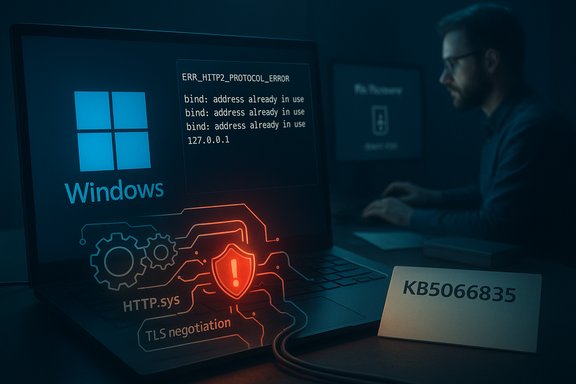
Microsoft’s October cumulative update for Windows 11 (KB5066835) introduced a high-impact regression that broke localhost-based web services for many developers and some production desktop applications, forcing dozens of teams to apply emergency mitigations or roll back the update entirely to restore functionality.
Microsoft shipped KB5066835 (OS builds 26100.6899 and 26200.6899) as the October 14, 2025 cumulative update for Windows 11, describing it as a standard security-and-quality rollup that carried fixes across browsing, PowerShell/WinRM, Windows Hello and other areas. The consolidated update notes do not initially provide a line-by-line explanation for the localhost regression; Microsoft’s official KB page lists the update and its documented fixes while community channels captured the growing operational impact. Within hours of broad rollout, multiple developer communities reported that IIS, IIS Express and other services hosted on loopback addresses (localhost / 127.0.0.1) began failing to respond. Symptoms included browser errors such as ERR_HTTP2_PROTOCOL_ERROR and ERR_CONNECTION_RESET when navigating to localhost, Visual Studio failing to start or attach the debugger to IIS Express sites, and third‑party desktop apps that rely on local HTTP services becoming inaccessible. The issue affected Windows 11 24H2 and 25H2 builds and reproduced widely across upgraded machines while sometimes being absent on clean installs — suggesting a stateful interaction with pre-existing system configuration. This article compiles verified technical details, community-sourced mitigations, vendor advisories and a frank analysis of why an update like this can be so disruptive — plus practical, safe guidance for developers, sysadmins and IT teams who must either restore local dev workflows immediately or plan a controlled rollback for production devices.
Key systemic lessons:
Strengths observed in the response:
The October 2025 KB5066835 incident underscores a fundamental truth for platform software: tightening protocol semantics or swapping defaults at the OS level can expose long-standing assumptions in the ecosystem. The immediate community response delivered actionable mitigations and vendor coordination provided clear guidance — but the episode should motivate both platform vendors and enterprise operators to build more resilient update testing and rollback practices so that developer productivity and operational continuity survive the next inevitable platform regression.
Source: TechPowerUp Microsoft Breaks Localhost with Windows 11 October Update, Users Forced to Revert
 Background / Overview
Microsoft shipped KB5066835 (OS builds 26100.6899 and 26200.6899) as the October 14, 2025 cumulative update for Windows 11, describing it as a standard security-and-quality rollup that carried fixes across browsing, PowerShell/WinRM, Windows Hello and other areas. The consolidated update notes do not initially provide a line-by-line explanation for the localhost regression; Microsoft’s official KB page lists the update and its documented fixes while community channels captured the growing operational impact. Within hours of broad rollout, multiple developer communities reported that IIS, IIS Express and other services hosted on loopback addresses (localhost / 127.0.0.1) began failing to respond. Symptoms included browser errors such as ERR_HTTP2_PROTOCOL_ERROR and ERR_CONNECTION_RESET when navigating to localhost, Visual Studio failing to start or attach the debugger to IIS Express sites, and third‑party desktop apps that rely on local HTTP services becoming inaccessible. The issue affected Windows 11 24H2 and 25H2 builds and reproduced widely across upgraded machines while sometimes being absent on clean installs — suggesting a stateful interaction with pre-existing system configuration. This article compiles verified technical details, community-sourced mitigations, vendor advisories and a frank analysis of why an update like this can be so disruptive — plus practical, safe guidance for developers, sysadmins and IT teams who must either restore local dev workflows immediately or plan a controlled rollback for production devices.What broke: symptoms and technical footprint
How it shows up (practical symptoms)
- Browsers display protocol-level errors (ERR_HTTP2_PROTOCOL_ERROR and ERR_CONNECTION_RESET) when navigating to sites hosted on localhost, even when services are confirmed running.
- Visual Studio projects that rely on IIS Express fail to start or cannot attach the debugger; developers see HttpListener exceptions and failed hot reloads.
- Enterprise desktop products that depend on local IIS for management or inter-process communication (notably Autodesk Vault) reported connection failures until the offending updates were removed.
- Some affected machines only began failing after being upgraded from earlier Windows 11 builds; freshly imaged systems sometimes did not reproduce the problem.
Probable technical locus — HTTP.sys / HTTP/2 / TLS negotiation
Community triage and Microsoft community engineers pointed strongly to a regression in the kernel-mode HTTP listener (HTTP.sys) that impacted HTTP/2 negotiation and TLS handshakes on loopback interfaces. The failure mode appears to be a protocol-level reset during HTTP/2 negotiation, where the OS HTTP stack rejects or resets connections that previously succeeded, effectively severing apps that rely on HTTP.sys for local connections. That assessment is consistent across multiple independent community threads, Microsoft Q&A replies and vendor reports. Microsoft’s public KB did not initially include a consolidated root-cause write-up when the incident first unfolded; Microsoft staff did engage on Q&A with interim guidance. Important caution: while community and Microsoft Q&A contributions coalesce around HTTP.sys/HTTP/2/TLS negotiation as the failure domain, the precise low-level code change inside HTTP.sys (for example, an altered state machine, header handling bug, or post-handshake client-auth semantics) had not been publicly detailed by Microsoft at the time the community workarounds circulated. Treat the low-level internals as strong community-derived analysis until Microsoft publishes a formal technical post-mortem.Who was hit and how broadly
Developer workflows
Local web development is the obvious victim. Millions of developers rely on loopback hosts for:- Debugging web apps with IIS Express (Visual Studio).
- Running integration tests that spin up local servers.
- Local tooling that exposes web interfaces (web-based dashboards, dev portals, self-hosted microservices).
Enterprise / ISV impact
At least one major vendor — Autodesk — confirmed Vault connectivity problems and advised affected customers to remove the update while the company coordinated on a fix or mitigation. That operational impact turned an otherwise development-only pain point into an enterprise issue: management consoles, CAD vault clients and device management tooling that rely on loopback connectivity stopped working in some environments. Vendor acknowledgments made the issue urgent for production environments as well as dev endpoints.Variability in repro
The issue showed variance: many long-lived, upgraded systems reproduced the failure, whereas freshly installed or recently imaged machines sometimes did not. This strongly suggests an interaction between the update and existing system state, configuration, or previously installed components — a classic source of upgrade regressions that pass clean-install testing but surface in the field.Immediate mitigations that worked (field-proven)
For teams who needed a quick remediation, the community converged on three practical mitigations. Each has trade-offs; choose based on risk tolerance and whether the machine is a developer endpoint or production host.- Low-risk first step: install the latest Microsoft Defender security intelligence definitions and reboot.
- Rationale: multiple users reported that an up-to-date Defender intelligence update resolved the issue on some machines. It’s a cheap, reversible first attempt before heavier actions.
- Registry workaround: disable HTTP/2 at the OS HTTP stack level.
- Keys to set (requires admin and reboot):
- HKLM\SYSTEM\CurrentControlSet\Services\HTTP\Parameters\EnableHttp2Tls = 0 (DWORD)
- HKLM\SYSTEM\CurrentControlSet\Services\HTTP\Parameters\EnableHttp2Cleartext = 0 (DWORD)
- Effect: forces fallback to HTTP/1.1 and restores many localhost flows.
- Trade-offs: this is a blunt OS-wide change that disables HTTP/2 benefits globally and may degrade performance for services that depend on HTTP/2. Use temporarily, in isolated dev fleets, and ensure automation includes a rollback runbook.
- Roll back the offending cumulative updates (uninstall KB5066835 and, if necessary, KB5065789), then pause updates for affected machines.
- Commands (run elevated):
- wusa /uninstall /kb:5066835
- Restart
- If needed: wusa /uninstall /kb:5065789
- Restart
- Effect: restores localhost behavior for many users.
- Trade-offs: uninstalling cumulative security updates temporarily reduces the security posture of the device. If you must remove updates from production assets, treat it as a time-limited mitigation and deploy compensating controls (network restrictions, IPS/IDS rules, application whitelisting). Some users reported difficulties or repair loops when attempting to uninstall — test on non-critical machines first.
- Application-layer workarounds
- For ASP.NET Core: run on Kestrel or use a developer reverse proxy to bypass HTTP.sys for local dev.
- Bind services explicitly to 127.0.0.1 and terminate TLS at a user-mode process you control rather than relying on system HTTP stacks.
- This is the safest long-term developer strategy: don’t depend on kernel-level platform behaviors for local dev and CI.
Step-by-step checklist: how to triage and remediate safely
- Confirm the failure mode
- Reproduce the error locally: navigate to the localhost address and capture the browser error (ERR_HTTP2_PROTOCOL_ERROR or connection reset).
- Confirm your server is running and listening on the expected port (use netstat / ss or Test-NetConnection). Log the service process name.
- Try the low-risk step
- Update Microsoft Defender security intelligence and reboot. Verify if services return. This is reversible and should be tried first.
- If still failing, test registry workaround on a non-production machine
- Apply the two registry DWORDs to disable HTTP/2, reboot, and verify service behavior.
- Script the change via Group Policy Preferences or Intune for dev fleets only, and define a rollback script.
- If the registry workaround is unacceptable in scope, prepare for a controlled uninstall
- Validate rollback commands and testing on a non-critical image.
- If uninstall of KB5066835 restores functionality, implement a temporary update hold on the affected device group in your management tool and escalate to security and compliance for compensating measures.
- For production servers that cannot be rolled back
- Consider application-layer changes (reverse proxy, alternative server bindings, run a different HTTP listener that doesn’t use HTTP.sys).
- Coordinate vendor support if third-party apps (e.g., Vault) are impacted; vendors may provide hotfix guidance.
- Monitor for the vendor hotfix
- Watch Microsoft Update channels and the KB change log for a targeted hotfix or patch that remedies HTTP.sys behavior without removing security fixes. Revert registry workarounds and reapply the cumulative update only after testing.
Risks, trade-offs and the security angle
- Uninstalling a cumulative security update is not risk-free. Cumulative updates bundle security fixes; rolling them back re-exposes devices to known vulnerabilities. Plan compensations: restrict network access, enforce strict device-based firewall rules, and implement additional endpoint monitoring until the hotfix is available.
- Disabling HTTP/2 globally is a blunt instrument. HTTP/2 provides tangible performance and multiplexing benefits—removing it may slow down local services or web apps that rely on it for performance testing. Put the registry change behind feature flags and limit it to dev/test images.
- Coordinated rollback at scale is operationally expensive and risky. Uninstall commands can fail on some hosts and may trigger automatic reinstallation unless update policies are adjusted. Enterprises should apply standard canary/pilot testing before wider rollbacks and maintain precise update-block automation for the short term.
Why this happened: lessons on testing, update scope, and stateful upgrades
Touching the kernel-mode HTTP listener (HTTP.sys) is inherently risky because it is a shared dependency for many components: IIS, IIS Express, HttpListener-based services, SMB-based web tooling, and myriad third-party apps. Updates that tighten protocol behavior (HTTP/2 or TLS defaults) can surface long-hidden assumptions in middleware and tooling.Key systemic lessons:
- Real-world testing must include long-lived, stateful upgrade rings in addition to clean installs. Regression exposure often emerges from interactions with legacy configuration and third-party drivers or proxies that are only present on machines that have lived through multiple upgrades. The variable repro pattern here — failing on upgraded machines but not always on clean installs — is a textbook symptom of insufficient long-lived-image testing.
- Kernel-level or platform-layer changes need broader compatibility telemetry and larger third-party application test matrices in vendor QA programs. A change in negotiation semantics (HTTP/2/TLS) can break apps that never previously validated behavior against a spec-tightening change.
- Build and release pipelines should treat platform networking stacks with extra caution. A hardened governance model around changes to HTTP.sys would have reduced blast radius and expedited rollback or targeted hotfix paths.
Cross-checks and vendor confirmation
- Microsoft’s official KB entry for KB5066835 confirms the update, enumerates fixes and lists known issues for other areas, but did not initially publish a succinct root-cause explanation for the localhost regression at publication time. Watch the KB or the Windows Release Health Dashboard for a consolidated hotfix announcement.
- Microsoft Q&A features responses from Microsoft external staff acknowledging the correlation and recommending uninstalls as a current workaround — strong vendor engagement even if a single hotfix had not been posted at first.
- Independent reporting (The Register, Born’s Tech, Windows-centric outlets) documented community reports, reproduced symptoms and vendor advisories; Autodesk publicly acknowledged Vault connectivity problems tied to the update and recommended rollback for affected servers. Cross-checking across these sources validates the core facts: an October cumulative update impacted localhost HTTP flows and required mitigations.
Longer-term recommendations for development and IT teams
- Create separate update rings for developer endpoints. Developer machines need stability of toolchains and localized control over updates. Don’t treat dev boxes as production endpoints for automatic patching. Script and test rollback options for dev images.
- Reduce reliance on kernel-level platform behavior in local dev stacks:
- Prefer Kestrel, dockerized stacks, or explicit user-mode reverse proxies for local TLS termination.
- Use 127.0.0.1 bindings and isolated certificates for testing to avoid implicit dependency on OS-level HTTP stacks.
- Harden update validation pipelines:
- Include long-lived, historically-upgraded images in automated testing.
- Add third-party application smoke tests (popular enterprise apps like Vault, device management clients) to the release validation matrix.
- Maintain a documented rollback playbook:
- Confirm reproducible failure and scope.
- Attempt minimal, reversible fixes (Defender definition / reboot).
- Test registry toggles on isolated machine images.
- Perform controlled uninstall and hold updates when necessary, with compensating controls in place.
Critical analysis: what this reveals about modern OS update risk
The KB5066835 episode is a useful case study in the asymmetry between the benefits of a frequent security-update cadence and the hidden fragility that accumulates in large, stateful fleets. Microsoft’s monthly cumulative model is essential for platform security at scale, but the model also concentrates risk: a single cumulative update touches kernel, networking, and application subsystems together. When a regression lands in a widely shared dependency (HTTP.sys), it can simultaneously impact millions of developers and a non-trivial slice of enterprise deployments.Strengths observed in the response:
- Rapid community triage produced practical, testable mitigations within hours.
- Microsoft community staff engaged in Q&A and recommended temporary measures (including uninstall guidance).
- Vendors like Autodesk quickly pinned vendor advisories and coordinated with customers.
- Variable reproduction across upgraded and clean-image machines suggests gaps in long-lived upgrade testing.
- The immediate mitigation options are imperfect: either disable a global OS feature (HTTP/2) or remove a security update — a lose-lose trade for many environments.
- The lack of an immediate vendor hotfix (initially) forced teams into manual mitigations that have security or performance costs.
Final practical guidance (concise)
- If you’re a developer: pause automatic installation of KB5066835 on your dev machines until you’ve validated it in a test ring; try the Defender-definition update and the registry HTTP/2 toggle on a non-critical machine; move local dev services off HTTP.sys if feasible.
- If you manage production servers that rely on local IIS-hosted services: validate whether uninstalling KB5066835 restores connectivity on a test machine; if so, plan a controlled, documented rollback with compensating security controls while awaiting a vendor hotfix. Coordinate with application vendors for their advisories.
- If you run CI/build agents: stop deploying KB5066835 to build agents and canary pipelines until the update has been validated end‑to‑end; treat build agents as critical continuity resources.
The October 2025 KB5066835 incident underscores a fundamental truth for platform software: tightening protocol semantics or swapping defaults at the OS level can expose long-standing assumptions in the ecosystem. The immediate community response delivered actionable mitigations and vendor coordination provided clear guidance — but the episode should motivate both platform vendors and enterprise operators to build more resilient update testing and rollback practices so that developer productivity and operational continuity survive the next inevitable platform regression.
Source: TechPowerUp Microsoft Breaks Localhost with Windows 11 October Update, Users Forced to Revert