

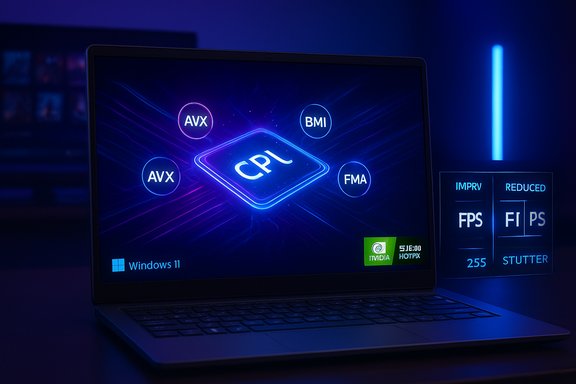
Microsoft’s recent weekly roundup makes clear that the tail end of 2025 is busy: Windows 11 is getting targeted gaming improvements, the Prism emulator on Windows on Arm has been broadened to support modern x86 instruction sets, vendors are issuing new drivers validated for the 25H2 enablement stream, and NVIDIA rolled an emergency hotfix after users reported major FPS regressions following October’s cumulative update.
Background
Windows 11’s 25H2 release is being distributed primarily as an enablement package for devices already on 24H2 rather than as a heavy reinstallation. That means many of the capabilities attributed to “25H2” were already seeded through cumulative and preview updates during 2025 and are activated for eligible systems by a small package that flips on features and advances the OS build number. The delivery model reduces downtime but raises the practical need for driver and vendor coordination because small changes in the kernel, display and emulation stacks can have outsized effects on runtime behavior.Microsoft has on the record framed a broader gaming initiative as a cross‑stack effort: session posture (Full Screen Experience), precompiled shader delivery (Advanced Shader Delivery), DirectX upgrades, and OS‑level AI upscaling (Auto Super Resolution) are being coordinated to reduce stutters, shorten first‑run shader hitches, and make handheld gaming feel more like a console experience. Those platform commitments are already visible in preview builds and partner devices, but they depend heavily on driver validation and store-level adoption to reach their full potential.
Prism emulation: what changed and why it matters
What Microsoft shipped
Microsoft updated Prism, the modern x86/x64 emulation layer used by Windows on Arm, to expose a much wider set of x86 instruction‑set extensions to emulated applications. The notable additions are support for AVX, AVX2 and related extensions such as BMI, FMA and F16C for 64‑bit x86/x64 applications; 32‑bit x86 processes require an explicit opt‑in in compatibility settings. This change is rolling out via Windows 11 servicing (24H2 and 25H2 streams) and is already active on some retail Arm devices. Windows Central and The Verge independently reported the same instruction set expansion, noting practical examples where AVX/AVX2 support unblocks high‑end creative tools and certain AAA games that previously refused to start under emulation. Those two outlets confirm that the feature materially increases compatibility for many demanding workloads on Arm-based Copilot+ and Snapdragon X series hardware.Real‑world impact
- Compatibility: Titles and apps that previously checked for AVX and exited (or fell back to suboptimal code paths) can now start and execute optimized code paths under emulation on supported devices.
- Performance: While Prism’s expanded feature set is a compatibility win, it is not a magic performance boost. Emulated AVX/AVX2 code still runs through translation layers, so performance will generally remain below a native x86 system; however, enabling the true code paths reduces functional blockers and can improve perceived responsiveness for previously incompatible software.
- Developer considerations: Some 32‑bit legacy apps will still need per‑app opt‑ins, and developers shipping native Arm64 builds will still get the best performance. The update narrows the gap in a pragmatic, compatibility-first way.
Caveats and verification
The Prism update was rolled into the servicing stream and is subject to OEM gating and staged entitlement flags. That means end users may see the behavior appear at different times depending on their device vendor and update settings. Also, because this alters how the OS reports available CPU features to software, there’s a non‑zero compatibility risk for apps that make fragile assumptions about the platform; Microsoft’s staged approach and telemetry-driven holds are intended to mitigate widespread breakage.The NVIDIA hotfix and the October cumulative regression
The problem
Following Microsoft’s October 2025 cumulative (KB5066835), widespread community reports and vendor telemetry revealed lower FPS, stuttering, and inconsistent frame pacing in some games on affected systems. The behavior appeared in a range of hardware/driver combinations and was severe enough to prompt rapid vendor investigation. Independent community tracing pointed to interactions between the new OS servicing bits and the graphics driver stack, creating a multi‑vendor troubleshooting challenge.NVIDIA’s response
NVIDIA published a GeForce Hotfix Display Driver 581.94, explicitly to mitigate the lower‑performance symptoms tied to KB5066835. The hotfix was described as a targeted, beta‑quality corrective release that reverses the regression for affected titles and will be folded into the next standard Game Ready driver. Vendor notices warned users that hotfix drivers are not full WHQL releases and, where organizations need stability, waiting for the next validated driver may be preferable. Business reporting and driver‑tracking outlets mirrored these details.Practical advice
- If you saw severe FPS drops or stuttering after October updates, apply the vendor hotfix (for NVIDIA users this is the 581.94 hotfix) only after testing on a spare system or creating a restore point. Hotfix drivers are quick fixes but can be less tested than WHQL/WHQL‑equivalent releases.
- Enterprise and cautious users should follow driver validation queues: test the hotfix in a controlled environment and prefer the next fully validated driver for broad deployment.
- If you rely on anti‑cheat stacks or vertical game integrations, coordinate with software vendors; driver changes that fix rendering regressions can interact unexpectedly with kernel‑level anti‑cheat hooks.
KB5072033 and 25H2 driver validations: what administrators need to know
What the December roll contained
Microsoft’s December cumulative (KB5072033) packaged earlier preview work and advanced Windows 11 to Build 26200.7462 (25H2) and 26100.7462 (24H2). The update combined an SSU and LCU and included broad UI polish (notably wider File Explorer dark‑mode coverage), gaming‑relevant fixes (reducing display‑mode query stutter, addressing games misreporting “unsupported graphics card”), and a set of security patches. Microsoft’s KB page documents the fixes and the staged rollout approach.Driver validation wave
Alongside the cumulative, Microsoft and hardware vendors have been publishing new driver packages that are validated for the 25H2 build. These vendor‑validated drivers are intended to align driver behavior with the new OS expectations — part of Microsoft’s broader push to coordinate OS, driver, and firmware updates more tightly. The validation wave reduces the odds of regressions but does not eliminate them: small driver changes across multiple vendors can still interact unpredictably with OEM‑specific binaries.Operational implications
- Staged activation: Even after the LCU is installed, certain features remain gated by server‑side entitlements and OEM flags. Expect variability in which features appear and when.
- Offline deployment: Microsoft provides .msu and catalog packages for offline deployment, but SSU characteristics change rollback behavior — imaging and rollback playbooks should be re‑validated.
- Known Issue Rollback: Microsoft’s Known Issue Rollback (KIR) and Group Policy toggles are available for specific regressions; administrators should monitor the official KB and apply KIR policies where necessary.
Microsoft’s cross‑stack gaming roadmap: features and limitations
Key pillars
Microsoft is advancing several simultaneous changes intended to improve day‑to‑day gaming on Windows 11:- Xbox Full Screen Experience (FSE): a controller‑first shell that minimizes background services and reclaims RAM for games, making handheld and controller-centric play smoother. Early OEM co‑engineered devices shipped with FSE and Microsoft is rolling the experience out via Insider channels where OEMs enable it.
- Advanced Shader Delivery (ASD): precompiled shader bundles distributed at install time (PSDB/ SODB) so the heavy work of shader compilation happens before first run, reducing the notorious “first‑run” stutters caused by on‑device Just‑In‑Time shader compilation. Adoption depends on engine and storefront support.
- Auto Super Resolution (Auto SR): an OS‑level upscaler that uses on‑device NPUs to upscale lower internal render resolutions to the display resolution, saving GPU cycles and improving effective frame rates on devices with supported neural accelerators. Early availability is constrained to Copilot+ and NPU‑equipped hardware.
- DirectX/DXR improvements (DXR 1.2, Shader Model 6.9): efficiency features like Opacity Micromaps and Shader Execution Reordering that reduce ray‑tracing workload and enable future neural‑rendering primitives.
Trade‑offs and limitations
- Hardware gating: Auto SR and some AI features require an on‑device NPU and specific Copilot+ certification; that restricts early benefits to a subset of devices. Wider availability depends on OEM and silicon roadmaps.
- Store and engine dependencies: ASD’s promise requires game engines and distribution platforms to ship precompiled shader databases. Expect uneven uptake across storefronts and titles, with initial benefits concentrated in Microsoft’s own ecosystems.
- Latency and competitive play: Auto SR introduces a small input‑latency cost in exchange for frame‑rate gains. Competitive players should measure the tradeoff per title and consider disabling any OS‑level scaler for tournaments.
- Compatibility surface: Expanding emulation features (Prism) and moving shader workloads around the ecosystem can unmask fragile integrations in older anti‑cheat, overlay, or kernel‑level tooling. The recent NVIDIA hotfix episode is a reminder that even small servicing changes can cascade across vendor stacks.
Risks, verifications, and what couldn’t be independently confirmed
Verified claims (cross‑checked)
- Prism now exposes AVX/AVX2/BMI/FMA/F16C to emulated 64‑bit apps; corroborated by Windows Central and The Verge.
- NVIDIA released a GeForce hotfix driver (581.94) addressing performance regressions after KB5066835; corroborated by vendor notices and independent reporting.
- Microsoft’s December cumulative KB5072033 advances Windows 11 to Build 26200.7462/26100.7462 and includes gaming‑related fixes and UI polish; corroborated by Microsoft’s KB article and multiple technical writeups.
Claims flagged for caution
- Some early reports and social posts name specific titles as broadly impacted by the October regression; while community telemetry identified some major titles showing symptoms, the interaction patterns were highly dependent on driver version, anti‑cheat, and game engine. Claims that a definitive, universal list of affected games exists are not supported by vendor or Microsoft official lists and should be treated as anecdotal.
- Precise NPU TOPS thresholds repeatedly referenced in community threads as the gating metric for Copilot+ on‑device features are provisionally reported and vary between Microsoft partner documentation and independent reporting; treat these numeric thresholds as advisory until formal certification documentation from Microsoft/OEMs is consulted.
Practical checklist: what gamers and administrators should do now
- Update and test drivers in a controlled way
- For affected gamers: if you observed performance regressions after October updates, test the vendor hotfix (e.g., NVIDIA 581.94) on a non‑critical machine first. Create a full system backup or restore point before installing.
- Validate cumulative updates in staging for fleets
- Administrators should stage KB5072033 in pilot rings and validate critical application and driver behavior before broad deployment. Take advantage of Group Policy for Known Issue Rollback where Microsoft exposes a KIR fix.
- Prioritize WHQL/validated drivers for production machines
- Hotfixes are useful for immediate relief but aren’t a substitute for vendor‑validated WHQL packages in production. Maintain a test matrix for GPU, audio, and peripheral drivers on representative hardware.
- Use OEM entitlements and feature gating thoughtfully
- Because several features are OEM‑gated, do not assume a feature is available merely because the OS build contains the plumbing. Coordinate with OEM update channels and check device firmware/driver bundles.
- Measure before changing gameplay settings
- Auto SR and other OS‑level upscalers can change input feel; use in‑game latency tests or sensitivity tools before enabling them in competitive contexts.
- Keep an eye on anti‑cheat interoperability
- Kernel‑mode anti‑cheat drivers are common points of fragility when drivers or OS servicing change. If you run titles with strict anti‑cheat, validate end‑to‑end flows after driver or OS updates.
The bottom line
Microsoft’s late‑2025 servicing cadence presents a clear trade‑off: users get meaningful, platform‑level gaming and usability improvements (Prism emulation expansion, FSE, ASD, Auto SR) and a stable path to modernized features via an enablement model, but those same incremental OS and driver changes require tighter vendor coordination and more disciplined validation by gamers and IT pros. The Prism update is a visible compatibility win for Windows on Arm that broadens the usable app surface. NVIDIA’s hotfix and Microsoft’s December cumulative illustrate the fragility that can surface when multiple suppliers — OS, drivers, firmware, and stores — must interoperate perfectly.For enthusiasts the promise is real: fewer shader stutters, better handheld behavior, and a broader set of apps that will run on Arm hardware. For administrators the message is equally clear: test, validate, and stage — and treat driver rollouts as first‑class components of any Windows servicing plan. Microsoft’s cross‑stack approach can deliver tangible, everyday improvements, but only if the ecosystem — vendors, OEMs, and developers — synchronizes shipping and testing with the same urgency the end users now expect.
Conclusion
The recent changes are pragmatic and incremental rather than revolutionary: Prism expands compatibility, 25H2 consolidates a year of work, and vendors are responding quickly to regressions. Those are healthy signs for the platform, but they also require a more active posture from users and IT teams. Controlled rollouts, careful driver testing, and an awareness of OEM feature gating remain essential practices as Windows 11’s gaming and Arm‑compatibility story continues to evolve.
Source: Neowin https://www.neowin.net/amp/microsof...g-improvements-new-drivers-for-25h2-and-more/
