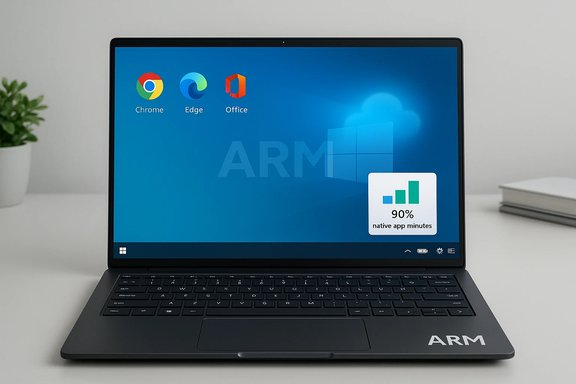
Arm and Microsoft now say Windows 11 on Arm has reached a tipping point: users are spending the majority of their time in native Arm apps, and the platform’s app story is finally good enough for mainstream productivity use.
Windows on Arm has been an on-again, off-again story for more than half a decade. Early devices promised long battery life and always‑connected convenience but were hamstrung by a scarcity of native Arm64 apps and by slow, imperfect emulation for legacy x86/x64 software. That changed in recent product cycles with three parallel moves: stronger Arm silicon for PCs (Qualcomm’s Snapdragon X family), Microsoft’s investment in better emulation (Prism) and developer tooling (ARM64EC), and a steady flow of high‑profile native ports from major app vendors. Together those elements have closed much of the practical gap for everyday productivity workloads. Microsoft and Arm have leaned on a simple metric to signal success: the share of user minutes spent in apps that have native Arm builds. That number—repeated in Arm’s and Microsoft’s messaging—has been presented as evidence that for most users the daily experience is now Arm‑native. Multiple industry outlets picked up the announcement and contextualized it for buyers and IT teams.
But the nuance is important. The 90%+ figure is derived from filtered telemetry snapshots and excludes gaming; it should be treated as a directional sign of ecosystem health rather than proof that every workload will be smooth on every device. For consumers, the takeaway is optimistic: Arm Windows PCs are now viable daily drivers for most users. For IT teams and gamers, the path forward still requires careful verification, staged rollouts and explicit checks for driver and kernel‑mode dependencies.
The ecosystem will be defined by continued native ports, faster driver cadences, and targeted engineering work on anti‑cheat and kernel‑mode components. Until those last pieces fall into place, the Windows on Arm story will be one of rapid progress and practical wins—but not instantaneous parity across the entire Windows software universe.
Source: MSN https://www.msn.com/en-gb/money/tec...vertelemetry=1&renderwebcomponents=1&wcseo=1]
 Background
Windows on Arm has been an on-again, off-again story for more than half a decade. Early devices promised long battery life and always‑connected convenience but were hamstrung by a scarcity of native Arm64 apps and by slow, imperfect emulation for legacy x86/x64 software. That changed in recent product cycles with three parallel moves: stronger Arm silicon for PCs (Qualcomm’s Snapdragon X family), Microsoft’s investment in better emulation (Prism) and developer tooling (ARM64EC), and a steady flow of high‑profile native ports from major app vendors. Together those elements have closed much of the practical gap for everyday productivity workloads. Microsoft and Arm have leaned on a simple metric to signal success: the share of user minutes spent in apps that have native Arm builds. That number—repeated in Arm’s and Microsoft’s messaging—has been presented as evidence that for most users the daily experience is now Arm‑native. Multiple industry outlets picked up the announcement and contextualized it for buyers and IT teams. What the companies actually said — and what the numbers mean
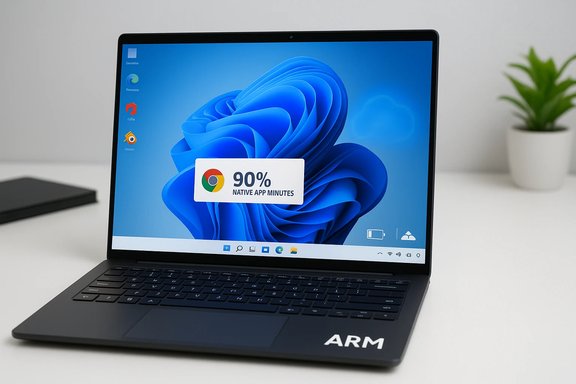
Arm and Microsoft are not claiming every Windows app is Arm‑native. What they are saying is that the apps people actually use for most of their time—browsers, office suites, messaging, streaming, VPNs, creative tools—now largely exist as Arm64 binaries. Arm’s editorial coverage and Microsoft’s messaging report that over 90% of “app minutes” (non‑gaming) on qualifying Arm devices are spent in apps that have native Arm builds. Those statements are drawn from snapshots of telemetry and partner surveys rather than a continuous market census. Key details that matter for interpretation:- The 90%+ figure refers to user minutes in non‑gaming apps on a defined set of devices and geographies. It is not a universal, always‑on market claim. Independent analysis indicates the number is derived from a snapshot (February 2025 was cited in reporting) and from a filtered device sample. That makes it a directional metric, not an absolute measure of platform parity.
- Gaming remains the outlier. Many high‑end games and titles with kernel‑mode anti‑cheat drivers still require native x86/x64 or vendor updates; emulation covers more titles but does not yet equal native performance or compatibility for competitive multiplayer.
- The ecosystem move is real and visible: more than a hundred mainstream Windows apps now offer Arm64 builds, including browsers, collaboration tools, creative apps and utilities. That list includes globally used names that materially affect daily usage patterns.
Technical foundation: why this is happening now
Prism and the emulation bridge
Microsoft’s Prism emulation engine has been substantially upgraded in Windows 11 releases starting with 24H2 and later servicing. Prism expands the class of x86/x64 binaries that will run on Arm devices and, crucially, simulates many modern x64 CPU feature checks that previously caused installers or runtimes to abort. That reduces “won’t install / won’t launch” failures for a wide range of productivity and creative applications. But emulation is a bridge, not a replacement for native compilation; translation adds overhead and does not replicate kernel‑mode drivers.ARM64EC and incremental porting
Microsoft’s ARM64EC ABI (Emulation‑Compatible) lets developers ship hybrid binaries that mix Arm64 code with x64 components. For large, plugin‑driven or dependency‑heavy apps this enables incremental porting—a practical compromise that lets developers get visible performance wins while avoiding a full recompile of every third‑party module. That tooling has materially reduced the developer friction that once deterred ports.Better silicon and OEM support
Qualcomm’s Snapdragon X series (X Elite, X Plus and follow‑ups) brought desktop‑class performance and NPUs tuned for on‑device AI workloads. OEMs pairing that silicon with Windows 11 Copilot+ device design wins have created form factors where the tradeoffs—efficiency, battery life, and always‑connected capabilities—are compelling for many users. When native app builds land, they immediately benefit from better thermal headroom and NPU‑offloading opportunities.Where native apps matter (and where they don’t)
Native Arm builds deliver measurable, practical benefits:- Performance and responsiveness — faster launch times and smoother UI interactions in CPU‑bound tasks.
- Battery life — lower CPU overhead for the same work, which translates to longer real‑world runtimes.
- Thermals — less heat during sustained workloads, enabling thinner fanless designs with more predictable performance.
- Security and future features — native builds can leverage Arm NPU and on‑device AI for next‑generation Copilot integrations.
- High‑end gaming is still better served by native x86 hardware or cloud streaming. Anti‑cheat and kernel drivers are the primary blockers for many multiplayer titles.
- Legacy line‑of‑business software and certain specialized drivers (scanner, printer, virtualization filters) may not yet have Arm64 drivers, creating friction in controlled enterprise environments.
- Niche plugins and kernel‑mode components: some professional media and security stacks still require vendor updates or remain emulated with reduced fidelity.
The app ecosystem today — notable native ports
Arm and industry coverage list dozens of major apps that now offer Arm64 Windows builds or improved emulation experiences. Representative categories and names include:- Browsers and platform staples: Google Chrome, Microsoft Edge, major messaging apps and cloud storage clients.
- Productivity and collaboration: Microsoft 365 apps with Copilot integration, PDF editors, note apps, and Zoom/Teams variants.
- Creative and media: native builds or previews exist for tools like Blender, Adobe Lightroom/Photoshop previews, DaVinci Resolve and other creative utilities—some in official releases and others in beta/preview channels.
- Utilities and common consumer apps: VPNs (NordVPN), media players (VLC), design tools (Canva), and many everyday titles that dominate time spent for typical users.
Independent verification and critical caveats
The headline “90% of user minutes are spent in native Arm apps” is compelling, but the number requires unpacking. Independent reporting and technical commentary reveal the following verification points and caveats:- The 90%+ figure is based on snapshots and filtered samples. One analysis noted the dataset reflected a February 2025 snapshot across a subset of countries and devices, and it excluded gaming app minutes. That narrows the claim’s scope and underlines it as a product‑marketing metric rather than a neutral market statistic.
- Several outlets independently tested Prism and reported substantial compatibility improvements, but also emphasized that emulation is still imperfect for certain installers, driver‑level features and anti‑cheat. Those practical tests confirmed that many mainstream productivity apps run well, but certain pro and gaming workloads remain fragile.
- Community and forum reporting (including collected logs and device tests) shows a consistent pattern: everyday productivity and communication tools are broadly covered by native builds, but long‑tail enterprise apps and classic 32‑bit installers can still fail in pathological cases. That nuance matters for IT procurement.
Strengths — why this is important for buyers and businesses
- Practical parity for productivity: For the majority of office, school, and casual creative workflows, Arm‑native apps and improved emulation remove most of the practical barriers that previously prevented adoption. The result is lighter, longer‑running devices that meet mainstream needs.
- Ecosystem momentum: High‑profile ports from large vendors act as a signaling mechanism that encourages others to port—this network effect is already visible.
- Better battery life for real workloads: Native apps translating to lower CPU overhead yields tangible battery gains in day‑to‑day use rather than artificial benchmark claims. Independent testing and developer reports corroborate meaningful efficiency improvements.
Risks and limits — where IT teams should be cautious
- Sample and scope bias: The quoted metrics come from a filtered dataset and exclude gaming. Procurement decisions must not be based solely on headline percentages—validate with in‑house testing on representative workloads.
- Driver and peripheral support: Many unique enterprise peripherals (special scanners, label printers, virtualization filters, kernel‑mode security agents) rely on x86 drivers. Arm adoption at scale will require vendor driver updates.
- Anti‑cheat and multiplayer gaming: For organizations using Arm devices in education programs that include game‑based learning or for users who expect to game, the platform remains a weak spot. Anti‑cheat ecosystems can lag and break multiplayer play.
- Long‑tail application risk: Large organizations with niche or in‑house applications should treat Arm deployments like any major architecture change: staged pilot, compatibility testing, and a rollback plan.
Practical recommendations
For individual buyers
- Check whether the apps you use daily offer Arm64 builds or run acceptably under Prism emulation.
- Prioritize devices from vendors with clear driver support and fast firmware/Adreno driver channels.
- If gaming is important, test titles of interest before committing; consider cloud streaming as an interim strategy.
For IT managers and procurement teams
- Run a targeted pilot with representative users and hardware. Don’t extrapolate from marketing slides.
- Test kernel‑mode components (antivirus, VPN drivers, virtualization) explicitly in the pilot.
- Maintain a phased deployment with clear rollback and image‑reimaging procedures.
- Work with ISVs to obtain roadmaps for Arm64 ports or ARM64EC migration plans.
For developers and ISVs
- Ship Arm64 or ARM64EC builds for high‑use binaries and invest in testing installers and plugin chains. Native builds are the best route for performance and battery gains; ARM64EC is the fastest path to incremental improvements.
Strategic implications for the PC market
The Arm story for Windows represents a pragmatic, ecosystem‑led approach rather than the vertical integration Apple used with its silicon transition. Microsoft’s strategy combines better translation (Prism), developer tooling (ARM64EC), and OEM+silicon partnerships. That combination reduces adoption friction but does not eliminate the need for third‑party vendor cooperation (drivers, anti‑cheat, and plugins). If the trend continues, expect the Windows laptop market to bifurcate: Arm devices will excel at mobile productivity and battery life, while x86 will remain the specialist choice for heavy gaming and some legacy enterprise workloads.Conclusion
The headline claim—that most users now spend the majority of their Windows‑on‑Arm time inside native Arm apps—accurately reflects a meaningful milestone: the platform has matured enough that everyday productivity is no longer the primary barrier to adoption. That is a critical threshold for mainstream acceptance.But the nuance is important. The 90%+ figure is derived from filtered telemetry snapshots and excludes gaming; it should be treated as a directional sign of ecosystem health rather than proof that every workload will be smooth on every device. For consumers, the takeaway is optimistic: Arm Windows PCs are now viable daily drivers for most users. For IT teams and gamers, the path forward still requires careful verification, staged rollouts and explicit checks for driver and kernel‑mode dependencies.
The ecosystem will be defined by continued native ports, faster driver cadences, and targeted engineering work on anti‑cheat and kernel‑mode components. Until those last pieces fall into place, the Windows on Arm story will be one of rapid progress and practical wins—but not instantaneous parity across the entire Windows software universe.
Source: MSN https://www.msn.com/en-gb/money/tec...vertelemetry=1&renderwebcomponents=1&wcseo=1]