

I’ve spent the past year using an Arm-based Surface Laptop 15 with a Snapdragon X Elite and 32 GB of RAM as a daily driver, and the short, practical answer to “is app compatibility still a problem on Windows 11 ARM?” is: not the way it used to be, but the caveats matter. The platform’s new emulation layer, Prism, plus an increasing number of native ARM64 builds, have turned Windows on Arm from a specialist curiosity into a practical option for many users — while leaving a predictable set of exceptions for specialists, gamers, and people who need kernel-mode drivers or legacy 32-bit helpers. The experience today is mostly “it just works,” but you’ll pay attention to performance, battery, and driver support before switching a workflow that depends on a handful of edge-case apps. )
Windows on Arm began as an experiment in portability and battery life, but it struggled for years because the x86/x64 software ecosystem was built around Intel and AMD instruction sets. Early ARM-based Windows devices required apps to be recompiled for Arm64 or they simply didn’t run. That created a classic chicken-and-egg problem: developers didn’t prioritize ARM builds because the user base was small, and users didn’t adopt Arm devices because many apps wouldn’t run.
Microsoft’s approach since then has been twofold:
In late 2025 Microsoft expanded Prism’s emulation coverage to include additional x86 instruction-set extensions such as AVX, AVX2, BMI, FMA, and F16C. This wasn’t a minor tweak — it removed dozens of hard “won’t run” checks that blocked modern creative tools and many games from launching. Microsoft documented these compatibility settings and options in their Arm emulation documentation, including the ability to revert emulation behavior to older levels for specific apps that misbehave under the newer emulator.
Benefits of native/Arm64EC builds:
That said, compatibility is no longer a single binary question; it’s now a checklist. If your needs include niche drivers, legacy tooling, the absolute maximum rendering throughput, or specific multiplayer titles that still depend on unported anti‑cheat stacks, you’ll want to validate those elements up front. The ecosystem is improving rapidly — Microsoft’s metric that “more than 85% of Game Pass” runs on Arm is a useful headline — but the platform’s maturity will continue to grow title-by-title and vendor-by-vendor.
In short: app compatibility on Windows 11 ARM is no longer the showstopper it once was. It’s a managed risk. Do the homework, prefer native ARM builds when possible, and you’ll find Arm-based Windows machines are now a practical, power-efficient option for a much broader audience than ever before.
Source: Windows Latest Is app compatibility still a problem on Windows 11 ARM? I tested some popular apps
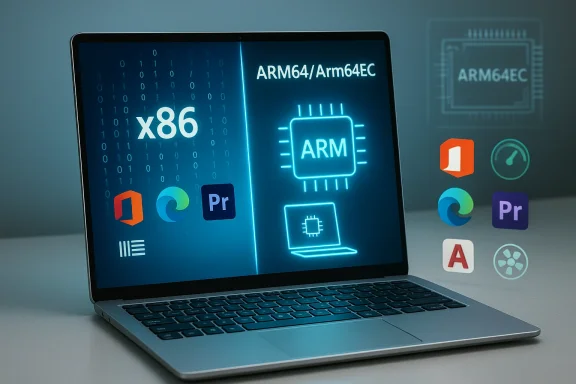 Background: why app compatibility used to be a problem
Windows on Arm began as an experiment in portability and battery life, but it struggled for years because the x86/x64 software ecosystem was built around Intel and AMD instruction sets. Early ARM-based Windows devices required apps to be recompiled for Arm64 or they simply didn’t run. That created a classic chicken-and-egg problem: developers didn’t prioritize ARM builds because the user base was small, and users didn’t adopt Arm devices because many apps wouldn’t run.Microsoft’s approach since then has been twofold:
- Improve translation/emulation so existing x86/x64 binaries run on Arm without developer intervention (Prism).
- Encourage, document, and enable deve ARM64 or Arm64EC builds for best performance and battery life.
What Prism is and what changed recently
The technical baseline
Prism is the application compatibility layer Microsoft developed with silicon partners to translate x86/x64 instructions into Arm64 so binaries compiled for Intel/AMD can run on Arm processors. For many simple utilities and productivity apps, this translation is practically invisible. But long-standing limitations included missing CPU instruction extensions (like AVX) and kernel-mode components that emulation couldn’t cover.In late 2025 Microsoft expanded Prism’s emulation coverage to include additional x86 instruction-set extensions such as AVX, AVX2, BMI, FMA, and F16C. This wasn’t a minor tweak — it removed dozens of hard “won’t run” checks that blocked modern creative tools and many games from launching. Microsoft documented these compatibility settings and options in their Arm emulation documentation, including the ability to revert emulation behavior to older levels for specific apps that misbehave under the newer emulator.
What the update enables
- Apps that previously refused to install because they detected “no AVX” can now install and run under emulation.
- More 64-bit Windows apps — including heavier creative tools and many Game Pass titles — can launch on Arm devices.
- Microsoft published notes that this Prism update rolled out to Windows 11 devices on version 24H2 and later, and it is enabled by default for x64 apps. ([techcommunity.microsoft.com](Windows on Arm runs more apps and games with new Prism update | Microsoft Community Hub stopped being a fragile shim and became a far more capable translation layer. That changed the practical compatibility landscape overnight. But translation is not a free lunch: there is overhead, and some workloads still prefer native code.
The current compatibility picture: what works and what doesn’t
Productivity and everyday apps
- Most modern productivity apps — Microsoft Office, Edge, Firefox, and many IDEs — run natively or via very good emulation. The majority of day-to-day tasks (browsing, email, documents, light coding) feel comparable to x86 machines.
- Apps offered as ARM64 builds (Edge, Chrome, Firefox in native forms increasingly) deliver the best battery life and responsiveness.
Creative and professional software
- Thanks to Prism’s AVX/AVX2 emulation, some previously blocked creative apps ca, and we’re seeing more vendors provide ARM-native betas or releases. Microsoft’s documentation and TechCommunity posts highlight examples such as Ableton working after Prism updates. Still, heavy media workloads (GPU-accelerated render passes, large timeline exports) may show slower throughput compared with high-end x86 desktops. ([techcommunity.microsoft.com](Sign in to your account
- Adobe moved many of its apps to ARM-native or ARM-capable builds in 2024–2025, and there are now ARM-native releases or betas for Premiere and After Effects. When native builds exist they outperform emulated equivalents on both speed and battery. The WindowsLatest testing roundup reflects that nuance: several Adobe apps ran in native or beta ARM builds and showed improved characteristics when native.
Specialized engineering apps, utilities, and drivers
- CAD and engineering suites (AutoCAD, SolidWorks) can run under emulation in many cases, but not all features are guaranteed. Some kernel-mode or driver-dependent features, third-party plugins, or hardware-specific toolchains may fail. The WindowsLatest tester observed that AutoCAD and SolidWorks ran under emulation but with limitations. That’s a common pattern: launchability is often solved; full parity is still per-title.
- Device drivers remain a real constraint. Printers, scanners, and niche USB hardware still require Arm64 drivers or compatibility layers; if a vendor hasn’t shipped a driver, the device may not work.
Games and anti-cheat
- Gaming was one of the most conspicuous failure modes for Windows on Arm originally, because engines often probe for specific CPU features and anti-cheat systems included kernel components that were x86-only.
- Microsoft’s late-2025 Prism update plus coordination with anti-cheat vendors has changed the game: the Xbox PC app is now available on Arm-based Windows 11 PCs, and Microsoft states more than 85% of the Game Pass catalog is compatible on these machines. That’s a major platform milestone and was documented by Microsoft and corroborated in independent coverage. But compatibility is still title-by-title for performance and multiplayer parity — publishers and anti-cheat vendors must validate each title.
Performance and battery: the trade-offs of emulation
Prism makes previously impossible workloads possible, but emulation carries predictable costs.- Emulated apps can use more CPU cycles and memory for the same task compared with native ARM64 code. That translates to higher power draw and shorter battery life under heavy workloads.
- Emulation can also increase thermal output: on thin-and-light laptops with modest thermal envelopes, you may see higher sustained fan speeds and lower peak performance under long-running CPU- or SIMD-heavy tasks.
- Lightweight utilities and productivity software running under Prism usually feel nearly identical to x86 hardware.
- CPU- or AVX-heavy workloads (large media exports, physics simulations, some game engines) often run slower, expend more power, and push fans harder than the same workload compiled natively for ARM or run on equivalent x86 silicon. WindowsLatest’s practical test list mirrors these observations: many apps “just work,” but expectations about throughput and battery must be managed.
Native ARM64 and Arm64EC: the performance path forward
The best experience on Arm remains native ARM64 code, or Arm64EC (the “Emulation Compatible” model that lets developers ship mixed native/emulated binaries to ease migration).Benefits of native/Arm64EC builds:
- Lower CPU overhead and higher single-thread and multi-thread throughput.
- Better battery life and thermals because the silicon runs efficient native code paths.
- Full access to SIMD / neon optimizations on Arm, and—when developers rework critical hot paths—sometimes better perf-per-watt than x86 equivalents.
A practical compatibility checklist for buyers and IT managers
If you’re testing a Windows 11 Arm PC for personal or organizational use, work through this checklist:- Inventory: list the specific apps, drivers, and hardware your workflow requires.
- Check native support: identify which apps have ARM64 or Arm64EC builds and prefer those.
- Verify emulation behavior: for apps without native builds, test under current Windows 11 24H2+ builds to confirm they launch and run acceptably.
- Evaluate drivers: validate that printers, scanners, dongles, and specialty USB hardware have Arm64 drivers.
- Test long-running workloads: run realistic, sustained tasks to see thermal and battery effects.
- Confirm multiplayer or online requirements: verify anti‑cheat or DRM stacks are Arm-compatible where relevant.
Case studies from recent coverage and testing
Xbox app and Game Pass on Arm
Microsoft announced in January 2026 that the Xbox PC app is now available on Arm-based Windows 11 PCs, enabling local downloads and Game Pass integration on Arm devices. Microsoft claims “more than 85% of the Game Pass catalog” is compatible on Arm devices, a metric that mixes native ARM builds and titles judged compatible via emulation. Independent outlets (Tom’s Hardware, The Verge, Engadget) corroborate the announcement and’s AVX/AVX2 emulation and coordination with anti‑cheat vendors were essential enablers. This move materially expands gaming availability on Arm laptops and handhelds, but it remains a per-title experience for performance and multiplayer.Creative tools and AVX dependence
Microsoft’s Prism update explicitly targeted AVX/AVX2 support because many creative and audio apps check for those features. The Windows TechCommunity posts and Microsoft Learn guidance show examples where the lack of AVX caused installers to refuse to proceed; after Prism’s update, those installers succeed. Ableton Live was specifically called out as a beneficiary of the expanded emulation. That illustrates Prism’s role in turning “won’t install” failures into workable experiences — but again, native builds remain preferred for performance.Real-world tester notes
The practical table of app compatibility included by WindowsLatest is a useful snapshot: most productivity and common multimedia apps ran, many natively or in beta ARM builds; some engineering and game titles ran under emulation but with partial functionality; a handful of specialized apps and drivers were problematic. That aligns with platform-wide testing across outlets and community projects that track per-title status. Use such lists as starting points, not certainties.Strengths: where Windows 11 ARM shines today
- Battery life and always-connected designs: Arm-based laptops commonly win for standby and cellular connectivity while delivering long runtimes for normal productivity.
- Compatibility ceiling has risen: Prism plus native apps mean most mainstream workflows are possible without compromises.
- Gaming is no longer purely cloud-only: Xbox app downloads and Prism improvements open many Game Pass titles to local play on Arm devices.
- Modern developer tooling: Arm64EC and Visual Studio tooling make it easier for vendors to port hot paths and deliver good experiences.
Risks and what still needs work
- Performance parity isn’t universal. Emulation reduces barriers, but it does not guarantee equal performance to native x86 builds — particularly for SIMD-heavy, CPU-bound work. Expect variability and plan accordingly.
- Drivers and peripherals remain a chokepoint. If your workflow depends on specialized kernel-mode drivers or legacy USB accessories, the vendor must provide Arm64 drivers or you may be blocked.
- Anti-cheat and multiplayer parity is rolling out. While major vendors have adapted, not every multiplayer title is immediately usable with local installs; the ecosystem improvement is incremental and publisher-dependent.
- 32‑bit legacy helpers and odd installers are edge cases. Some installers and legacy launchers that rely on 32-bit components still require troubleshooting or workarounds.
- Per‑title performance tuning is required. For pro use, developers must invest engineering time to get parity through Arm64 or Arm64EC ports.
Recommendations: when to choose Windows 11 ARM and when to stay x86
Choose Windows 11 ARM if:- You value battery life, instant-on, and integrated cellular connectivity.
- Your day-to-day apps are modern productivity tools, web apps, or editors that either ship native ARM64 builds or run fine under Prism.
- You want a lightweight, quiet portable for office, media, and light creative work and are willing to accept some heavy-workload compromises.
- You play many Game Pass titles and want the option of local installs on handheld or laptop Arm hardware.
- Your workflow depends on niche drivers, legacy 32-bit helpers, or specialized engineering software with known problems under emulation.
- You need the absolute best raw throughput for long, sustained simulation, rendering, or compile tasks and the vendor doesn’t provide native Arm builds.
- You require guaranteed multiplayer parity for titles whose anti‑cheat stacks aren’t yet Arm‑compatible.
Practical tips for the switch
- Test your exact workload on the target device before buying at scale. Emulate real timelines and file sizes.
- Prefer ARM64 builds where available; check official vendor pages and community trackers for Arm support lists.
- Keep Windows 11 updated (24H2 or later) to get the latest Prism improvements and driver updates.
- Use Microsoft’s emulation compatibility settings to troubleshoot apps that misbehave after Prism updates. These toggles can revert emulation to older behavior or hide newer CPU features when needed.
- If you’re IT, pilot the devices with a cross-section of end users and collect plugin/driver telemetry before a full rollout.
Conclusion: compatibility is solved — mostly, but not completely
Windows 11 on Arm has moved from “not ready for most users” to “ready for many users.” The Prism emulator’s expansion to include AVX/AVX2 and related extensions, plus Microsoft’s work with anti-cheat vendors and the Xbox app rollout, are real turning points that have removed many of the old blockers. For everyday productivity, browsing, streaming, and many creative tasks, modern Arm laptops now deliver practical, even delightful experiences.That said, compatibility is no longer a single binary question; it’s now a checklist. If your needs include niche drivers, legacy tooling, the absolute maximum rendering throughput, or specific multiplayer titles that still depend on unported anti‑cheat stacks, you’ll want to validate those elements up front. The ecosystem is improving rapidly — Microsoft’s metric that “more than 85% of Game Pass” runs on Arm is a useful headline — but the platform’s maturity will continue to grow title-by-title and vendor-by-vendor.
In short: app compatibility on Windows 11 ARM is no longer the showstopper it once was. It’s a managed risk. Do the homework, prefer native ARM builds when possible, and you’ll find Arm-based Windows machines are now a practical, power-efficient option for a much broader audience than ever before.
Source: Windows Latest Is app compatibility still a problem on Windows 11 ARM? I tested some popular apps
