

Microsoft’s latest Insider release for Windows 11 brings a meaningful upgrade to Arm-based PCs: Prism, the operating system’s x86/x64 emulation layer, now advertises and emulates a broader set of 64-bit x86 CPU features by default for x64 applications, reducing hard compatibility blockers and letting many previously blocked desktop apps run where they would not before.
Microsoft introduced Prism as a replacement for the older emulation stacks on Windows on Arm, with the explicit goal of making x86 and x64 Windows applications run transparently on Arm64 hardware. Prism translates x86/x64 instruction streams into Arm64 code at runtime, caches translated blocks, and exposes a virtual CPU to applications so they can query supported features the same way they would on Intel or AMD hardware. This approach moves many compatibility checks from “will not run” to “may run,” provided the emulator can mimic the CPU features the app expects. The Windows Insider Preview Build identified in community reporting as Build 26220.7051 (delivered as KB5067115 in some Insider channels) begins enabling the next phase of that strategy: exposing additional x64 CPU extensions — previously missing — so apps that probe for advanced SIMD and instruction-set features can pass their checks and continue to execute under emulation. The rollout is staged and controlled via feature flags and toggles, with Microsoft encouraging Insider feedback on any compatibility or performance regressions.
However, the user-visible experience will vary:
That said, this is an evolutionary improvement — not a silver bullet. Performance, driver compatibility, and anti-cheat/kernel-mode constraints remain real considerations. For users and organizations, the rule of thumb is to treat emulation as a compatibility bridge: valuable for increasing usable software today, but not a replacement for native Arm64 builds when performance, power efficiency, and driver-level features matter.
Insiders and early adopters should test their key applications on representative Arm hardware, use the Emulation Settings for targeted troubleshooting, and report detailed feedback through the Feedback Hub to help shape Prism’s final rollout. The result of those tests will determine how quickly Prism transitions from “better compatibility” to a genuinely mainstream platform for productivity, creativity, and gaming on Arm.
Source: Windows Report KB5067115 Enhances Windows on Arm with Improved 64-bit App Emulation via Prism
 Background
Microsoft introduced Prism as a replacement for the older emulation stacks on Windows on Arm, with the explicit goal of making x86 and x64 Windows applications run transparently on Arm64 hardware. Prism translates x86/x64 instruction streams into Arm64 code at runtime, caches translated blocks, and exposes a virtual CPU to applications so they can query supported features the same way they would on Intel or AMD hardware. This approach moves many compatibility checks from “will not run” to “may run,” provided the emulator can mimic the CPU features the app expects. The Windows Insider Preview Build identified in community reporting as Build 26220.7051 (delivered as KB5067115 in some Insider channels) begins enabling the next phase of that strategy: exposing additional x64 CPU extensions — previously missing — so apps that probe for advanced SIMD and instruction-set features can pass their checks and continue to execute under emulation. The rollout is staged and controlled via feature flags and toggles, with Microsoft encouraging Insider feedback on any compatibility or performance regressions. What changed: the technical summary
More emulated CPU features for x64 apps
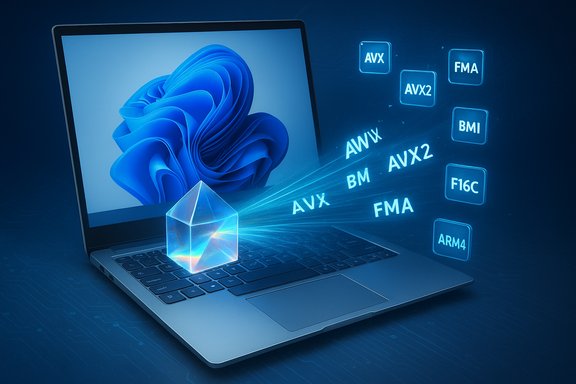
The new Prism behavior makes a set of 64-bit x86 (x64) CPU features available to emulated processes by default. Those features include, but are not limited to:- AVX and AVX2 (Advanced Vector Extensions)
- BMI (Bit Manipulation Instructions)
- FMA (Fused Multiply-Add)
- F16C (half-precision floating point conversion)
- Related SIMD and ISA extensions commonly queried by modern creative and scientific applications
How the features are implemented
Prism implements this as part of its JIT-style translation layer. Instead of trying to fake hardware behavior at the kernel level, Prism translates offending x86/x64 code into efficient Arm64 sequences and exposes the emulated features through the same software interfaces that native x86 CPUs use. Applications that query CPUID or read feature flags will now receive responses indicating the presence of these simulated extensions, letting them bypass preflight checks that previously aborted startup. The actual instruction behavior is handled through translation and software emulation where necessary.Why this matters: compatibility and performance implications
Real-world compatibility gains
This update removes a major class of “won’t run at all” failures on Windows on Arm. Applications that were blocked by CPUID checks — particularly modern creative and engineering apps, or games that check for AVX/AVX2 — may now proceed past those checks and initialize. Early retail examples during Prism testing included professional-grade tools that had been blocked until the emulator began advertising these extensions. For users of devices like the Surface Pro X and Lenovo ThinkPad X13s, that translates to more desktop apps launching and running without a native Arm64 build.Performance trade-offs
Emulating SIMD and wide-vector instructions comes at a cost. AVX/AVX2 are designed to run on x86 silicon with dedicated hardware support and wide vector pipelines. On Arm, Prism must translate and emulate these semantics in software, which is inherently more expensive than native execution. Translation JIT caches and micro-optimizations reduce runtime overhead, and reports from early testers show notable improvements over older emulators, but performance will not match native x86 hardware and will frequently not match native Arm64 builds. Expect:- Increased CPU work and therefore higher power draw for SIMD-heavy workloads
- Thermal throttling on thin-and-light Arm laptops under sustained load
- Variable frame rates in games, depending heavily on GPU driver maturity and the SoC’s performance envelope
Anti-cheat and kernel-level drivers
A persistent restriction is that emulation handles user-mode code only. Kernel-mode drivers, low-level anti-cheat components, VPN and virtualization drivers, and other privileged modules must be native Arm64 to function. That means some games and enterprise apps that rely on kernel drivers or anti-cheat systems may still fail to work, or will be blocked by vendors for compatibility reasons. Microsoft and partners have been coordinating with anti-cheat vendors to reduce friction, but not every driver or vendor will behave identically under emulation — so results will vary title by title.What end users will notice
More apps will launch — but not necessarily run well
In practical terms, users should notice that certain professional tools and games that used to refuse to start will now attempt to run. Installation dialogs and runtime probes that previously failed due to missing CPU features should succeed more often.However, the user-visible experience will vary:
- Some apps will behave almost identically to native x64 on low-to-moderate workloads.
- SIMD-heavy tasks (rendering, heavy signal processing, certain physics engines) can still be slower and warmer on Arm due to emulation overhead.
- Web-wrapped apps and those that rely heavily on managed runtimes or JITs (Electron apps, browsers) may not see the same benefits because much of their workload is already dynamic or interpreted.
New per-app emulation controls
Microsoft provides per-executable emulation options via the Properties > Compatibility tab on Arm systems. The Emulation Settings dialog allows users and IT pros to opt specific executables into or out of certain compatibility toggles — for example, enabling or disabling certain translation optimizations, or explicitly hiding x64 capabilities for 32-bit installers that misdetect the platform. That control is useful for troubleshooting stubborn installers or tuning behavior for power-sensitive workloads. Microsoft warns that toggling these settings can make things worse in some cases, so use them as targeted troubleshooting tools rather than blanket fixes.What developers should know
Porting remains the best path
Emulation is a bridge, not a final destination. The most robust path to delivering a great experience on Arm-based hardware remains:- Recompile or rebuild the application and native components for Arm64.
- Where interoperability is required, consider Arm64EC (Emulation-Compatible) builds to mix Arm64-native and x64 components in the same process during incremental migration.
- For kernel-mode drivers, file-system filter drivers, or other privileged components, provide native Arm64 drivers — these cannot be emulated.
Test with the new virtual CPU behavior
Because Prism now reports additional x64 features to emulated apps, developers should:- Re-run compatibility tests that previously failed on Arm hardware to identify regressions and formerly blocked scenarios.
- Use CPU feature probes in test harnesses to verify runtime behavior under emulation.
- Investigate edge cases where an x64 process spawns a 32-bit helper or installer; these mixed-architecture patterns may still fail to detect emulated features and require explicit handling.
Step-by-step: How to use the new emulation settings (user-facing)
- Locate the problematic executable (.exe) in File Explorer.
- Right-click the file and choose Properties.
- Open the Compatibility tab.
- Click Change emulation settings (available on Windows on Arm systems).
- Use the toggles to:
- Opt a 32-bit app into upgraded emulation behavior if necessary.
- Disable or enable JIT optimizations, floating-point emulation, or RWX page optimizations to troubleshoot specific crashes or startup failures.
- Apply changes and re-run the app. If the app still fails, revert the settings and try a different combination, or report details via Feedback Hub.
Platform-level caveats and enterprise considerations
Power, thermals, and sustained workloads
Emulation translates extra work onto the Arm SoC. For enterprise users evaluating Arm laptops for fieldwork, developer machines, or creative production, it’s important to consider the full system-level picture:- Battery life will often be lower under heavy emulation than native workloads.
- Thin-and-light Arm devices may hit thermal limits faster when running sustained SIMD-heavy tasks.
- Enterprise deployment plans should include real-world testing of target applications on representative Arm hardware.
Driver and virtualization constraints
If your environment depends on hypervisors, specialized kernel drivers, or hardware-accelerated virtualization, verify support on the specific Arm platform. Some virtualization features and specific drivers remain unsupported or require native Arm64 versions. That includes:- Kernel-mode anti-cheat or DRM drivers used by certain games
- Device filter drivers for imaging, capture, or security stacks
- Hypervisor or virtualization features that rely on chipset-specific capabilities
Gaming on Windows on Arm: a measured optimism
The gaming community will likely be the loudest to celebrate and critique these changes. Enabling AVX/AVX2 emulation opens the door for titles that previously refused to launch on Arm devices. However:- Game performance will hinge on GPU drivers (Vulkan/DirectX implementations for Arm), anti-cheat compatibility, and the balance between CPU-bound and GPU-bound workloads.
- Titles that rely on kernel-mode anti-cheat drivers may still be blocked or unstable.
- Emulation overhead can reduce frame rates, especially in CPU-bound scenes; however, for many less-demanding titles or well-optimized engines, the experience can be functionally playable.
Strengths of Microsoft’s approach
- Compatibility-first design: By exposing widely-used x64 ISA extensions, Microsoft eliminates a major class of incompatibility checks that caused outright failures.
- Per-app controls: Emulation settings in Properties provide granular troubleshooting tools for users and IT pros, reducing the need for wholesale workarounds.
- Staged rollout and telemetry: The gradual enablement on Insider channels and retail devices allows Microsoft to collect compatibility data and coordinate with ISVs and anti-cheat vendors before wider distribution.
- Developer-friendly migration path: Support for Arm64EC and explicit guidance for native builds means developers can plan incremental migrations rather than complete rewrites.
Risks and limitations (what to watch out for)
- Performance is not guaranteed: Emulated AVX/AVX2 will not match native x86 silicon; some tasks will be significantly slower and more thermally taxing.
- Kernel-mode limitations persist: Any software that needs kernel drivers must be ported. Emulation cannot solve driver-level compatibility.
- Anti-cheat and DRM variability: Vendor-specific behaviors mean some games will still be blocked or suffer stability problems.
- Unpredictable edge cases: Mixed-architecture processes — for example, x64 app + 32-bit launcher — may not see the same features and could fail. Emulation toggles can help but may not always provide a clean fix.
Practical guidance: recommended checklist for users and IT administrators
- Ensure Arm device firmware and GPU drivers are up to date before testing emulated apps.
- Use the per-executable Emulation Settings in Properties for troubleshooting specific installers or apps.
- Prefer native Arm64 or Arm64EC binaries for sustained workloads and critical applications.
- For gaming: check anti-cheat compatibility and look for vendor statements or community reports before assuming a title will work.
- For developers: build Arm64 and consider Arm64EC for incremental migration; test emulated behavior and audit any code paths that query CPU features.
- Report regressions via Feedback Hub with reproducible steps to help Microsoft and ISVs improve Prism behavior.
How to interpret vendor and press claims
Multiple outlets and community threads have reported on Prism’s expanded virtual CPU features, and Microsoft’s documentation outlines how emulation settings work. Cross-referencing articles and Microsoft docs shows clear agreement that:- Prism now advertises additional x64 features to emulated processes.
- The feature set targets x64 applications by default; 32-bit apps require explicit opt-in via emulation settings.
- Emulation is implemented at the translation layer, not by adding kernel-level x86 hardware emulation.
What to watch next
- Wider retail rollout and official cumulative updates that promote Prism’s expanded feature set out of Insider channels.
- OS-level telemetry and Microsoft guidance that quantify expected workloads and power/thermal impacts on mainstream Arm devices.
- Vendor responses from major ISVs (Adobe, Autodesk, game publishers) about support or native ports inspired or accelerated by Prism’s enhanced emulation.
- Anti-cheat vendor updates that explicitly list supported/unsupported configurations on Arm devices.
Conclusion
The Prism improvements enabled in the latest Insider build represent a pragmatic and important step forward for Windows on Arm. By emulating commonly required x64 CPU extensions and exposing them to emulated processes, Microsoft removes a major barrier that produced outright failures for many desktop apps and some games. The net effect should be a more useful, broader Windows experience for Arm laptop owners, particularly on devices like the Surface Pro X and Lenovo ThinkPad X13s.That said, this is an evolutionary improvement — not a silver bullet. Performance, driver compatibility, and anti-cheat/kernel-mode constraints remain real considerations. For users and organizations, the rule of thumb is to treat emulation as a compatibility bridge: valuable for increasing usable software today, but not a replacement for native Arm64 builds when performance, power efficiency, and driver-level features matter.
Insiders and early adopters should test their key applications on representative Arm hardware, use the Emulation Settings for targeted troubleshooting, and report detailed feedback through the Feedback Hub to help shape Prism’s final rollout. The result of those tests will determine how quickly Prism transitions from “better compatibility” to a genuinely mainstream platform for productivity, creativity, and gaming on Arm.
Source: Windows Report KB5067115 Enhances Windows on Arm with Improved 64-bit App Emulation via Prism
