

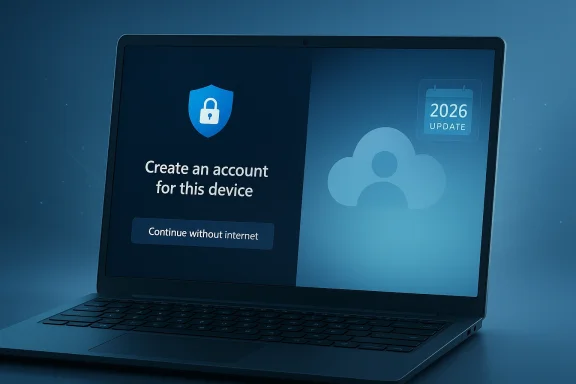
Microsoft’s apparent willingness to revisit Windows 11’s online account requirement is more than a small quality-of-life tweak. It would mark a meaningful shift in how Redmond balances cloud-first strategy against the long-running demand for local control, offline setup, and a less intrusive first-run experience. If the company follows through, it could ease one of the most unpopular parts of Windows 11 while also sending a signal that user feedback finally matters again.
The timing is notable because this debate has been building for years. Windows 11 has steadily become more opinionated about sign-in, syncing, and connected services, even as competitors such as Linux and macOS have continued to give users more choice at setup. Now, with Microsoft publicly discussing broader Windows 11 improvements for 2026 and an engineer acknowledging the pain point internally, the company appears at least open to a rethink rather than simply defending the status quo.
Windows has always been a tug-of-war between convenience and control. Earlier versions offered a straightforward local account by default, and many power users, enterprises, and privacy-conscious consumers considered that the normal way to set up a PC. Over time, Microsoft moved steadily toward Microsoft accounts, cloud sync, and services tied more tightly to the operating system.
That shift accelerated with Windows 11, which made the online account requirement especially visible during the out-of-box experience. For many users, this was the first genuinely frustrating moment of a fresh install: you could not simply create a machine-local identity and continue offline. Instead, the setup process increasingly pushed people toward a connected Microsoft ecosystem whether they wanted it or not.
The backlash was predictable. Some users objected on privacy grounds, others wanted air-gapped or semi-isolated systems, and many simply had no reliable internet connection when setting up a device. In practice, this created a strange modern paradox: a desktop operating system built on decades of local autonomy now often required a network connection just to get started.
Microsoft’s response up to now has not exactly been subtle. The company repeatedly tightened the screws on known bypasses, closing off popular workaround commands and reducing the usefulness of third-party methods that let users skip the online sign-in step. That behavior made the policy feel less like a user-friendly default and more like an enforcement campaign.
At the same time, Microsoft has been under broader pressure to make Windows 11 feel lighter, faster, and less cluttered. The company has talked about improving File Explorer, handling updates more gracefully, reducing resource usage, and dialing back some of the more aggressive AI and cloud feature pushes. In that context, loosening the login requirement would not be an isolated gesture; it would fit a larger effort to make Windows feel less coercive and more practical.
That matters because corporate posture often tells you as much as product roadmaps do. When a recurring criticism is ignored, users assume the company considers it settled. When an engineer responds with visible frustration and says “Working on it,” the message changes: the issue is at least alive internally, and likely being debated rather than dismissed.
There is still ambiguity, of course. A casual social-media response does not guarantee a shipped feature, a deadline, or even a formally approved project. But it does indicate that the problem has made it into the company’s own ecosystem of priorities, which is more than the silence users were getting before.
For families, the requirement can be especially awkward. A parent configuring a child’s laptop may prefer a local account with minimal linkage to cloud services. For businesses, the expectation that every setup begins with a consumer identity can feel like a poor fit for managed or restricted environments.
There is also the privacy issue, which persists even when people accept that cloud features can be useful. Users may like backup, device sync, and app continuity, but still want to decide when that relationship begins. Choice is the keyword Microsoft has struggled to preserve here.
The shift suggests Microsoft knows the brand has taken on some wear and tear. Windows 11 has delivered real improvements, but it has also accumulated complaints about bloat, cloud dependence, and experiences that feel optimized for Microsoft’s strategy more than the user’s workflow. In that context, reducing friction during setup is a symbolic fix with outsized psychological value.
It also matters that Microsoft has been paying closer attention to the competitive landscape. Linux has become more usable for mainstream desktop users and gaming enthusiasts, while Apple continues to refine the macOS onboarding experience in a way that feels polished and comparatively low-conflict. Neither competitor is perfect, but both reinforce the idea that setup should serve the user first.
There is also a support angle. If the company makes the offline route too hidden or too brittle, it risks recreating the same complaints in a different form. If it makes the route clear and robust, it could reduce circumvention entirely, which is probably better for both customers and Microsoft.
The business tradeoff is obvious. Microsoft benefits when users sign in because that creates continuity across devices, subscription services, and cloud storage. But forcing that relationship too early can backfire, especially when users feel manipulated. Voluntary adoption is usually stickier than coerced adoption.
For enterprises, the implications are even more practical. IT teams often need predictable deployment workflows, and mandatory consumer-style online sign-in can be a poor fit for imaging, staging, and controlled provisioning. Removing the requirement would make Windows 11 easier to deploy in environments where the account model should be dictated by policy, not by the consumer OOBE.
The enterprise angle also raises an important distinction: Microsoft account sign-in is not the same as managed identity. Companies use Entra ID, Active Directory-related tooling, and device management systems that have their own rules. A consumer-first login requirement can become a needless complication in an environment that already has mature identity governance.
For Windows, the issue is not that users will abandon the platform in huge numbers overnight. It is that perceptions harden slowly. When people repeatedly encounter needless friction, they start to see Windows as controlling rather than enabling. That impression matters in an era where switching costs are lower than they once were for many use cases.
Gaming complicates the picture further. Windows still dominates PC gaming, but the margin is no longer an excuse to neglect user experience. Valve’s work on SteamOS and Proton, along with broader Linux gaming gains, has made the desktop competition less theoretical than it used to be.
But the security argument is not a universal trump card. A local account can still be perfectly secure in the right environment, especially when paired with modern Windows protections, strong passwords, or PIN-based access controls. Security is not synonymous with always-online identity, even if cloud identity can make certain features easier to manage.
The real issue is consent and fit. A user should be able to decide whether Microsoft’s cloud-based conveniences are worth the tradeoff. Forcing the answer at setup risks turning a security narrative into a control narrative, which is where pushback becomes emotional and persistent.
One of the strongest criticisms of modern Windows is not that it has too many capabilities, but that it often fails to distinguish clearly between essential system functions and Microsoft services. Users can handle complexity when it is explained well. They resent complexity when it feels hidden behind defaults and dark patterns.
That is why the next logical step would be a more coherent local-account story. If Microsoft restores the offline setup path, it should also make sure local accounts remain first-class citizens instead of second-tier fallback options.
The next months will tell us whether this is just an internal acknowledgment or the beginning of a real policy shift. If Microsoft wants to win back trust, it should make the change plainly, make it available broadly, and avoid burying it behind confusing caveats. That would show the company is not merely reacting to criticism, but actually learning from it.
Source: Club386 Microsoft may remove the annoying online login requirement for Windows 11 | Club386
The timing is notable because this debate has been building for years. Windows 11 has steadily become more opinionated about sign-in, syncing, and connected services, even as competitors such as Linux and macOS have continued to give users more choice at setup. Now, with Microsoft publicly discussing broader Windows 11 improvements for 2026 and an engineer acknowledging the pain point internally, the company appears at least open to a rethink rather than simply defending the status quo.
 Background
Windows has always been a tug-of-war between convenience and control. Earlier versions offered a straightforward local account by default, and many power users, enterprises, and privacy-conscious consumers considered that the normal way to set up a PC. Over time, Microsoft moved steadily toward Microsoft accounts, cloud sync, and services tied more tightly to the operating system.That shift accelerated with Windows 11, which made the online account requirement especially visible during the out-of-box experience. For many users, this was the first genuinely frustrating moment of a fresh install: you could not simply create a machine-local identity and continue offline. Instead, the setup process increasingly pushed people toward a connected Microsoft ecosystem whether they wanted it or not.
The backlash was predictable. Some users objected on privacy grounds, others wanted air-gapped or semi-isolated systems, and many simply had no reliable internet connection when setting up a device. In practice, this created a strange modern paradox: a desktop operating system built on decades of local autonomy now often required a network connection just to get started.
Microsoft’s response up to now has not exactly been subtle. The company repeatedly tightened the screws on known bypasses, closing off popular workaround commands and reducing the usefulness of third-party methods that let users skip the online sign-in step. That behavior made the policy feel less like a user-friendly default and more like an enforcement campaign.
At the same time, Microsoft has been under broader pressure to make Windows 11 feel lighter, faster, and less cluttered. The company has talked about improving File Explorer, handling updates more gracefully, reducing resource usage, and dialing back some of the more aggressive AI and cloud feature pushes. In that context, loosening the login requirement would not be an isolated gesture; it would fit a larger effort to make Windows feel less coercive and more practical.
What Changed in the Conversation
The interesting part of this story is not merely that users dislike the requirement. That has been clear for years. The real shift is that someone inside Microsoft, in a public setting, apparently acknowledged the complaint in plain language and suggested work is underway.That matters because corporate posture often tells you as much as product roadmaps do. When a recurring criticism is ignored, users assume the company considers it settled. When an engineer responds with visible frustration and says “Working on it,” the message changes: the issue is at least alive internally, and likely being debated rather than dismissed.
There is still ambiguity, of course. A casual social-media response does not guarantee a shipped feature, a deadline, or even a formally approved project. But it does indicate that the problem has made it into the company’s own ecosystem of priorities, which is more than the silence users were getting before.
Why this acknowledgment matters
Microsoft often prefers to frame controversial Windows changes as necessary tradeoffs. That can work when the change clearly benefits security or supportability. It works much less well when the practical result is annoyance for the average owner and extra friction for everyone else.- It validates that the criticism is not fringe.
- It suggests internal awareness of the setup pain.
- It could indicate pressure from product leadership.
- It may reflect competition from Linux and macOS.
- It gives users hope that this is not permanent policy.
Why the Online Requirement Became So Controversial
The controversy is not only about being online. It is about being forced online at the moment when a user is most vulnerable to friction: first boot, fresh install, or device handoff. That’s a different emotional and practical moment from syncing OneDrive later or signing into the Store on demand.For families, the requirement can be especially awkward. A parent configuring a child’s laptop may prefer a local account with minimal linkage to cloud services. For businesses, the expectation that every setup begins with a consumer identity can feel like a poor fit for managed or restricted environments.
There is also the privacy issue, which persists even when people accept that cloud features can be useful. Users may like backup, device sync, and app continuity, but still want to decide when that relationship begins. Choice is the keyword Microsoft has struggled to preserve here.
The use cases Microsoft tends to underestimate
Not every Windows PC is a household streaming box connected to fiber. Many systems are deployed in conditions where the internet is limited, unreliable, or intentionally absent.- Rural households with unstable access.
- Workstations used in air-gapped or semi-air-gapped environments.
- Benchmarking and lab machines that need clean installs.
- Child devices where local-only control is preferred.
- Travelers or field workers setting up devices away from reliable connectivity.
Microsoft’s Broader Windows 11 Reset
The login debate should be read alongside Microsoft’s broader Windows 11 reset. The company has been publicly talking about making the operating system more responsive, less bloated, and less obsessed with stuffing AI into every corner. That is a notable tonal change from the more aggressive messaging of the recent past.The shift suggests Microsoft knows the brand has taken on some wear and tear. Windows 11 has delivered real improvements, but it has also accumulated complaints about bloat, cloud dependence, and experiences that feel optimized for Microsoft’s strategy more than the user’s workflow. In that context, reducing friction during setup is a symbolic fix with outsized psychological value.
It also matters that Microsoft has been paying closer attention to the competitive landscape. Linux has become more usable for mainstream desktop users and gaming enthusiasts, while Apple continues to refine the macOS onboarding experience in a way that feels polished and comparatively low-conflict. Neither competitor is perfect, but both reinforce the idea that setup should serve the user first.
What a reset would look like
A real reset would need to go beyond one login checkbox. The most credible version would pair offline setup with a series of related improvements that reduce coercion without removing optional cloud features.- Local account creation should be easy and obvious.
- Cloud sync should be opt-in, not mandatory.
- Update messaging should be clearer and less intrusive.
- Setup should avoid unnecessary service sign-ins.
- Privacy choices should be presented early and cleanly.
The Technical and Product Implications
Removing the online login requirement is not just a UX change; it touches identity handling, provisioning flows, policy defaults, and support expectations. Microsoft has to preserve the ability for cloud features to work well while allowing a true offline path for those who want it. That sounds simple, but in a platform as sprawling as Windows, simplicity is often an illusion.There is also a support angle. If the company makes the offline route too hidden or too brittle, it risks recreating the same complaints in a different form. If it makes the route clear and robust, it could reduce circumvention entirely, which is probably better for both customers and Microsoft.
The business tradeoff is obvious. Microsoft benefits when users sign in because that creates continuity across devices, subscription services, and cloud storage. But forcing that relationship too early can backfire, especially when users feel manipulated. Voluntary adoption is usually stickier than coerced adoption.
Why Microsoft may prefer a cleaner opt-in model
The best product strategy is often the one that removes resentment rather than maximizing immediate attachment. If local accounts become easy again, users who want Microsoft services can still choose them without feeling trapped.- Lower setup friction for all device types.
- Fewer support complaints about bypasses.
- Less incentive for users to hunt for workarounds.
- Better first impressions for new Windows installs.
- Stronger goodwill among enthusiasts and IT admins.
Enterprise vs Consumer Impact
For consumers, the change would mostly be about comfort and freedom. A home user could configure a PC for a child, a guest room, or a family member without first creating or reusing a Microsoft account. That makes the platform feel more humane and less like a funnel into services.For enterprises, the implications are even more practical. IT teams often need predictable deployment workflows, and mandatory consumer-style online sign-in can be a poor fit for imaging, staging, and controlled provisioning. Removing the requirement would make Windows 11 easier to deploy in environments where the account model should be dictated by policy, not by the consumer OOBE.
The enterprise angle also raises an important distinction: Microsoft account sign-in is not the same as managed identity. Companies use Entra ID, Active Directory-related tooling, and device management systems that have their own rules. A consumer-first login requirement can become a needless complication in an environment that already has mature identity governance.
Consumer benefits in plain terms
For everyday buyers, the upside is easy to grasp.- Faster setup in homes with poor internet.
- Easier configuration for children’s PCs.
- More privacy-conscious initial setup.
- Fewer surprises during a reinstall.
- Better support for gifting or reselling machines.
Enterprise benefits in practical terms
IT departments would likely care less about the ideological point and more about the deployment efficiency.- Cleaner provisioning workflows.
- Reduced need for workaround documentation.
- Better alignment with offline build rooms.
- Less confusion for nonstandard environments.
- Improved consistency in benchmark or lab setups.
Competitive Pressure from Linux and macOS
Microsoft rarely changes course because of a single complaint. It changes course when complaints begin to intersect with competition. On that front, the pressure is real. Linux distributions have spent years improving installation polish, hardware support, and gaming readiness, while macOS continues to offer a smooth, well-defined setup flow that rarely feels adversarial.For Windows, the issue is not that users will abandon the platform in huge numbers overnight. It is that perceptions harden slowly. When people repeatedly encounter needless friction, they start to see Windows as controlling rather than enabling. That impression matters in an era where switching costs are lower than they once were for many use cases.
Gaming complicates the picture further. Windows still dominates PC gaming, but the margin is no longer an excuse to neglect user experience. Valve’s work on SteamOS and Proton, along with broader Linux gaming gains, has made the desktop competition less theoretical than it used to be.
Why this matters beyond enthusiast circles
Microsoft may be thinking about the broader market rather than only power users, and that’s exactly why the login issue matters. Enthusiasts often serve as the early warning system for product drift.- They test fresh installs constantly.
- They document workarounds quickly.
- They influence family and workplace decisions.
- They shape online reputation at scale.
- They are often the first to migrate away when annoyed.
The Security Argument, and Its Limits
Any discussion of offline accounts eventually runs into the security argument. Microsoft has historically leaned on connected sign-in as a way to encourage recovery options, device tracking, and service integration. Those are legitimate benefits, and it would be unfair to pretend they have no value.But the security argument is not a universal trump card. A local account can still be perfectly secure in the right environment, especially when paired with modern Windows protections, strong passwords, or PIN-based access controls. Security is not synonymous with always-online identity, even if cloud identity can make certain features easier to manage.
The real issue is consent and fit. A user should be able to decide whether Microsoft’s cloud-based conveniences are worth the tradeoff. Forcing the answer at setup risks turning a security narrative into a control narrative, which is where pushback becomes emotional and persistent.
Security is not the same as surveillance
This distinction is central to the controversy. Users often do not object to security features themselves; they object to mandatory linkage that feels broader than security needs.- Security features can be opt-in.
- Identity recovery can be optional.
- Cloud backup can be separate.
- Device tracking can be user-controlled.
- Offline operation can remain safe.
What Microsoft Still Needs to Fix
If Microsoft really wants to make Windows 11 feel friendlier, removing the online login requirement is only one piece. The broader experience still needs simplification in several places, particularly around account boundaries, update behavior, and cloud integration.One of the strongest criticisms of modern Windows is not that it has too many capabilities, but that it often fails to distinguish clearly between essential system functions and Microsoft services. Users can handle complexity when it is explained well. They resent complexity when it feels hidden behind defaults and dark patterns.
That is why the next logical step would be a more coherent local-account story. If Microsoft restores the offline setup path, it should also make sure local accounts remain first-class citizens instead of second-tier fallback options.
A better account model would include
A good compromise would be practical, obvious, and respectful.- Allow offline setup without hidden traps.
- Keep Microsoft account sign-in available later.
- Separate cloud sync from core OS identity.
- Make local accounts easy to manage.
- Avoid repeated nudges that feel punitive.
- Explain what each choice actually changes.
Strengths and Opportunities
The potential upside of Microsoft reversing course is substantial. The change could improve first-run satisfaction, reduce resentment, and strengthen the message that Windows 11 is becoming more user-centered again. It could also simplify support for power users and help Microsoft rebuild trust with a community that has long felt ignored.- Better onboarding for homes, labs, and businesses.
- Less friction during reinstall and device provisioning.
- Improved privacy posture for users who want it.
- Fewer workaround guides circulating online.
- Stronger competitive positioning versus Linux and macOS.
- More goodwill among enthusiasts and IT professionals.
- Cleaner separation between Windows and Microsoft services.
Risks and Concerns
There are also real risks if Microsoft handles this badly. The biggest is that it could create a confusing split between old and new setup flows, with some devices and builds behaving differently. Another risk is that Microsoft might preserve the old friction in disguised form, which would satisfy almost no one.- Inconsistent setup paths across editions or builds.
- Hidden offline options that users still struggle to find.
- Support burden if the UI is not clear.
- Reduced cloud adoption if the company overcorrects.
- Security messaging confusion around local accounts.
- Partial rollback that feels symbolic rather than real.
- New bugs in provisioning and sign-in code.
Looking Ahead
The most important question is whether Microsoft sees the online-login issue as a symbolic annoyance or a core product defect. If it is serious about making Windows 11 more approachable in 2026, then offline setup should be part of that story alongside the company’s other cleanup efforts. The login experience is one of the few moments that nearly every user sees, which makes it disproportionately important.The next months will tell us whether this is just an internal acknowledgment or the beginning of a real policy shift. If Microsoft wants to win back trust, it should make the change plainly, make it available broadly, and avoid burying it behind confusing caveats. That would show the company is not merely reacting to criticism, but actually learning from it.
- Watch for changes in Insider builds.
- Look for revised OOBE behavior in future releases.
- Check whether local accounts regain prominence.
- Monitor whether cloud-sync features become more modular.
- See whether Microsoft clarifies enterprise and consumer paths separately.
Source: Club386 Microsoft may remove the annoying online login requirement for Windows 11 | Club386
