

Microsoft has quietly shifted how some new Windows 11 PCs receive patches: Microsoft now supports installing Windows quality updates during the Out‑of‑Box Experience (OOBE) for eligible, managed devices — and for a short time that capability was enabled by default for new Enrollment Status Page (ESP) profiles, a move that both speeds day‑one compliance and raises operational tradeoffs for IT teams. ([support.microsoft.microsoft.com/en-us/topic/kb5065847-out-of-box-experience-update-for-windows-11-version-24h2-and-windows-server-2025-august-29-2025-0792d11d-2034-4992-9c58-568706d23d9b)
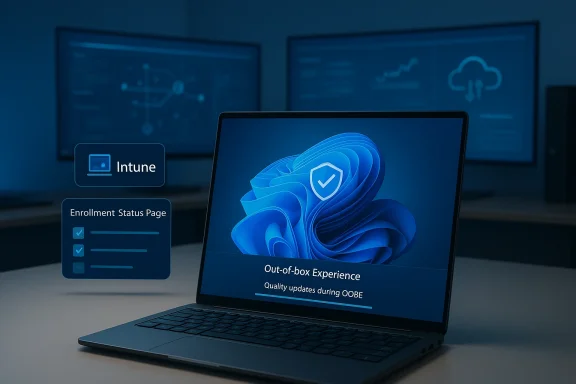
Microsoft’s long‑running effort to reduce the gap between a freshly provisioned device and a fully patched endpoint has matured into a concrete policy: at the last page of OOBE the device can check Windows Update and install any applicable quality updates (monthly non‑feature / security releases) before the user’s first sign‑in. This capability is surfaced through Windows Autopilot and controlled by the Enrollment Status Page (ESP) in Microsoft Intune and compatible MDMs.
In practical terms, eligible devices — Microsoft Entra‑joined or Entra hybrid‑joined machines running Windows 11, version 22H2 or later — can be targeted to download and apply applicable quality updates during OOBE so "first‑day" users arrive at a patched desktop rather than one that requires immediate updates and restarts. The change was introduced in Microsoft’s August/September 2025 servicing wave and was implemented via OOBE servicing updates such as KB5065847.
Crucially, Microsoft updated its guidance and blog posts during the roll‑out cycle: an editor’s note clarified that the policy would no longer be enabled by default starting with the January 2026 security update, and that existing ESP profiles would not be changed automatically — only new profiles created during the initial rollout initially displayed the enabled state. That reversal reflects Microsoft responding to customer feedbaalities.
However, security gains must be balanced with control over the update pipeline. Organizations that require staged, tested updates should treat OOBE quality installs as optional and keep strict approval gates. Microsoft’s decision to adjust the default behavior in January 2026 underscores this point: centralized convenience cannot substitute for careful change control in complex enterprise environments.
Source: Neowin Microsoft is enabling some Windows updates by default for several PCs
 Background
Microsoft’s long‑running effort to reduce the gap between a freshly provisioned device and a fully patched endpoint has matured into a concrete policy: at the last page of OOBE the device can check Windows Update and install any applicable quality updates (monthly non‑feature / security releases) before the user’s first sign‑in. This capability is surfaced through Windows Autopilot and controlled by the Enrollment Status Page (ESP) in Microsoft Intune and compatible MDMs.In practical terms, eligible devices — Microsoft Entra‑joined or Entra hybrid‑joined machines running Windows 11, version 22H2 or later — can be targeted to download and apply applicable quality updates during OOBE so "first‑day" users arrive at a patched desktop rather than one that requires immediate updates and restarts. The change was introduced in Microsoft’s August/September 2025 servicing wave and was implemented via OOBE servicing updates such as KB5065847.
What changed — the technical details
Which devices are affected
- Devices must be Microsoft Entra joined or Entra hybrid joined (enterprise or education‑style joins).
- Windows build requirement is Windows 11, version 22H2 or later; several SKUs are supported, including Pro, Enterprise, Education, and SE when managed by Intune or compatible MDMs.
Where the setting lives
Administrators control the behavior from the Intune admin center:- Path: Devices > Enrollment > Enrollment Status Page.
- The specific toggle is labelled something like “Install Windows quality updates (might restart the device)” inside an ESP profile. New ESP profiles created after the servicing update initially displayed that toggle enabled by default, while existing profiles retained their prior setting.
How it works during OOBE
On the final OOBE page the device:- Checks Windows Update for applicable quality updates.
- Downloads and applies applicable patches.
- May reboot once or more if required by the updates.
- Proceeds to user hand‑off only after installation completes.
Timeline and policy nuance
Microsoft announced the capability in late August 2025 as part of OOBE improvements and shipped updates (e.g., KB5065847) enabling the behavior. Industry outlets and IT commentary quickly noted that new ESP profiles showed the setting enabled by default, which fueled a wave of administrator attention and concern.Crucially, Microsoft updated its guidance and blog posts during the roll‑out cycle: an editor’s note clarified that the policy would no longer be enabled by default starting with the January 2026 security update, and that existing ESP profiles would not be changed automatically — only new profiles created during the initial rollout initially displayed the enabled state. That reversal reflects Microsoft responding to customer feedbaalities.
Why Microsoft did this: benefits and the rationale
Microsoft’s rationale is straightforward and defensible:- Security-first endpoints: Devices that are patched on first boot lower attack windows and reduce the need for em delivery.
- Better user experience: End users do not need to endure multiple restarts or delayed productivity on day one.
- Reduced IT overhead: For managed fleets, administrators spend less time chasing freshly imaged or shipped devices that arrive unpatched.
- Alignment with Autopilot provisioning: The change integrates patching into the provisioning workflow for modern management scenarios.
The operational risks — why many admins pushed back
While attractive in principle, the shift introduces several operational and technical risks that administrators must plan for.1. OOBE becomes longer and dependent on network
Applying quality updates during setup lengthens OOBE and turns the initial device hand‑off into an o on reliable Internet connectivity. For bandwidth‑constrained locations or high‑volume provisioning centers, the change can cause major delays or unexpected staging issues. Real world reporting across forums showed provisioning delays and concerns about time‑to‑first‑use.2. Autopilot pre‑provisioning interactions
Several administrators reported that OOBE updates interfered with Autopilot pre‑provisioned (formerly White Glove) workflows. In some cases the device reboot that occurs while applying quality updates interrupted the autologon process, leaving the device at the DefaultUser0 prompt or otherwise failing to complete the sealed provisioning flow. These are not theoretical: community threads captured concrete incidents of devices getting stuck when updates were applied during reseal/pre‑provisioning.3. BitLocker and recovery edge cases
There were reports that certain servicing payloaof the OOBE update sequence caused BitLocker or TPM interactions to surface unexpectedly in some environments. While Microsoft generally vets servicing, the compressed, “zero‑day” nature of some out‑of‑band fixes can create unanticipated interactions on specialized device images. Some community posts flagged ng packages that required rework or rollbacks.4. Failure modes and recovery complexity
If an OOBE update fails during the setup flow — for example due to driver incompatibilities or storage errors — the device can be left in an awkward state that requires manual intervention, reimaging, or returns to the OEM. That risk is proportionally higher for diverse fleets and custom images, and it translates into possible increases in helpdesk tickets. Community troubleshooting threads describe incidents where installing an OOBE update triggered installation errors that demanded remediation steps normally avoided in a first‑boot scenario.5. Loss of perceived control for smaller organizations and consumers
Although the feature targets managed enterprise devices, the optics of “updates being enabled by default” worried administrators and privacy‑conscious users. The concern is governance: teams want predictable, staged rollouts, and enabling automatic installs by default on newly created ESP profiles — even briefly — was seen as a policy that could be misapplied if admins did not review new profiles carefully. Early default enablement created the perception that Microsoft was tightening automatic control over updates.Real‑world evidence from IT and forums
The community reaction provides the clearest practical evidence of where the update succeeds and where it fails:- Multiple threads in enterprise and deployment forums documented success stories where day‑one patching eliminated early reboots and improved compliance metrics for fleets managed by Intune. Administrators praised the ability to avoid “first‑week” patch headaches.
- Conversely, there were concrete reports of Autopilot pre‑provisioning failures and the DefaultUser0 lock observed after OOBE updates and reseal workflows. Those threads include troubleshooting steps and mitigation suggestions, and they were influential in pushing Microsoft to change the default behavior.
- A number of IT writeups and technical blogs cataloged the timeline: the OOBE setting appeared in late August 2025 updates, caused immediate operational conversations, and Microsoft subsequently adjusted the rollout and default setting in later communications.
Microsoft’s response and clarification
Microsoft listened to the operational feedback. Two important clarifications stand out:- Microsoft documented the capability and provided the Intune controls to enable/disable OOBE quality updates explicitly for ESP profiles, and detailed the Intune admin path administrators should use to configure the setting.
- Microsoft adjusted the rollout posture: an editor’s note clarified that, starting with the January 2026 security update, the ability to install quality updates during Oe enabled by default* for new profiles — reversing the initial default on new ESP profiles. Existing ESP profiles were not modified automatically. This change suggests Microsoft considered the initial default‑on choice premature given administrator feedback about provisioning edge cases.
Practical guidance for IT administrators
If you manage Windows provisioning at scale, treat this capability as a tool in your deployment toolbox — not an automatic global switch. Below are prioritized, actionable steps every deployment team should take.Immediate checklist
- Audit ESP profiles in Intune now: check Devices > Enrollment > Enrollment Status Page and verify the Install Windows quality updates toggle for each profile. New profiles created during late‑2025 may have the setting enabled by default; edit as needed.
- Test in a lab: validate the full Autopilot pre‑provisioning, reseal, BitLocker, and driver scenarios with the OOBE update flow enabled to catch regressions before broad deployment.
- Stagger rollout: begin with a pilot group on devices with simple hardware and proven images, then expand to more complex configurations after telemetry looks good.
- Ensure network readiness: if you plan to usale, confirm bandwidth and caching (Delivery Optimization) capacity for the provisioning sites to avoid long queues and stalled setups.
- Have a recovery plan: document the reimage, offline servicing, and manual recovery steps for devices that fail during OOBE updates; provide frontline teams with quick reference instructions.
Configuration recommendations
- Keep the feature disabled for critical workflows that rely on Autopilot pre‑provisioning + reseal until you validate the flow with your hardware and images.
- Use conditional assignments in Intune to limit OOBE updates to specific deot, region, model).
- Combine OOBE updates with Windows Update for Business deferral artifacts where appropriate to avoid installing preview or out‑of‑band content unexpectedly.
Longer‑term practices
- Integrate OOBE test scenarios into imaging regression testing and OEM validation.
- Leverage Intune’s Windows Quality Update management tools (as they become available) to gain finer‑grained control over which LUCs / updates you approve during provisioning.
- Instrument monitoring: capture telemetry on OOBE duratid post‑provisioning update counts so you can quantify the feature’s impact on helpdesk volume and time‑to‑compliance.
The security tradeoff: convenience vs. control
From a security perspective, the feature is a solid win: fewer unpatched machines hitting the network improves the organization’s overall security posture. For heavily regulated environments, day‑one patch compliance simplifies audits and reduces attack surface.However, security gains must be balanced with control over the update pipeline. Organizations that require staged, tested updates should treat OOBE quality installs as optional and keep strict approval gates. Microsoft’s decision to adjust the default behavior in January 2026 underscores this point: centralized convenience cannot substitute for careful change control in complex enterprise environments.
Strengths and weaknesses — a balanced assessment
Strengths
- Improves day‑one security: Devices are less likely to ship with unpatched vulnerabilities.
- Better user experience: Reduces the disruptive "first‑login update, restart, repeat" loop for end users.
- Reduces after‑deployment work: IT teams spend less time chasing freshly delivered devices for emergency patching.
Weaknesses / Risks
- Operational fragility: OOBE becomes dependent on network, drivers, and servicing compatibility; failures are more visible and costly during initial provisioning.
- Autopilot interactions: Pre‑provisioned workflows are particularly sensitive; reseal/autologon flows can break if an update forces an unexpected restart.
- Deployment complexity: Large fleets with varied hardware require more rigorous predeployment testing and segmented rollouts to avoid helpdesk surges.
What to watch next
- Policy surface: Microsoft’s Intune roadmap and Windows Update orchestration plans indicate deeper integration between Windows Update and enterprise management, including more granular quality update approvals inside Intune. Watch for tools that let admins pre‑approve specific quality updates rather than toggling OOBE installs as a whole.
- Servicing clarity: Microsoft’s handling of default settings in late 2025 and the clarification in January 2026 shows the company will be responsive; administrators should follow Windows IT Pro and Microsoft Learn guidance for the latest behavior and recommended mitigations.
- Real‑world telemetry: keep an eye on community reports and your own deployment telemetry for patterns of failure — driver incompatibilities and reseal breaks are the primary causes of provisioning trouble so far.
Final takeaways for Windows admins and power users
- Treat the OOBE quality update capability as a valuable option that can reduce friction, but only when applied with process discipline and testing.
- Do not assume new Intune ESP profiles are configured safely by default — audit and confirm settings in your tenant immediately, especially if you create profiles during servicing windows.
- Pilot, instrument, and iterate: the feature delivers real security and UX benefits, but only organizations with a good testing posture will realize the benefits without unpleasant surprises.
- Maintain a fallback: ensure your imaging and recovery playbook can handle an OOBE failure so that hardware can be redeployed quickly without extended downtime.
Source: Neowin Microsoft is enabling some Windows updates by default for several PCs
