

Windows 11 has just taken a major step toward making the passwordless future real for everyday users and enterprises alike: Microsoft has added a plugin model that lets third‑party password managers act as system‑level passkey providers, and leading managers — notably 1Password (MSIX build) and Bitwarden — have already integrated or are preparing to integrate with Windows so passkeys can be created, stored, synchronized and used natively across browsers and native apps. This capability is rolling out now in preview channels and Microsoft says it will be generally available as part of the Windows November 2025 security updates.
Passkeys replace passwords with FIDO/WebAuthn‑style public/private cryptographic credentials: the private key is kept on a device and the public key is held by the service. The platform or authenticator (Windows Hello on Windows PCs) unlocks the private key using a PIN or biometric, signs the challenge from the site, and the site verifies the response. That architecture removes the weak link of human‑chosen, reusable passwords and makes phishing and credential database theft far less effective.
Microsoft’s recent updates do three important things:
Prerequisites
If you’re an everyday Windows user or administrator, treat the November 2025 updates as the moment to pilot passkeys in earnest: enable Windows Hello across your fleet, test a trusted passkey manager’s Windows build (watch for MSIX), and prepare user guidance that explains recovery and cross‑device expectations. The platform change is big, the security upside is real, and the path away from passwords is finally practical — but successful adoption will hinge on careful rollout, clear recovery planning, and attention to packaging and enterprise deployment details.
(Reporting and verification: this article summarizes and verifies Microsoft’s Windows passkey plugin model documentation and platform guidance on Microsoft Learn and the Windows Developer Blog, vendor community announcements from 1Password, and the November 2025 cumulative update release notes; it also references community rollout signals and troubleshooting patterns observed during Insider and staged production deployments.
Source: XDA Windows just got native passkey support for one of my favorite password managers
 Background / Overview
Passkeys replace passwords with FIDO/WebAuthn‑style public/private cryptographic credentials: the private key is kept on a device and the public key is held by the service. The platform or authenticator (Windows Hello on Windows PCs) unlocks the private key using a PIN or biometric, signs the challenge from the site, and the site verifies the response. That architecture removes the weak link of human‑chosen, reusable passwords and makes phishing and credential database theft far less effective.Microsoft’s recent updates do three important things:
- Introduce a plugin passkey manager API so packaged credential managers can register themselves with Windows and be selected as the system passkey provider.
- Surface a redesigned Windows Hello / Passkeys UX that prompts users where to save newly created passkeys (Microsoft account sync vs a third‑party manager vs local).
- Ship a Microsoft synced passkey provider option that encrypts passkeys end‑to‑end and leverages TPM protections for cross‑device sync, while leaving users free to use an external manager.
What changed in detail
The plugin model: how it works technically
- Windows exposes a plugin API for passkey providers; a credential manager that implements the API registers with the OS so WebAuthn flows can be forwarded to it. The OS can then return the provider’s response to the requesting browser or app.
- The platform design purposefully splits responsibilities:
- Windows Hello: local user verification (PIN, face, fingerprint) and the cryptographic signing that proves possession of the private key.
- Third‑party provider: discovery, storage, vault unlock and cross‑device sync if offered by the manager.
- Microsoft provides a sample/demo (Contoso Passkey Manager) and developer guidance on how to implement the plugin capability. That documentation was updated through 2025 as the feature moved through Insider rings to release.
UX and Settings changes
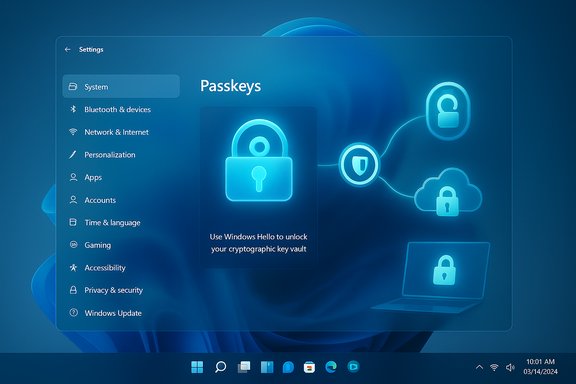
- The Passkeys section in Settings (Accounts > Passkeys) now includes an Advanced options area that lists registered plugin providers and lets you toggle a manager on or off after verifying with Windows Hello. Creating a passkey in a website flow can now prompt you to save to your chosen provider instead of only the platform or browser store.
- Microsoft’s passkey UX also includes an optional one‑time setup for the Microsoft synced provider, including recovery key handling and end‑to‑end encryption protected by TPM. That gives mainstream Windows users a zero‑friction native sync option while preserving choice for third‑party managers.
Vendor integrations and packaging notes
- 1Password implemented the Windows plugin API in its Windows app and has been testing an MSIX build that registers as a system passkey provider. 1Password’s beta and community announcements emphasize that the MSIX package is required for the system integration to register reliably with Windows Settings. Community threads show some deployment wrinkles during rollout (toggling, propagation delays), which is typical for a staged OS feature.
- Bitwarden has been listed by Microsoft as a partner and community discussion shows Bitwarden actively testing and preparing support for the plugin model; users have used Bitwarden to store and use passkeys on other platforms already. Expect a Bitwarden desktop update or extension update that leverages the plugin API when the feature reaches general availability.
Why this matters — strengths and practical benefits
- Phishing resistance at platform scale. Because passkeys are cryptographic and tied to origin, phishing pages cannot capture or reuse credentials the way they can with passwords. Building passkey orchestration into Windows raises the baseline security for millions of Windows devices.
- Cross‑app and non‑browser support. System‑level providers mean native apps and non‑browser flows can use passkeys without clunky QR or mobile pairing workarounds. This removes a practical barrier that previously kept some scenarios password‑based.
- User choice without losing platform protections. Windows Hello continues to manage local verification (and take advantage of TPM), while users can choose where passkeys are stored and how they are synced (Microsoft account sync or a third‑party manager). That preserves security guarantees while respecting user preference.
- One vault for passwords and passkeys (for many users). For people who already store credentials in a password manager, having passkeys show up in the same vault simplifies life — fewer tools, fewer mental models, unified recovery and audits. 1Password’s implementation brings passkeys into the same 1Password workflow via the MSIX build.
- Enterprise manageability. Microsoft’s admin interfaces and roadmap notes indicate enterprises will be able to configure passkey policy, choose allowed authenticators, and manage recovery paths — an essential feature for corporate rollouts. The November 2025 updates include related admin controls and schema updates for Azure/Entra settings.
Risks, caveats and operational realities
No security change is without trade‑offs. The strengths above are real, but organizations and users should weigh several real‑world considerations.- Rollout and feature gating. Microsoft has staged this capability through Insider rings and feature flags; community reports show that on some Insider builds the Advanced options toggle may be temporarily absent or greyed out. Expect a short propagation window after installing updated apps or the OS — settings may not appear immediately. If you don’t see the toggle, don’t panic: wait 24–48 hours and reboot, or verify you’re on a Windows build that includes the passkey plugin feature.
- Packaging and deployment friction (MSIX / AppLocker / Shop policy). 1Password’s system plugin registration requires the MSIX packaging format; organizations that block MS Store packages or enforce AppLocker policies may face deployment issues. IT teams should prepare packaging and installation strategies (MSIX sideloading vs store listing vs MSI alternatives) and test extension integrations. Community troubleshooting threads show real users encountering AppLocker or deployment errors when switching to MSIX.
- Recovery and account lockout concerns. Any move away from passwords raises the question of recovery if a device is lost and recovery flows are not carefully planned. Microsoft’s synced passkey provider includes a recovery key and end‑to‑end encryption, but organizations must design robust self‑service and IT recovery procedures to avoid lockouts. For third‑party vaults, recovery depends on the vendor’s backup and account recovery model. Plan for multiple recovery paths (authenticator app, secondary device, security key) where possible.
- Cross‑platform portability is improving but still uneven. Apple, Google and major password managers have been improving passkey portability, but gap cases remain (older sites, niche apps, or services that haven’t implemented WebAuthn properly). Vendors and Microsoft are working on credential exchange standards, but this is a gradual ecosystem migration. Expect to retain passwords for some legacy logins during the transition.
- Vendor implementation differences and timing. 1Password appears to be shipping a Windows system provider via MSIX; other managers may follow at different paces. Marketing claims like “first” should be treated carefully — they matter to PR but not to the underlying interoperability or security guarantees. Verify vendor documentation and release notes for exact prerequisites.
- Supply chain and extension risks. Any time browser or OS‑level integrations rely on extensions or native agents, there’s a potential attack surface. Use trusted vendors, enforce strong endpoint management, and monitor for unusual behavior. The plugin model reduces some fragility (by moving flows into a managed OS surface) but introduces new integration points that require auditing.
How to get this working today — checklist and step‑by‑step
If you want to try the new system integration with a manager such as 1Password, here’s a practical, conservative recipe based on the current rollout patterns and vendor notes.Prerequisites
- A Windows 11 PC on a build that includes the Passkeys plugin support (Insider Beta/Release Preview builds in earlier testing; the capability is included in the November 2025 cumulative updates for general availability). Check Windows Update and the November 2025 KB list (for example, the November 11, 2025 cumulative packages).
- Windows Hello configured (PIN, fingerprint, or face) and TPM available for the device to get full platform protections.
- The vendor app/update that implements the plugin API (for 1Password: MSIX build; for Bitwarden: watch for the provider update or extension guidance).
- Update Windows 11 to the latest stable build or the November 2025 security update (if available and approved by your IT group). Confirm the Passkeys page exists under Settings > Accounts > Passkeys.
- Install the vendor’s supported package: for 1Password, use the MSIX package or Microsoft Store MSIX listing where available. If your organization blocks store apps, plan an MSIX sideload path or consult 1Password enterprise options.
- In the password manager app enable the passkey suggestions / passkey integration setting (the app’s “Autofill” or Passkeys section). For 1Password this is Settings > Autofill > Show passkey suggestions.
- Open Windows Settings > Accounts > Passkeys > Advanced options. You should see the installed manager listed as a provider. Toggle it on and complete the Windows Hello verification when prompted.
- Visit a website that supports passkeys, create a new passkey and, when Windows offers storage options, choose your registered manager. Authenticate with Windows Hello to complete creation and save the key.
- If the provider toggle is missing or greyed out: confirm you’re on the correct Windows build, that the app is the MSIX store/sideloaded package (not the old EXE), reboot, and wait 24–48 hours for staged flags to propagate. Community threads document these propagation delays.
- If your org blocks MSIX or Microsoft Store installs, consult your IT policy team: you’ll need an approved MSIX deployment path or a vendor‑provided enterprise installer.
Enterprise considerations and migration planning
- Inventory and compatibility testing. Run a pilot to ensure critical internal apps and identity providers handle WebAuthn flows and can interoperate with your chosen passkey provider(s). Some legacy SSO flows may require updates.
- Admin controls and policy. Microsoft has signalled admin‑level controls for passkey enforcement and allowed authenticators; plan how to map groups to policy and how to handle exceptions. The November 2025 admin changes include schema and portal updates for passkey settings in Microsoft 365/Entra.
- Recovery and helpdesk flows. Define recovery options and staff procedures for lost devices: what must users do if their primary authenticator is gone, and how will IT validate identity? Test recovery flows end‑to‑end before wide deployment.
- Distribution model for manager clients. Decide how you will distribute MSIX/Store or vendor installers and how you will handle browser extension compatibility and SSO integrations. Test Applocker/Intune behavior for MSIX installs.
What’s next and what to watch for
- Expect vendor churn and feature parity improvements across password managers: 1Password is already shipping MSIX/Windows plugin support; other managers (Bitwarden, Dashlane, etc. will follow with their own timelines. Read vendor release notes carefully.
- Microsoft will continue to refine the Windows Hello UX, admin controls, and recovery/backup semantics — watch the Windows Insider and Microsoft Learn updates for detailed policy and developer guidance. The plugin documentation and sample apps on Microsoft Learn are a reliable source for implementation details.
- Cross‑platform credential exchange standards and FIDO credential portability work are maturing; keep an eye on FIDO Alliance and vendor announcements that make moving passkeys between services easier and more transparent.
Final verdict: practical enthusiasm, cautious planning
This Windows platform change is meaningful: it takes passkeys out of the browser‑only silo and gives users and admins real choices about where credentials live — while preserving the strong protection of Windows Hello and TPM. For users of 1Password and Bitwarden, the ability to use the same vault for both passwords and passkeys and to authenticate across apps without browser hacks is a major convenience and security win. That said, the transition won’t be frictionless. Expect rollout quirks, packaging and policy headaches for locked‑down corporate devices, and the need to design robust recovery and helpdesk procedures. Organizations should pilot, document, train, and validate recovery paths before wide adoption. On the consumer side, the benefits are immediate for users who keep their Windows builds and manager apps up to date.If you’re an everyday Windows user or administrator, treat the November 2025 updates as the moment to pilot passkeys in earnest: enable Windows Hello across your fleet, test a trusted passkey manager’s Windows build (watch for MSIX), and prepare user guidance that explains recovery and cross‑device expectations. The platform change is big, the security upside is real, and the path away from passwords is finally practical — but successful adoption will hinge on careful rollout, clear recovery planning, and attention to packaging and enterprise deployment details.
(Reporting and verification: this article summarizes and verifies Microsoft’s Windows passkey plugin model documentation and platform guidance on Microsoft Learn and the Windows Developer Blog, vendor community announcements from 1Password, and the November 2025 cumulative update release notes; it also references community rollout signals and troubleshooting patterns observed during Insider and staged production deployments.
Source: XDA Windows just got native passkey support for one of my favorite password managers
