

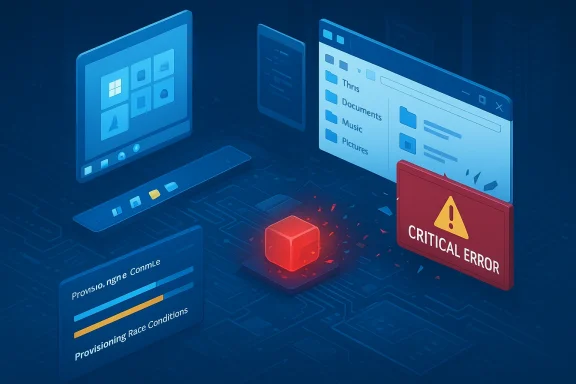
Microsoft’s own support documentation now describes a provisioning‑time regression that, in some deployments, can leave the Start menu, Taskbar, File Explorer and other XAML‑backed shell components either blank, crashed, or entirely nonfunctional — and that admission is only the most visible sign of a deeper fragility in how modern Windows updates touch the user interface.
Windows 11 was designed and marketed as a modern desktop: refreshed visual design, tighter security baselines, and a modular servicing model that lets Microsoft update individual UI components more frequently. That modular approach uses AppX/MSIX packages and XAML‑based UI components so the company can ship targeted fixes and new features without a full OS feature update.
But modularity brings lifecycle complexity. When servicing replaces in‑box UI packages, those package files must be registered into the operating system and into each interactive user session before shell processes instantiate XAML views. A timing or ordering failure in that registration pathway is what Microsoft has now documented as the root cause of a class of high‑impact failures that became visible after the July 2025 servicing cycle and subsequent cumulative updates.
Microsoft published an advisory that names the problem, lists affected behaviors and provides short‑term mitigations for administrators and IT teams. The vendor’s bulletin, and the supporting community reproductions that followed, make clear two practical truths: (1) this is not a cosmetic issue but an operational failure of the interactive shell, and (2) the bug is most severe in provisioning and non‑persistent environments — exactly where enterprises and cloud desktop providers are most exposed.
This design enables more agile updates — but updates must do more than just replace files on disk. A successful servicing pass requires:
On the one hand, Microsoft’s modular servicing vision has technical merit: smaller packages, faster fixes, and a more nimble update cadence are sensible engineering goals for a large, evolving platform. The company also responded by documenting the issue and delivering mitigations that administrators can apply immediately.
On the other hand, the provisioning‑time regression reveals a brittle dependency in update ordering that should have been caught by broader provisioning and recovery testing. The result was not a localized crash but a user‑visible breakage of the interactive shell across a class of real‑world scenarios. That combination — a pervasive update pipeline plus fragile ordering assumptions — produced an outsized operational cost for administrators and a real erosion of trust among some enterprise customers.
The right path forward requires both technical fixes and process discipline: ensure registration and activation ordering is deterministic where the shell expects it, expand testing to include provisioning and VDI contexts, and provide clearer vendor metrics and runbooks for enterprise remediation. For users and IT teams dealing with the aftermath, the strategy is pragmatic: contain, mitigate, and validate before broad redeployment.
This incident is a reminder that modern operating systems, while more capable than ever, are also more interconnected and therefore more fragile in unexpected ways. Maintaining reliability at global scale demands not only fast patches but also disciplined lifecycle guarantees and thorough testing across the full spectrum of deployment topologies. Until those practices are consistently applied, organizations must plan for brittle edge cases and build resilient update and recovery playbooks that keep users productive when the unexpected happens.
Source: WebProNews Windows 11’s Desktop Catastrophe: How a Critical Bug Paralyzed User Interfaces and What Microsoft’s Response Reveals About Modern OS Fragility
 Background / Overview
Windows 11 was designed and marketed as a modern desktop: refreshed visual design, tighter security baselines, and a modular servicing model that lets Microsoft update individual UI components more frequently. That modular approach uses AppX/MSIX packages and XAML‑based UI components so the company can ship targeted fixes and new features without a full OS feature update.But modularity brings lifecycle complexity. When servicing replaces in‑box UI packages, those package files must be registered into the operating system and into each interactive user session before shell processes instantiate XAML views. A timing or ordering failure in that registration pathway is what Microsoft has now documented as the root cause of a class of high‑impact failures that became visible after the July 2025 servicing cycle and subsequent cumulative updates.
Microsoft published an advisory that names the problem, lists affected behaviors and provides short‑term mitigations for administrators and IT teams. The vendor’s bulletin, and the supporting community reproductions that followed, make clear two practical truths: (1) this is not a cosmetic issue but an operational failure of the interactive shell, and (2) the bug is most severe in provisioning and non‑persistent environments — exactly where enterprises and cloud desktop providers are most exposed.
What actually failed: the technical anatomy
The modern shell and XAML/AppX packages
Over recent Windows releases, many UI surfaces that historically were part of monolithic system binaries have been migrated into modular AppX/MSIX packages that rely on the XAML rendering stack. That includes important pieces of the immersive shell: StartMenuExperienceHost, ShellHost/SiHost, taskbar components and various XAML islands embedded in both first‑ and third‑party apps.This design enables more agile updates — but updates must do more than just replace files on disk. A successful servicing pass requires:
- Writing updated package files to disk (servicing stack / LCU and SSU activity).
- Registering those packages with the OS and making them visible to interactive user sessions.
- Allowing shell processes to start and call into COM/XAML activation to render UI.
Symptoms seen in the field
Affected machines reported a consistent symptom set:- The Start menu may fail to open or show a “critical error” message on invocation.
- The Taskbar can be missing, blank, or unresponsive while explorer.exe still appears in Task Manager.
- File Explorer runs but shows a blank window, fails to render folder contents, or crashes.
- System Settings silently fails to open.
- Shell host processes — ShellHost.exe, StartMenuExperienceHost — can crash during XAML view initialization.
- In many cases the system is otherwise responsive (network, console access, Task Manager), making the failure especially confusing for end users.
Timeline and scope
- The servicing wave that triggered community attention began with the July 8, 2025 cumulative update commonly tracked by administrators as the July 2025 rollup.
- Community and enterprise imaging runs documented reproducible failures through mid‑to‑late 2025 as organizations provisioned devices and ran first‑logon automation.
- Microsoft published an official support advisory acknowledging the provisioning‑time regression and enumerating affected symptoms, along with mitigations IT can apply while a permanent servicing fix is developed.
Why this is worse than "a buggy update"
At a glance, a faulty update breaking the Start menu or taskbar looks like an ordinary patch regression; in practice, this incident exposes several structural weaknesses in modern OS maintenance:- Fragile ordering guarantees. The update flow now depends on timely package registration as a prerequisite for core UI to load. When timing assumptions are violated by provisioning automation or non‑persistent sign‑on flows, the OS no longer degrades gracefully — it becomes effectively unusable for normal workflows.
- Cross‑stack consequences. A single registration race touches many shell components simultaneously. This is not a single app crash: it’s a coordinated failure of the interactive layer that users rely on to navigate and manage the system.
- Enterprise blast radius. In pooled VDI or Cloud PC environments, the condition can reproduce for every user session, turning a single regression into a fleet‑wide outage.
- Testing gaps for provisioning scenarios. The most exposed scenarios are provisioning and non‑persistent images; these workflows are not always exhaustively tested in a vendor’s lab matrix, especially across the wide device heterogeneity found in enterprise fleets.
- Recovery fragility. Other servicing regressions in the same time frame also impacted WinRE (the recovery environment) and developer workflows (kernel HTTP.sys regressions), putting recovery operations and developer productivity at risk alongside the UI problems.
Microsoft’s response: mitigation, not immediate remediation
Microsoft’s published guidance focuses on short‑term mitigations and operational workarounds rather than an out‑of‑band code roll‑back for all affected customers. The practical mitigations recommended and adopted by administrators include:- Manual package re‑registration: Using PowerShell commands to register the implicated AppX/XAML packages in the user session via Add‑AppxPackage –Register and then restarting SiHost/Explorer so the shell can pick up the newly registered components.
- Synchronous logon script for non‑persistent images: For VDI and Cloud PC pools, run a scripted registration routine during logon that forces package registration to complete before the shell starts, effectively turning the asynchronous registration into a synchronous operation for provisioning.
- Rollback of the problematic LCU: In some environments admins choose to uninstall the cumulative update that triggered the issue, then hold deployment to stabilization rings until a vendor fix is available.
- Safe Mode / System Restore: For individual consumer systems, booting into Safe Mode, using System Restore, or uninstalling specific updates via recovery tools can restore interactive functionality without a full reimage.
The human and operational cost
The immediate user impact varies from frustrated home users to significant operational disruption for businesses:- Home users may lose access to their desktop shortcuts, Start menu and system settings; many lack the skills to perform Safe Mode recovery or registry edits.
- IT help desks experience surge volumes: thousands of tickets can arrive in hours when a provisioning script hands out serviced images to thousands of new desktops or Cloud PC sessions.
- Small and medium businesses without dedicated endpoint engineering teams are particularly exposed — they may lack scripted mitigations, rollback plans, or validated recovery media.
- For organizations running cached or pooled desktops, the whole pool can be rendered unusable until mitigations are applied or images reimaged — a costly and time‑consuming process.
Step‑by‑step guidance: what to do now (for admins and power users)
Use the checklist below as an operational playbook. These steps range from least invasive to most.- Triage and isolate
- Confirm the symptom set: Start menu “critical error,” missing Taskbar while explorer.exe is present, or XAML‑related crashes.
- Identify whether affected machines were provisioned or updated with cumulative updates released on or after the July 2025 rollup.
- Containment
- Pause deployment of suspect updates to downstream rings (suspend rollout to production).
- If running non‑persistent VDI or Cloud PC pools, quarantine new images until a mitigation is applied.
- Short‑term remediation (apply only with appropriate testing)
- For an affected interactive session, attempt to restart explorer.exe via Task Manager to gain temporary access.
- When possible, boot into Safe Mode with Networking and use System Restore to revert to a known good configuration.
- In persistent machines, execute manual Add‑AppxPackage –Register commands for the packages named in the advisory and restart SiHost/Explorer.
- VDI / non‑persistent environments
- Deploy the vendor’s sample synchronous logon script or an equivalent scripted registration step so logon waits for package registration before shell startup.
- Test the script against a staging pool first; measure time added to logon and ensure it does not cause additional regressions.
- If remediation fails
- Consider uninstalling the problematic cumulative update using DISM / Remove‑Package or rolling an image back to a previous snapshot for VDI pools.
- Maintain validated offline recovery images and keep known‑good winre.wim backups for systems where WinRE regressions were also reported.
- Long term
- Revisit update ring policies: extend validation windows and increase testing in provisioning scenarios, especially for non‑persistent desktop architectures.
Critical analysis: where quality assurance and update strategy faltered
This incident is a cautionary case study in tradeoffs and process weaknesses.- Microsoft’s modular UI strategy is technically sound — smaller, targeted updates reduce the frequency of large feature upgrades. But the servicing lifecycle must guarantee the ordering semantics that downstream automation depends on; registration timing is not a minor implementation detail when provisioning pipelines hand devices to users immediately after servicing.
- The shift to faster, more automated update cadences increases the chance that destabilizing changes reach production at scale. When your distribution pipeline patches millions of devices rapidly, even a low‑probability regression can create a high operational burden.
- Test matrices must explicitly include provisioning and non‑persistent session workflows. It’s not sufficient to test update impact on a running desktop; vendors need to validate the full lifecycle, from image servicing through first sign‑in on a range of realistic hardware and virtualization configurations.
- Microsoft’s reliance on broader, partially crowdsourced testing channels (Insider rings, select enterprise signals) can surface a class of problems quickly — but it also requires rapid vendor response and transparent communication. The gap between initial community reports and a formal advisory has frustrated many admins. Faster, clearer vendor communication about exposure percentages or an ETA for fixes would materially improve enterprise decision making.
- Finally, the incident underscores that security and stability are not always aligned: rapid distribution of security fixes is essential, yet those fixes must not undermine recoverability or the interactive experience. Vendors and customers must weigh the urgency of patching against the potential operational cost of a regression.
Broader implications for Windows 11 adoption and enterprise planning
This regression arrives at a sensitive inflection point for many organizations:- Enterprises approaching Windows 11 migration have new, concrete justification to be cautious about accelerated upgrade timelines. When provisioning runs at scale, a registration race can translate directly into reimaging bills and support costs.
- Organizations are likely to tighten their ring‑based deployment strategies: longer pilot windows, more rigorous image validation, and wider use of known‑good golden images rather than servicing images in place.
- Some buyers may re‑examine device procurement policies (for example, preferring models that ship with extended downgrade rights, or increasing interest in third‑party desktop platforms for specific workloads), although Windows remains the dominant desktop platform and such decisions are rarely made on a single incident alone.
- For IT teams: the incident reinforces the need to treat recovery tooling, offline media and runbooks as essential components of update testing and deployment planning.
Recommendations for Microsoft: engineering and process fixes
For Microsoft to rebuild confidence — and to reduce the chance that future servicing waves cause similar systemic issues — the company should pursue the following concrete steps:- Enforce deterministic registration semantics during servicing, with explicit safeguards that pause shell initialization until critical UI package registration is complete in first‑logon and non‑persistent scenarios.
- Expand QA matrices to include provisioning flows, non‑persistent VDI logons, and WinRE validation across representative hardware profiles.
- Improve roll‑forward and rollback tooling for combined SSU+LCU packages so enterprises can more easily revert a problematic cumulative update without risking servicing stack integrity.
- Provide clear exposure metrics in advisories (approximate % of devices likely affected, topologies at risk) so IT decision makers can triage and prioritize.
- Offer pre‑packaged recovery scripts or official logon agents that can be deployed via Intune or other management tools, reducing ad‑hoc community scripting.
What this means for users and IT leaders today
- For individual users: most home PCs are unlikely to encounter the provisioning race condition described by Microsoft, but if you do see missing Taskbar/Start behavior, restarting Explorer or booting to Safe Mode to remove recent updates or run System Restore are the practical first steps.
- For IT leaders: treat this incident as a wake‑up call. Validate provisioning and recovery workflows as part of every update campaign. Maintain recovery media and prioritize reconnaissance on first‑sign‑in behavior in pilot images.
- For software engineers and system architects: expect modularization tradeoffs. Agile update models require correspondingly stronger lifecycle guarantees and explicit handling of asynchronous registration pathways.
Final assessment — strengths, weaknesses, and the path forward
There are two competing narratives in this incident.On the one hand, Microsoft’s modular servicing vision has technical merit: smaller packages, faster fixes, and a more nimble update cadence are sensible engineering goals for a large, evolving platform. The company also responded by documenting the issue and delivering mitigations that administrators can apply immediately.
On the other hand, the provisioning‑time regression reveals a brittle dependency in update ordering that should have been caught by broader provisioning and recovery testing. The result was not a localized crash but a user‑visible breakage of the interactive shell across a class of real‑world scenarios. That combination — a pervasive update pipeline plus fragile ordering assumptions — produced an outsized operational cost for administrators and a real erosion of trust among some enterprise customers.
The right path forward requires both technical fixes and process discipline: ensure registration and activation ordering is deterministic where the shell expects it, expand testing to include provisioning and VDI contexts, and provide clearer vendor metrics and runbooks for enterprise remediation. For users and IT teams dealing with the aftermath, the strategy is pragmatic: contain, mitigate, and validate before broad redeployment.
This incident is a reminder that modern operating systems, while more capable than ever, are also more interconnected and therefore more fragile in unexpected ways. Maintaining reliability at global scale demands not only fast patches but also disciplined lifecycle guarantees and thorough testing across the full spectrum of deployment topologies. Until those practices are consistently applied, organizations must plan for brittle edge cases and build resilient update and recovery playbooks that keep users productive when the unexpected happens.
Source: WebProNews Windows 11’s Desktop Catastrophe: How a Critical Bug Paralyzed User Interfaces and What Microsoft’s Response Reveals About Modern OS Fragility
