

Microsoft's quiet admission that "core" Windows 11 features have been malfunctioning since July has crystallized into one of the most consequential servicing stories of the year: cumulative updates released beginning in July 2025 introduced a provisioning-time regression that can leave the Start Menu, Taskbar, File Explorer and System Settings unable to initialize in first-sign-in or non‑persistent environments. The company’s support advisory confirms a timing-dependent failure in XAML-hosted packages that the shell depends on, and the practical result for millions of devices has been missing taskbar windows, Start menu crashes, explorer instability and Settings that simply refuse to open. What began as scattered help‑forum threads and social media complaints is now an official, documented servicing incident—and the technical and organizational lessons go well beyond one buggy patch.
Microsoft’s support bulletin for the issue lays out the core facts in plain terms: after provisioning a PC with a Windows 11, version 24H2 monthly cumulative update released on or after the July 2025 package, certain built‑in XAML dependency packages may not register in time for shell processes that expect them to be present. The consequence is a race condition during first logon—or in any non‑persistent virtual desktop sessions—where shell components try to initialize UI elements before the underlying XAML packages are available to the user session.
This is not a narrow cosmetic bug. The affected components are central to everyday Windows operation:
The recommended PowerShell registration commands (run in an elevated session or packaged into a login script for non‑persistent pools) are concrete, repeatable steps many sysadmins have deployed while waiting for a permanent fix.
For enterprises the consequences extend to:
A few broader consequences to watch:
There are also organizational realities: changes to engineering headcount, reorganization, or shifting priorities toward AI investments can create temporary blind spots in areas like provisioning testing. Where reporting of workforce reductions exists, their impact on test coverage and institutional knowledge may be plausible—however, attributing root cause solely to layoffs oversimplifies what is fundamentally a systems‑level engineering and process problem. The appropriate response is structural: restore missing test coverage, realign priorities to cover high‑impact provisioning flows, and ensure that operational teams have the tools to detect and mitigate regressions faster.
For administrators and IT teams, the immediate work is pragmatic: apply the registration workarounds where necessary, hold updates on provisioning images until validated, and treat Patch Tuesday as a staged deployment exercise rather than an automatic production push. For Microsoft, this is an inflection point: the company can address the immediate regression and then double down on provisioning tests, KIR responsiveness and clearer enterprise communications. If Microsoft follows through, Windows 11’s modular architecture and monthly servicing cadence can still deliver the best of both worlds—rapid security coverage and reliable, predictable operation. For now, millions of users and thousands of IT teams will watch the next updates closely, hoping that the fix arrives quickly and decisively rather than as another temporary workaround in an increasingly complex servicing landscape.
Source: WebProNews Microsoft Admits Windows 11 Core Features Broken Since July 2025
 Background: what Microsoft has acknowledged and why it matters
Microsoft’s support bulletin for the issue lays out the core facts in plain terms: after provisioning a PC with a Windows 11, version 24H2 monthly cumulative update released on or after the July 2025 package, certain built‑in XAML dependency packages may not register in time for shell processes that expect them to be present. The consequence is a race condition during first logon—or in any non‑persistent virtual desktop sessions—where shell components try to initialize UI elements before the underlying XAML packages are available to the user session.This is not a narrow cosmetic bug. The affected components are central to everyday Windows operation:
- Explorer.exe and shell host processes that render the taskbar and desktop
- StartMenuExperienceHost, responsible for Start menu rendering and launch behavior
- System Settings (for example, Start > Settings > System) and other immersive shell UI elements
- XAML islands embedded in third‑party and first‑party apps where UI fragments fail to appear
How the bug works: a short technical primer
At the heart of the problem are a few related design and timing realities in modern Windows servicing:- Microsoft ships many shell and UI components as updatable package containers (Appx / MSIX‑style packages) rather than baking every UI binary into a single monolithic shell binary. This modularization increases flexibility and allows the company to service UI components independently of the OS image.
- On a freshly provisioned device—or in a non‑persistent environment where packages are installed at logon—those app packages must be registered into the user session before shell processes attempt to instantiate XAML views.
- The regression introduced by the July cumulative update created conditions where the registration step did not reliably finish before the shell launched, producing a race condition: Explorer.exe and StartMenuExperienceHost attempted to initialize XAML views while the necessary packages were still unavailable or unregistered.
- When activation of a XAML view fails, the result can be a silent failure (no taskbar UI), an explicit crash, or a visible "critical error" dialog. Because the shell is central, these failures are high‑visibility and highly disruptive.
The recommended PowerShell registration commands (run in an elevated session or packaged into a login script for non‑persistent pools) are concrete, repeatable steps many sysadmins have deployed while waiting for a permanent fix.
Timeline: from July changes to November admission
- July 2025: Microsoft shipped a mandatory cumulative update in the July Patch Tuesday set. That update (and its immediate superseding builds) introduced changes to how certain UI packages are packaged and registered as part of servicing.
- July–October 2025: Field reports and forum threads began to accumulate. Administrators running provisioning scenarios, image rollouts and pooled VDI reported Start menu failures, missing taskbar elements and explorer instability following first logon. Community threads and tech outlets documented reproducible symptoms.
- November 2025: Microsoft published a support advisory that explicitly acknowledges the provisioning regression and provides workarounds (manual re‑registration and scripted logon registration for non‑persistent environments). The advisory confirmed that the initiating package dates to the July 2025 cumulative update window.
- November 11, 2025 and subsequent Patch Tuesday rollouts included fixes for a spectrum of separate issues, and Microsoft has indicated work continues on a permanent resolution for the provisioning regression. Known Issue Rollbacks and Group Policy workarounds have been applied for other, related servicing issues in the same timeframe.
The immediate user and enterprise impact
For individual users, the symptoms are obvious and painful: missing taskbar icons, a Start menu that won’t launch, File Explorer freezes, and parts of Settings that simply don’t open. Those are usability regressions that break everyday workflows.For enterprises the consequences extend to:
- Lost productivity on any machine where the Start menu or taskbar is unreliable
- Extended helpdesk tickets as administrators triage image provisioning and VDI pool rollbacks
- Complexity in update management—teams must decide whether to roll forward with monthly security updates or hold updates until known issues are fully resolved
- Potential compliance and security tradeoffs when teams delay applying security patches to avoid operational regressions
Microsoft’s workarounds and what to do now
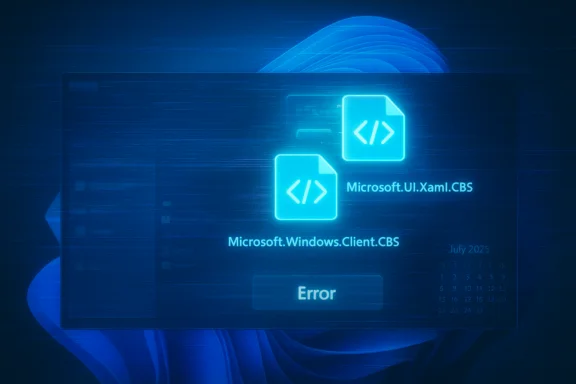
Microsoft’s advisory lists two pragmatic approaches that admins can deploy immediately:- Manual registration: Run the Add‑AppxPackage –Register commands for the three named packages (MicrosoftWindows.Client.CBS, Microsoft.UI.Xaml.CBS, MicrosoftWindows.Client.Core) inside a user session and restart SiHost/Immersive Shell. This restores UI package registration for the current session and lets shell processes find the XAML dependencies.
- Scripted synchronous registration for non‑persistent environments: For pooled VDI or other non‑persistent setups, run a synchronous logon script that registers the packages before explorer.exe is allowed to start. Microsoft’s sample script executes the registration commands sequentially and blocks Explorer from launching until the packaging step completes.
- Pause or ring‑gate updates for provisioning images and pooled VDI until the remediation is fully validated in your environment.
- Apply the registration script as a logon policy for non‑persistent desktops so new sessions always complete registration before the shell launches.
- Use deployment tools (SCCM/Intune) to push the Add‑AppxPackage commands at scale where manual intervention would be impractical.
- Leverage Known Issue Rollbacks (KIR) and targeted Group Policy workarounds if Microsoft publishes rollback packages or KIR-based Group Policy objects for your specific issue set.
- Keep a staged test ring to validate every Patch Tuesday set against provisioning scenarios—particularly for departments using non‑persistent images or thin‑client workflows.
Why this happened: modular design, provisioning timing and test coverage gaps
The incident exposes a set of engineering tradeoffs and systemic pressures:- Modularization vs. provisioning determinism: Shipping UI components as independently updatable packages increases agility, but it introduces a dependency on registration timing. Provisioning logic must guarantee packages are fully registered before the shell launches, and that guarantee slipped in this servicing cycle.
- Complexity in non‑persistent environments: VDI and pooled desktops install packages at logon time; those environments require robust, synchronous provisioning hooks. If the update path changes package manifests or timing semantics, non‑persistent scenarios are especially vulnerable.
- Rapid release cadence and testing coverage: The industry has moved toward faster monthly servicing to deliver security fixes quickly, but faster cadence heightens the risk that edge-case provisioning flows receive insufficient coverage in pre‑release testing. Coverage gaps are compounded by the diversity of OEM images, ISV packages and custom enterprise provisioning scripts in the field.
- Telemetry and reproducibility: While Microsoft operates enormous telemetry pipelines, debug reproduction across the thousands of hardware and image configurations that customers run is still hard. A race condition that appears only under specific timing and provisioning sequences may evade standard test matrices and require targeted testing in VDI-like flows.
Broader implications: trust, update strategy and the AI era
This incident lands at a sensitive moment. Windows 11 is being positioned as an increasingly AI‑enabled platform with deeper integration between system components and AI copilots. That strategic thrust makes stability around core shell behaviors non‑negotiable: if users lose confidence in the OS's basic functions, enterprise buyers will hesitate to invest in premium AI extensions that depend on a reliable shell.A few broader consequences to watch:
- Update policy rebalancing: Enterprises will likely become more conservative. Many IT teams have already adopted staged deployment rings and patch‑validation windows; this event will harden that posture and perhaps lengthen time‑to‑deploy for major office fleets.
- Competitive migration risk: For certain developer and cloud‑native teams, repeated high‑visibility regressions push evaluation of alternative platforms and Linux-based desktops for development and cloud workstations. That shift will be incremental, but the perception of reliability counts.
- Reputational capital: Microsoft’s market position is strong, but cumulative reliability issues erode the intangible trust that enterprises place in a platform vendor. Regaining it demands more than a patch—Microsoft must demonstrate process and tooling changes that prevent similar regressions.
What Microsoft should do next: engineering and process prescriptions
To prevent recurrence and rebuild confidence, the engineering and program teams should prioritize the following actions:- Expand provisioning test coverage: Add automated end‑to‑end provisioning tests that model first‑logon and non‑persistent VDI flows across the primary update permutations. These tests must run in pre‑release rings and in continuous integration pipelines for updates that change package registration semantics.
- Harden registration semantics: Ensure package registration is atomic or coordinated with a held process that blocks shell initialization until dependencies register successfully. Where possible, change the ordering so shell activation is contingent on a verified package registration state.
- Faster, transparent Known Issue Rollbacks (KIR): When regressions are discovered, deploy KIRs more rapidly and communicate proactively to enterprise channels. KIRs reduce customer pain without forcing widespread uninstall actions.
- Improve communication and telemetry pipelines: Provide clearer early warnings to IT teams via the Release Health dashboard and enterprise channels. When a regression is discovered that affects provisioning, publish repeatable reproduction steps and recommended mitigations immediately.
- Reinvest in QA and dogfooding: Ensure the test population includes realistic, large‑scale provisioning and VDI scenarios. If organizational changes reduced coverage in these areas, reinstate them as priorities.
Practical checklist for administrators (ranked, action‑first)
- If you run non‑persistent VDI or frequent image provisioning, pause deploying July‑to‑November cumulative updates to production image masters until validated in a staging ring.
- Deploy the Microsoft registration script as a synchronous logon action for affected pools: register the three named Appx packages and block Explorer start until registration completes.
- If you must apply security updates immediately, prepare to roll back or apply the registration workaround across the environment via Intune, SCCM or your image tooling.
- Monitor Release Health and the Windows update advisory pages for Known Issue Rollback (KIR) updates and Group Policy mitigations from Microsoft; prepare to deploy KIRs to affected device groups when available.
- Strengthen your pre‑deployment test matrix to include first‑logon and pooled desktop scenarios for every monthly cumulative update.
The human element: testing, organization and the cost of speed
This servicing incident is, in many ways, a cautionary tale about the cost of speed. Delivering frequent updates and modular features increases attack surface for regressions. The fix is not to slow down innovation but to make the feedback loop tighter and the test matrix smarter.There are also organizational realities: changes to engineering headcount, reorganization, or shifting priorities toward AI investments can create temporary blind spots in areas like provisioning testing. Where reporting of workforce reductions exists, their impact on test coverage and institutional knowledge may be plausible—however, attributing root cause solely to layoffs oversimplifies what is fundamentally a systems‑level engineering and process problem. The appropriate response is structural: restore missing test coverage, realign priorities to cover high‑impact provisioning flows, and ensure that operational teams have the tools to detect and mitigate regressions faster.
Conclusion: an opportunity to fix systems, not just code
Microsoft’s admission and the published workarounds are a welcome step toward transparency, but the incident also highlights structural tensions that unity of design, fast servicing cadence and real‑world provisioning expose. The technical fix—a change to how package registration is sequenced—is straightforward. The harder part is process and assurance: ensuring those fixes never again make it into production unnoticed.For administrators and IT teams, the immediate work is pragmatic: apply the registration workarounds where necessary, hold updates on provisioning images until validated, and treat Patch Tuesday as a staged deployment exercise rather than an automatic production push. For Microsoft, this is an inflection point: the company can address the immediate regression and then double down on provisioning tests, KIR responsiveness and clearer enterprise communications. If Microsoft follows through, Windows 11’s modular architecture and monthly servicing cadence can still deliver the best of both worlds—rapid security coverage and reliable, predictable operation. For now, millions of users and thousands of IT teams will watch the next updates closely, hoping that the fix arrives quickly and decisively rather than as another temporary workaround in an increasingly complex servicing landscape.
Source: WebProNews Microsoft Admits Windows 11 Core Features Broken Since July 2025
