

Microsoft’s public admission that Windows 11 has suffered a measurable drop in quality—and the company’s promise to shift engineering priorities to fix what matters most—is more than a PR gesture; it is a strategic reset with real, practical consequences for millions of PCs and the IT teams that manage them. The pledge to “swarm” high‑priority bugs, tighten rollout controls, and favour reliability over feature velocity addresses long‑running user grievances, but the path from words to improved daily experience will require disciplined execution, clearer telemetry, and better partner coordination than Microsoft has demonstrated in recent update cycles. s://www.theverge.com/tech/870045/microsoft-windows-11-issues-rebuilding-trust-notepad)
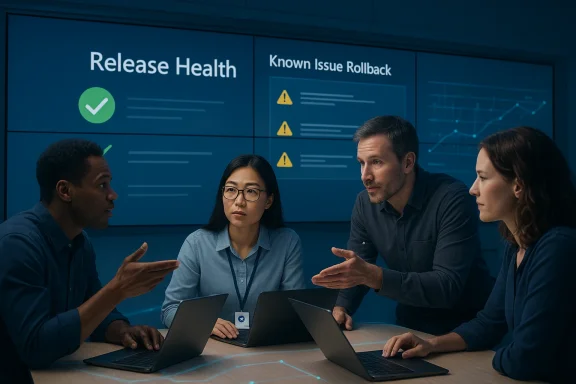
The Windows Health / Release Health pages are where Microsoft documents known issues, mitigations, and KIR announcements. If Microsoft’s operational pivot is to be measured, the health dashboard will be the primary transparency tool: clearer, timelier entries with useful mitigation guidance will be a tangible sign of progress.
If swarming becomes shorthand for endless triage without systemic change, user frustration will continue. If swarming is the start of a sustained campaign to rebuild validation, partner coordination, and update discipline, Windows 11’s day‑to‑day experience can return to the quiet reliability that users expect. The coming months will tell whether Microsoft’s words translate into measurable improvements: fewer show‑stopping regressions after Patch Tuesday, faster mitigations recorded on the release‑health dashboard, and a steady, documented reduction in user‑facing incidents. For now, the message is unambiguous: Microsoft says, “We need to improve.” The community should hold them to it—and measure the results.
Conclusion
Microsoft’s pledge to prioritize quality over feature velocity is a welcome recalibration that recognizes the practical reality of maintaining an OS at global scale. The company’s success will hinge on disciplined application of existing tools, stronger coordination with OEMs and driver vendors, and transparent, measurable communications that allow users and enterprises to plan with confidence. If Microsoft turns the swarming model into a durable, quality‑first engineering culture, Windows 11 can recover lost trust and become the dependable platform its users—and the broader PC ecosystem—need it to be.
Source: findarticles.com Microsoft Admits Windows 11 Bugs And Pledges Fixes
 Background
What Microsoft acknowledged — in plain terms
Microsoft’s Windows leadership has told reporters and the Windows Insider community that feedback has been “clear”: many Windows 11 users are experiencing unacceptable regressions, and engineering work must temporarily pivot from new features to stability and polish. The company described an operational approach often called “swarming,” where cross‑discipline teams converge on reproducible, high‑impact bugs until they are fixed at the root. This admission follows a run of updates that introduced or exposed issues , peripherals, boot reliability, and day‑to‑day responsiveness.Why this matters now
Scale amplifies risk. Windows 11 is a platform running on a massive installed base; the failure mode of an OS update is not a single unhappy user but thousands (or millions) of disrupted devices. Microsoft’s decision to end mainstream support for Windows 10 on October 14, 2025 further raised the stakes by making Windows 11 the default upgrade path for many customers—so regressions now carry greater operational and security cost. Microsoft’s own support documentation and public guidance make this end‑of‑support date clear, and enterprises that postponed migrations now face pressure to move while also demanding predictable updates.The concrete failure modes that triggered the reset
Microsoft’s public statements and the post‑mortems published on release health pages andg identify a cluster of concrete, high‑impact problems that repeatedly surfaced after a series of cumulative updates.- Systems failing to enter or e refusing to power off, creating serious disruption for laptop users and those who depend on predictable power‑state behavior.
- Unexplained reboots or boot failures after certain cumulatty patches—some requiring WinRE or manual intervention to recover.
- Peripheral and driver regressions (for example, USB mice/keyboards not working in recovery environments) that broke reade troubleshooting far more time‑consuming.
- Cloud‑file I/O and application hangs—particularly when working with OneDrive/Outlook or other cloud‑backed storage—that caused stalls and app cr small businesses.
- UI regressions and component initialization failures (Start menu, Taskbar, File Explorer) after servicing in some configurations, especially in non‑persistent VDI or first‑logon scenarios.
What Microsoft says it will do
The operational priorities
Microsoft’s message is a short list of tactical priorities: performance tuning, battery and power‑state stability, driver and firmware compatibility, and more predictable patch behaviour. Leadership has signalled a bias toward reliability over rapid visible feature drops, with the Windows Insider Program playing a larger role in captus diverse hardware. Expect these practical shifts:- Swarming teams: small cross‑discipline teams focused on high‑frequency regressions until the root cause is proven fixed.
- Tighter ring‑based rollouts: more conservative staging and clearer gating before broader distribution.
- Greater reliance on Known Issue Rollback (KIR) and telemetry‑driven mitigations to reduce blast radius for non‑security regressions.
- Fewer surprise feature‑drops: visible features will be packaged and staged so they can be deferred or paused without rolling back security fixes.
Why these levers are sensible
Each lever addresses a specific failure mode. Swarming concentrates expertise and shortens time‑to‑fix; ring‑based rollouts reduce exposure by slowing the ramp to the full fleet; KIR lets Microsoft disable a single problematic behavioural change without uninstalling security updates, which preserves security while restoring functionality. These are precisely the kinds of technical instruments large OS vendors need in their toolbox—if they are applied consistently and early.Independent validation and market signals
Public perception and adoption data show a turbulent period for Windows 11 adoption and confidence.- Market analytics and trade reporting documented swings in Windows 11’s market share late in 2025 and in early 2026, with some outlets noting declines and subsequent rebounds—evidence that at least a portion of users and IT decision‑makers were hesitant to move quickly to Windows 11. These figures were reported and discussed by multiple outlets, reflecting real world hesitancy.
- Industry coverage has framed Microsoft’s admission as a corrective move after a wave of high‑visibility regressions and emergency patches earlier in the year, a narrative echoed across independent newsrooms.
How Known Issue Rollbacks (KIRs) and the Windows Health Dashboard factor in
Microsoft’s Known Issue Rollback infrastructure is specifically designed to mitigate non‑security regressions without removing security fixes. For consumer devices Microsoft can activate KIRs via Windows Update, and for enterprise environments Microsoft provides Group Policy templates so IT can choose when and how to apply the rollback. KIRs are time‑limited and intended as temporary measures until a true fix is delivered in a follow‑on update.The Windows Health / Release Health pages are where Microsoft documents known issues, mitigations, and KIR announcements. If Microsoft’s operational pivot is to be measured, the health dashboard will be the primary transparency tool: clearer, timelier entries with useful mitigation guidance will be a tangible sign of progress.
What this means for everyday users and IT teams
Microsoft’s promises are necessary, but they also imply behaviour changes for users and admins. In practice:- End users should keep systems backed up, apply updates on a measured schedule (don’t panic‑install the first rollouts unless you need the security fix immediately), and watch the Windows Health Dashboard for known issues and KIR activation. Insider channels can catch fixes sooner—but they also carry risk.
- IT administrators must revisit depnd pilot rings, increase telemetry and rollback readiness, and use Group Policy or endpoint management tools to delay non‑critical cumulative updates until the organisation validates them in a controlled test environment. If you rely on broad fleet stability, prepare to use KIR MSI templates and documented Group Policy workflows for enterprise activation of rollbacks.
- Expand your pilot group and extend pilot testing windows.
- Automate backups and ensure recovery media are current.
- Maintain clear rollback playbooks—include WinRE and KIR Windows release health notifications used by your enterprise tools.
- Coordinate with hardware vendors to validate driver and firmware compatibility against each servicing build.
Strengths of Microsoft’s approach — and real risks
Notable strengths
- Tooling exists: Microsoft already has KIR, ringed rollout mechanisms, Insider channels, and telemetry pipelines—everything needed to reduce regression risk if used rigorously.
- Public acknowledgement matters: leadership admitting there’s a systemic problem is the first step to accountability. This public posture pressures internal teams to prioritize corrective work rather than ignore user pain.
- Fast mitigations demonstrate capacity: emergency OOB updates and KIR activations show Microsoft can act quickly when it commits to triage. Those are practical, not rhetorical, wins.
Remaining risks and failure modes
- Swarming as a band‑aid: unless “swarming” leads to permanent process changes—better gating, more conservative feature introduction, and stronger partner certification—it risks becoming a recurring firefighting posture rather than a cultural shift.
- Telemetry vs. privacy trade‑offs: more telemetry can speed detection, but Microsoft must balance visibility with privacy and provide enterprises clarity about the data used to gate rollouts.
- Hardware and firmware complexity: Windows runs on an enormous variety of silicon and OEM firmware. Some regressions are rooted in low‑level interactions that require vendor cooperation and potentially firmware updates—coordination that historically slows fixes.
- Business cadence conflicts: enterprises with long‑tail ESU or extended lifecycle requirements need explicit timelines for fixes and KIR availability; ad hoc fixes create uncertainty and operational overhead. Microsoft must provide clearer SLAs for mitigation tools.
How we’ll measure success: what to watch for
This pledge will be meaningful only if it changes measurable outcomes. Watch for:- Fewer emergency OOB patches after Patch Tuesday windows (less frantic triage is a success signal).
- Shorter KIR lifecycles with clear root‑cause fixes included promptly in follow‑on cumulative updates.
- Improved metrics on the Windows Health Dashboard—timelier updates, clearer mitigation steps, and concrete recovery playbooks that reduce help‑desk load. (learn.microsoft.com)
- Stabilized market signals: if Windows 11 adoption rebounds while enterprise rollout windows compress (faster enterprise rollouts with fewer incidents), that will be a practical indicator that Microsoft rebuilt confidence. Independent market coverage will be useful to cross‑verify Microsoft’s internal metrics.
Practical advice for readers today
- If you are a home user on a non‑critical machine: let the first wave of new cumulative updates sit for at least one week while your favoured sources and the Windows Health Dashboard confirm no major regressions.
- If you are a power user or creator whose workflow depends on real‑time reliability: keep a current system image and a tested recovery USB. Consider pausing non‑critical updates until Microsoft announces KIRs or a confirmed fix for any known issue that impacts you.
- If you are an IT administrator: extend pilot testing, automate backups and recovery drills, and draft a KIR Group Policy deployment plan so you can act quickly. Validate vendor drivers and firmware in parallel with each servicing cycle.
Final assessment: cautious optimism, but metrics required
Microsoft’s admission and operational pivot are the right moves on paper. The company has the necessary technical instrumentation—KIR, Insider channels, ringed rollouts, and the Windows Health Dashboard—to reduce regression impact and restore trust. The key issue is not the presence of tools, but the discipline of their use.If swarming becomes shorthand for endless triage without systemic change, user frustration will continue. If swarming is the start of a sustained campaign to rebuild validation, partner coordination, and update discipline, Windows 11’s day‑to‑day experience can return to the quiet reliability that users expect. The coming months will tell whether Microsoft’s words translate into measurable improvements: fewer show‑stopping regressions after Patch Tuesday, faster mitigations recorded on the release‑health dashboard, and a steady, documented reduction in user‑facing incidents. For now, the message is unambiguous: Microsoft says, “We need to improve.” The community should hold them to it—and measure the results.
Conclusion
Microsoft’s pledge to prioritize quality over feature velocity is a welcome recalibration that recognizes the practical reality of maintaining an OS at global scale. The company’s success will hinge on disciplined application of existing tools, stronger coordination with OEMs and driver vendors, and transparent, measurable communications that allow users and enterprises to plan with confidence. If Microsoft turns the swarming model into a durable, quality‑first engineering culture, Windows 11 can recover lost trust and become the dependable platform its users—and the broader PC ecosystem—need it to be.
Source: findarticles.com Microsoft Admits Windows 11 Bugs And Pledges Fixes
