

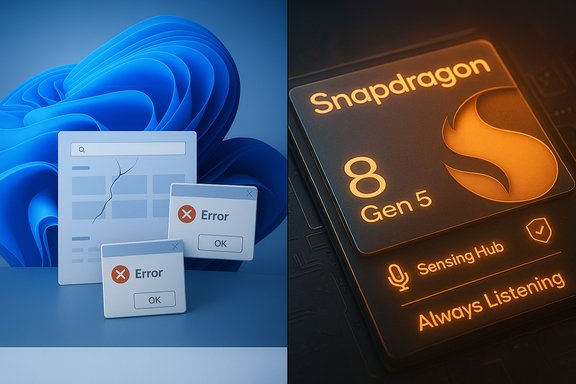
Windows 11’s recent servicing turmoil and a new Qualcomm chip that promises always‑listening intelligence have collided into one of the industry’s most talked‑about reliability debates: is Windows 11 now the unreliable operating system, and what does “always listening” silicon mean for smartphone privacy and functionality?
Background / Overview
Microsoft’s own support channels and a wide set of community reports show that Windows 11 suffered a cluster of high‑visibility regressions in 2024–2025 that touched the shell, local developer tooling, and recovery subsystems. The vendor published a formal support advisory (KB5072911) acknowledging a provisioning‑time registration regression that can leave core XAML‑based shell components — Start, Taskbar, File Explorer and Settings — failing to initialize after certain cumulative updates. Microsoft’s guidance focuses the risk on provisioning and non‑persistent environments (for example, freshly imaged PCs, VDI pools, and Cloud PC images) where updates are applied before the first interactive sign‑in. At the same time, users and admins reported other significant regressions after monthly rollups: HTTP.sys/kernel HTTP listener changes that broke localhost and HTTP/2 loopback for developers, and a WinRE (Windows Recovery Environment) regression that temporarily disabled USB input in recovery, blocking access to Startup Repair and Reset workflows on affected machines. Microsoft placed several of these behaviors on Release Health / Known Issues pages and issued out‑of‑band fixes for some symptoms, but the high‑visibility nature of the failures amplified public concern about the OS’s in‑use reliability. Overlaying this platform upheaval, Qualcomm announced a mainstream mobile SoC — the Snapdragon 8 Gen 5 — that includes an upgraded Sensing Hub: a dedicated low‑power AI/sensor subsystem able to fuse microphone and motion data to detect user intent and wake assistants or other agentic experiences. Tech coverage describes the Sensing Hub as capable of continuous sensing for context‑aware features, effectively enabling “always‑listening” behavior on devices that choose to implement it. Qualcomm and multiple outlets characterize the capability as a pathway to more proactive, on‑device AI.What “Windows 11: Most Unreliable OS” Actually Means
The phrase “Windows 11 named the most unreliable OS” has proliferated in social headlines and aggregated news feeds. That wording is rhetorically strong: it implies a definitive ranking produced by an authoritative, quantitative assessment. Careful reporting shows the underlying reality is more nuanced.- Microsoft’s KB5072911 and Microsoft’s Release Health pages document specific, confirmed regressions and known issues; those are factual, verifiable incidents.
- Independent tech outlets, repair forums, and enterprise admin threads have chronicled reproducible failures and escalation patterns that created operational pain for admins and lost productivity for users.
Deep Dive: The Failures That Dented Confidence
XAML/AppX Registration — Why Start, Taskbar and Settings Broke
The most consequential and well‑documented failure class involves modular UI packaging. Modern Windows components ship as updateable AppX/MSIX packages that host XAML UI. When servicing replaces those packages on disk, they must be re‑registered into the user session before shell processes attempt to instantiate UI views. A timing or registration race can leave Start, Taskbar, Explorer and other XAML‑dependent surfaces without the dependencies they need, producing “critical error” popups, blank taskbars, or non‑functional Settings windows at first sign‑in. Microsoft described the cause and provided manual re‑registration and logon scripting workarounds for IT admins. Why this matters practically: in enterprise provisioning and non‑persistent VDI scenarios, automation hands devices back to users immediately after servicing; there is often no slack for asynchronous registration. The result was reproducible fleet‑scale outages in imaging workflows and a surge of help‑desk tickets — far beyond cosmetic annoyances. Community and vendor reporting documented both the symptoms and the short‑term mitigations administrators used.HTTP.sys / Localhost Regressions — Developers Taken Offline
Another kernel‑level regression affected HTTP.sys — the kernel HTTP listener used by IIS, IIS Express and many local developer stacks. After a fall 2025 cumulative update, loopback connections and HTTP/2 negotiation on localhost sometimes failed with ERR_CONNECTION_RESET or HTTP/2 protocol errors, effectively knocking developers’ local servers offline while user‑mode server processes remained healthy. The locus of the failure was kernel HTTP stack behavior; Microsoft’s release notes and vendor coverage tracked the incident and issued fixes. This problem is particularly painful because it breaks build/test/debug cycles without producing obvious user‑facing UI errors.WinRE Input Failures — When Recovery Fails
Perhaps the most alarming symptom set was the WinRE USB input regression after an October cumulative update: keyboards and mice stopped working inside the recovery environment while continuing to function in the full Windows session. WinRE is deliberately minimal — its trimmed driver set makes it sensitive to packaging changes — and loss of USB input in recovery can render a device unrecoverable using built‑in tools. Microsoft acknowledged and released out‑of‑band fixes to restore WinRE USB input, but for the window between the regression and the patch many users faced an elevated operational risk.Driver and Peripheral Chaos
Beyond systemic servicing regressions, a variety of driver incompatibilities — notably with audio stacks and vendor tooling — produced blue screens, missing peripherals, and feature regressions. Some OEMs and driver vendors needed time to supply updated drivers; Microsoft used compatibility holds to block affected models from 24H2 installs in some cases. These device‑level problems magnified the perception that Windows 11 updates were destabilizing rather than improving endpoints.Why Reliability Fell: Servicing Model, Modularity, and Speed
Three structural changes help explain the spike in visible regressions:- Modular UI packaging — Moving shell surfaces into updatable AppX/XAML packages improves update agility but increases lifecycle complexity; registration ordering matters and created the registration race seen in KB5072911.
- Aggressive servicing cadence — Monthly cumulative updates and more frequent preview/feature rolls expose a larger surface area to regressions. When security patches and quality fixes are delivered monthly, the risk of an interaction that slips through validation rises unless testing scales commensurately.
- Expanded scope of platform features — Agentic features, on‑device AI integration, and expanded hardware security require more complex stacks and test surface; the industry tradeoff is faster innovation at the cost of wider coupling between components. The result: regressions that once would be isolated to niche subsystems now have visibility across mainstream UX flows.
Qualcomm’s “Continuously Listening” Processor: What It Is and What It Isn’t
Qualcomm’s recent platform release (principally reported around the Snapdragon 8 Gen 5 announcement) highlights a dedicated Sensing Hub: a low‑power AI and sensor fusion subsystem that ingests microphone and motion sensor data to predict intent and wake assistants or proactively offer context‑aware actions. Coverage from 9to5Google and other outlets frames the Sensing Hub as capable of always‑listening behavior when OEM software chooses to use it. The chip can combine lift/raise detection, acoustic scene analysis, and low‑power keyword detection to trigger higher‑power main‑core processes only when required — a classic power‑aware always‑listening architecture. Key architectural points:- The Sensing Hub is a separate low‑power engine (sensor hub + small AI processor) designed to process raw sensor streams without waking the full application processor. This lowers battery cost for continuous monitoring and keyword detection.
- OEMs control how the capability is surfaced, what data leaves the device, and which services are allowed to tap it. Qualcomm provides hardware capability; software stacks and partner integrations decide privacy controls and opt‑in behavior. Analyst coverage emphasizes that implementation choices — not Qualcomm’s silicon alone — will determine user impact.
- Similar low‑power, always‑listening architectures are not new to mobile silicon; Qualcomm’s Aqstic and other earlier platforms included always‑on voice keyword detection. The Sensing Hub represents an evolution: richer, multi‑modal intent detection and on‑device AI models for acoustic scene and motion recognition.
Privacy, Security and UX Tradeoffs: What to Watch For
The promise of proactive helpers is alluring — but it comes with real tradeoffs that users and IT teams should weigh.- Privacy risk if enabled by default. Continuous acoustic sensing is sensitive. Where OEMs or carriers enable features by default or hide controls, the privacy risk increases. The safest model is explicit opt‑in, transparent local processing, and clear controls to disable all sensing. Qualcomm’s briefings emphasize hardware capabilities; OEM policy will determine defaults.
- Attack surface expansion. Any low‑power sensor hub that processes microphone data must be secured: firmware integrity, signed updates, attestation and minimal privileged interfaces are needed to prevent misuse. Hardware vendors must adopt secure‑by‑default posture and provide attestation and auditability where on‑device assistants act autonomously.
- Power and UX benefits. When designed responsibly (local inference, wake‑word matching, and limited context windows), sensor hubs can reduce latency and battery drain for voice interactions. This is the pragmatic upside: faster assistant response and natural waking that does not require cloud roundtrips.
- Regulatory and enterprise policy issues. For corporate devices, IT policies should treat continuous sensing as a formal risk decision: enablement should be auditable, removable, and controllable through MDM and endpoint policy. Enterprises may want to block or whitelist OEM services that use the Sensing Hub to avoid unmanaged data flows.
Cross‑Reference: Two Independent Verifications for Major Claims
- The XAML/AppX registration race is documented directly by Microsoft support advisory KB5072911 and independently corroborated by enterprise and community reporting (forum analysis and troubleshooting threads). Those two independent sources confirm both the root cause (registration timing) and the observed symptoms (Start/Taskbar/Explorer failures).
- The Qualcomm Sensing Hub / always‑listening capability is described in Qualcomm product briefings and widely reported by tech publications covering the Snapdragon 8 Gen 5 launch; 9to5Google and Droid Life (and other outlets) independently report the Sensing Hub’s microphone+sensor fusion and intent detection as a core feature. Those independent press accounts match Qualcomm’s published positioning.
Practical Guidance for Users and IT Administrators
For Home Users
- Pause non‑critical feature updates for a short window after major rollouts; prefer the default Windows Update cadence rather than forcing media tools.
- Keep drivers up to date from OEMs; many peripheral issues were driver‑related and fixed by vendors after Microsoft’s servicing rollouts.
- Maintain a recent System Restore point or a backup image before installing major updates; restore options can be lifesavers if WinRE is affected.
For IT Administrators and Enterprises
- Treat agentic features and on‑device continuous sensing as policy decisions. Require explicit opt‑in and validate OEM implementation before enabling at scale.
- For provisioning and imaging workflows, implement synchronous package re‑registration in logon scripts or staging tasks as Microsoft’s KB recommends until a permanent fix is deployed. KB5072911 contains PowerShell Add‑AppxPackage example commands and a sample synchronous logon wrapper.
- Monitor Microsoft Release Health and set phased rollout gates for critical fleets; apply known issue rollbacks and compatibility holds where necessary.
Strengths, Risks, and Long‑Term Implications
Notable Strengths
- The modular AppX/XAML approach enables faster, targeted updates to UI surfaces and reduces the need for monolithic OS upgrades. When it works, this agility allows Microsoft to iterate more rapidly on UI and feature improvements.
- On‑device Sensing Hubs represent an important step toward lower‑latency, energy‑efficient assistants that can provide value without constant cloud dependency. With proper privacy controls, they can improve responsiveness and battery life for voice workflows.
Significant Risks
- Servicing complexity creates fragile ordering and registration dependencies; a single timing regression can cascade into high‑visibility outages across imaging, VDI and recovery scenarios. The recent incidents show how update mechanisms that change packaging or registration semantics can have outsized operational impact.
- Always‑listening capabilities shift the privacy equation: poor defaults, opaque data flows, or weak firmware controls could expose sensitive data or create regulatory exposure for vendors and organizations. Controls, attestation and clear opt‑ins are essential.
Conclusion
Windows 11’s run of servicing regressions in 2024–2025 exposed both technical fragility and governance gaps: modular packaging and a rapid update cadence delivered agility at the cost of new, systemic failure modes. Microsoft has acknowledged the most consequential errors (for example, the XAML/AppX registration race documented in KB5072911) and shipped mitigations, but the intensity of the visible failures damaged confidence and seeded headlines that framed the OS as the unreliable choice.At the same time, Qualcomm’s new Sensing Hub and Snapdragon 8 Gen 5 demonstrate how silicon is being designed to provide always‑available, local intelligence — a capability that will shape mobile UX for years. The technical capability is now clear; whether the industry adopts it with strong privacy defaults, secure firmware practices and enterprise governance will determine whether the capability is an unqualified benefit or a new risk vector.
The proper takeaway for technically minded readers is neither fatalism nor uncritical optimism: Windows 11’s recent reliability problems are real and attributable to identifiable servicing and packaging risks (which have known mitigations), and mobile silicon’s always‑listening engines are powerful but require careful policy, firmware security, and transparent opt‑ins. Organizations and consumers should treat both trends as actionable engineering problems: mitigate now, demand accountable design, and insist on auditable, opt‑in controls for continuous sensing and AI features.
Source: Inbox.lv News feed at Inbox.lv -
