

Windows 11’s reputation is at an all‑time low, and the conversation now stretches from Reddit threads to Microsoft’s support pages — a rare convergence of community anger, enterprise headaches, and high‑visibility corporate admissions that together make the problem impossible to ignore.
Windows 11 launched in October 2021 as Microsoft’s “modern, security‑first, AI‑ready” desktop OS. It promised a refreshed UI, tighter hardware security through TPM and Secure Boot requirements, and a modular servicing model intended to speed feature delivery. Over time that modularity — shipping UI pieces as AppX/MSIX packages and pushing frequent cumulative updates — became a double‑edged sword: faster innovation, but a larger surface for race conditions and dependency failures during updates and provisioning. That technical reality underpins many of the high‑profile failures users and admins now cite. c
Adoption has been volatile. Public trackers showed Windows 11 finally surpassing Windows 10 during the mid‑2025 migration wave, but later months saw churn and a fall in some snapshots, underscoring how fragile the victory was and how closely adoption tracks enterprise lifecycle events like the end‑of‑support for Windows 10. These shifts are visible in multiple independent analyses and industry trackers.
Key operational weaknesses that recur in the evidence:
Mitigations in the short term are tactical (driver rollbacks, targeted compatibility holds, and patch-level fixes); long term they require tighter coordina, stricter regression tests under heavy gaming loads, and clearer telemetry signals that separate driver regressions from OS scheduling effects.
There is no technical inevitability that Windows must fail; the fixes are known and achievable. What remains to be seen is whether Microsoft will prioritize trust and deterministic behavior with the same energy it applies to shipping flashy features. For the millions who depend on Windows every day — in classrooms, enterprises, and living rooms — that choice is the difference between a resilient platform and a brittle one that invites migration away from the ecosystem.
Source: Windows Central Windows 11's reputation is at an all-time low
 Background
Windows 11 launched in October 2021 as Microsoft’s “modern, security‑first, AI‑ready” desktop OS. It promised a refreshed UI, tighter hardware security through TPM and Secure Boot requirements, and a modular servicing model intended to speed feature delivery. Over time that modularity — shipping UI pieces as AppX/MSIX packages and pushing frequent cumulative updates — became a double‑edged sword: faster innovation, but a larger surface for race conditions and dependency failures during updates and provisioning. That technical reality underpins many of the high‑profile failures users and admins now cite. cAdoption has been volatile. Public trackers showed Windows 11 finally surpassing Windows 10 during the mid‑2025 migration wave, but later months saw churn and a fall in some snapshots, underscoring how fragile the victory was and how closely adoption tracks enterprise lifecycle events like the end‑of‑support for Windows 10. These shifts are visible in multiple independent analyses and industry trackers.
What the headlines actually say
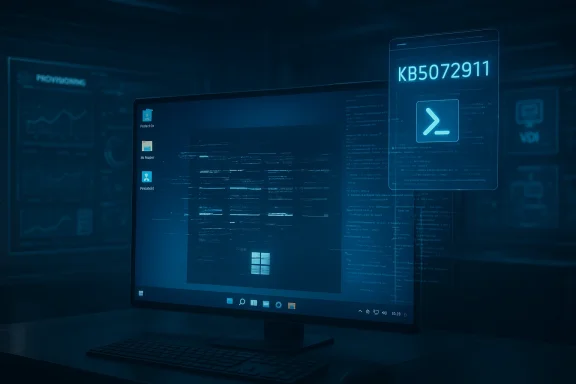
- Microsoft publicly acknowledged a class of shell failures tied to XAML/AppX registration timing after cumulative updates released in mid‑2025; the advisory is catalogued in support bulletin KB5072911 and includes manual mitigations for IT teams.
- Community reporting, forum threads, and technical analysis document recurring user complaints: sluggishness in everyday tasks, broken Start menu/Taskbar behavior, gaming regressions, intrusive in‑OS promotions, and an aggressive push to integrate Copilot and other AI features before core stability concerns are fully addressed.
- At the same time Microsoft executives have signaled a major strategic shift toward using AI in development: Satya Nadella stated AI now produces a substantial share of new code in Microsoft repositories — “maybe 20–30 percent” in some remarks — a statistic widely reported and influential in the public debate about quality and risk.
Anatomy of the failure: why the shell broke
The technical root cause in simple terms
Windows UI components such as Start, Taskbar, File Explorer, Settings and other shell surfaces are implemented as XAML‑based AppX packages that must be registered in a running user session for the shell to initialize properly. Under the servicing model introduced for Windows 11, monthly cumulative updates replace those packages and then register them. In certain provisioning and non‑persistent scenarios (imaging, VDI, Cloud PC, or first interactive logon after an update), package registration can lag behind the shell’s startup. If the shell initializes before registration completes, XAML activation fails, and visible shell elements either crash or appear blank. Microsoft explains this precisely in KB5072911 and provides manual PowerShell re‑registration steps and a synchronous logon script as mitigations while a permanent fix is developed. ([support.microsoft.com](KB5072911: Explorer, das Startmenü und andere XAML-abhängige Apps werden auf einigen Unternehmensgeräten möglicherweise nicht unerwartet gestartet oder geschlossen. - Microsoft-Support provisioning and VDI are disproportionately affected- Provisioning workflows create the first interactive user session immediately after an update; there is no slack for asynchronous persistent images register AppX packages at logon rather than persisting them in the golden image, so every logon becomes a potential failure point.
- The result: education labs, VDI farms, and Cloud PC pood, high‑visibility breakage at scale — precisely the kind of outage that erodes trust among IT and end users.
The user experience problem: a long list of irritants
Beyond the technical serving among power users and mainstream consumers has soured for multiple, partly overlapping reasons:- Hardware and upgrade friction: Strict TPM 2.0 and Secure Boot requirements blocked upgrades on many otherwise viable machines, leaving users resentful even when workarounds exist.
- UI regressions and change fatigue: Taskbar limitations, removed or reworked Start features, and scattered settings have frustrated people who prefer predictability over novelty.
- Perceived performance regressions: Anecdotal and measured complaints around File Explorer, search, and menu responsiveness drove the narrative that Windows 11 “feels” slower for many day‑to‑day tasks.
- In‑OS promotions and nudges: Persistent promotional glances toward Microsoft services, OneDrive, and Microsoft 365 have fed a sense that Windows — even when paid for — is a platform for upsells.
- Copilot and AI placement: Embedding Copilot into shell surfaces before core reliability is restored has been interpreted as prioritizing feature PR over stability. That perception intensified after public comments from Microsoft about accelerating AI in engineering.
The AI factor: does AI‑assisted coding explain more regressions?
Satya Nadella’s public remarks — that “maybe 20–30 percent” of the code inside some Microsoft repos is now written by software — are factual as reported (he made the comment during a LlamaCon fireside chat) and have been widely quoted across outlets. Those figures are real statements from leadership and therefore merit attention. But the interpretation matters. There are three distinct, and valid, concerns:- Scale and review: AI can generate scaffolding and new code, but humans still review and integrate changes. High acceptance rates of AI suggestions increase throughput but also place responsibility on review processes. Multiple outlets note Nadella’s caveat that human code review rates are also high.
- Regression risk: If AI accelerates feature delivery without proportionally strengthening end‑to‑end tests and integration gating, the likelihood of regressions can rise. This is a systemic engineering discipline problem — not strictly an AI problem — but the speed multiplier AI offers magnifies existing QA shortfalls. Forum analysis and trade coverage voiced that worry explicitly when connecting AI use to the cadence of buggy releases.
- Attribution and blame: It’s tempting to blame “AI” when things go wrong; however the chain of responsibility remains people — product owners, release engineers, and QA leads — who choose how AI outputs are validated and merged. The public admission changes the calculus of risk, but does not, on its own, prove causality for every regression.
Quality assurance and release discipline: the weakest link
Multiple community and industry analyses converge on the same conclusion: the cadence of frequent, fast updates amplified the visibility of regressions. When the cost of a faulty update is a broken Start menu or a missing Taskbar in provisioning images, the trust cost is high and immediate. Independent reporters and forum researchers documented complaints about rushed rollouts, device‑gated features that fragment the user experience, and the erosion of end‑to‑end validation discipline.Key operational weaknesses that recur in the evidence:
- Testing gaps for low‑frequency but high‑impact scenarios (provisioning, non‑persistent VDI, instant‑clone pools).
- Heavy reliance on field telemetry and phased rollouts without sufficient preproduction gating.
- Inconsistent documentation and slow issuance of formal KB advisories ommunity reporting — a latency that fuels frustration among admins tasked with remediation.
Enterprise impact: procurement, imaging, and trust
Enterprises bear the brunt of systemic servicing failures. Provisioning automation, imaging workflows, endpoint management, and classroom lab rollouts — all reliant on automated first sign‑ons — faced reproducible failures that consumed engineering time and user goodwill. The Microsoft KB article is explicit about the symptoms and provides PowerShell workarounds, but those are stopgaps in environments that expect deterministic, unattended provisioning at scale. For IT leaders the calculus now includes:- Holding off on broad 24H2/25H2 rollouts until a fix is released and tested in representative images.
- Engaging OEMs for validated driver and image bundles to avoid fragmented device experience.
- Revisiting change windows and pilot ring durations to detect provisioning race conditions before they hit a classroom or a VDI pool at scale.
Gaming and performance: surface‑level and deeper issues
Windows retains its dominance for PC gaming, but user reports described intermittent stuttering, anti‑cheat incompatibilities, and uneven frame pacing on certain hardware and driver combinations following some feature updates. These are the symptoms of a platform that must simultaneously be a general‑purpose OS, a low‑latency gaming platform, and a vehicle for AI features — a difficult engineering triage problem when resources are finite.Mitigations in the short term are tactical (driver rollbacks, targeted compatibility holds, and patch-level fixes); long term they require tighter coordina, stricter regression tests under heavy gaming loads, and clearer telemetry signals that separate driver regressions from OS scheduling effects.
Microsoft’s response and mitigations
Microsoft has done the predictable things: publish KB advisories (KB5072911 is the canonical example), provide PowerShell registration workarounds and logon scripts for non‑persistent environments, and open coordinated channels with OEMs and enterprise customers. Those steps are appropriate and necessary; they do not, store confidence. The timeline and communication cadence matter as much as the technical fix when admins and users must decide whether to upgrade or delay.What Microsoft should and could do next (practical roadmap)
- Harden provisioning by changing the upgrade/registration sequencing so shell processes block until critical XAML packages are registered; where blocking isn’t possible, ship default visual fallbacks to avoid blank/critical UI states.
- Reintroduce an explicit “Pro/Expert” OS nudges, telemetry, and promotional content for users and organizations that want deterministic behavior — a proposal echoed by veteran engineers in the community.
- Publicly commit to stronger AI‑in‑the‑loop governance: publish acceptance metrics, code review KPIs, and snippets of test coverage requirements for AI‑generated changes.
- Extend controlled pilot windows for major feature updates from days to weeks in critical verticals (education, VDI, enterprise imaging).
- Improve transparency and speed of official advisories when the community detects a systemic problem; a four‑month gap between first reports and a formal bulletin undermines operational planning.
What about Surface and hardware strategy?
Surface devices remain a showcase for hardware‑software integration, and Microsoft’s hardware line benefits from tighter slates of tested firmware, drivers, and image bundles. The company can use Surface as a laboratory for resilient servicing practices — shipping robust incremental updates to a closed fleet before broader distributiuces consumer risk and gives Microsoft a repeatable path to validate fixes across hardware variants before they hit the wider ecosystem. Several community posts argue Microsoft’s hardware push is sound, but that the OS must be stabilized to preserve the brand halo.The data reality: adoption is messy, not monolithic
Market‑share trackers tell a nuanced story: Windows 11 overtook Windows 10 in some mid‑2025 snapshots as corporate migrations accelerated before Windows 10’s end‑of‑support, but the lead has been narrow and fluctuating month to month. Different data sources (pageview panels versus installed‑base inventories) produce different headlines; that’s normal, but it also means the “Windows 11 is dead on arrival” narrative is an overreach. Adoption is happening — unevenly and sometimes reluctantly — and the quality and stability of the upgrade experience will shape the second half of this migration wave.Critical analysis: strengths, weaknesses, and systemic risk
Notable strengths
- Modern architecture: The modular AppX/MSIX approach and focus on security (TPM/Secure Boot) are technically defensible choices for a platform that must scale into on‑device AI and tighter cloud integration.
- Feature velocity: The servicing model can deliver improvements faster, enabling quicker security hardening and new capabilities like Copilot, haptics, and NPU optimizations for Arm devices.
Key weaknesses and risks
- Release discipline lag: Faster shipping without proportional QA and gating has produced user‑visible regressions that are costly in trust.
- Perception of priorities: Pushing AI features and in‑OS promotions before platform stability changes the product narrative from “tool” to “vehicle for services,” alienating power users.
- Governance of AI‑assisted development: Public admissions that a large fraction of code is AI‑generated create a governance problem; if review and telemetry fail, speed becomes recklessness.
Systemic risk
If Microsoft preserves feature velocity without visible improvements in reliability and enterprise readiness, the result could be durable churn: enterprises delaying upgrades, consumers seeking alternatives (including Linux distributions tuned for Windows migrants), and a longer tail of mixed OS versions that complicates driver and app compatibility for years. Several community reports and trackers already document users exploring other OSes after Windows 10’s end of support.Recommendations for Windows users and admins (practical, immediate)
- For enterprise admins: Delay broad rollouts until KB‑level fixes for provisioning are applied and validated in representative images; use the provided PowerShell re‑registration as a stopgap in VDI environments.
- For power users: Consider an Insider ring only if you are prepared to troubleshoot and roll back; otherwise wait for cumulative servicing patches that explicitly list the fixes you need.
- For everyday consumers: If your device is functioning and you rely on stable productivity or gaming, a cautious, staged upgrade approach reduces exposure to unexpected UI or compatibility regressions.
Conclusion
Windows 11 is at a crossroads: technically ambitious and strategically aligned with on‑device AI, yet weakened by a predictable combination of rushed releases, complex servicing interactions, and an optics problem amplified by public admissions about AI‑assisted code generation. Microsoft’s remedy must be threefold: fix the provisioning timing bug decisively, shore up release and QA discipline, and publicly commit to governance rules for AI outputs in production code.There is no technical inevitability that Windows must fail; the fixes are known and achievable. What remains to be seen is whether Microsoft will prioritize trust and deterministic behavior with the same energy it applies to shipping flashy features. For the millions who depend on Windows every day — in classrooms, enterprises, and living rooms — that choice is the difference between a resilient platform and a brittle one that invites migration away from the ecosystem.
Source: Windows Central Windows 11's reputation is at an all-time low
