

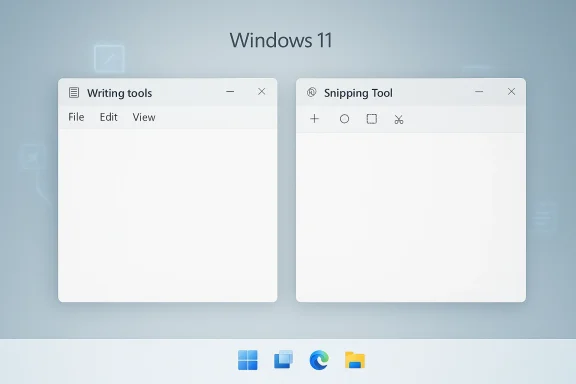
Microsoft’s apparent retreat from Copilot branding in Windows 11 is less a surrender than a recalibration, but the reaction shows just how much trust the company has burned through. In Notepad, Microsoft is now replacing the Copilot icon and label with “writing tools”, and in Snipping Tool it is trimming visible AI entry points while keeping the underlying capabilities intact. That has sparked a familiar accusation from skeptics: this is not a real AI rollback, just a PR-friendly rebrand that removes the word “Copilot” without removing the features people found intrusive. The truth is more nuanced, and for Windows 11 users it matters less what Microsoft calls the buttons than whether the desktop finally feels less crowded.
Microsoft spent much of 2024 and 2025 making Windows 11 the front door to its AI strategy. Copilot was not merely an app; it became a brand language that spread across the operating system, inbox apps, productivity tools, and consumer marketing. Notepad, once the emblem of simplicity, started gaining AI-powered rewrite and summarize features, while Snipping Tool and other utilities became delivery vehicles for Microsoft’s broader AI pitch. That strategy made sense in a boardroom slide deck, but it created a very different experience in daily use: users who wanted speed and quiet got prompts, badges, and assistant surfaces instead.
The shift now underway is best understood as a correction to that overload. Microsoft’s own Windows Insider messaging has already framed the latest changes as reducing “unnecessary Copilot entry points” in apps such as Snipping Tool, Photos, Widgets, and Notepad. In Notepad, Microsoft has removed Copilot iconography and replaced it with a more neutral writing tools label, while leaving the feature set largely intact. That distinction is crucial because it shows the company is backing away from overt brand saturation while preserving the AI plumbing underneath. (windowscentral.com)
The backlash is easy to understand. Windows is not a disposable app or a web service tab; it is the desktop, the shell, the workspace, and the thing people use all day. When Microsoft adds AI into places that traditionally represented speed, predictability, and minimal friction, it changes the emotional contract of the platform. For many enthusiasts and IT admins, the frustration was never “AI exists”; it was “AI keeps showing up where it does not belong.” The current rollback, or rebranding depending on how generously you want to interpret it, is Microsoft acknowledging that problem out loud for the first time in a meaningful way. (windowscentral.com)
There is also an enterprise angle here that should not be ignored. Microsoft has documented ways to uninstall the Copilot app on Windows 11 and manage some Copilot-related features through administrative controls, which underscores the reality that AI deployment is now a governance issue as much as a UX decision. In practice, the enterprise world does not want surprises in core productivity workflows, especially not ones that arrive with cloud requirements, sign-in dependencies, or licensing implications. Microsoft appears to know that visibility and adoption are not the same thing. (support.microsoft.com)
Notepad is the clearest symbol of this tension. The app has already been modernized with features like recent files, summarization, and rewrite functions, and Microsoft’s support documentation makes clear that these AI tools are available only on certain Insider builds and often require Microsoft account sign-in and AI credits. The feature set is real, but so is the friction: cloud-backed processing, authentication, credits, and the expectation that users should treat a lightweight editor like a mini productivity suite. That is a lot to ask of a program whose entire brand identity was built on not asking for much at all. (blogs.windows.com)
Snipping Tool follows the same pattern, albeit with a different use case. It is supposed to get out of the way quickly: capture, annotate, share, done. When Microsoft starts layering Copilot-adjacent behavior onto that flow, it creates the sense that every simple task is now a chance for the company to demonstrate its AI ambitions. That might be acceptable in a demo, but in actual use it can feel like interruption by design. The Insider blog’s March 2025 update still showed Microsoft actively extending AI into Notepad while promising users they could disable it if they preferred, which suggests the company knew the need for restraint even before the current branding shift. (blogs.windows.com)
The current change also fits a broader industry pattern. Microsoft, Apple, and Google are all trying to define the AI era, but they are doing it from very different starting points. Apple has generally taken a more conservative approach to surfacing systemwide AI, and Google has concentrated most of its AI ambition in services rather than in a desktop shell. Microsoft has the hardest job because Windows must satisfy consumers, enterprises, developers, gamers, schools, and power users at the same time. A noisy assistant can be a sales point in one context and a liability in another. That is why this story matters more than a cosmetic label change would suggest. (support.microsoft.com)
Another important backdrop is user memory. Windows users do not forget quickly when Microsoft removes familiar controls or introduces changes that feel like product management overriding workflow reality. The taskbar controversy is a good example of that broader mood, even though it is a separate issue. Once users start to believe the shell is being optimized for Microsoft’s priorities rather than their own, every extra button becomes suspect. Copilot did not create that trust gap, but it certainly widened it. (windowscentral.com)
The reason this matters is that product perception is often determined by the first thing users see, not by the code hidden behind it. If a tool opens with a Copilot icon, many people assume they are being pushed toward a chatbot whether they asked for it or not. If that same tool opens with a pen icon and a feature label like writing tools, the experience feels less like branding and more like utility. Microsoft seems to have recognized that the emotional weight of the Copilot name has become part of the problem. That is a smart UX lesson, even if it is arriving late. (windowscentral.com)
There is a risk, though, that users will see through the move immediately. If the same summarization and rewrite tools are still there, only relabeled, then critics will argue—fairly—that this is branding surgery rather than product restraint. That critique is not irrational. In fact, it is exactly why the change is being read by some as a PR exercise. Microsoft may be solving the optics problem more aggressively than the product problem. (windowscentral.com)
Still, UI changes can matter even when the backend does not. A calmer interface lowers cognitive load, reduces accidental discovery, and makes it easier for users to ignore features they do not want. In Windows, where muscle memory matters and many workflows are repeated dozens of times a day, that kind of restraint can have outsized value. Sometimes less visible really is more usable.
That is why the current rebrand matters. Notepad’s new writing tools label is not just a terminology tweak; it is a recognition that the Copilot name itself may have become a liability in a space where users expect calm. If a text editor starts feeling like a product brochure, then the product has crossed a line. Microsoft is trying to step back from that line without admitting the line was ever there. (windowscentral.com)
There is also a subtle trust issue in how the features are delivered. Microsoft’s support documentation makes clear that some AI functions require Microsoft account sign-in and AI credits, while some are limited to Insider channels. That means Notepad is no longer just a local utility; it is part of a cloud and licensing ecosystem. For a lot of users, that is exactly the kind of complexity they never wanted from Notepad in the first place. (support.microsoft.com)
The Windows Insider blog from March 2025 showed Microsoft still actively adding capabilities to Snipping Tool, including a more flexible protocol launch experience and improved inking behavior. At that point, the app was still in expansion mode. The current reversal suggests Microsoft now sees a difference between adding genuine functionality and hanging AI branding on a surface that users already understood. That is a healthy distinction, even if it arrived after backlash. (blogs.windows.com)
The broader risk is that Microsoft may end up creating two classes of features: those it markets aggressively and those it quietly moves into the background when users complain. That is not necessarily bad product management, but it can look inconsistent. If the AI story is stable, the company should not need to hide it every time it lands in a practical workflow. The fact that it is doing so suggests the original placement strategy was flawed.
At the same time, PR and product correction are not mutually exclusive. A company can make a genuinely better UX decision and also benefit from the narrative reset. Microsoft may be trying to do both: lower irritation, preserve AI investment, and reset the conversation around Windows 11 from AI everywhere to AI where useful. That framing is more defensible and, frankly, more believable. (windowscentral.com)
There is also the issue of timing. This change lands after months of debate about AI clutter, Windows 11 complexity, and the broader question of whether Microsoft has been over-prioritizing Copilot. A rebrand at that exact moment looks strategic, because it is strategic. Microsoft wants to preserve the AI momentum while reducing the political cost of being seen as pushy. The move is probably smarter than it looks, but that does not make it less calculated.
The most generous reading is that Microsoft has learned a basic product truth: ubiquity is not the same thing as usefulness. If a feature is genuinely helpful, it does not need to dominate the interface to survive. If it does need to dominate the interface, that is often a sign the feature has not earned its place yet. Copilot in Windows has now become a live test of that principle.
For enterprise users, the stakes are sharper. Administrators care about control, supportability, and the ability to turn features off on their own terms. Microsoft’s documentation already shows that the Copilot app can be uninstalled on Windows 11 and managed in organizational contexts, which implies that governance is central to the product’s distribution model. Enterprises are likely to welcome less aggressive branding, but they will still want clearer policy control, licensing clarity, and predictable rollout behavior. (support.microsoft.com)
A second opportunity is brand repair. Copilot has become both Microsoft’s flagship AI identity and, for some users, a symbol of product overreach. Softening that symbol in high-frequency apps like Notepad may reduce resistance without forcing Microsoft to abandon the broader AI story. In a market where trust is fragile, small usability wins can compound quickly.
Another risk is inconsistency. If some apps quietly drop Copilot branding while others continue to push it aggressively, users will experience the platform as incoherent. Windows 11 already has a reputation for uneven design logic, and this sort of partial rollback can amplify that criticism rather than resolve it. A half-turn can look more indecisive than a mistake.
It will also be worth watching how Microsoft talks about Copilot in the months ahead. If the company continues using softer labels like writing tools, while preserving the same underlying functionality, it is signaling a long-term strategy of de-emphasis rather than removal. If it starts coupling those changes with broader UI simplification, better defaults, and fewer forced sign-ins, then the message becomes more credible. Microsoft has an opening here, but it only matters if the company keeps it open.
Source: TechRadar https://www.techradar.com/computing...dy-being-criticized-for-not-going-far-enough/
Source: OC3D Microsoft removes Copilot from several Windows 11 apps - OC3D
 Overview
Microsoft spent much of 2024 and 2025 making Windows 11 the front door to its AI strategy. Copilot was not merely an app; it became a brand language that spread across the operating system, inbox apps, productivity tools, and consumer marketing. Notepad, once the emblem of simplicity, started gaining AI-powered rewrite and summarize features, while Snipping Tool and other utilities became delivery vehicles for Microsoft’s broader AI pitch. That strategy made sense in a boardroom slide deck, but it created a very different experience in daily use: users who wanted speed and quiet got prompts, badges, and assistant surfaces instead.The shift now underway is best understood as a correction to that overload. Microsoft’s own Windows Insider messaging has already framed the latest changes as reducing “unnecessary Copilot entry points” in apps such as Snipping Tool, Photos, Widgets, and Notepad. In Notepad, Microsoft has removed Copilot iconography and replaced it with a more neutral writing tools label, while leaving the feature set largely intact. That distinction is crucial because it shows the company is backing away from overt brand saturation while preserving the AI plumbing underneath. (windowscentral.com)
The backlash is easy to understand. Windows is not a disposable app or a web service tab; it is the desktop, the shell, the workspace, and the thing people use all day. When Microsoft adds AI into places that traditionally represented speed, predictability, and minimal friction, it changes the emotional contract of the platform. For many enthusiasts and IT admins, the frustration was never “AI exists”; it was “AI keeps showing up where it does not belong.” The current rollback, or rebranding depending on how generously you want to interpret it, is Microsoft acknowledging that problem out loud for the first time in a meaningful way. (windowscentral.com)
There is also an enterprise angle here that should not be ignored. Microsoft has documented ways to uninstall the Copilot app on Windows 11 and manage some Copilot-related features through administrative controls, which underscores the reality that AI deployment is now a governance issue as much as a UX decision. In practice, the enterprise world does not want surprises in core productivity workflows, especially not ones that arrive with cloud requirements, sign-in dependencies, or licensing implications. Microsoft appears to know that visibility and adoption are not the same thing. (support.microsoft.com)
Background
Windows 11’s Copilot story did not emerge in a vacuum. Microsoft had already been pushing generative AI across Bing, Edge, Microsoft 365, and hardware marketing long before users started seeing it in Notepad. Once the company decided to treat Copilot as a platform layer rather than a standalone assistant, the next logical step was to place it everywhere people already spent time. That is where the trouble began. It is one thing to present an AI assistant as optional help; it is another to embed it into tools whose main appeal is being fast and unobtrusive.Notepad is the clearest symbol of this tension. The app has already been modernized with features like recent files, summarization, and rewrite functions, and Microsoft’s support documentation makes clear that these AI tools are available only on certain Insider builds and often require Microsoft account sign-in and AI credits. The feature set is real, but so is the friction: cloud-backed processing, authentication, credits, and the expectation that users should treat a lightweight editor like a mini productivity suite. That is a lot to ask of a program whose entire brand identity was built on not asking for much at all. (blogs.windows.com)
Snipping Tool follows the same pattern, albeit with a different use case. It is supposed to get out of the way quickly: capture, annotate, share, done. When Microsoft starts layering Copilot-adjacent behavior onto that flow, it creates the sense that every simple task is now a chance for the company to demonstrate its AI ambitions. That might be acceptable in a demo, but in actual use it can feel like interruption by design. The Insider blog’s March 2025 update still showed Microsoft actively extending AI into Notepad while promising users they could disable it if they preferred, which suggests the company knew the need for restraint even before the current branding shift. (blogs.windows.com)
The current change also fits a broader industry pattern. Microsoft, Apple, and Google are all trying to define the AI era, but they are doing it from very different starting points. Apple has generally taken a more conservative approach to surfacing systemwide AI, and Google has concentrated most of its AI ambition in services rather than in a desktop shell. Microsoft has the hardest job because Windows must satisfy consumers, enterprises, developers, gamers, schools, and power users at the same time. A noisy assistant can be a sales point in one context and a liability in another. That is why this story matters more than a cosmetic label change would suggest. (support.microsoft.com)
Another important backdrop is user memory. Windows users do not forget quickly when Microsoft removes familiar controls or introduces changes that feel like product management overriding workflow reality. The taskbar controversy is a good example of that broader mood, even though it is a separate issue. Once users start to believe the shell is being optimized for Microsoft’s priorities rather than their own, every extra button becomes suspect. Copilot did not create that trust gap, but it certainly widened it. (windowscentral.com)
What Microsoft Is Actually Changing
At the center of this story is a distinction that matters more than the headlines suggest: Microsoft is not ripping AI out of Windows 11. It is reducing the most visible, most branded, and most interruption-prone Copilot surfaces. In Notepad, the app is moving from Copilot-labeled AI to a more neutral writing tools identity, and the AI settings have been reclassified under Advanced features. That is a real UI change, but it is also a rhetorical one, because it lowers the temperature of the experience without removing the underlying capability. (windowscentral.com)The reason this matters is that product perception is often determined by the first thing users see, not by the code hidden behind it. If a tool opens with a Copilot icon, many people assume they are being pushed toward a chatbot whether they asked for it or not. If that same tool opens with a pen icon and a feature label like writing tools, the experience feels less like branding and more like utility. Microsoft seems to have recognized that the emotional weight of the Copilot name has become part of the problem. That is a smart UX lesson, even if it is arriving late. (windowscentral.com)
Branding versus functionality
The most interesting part of the change is that the function remains while the badge disappears. That means Microsoft is trying to preserve the value proposition while diluting the Copilot everywhere narrative. In practical terms, this is a win for users who wanted fewer AI reminders but did not necessarily object to the features themselves. It is also a way for Microsoft to keep its AI investments visible in a softer, less confrontational form. (windowscentral.com)There is a risk, though, that users will see through the move immediately. If the same summarization and rewrite tools are still there, only relabeled, then critics will argue—fairly—that this is branding surgery rather than product restraint. That critique is not irrational. In fact, it is exactly why the change is being read by some as a PR exercise. Microsoft may be solving the optics problem more aggressively than the product problem. (windowscentral.com)
Still, UI changes can matter even when the backend does not. A calmer interface lowers cognitive load, reduces accidental discovery, and makes it easier for users to ignore features they do not want. In Windows, where muscle memory matters and many workflows are repeated dozens of times a day, that kind of restraint can have outsized value. Sometimes less visible really is more usable.
Why Notepad Became the Symbol
Notepad became the lightning rod because it occupies a rare place in Windows culture: it is the last tool many people expect to remain simple. Microsoft can add cloud sync to OneNote, AI to Word, or heavy visual features to Photos and users will roll their eyes, but Notepad is different. It is the benchmark for minimalism. When Microsoft adds AI to Notepad, it signals that no part of the desktop is too plain to be monetized, modernized, or branded.That is why the current rebrand matters. Notepad’s new writing tools label is not just a terminology tweak; it is a recognition that the Copilot name itself may have become a liability in a space where users expect calm. If a text editor starts feeling like a product brochure, then the product has crossed a line. Microsoft is trying to step back from that line without admitting the line was ever there. (windowscentral.com)
What users actually want from Notepad
What users usually want from Notepad is not complicated. They want it to open instantly, stay out of the way, preserve text, and remain predictable. AI features can be useful, but only when they are clearly optional and do not alter the identity of the app. Microsoft’s move suggests it has finally grasped that optional and prominent are not the same thing. (blogs.windows.com)- Fast launch time
- Minimal interface noise
- Reliable file handling
- Clear optional features
- No cloud-first feeling
- Predictable keyboard shortcuts
There is also a subtle trust issue in how the features are delivered. Microsoft’s support documentation makes clear that some AI functions require Microsoft account sign-in and AI credits, while some are limited to Insider channels. That means Notepad is no longer just a local utility; it is part of a cloud and licensing ecosystem. For a lot of users, that is exactly the kind of complexity they never wanted from Notepad in the first place. (support.microsoft.com)
Snipping Tool and the Quiet Retreat
Snipping Tool is the other app where Microsoft’s AI ambitions have become harder to defend. The tool’s job is inherently tactical: capture an image, annotate it, and move on. That workflow does not naturally invite a persistent assistant badge, because the value of the app lies in speed and focus. If the user has to stop and interpret whether a button is for capture, markup, or AI, the utility is already less useful.The Windows Insider blog from March 2025 showed Microsoft still actively adding capabilities to Snipping Tool, including a more flexible protocol launch experience and improved inking behavior. At that point, the app was still in expansion mode. The current reversal suggests Microsoft now sees a difference between adding genuine functionality and hanging AI branding on a surface that users already understood. That is a healthy distinction, even if it arrived after backlash. (blogs.windows.com)
Less interruption, more intent
Removing or de-emphasizing Copilot in Snipping Tool is a classic example of respecting user intent. The user already did the thing: they took the screenshot. They are now in a focused post-capture workflow. Dropping an AI prompt into that moment can feel like a detour, not a help. Microsoft appears to be learning that a good desktop assistant should be present when asked, not visible just because the app opened. (blogs.windows.com)- Capture first, assist second
- Use AI only when it adds obvious value
- Minimize UI clutter during quick tasks
- Preserve the app’s lightweight identity
- Reduce accidental interactions
- Keep advanced features discoverable but not dominant
The broader risk is that Microsoft may end up creating two classes of features: those it markets aggressively and those it quietly moves into the background when users complain. That is not necessarily bad product management, but it can look inconsistent. If the AI story is stable, the company should not need to hide it every time it lands in a practical workflow. The fact that it is doing so suggests the original placement strategy was flawed.
The PR Exercise Argument
Critics are not wrong to say this looks like a PR exercise. Microsoft is not removing the underlying AI features from Notepad or Snipping Tool; it is reducing their visual prominence and changing the vocabulary around them. In other words, the behavior remains while the branding softens. That is exactly the kind of move a company makes when it wants to tell the market it has listened without conceding that its prior design was overbearing.At the same time, PR and product correction are not mutually exclusive. A company can make a genuinely better UX decision and also benefit from the narrative reset. Microsoft may be trying to do both: lower irritation, preserve AI investment, and reset the conversation around Windows 11 from AI everywhere to AI where useful. That framing is more defensible and, frankly, more believable. (windowscentral.com)
Why the skepticism is persistent
Skepticism persists because users have seen this pattern before. Microsoft often introduces a big, confident platform vision and then gradually backtracks when the practical reality turns out to be messier than the demo. Windows 11 has already gone through multiple cycles of feature push, backlash, and partial adjustment. Once that pattern becomes familiar, every “we listened” message is treated as a negotiation rather than a revelation. (windowscentral.com)There is also the issue of timing. This change lands after months of debate about AI clutter, Windows 11 complexity, and the broader question of whether Microsoft has been over-prioritizing Copilot. A rebrand at that exact moment looks strategic, because it is strategic. Microsoft wants to preserve the AI momentum while reducing the political cost of being seen as pushy. The move is probably smarter than it looks, but that does not make it less calculated.
The most generous reading is that Microsoft has learned a basic product truth: ubiquity is not the same thing as usefulness. If a feature is genuinely helpful, it does not need to dominate the interface to survive. If it does need to dominate the interface, that is often a sign the feature has not earned its place yet. Copilot in Windows has now become a live test of that principle.
Enterprise versus Consumer Impact
For consumers, the main benefit of these changes is emotional rather than technical. A calmer Notepad and a less branded Snipping Tool make Windows 11 feel less like a sales channel and more like a workspace. That matters because everyday users notice friction long before they notice architecture. If a feature is hidden or renamed, most people will not miss it; if a feature is intrusive, they will.For enterprise users, the stakes are sharper. Administrators care about control, supportability, and the ability to turn features off on their own terms. Microsoft’s documentation already shows that the Copilot app can be uninstalled on Windows 11 and managed in organizational contexts, which implies that governance is central to the product’s distribution model. Enterprises are likely to welcome less aggressive branding, but they will still want clearer policy control, licensing clarity, and predictable rollout behavior. (support.microsoft.com)
The admin perspective
Admins do not usually object to new capability in principle. They object to surprises, ambiguity, and shadow IT behavior inside system apps. If Copilot appears in an inbox app by default, that creates support questions and potentially compliance questions. That is why Microsoft’s partial retreat may play better in the enterprise than the consumer space, even if enterprise users are less likely to celebrate it publicly. (support.microsoft.com)- Easier user support conversations
- Less confusion over AI availability
- Fewer complaints about cluttered UI
- More room for policy-based decisions
- Better alignment with governance requirements
- Reduced risk of accidental feature discovery
Strengths and Opportunities
Microsoft’s current move has real upside if it is executed consistently and not just selectively. The strongest opportunity is that it can restore confidence in Windows 11’s everyday usability while keeping AI features available for users who actually want them. That balance is exactly what a mature desktop platform should aim for.A second opportunity is brand repair. Copilot has become both Microsoft’s flagship AI identity and, for some users, a symbol of product overreach. Softening that symbol in high-frequency apps like Notepad may reduce resistance without forcing Microsoft to abandon the broader AI story. In a market where trust is fragile, small usability wins can compound quickly.
- Less interface noise in core apps
- Better alignment with user intent
- Stronger perception of Windows 11 as a desktop first, AI second platform
- Lower friction for enterprise deployment
- Improved discoverability through calmer, clearer labels
- Greater room for optional AI to succeed on merit
- A chance to reframe Copilot as a tool, not a banner
Risks and Concerns
The biggest risk is obvious: Microsoft may be swapping a substance problem for a branding problem. If the AI features remain just as present, just under friendlier names, the company could end up confirming the skeptics’ worst assumptions. That would weaken the credibility of any future claims that Windows 11 is becoming more user-centric.Another risk is inconsistency. If some apps quietly drop Copilot branding while others continue to push it aggressively, users will experience the platform as incoherent. Windows 11 already has a reputation for uneven design logic, and this sort of partial rollback can amplify that criticism rather than resolve it. A half-turn can look more indecisive than a mistake.
- Risk of being seen as cosmetic
- Potential confusion across apps and updates
- Inconsistent rollout across Insider channels and mainstream releases
- Enterprise skepticism about long-term policy stability
- User fatigue if Microsoft keeps renaming rather than refining
- Possible loss of momentum for genuinely useful AI features
- Continued criticism that Windows 11 is still cluttered
Looking Ahead
The next phase will be about consistency and scope. If Microsoft extends this quieter approach beyond Notepad and Snipping Tool, the company could redefine how AI lives inside Windows 11. If it stops here, the change will probably be remembered as a rebranding episode with limited practical effect. The difference between those outcomes will depend on whether Microsoft treats user feedback as a design constraint or just a comms opportunity.It will also be worth watching how Microsoft talks about Copilot in the months ahead. If the company continues using softer labels like writing tools, while preserving the same underlying functionality, it is signaling a long-term strategy of de-emphasis rather than removal. If it starts coupling those changes with broader UI simplification, better defaults, and fewer forced sign-ins, then the message becomes more credible. Microsoft has an opening here, but it only matters if the company keeps it open.
What to watch
- Whether Photos and Widgets receive similar branding reductions
- Whether mainstream Windows 11 builds follow the Insider changes quickly
- Whether AI features remain easily disableable in app settings
- Whether Microsoft gives enterprises more policy control over Copilot surfaces
- Whether the company uses more neutral labels in future inbox app updates
Source: TechRadar https://www.techradar.com/computing...dy-being-criticized-for-not-going-far-enough/
Source: OC3D Microsoft removes Copilot from several Windows 11 apps - OC3D
