

Microsoft is rolling out a suite of recovery features for Windows 11 that aim to shorten downtime, simplify remote remediation, and give IT teams — and users — more reliable escape hatches when updates, drivers, or configuration changes render a device unusable.
Microsoft has been steadily reframing Windows reliability as a first‑class engineering priority. The company’s Windows Resiliency Initiative consolidates a series of efforts — from redesigned crash experiences to cloud-assisted recovery flows — intended to reduce mean time to repair (MTTR) and to prevent mass outages caused by buggy updates or drivers. The general availability of Quick Machine Recovery (QMR) and a set of complementary recovery tools are the most visible outcomes of that program so far. At a high level, the new tooling set includes:
These tools are not magic bullets. They introduce new operational dependencies (networking, update pipelines, driver compatibility) that must be validated in an organization’s environment. Administrators should pilot aggressively, maintain offline recovery paths, and update incident runbooks to incorporate recovery flows, post‑restore verification steps, and the governance controls necessary for automated remediation.
For users and admins alike, the net effect is promising: Windows is being retooled to recover faster, remotely, and with less drama when updates or drivers fail. Those gains will be most meaningful where IT teams adopt the new controls carefully, validate behavior on representative hardware, and keep time‑tested fallbacks on hand.
Source: Windows Central https://www.windowscentral.com/micr...re-feature-and-other-advanced-recovery-tools/
 Background / Overview
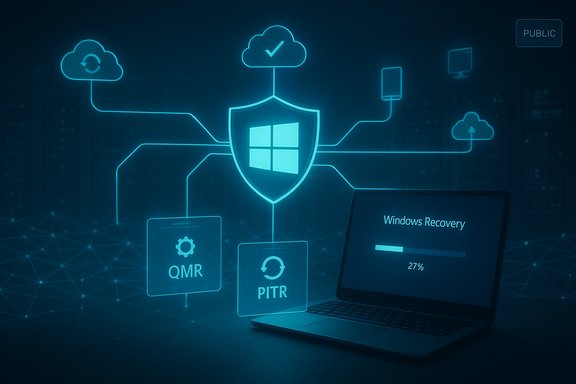
Microsoft has been steadily reframing Windows reliability as a first‑class engineering priority. The company’s Windows Resiliency Initiative consolidates a series of efforts — from redesigned crash experiences to cloud-assisted recovery flows — intended to reduce mean time to repair (MTTR) and to prevent mass outages caused by buggy updates or drivers. The general availability of Quick Machine Recovery (QMR) and a set of complementary recovery tools are the most visible outcomes of that program so far. At a high level, the new tooling set includes:- Quick Machine Recovery (QMR): an automated WinRE‑based remediation flow that can fetch and apply targeted fixes via Windows Update.
- Point‑in‑time restore for Cloud PCs: Cloud PC snapshots (“restore points”) that let admins or end users roll a Cloud PC back to an exact earlier state.
- Improvements to WinRE connectivity and driver handling: a more “connected” Windows Recovery Environment to allow network access and remote remediation during recovery flows.
- Cloud rebuild / Intune recovery tooling for enterprises: management plane controls through Intune and Azure to orchestrate rebuilds, custom recovery scripts, and image sources (including OneDrive for Business for user data retention).
- Device mode changes for public displays (POS mode): a UI/behavior mode that suppresses persistent Windows error dialogs on public‑facing displays and limits diagnostic screens to short, recoverable intervals.
What each feature is, how it works, and why it matters
Quick Machine Recovery (QMR): automated boot‑failure remediation
QMR is the centerpiece of the resiliency story for local Windows 11 devices. When a device encounters a critical boot failure, QMR can automatically boot into the Windows Recovery Environment (WinRE), connect to Microsoft’s recovery services, and search Windows Update for a published remediation package that matches the failure profile. If a remediation is found, it can be applied automatically to restore the device without requiring physical intervention. The experience is governed by policies IT admins can control. Key technical points:- QMR uses a secure, connected WinRE that can access the network to download targeted remediations from Windows Update.
- Admins can enable, disable, or constrain QMR behavior via Intune/RemoteRemediation CSP and other management tools; it’s enabled by default on Home SKUs and optional for Pro/Edu/Enterprise until configured.
- Microsoft’s early telemetry indicated measurable reliability gains when these flows were exercised.
- QMR reduces the need for physical access to machines or time‑consuming reimaging steps, which is crucial for remote branch devices and high‑density operations like retail or signage. It’s explicitly designed to prevent repeat incidents like the large‑scale outages caused by faulty updates in 2024.
- QMR requires network connectivity and the ability for WinRE to authenticate and access update channels — this raises design questions for air‑gapped deployments and dot1x networks. IT teams must test network authentication flows, and Microsoft documents test modes for validation before broad deployment.
Point‑in‑time restore: fast rollbacks for Cloud PCs (Windows 365)
The “point‑in‑time restore” capability Microsoft describes applies directly to Cloud PCs (Windows 365) and lets administrators — or users if permitted — restore a Cloud PC to an exact earlier state. This is snapshot based and includes both short‑term (frequent, rolling) and longer‑term restore points; admins can set short‑term cadence and create on‑demand manual snapshots for important operations. How it’s implemented- Short‑term restore points can be taken at configurable intervals (for Enterprise: every 4, 6, 12, 16, or 24 hours; each Cloud PC retains a limited number of short‑term points). Long‑term restore points are saved weekly. Admins can also create a manual restore point before risky changes.
- The restore is effectively a VM disk/state rollback — anything changed on the Cloud PC between the restore point and now may be lost; OneDrive or external cloud storage is preserved. Microsoft documents the exact RPO/RTO behavior and the failure modes to choose safer recovery points.
- For organizations using Cloud PCs for knowledge workers or frontline staff, point‑in‑time restore dramatically shortens recovery time from configuration mistakes, bad updates, or user‑caused corruption — often without a full reprovision. It’s a pragmatic, snapshot‑centric approach to cloud PC resilience.
- Restore points are not a substitute for off‑device backups when it comes to long‑term retention; restoring to an older point can invalidate rolling credentials (passwords, secrets, certificates) and cause authentication or service issues. Microsoft warns that the longer the delta between the restore point and now, the higher the risk of side effects.
WinRE networking and driver handling: a more capable recovery environment
Traditionally, WinRE has been intentionally minimal and often required manual injection of network drivers when a recovery flow needed network access. Microsoft’s resiliency work makes WinRE far more “connected” by enabling it to access networking more easily (initially over Ethernet, with Wi‑Fi WPA/WPA2 support) and to participate in cloud‑assisted remediation flows. Reported improvements and realities- Microsoft’s documentation and engineering commentary highlight a connected WinRE able to access the network in many environments without manual driver injection, lowering the friction to run remote recovery and QMR. Administrators should still validate these flows on their hardware and driver stacks, as WinRE remains a Safe OS with a limited driver surface.
- Some industry reports claim WinRE will “pull networking drivers from the main Windows install so you no longer need to inject drivers manually.” That specific behavior (automatically reusing the full runtime’s driver set) is useful if true, but engineering details and supported scenarios are still evolving; IT teams must treat this claim cautiously until device‑compatibility guidance appears in Microsoft’s official docs or driver‑pack whitepapers. Flagged for caution.
Cloud rebuild and Intune recovery: enterprise rebuilds with user data preserved
For corporate fleets, Microsoft is expanding rebuild and recovery management through Intune:- Cloud rebuild (preview): allows enterprises to point work devices to managed recovery images, specify OS release and language in Intune, and orchestrate a rebuild while retaining user data (user files synced via OneDrive for Business and settings restored through Windows Backup for Organizations / Intune). Autopilot then ensures the device receives the correct MDM enrollment and app provisioning when control returns to the user.
- Intune Recovery (generally available): gives a single, scalable management plane for the Windows Recovery Environment so admins can trigger remote recovery actions, execute custom recovery scripts, and oversee remediations at scale. Azure Portal provides comparable controls for servers running as Azure VMs.
- Rebuild orchestration that preserves user data and automates re‑enrollment speed restores and reduce helpdesk overhead. The combination of managed images, OneDrive for Business for user continuity, and Autopilot for provisioning moves many reimage scenarios from hours or days down to minutes.
- Admin triggers cloud rebuild from Intune and selects language/OS release.
- Device downloads install media and restarts into a safe rebuild flow.
- Rebuild preserves user data via OneDrive for Business and restores apps/settings via Intune and Windows Backup for Organizations.
- Autopilot finishes enrollment and policy/app provisioning for the user.
Public displays / POS mode: keeping public screens silent
Microsoft is introducing a mode designed for point‑of‑sale, digital signage, and airport/retail displays that suppresses persistent Windows error dialogs. Diagnostic screens or error messages required for recovery will still appear for a short diagnostic window (for example, 15 seconds) and then the device turns off the screen until operator input is detected. This reduces embarrassing public failures and protects the user experience on non‑interactive displays.Security context: driver signing and kernel changes
In parallel with recovery improvements, Microsoft has tightened standards around driver signing and is actively reducing reliance on proprietary kernel‑level drivers where possible. These changes are pitched as ways to harden Windows core stability: fewer kernel‑mode drivers and stricter signing make catastrophic driver updates less likely to create fleet‑wide failures. This systemic approach is complementary to QMR and recovery tooling.The CrowdStrike 2024 lesson: why resiliency moved up the agenda
The 2024 incident in which a buggy CrowdStrike kernel update triggered large‑scale reboots and recovery headaches for many organizations was a watershed: it exposed how a single faulty update can have cascading, enterprise‑wide impact when remote recovery paths are insufficient. Microsoft’s resiliency work — QMR, connected WinRE, cloud rebuild, and better driver policies — is expressly designed to ensure Windows can be brought back online quickly, even when automated updates or third‑party drivers go wrong. That effort is repeatedly cited in Microsoft’s engineering messaging and in coverage of QMR’s origin.Strengths — what Microsoft got right
- Integrated, policy‑aware remediation: QMR is not a black box; it respects enterprise policies, is manageable via Intune, and integrates into standard update channels. That design reduces surprise fixes and respects change control.
- Cloud‑native snapshots for Cloud PCs: point‑in‑time restore for Windows 365 gives admins predictable, fast rollbacks without destructive reprovisioning. It’s a strong operational win for cloud desktop scenarios.
- Preservation of user data during rebuilds: the Intune cloud rebuild model that uses OneDrive for Business and Windows Backup for Organizations addresses the two most common rebuild problems — lost files and long re‑provisioning windows.
- Realistic, incremental rollout: features ship in preview or behind management controls so admins can pilot and validate on representative hardware before broad deployment.
Risks, unknowns, and recommended mitigations
- Network dependency in recovery flows
- Risk: QMR and connected WinRE depend on network access; if the network is the failure point, remediation will be hamstrung.
- Mitigation: Maintain local remediation paths (bootable recovery media, out‑of‑band management like iDRAC / vPro), and validate WinRE network authentication in test rings (especially 802.1X environments).
- Driver/firmware compatibility and WinRE variability
- Risk: WinRE is a Safe OS with a narrow driver set; hardware diversity means not all devices will behave the same in recovery. Claims about WinRE automatically reusing the full OS driver set should be validated per device model. Treat driver‑reuse claims as provisional until confirmed.
- Snapshot/restore side effects (Cloud PC PITR)
- Risk: Restoring a Cloud PC to a point in time can break rolling secrets, cached credentials, or scheduled machine‑specific tokens.
- Mitigation: Use short‑interval restore points for critical users, document post‑restore checklists (sign in, verify services, rotate keys if needed), and use manual on‑demand restore points before risky operations.
- Operational trust and governance
- Risk: Automatically applying remote remediations has compliance and change‑management implications. IT must be able to audit what remediations were applied and to roll policies back.
- Mitigation: Use Intune policy controls, logging, and test rings; require peer‑review for remediation publishing in sensitive environments.
- Feature gaps for highly‑regulated or disconnected environments
- Risk: Air‑gapped, OT, or heavily restricted networks may not be able to use cloud‑assisted flows.
- Mitigation: Keep hardened, validated offline recovery images and maintain local remediation processes; consider hybrid architectures for critical endpoints.
Practical guidance for administrators and advanced users
- Pilot before broad rollout: enable QMR and cloud rebuild flows first in a controlled pilot ring that represents your hardware, network authentication (dot1x), and application stack. Use the available test mode to simulate failures safely.
- Validate WinRE on representative models: confirm keyboard/mouse input, NIC support, and Wi‑Fi authentication (if used) inside WinRE for each OEM family. If WinRE requires driver injection for specific NICs, include the required driver WIMs in your recovery procedures.
- Use Cloud PC restore points smartly: configure short‑term restore cadence that matches your operational tolerance (e.g., 4‑ or 6‑hour cadence if you need fine‑grained rollback windows), and create manual restore points before major changes.
- Prepare fallback paths: keep bootable recovery media current, maintain out‑of‑band console access where possible, and ensure helpdesk workflows account for the small percentage of devices that may not recover via QMR.
Conclusion
Microsoft’s new recovery toolkit for Windows 11 — anchored by Quick Machine Recovery, Cloud PC point‑in‑time restores, connected WinRE, and Intune‑orchestrated cloud rebuilds — signals a coherent shift from manual, device‑by‑device recovery to managed, policy‑controlled, cloud‑assisted resiliency. The combination reduces downtime and removes many of the friction points that historically forced hands‑on intervention, while preserving user data and integrating with existing provisioning workflows like Autopilot.These tools are not magic bullets. They introduce new operational dependencies (networking, update pipelines, driver compatibility) that must be validated in an organization’s environment. Administrators should pilot aggressively, maintain offline recovery paths, and update incident runbooks to incorporate recovery flows, post‑restore verification steps, and the governance controls necessary for automated remediation.
For users and admins alike, the net effect is promising: Windows is being retooled to recover faster, remotely, and with less drama when updates or drivers fail. Those gains will be most meaningful where IT teams adopt the new controls carefully, validate behavior on representative hardware, and keep time‑tested fallbacks on hand.
Source: Windows Central https://www.windowscentral.com/micr...re-feature-and-other-advanced-recovery-tools/
