• Thread Author
Microsoft released an out‑of‑band hotpatch on March 13, 2026 that fixes a set of remote network‑service vulnerabilities in the Windows Routing and Remote Access Service (RRAS) management tool — and, crucially for enterprises, the package is delivered as a restartless hotpatch to devices enrolled in Microsoft’s hotpatch program. (support.microsoft.com)

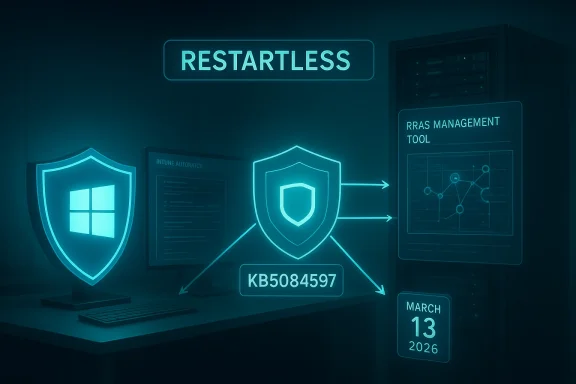
Futuristic cybersecurity scene with neon shields and the word RESTARTLESS.Background / Overview​

Hotpatch updates are Microsoft’s low‑disruption servicing model for eligible Windows 11 Enterprise clients and server SKUs that lets administrators apply certain security fixes without forcing immediate device restarts. The hotpatch model requires specific enrollment and platform prerequisites (for example, Virtualization‑Based Security must be enabled and devices must be on a current baseline), and it is managed through Microsoft Intune or Autopatch quality update policies. Microsoft’s March 13 hotpatch (KB5084597) is a targeted, out‑of‑band release that addresses RRAS management tool security issues and installs without requiring a reboot on devices that are hotpatch‑enabled. (support.microsoft.com)
Hotpatch technology has moved from preview into broader availability for Windows 11 Enterprise, and Microsoft has made the mechanism a managed, policy‑driven option intended for business environments that value continuity and uptime. Administrators should understand that hotpatching does not replace the normal cumulative update and baseline process; it complements it by reducing scheduled reboots and enabling faster mitigation for selected security issues.

What this specific hotpatch does​

The technical fix, in plain language​

  • The March 13, 2026 hotpatch (KB5084597) contains a fix for a security flaw in the Windows Routing and Remote Access Service (RRAS) management tool. Microsoft’s advisory warns that connecting to a malicious RRAS management server could allow an attacker to crash the management tool or execute code on the affected device. That threat is tracked under three CVE identifiers: CVE‑2026‑25172, CVE‑2026‑25173, and CVE‑2026‑26111. (support.microsoft.com)
  • The vendor states the patch is targeted at hotpatch‑enabled devices only — devices receiving the standard Windows maintenance channel (the usual Latest Cumulative Update route) do not need to take action to receive this specific package. The hotpatch will apply and take effect without an immediate restart. (support.microsoft.com)

What the CVEs represent (summary)​

  • The CVEs tied to this hotpatch are network‑facing RRAS issues that Microsoft classifies as remote code execution or service disruption vectors in the RRAS management stack. Independent vulnerability trackers and CVE databases list these as high‑severity remote issues affecting multiple Windows client and server versions; details published by vulnerability aggregators confirm Microsoft’s characterization and the availability of patches. Administrators should assume these are material risks for any environment that uses RRAS management capabilities or connects to RRAS consoles over a network.

Why Microsoft chose hotpatch / why this matters now​

Hotpatching is intended to reduce operational friction: when a security issue requires immediate mitigation but does not mandate a full LCU replacement or baseline bump, delivering the fix via hotpatch can sharply reduce attacker dwell time while avoiding the mass reboot coordination that often delays enterprise patching.
  • For a vulnerability that can be triggered by connecting to a malicious remote server (as Microsoft describes for the RRAS management tool), speed matters. An out‑of‑band hotpatch shortens the window in which unpatched, reachable endpoints are exposed. (support.microsoft.com)
  • Microsoft’s enterprise update controls — Windows Autopatch and Intune quality update policies — now make hotpatching a policy option and, beginning with the May 2026 security baseline changes, Microsoft has signaled hotpatch will be enabled by default for eligible devices managed by Windows Autopatch unless administrators opt out. That operational change increases the likelihood that affected devices will receive hotpatches automatically, which is good for security but places new emphasis on readiness and testing.
  • Community and operational reporting show admins already rely on hotpatches to resolve urgent break‑fix scenarios without disrupting end users; conversations and forum threads since hotpatch’s broader rollout include real‑world examples of both success cases and hiccups. Those community reports underscore the practical upside — and the areas where admin attention is required.

Practical impact for enterprise admins: what to check now​

If you manage an enterprise Windows fleet, treat this hotpatch as both a security priority and an operational test of your hotpatch readiness. The following checklist is a prioritized sequence you can follow to confirm devices are enrolled and protected.
  • Verify hotpatch eligibility and enrollment
  • Confirm devices are running supported Windows 11 Enterprise builds and are on the required baseline. Hotpatch requires a current baseline build and platform prerequisites to be met. (support.microsoft.com)
  • Ensure Intune / Windows quality update policy configuration
  • Confirm your Windows quality update policy in Intune (or Windows Autopatch settings) has Hotpatch enabled for the targeted device groups. If you rely on Autopatch, be aware of the default flip coming in May 2026 and decide whether to opt out for test rings.
  • Validate Virtualization‑Based Security (VBS)
  • VBS must be enabled and running for hotpatch eligibility; check group policy, firmware, and platform configuration across sample devices. (support.microsoft.com)
  • Disable CHPE on Arm64 devices where applicable
  • Arm64 devices must have Compiled Hybrid PE (CHPE) disabled to be hotpatch eligible; this is a one‑time configuration change requiring a restart. Schedule that restart during maintenance windows. (support.microsoft.com)
  • Confirm update deployment and history
  • Check Windows Update / Intune update status for target devices to confirm KB5084597 (or its hotpatch identifier) has applied. Hotpatch installs show as hotpatch updates in update history and will indicate no immediate reboot was required. (support.microsoft.com)
  • Test targeted rollback/uninstall procedures
  • Although hotpatches apply without a restart, uninstalling a hotpatch typically requires a restart. Validate rollback steps in a lab to ensure you can revert if a compatibility issue arises.
Follow these steps across pilot groups before you let hotpatches flow to production rings at scale.

Deployment guidance: best practices and recommended sequence​

  • Start with a small pilot ring (10–20 devices) representing the diversity of your fleet: different OEM images, device drivers, EDR/AV stacks, and VPN/RRAS management tools. Monitor telemetry and Windows Update reporting for unexpected behaviors.
  • Keep a short slated window for manual baseline restarts: although hotpatches avoid immediate restarts, Microsoft still requires quarterly baseline restarts for cumulative baselines. Plan quarterly maintenance windows to reconcile hotpatches, baselines, and SSU/LCU sequencing.
  • Do not rely on hotpatching as a substitute for layered defenses: enforce network segmentation, treat RRAS consoles as sensitive management endpoints, and harden access controls and MFA for administrative sessions.
  • Coordinate with endpoint security vendors: some EDR or kernel‑level security products can interact with in‑memory patches. Validate with vendor support whether hotpatches require special handling or driver updates.
  • Keep a documented rollback plan: hotpatch uninstall may require a restart and, in some cases, re‑installation of an LCU. Test the whole sequence in an isolated environment before broad deployment.

Strengths of Microsoft’s approach (what administrators should appreciate)​

  • Speed of mitigation: Hotpatching shortens the time from vulnerability disclosure to patch deployment for eligible devices, an operational advantage in high‑risk scenarios where attacker tactics include scanning for reachable administrative consoles. The March 13 hotpatch is a textbook example — a focused, urgent fix delivered rapidly to protect management tools. (support.microsoft.com)
  • Reduced user disruption: By avoiding forced restarts on the majority of affected devices, organizations preserve productivity and reduce helpdesk tickets related to reboot‑related downtime. This matters most in customer‑facing or distributed shift work environments.
  • Policy control through Intune/Autopatch: Hotpatches are controllable via established device‑management tooling, enabling admins to opt devices in or out and to manage readiness at scale. Microsoft’s management integration is a practical benefit for large commercial fleets.

d caveats — what keeps me awake at night
  • Eligibility complexity and configuration gaps: Hotpatch eligibility depends on baseline versions, VBS, licensing, and (for Arm64) CHPE settings. Organizations with heterogeneous device configurations may find unpredictable eligibility or partial coverage across their fleet, creating gaps in protection. Administrators must inventory and remediate misconfigurations proactively. (support.microsoft.com)
  • Third‑party integration risk: In‑memory updates can interact with security drivers, EDR agents, and custom device provisioning scripts in unanticipated ways. Community reports show both clean installs and interoperability hiccups; the latter demand close coordination with security vendors. Validate any blocking or alert behavior with your security vendor before wide deployment.
  • False sense of completeness: Hotpatches currently apply to a subset of update types (mainly targeted security fixes)—they do not eliminate the need for regular cumulative updates, feature update planning, driver updates, or quarterly baseline restarts. Treat hotpatch as complementary, not a replacement for a comprehensive update lifecycle.
  • Telemetry blind spots and reporting delays: Some enterprise reporting systems and legacy WSUS configurations do not reflect hotpatch states in familiar ways. Expect a learning curve in how hotpatch coverage is reported in your compliance dashboards and inventory tooling. Test reporting pipelines and update‑inventory queries to avoid surprises.
  • Unverifiable exploit activity: Microsoft’s support note for the hotpatch does not always include attribution about whether a vulnerability is being actively exploited in the wild. Where exploit activity is ambiguous, prioritize patching based on exposure — services reachable from untrusted networks, administrative consoles, and internet‑facing management tools should get the highest priority. Note that independent trackers classify the RRAS CVEs as high risk; however, specific exploit telemetry may be restricted or temporally variable. Treat those telemetry gaps with caution.

Quick reference: how to confirm a device received the hotpatch​

  • Open Settings → Windows Update → Update history. Hotpatch entries will show as a hotpatch or as a March 13, 2026 hotpatch entry with KB5084597 in the update history for eligible Windows 11 Enterprise builds. (support.microsoft.com)
  • Use Intune (or Autopatch) reporting: the Windows quality update policy status and hotpatch deployment report will show enrollment, readiness, successful installs, and error codes for the hotpatch rollout. Validate that devices reporting “hotpatch ready” meet the VBS baseline and that no pending baseline restarts block hotpatching.
  • For deeper verification, Microsoft documents methods for inspecting specific DLLs or patched functions — use the guidance in the hotpatch FAQ and MSRC update guide to confirm individual mitigations where necessary. If you require per‑binary verification for compliance purposes, plan to perform those checks on a small sample before scaling.

Response scenarios and action plans​

  • High‑risk environment (internet‑accessible management endpoints / VPN concentrators / remote admin consoles)
  • Immediately verify Intune / Autopatch readiness and confirm KB5084597 applied to pilot devices. If any servers or jump hosts manage RRAS instances, ensure those hosts are patched or isolated until confirmed patched.
  • Mixed fleet with partial hotpatch eligibility
  • Prioritize non‑hotpatchable devices for the standard LCU path (download and install the latest cumulative update and plan a restart). Run a parallel hotpatch pilot on eligible devices to reduce the attack window where possible.
  • Managed service providers (MSPs) and service desks
  • Command internal teams that the hotpatch is non‑disruptive for enrolled devices but that some endpoints may still require standard cumulative update runbooks that handle update verification and rollback for hotpatches.

How this fits into the bigger picture: hotpatch as a strategic change​

Hotpatching is more than a cosmetic convenience; it represents a servicing‑model shift that changes the operational calculus for vulnerability response. With hotpatch availability expanding and Autopatch default‑enabling the setting for eligible devices, enterprises face three strategic choices:
  • Embrace hotpatching and invest in readiness — inventory, baseline compliance, VBS enablement, and policy automation — to gain faster time‑to‑remediation with less disruption.
  • Maintain conservative control by opting out of default hotpatching for production rings until comprehensive testing and vendor validation are completed; use hotpatch for pilot and recovery rings only.
  • Hybrid approach: let hotpatch protect the perimeter and well‑tested endpoint types while preserving traditional LCU cycles and intensive validation for mission‑critical servers, legacy apps, and hardware with third‑party driver dependencies.

Final assessment and recommendations​

Microsoft’s March 13, 2026 hotpatch (KB5084597) is an appropriate, low‑friction response to a tangible RRAS management vulnerability. Its release highlights the practical utility of the hotpatch model: a security fix delivered quickly to reduce exposure while minimizing the operational pain of forced reboots. At the same time, hotpatching raises operational requirements and integration questions that every enterprise must address before relying on restartless updates at scale. (support.microsoft.com)
Actionable priorities for IT teams today:
  • Confirm hotpatch readiness: baseline, VBS, Intune policy, licensing, CHPE (Arm64) configuration. (support.microsoft.com)
  • Deploy KB5084597 to a representative pilot and validate compatibility with security agents, network management tools, and RRAS consoles.
  • Update monitoring and inventory tooling to reflect hotpatch states and to detect any devices that remain unpatched due to eligibility gaps.
  • Coordinate with EDR and security vendors to ensure hotpatches do not trigger blocking or telemetry noise that could obscure real incidents. Validate rollback procedures in a lab.
  • Treat hotpatch as a complementary tool — continue to schedule quarterly baseline restarts and maintain comprehensive patch lifecycle discipline.
Microsoft’s hotpatch model delivers real operational value when it is deployed with forethought: the March 13 RRAS hotpatch is a practical, targeted security intervention that should be adopted quickly on eligible devices, but only after your organization confirms readiness and telemetry — the old rule still applies: fast deployment must be paired with careful validation.
In short: apply the hotpatch where eligible, verify it in a controlled pilot, and use this event to harden your hotpatching playbook—because restartless fixes reduce downtime, but they do not remove the need for good patch governance, vendor coordination, and clear rollback plans. (support.microsoft.com)

Source: Microsoft - Message Center March 13, 2026—Hotpatch KB5084597 (OS Builds 26200.7982 and 26100.7982) Out-of-band - Microsoft Support
 

Microsoft has quietly issued an emergency, restartless hotpatch for Windows 11 that targets a cluster of high‑risk networking bugs in the Routing and Remote Access Service (RRAS) management component—delivered as KB5084597 on March 13, 2026 for hotpatch‑eligible devices and aimed at stopping remote, network‑facing exploitation against RRAS management tools. soft.com]

Security analyst watches a Windows 11 HOTPATCH alert on a monitor in a dark server room.Background / Overview​

Windows’ Routing and Remote Access Service (RRAS) is the legacy Windows feature set that implements VPN, routing, and remote access services for on‑premises hosts and small gateway devices. Over the last 18 months RRAS has been the subject of repeated security advisories—covering information disclosure, denial‑of‑service and remote code execution vulnerabilities—because its protocol parsing and management interfaces have historically exposed complex attack surfaces to unauthenticated, network‑accessible callers. Industry vulnerability trackers list multiple RRAS CVEs that Microsoft has patched in prior updates, and multiple vendors and security databases continue to flag RRAS as a recurring high‑risk area for Windows servers and workstations that expose remote access functions.
Microsoft’s March 2026 hotpatch program makes the distinction between the standard monthly rollup and hotpatches—narrowly scoped, restartless updates intended to reduce disruption while rapidly closing dangerous, actively‑exploited attack vectors on eligible machines. Hotpatches are offered only to devices enrolled in Microsoft’s hotpatch program (initially focused on Windows 11 Enterprise servicing branches) and are designed to take effect without requiring the usual reboot cycle. That delivery model is what Microsoft chose for KB5084597, indicating both urgency and a desire to minimize operational impact for large fleets.

What KB5084597 changes and why it matters​

The surface: RRAS management tooling and network parsing​

The hotpatch is described as addressing vulnerabilities in the RRAS management toolset—components that parse remote management requests and manipulate routing/VPN session state. Vulnerabilities in this area can allow attackers who can reach the RRAS service over the network to crash the service, disclose memory, or in the worst case achieve code execution depending on the bug class (unsafe deserialization, heap corruption, integer overflow, etc.). Historically, RRAS issues have included both RCEs and DoS flaws, and the vendor ecosystem treats any network‑reachable weakness in RRAS as high‑impact because it often runs with elevated privileges and presides over connectivity infrastructure.

The delivery: hotpatch, no restart for eligible clients​

KB5084597 was delivered as a hotpatch on March 13, 2026 and is targeted at hotpatch‑eligible Windows 11 clients—primarily enterprise endpoints already enrolled in Microsoft’s hotpatch program. Hotpatching is Microsoft’s low‑disruption remediation technique: administrators who have the hotpatch option enabled can get critical fixes that apply immediately without the user‑visible restart step. While that’s a major operational win for minimizing downtime, it also means the update will not automatically appear or apply the same way on non‑hotpatch systems; those machines will need the standard rebooting cumulative updates that Microsoft bundles for the March security rollup or later servicing.

Why Microsoft used a hotpatch here​

A hotpatch is typically reserved for vulnerabilities judged both severe and time‑sensitive—especially when there’s a realistic risk of in‑the‑wild exploitation or rapid weaponization. The combination of RRAS’s exposure on many edge devices and the potential for protocol parsing bugs to be triggered remotely explains the choice: the vendor wanted to close the hole quickly with as little disruption as possible for enterprise endpoints. The hotpatch model reduces the operational friction that sometimes delays broad rollouts after emergency fixes.

Who is affected and how to check​

Affected product families and configurations​

  • Windows 11 devices running the 24H2/25H2 servicing branches that are enrolled in the hotpatch program.
  • Systems and servers that host RRAS roles or otherwise enable RRAS‑related services. On servers, administrators should expect standard cumulative updates or server hotpatches (when supported) to be released or offered through their normal servicing channels.
Not all Windows 11 machines will receive KB5084597 automatically. Devices must be configured to accept hotpatch updates to get the restartless remediation; otherwise, the fix will come through the regular cumulative update pipeline (and a reboot will be required). Administrators should verify hotpatch eligibility and enrollment status in their management consoles and check update history for the specific KB entry.

How to verify if the patch hit your devices​

  • Open Windows Update > View update history and look for KB5084597 (or for the March 2026 hotpatch entry) on hotpatch‑eligible clients.
  • On managed endpoints, consult your update management tool (Windows Update for Business, Microsoft Endpoint Manager, WSUS or ConfigMgr) for hotpatch deployment status and associated OS build numbers.
  • For RRAS servers, confirm the presence of the relevant March cumulative or hotpatch package in the server’s update history and validate the RRAS service version after patching. If in doubt, treat the server as unpatched until you can confirm via your management tool.

Immediate mitigations for admins who can’t patch immediately​

If your estate cannot be patched instantly—either because devices are not hotpatch‑eligible, server rollouts are staged, or you require testing—apply defensive measures to limit exposure.
  • Disable RRAS if you do not use it. Many modern environments no longer need RRAS; disabling the role removes the vulnerable surface immediately.
  • Restrict management access to RRAS to internal management networks only. Use firewall rules to block RRAS control ports on internet‑facing interfaces.
  • Limit which hosts/services can initiate RRAS configuration changes; ensure strong segmentation between user networks and management planes.
  • Use intrusion prevention / network filtering devices to block or inspect likely exploit patterns targeting RRAS management protocols where possible.
  • Monitor for anomalous RRAS process crashes, unexpected restarts of the service, and new accounts or scheduled tasks created on RRAS hosts. Logging and EDR telemetry can surface exploitation attempts early.
These steps reduce risk until the official patch reaches every affected host.

Deployment guidance: practical steps and validation​

  • Inventory: run a targeted inventory to identify all endpoints and servers that have the RRAS role installed or that are configured to provide remote routing/VPN gateways. Make a prioritized list of internet‑facing or DMZ‑reachable hosts.
  • Hotpatch enrollment check: verify which client devices are enrolled in Microsoft’s hotpatch program and will receive KB5084597 without a reboot. If you rely on the restartless model, confirm eligibility now rather than assuming uniform coverage.
  • Patch sequencing: apply the hotpatch to hotpatch‑eligible clients first; for servers and non‑hotpatch clients, follow your standard cumulative update validation and deployment path to avoid regressions. Test in a small pilot before broad rollouts.
  • Post‑patch validation: confirm RRAS service stability, check event logs for crashes, verify that connectivity is functional for legitimate tunnels and routes, and ensure no unintended service restarts occurred during or after the install.
  • Audit and harden: after patching, apply long‑term mitigations—disable unused protocols (PPTP in particular), implement multi‑factor authentication for management access, and restrict admin interfaces to a hardened jump host.

What this episode reveals about Microsoft’s update strategy​

Strengths: speed and reduced disruption​

Microsoft’s use of a hotpatch for KB5084597 shows an operational maturity: the vendor is leveraging a restartless fix mechanism to keep fleets secure while minimizing downtime. For large enterprises with strict uptime requirements, hotpatching can dramatically reduce the operational cost of emergency remediations. The model also signals that Microsoft views this RRAS issue as an emergency that requires a fast, minimally invasive fix.

Risks: uneven coverage and complexity​

Hotpatching adds complexity to patch management. Hotpatches are limited to eligible devices—often enterprise SKUs on specific servicing branches—so the fix may not be uniformly applied across an organization. That divergence can leave non‑hotpatch devices exposed while hotpatch devices appear protected. The result is an increase in operational friction: admins must track two parallel remediation paths (hotpatch vs. standard cumulative) and ensure both complete successfully. Historically, emergency patches and OOB fixes have sometimes introduced regressions; the rapid nature of hotpatching raises the possibility of unforeseen interactions in heterogeneous environments.

Transparency and messaging gaps​

During research for this article it was notable that some community trackers, forum threads and telemetry picked up KB5084597 references quickly, but the specific, discoverable Microsoft support article for KB5084597 was not as readily found in public MS support listings at the time. That gap can cause confusion among admins who rely on official KB pages for file lists, OS build mappings, and explicit mitigation steps. Administrators should therefore verify hotpatch receipt through management tooling and treat community posts as helpful signals—while still seeking Microsoft’s formal advisory for full technical details when it is published. Cautionary note: where official vendor documentation is not immediately available, maintain a conservative posture: assume affected and act accordingly.

Technical analysis: likely vulnerability classes and exploitation risk​

While Microsoft’s public messaging for KB5084597 focuses on the RRAS management toolset, past RRAS vulnerabilities have included several common bug classes that explain both the severity and the attractiveness to attackers:
  • Protocol parsers with complex state machines (heap/stack corruption leading to RCE).
  • Unsafe deserialization or untrusted data processing in management interfaces.
  • Logic flaws that allow state manipulation or privilege escalation following a memory corruption.
Because RRAS frequently runs with powerful privileges and directly handles network‑facing packets, even seemingly isolated parser issues can lead to full compromise of the host. Vulnerability databases and past advisories show that remote code execution and denial‑of‑service are recurring outcomes when RRAS is targeted, elevating the urgency of any reported fixes for management components.

What to tell executive stakeholders: risk, impact, and timeline​

  • Risk: High for externally reachable RRAS hosts; moderate for internal‑only RRAS where management plane access is strictly segmented. Rapid exploitation in the wild is plausible if a weaponizable exploit is constructed.
  • Impact: Potential full system compromise on unpatched, internet‑reachable systems running RRAS, plus widespread service disruption if attackers exploit a DoS flaw at scale.
  • Timeline & remediation: Microsoft issued a hotpatch on March 13, 2026 (KB5084597) for hotpatch‑enabled clients; non‑hotpatch clients and servers must be patched via the regular cumulative process. The recommended window is to treat RRAS hosts as high priority and expedite testing and deployment immediately.

Frequently asked practical questions​

Q: My workstations show “You’re up to date” but I saw references to KB5084597—should I worry?​

A: If your endpoints are not enrolled in hotpatching, they will not list a hotpatch entry; instead they will receive the equivalent fixes via the March cumulative updates or a later package. Check your management console or the Windows Update history and confirm your hotpatch enrollment. If you run RRAS roles locally or in your environment, prioritize those systems for immediate verification.

Q: Is this an emergency that justifies taking servers offline to patch immediately?​

A: Treat internet‑facing RRAS servers as critical. If the role is exposed to untrusted networks, isolate or disconnected them until you can apply the fix. For internal RRAS instances, weigh business impact with the risk posture; in many cases, staged maintenance windows will be acceptable provided immediate hardening/segmentation is implemented.

Q: How do I confirm an exploit hasn’t already hit us?​

A: Look for sudden RRAS process crashes, unexpected account creations, lateral movement indicators and signs of privilege escalation. EDR tools with behavior telemetry can help. If you see activity consistent with exploitation, follow your incident response playbooks and consider isolating affected hosts.

Conclusions and recommendations​

KB5084597 is a focused, urgent hotpatch that addresses an important, historically‑risky category of network‑exposed vulnerabilities in the RRAS management stack. The use of a hotpatch shows Microsoft prioritizing rapid, low‑disruption remediation for hotpatch‑enabled enterprise devices—an operational positive that reduces the blast radius and user impact when quick fixes are required.
At the same time, the episode underscores a few operational realities IT teams must face:
  • Hotpatch reach is not universal; assume a dual remediation path is required.
  • RRAS remains a legacy component that is high‑risk when exposed—if you do not need it, disable it.
  • Verify hotpatch application through your management tools and log monitoring rather than relying solely on public KB pages; community signals are helpful but should be validated.
Action checklist for IT operators (short):
  • Confirm RRAS hosts and inventory external‑facing endpoints.
  • Verify hotpatch enrollment and check for KB5084597 in update history on clients.
  • Apply the March cumulative on non‑hotpatch servers and devices after a rapid test.
  • Implement network controls to limit RRAS exposure until remediation is complete.
  • Monitor EDR and network logs for exploitation indicators and prepare incident response if suspicious activity is detected.
This hotpatch is a reminder that legacy networking components can present outsized risk in modern estates, and that speedy, well‑communicated patching—combined with sensible hardening and inventory discipline—is the most reliable defense.

Source: Neowin KB5084597: Microsoft outs Windows 11 25H2, 24H2 emergency update for a critical network flaw
 

Microsoft quietly rolled out an out‑of‑band hotpatch identified in community reporting as KB5084597 for Windows 11 Enterprise LTSC 2024 to address a cluster of high‑risk vulnerabilities in the Routing and Remote Access Service (RRAS) management components — a restartless, hotpatch‑style fix targeted at hotpatch‑eligible devices and pushed on or around March 13, 2026. emote Access Service (RRAS) is Microsoft’s long‑standing server role that provides VPN, NAT and routing capabilities on Windows Server and, in some cases, client SKUs used for enterprise gateway scenarios. RRAS has been a recurring focus for security researchers and defenders because flaws in RRAS often expose network‑facing services that can be weaponized for remote code execution (RCE) against enterprise VPN gateways and perimeter appliances. Recent vendor advisories and press coverage around the March 2026 Patch Tuesday cycle confirmed a set of RRAS‑related RCEs among March’s fixes, and vendors have moved quickly to push emergency hotpatches where possible.
Hotpatching is Microsoft’s low‑disruption distribution model for urgent fixes: eligible systems enrolled in the hotpatch program (primarily Azure/Intune managed enterprise images and certain Azure Arc‑enabled servers) can receive a compact, restartless patch that takes effect immediately without the reboot traditionally associated with monthly cumulative updates. That model minimizes downtime for critical infrastructure — a major operational advantage when patching VPN gateways and other perimeter devices. Microsoft has been expanding hotpatch adoption and guidance for administrators through documentation on enabling hotpatch for managed servers.

Neon shield KB5084597 glows in a data center, signaling a hotpatch applied (March 2026).What te The fix in plain terms​

  • The package (reported as KB5084597) is described by community reporting as a narrowly scoped, restartless hotpatch that targets vulnerabilities in RRAS management code and RPC/management interfaces exposed by RRAS management endpoints. Systems receiving the hotpatch should see the RRAS management attack surface hardened against specific remote‑exploitation vectors without a full OS reboot.

What we can verify and what we cannot​

  • Independent coverage of March 2026 security updates confirms that Windows RRAS RCE flaws were part of March’s security work, and that Microsoft shipped fixes during the March timeframe to address them. These third‑party briefings characterize the RRAS entries as high‑risk RCEs that deserve rapid remediation.
  • At the time of reporting, an authoritative Microsoft KB page explicitly titled "KB5084597" cn common public indexes used by search engines. That suggests this package may have been shipped narrowly (hotpatch program / managed channels) and not yet posted as a standard public‑facing Knowledge Base article, or the public KB number may differ from community references. Administrators should therefore treat the reported KB number as a working identifier from community monitoring and verify availability via official Microsoft Update Catalog entries, Microsoft Update/Windows Update management portals, and organizational patch management telemetry. This article flags any such unverified naming as a caution.

Why RRAS vulnerabilities matter now​

RRAS is a high‑value attack surface​

RRAS commonly runs on perimeter servers acting as VPN gateways and site‑to‑site routers. When a remote, unauthenticated attacker can reach RRAS management endpoints, successful exploitation may lead to full remote code execution on a gateway — enabling immediate lateral movement, VPN account compromise, or tunnel abuse to reach internal assets.
  • Enterprises that still run RRAS for VPN termination, legacy PPTP/SSTP services, or as a routing appliance should treat RRAS fixes as priority items because the service often sits squarely on the internet‑facing attack surface.
  • History is instructive: RRAS and other remote‑access components have been the subject of public CVEs in recent years, and Microsoft has previously issued emergency updates when urgent remote‑exploitation potential was discovered.

Operational exposure and real‑world risk​

  • If an RRAS bug allows unauthenticated network input to trigger memory corruption (heap overflow, UAF, or other memory safety defects) the resulting RCE is often exploitable without credentials. For VPN gateways, that means an attacker on the public internet can sometimes obtain arbitrary code execution with the privileges of the RRAS service.
  • Even where exploitability requires authenticated sessions, credential‑harvesting and reuse attacks (or chained vulnerabilities) increase urgency: a small foothold on a gateway can cascade into full network access unless mitigations and rapid patching are applied.

Hotpatch mechanics — what administrators need to know​

How hotpatch delivery differs from normal updates​

  • No reboot requirement for eligible devices. Hotpatches are designed to apply in‑memory fixes or targeted binary replacements without the machine restart that cumulative updates typically require.
  • Eligibility and enrollment matter. Only devices that meet Microsoft’s hotpatch requirements — typically Azure images, Azure Arc‑enabled servers, or Windows 11 Enterprise devices enrolled and configured for hotpatch via Intune/Microsoft Endpoint Manager — will receive hotpatch packages automatically. Devices not enrolled will receive the regular cumulative update path (which may require a reboot).

How to verify whether a device received the hotpatch​

  • Use standard update inventory tools. If your organization runs WSUS, SCCM/MECM, Intune, or other update management, query your inventory for the hotpatch KB identifier provided by your vendor feed. Be aware some tools show hotpatches under different metadata (hotpatch manifests vs. classic LCUs).
  • On an individual host, administrators can:
  • Check installed updates via PowerShell: Get‑HotFix will list installed KBs in many environments, though it has known limitations and can miss hotpatch records in some configurations.
  • Use WMI/CIM queries or the Win32_QuickFixEngineering class: Get‑CimInstance -ClassName Win32_QuickFixEngineering | Select HotFixID, InstalledOn.
  • Inspect the Windows Update history and, for hotpatch‑enabled images, consult the vendor portal or Intune device details for hotpatch deployment status. (Note: tool outputs and naming differ by environment; validate your method.)

Quick checks for RRAS presence and exposure​

  • To check whether RRAS is installed and running on a machine, query the Routing and Remote Access service:
  • PowerShell: Get‑Service -Name RemoteAccess
  • Services snap‑in or Server Manager → Remote Access role review.
  • Audit network reachability: check firewall rules, NAT and translation entries, and public‑IP bindings for any hosts running RRAS and exposed to untrusted networks. The safest posture is to assume internet‑facing RRAS endpoints are high‑risk until patched.

Practical remediation checklist (for Windows 11 LTSC 2024 and mixed fleets)​

Follow this prioritized sequence to reduce the attack surface quickly and reliably:
  • Inventory: Identify all hosts running the RemoteAccess service (RRAS). Use Endpoint Management, SCCM/MECM, Nmap scans, and internal CMDB data to locate RRAS instances.
  • Confirm hotpatch enrollment: For systems where uptime matters (VPN gateways, remote access servers), verify if they are enrolled in Microsoft’s hotpatch program and whether they are eligible to receive a restartless update. If they are enrolled, check the hotpatch manifest in Intune or your update management console for reported deployment of KB5084597.
  • Apply fixes:
  • If the device received KB5084597 (hotpatch), confirm successful installation and monitor logs for anomalies.
  • If the device is not hotpatch‑eligible, prioritize applying Microsoft’s March cumulative updates that include the RRAS fixes (reboot as required).
  • Isolate internet‑facing RRAS endpoints until patched: implement blocking rules for management ports, restrict remote‑management to jump hosts, and remove direct public exposure where possible.
  • Harden configuration: disable RRAS if it’s not required; where needed, restrict accepted protocols (disable legacy PPTP), enforce strong cipher suites and certificate authentication for VPN, and ensure NPS/Radius is hardened.
  • Monitor and hunt: review RemoteAccess event logs (Applications and Services Logs → Microsoft → Windows → RemoteAccess), EDR telemetry for suspicious process spawning, lateral movement patterns, and anomalous authentication attempts.
  • Test recovery: for critical gateways, perform a post‑patch regression test in a maintenance window to ensure connectivity and tunnel stability.

Strengths of Microsoft’s hotpatch approach — and where it can fall short​

Notable strengths​

  • Minimal downtime for critical infrastructure. Hoperational friction of applying urgent security fixes by eliminating or deferring reboots on eligible systems — a major boon for VPN gateways, perimeter appliances, and other uptime‑sensitive endpoints.
  • Faster mean time to mitigation for enrolled tenants. Organizations that adopt hotpatch can close high‑risk windows of exposure quickly, improving security posture without the typical scheduling headaches.

Potential risks and limitations​

  • Limited coverage: Hotpatch only reaches eligible and enrolled devices. Many on‑prem servers, legacy builds, or systems managed outside Microsoft‑centric tooling will not receive hotpatches and therefore remain vulnerable until the regular cumulative update is applied.
  • Visibility and naming confusion: community references to KB numbers (for example, KB5084597) may not match public KB entries or may be used internally by Microsoft for hotpatch manifests. That can cause gaps in administrator visibility unless organizations rely on authoritative update inventory and vendor channels. This article warns readers that the exact KB naming reported in community channels could not be independently validated against a public KB article at the time of writing; treat the reported KB number as an operational identifier to be confirmed inside your management console.
  • False sense of completeness: a hotpatch addresses a narrow function, but full system hygiene still requires regular cumulative updates, firmware, driver and dependent service updates. Relying solely on hotpatches for long periods risks accumulating other non‑hotpatchable issues.

Threat modeling: how attackers might (and might not) exploit RRAS flaws​

Realistic exploit paths​

  • Internet‑facing RRAS management endpoints that accept unauthenticated or weakly authenticated requests are prime targets for exploit chains that deliver RCE. Around Patch Tuesday releases, exploit proof‑of‑concepts often appear rapidly; until patches are applied, these endpoints offer a direct route to internal networks via a compromised gateway.
  • Attackers may combine RRAS exploits with credential theft or lateral movement frameworks to escalate access quickly. The presence of exposed RRAS on VPN gateways substantially increases the potential blast radius.

Where exploitation is less likely​

  • Systems behind properly configured firewalls and VPN concentrators that do not expose RRAS management interfaces to the public internet are less directly exploitable. However, misconfigured NAT rules, cloud load balancers, and port forwards are frequent causes of unintended exposure.

Verification and monitoring guidance (concrete steps)​

  • Check for active RRAS service:
  • Run PowerShell as Administrator: Get‑Service -Name RemoteAccess
  • If service exists and status is Running, identify host purpose and exposure.
  • Confirm patch status:
  • Use your management platform (Intune, WSUS, MECM) to query installed updates and hotpatch manifests.
  • From a local shell, use Get‑HotFix (PowerShell) or query Win32_QuickFixEngineering: Get‑CimInstance -ClassName Win32_QuickFixEngineering | Where HotFixID -Like '5084597' to search for the reported KB identifier (adapt the pattern to your environment if Microsoft uses a different KB metadata for hotpatches). Note Get‑HotFix has known limitations and may not always report hotpatch entries depending on imely on management telemetry where possible.
  • Inspect logs and telemetry:
  • RemoteAccess logs: Applications and Services Logs → Microsoft → Windows → RemoteAccess.
  • Network IDS/IPS: look for anomalous or malformed RRAS protocol traffic and for suspicious connection attempts to VPN endpoint ports.
  • EDR/Endpoint telemetry: watch for process injection, unexpected svchost modifications, or service command‑line anomalies.

Critical analysis — strengths, gaps, and enterprise implications​

Strengths​

  • The narrow, restartless hotpatch model is a pragmatic balance between security and operations: it reduces the service disruption cost of urgently patching network‑critical servers.
  • Microsoft’s rapid response and delivery of hotpatches to eligible fleets demonstrates maturity in incident response for enterprise customers who adopt Microsoft’s management stack.

Gaps and concerns​

  • Hotpatch reach remains uneven. Many organizations still operate hybrid or multi‑vendor management environments where hotpatches aren’t available. In these environments administrators must still rely on rebooting cumulative updates — which can delay remediation.
  • The use of community‑reported KB numbers (for example, KB5084597 in reporting) without an immediately discoverable public KB page creates operational ambiguity. Security teams should avoid blind trust in a community KB label; instead verify via vendor channels and the Microsoft Update Catalog and track the underlying CVE identifiers in your vulnerability management system.
  • Operational complexity: verifying hotpatch success across thousands of endpoints requires robust telemetry and automation; organizations lacking that telemetry risk blind spots.

Enterprise implications​

  • For organizations running RRAS as a VPN or routing gateway, this hotpatch event should be treated as a high‑priority operational security task: inventory, patch (or accept hotpatch), isolate public endpoints where possible, and monitor closely.
  • Long‑term, consider migrations away from legacy RRAS toward managed VPN or modern Azure VPN/NGFW solutions that offer more frequent, telemetry‑driven security controls and reduce reliance on an aging codebase with a history of memory‑safety issues.

Final recommendations (actionable, prioritized)​

  • Immediate (within hours):
  • Inventory RRAS hosts and identify internet‑facing endpoints.
  • If you run hotpatch‑eligible images, confirm hotpatch enrollment and whether KB5084597 (or the vendor‑listed hotpatch) has been deployed to those endpoints.m]
  • If hotpatch not available, schedule application of Microsoft’s March cumulative updates that include RRAS fixes as soon as operationally feasible.
  • Temporarily restrict management access and block unnecessary inbound ports to RRAS hosts.
  • Short term (24–72 hours):
  • Validate patch installation across fleet using centralized telemetry (Intune, WSUS, SCCM).
  • Hunt in event logs and EDR telemetry for indicators of compromise related to RRAS traffic and unexpected service behavior.
  • Medium term (2–6 weeks):
  • Review architecture: eliminate unnecessary RRAS deployments, consolidate VPN endpoints behind managed appliances, and adopt stronger authentication (certificate‑based VPN).
  • Implement automated patch verification playbooks and expand hotpatch eligibility for critical workloads if your operational model supports it.
  • Ongoing:
  • Maintain a layered defense approach: IDS/IPS tuning, EDR policies, network segmentation, least‑privilege service accounts, and frequent vulnerability scanning focused on network services.

Conclusion​

The community‑reported out‑of‑band hotpatch identified as KB5084597 for Windows 11 LTSC 2024 is an example of how modern hotpatching can materially reduce the time between vulnerability disclosure and remediation for uptime‑sensitive assets. For enterprises running RRAS, the message is clear: treat RRAS fixes as high priority, verify hotpatch enrollment and deployment for eligible systems, and do not assume hotpatch coverage for every host in your estate. While hotpatches reduce disruption, they do not replace comprehensive patch management, inventorying, and defense in depth. Where the reported KB naming or public KB visibility is unclear, confirm via your management channels and the Microsoft Update Catalog before relying on community KB identifiers.
Apply the checklist above, isolate any internet‑facing RRAS endpoints until patched, and use log and EDR telemetry to hunt for suspicious activity over the days following deployment; that combined approach — rapid patching plus aggressive detection and containment — is the most effective way to close the operational window an adversary would exploit.

Source: Windows Report https://windowsreport.com/windows-1...7-out-of-band-update-patching-rras-rce-flaws/
 

Microsoft has quietly pushed an out‑of‑band, restartless security update — delivered as KB5084597 — to patch a cluster of high‑risk vulnerabilities in the Windows Routing and Remote Access Service (RRAS) management components. The fix was shipped as a hotpatch for hotpatch‑eligible, managed Windows 11 devices and is intended to close remote, network‑facing attack surfaces without forcing disruptive reboots for production systems.

Neon shield labeled HOTPATCH floats above a circuit-filled cyber backdrop.Background / Overview​

Routing and Remote Access Service (RRAS) is a long‑standing Windows role that implements VPN, NAT, and routing features used in many on‑premises VPN gateways and network appliances built on Windows Server and some Windows 11 builds. Over the past year vendors and independent researchers have cataloged multiple memory‑safety and logic issues in RRAS — including heap overflows and out‑of‑bounds reads — that can lead to remote code execution (RCE) or sensitive memory disclosure when RRAS is exposed to untrusted networks. The recent cluster of RRAS flaws received urgent remediation attention because of the high impact and the ease with which exposed endpoints could be targeted.
Microsoft responded with a narrowly scoped out‑of‑band update, KB5084597, delivered as a hotpatch on or around March 13, 2026 to devices that are enrolled in Microsoft’s hotpatch program. The hotpatch model aims to let enterprises apply critical fixes with no restart required, minimizing downtime for production servers and end‑user endpoints where uptime is critical.

What KB5084597 fixes — a technical summary​

The affected component: RRAS management tooling​

The update addresses vulnerabilities in the RRAS management functionality — not the entire networking stack — which nevertheless matters because RRAS controls VPN termination, routing, and NAT behavior on Windows hosts that are often placed at network perimeters. Vulnerabilities in management surfaces can permit an unauthenticated remote actor to interact with the service in ways that lead to information disclosure or arbitrary code execution.

Primary impact: remote code execution risk​

At least one of the addressed faults has characteristics typical of heap‑based buffer overflows and memory corruption, which are the canonical pathways to remote code execution when triggered by specially crafted packets or management requests. Given RRAS’s role in VPN gateway functionality, a successful exploit of these vulnerabilities could allow an attacker to run code on an affected host and pivot into internal networks. Security teams should treat RCE in RRAS as high‑severity by default.

Scope of the fix​

KB5084597 is narrowly targeted and implemented as a hotpatch where possible. Microsoft’s delivery here focuses on managed, hotpatch‑eligible devices running Windows 11 servicing branches covered by hotpatching (reports show 24H2 and 25H2 builds and some Enterprise/LTSC variants being targeted in this wave), although hotpatch availability and exact device eligibility depends on an organization’s servicing configuration and enrollment. Administrators who are not in the hotpatch program or whose devices are not configured to receive restartless fixes may instead receive traditional cumulative updates that require a reboot.

Why Microsoft used a hotpatch for KB5084597​

Hotpatching is Microsoft’s mechanism to apply security corrections to running Windows kernels and components without requiring a system restart. The advantages for enterprise environments are straightforward:
  • Zero‑disruption deployment: fixes take effect without end‑user downtime.
  • Faster remediation: critical fixes can be applied faster across production fleets.
  • Lower operational risk: fewer reboots mean less chance of post‑reboot regressions affecting services.
Microsoft chose this delivery because the RRAS vulnerabilities are network‑facing and potentially exploitable remotely, elevating the urgency to remediate quickly while avoiding large‑scale reboots in production environments. However, hotpatching is not universally available, and Microsoft restricts it to specific servicing channels and device configurations.

Who is affected​

Product and servicing branches​

The initial distribution appears focused on Windows 11 servicing branches and builds that are both at risk for the RRAS management flaws and enrolled in hotpatch servicing. Community reporting and internal summaries cite Windows 11 24H2 and 25H2 and certain Enterprise/LTSC SKUs as being targeted in this update wave. Administrators should assume any host running the RemoteAccess role or RRAS‑based VPN functionality could be affected until confirmed otherwise.

Configurations of highest concern​

  • Hosts that expose RRAS to the internet (VPN gateways, remote access appliances).
  • Systems where RRAS is enabled but not tightly restricted by upstream firewall rules.
  • Legacy or lightly managed endpoints that may not receive hotpatches automatically.
  • Environments where hotpatch enrollment is disabled or not yet configured — those systems may require additional coordination to ensure traditional update packages are applied and rebooted.

Operational guidance for administrators​

Below is a practical runbook administrators and security teams can follow to triage, deploy, and verify remediation.

1. Inventory and identify exposed RRAS endpoints​

  • Query configuration management and patch tools for hosts with the RemoteAccess role installed.
  • Cross‑check VPN and NAT gateway inventories to identify internet‑facing RRAS endpoints.
  • Prioritize hosts that terminate external VPN connections or that route cross‑network traffic.
Taking this inventory is the single most effective step to reduce immediate exposure. If an RRAS endpoint is internet‑facing, treat it as high priority.

2. Confirm hotpatch eligibility and deployment status​

  • Check your organization’s hotpatch enrollment and hotpatch‑eligible device lists.
  • For devices enrolled in hotpatch servicing, query update logs for KB5084597 to confirm installation and successful activation.
  • For unmanaged or non‑hotpatch devices, expect a traditional update; schedule reboots as required after validation and maintenance windows.

3. Apply compensating controls where immediate patching is not possible​

  • Block or restrict ports and management interfaces associated with RRAS at the perimeter firewall (only allow trusted management networks).
  • Enforce VPN gateway segmentation and multi‑factor authentication for administrative access.
  • Temporarily disable RRAS where feasible until patches can be applied — do this only after validating alternative remote access paths for administrators.
These mitigations reduce risk while patching is scheduled. Note that network‑level blocking is not a substitute for patching but buys time in high‑risk scenarios.

4. Validate after deployment​

  • Use system update logs and hotpatch management dashboards to confirm KB5084597 presence and status.
  • Monitor RRAS process behavior and service restarts; while hotpatches are designed not to require reboots, some service restarts or process reloads may still occur.
  • Run targeted intrusion detection signatures or YARA/EDR queries for exploit indicators related to RRAS memory corruption patterns, and examine network traffic for anomalous RRAS management requests.

Detection and hunting: what to look for​

Security operations should hunt for the following signs that an exploit may have been attempted or succeeded:
  • Unexpected crashes or restarts of RRAS‑related services.
  • Suspicious or malformed packets directed at RRAS endpoints, particularly ones that match patterns used in heap‑corruption exploit attempts.
  • Unusual process creation, especially child processes spawned by RRAS/service host processes.
  • New or unexpected accounts, scheduled tasks, or persistence artifacts on VPN gateway hosts.
Proactive monitoring and tight logging around RRAS endpoints will materially reduce dwell time if an attacker targets this class of vulnerability.

The benefits and limits of hotpatching — an assessment​

Benefits​

  • Immediate risk reduction: Hotpatching lets organizations close high‑impact attack vectors quickly, which is especially valuable for network‑facing bugs like RRAS RCE.
  • Operational continuity: Organizations can avoid mass reboots during critical business hours, reducing help desk load and minimizing disruption.
  • Faster remediation cycles: When hotpatch adoption is mature, security teams can respond faster to zero‑day and high‑severity disclosures.

Limits and risks​

  • Eligibility and coverage: Not all devices are hotpatch‑eligible. Organizations with mixed device fleets will need a hybrid deployment strategy that includes both hotpatch and rebooting updates.
  • Complexity and auditing: Hotpatch frameworks add extra complexity to update management and may require distinct telemetry to confirm full mitigation across the estate.
  • Opaque timelines: Because hotpatches can be rolled out quietly and selectively, administrators may not immediately see which devices were patched without careful inventory checks. This can create an illusion of completeness when gaps remain.
  • Regression risk: Any binary‑level change can introduce side effects. Historically, out‑of‑band patches have occasionally caused regressions in edge cases, so monitoring post‑deployment behavior is essential.
In short, hotpatching is a powerful tool for fast risk reduction, but it is not a panacea — sound inventory, verification, and post‑deployment monitoring remain essential.

Communication and change‑control recommendations​

  • Treat KB5084597 as a high‑priority security deployment for all RRAS‑hosting systems.
  • Document which machines were patched via hotpatch and which require a reboot for a traditional cumulative update.
  • Coordinate with network teams to ensure compensating perimeter controls remain in place until all hosts are confirmed patched.
  • Update incident response runbooks to include RRAS‑specific detection checks and recovery steps in case a gateway is compromised.
Clear communication reduces the operational friction that can delay patching and increase exposure.

Potential gaps and unverifiable details​

While community reporting and internal summaries consistently indicate a March 13, 2026 delivery of KB5084597 as a hotpatch for hotpatch‑eligible Windows 11 devices, some operational specifics remain environment‑dependent:
  • The exact list of SKUs and builds that received the hotpatch automatically is tied to hotpatch enrollment state and servicing branch configuration. Administrators must verify their own environment rather than rely on a single published roster.
  • Community summaries note targeting of 24H2/25H2 and certain LTSC variants, but the precise build numbers and KB mappings should be confirmed via device update logs and Microsoft’s official advisory for definitive mapping. If you cannot locate the hotpatch in your environment, consult your update management system to verify whether the device is eligible.
Where a claim in public reporting is not accompanied by a machine‑readable vendor KB mapping for your specific build, treat that reporting as directional and confirm by direct inspection.

Real‑world scenarios: case studies and likely outcomes​

Scenario A — Enrolled enterprise with hotpatch enabled​

Large organizations that have enrolled their Windows 11 fleet in hotpatch servicing can expect rapid, low‑impact remediation. The hotpatch should install and take effect without reboots, significantly lowering short‑term exposure for RRAS endpoints. Operations teams must still verify via logs and continue monitoring for post‑patch regressions.

Scenario B — Mixed environment with partial hotpatch coverage​

Enterprises with mixed device populations will see a split outcome: some hosts will be patched restartlessly, while others will receive a traditional update requiring scheduled reboots. This fragmented state requires strong coordination between patching, network, and security teams to ensure that all exposed endpoints are protected on a consistent timeline.

Scenario C — Unmanaged or legacy hosts​

SMBs and unmanaged installations may not receive KB5084597 as a hotpatch and might lag behind on remediation. These deployments are highest risk and should be prioritized for either immediate patch application or temporary isolation of RRAS services.

Longer‑term implications for Windows update strategy​

The KB5084597 response illustrates two broader trends in Microsoft’s servicing model:
  • A stronger push toward low‑disruption security delivery models (hotpatching) to meet enterprise uptime demands. This is beneficial but raises management and telemetry expectations for administrators.
  • The continued reality that out‑of‑band fixes will be required when high‑impact, network‑facing bugs are discovered — and that successful defenses require both fast patching and robust compensating controls.
Organizations should treat hotpatching as an additional tool in their patch‑management toolbox, not as a replacement for good patch governance, asset inventory, and network isolation practices.

Practical checklist: immediate next steps for IT and security teams​

  • Inventory: Identify RRAS hosts and internet‑facing VPN gateways.
  • Patch verification: Confirm KB5084597 installation status for hotpatch‑eligible devices; for others, ensure the corresponding cumulative package is scheduled and rebooted.
  • Mitigation: Apply firewall blocks for RRAS management ports where possible and temporarily disable services if patching cannot be completed quickly.
  • Monitor: Add RRAS‑specific detection rules to EDR/SIEM and watch for crashes, anomalous packets, or suspicious process behavior.
  • Document: Record which systems were hotpatched versus traditionally updated, and update your change log and incident runbooks accordingly.
Follow this checklist to move from reactive posture to a measured, auditable remediation program.

Final analysis — strengths, risks, and recommended posture​

KB5084597 exemplifies an effective, narrowly scoped response to a high‑risk class of vulnerabilities in a legacy but still widely used Windows service. The use of a restartless hotpatch is the right operational choice for many enterprises because it reduces downtime and the operational burden of mass reboots. For hotpatch‑enrolled, well‑managed fleets, this swift delivery materially reduces exposure and helps security teams avoid difficult trade‑offs between availability and safety.
However, the approach also surfaces persistent risks: incomplete coverage across mixed fleets, the need for better visibility into which hosts actually received the hotpatch, and the possibility of regressions that can be harder to detect when restarts are avoided. The net effect is that organizations must pair hotpatch adoption with rigorous inventory, verification, and monitoring practices. Until those practices are widespread, hotpatching will reduce some risks while leaving others unchanged.
In short: treat KB5084597 as an urgent security remediation for any environment running RRAS or exposing RRAS‑based services. Use hotpatch advantages where available, but do not assume coverage — verify, monitor, and apply compensating controls until every relevant host is confirmed patched.

KB5084597 is a concrete reminder that even long‑running, mature Windows components like RRAS can still harbor exploitable defects. The combination of rapid vendor response and enterprise vigilance is the only reliable path to keeping remote access infrastructure secure while maintaining the operational continuity modern organizations require.

Source: Notebookcheck Windows 11 KB5084597 arrives as an out-of-band security fix for managed devices
Source: El-Balad.com Microsoft Windows 11 Emergency Update: KB5084597 Hotpatch Fixes RRAS RCE in 25H2 and 24H2
 

Microsoft pushed an uncommon — and operationally significant — out‑of‑band hotpatch this week (KB5084597) to remediate three critical Remote Code Execution (RCE) flaws in the Windows Routing and Remote Access Service (RRAS) management tool, delivering the fixes via in‑memory hotpatching to eligible, Autopatch‑managed Windows 11 endpoints so organizations can close a dangerous attack vector without forcing immediate reboots across production fleets.

Tech worker monitors a No-Reboot Patch deployment in a dim server room.Background / Overview​

The March patch cycle already contained fixes for multiple vulnerabilities in the Routing and Remote Access Service (RRAS) ecosystem. Within days of the Patch Tuesday delivery, Microsoft issued an emergency, no‑reboot hotpatch identified as KB5084597 for a subset of Windows 11 enterprise SKUs to address three particularly dangerous RRAS vulnerabilities that could allow an authenticated attacker to trigger remote code execution by causing a domain‑joined user to send a crafted request through the RRAS Snap‑in.
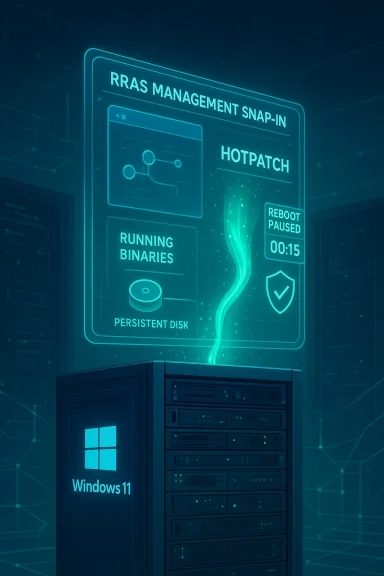
This release matters less for its content (the CVEs were already included in the monthly baseline) and more for its delivery method. Instead of waiting for or forcing an entire fleet to apply a restart‑required cumulative update, Microsoft used hotpatching — patching running processes in memory — to immediately apply the fixes on eligible devices. The hotpatch also updates disk files so the change persists after future reboots, but the near‑term remediation occurs without disrupting uptime for the running system.
The update is targeted: only managed, enterprise devices enrolled in a hotpatch‑enabled Windows quality update policy (or controlled through Windows Autopatch) are eligible to receive the no‑reboot hotpatch automatically. Devices not meeting the hotpatch prerequisites continue to receive the standard Latest Cumulative Update (LCU), which requires a restart.

What Microsoft fixed: the RRAS flaws in plain language​

The vulnerabilities at a glance​

  • The trio of flaws address integer overflow/wraparound and related memory‑corruption conditions in the Routing and Remote Access Service (RRAS) management components. These weaknesses can be exploited to execute code in the context of a vulnerable process.
  • The attack scenario described by vendor advisories centers on the RRAS management Snap‑in, which a domain‑joined administrator (or delegated user) might use to manage remote routing and VPN endpoints. An attacker who can trick such a user into interacting with a malicious server or service could cause the Snap‑in to process crafted input and trigger remote code execution.
  • The practical consequence is high: a successful exploit could let an attacker run arbitrary code at elevated privileges on systems used to manage networking or remote access infrastructure — precisely the type of control path adversaries prize.

Who and what is affected​

  • The vulnerabilities span RRAS management tooling across recent Windows 11 enterprise builds and related server SKUs in the Windows servicing family. The problem is especially sensitive for domain‑joined environments where administrators routinely use the RRAS Snap‑in to manage VPNs and routing.
  • Importantly, the emergency hotpatch rollout targeted Windows 11 enterprise devices enrolled for hotpatch updates (hotpatches are currently offered to eligible Windows 11 Enterprise SKUs and some LTSC images depending on baseline alignment and management tooling).

Why hotpatching was used — technical and operational rationale​

Hotpatching is not new, but its steady expansion beyond server‑only rollouts into Windows 11 clients marks an operational shift for Microsoft and enterprise patching practice.
  • Hotpatch mechanics: rather than replacing binaries on disk and requiring a process or system restart, hotpatching applies binary edits directly to running processes in memory. This allows security code paths to be changed and for vulnerable code to be neutralized immediately while applications and services keep running.
  • Persistence: alongside the in‑memory changes, hotpatch packages also include on‑disk updates so the fix survives subsequent restarts and stays installed through the normal servicing lifecycle.
  • Operational benefit: mission‑critical management consoles, remote access infrastructure, and high‑availability endpoints can be patched quickly without planned downtime windows. For teams juggling change windows across distributed or stateful systems (e.g., hardware management, remote access servers, or frontline user fleets), that immediacy reduces exposure time.
  • Risk trade‑off: in‑memory patching reduces downtime risk but can complicate troubleshooting and rollback strategies. Hotpatches are uninstallable only with a restart, and hotpatches may interact unexpectedly with older drivers, legacy agents, or security products that assume a consistent on‑disk binary layout.
In short: hotpatching dramatically shortens the window between advisory/public disclosure and effective mitigation on eligible devices — but it also changes how administrators must think about testing, monitoring, and rollback.

Eligibility and deployment model — who receives KB5084597 and why​

Targeted to managed, Autopatch/Intune‑controlled fleets​

Microsoft designed the hotpatch distribution model so that only devices meeting specific criteria are offered the no‑reboot updates automatically. Key eligibility factors include:
  • Management tooling: devices must be managed through Microsoft Intune and enrolled in a hotpatch‑enabled Windows quality update policy, or be part of Windows Autopatch groups explicitly configured for hotpatch delivery.
  • Operating system baseline: devices must be on a supported Windows 11 baseline (hotpatch months follow a scheduled cadence; devices must be up to date on the baseline to be eligible).
  • SKU and licensing: hotpatching is targeted at enterprise SKUs (Windows 11 Enterprise editions and equivalent commercial licensing), though Microsoft has documented specific allowances for additional enterprise and education SKUs in some scenarios.
  • Platform prerequisites: hotpatch requires certain platform features — notably Virtualization‑Based Security (VBS) to be enabled on many devices to accept hotpatch offers. ARM64 devices require a one‑time disablement of the CHPE compatibility layer via a registry/CSP setting to be eligible.
  • Automatic enrollment: for Autopatch customers, Microsoft may orchestrate the offering; for enterprises using Intune, admins must create a Windows quality update policy with the “apply without restarting (hotpatch)” option allowed and assign eligible devices.

Why not all devices got the hotpatch​

  • Devices that do not meet prerequisites automatically fall back to the LCU path; those updates require a restart and will be delivered via the standard monthly servicing channel. That fallback preserves correctness and avoids shipping hotpatches to incompatible endpoints.
  • Consumer SKUs, unmanaged devices, and environments using third‑party update tooling will not receive the hotpatch.

Operational guidance for IT teams — practical steps and checks​

Security teams and Windows administrators should take a precisely pragmatic approach: treat the hotpatch as a fast, time‑sensitive mitigation, but also preserve conventional, tested change control.

Immediate actions (first 24–72 hours)​

  • Verify Autopatch/Intune enrollment
  • Confirm whether affected devices are enrolled in Windows Autopatch or have a hotpatch‑enabled Windows quality update policy in Intune. Use Intune's Hotpatch Quality Updates report (or Autopatch dashboards) to view delivery status and errors.
  • Check hotpatch eligibility settings
  • Ensure VBS is enabled where required and that ARM64 devices have the CHPE disable flag set if they need hotpatch support. The one‑time registry/CSP flag that disables CHPE (for ARM64) lives under HKLM\SYSTEM\CurrentControlSet\Control\Session Manager\Memory Management\HotPatchRestrictions = 1.
  • Confirm the patching outcome
  • Use Intune/Autopatch reporting to confirm successful installs. For local checks on endpoints, inspect update history and use DISM to list installed packages (DISM /Online /Get-Packages) or query installed updates (Get‑HotFix / WMI queries) — note hotpatches can present different KB tracking behavior than standard LCUs so prefer management console reports.
  • Contain exposure for unmanaged or non‑eligible systems
  • If any RRAS management consoles or admin workstations are not enrolled and cannot receive the hotpatch, enforce compensating controls: restrict access, require use of jump hosts that are patched, or temporarily disable RRAS tools where feasible.

Medium‑term actions (1–2 weeks)​

  • Pilot and validation: ensure a pilot ring of update recipients exists and validate in‑place functionality after the hotpatch — exercise RRAS Snap‑in scenarios, VPN/DNS routing rules, and any third‑party networking/security agents.
  • Monitoring and telemetry: increase logging on RRAS hosts and management workstations. Watch for unusual process creation, exploitation patterns, or unexpected crashes. Confirm EDR/AV telemetry for any failed exploit attempts.
  • Rollback planning: although hotpatches are uninstallable, hotpatch uninstalls may require a restart and reimaging contingencies should be maintained. Document the uninstall sequence and test it in a controlled environment.

Long‑term changes to patch strategy​

  • Adopt Autopatch/Intune quality update policy workflows: organizations that need minimal downtime should evaluate enrolling eligible fleets into hotpatch policies — but do so with a robust test ring and a clear rollback path.
  • Audit third‑party compatibility: hotpatching changes in‑memory code paths; security agents and kernel‑mode drivers may need validation against hotpatch scenarios. Maintain vendor contact lists and firmware/driver inventories for fast coordination.
  • Update runbooks and compliance frameworks: change change windows, reporting, and SLA documentation to include non‑reboot hotpatch events and alter maintenance windows for baseline months that still require restarts.

Security posture and defensive measures beyond patching​

Patching closes the specific RRAS code flaws, but administrators should assume malicious actors will test alternate paths. Recommended additional mitigations:
  • Domain‑joined admin hygiene: restrict who can run RRAS Snap‑in tools. Use least privilege and role‑based access controls so only designated operators have access to management consoles.
  • Network segmentation: ensure management workstations are on isolated management networks and cannot freely browse arbitrary internet hosts. Limit outbound connections from admin workstations to known, trusted update/management endpoints.
  • Disable unused features: if RRAS is not used in your environment, disable the RRAS management tools and services to reduce attack surface.
  • Monitor for lateral movement and anomalous behavior: because the exploit vector involves a management tool, high‑fidelity EDR telemetry and SIEM correlation on admin sessions and RPC/COM interactions are valuable early‑detection signals.
  • Phishing and social‑engineering controls: the attack scenario describes tricking a domain user into interacting with a malicious server. Reinforce phishing defenses and web‑filtering rules for admin workstations.

Technical caveats and risks of hotpatch rollouts​

While hotpatching reduces downtime, it introduces several operational caveats that admins should weigh carefully.
  • Compatibility with third‑party drivers and security agents: in‑memory patching changes code while components keep running. Legacy drivers or deep security integrations may interoperate poorly with on‑the‑fly changes and can lead to hangs, crashes, or subtle regressions.
  • Rollback complexity: automatic rollback is not supported in many hotpatch flows; uninstalling a hotpatch can require a restart and may not return the system to an identical pre‑patch state. Baseline LCUs and SSUs still play a role in long‑term system state.
  • Visibility and metrics: hotpatches can bypass the classic “restart metric” that ops teams use to confirm patching. Teams must rely on management console reports rather than restart counts as the primary verification of remediation.
  • False sense of security for non‑eligible systems: organizations might assume a fleet is patched when Autopatch reports show high coverage; if critical admin consoles or isolated jump hosts are not enrolled they remain vulnerable and must be treated as such.
  • Supply chain and trust: hotpatching requires trusted management connections and cloud orchestration. Misconfigurations or compromised management planes could theoretically be abused to deliver unexpected code changes if access controls are lax.

How to validate that the hotpatch reached your devices — practical checks​

Use a combination of management console telemetry and local, verifiable checks.
  • Intune / Autopatch reporting: the canonical place to verify hotpatch delivery is the Windows quality update policy hotpatch reports in the Microsoft Intune admin center or the Windows Autopatch dashboard. These reports show policy assignment, success/failure counts, and errors.
  • Local package inventory: on a device, use DISM to list installed packages and confirm the presence of the hotpatch package name (DISM /Online /Get-Packages). For some hotpatches, package names and KB numbers differ from the LCU equivalents — watching OS build and the package list helps confirm the intended file updates were applied.
  • Windows Update history / Get‑HotFix: check the update history in Settings > Windows Update, and run Get‑HotFix in PowerShell to enumerate applied updates. Be aware that hotpatch entries can be tracked differently in these views, so cross‑check with Intune/Autopatch.
  • Process‑level checks: for deep verification, compare loaded module timestamps or hashes for the vulnerable RRAS management binaries against known fixed values (useful in highly regulated environments). This requires cautious handling and ideally a lab test.

Why this release signals a broader change in enterprise patching​

This emergency hotpatch is educational for three reasons:
  • Operational priority over reboot discipline: Microsoft is continuing to expand hotpatch support to meet the operational needs of enterprise customers who cannot accept large maintenance windows for critical management tooling.
  • Patch delivery becomes policy‑driven: enrollment in cloud‑driven update policies (Autopatch/Intune) is now more than convenience — it directly affects whether a device can receive no‑reboot emergency fixes.
  • New risk calculus for admins: the benefits of zero‑downtime security must now be weighed against compatibility risks and new verification practices. Organizations that embrace Autopatch should update their runbooks, monitoring, and vendor testing to accommodate this different update model.

Final assessment — strengths, limits, and recommended posture​

Microsoft’s KB5084597 hotpatch is a clear win in reducing the time to remediation for a high‑impact area (RRAS management) without disrupting uptime for eligible enterprise devices. The release highlights the practical value of hotpatching for operators of sensitive infrastructure and signals Microsoft’s commitment to extending rebootless security fixes beyond server environments.
However, the hotpatch model also exposes important operational risks:
  • It is limited by eligibility (management tooling, licensing, baseline and platform prerequisites), creating mixed states in heterogeneous fleets.
  • Compatibility and rollback complexities require ops teams to adjust testing, verification, and incident playbooks.
  • Organizations must not assume hotpatch coverage replaces standard change control — instead, it complements existing rollout and baseline strategies.
Actionable recommendations for IT teams:
  • Prioritize verifying Autopatch/Intune enrollment for systems that manage critical networking or remote access infrastructure.
  • Enable hotpatch prerequisites (VBS, CHPE disable for ARM64 where applicable) in controlled pilots before broad rollout.
  • Confirm hotpatch installation using Intune/Autopatch reports and DISM/Get‑HotFix checks, and maintain a documented rollback and reimaging plan.
  • Harden exposures through network segmentation, restricted admin access to RRAS consoles, and increased monitoring of admin workstation activity.
  • Keep a tight test ring for hotpatches and require third‑party vendor validation for endpoint security/driver compatibility.
The emergency hotpatch represents a pragmatic evolution: enterprises that invest in modern, cloud‑managed update automation reduce their attack surface more quickly — but they must also invest in the operational practices needed to manage the new model safely. For administrators of RRAS‑managed infrastructure, the simple takeaway is immediate: confirm hotpatch eligibility, verify that KB5084597 reached your critical management endpoints, and apply compensating network and access controls to protect any systems that remain off‑policy.

Source: Azat TV Microsoft Deploys Zero-Reboot Hotpatch for Windows 11 RRAS Flaws
 

Microsoft has quietly pushed a restart‑less emergency hotpatch — tracked in community reporting as KB5084597 — that targets a cluster of high‑risk vulnerabilities in the Routing and Remote Access Service (RRAS) management components on Windows 11 devices in the 24H2 and 25H2 servicing families, delivering a no‑reboot remediation to devices enrolled in Microsoft’s hotpatch program. m]

Cybersecurity illustration: Windows shield atop a server with a hotpatch lock.Background / Overview​

Windows’ Routing and Remote Access Service (RRAS) is a legacy but still widely deployed feature set that implements VPN, NAT, and routing capabilities on Windows systems. RRAS is frequently present on edge devices, VPN gateways, and servers that provide remote access to corporate networks; when its management interfaces or protocol parsers contain memory‑safety or logic bugs, the consequences can include remote code execution (RCE) or compromised network gateways — precisely the sort of critical exposure enterprise defenders fear. Reporting on this hotpatch indicates Microsoft’s intention was to close remotely exploitable holes i surface without imposing disruptive reboots on production devices.
The hotpatch model is Microsoft’s low‑disruption servicing model for eligible Windows 11 Enterprise clients and certain server SKUs: small, narrowly scoped security packages are installed in a way that typically avoids the need for a reboot, helping high‑availability environments receive urgent fixes with minimal downtime. Hotpatches are delivered through the usual servicing channels to devices that are enrolled and eligible; they are not a universal distribution mechanism and do not replace standard cumulative updates for non‑enrolled devices. Microsoft’s release notes and documentation outline how hotpatches are tracked and the administrative visibility available to management tooling such as Intune and Windows Autopatch.
Community and technical coverage of KB5084597 describes an out‑of‑band March deployment — appearing in telemetry and update histories for hotpatch‑eligible devices around March 13–14, 2026 — and centers the fix on RRAS management components that present a remote, network‑facing attack surface. BornCity’s reporting summarized the hotpatch release and framed it as a restartless emergency response; independent community mirrors and downstream reporting picked up the same narrativeld treat those early reports as timely signals while continuing to await official Microsoft KB/Advisory pages for full package and CVE details.

What we know about KB5084597​

Scope and purpose​

  • The hotpatch is narrow in S management modules and related plumbing that could be abused over network channels. This is why Microsoft chose a hotpatch delivery for eligible fleets — the goal is to remove a remote‑facing exploit path quickly without a planned reboot window.
  • Deployment appears to be out‑of‑band (i.e., shipped outside the normal Patch Tuesday cadence) and was observed on or around March 13–14, 2026 for hotpatch‑enrolled Windows 11 Enterprise devices. Community reporting and forum traces align on that date window.

Affected products and eligibility​

  • The reporting ties the fix to Windows 11 servicing families 24H2 and 25H2 — the two mainstream client baselines that currently use hotpatching for enterprise deployments — and to devices that are configured to receive hotpatch updates. Devices that are not hotpatch‑enrolled or that have been manually updated with non‑hotpatch cumulative packages may not receive KB5084597 as a restartless package and could instead receive an equivalent fix in a later standard CU that requires a reboot.
  • At the time of writing, Microsoft has not published a standalone KB article with a full, public CVE list for KB5084597 that mirrors the community reporting; therefore, some details (specific CVE identifiers and full technical root causes) remain dependent on secondary sources and telemetry posts. That absence of a canonical Microsoft advisory is important context for cautious response planning.

Vulnerability class and risk​

  • Community reporting characterizes the cluster as remote‑facing vulnerabilities in RRAS management, with potential for remote code execution (RCE) or similarly high‑impact failures when exploited. Where network‑facing management services expose parsing or authentication bugs, attackers can often weaponize them against VPN and gateway appliances — a typical high‑value target for intruders. The exact CVE numbers circulating in some community posts should be treated as provisional until Microsoft publishes official CVE mappings.

Why Microsoft used a hotpatch (what hotpatch buys you)​

Hotpatches exist for a reason: certain enterprise scenarios cannot accept reboot windows or the operational pain of rolling reboots across 24x7 infrastructure. The hotpatch model provides:
  • Rapid, no‑reboot delivery for urgent security fixes to eligible devices, minimizing disruption for production workloads.
  • Narrow scope, reducing the surface area for unintended side effects compared with full cumulative updates.
  • Integration with enterprise management tools like Microsoft Intune and Windows Autopatch, which provide policy and reporting primitives specific to hotpatch deployments.
That said, hotpatches are not a silver bullet — they are a tool tuned for specific operational priorities and come with trade‑offs.

Critical analysis — benefits and limits​

Notable strengths​

  • Operational continuity: For critical gateways and always‑on servers, applying a hotpatch to remove a remote RCE path without restarting saves hours of downtime and reduces the chance of service disruption during remediation windows. The choice to hotpatch RRAS management components reflects an awareness of the operational realities facing enterprise network operations teams.
  • Focused remediation: The narrow scope lowers the chance of introducing unrelated regressions that sometimes accompany large cumulative updates, which can be particularly disruptive in heterogeneous corporate environments.

Potential risks and operational caveats​

  • Visibility and inventory complexity: Hotpatches can be harder to track with standard tooling. The presence or absence of a specific KB may not be obvious in every management interface; administrators often must rely on hotpatch‑spek the Update history and build/UBR values to confirm a hotpatch applied. This variability complicates compliance audits and vulnerability inventory efforts. Microsoft documentation and community experience recommend checking Update history, Intune hotpatch reports, or hotpatch quality update telemetry to confirm installation.
  • Coverage gaps: Only hotpatch‑enrolled devices receive the restart‑less package. Non‑enrolled devices, unmanaged endpoints, or systems that have been manually patched using standard cumulative updates may not receive the same hotpatch, leaving inconsistent patch posture across the estate. IT teams must ensure enrollment status is known and that fallbacks exist for unpatched systems.
  • Documentation lag: In this instance, community and independent reporting surfaced the hotpatch while a dedicated Microsoft advisory tying KB5084597 to specific CVE identifiers and technical details was not yet widely available. That lag creates a window of uncertainty for defenders trying to prioritize detection and response. Treat community CVE mappings as provisional until MSRC/MSRC update‑guide entries are published.
  • Past hotpatch regressions: Hotpatching is not immune to problems; past hotpatch cycles have required emergency rollbacks or complementary fixes for side effects (for example, earlier hotpatch incidents and emergency remediations have been widely discussed in enterprise circles). These precedents counsel caution: validate at small scale, monitor closely, and keep rollback or full‑reboot remediation paths planned.

What administrators should do now — a practical playbook​

The following checklist is written for IT and security teams that manage fleets containing Windows 11 24H2/25H2 devices. Treat each step as part of a measured remediation plan.
  • Identify hotpatch‑eligible systems.
  • Confirm which devices are enrolled for hotpatch updates via your management tooling (Intune, Windows Autopatch, or Windows Update for Business). Hotpatch enrollment is required for KB5084597 to arrive as a restartless package. References: Microsoft hotpatch docs and Intune hotpatch guidance.
  • Check update history on representative systems.
  • On an impacted, hotpatch‑eligible device, open Settings → Windows Update → Update history and look for the KB number (KB5084597) or an entry noting a hotpatch quality update in the date range of March 13–14, 2026. Support guidance explicitly recommends Update history as a primary verification surface.
  • Use management reporting.
  • Use Intune’s update reports, Windows Autopatch hotpatch quality update reports, or your enterprise patch‑management dashboard to confirm deployment status at scale. These tools will better surface policy‑level visibility than ad‑hoc local checks.
  • If an endpoint is not hotpatch‑enrolled, apply the equivalent fix.
  • Non‑enrolled systems should be patched via the standard cumulative update channel. If the immediate hotpatch package is unavailable for those systems, ensure the March cumulative updates (or an emergency out‑of‑band CU — when published by Microsoft) are scheduled and applied in accordance with your maintenance windows. Verify that manually installing a standard CU does not inadvertently block future hotpatching in ways your policy forbids.
  • Tighten network controls for RRAS and remote mgmt interfaces while applying the patch.
  • If you run RRAS (or Windows machines that expose RRAS-like services), temporarily:
  • Limit access to management interfaces by IP allowlisting.
  • Block RRAS management ports at the perimeter where possible.
  • Disable RRAS entirely on machines that do not require it.
  • Blocking or isolating affected services buys time for patch rollout and reduces immediate exposure.
  • Monitor logs for signs of exploitation.
  • Add monitoring for unusual RRAS management events, failed authentications, or unexpected configuration changes. Increase IDS/IPS scrutiny for anomalous VPN handshakes and look for outbound connections that might indicate command‑and‑control pivoting from a compromised gateway.
  • Validate and document.
  • Produce a short remediation report that lists:
  • Which devices received KB5084597 and when.
  • Which devices required the standard CU instead.
  • Any exceptions, manual interventions, or rollbacks performed.
  • This documentation is essential for compliance and future incident investigations.
  • Maintain a rollback plan.
  • Although hotpatches are designed to be minimally invasive, keep standard rollback and recovery steps ready: ability to uninstall the applied package (when supported), image‑level rollbacks for critical appliances, and full reboots if a non‑hotpatch remediation path becomes necessary.

Example commands and verification notes (illustrative)​

  • Local verification:
  • Settings → Windows Update → Update history (recommended).
  • PowerShell: Get‑HotFix | Where‑Object { $_.HotFixID -eq 'KB5084597' } — note that hotpatch visibility via Get‑HotFix can vary; don’t od alone. Use Update history, build/UBR check, or vendor tooling for definitive confirmation.
  • Management verification:
  • Intune/Windows Autopatch hotpatch reports expose policy‑level status and can show which devices applied the hotpatch without requiring per‑host manual checks.

Detection and detection content​

Because Microsoft’s dedicated KB linkage for KB5084597 and a published CVE mapping were not universally available at the time community reporting circulated, security teams should craft detection queries around observable behavior and network indicators that are less dependent on the exact CVE string:
  • Monitor for anomalous RRAS process crashes, unexplained restarts of RRAS services, or uncharacteristic config changes to RRAS policies.
  • Watch for unexpected VPN session creations, particularly from unusual external IP ranges, and correlate to RRAS management events.
  • Deploy additional EDR rules to flag attempts to bind to or open commonly abused logical ports and watch for process‑injection patterns tied to RRAS servicing components.
If Microsoft later publishes formal CVE IDs and exploit details, translate those specifics into signature‑based detections in IDS/IPS, SIEM searches, and EDR rule sets promptly.

Why you should still be cautious even after applying the hotpatch​

Applying KB5084597 through the hotpatch channel is the correct immediate step for hotpatch‑enrolledg alone is not the end of the work:
  • Operational drift: Not all systems will receive the hotpatch uniformly. Mixed estates (hotpatch enrolled and non‑enrolled machines) can create windows of exposure. You still need standard patching discipline and vulnerability scanning to confirm complete remediation. ([learn.microsoft.com](Use Hotpatch With Windows Quality Updates - Microsoft Intune public detail:** Early community reports are valuable but incomplete. When Microsoft publishes its formal advisory, reconcile the vendor guidance against the actions you took and update detection and configuration changes accordingly.
  • Supply‑chain and lateral risk: Even a patched gateway previously compromised can still harbor persistence. Treat remediation as a process: patch, then validate the absence of persistent intrusions, then harden, then monitor.

How this fits into a broader patching and risk strategy​

KB5084597 is a practical reminder of several enduring patch management truths:
  • Fast, targeted hotpatches are a powerful tool for high‑availability environments, but they increase the importance of precise inventory and enrollment hygiene. If you intend to rely on hotpatching for critical infrastructure, make enrollment and reporting first‑class items in your patch program.
  • Defense in depth matters: removing an immediate RCE path via RRAS hotpatch is essential, but network segmentation, least‑privilegeaces, and multi‑layer logging are still required to stop attackers who attempt to exploit alternative paths.
  • Documentation and auditability are part of security: a rushed emergency fix without clear records increases risk when later auditors or incident responders examine the timeline. Produce a concise remediation log and integrate the hotpatch event into your change control records.

Final assessment and actionable takeaways​

KB5084597 — as reported by BornCity and observed across community update histories — represents a fast, operationally pragmatic response to a set of network‑facing RRAS vulnerabilities affecting Windows 11 24H2/25H2 devices enrolled in Microsoft’s hotpatch program. The restartless delivery model removes a major logistical obstacle for production fleets, and for hotpatch‑eligible devices this update should be treated as an urgent priority.
At the same time, defenders must remember that:
  • Not all systems will receive KB5084597 — confirm enrollment and coverage.
  • Public, vendor‑level advisory detail (CVE mappings, exploitability metrics, technical root causes) may lag initial distribution; treat community‑posted CVE mappings as provisional until Microsoft’s official update‑guide entries are published.
  • Tighten network controls around RRAS and monitoring while you verify patch status, and validate the absence of persistent compromise after patch application.
Action checklist (quick):
  • Confirm which devices are hotpatch‑enrolled and check Update history for KB5084597 on representative hosts.
  • For non‑enrolled devices, schedule the equivalent standard cumulative update or follow Microsoft’s published guidance when the vendor KB is available.
  • Harden RRAS management access, block exposure at the perimeter, and increase IDS/EDR scrutiny for suspicious VPN/management activity.
  • Document the remediation activity and update detection signatures once Microsoft publishes CVE and technical details.
KB5084597 is a useful example of hotpatches doing exactly what they were designed for: close critical holes quickly with minimal disruption. But the very speed and narrowness that make hotpatches attractive also create inventory, visibility, and documentation challenges that every enterprise must handle deliberately if they expect hotpatching to become a regular part of their patching toolkit.
End of report.

Source: BornCity Windows 11 24H2-25H2: Hotpatch KB5084597 closes vulnerabilities
 

Microsoft has issued an out‑of‑band hotpatch, identified as KB5084597, to address three remote‑code‑execution vulnerabilities in the Windows Routing and Remote Access Service (RRAS) management tool — a targeted emergency fix intended for Windows 11 Enterprise devices enrolled in Microsoft’s hotpatch program that did not receive the regular March 10, 2026 Patch Tuesday cumulative update.

Futuristic data center with a glowing Windows 11 server displaying RRAS management HUD.Background / Overview​

Hotpatching is Microsoft’s “reboot‑less” approach for delivering certain monthly security fixes to eligible Enterprise endpoints. Instead of waiting for the next cumulative update (which requires a reboot), hotpatch updates apply in‑memory patches to running processes and write the patched files to disk so the fixes survive the next scheduled reboot. This model is intended for mission‑critical systems where unplanned downtime is costly. Microsoft documents hotpatch as an extension of Windows Update managed through Windows Autopatch and Intune quality update policies.
The three vulnerabilities addressed by KB5084597 are tracked as CVE‑2026‑25172, CVE‑2026‑25173, and CVE‑2026‑26111. They were included in Microsoft’s March 10, 2026 Patch Tuesday release for standard Windows 11 installations, but Microsoft reissued a targeted hotpatch to ensure Enterprise devices enrolled in Autopatch’s hotpatch program were protected immediately and without reboot interruption.

What the vulnerabilities are and how they can be exploited​

The technical profile​

  • CVE‑2026‑25172 and CVE‑2026‑25173 are described as integer overflow / wraparound issues in RRAS that can lead to remote code execution. Scores assigned by vulnerability trackers place these in the high severity range.
  • CVE‑2026‑26111 is reported as another RRAS remote code execution issue in the same component family and was grouped with the March fixes.
Multiple public vulnerability databases and patch roundups list RRAS as the impacted component and give a consistent technical summary: an attacker who can get a domain‑joined user to interact with a malicious server through the RRAS management snap‑in could cause arbitrary code execution on the affected device. That interaction may arise from a specially crafted request routed by the RRAS snap‑in UI — in short, social engineering combined with a crafted service response or data can trigger the flaw. BleepingComputer’s advisory summarizes the vector succinctly.

Exploitation complexity and prerequisites​

  • Authentication/user interaction required: The published details indicate that exploitation requires an attacker to be authenticated on the domain or otherwise trick a domain‑joined user into initiating the connection. This makes the attack not a fully unauthenticated remote zero‑click RCE, but instead a high‑impact RCE that is practicable in environments where users run management consoles and are network‑connected to potentially untrusted servers.
  • Attack surface: The primary surface is the RRAS management snap‑in used for remote server management. In many organisations RRAS is rarely enabled on client endpoints but may be present or used in service technician or management endpoints. Attackers that can deliver convincing social engineering (phishing, malicious QR/links, or a crafted admin workflow) may exploit the vulnerability.

Why Microsoft pushed an out‑of‑band hotpatch (KB5084597)​

Standard cumulative updates require a reboot to complete installation, which is acceptable for many endpoints but unacceptable for those running critical workloads that cannot be restarted on short notice. Microsoft’s hotpatch mechanism exists precisely to reduce that friction: it applies security fixes to running binaries and ensures the disk state is updated so the fix persists after the next planned reboot. As a result, Microsoft opted to reissue the RRAS fixes as an out‑of‑band hotpatch to protect hotpatch‑enrolled devices immediately without forcing downtime.
Key reasons for the hotpatch release:
  • Protect enterprise machines used for remote server management that cannot be rebooted without disrupting services.
  • Ensure parity between the March cumulative release (which covered non‑hotpatch devices) and eligible hotpatch devices.
It is important to note that while Microsoft has documented the hotpatch program and announced it will be enabled by default for eligible Autopatch devices later in 2026, the specific KB record for KB5084597 was initially surfaced in community and technical reporting before an obvious, separate Microsoft KB page was visible in public support portals. That means administrators should look for confirmation in their Microsoft‑managed update logs (Autopatch/Intune) rather than relying solely on a canonical KB landing page until Microsoft publishes it. Treat community reports as corroborating signals and verify state in your management console.

Affected versions and deployment scope​

The hotpatch was targeted at the following builds and SKUs:
  • Windows 11 version 24H2 (Enterprise hotpatch‑eligible builds)
  • Windows 11 version 25H2
  • Windows 11 Enterprise LTSC 2024
KB5084597 is cumulative in the sense that it includes the security fixes from the March 2026 cumulative update for Windows 11, but it is delivered only to devices that are enrolled in the hotpatch program and managed through Windows Autopatch. Devices that are not enrolled in hotpatching should have already received the fixes via the normal March 10, 2026 Patch Tuesday cumulative update.
Important deployment notes for administrators:
  • The hotpatch installs automatically on enrolled devices and does not require an immediate restart.
  • The patch binaries are written to disk so the fix remains after the device next restarts on its normal schedule.

What enterprise admins must do right now​

This section lists prioritized, practical actions for IT and security teams. Follow these steps immediately and track completion.
  • Verify Autopatch / hotpatch enrollment for critical endpoints. Ensure devices that handle remote management tasks are assigned to the Autopatch quality update policy with hotpatch enabled. Use the Intune admin console to confirm assignment.
  • Check update history and deployment status for KB5084597 (or equivalent hotpatch entries) in your Windows Update/Autopatch reporting dashboards. If the hotpatch entry is present, confirm successful installation on devices that require continuity. If an entry is not visible, verify whether the March 10 cumulative (Patch Tuesday) update has been applied instead.
  • Inventory hosts with RRAS enabled and identify which endpoints run the RRAS management snap‑in. Prioritize patching those machines (hotpatch or cumulative) and consider temporarily restricting RRAS management to jump hosts or dedicated admin workstations while you complete remediation.
  • Apply compensating controls where immediate patching isn’t possible:
  • Restrict network access to management tools via firewall rules and segmentation.
  • Limit the use of RRAS management on user endpoints; require admin workstations for remote server management.
  • Elevate monitoring for suspicious RRAS or snap‑in activity and unusual outgoing connections from admin hosts.
  • Confirm that non‑hotpatch‑enrolled devices have the March 10 cumulative update installed (the March cumulative lists the RRAS CVEs). If they are missing the cumulative, schedule them for an immediate maintenance window because the cumulative does require a reboot.

How to confirm patch status and evidence of remediation​

  • In Intune / Autopatch: review the Quality update policy assignment and the Hotpatch enabled column for devices. Microsoft’s docs describe how to create and assign hotpatch policies and show reporting fields.
  • On endpoints: check Windows Update history and the Installed Updates log for hotpatch entries or the March cumulative KB (build numbers and KB identifiers can be matched to the March patch notes). For enterprises using WSUS or Configuration Manager, consult the update catalog and deployment logs to confirm state.
  • Network/host monitoring: look for anomalous attempts to reach unknown servers from admin consoles, particularly from devices with RRAS snap‑in usage. Implement or tune EDR & network detection rules to flag related suspicious behaviors.

Risk analysis: how dangerous are these flaws?​

Threat level — rationale​

  • The CVEs are rated High and allow Remote Code Execution, which is by definition a high‑impact class of weakness. Attackers who can leverage these flaws could execute arbitrary code in the context of a targeted process.
  • Exploitation requires user interaction and a domain‑joined context (tricking an admin into connecting to a malicious service). That raises complexity compared to a purely unauthenticated remote bug, but the value to attackers is high because admin workstations are privileged targets and often overlooked in segmentation strategies.

Likelihood of exploitation​

  • Published reports and CVE trackers indicate no public proof‑of‑concept (PoC) was widely published at the time of disclosure, and there were no immediate large‑scale exploitation reports when the March 10 patches were released. That suggests exploitability in the wild was low or unproven at release time. However, the presence of these fixes in both the regular cumulative and the out‑of‑band hotpatch demonstrates Microsoft considered the threat serious enough to ensure rapid coverage.

Business impact​

  • High for organisations that use Windows 11 Enterprise endpoints for server management, remote administration, or technician consoles. A successful exploit on an admin machine can quickly lead to lateral movement and domain compromise.

Benefits and trade‑offs of hotpatching — what admins should weigh​

Benefits​

  • Immediate protection without forced reboots: crucial for high‑availability workloads and on‑call environments.
  • Faster compliance: hotpatching can dramatically increase the percentage of patched devices in a short time window because there’s no dependency on user‑initiated or scheduled reboots. Microsoft reports improved compliance metrics when hotpatch is enabled.

Trade‑offs and potential risks​

  • Coverage gaps: hotpatching applies only to eligible builds and devices enrolled in Autopatch/intune policies. If an organisation has mixed enrollment or legacy devices, some endpoints will require the cumulative update and a reboot. That increases operational complexity.
  • Operational unknowns: hotpatches perform in‑memory binary modifications, which introduces an additional operational vector where subtle incompatibilities (driver interactions, third‑party hooks) could manifest. Historically, some organisations reported edge‑case issues with early hotpatch deployments; admins should validate hotpatch behavior in a pilot group before broad rollout.
  • Rollback complexity: undoing an in‑memory hotpatch on a production host without rebooting can be non‑trivial; plan maintenance windows for full reverts if needed.

Practical detection and hunting suggestions​

  • Search telemetry for unexpected outbound connections from machines running RRAS snap‑in or from known admin workstations. Flag attempts to reach IPs and hostnames that are not in corporate allowlists.
  • Monitor EDR alerts for process injection, unusual calls from management consoles, or new services being spawned as a child of RRAS‑related processes.
  • Use SIEM dashboards to correlate email/phishing events with subsequent management console activity. Because the exploit requires social interaction, phishing campaigns that successfully deliver a malicious server URL are a likely precursor.

Communication: what to tell stakeholders​

  • Security teams: prioritize identification of admin workstations and ensure those assets are either hotpatch enrolled or scheduled for immediate cumulative installation and reboot. Provide a short list of steps for containment and monitoring.
  • Help desk / engineering: instruct staff to avoid using non‑trusted servers for RRAS management operations until machines are confirmed patched; if they must, restrict operations to isolated jump hosts.
  • Business owners: explain the reason for potential targeted reboots for non‑hotpatched devices — balancing availability and security — and the mitigations being put in place to keep critical services online.

What we could not verify and cautionary notes​

  • As of publication, a canonical Microsoft Support KB landing page dedicated to KB5084597 was not readily discoverable in public Microsoft support search results even though multiple reputable patch roundups and technical community posts reference the hotpatch identifier. Administrators should therefore verify the presence and details of KB5084597 within their own Microsoft Autopatch and Intune consoles and the Microsoft Update Catalog rather than relying purely on third‑party reporting. If you cannot locate KB5084597 in your management portal, confirm that the March 10 cumulative update (Patch Tuesday) has been applied where hotpatch is not used. Treat community references as useful signals but validate in your management systems.
  • Some community threads recorded update‑related oddities (failed installs, temporarily missing update history entries) in the days around the March updates. These appear to be isolated but underscore the need for verification via enterprise tooling rather than endpoint confirmation by end‑users.

Long‑term recommendations​

  • Enroll critical admin endpoints in Autopatch hotpatch policies after piloting and validating compatibility. Hotpatch can reduce operational friction and shorten the window of exposure for emergent vulnerabilities.
  • Keep an accurate inventory of management tooling and administrative endpoints. Assets used for remote server management should be hardened, isolated, and considered high‑risk by default.
  • Maintain layered defenses: network segmentation, least privilege, EDR/SIEM monitoring, and phased patch testing minimize the blast radius of an exploit that targets administrator workstations.

Conclusion​

Microsoft’s emergency out‑of‑band hotpatch (KB5084597) for the RRAS remote code execution flaws is a targeted example of the hotpatching model’s value: enabling immediate remediation on mission‑critical Enterprise endpoints without forcing disruptive reboots. The vulnerabilities fixed are high‑impact RCEs in the RRAS management snap‑in that can be abused via social engineering against domain‑joined users — a particularly dangerous profile when the targets are admin or management machines. Administrators should verify hotpatch enrollment, confirm installation status for KB5084597 or the March 10 cumulative on their fleets, inventory and harden RRAS‑using hosts, and apply compensating controls where necessary while maintaining robust detection and monitoring. Finally, because official KB landing pages for the hotpatch identifier were not uniformly visible in public Microsoft search results at the time of reporting, always validate patch status from your management consoles and the Microsoft Update Catalog rather than relying only on community reporting.

Source: gHacks Microsoft Releases Emergency Windows 11 Hotpatch to Fix Remote Code Execution Flaw - gHacks Tech News
 

Back
Top