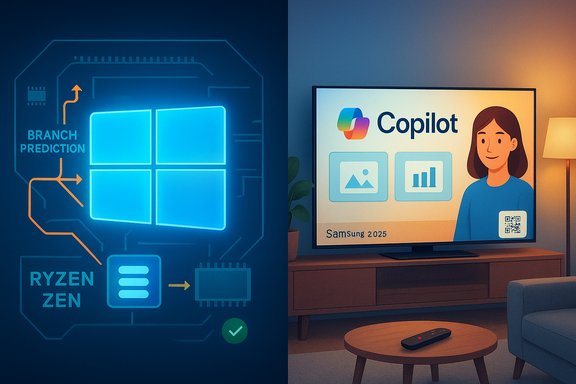
Microsoft’s two most visible moves this week were strikingly different in scope but unified in intent: a focused, technical backport that can measurably improve Ryzen gaming performance on Windows 11, and a broad consumer push that embeds Microsoft Copilot into living-room screens from major TV makers — a rollout that is already provoking a mix of applause, caution, and outright backlash. The first is a software-level performance correction that benefits a well-defined audience; the second is a strategic product placement designed to make Copilot ubiquitous — and to test how much consumers will tolerate AI appearing on devices they think of as “just a TV.”
Windows received an optional preview update (KB5041587) that backports CPU-level optimizations — notably branch prediction and scheduling fixes — originally slated for a major feature update into the current 23H2 servicing channel. The aim is simple: fix inefficient CPU scheduling and AMD-specific branch prediction behavior that left some Ryzen systems underperforming in CPU‑bound games and single‑threaded workloads. Multiple independent outlets and hardware testers validated that the changes can produce a noticeable uplift in frame rates and responsiveness on Zen‑family processors. At the same time, Microsoft expanded Copilot’s footprint beyond PCs into the living room. Copilot is now available on select Samsung 2025 TVs and Smart Monitors as a Tizen-hosted experience that can be invoked by the remote’s mic/AI button, and a similar implementation landed on LG TVs — albeit as a web‑shortcut rather than a deep native integration. The Copilot-on-TV experience is designed for voice-first, big-screen interactions: animated visual cards, optional Microsoft account sign‑in for personalization and memory, and conversational content discovery optimized for group viewing.
Conclusion
Small, careful engineering changes can unlock significant performance on modern silicon; big, bold product placements can reshape user expectations and ecosystem behavior. Microsoft’s latest week in tech delivered both: a concrete win for a subset of Windows users, and a provocative expansion of Copilot into everyday living rooms. The technical fix is safe and verifiable when treated as a preview; the strategic play demands scrutiny, clear privacy controls, and vendor responsiveness — and LG’s swift promise to add user controls demonstrates that consumer feedback still moves the needle.
Source: Neowin https://www.neowin.net/amp/microsoft-weekly-performance-boost-for-windows-and-copilot-invades-tvs/
 Background / Overview
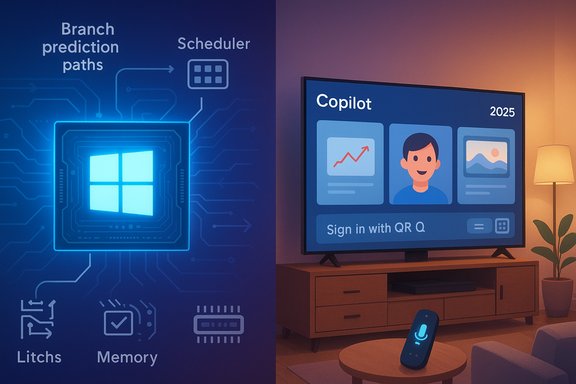
Windows received an optional preview update (KB5041587) that backports CPU-level optimizations — notably branch prediction and scheduling fixes — originally slated for a major feature update into the current 23H2 servicing channel. The aim is simple: fix inefficient CPU scheduling and AMD-specific branch prediction behavior that left some Ryzen systems underperforming in CPU‑bound games and single‑threaded workloads. Multiple independent outlets and hardware testers validated that the changes can produce a noticeable uplift in frame rates and responsiveness on Zen‑family processors. At the same time, Microsoft expanded Copilot’s footprint beyond PCs into the living room. Copilot is now available on select Samsung 2025 TVs and Smart Monitors as a Tizen-hosted experience that can be invoked by the remote’s mic/AI button, and a similar implementation landed on LG TVs — albeit as a web‑shortcut rather than a deep native integration. The Copilot-on-TV experience is designed for voice-first, big-screen interactions: animated visual cards, optional Microsoft account sign‑in for personalization and memory, and conversational content discovery optimized for group viewing. What changed in Windows (KB5041587)
The technical problem and the fix
Modern CPU performance can hinge on tiny low-level behaviors. Two mechanisms are key here:- Branch prediction: CPUs guess which way a conditional instruction will go to keep pipelines full. Better prediction reduces mispredicted branches, which otherwise force expensive pipeline flushes and hurt single-threaded performance.
- CPU scheduling heuristics: The Windows scheduler decides which threads run when and on which core, and optimizations here are especially important on heterogeneous systems and high‑core‑count chips.
Measured impact
Independent test runs reported average gaming uplifts that cluster around the mid‑single‑digit to low‑double‑digit percentages in CPU‑bound scenarios:- Reviewers observed average frame‑rate gains around ~10% in many CPU‑sensitive titles on Zen 4 and Zen 5 hardware in controlled tests. Some titles showed larger improvements; others were unchanged.
How to get it (practical steps)
- Open Settings → Windows Update.
- Click Advanced options → Optional updates.
- Look for “Cumulative Update Preview for Windows 11 Version 23H2 (KB5041587)” and install.
- Reboot to apply changes.
- If you encounter problems, use Settings → Update history → Uninstall updates to roll back.
Deep analysis: benefits, limitations, and risks for Ryzen owners
Who benefits most
- CPU‑bound gamers on Ryzen Zen 3/4/5 architectures are most likely to see uplift, particularly at lower resolutions where CPU overhead dominates frame pacing.
- Single‑threaded productivity tasks that rely heavily on branch prediction can see smoother responsiveness.
- Users who prefer extracting maximum performance from existing hardware without buying new silicon.
Why results vary
Performance depends on more than OS code. Expectation mismatches or mixed results can stem from:- GPU driver differences and microcode updates.
- BIOS settings (P‑state/C‑state tuning, Windows power profiles).
- Security features like Virtualization‑Based Security (VBS) that alter scheduling and isolation semantics.
- Game engine behavior and whether the workload is GPU or IO bound instead of CPU bound.
Known regressions and operational cautions
Preview updates bring both fixes and risk. Community reports and official support threads recorded isolated regressions after installing preview updates—some users reported unexpected behaviors, boot issues, or game regressions. Microsoft’s support guidance is explicit: treat optional preview updates as test flights and backup important data before installing. If you rely on mission‑critical stability, defer optional previews until they’re rolled into cumulative quality updates.Copilot invades the big screen: what’s rolling out and how it’s implemented
Samsung: integrated, voice‑first Copilot
Samsung and Microsoft announced a broader partnership to bring Copilot to select 2025 Samsung TVs and Smart Monitors. Implementation highlights include:- Copilot appears on the Samsung Tizen OS home (Samsung Daily+), and can be triggered with the remote’s mic/AI button.
- The TV presents Copilot answers as big, glanceable visual cards and a friendly animated avatar that lip‑syncs while speaking.
- Users may optionally sign in with a Microsoft account via a QR code to unlock memory, preferences, and personalized recommendations.
- Samsung positions Copilot as an extension of its Vision AI features, folding conversational search and contextual assistance into a content discovery and enhancement experience.
LG: web shortcut approach and consumer backlash
LG’s approach initially surfaced Copilot as a web shortcut on webOS — a tile that opens the Copilot web experience in the TV’s browser rather than a native app. That distinction mattered because many LG owners discovered the tile appeared after an update and could not immediately remove it. The reaction from users and social communities was swift and hostile, prompting LG to clarify that:- The Copilot tile is a browser shortcut, not a native, always‑running app, and microphone use requires explicit consent.
- LG pledged to offer a tile removal option in a future webOS update after the backlash.
Security, privacy, and UX implications
Smart TVs are general‑purpose computers
Modern smart TVs run complex stacks: TV OS, web engines, app runtimes, network services, and often always‑on microphones. Adding an AI assistant increases the complexity and attack surface:- Browser‑based Copilot experiences depend on a secure browser stack; browser exploits can expose context or tokens.
- Native integrations expand the OS attack surface; firmware and vendor driver security are now risk factors.
- Microphone and account‑sync features create additional privacy vectors: what is processed locally versus sent to the cloud? How long is contextual memory kept? Is data used for model training, personalization, or ad targeting?
Group devices, shared accounts, and household dynamics
A TV is a shared device. When Copilot personalizes via a linked Microsoft account, it can create friction in multi‑user households:- Personalized memory and tailored suggestions can reveal hints about viewing or productivity habits.
- Shared accounts or family profiles complicate personalization and privacy boundaries.
- Households should evaluate whether to link personal accounts, create shared profiles, or limit microphone access for privacy.
Enterprise considerations
Copilot on TVs is clearly a consumer play, but it impacts enterprise and hybrid work scenarios when living‑room devices are used for meetings:- Don’t assume parity between consumer TV Copilot and Microsoft’s enterprise-grade Copilot/Teams features.
- Corporate security policies should explicitly control whether living‑room devices are acceptable for meetings, especially if they have microphone access or account syncing enabled.
- Disable or restrict device microphones and account linking where corporate data protection policies apply.
Strategic analysis: two sides of Microsoft’s product playbook
Microsoft is executing two complementary strategies:- Platform hardening and optimization — fix the foundation: small, technically precise patches like KB5041587 show Microsoft reclaiming expected hardware performance via OS-level engineering. This approach benefits users and partners without requiring hardware changes. The backport approach (making fixes available in the existing channel rather than locking them into a major upgrade) reduces fragmentation and accelerates real‑user benefit.
- Habituation through ubiquity — make Copilot omnipresent: embedding Copilot across OS, productivity apps, Xbox, and now TVs increases daily touchpoints and normalizes Copilot as the default assistant on many screens. That makes Microsoft’s AI experiences familiar and habit‑forming, and integrates Copilot into both work and leisure contexts. The tradeoff is that frequent forced touchpoints (preloaded tiles, home‑screen placements) risk consumer resentment. LG’s recent user backlash is a practical example: users resist invasive, non-removable UI elements on devices they believe should remain neutral.
Cross‑referenced verification and outstanding unknowns
Key claims and technical details in this story are confirmed from multiple independent sources:- The Ryzen performance backport (KB5041587), its optional preview status, and typical performance uplift have been reported and validated by multiple outlets and community testing.
- Samsung’s Copilot rollout, including Tizen integration, remote mic activation, and QR sign‑in personalization, is documented in official Microsoft and Samsung announcements and corroborated by independent hands‑on coverage.
- LG’s web‑shortcut approach and subsequent user backlash — plus LG’s agreement to add a tile removal option — are reported across multiple outlets that observed the same behavior. These stories are corroborated but remain a developing topic as vendors issue updates.
- The exact magnitude of frame‑rate uplift varies case by case; published gains are averages from reviewer test suites and may not replicate identically on all systems. Treat quoted percentages as directional rather than guaranteed.
- Copilot’s long‑term privacy posture depends on future firmware updates, vendor privacy controls, and Microsoft’s account policies — some of which are governed by region‑specific regulations and may change. Flag these as cautionary until vendors publish detailed, machine‑readable privacy controls and retention policies.
Practical recommendations
For Ryzen gamers and performance tweakers
- Treat KB5041587 as an optional preview: back up the system before installing and create a restore point or a disk image.
- Update GPU drivers and motherboard firmware before testing performance changes to get an apples‑to‑apples comparison.
- Benchmark in real workloads (your favorite games at your usual settings) and roll back if regressions or instability appear.
For TV buyers and owners
- If you value a clean, non‑AI home screen: inspect the TV’s home‑screen customization options and privacy toggles before linking accounts or enabling microphone functionality.
- If you’re privacy‑conscious: avoid linking a personal Microsoft account to a living‑room TV until you understand how personalization, memory, and data retention are handled.
- Watch vendor updates: LG has already pledged to add tile removal options; OEMs often respond quickly to consumer backlash with UI configuration changes.
For IT admins and enterprises
- Consider a policy for meeting devices: explicitly prohibit or control use of consumer smart TVs with microphones and personal account links for corporate meetings.
- Educate users on the differences between consumer Copilot experiences and enterprise Copilot/Teams capabilities, and define acceptable device profiles for remote collaboration.
The bottom line
KB5041587 is a good example of how targeted OS engineering can recover expected hardware performance without hardware changes. For many Ryzen owners, the update offers tangible benefits — but it arrives as an optional preview with the usual caveats: test, backup, and be ready to roll back. The Copilot TV rollout is a strategic play that extends Microsoft’s AI fabric to the biggest screen in the home. The user value is real — simpler content discovery, conversational interactions, and cross‑ecosystem conveniences — yet the execution matters. Forced home‑screen placements and unclear default privacy options can and did trigger backlash; vendors are already reacting. The long‑term outcome will depend on how well Microsoft and OEMs balance usefulness, transparency, and control for users. Both moves illustrate Microsoft’s dual approach: polish the platform where it delivers immediate technical ROI, and flood new touchpoints with Copilot to build habit and reach. For users, the practical rule remains unchanged: verify, control, and choose what gets access to your data and your home screen.Conclusion
Small, careful engineering changes can unlock significant performance on modern silicon; big, bold product placements can reshape user expectations and ecosystem behavior. Microsoft’s latest week in tech delivered both: a concrete win for a subset of Windows users, and a provocative expansion of Copilot into everyday living rooms. The technical fix is safe and verifiable when treated as a preview; the strategic play demands scrutiny, clear privacy controls, and vendor responsiveness — and LG’s swift promise to add user controls demonstrates that consumer feedback still moves the needle.
Source: Neowin https://www.neowin.net/amp/microsoft-weekly-performance-boost-for-windows-and-copilot-invades-tvs/