

Microsoft is preparing a Windows 11 setting that would let users disable Bing-powered web results in Windows Search, with the option appearing in Insider-era reporting in early June 2026 after Microsoft had already begun prioritizing local files and apps in May preview builds. That is not a revolution, but it is an admission. For years, Windows Search has been asked to serve two masters: the user trying to open a file and Microsoft trying to route attention through Bing. The new toggle matters because it suggests Microsoft has finally noticed that a search box which cannot be trusted is worse than no search box at all.
The problem with Bing in Windows Search was never that web search exists. The problem was that Windows blurred the line between search my PC and search the internet until a basic productivity gesture became a small act of negotiation.
Search is one of those operating-system features that only gets noticed when it fails. Press the Windows key, type a few letters, hit Enter, and the expected result should be boring: Notepad, Device Manager, a spreadsheet, a setting, a folder buried three levels deep. When that flow works, the user never thinks about the plumbing.
Windows 11 too often broke that contract. A query intended to locate a local app or document could produce Bing suggestions, web cards, shopping-adjacent noise, or results that felt less like an index of the PC and more like a miniature portal page. The interface was not merely cluttered; it was semantically confused.
That distinction matters. If a browser address bar suggests the web, nobody is shocked. If an operating-system launcher does the same when the user is looking for a local executable, the OS has inserted a business objective into a muscle-memory workflow. That is why the backlash has always been sharper than the feature seemed to warrant on paper.
Microsoft’s reported change puts a name to what users have been asking for all along: a clean separation between the machine in front of them and the web services Microsoft would prefer they use. The fact that this is arriving as a settings toggle rather than another registry workaround is the real concession.
When a feature requires an unofficial ritual to undo, it stops being a feature and starts looking like an imposition. Windows enthusiasts are perfectly capable of editing the registry, but they should not have to do so to make the Start menu behave like a Start menu. Enterprise administrators can push policy, but a policy escape hatch is not the same thing as respecting user intent in the default consumer experience.
That is why the reported location of the new control matters. Placing the option under Privacy & security, in the search-results settings area, would frame web search as a user-controlled data and experience choice rather than a hidden plumbing decision. That is a healthier model, even if Microsoft’s wording changes before release.
It also reflects a broader truth about Windows 11: many of its most irritating behaviors are not catastrophic bugs. They are defaults. A system can be secure, modern, and visually coherent while still wearing down users through small acts of self-promotion. Bing in Search became a symbol because it sat in the middle of an action people perform dozens of times a day.
The old defense was always that web results might be useful. Sometimes they are. But optional utility is not the same thing as default priority, and Windows Search’s job is not to guess that Microsoft’s web index knows better than the user’s local disk.
Still, the surrounding chronology makes this harder to dismiss as a random experiment. In March, Microsoft publicly framed 2026 as a year of Windows 11 quality work, naming performance, reliability, craft, File Explorer, Start, and Search as areas of focus. In May, Insider builds began emphasizing that apps and files should appear ahead of web suggestions when local content is the stronger match. By early June, reports described a more explicit switch to turn off web results entirely.
That progression is notable. First Microsoft said Windows needed to feel better. Then it adjusted ranking so local results were not buried as often. Now it appears to be testing a user-facing control that removes the web layer from the experience. That is not merely tuning relevance; it is reducing Microsoft’s own surface area inside a core shell feature.
The distinction between ranking and disabling is important. Better ranking means Bing still gets a seat at the table but promises to speak only when useful. A disable toggle lets the user tell Bing to leave the room. For a company that has spent years wiring Bing, Edge, Microsoft accounts, widgets, Copilot, and web services into Windows, that is a meaningful philosophical shift — if it survives to stable builds.
Bing contamination damaged that trust. Once a user learns that typing the name of a local file might summon web results, they stop treating Windows Search as a dependable launcher. They pin more apps, clutter the desktop, install third-party launchers, or retreat to File Explorer. The feature remains present, but the habit is broken.
Microsoft’s challenge is that habits are easier to destroy than rebuild. A toggle will help, but it will not instantly restore the instinctive confidence that Windows 7’s Start menu search or even parts of Windows 10 once enjoyed. Users who have already trained themselves to avoid Search will need repeated evidence that the feature has become boring again.
That is the irony. The highest praise for Windows Search would be that nobody talks about it. If Microsoft succeeds, there will be no triumphant daily moment when users celebrate the absence of Bing. There will just be fewer interrupted workflows, fewer accidental web launches, and fewer annoyed forum posts asking why the OS has once again misunderstood the assignment.
The company has been talking more openly about performance, shell responsiveness, File Explorer latency, Start menu behavior, and quality-of-life fixes. That kind of language is not accidental. It acknowledges that Windows 11’s problem has not been a lack of marquee features. If anything, Microsoft has had too many of those: Teams integration, widgets, Copilot, AI features, account nudges, Edge prompts, cloud tie-ins.
The missing ingredient has been restraint. Users do not primarily want the operating system to become a content surface. They want it to launch apps quickly, index files accurately, preserve settings, stay out of the way during work, and remain predictable after updates. This is especially true for sysadmins, who experience every consumer-facing nudge as a support ticket waiting to happen.
Search is therefore a useful test case. If Microsoft can remove a disliked service integration from a core workflow, it signals that the company is willing to privilege experience quality over funnel-building. If it merely hides Bing behind slightly better ranking while leaving the broader promotional machinery untouched, users will treat the move as cosmetic.
In managed environments, a search box that mixes local results with web suggestions is not a neutral feature. It can expose users to inconsistent external content, generate confusion about where data lives, and create a mismatch between corporate policy and consumer-style Windows behavior. Even when administrators can tame parts of the experience through policy, every extra setting adds another branch to document, audit, and troubleshoot.
The practical objection is not that Bing is uniquely dangerous. It is that Windows Search is a privileged interface with elevated user trust. When a user invokes it, the OS is mediating intent. If that mediation includes web content by default, Microsoft is asking organizations to accept a broader interpretation of what the local shell is for.
A clean toggle lowers that friction. It gives administrators and privacy-conscious users a more legible control, and it gives help desks a simpler answer than “open the registry editor.” For WindowsForum’s audience, that may be the most important part of the story. The feature is not just about taste; it is about making the OS easier to govern.
That is why this change lands as both welcome and insufficient. It is welcome because web results in local Search were genuinely disruptive. It is insufficient because the deeper complaint is about consent. Users want Windows to ask before turning a local workflow into a Microsoft services opportunity.
Copilot makes this tension sharper. Microsoft’s AI ambitions depend on placing assistants near common workflows, and Windows is the most valuable real estate the company owns. The temptation to make every text box, search pane, and context menu a launchpad for cloud intelligence will be enormous. If Microsoft has learned from the Bing-in-Search backlash, it should apply the lesson before users have to revolt again.
There is a good version of this future. AI assistance, web search, cloud files, and local indexing can coexist if the boundaries are clear and defaults are respectful. The bad version is the one Windows users already know too well: features that arrive loudly, hide their off switches, and return after updates wearing new names.
Product teams often measure feature success by availability, engagement, or click-through. But an operating-system shell feature can fail quietly when users route around it. If people stop using Search because it feels polluted, the telemetry may show fewer searches, but it may not fully capture the irritation that caused the drop. Forums, Reddit threads, and support communities fill that gap with the vocabulary telemetry lacks.
The article’s skepticism is also warranted. Windows 11 still has other unresolved pain points, from performance consistency to UI fragmentation to Microsoft’s habit of treating defaults as strategic leverage. A Bing toggle is a good step, not a redemption arc.
But symbols matter in platform politics. The Start menu and Search are not just features; they are the front door to the OS. If Microsoft is willing to make that front door less promotional, it suggests the Windows quality campaign may have teeth.
That uncertainty is familiar to Windows watchers, but it remains frustrating. Microsoft’s servicing model has become a maze of annual versions, enablement packages, cumulative updates, preview channels, gradual rollouts, and feature flags. A setting can be announced, spotted, tested, partially rolled out, paused, renamed, and shipped before the average user has any idea whether they are supposed to have it.
For enthusiasts, that creates a sport. For administrators, it creates work. For regular users, it creates distrust: “Why did my friend’s PC get the fix and mine didn’t?” is not a question that strengthens confidence in Windows as a coherent product.
If Microsoft wants credit for backing down, it should eventually be explicit. Say what the setting does, where it lives, which versions get it, whether it is on or off by default, whether policies can manage it, and whether web results stay disabled across updates. The company does not need to overpromise; it needs to be concrete.
Windows is not a free web app. It is a paid operating system, an enterprise platform, a gaming substrate, a developer workstation, and the default computing environment for hundreds of millions of people. That gives Microsoft enormous distribution power, but it also imposes a responsibility not to treat every surface as inventory.
Search was the wrong place to test the limits. It is too central, too habitual, and too tied to the user’s sense of control over the machine. By letting users disable Bing results, Microsoft is implicitly acknowledging that the old design overreached.
The question now is whether this remains an isolated concession or becomes a principle. Windows users do not expect Microsoft to stop promoting its ecosystem. They do expect the OS to distinguish between helping and hustling. The new Search control is a chance to prove Microsoft understands the difference.
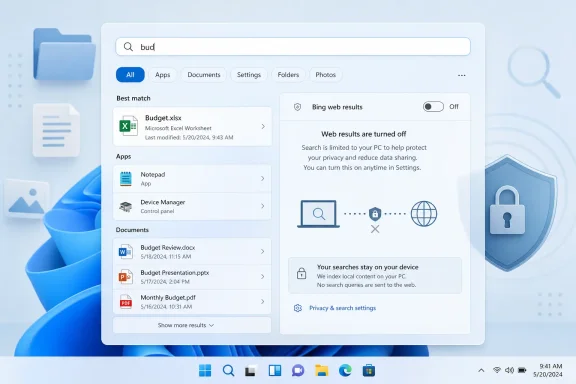 Microsoft Finally Treats Local Search Like a Local Tool
The problem with Bing in Windows Search was never that web search exists. The problem was that Windows blurred the line between search my PC and search the internet until a basic productivity gesture became a small act of negotiation.Search is one of those operating-system features that only gets noticed when it fails. Press the Windows key, type a few letters, hit Enter, and the expected result should be boring: Notepad, Device Manager, a spreadsheet, a setting, a folder buried three levels deep. When that flow works, the user never thinks about the plumbing.
Windows 11 too often broke that contract. A query intended to locate a local app or document could produce Bing suggestions, web cards, shopping-adjacent noise, or results that felt less like an index of the PC and more like a miniature portal page. The interface was not merely cluttered; it was semantically confused.
That distinction matters. If a browser address bar suggests the web, nobody is shocked. If an operating-system launcher does the same when the user is looking for a local executable, the OS has inserted a business objective into a muscle-memory workflow. That is why the backlash has always been sharper than the feature seemed to warrant on paper.
Microsoft’s reported change puts a name to what users have been asking for all along: a clean separation between the machine in front of them and the web services Microsoft would prefer they use. The fact that this is arriving as a settings toggle rather than another registry workaround is the real concession.
The Registry Hack Was the Tell
For years, power users have known that Bing results in Windows Search could be suppressed through policy, registry edits, third-party tools, or region-specific settings. That did not make the design acceptable. It made the complaint more credible.When a feature requires an unofficial ritual to undo, it stops being a feature and starts looking like an imposition. Windows enthusiasts are perfectly capable of editing the registry, but they should not have to do so to make the Start menu behave like a Start menu. Enterprise administrators can push policy, but a policy escape hatch is not the same thing as respecting user intent in the default consumer experience.
That is why the reported location of the new control matters. Placing the option under Privacy & security, in the search-results settings area, would frame web search as a user-controlled data and experience choice rather than a hidden plumbing decision. That is a healthier model, even if Microsoft’s wording changes before release.
It also reflects a broader truth about Windows 11: many of its most irritating behaviors are not catastrophic bugs. They are defaults. A system can be secure, modern, and visually coherent while still wearing down users through small acts of self-promotion. Bing in Search became a symbol because it sat in the middle of an action people perform dozens of times a day.
The old defense was always that web results might be useful. Sometimes they are. But optional utility is not the same thing as default priority, and Windows Search’s job is not to guess that Microsoft’s web index knows better than the user’s local disk.
Insider Builds Are Not Promises, But They Are Signals
The caution here is simple: Insider sightings are not shipping guarantees. Microsoft routinely tests interface changes, hides them behind controlled feature rollouts, revises language, and delays features that look close from the outside. A setting visible to testers in June 2026 is not automatically a setting every Windows 11 user will see in the next cumulative update.Still, the surrounding chronology makes this harder to dismiss as a random experiment. In March, Microsoft publicly framed 2026 as a year of Windows 11 quality work, naming performance, reliability, craft, File Explorer, Start, and Search as areas of focus. In May, Insider builds began emphasizing that apps and files should appear ahead of web suggestions when local content is the stronger match. By early June, reports described a more explicit switch to turn off web results entirely.
That progression is notable. First Microsoft said Windows needed to feel better. Then it adjusted ranking so local results were not buried as often. Now it appears to be testing a user-facing control that removes the web layer from the experience. That is not merely tuning relevance; it is reducing Microsoft’s own surface area inside a core shell feature.
The distinction between ranking and disabling is important. Better ranking means Bing still gets a seat at the table but promises to speak only when useful. A disable toggle lets the user tell Bing to leave the room. For a company that has spent years wiring Bing, Edge, Microsoft accounts, widgets, Copilot, and web services into Windows, that is a meaningful philosophical shift — if it survives to stable builds.
Windows 11’s Search Problem Was a Trust Problem
Operating systems run on trust more than users realize. Trust is why people install updates, accept permissions prompts, save passwords, and let background services run. It is also why a search box can be fast even before the code executes: the user already believes the first result will probably be right.Bing contamination damaged that trust. Once a user learns that typing the name of a local file might summon web results, they stop treating Windows Search as a dependable launcher. They pin more apps, clutter the desktop, install third-party launchers, or retreat to File Explorer. The feature remains present, but the habit is broken.
Microsoft’s challenge is that habits are easier to destroy than rebuild. A toggle will help, but it will not instantly restore the instinctive confidence that Windows 7’s Start menu search or even parts of Windows 10 once enjoyed. Users who have already trained themselves to avoid Search will need repeated evidence that the feature has become boring again.
That is the irony. The highest praise for Windows Search would be that nobody talks about it. If Microsoft succeeds, there will be no triumphant daily moment when users celebrate the absence of Bing. There will just be fewer interrupted workflows, fewer accidental web launches, and fewer annoyed forum posts asking why the OS has once again misunderstood the assignment.
Microsoft’s Quality Push Is Also a Reputation Repair Job
The Bing toggle fits into a wider 2026 Windows narrative: Microsoft is trying to convince users that Windows 11’s fundamentals are getting attention after years of complaints about sluggishness, inconsistent UI, reduced customization, and promotional clutter. Search is only one piece of that puzzle, but it is a highly visible one.The company has been talking more openly about performance, shell responsiveness, File Explorer latency, Start menu behavior, and quality-of-life fixes. That kind of language is not accidental. It acknowledges that Windows 11’s problem has not been a lack of marquee features. If anything, Microsoft has had too many of those: Teams integration, widgets, Copilot, AI features, account nudges, Edge prompts, cloud tie-ins.
The missing ingredient has been restraint. Users do not primarily want the operating system to become a content surface. They want it to launch apps quickly, index files accurately, preserve settings, stay out of the way during work, and remain predictable after updates. This is especially true for sysadmins, who experience every consumer-facing nudge as a support ticket waiting to happen.
Search is therefore a useful test case. If Microsoft can remove a disliked service integration from a core workflow, it signals that the company is willing to privilege experience quality over funnel-building. If it merely hides Bing behind slightly better ranking while leaving the broader promotional machinery untouched, users will treat the move as cosmetic.
The Enterprise Angle Is Less Emotional and More Damning
Home users complain about Bing in Search because it is annoying. IT departments dislike it because it complicates standardization, privacy posture, training, and support.In managed environments, a search box that mixes local results with web suggestions is not a neutral feature. It can expose users to inconsistent external content, generate confusion about where data lives, and create a mismatch between corporate policy and consumer-style Windows behavior. Even when administrators can tame parts of the experience through policy, every extra setting adds another branch to document, audit, and troubleshoot.
The practical objection is not that Bing is uniquely dangerous. It is that Windows Search is a privileged interface with elevated user trust. When a user invokes it, the OS is mediating intent. If that mediation includes web content by default, Microsoft is asking organizations to accept a broader interpretation of what the local shell is for.
A clean toggle lowers that friction. It gives administrators and privacy-conscious users a more legible control, and it gives help desks a simpler answer than “open the registry editor.” For WindowsForum’s audience, that may be the most important part of the story. The feature is not just about taste; it is about making the OS easier to govern.
The Edge and Copilot Shadow Still Hangs Over the Move
The danger for Microsoft is that users will interpret the Bing retreat through the lens of everything else the company is still pushing. Windows 11 continues to carry Microsoft’s broader strategy into the shell: Edge prompts, account nudges, cloud recommendations, Microsoft 365 hooks, widgets, and AI surfaces. Removing one irritant does not erase that pattern.That is why this change lands as both welcome and insufficient. It is welcome because web results in local Search were genuinely disruptive. It is insufficient because the deeper complaint is about consent. Users want Windows to ask before turning a local workflow into a Microsoft services opportunity.
Copilot makes this tension sharper. Microsoft’s AI ambitions depend on placing assistants near common workflows, and Windows is the most valuable real estate the company owns. The temptation to make every text box, search pane, and context menu a launchpad for cloud intelligence will be enormous. If Microsoft has learned from the Bing-in-Search backlash, it should apply the lesson before users have to revolt again.
There is a good version of this future. AI assistance, web search, cloud files, and local indexing can coexist if the boundaries are clear and defaults are respectful. The bad version is the one Windows users already know too well: features that arrive loudly, hide their off switches, and return after updates wearing new names.
The MakeUseOf Framing Gets the Mood Right
The MakeUseOf piece that sparked this round of discussion captures the emotional reality of the change: many users did not merely dislike Bing results in Windows Search; they abandoned the feature because of them. That is the part Microsoft should study.Product teams often measure feature success by availability, engagement, or click-through. But an operating-system shell feature can fail quietly when users route around it. If people stop using Search because it feels polluted, the telemetry may show fewer searches, but it may not fully capture the irritation that caused the drop. Forums, Reddit threads, and support communities fill that gap with the vocabulary telemetry lacks.
The article’s skepticism is also warranted. Windows 11 still has other unresolved pain points, from performance consistency to UI fragmentation to Microsoft’s habit of treating defaults as strategic leverage. A Bing toggle is a good step, not a redemption arc.
But symbols matter in platform politics. The Start menu and Search are not just features; they are the front door to the OS. If Microsoft is willing to make that front door less promotional, it suggests the Windows quality campaign may have teeth.
The Calendar Is Now Microsoft’s Problem
The biggest unknown is rollout. Microsoft has not given ordinary users a simple, universal date when they can expect the setting to appear in stable Windows 11 builds. Insider testing, controlled rollout, and staged enablement mean two PCs on the same nominal version can behave differently for weeks or months.That uncertainty is familiar to Windows watchers, but it remains frustrating. Microsoft’s servicing model has become a maze of annual versions, enablement packages, cumulative updates, preview channels, gradual rollouts, and feature flags. A setting can be announced, spotted, tested, partially rolled out, paused, renamed, and shipped before the average user has any idea whether they are supposed to have it.
For enthusiasts, that creates a sport. For administrators, it creates work. For regular users, it creates distrust: “Why did my friend’s PC get the fix and mine didn’t?” is not a question that strengthens confidence in Windows as a coherent product.
If Microsoft wants credit for backing down, it should eventually be explicit. Say what the setting does, where it lives, which versions get it, whether it is on or off by default, whether policies can manage it, and whether web results stay disabled across updates. The company does not need to overpromise; it needs to be concrete.
A Small Toggle Carries a Large Admission
The most generous reading is that Microsoft is rediscovering the value of user agency. The less generous reading is that years of complaints finally made the Bing push more expensive than it was worth. Both can be true.Windows is not a free web app. It is a paid operating system, an enterprise platform, a gaming substrate, a developer workstation, and the default computing environment for hundreds of millions of people. That gives Microsoft enormous distribution power, but it also imposes a responsibility not to treat every surface as inventory.
Search was the wrong place to test the limits. It is too central, too habitual, and too tied to the user’s sense of control over the machine. By letting users disable Bing results, Microsoft is implicitly acknowledging that the old design overreached.
The question now is whether this remains an isolated concession or becomes a principle. Windows users do not expect Microsoft to stop promoting its ecosystem. They do expect the OS to distinguish between helping and hustling. The new Search control is a chance to prove Microsoft understands the difference.
The Real Win Is Not Seeing Bing When You Meant “Budget.xlsx”
The practical impact is straightforward: if the setting ships broadly and works as described, Windows 11 Search becomes more useful for people who treat it as a local launcher and file finder. The strategic impact is larger, because Microsoft is conceding that one of its most persistent Windows annoyances should be optional.- Microsoft is reportedly preparing a Windows 11 setting that disables Bing-powered web results in Search rather than forcing users into registry edits or policy workarounds.
- Insider builds in May 2026 already began prioritizing local apps and files over web suggestions when the local match is stronger.
- The new control has been described as appearing under Privacy & security, which would make web search a visible user choice instead of a hidden shell behavior.
- Stable rollout timing remains unclear, and Insider appearances should not be treated as a guarantee that every Windows 11 PC will receive the option immediately.
- The change is meaningful for administrators because it simplifies policy, training, and support around a core Windows interaction.
- The larger test is whether Microsoft applies the same restraint to Edge, Copilot, widgets, account prompts, and other service-driven surfaces inside Windows.
References
- Primary source: MakeUseOf
Published: Mon, 08 Jun 2026 19:08:20 GMT
Loading…
www.makeuseof.com - Related coverage: windowscentral.com
Loading…
www.windowscentral.com - Related coverage: techradar.com
Loading…
www.techradar.com - Related coverage: windowslatest.com
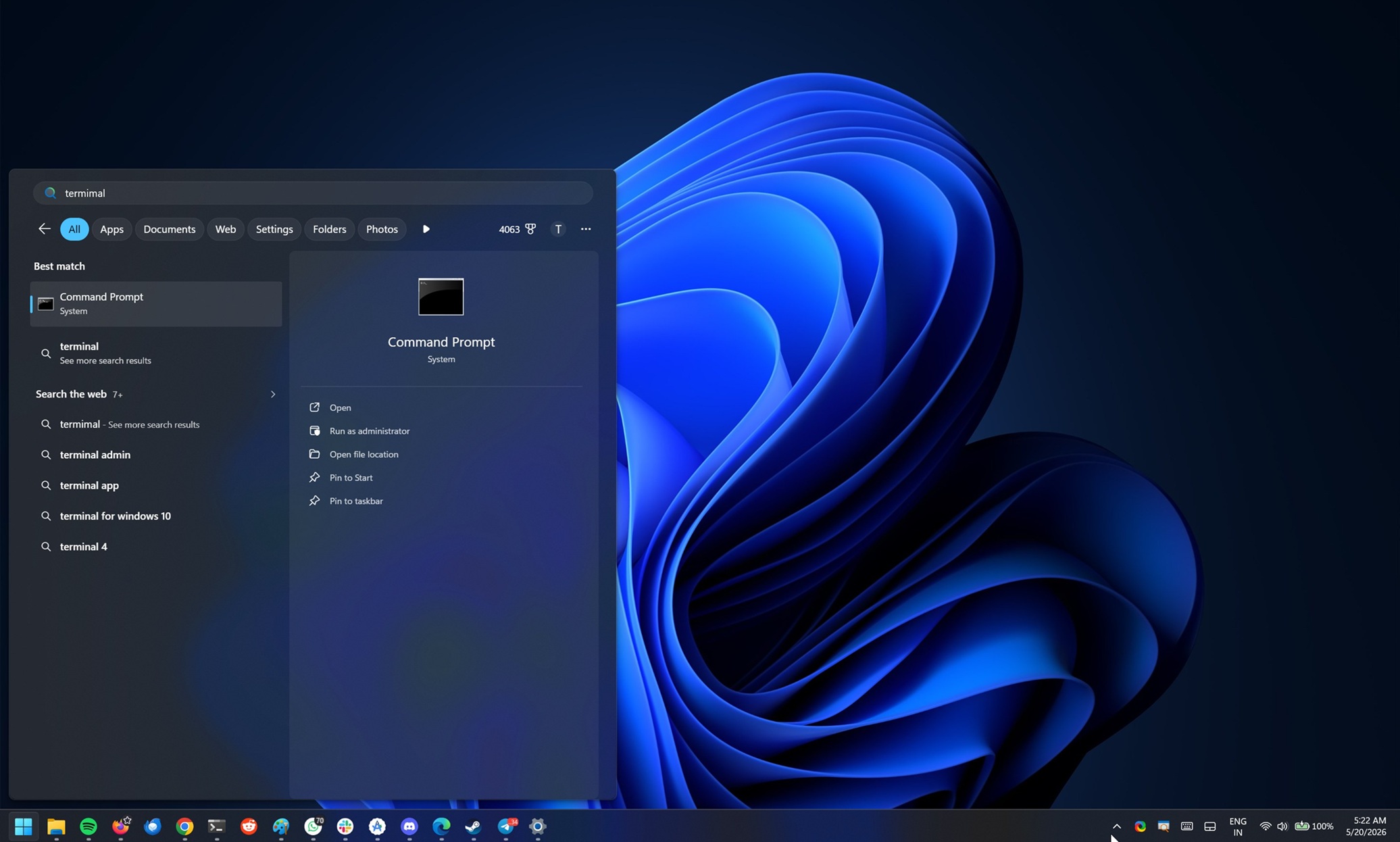
Microsoft says Windows 11's Search will stop forcing web over your apps and local files in most cases
Windows 11's Search bar on the taskbar often prioritizes web results over apps and files, but that might soon change. www.windowslatest.com
- Related coverage: ubergizmo.com

Microsoft Introduces Option To Disable Bing Web Results In Windows 11
Microsoft has announced a long-awaited update for Windows 11 that addresses a persistent user complaint: the forced integration of Bing web results... www.ubergizmo.com
- Related coverage: pureinfotech.com

Windows 11 Search keeps showing web results? Here’s how to turn it off – Goodbye Bing
To disable web search in Start menu or Windows Search box, use Group Policy or Registry on Windows 11. This also removes the Copilot button. pureinfotech.com
- Related coverage: digitaltrends.com

You can finally get rid of Bing on your Windows 11 PC
Microsoft is reportedly testing Windows 11 changes that would finally let users disable Bing-powered web results inside the operating system’s built-in Search experience. www.digitaltrends.com
- Related coverage: practical-tips.com
Windows 11: How to disable Bing search - Practical Tips
To disable Bing search on Windows 11, you just need to turn off the… www.practical-tips.com
- Related coverage: tech.yahoo.com
Microsoft to Let Windows 11 Users Disable Web Results in Search
At a Windows Insider meetup in San Francisco, Microsoft previewed a few upcoming enhancements to the OS, including a way to shut off web search from the main search function.tech.yahoo.com
- Related coverage: guidingtech.com

5 Ways to Remove Bing from Windows 11
Don't like the Bing search engine on your computer? Here are five ways using which you can remove Bing from Windows 11.www.guidingtech.com
- Related coverage: techbaked.com
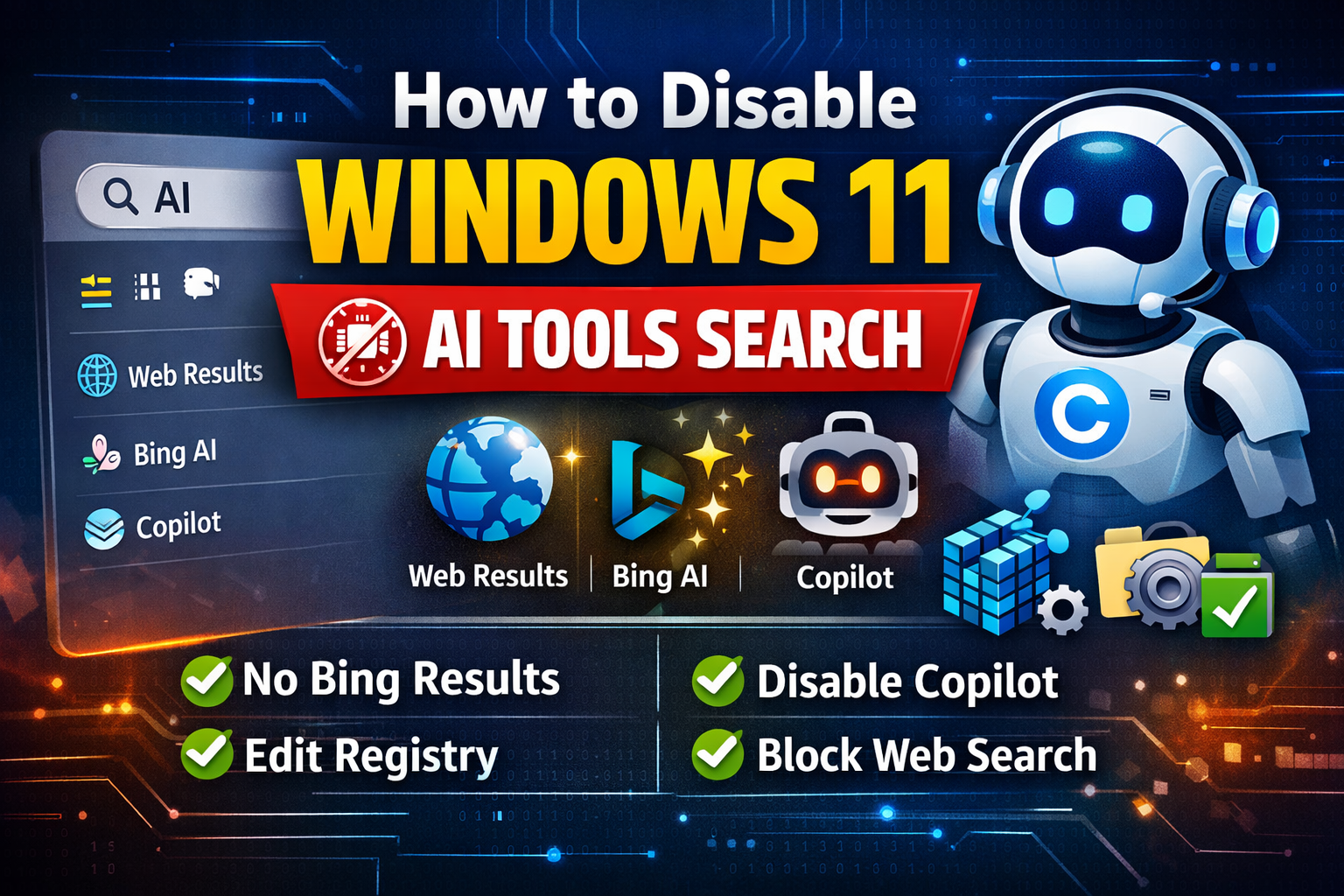
How To Disable Windows 11 AI Tools Search
Disable Windows 11 AI tools search easily. Learn how to turn off Copilot, Bing AI search, web results, and cloud suggestions using settings, registry, and Group Policy. techbaked.com
- Related coverage: tomshardware.com

How to Disable Windows Web Search and Speed Up Your PC
Stop Windows from showing you web results when you just want files and apps.www.tomshardware.com
- Related coverage: techrounder.com
Loading…
www.techrounder.com - Official source: blogs.windows.com

Our commitment to Windows quality
Hello Windows Insiders, I want to speak to you directly, as an engineer who has spent his career building technology that people depend on every day. Windows touches more people's lives than almost any technology on Earth. Every day, we hear from th blogs.windows.com