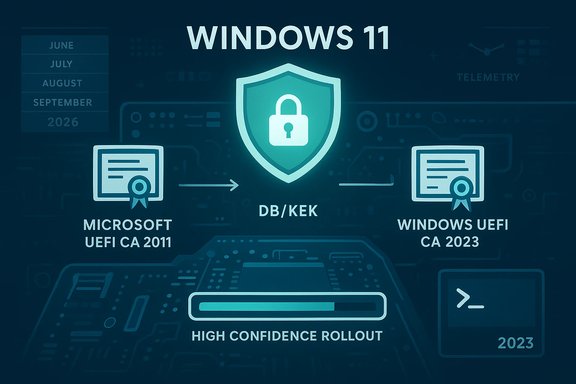
Microsoft has started an automated, phased replacement of expiring Secure Boot certificates on eligible Windows 11 systems, a preventative move to avoid widespread boot‑level serviceability and security loss when long‑running Microsoft certificates issued circa 2011 begin to expire in mid‑2026.
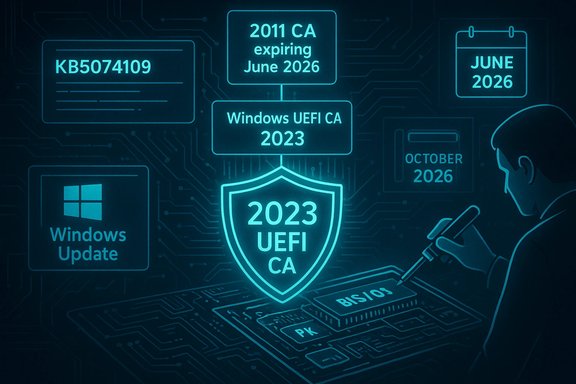
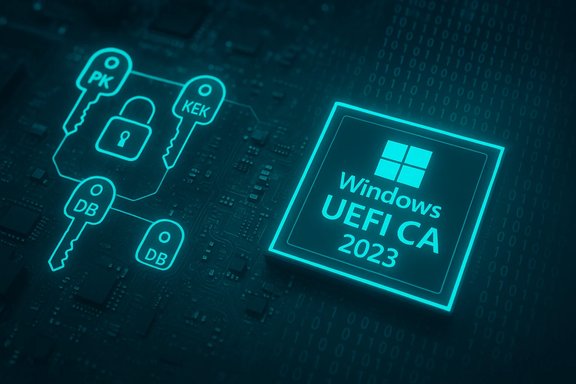
UEFI Secure Boot enforces a firmware‑anchored chain of trust that prevents unsigned or tampered pre‑OS code (bootloaders, shim, option ROMs) from executing during system startup. The mechanism relies on a small set of certificate authorities (CAs) stored in firmware variables — PK, KEK, DB and DBX — to validate signatures before code runs. Microsoft and many OEMs historically shipped the same Microsoft CA entries into those firmware variables. Those original Microsoft CAs (commonly identified as the Microsoft Corporation KEK CA 2011, Microsoft Windows Production PCA 2011, and Microsoft UEFI CA 2011) are scheduled to begin expiring in June 2026 (with the final Windows boot‑signing PCA expiring later in October 2026). If devices still rely on those 2011 entries when they lapse, they will be unable to accept future Secure Boot updates or validate newly signed boot components — a practical loss of boot security and updateability. To avoid that outcome Microsoft and OEM partners prepared a replacement family of certificates issued in 2023 (for example: Windows UEFI CA 2023, Microsoft UEFI CA 2023, Microsoft Option ROM UEFI CA 2023, and Microsoft Corporation KEK 2K CA 2023) and designed a conservative, OS‑side servicing flow to enroll those certs into firmware variables and swap the Windows boot manager to a binary signed under the new PCA — but only after verifying device readiness.
Actionable priorities:
Source: SC Media Microsoft automates Secure Boot certificate updates for Windows 11
 Background / Overview
UEFI Secure Boot enforces a firmware‑anchored chain of trust that prevents unsigned or tampered pre‑OS code (bootloaders, shim, option ROMs) from executing during system startup. The mechanism relies on a small set of certificate authorities (CAs) stored in firmware variables — PK, KEK, DB and DBX — to validate signatures before code runs. Microsoft and many OEMs historically shipped the same Microsoft CA entries into those firmware variables. Those original Microsoft CAs (commonly identified as the Microsoft Corporation KEK CA 2011, Microsoft Windows Production PCA 2011, and Microsoft UEFI CA 2011) are scheduled to begin expiring in June 2026 (with the final Windows boot‑signing PCA expiring later in October 2026). If devices still rely on those 2011 entries when they lapse, they will be unable to accept future Secure Boot updates or validate newly signed boot components — a practical loss of boot security and updateability. To avoid that outcome Microsoft and OEM partners prepared a replacement family of certificates issued in 2023 (for example: Windows UEFI CA 2023, Microsoft UEFI CA 2023, Microsoft Option ROM UEFI CA 2023, and Microsoft Corporation KEK 2K CA 2023) and designed a conservative, OS‑side servicing flow to enroll those certs into firmware variables and swap the Windows boot manager to a binary signed under the new PCA — but only after verifying device readiness. What Microsoft announced and how it’s delivering the fix
Starting with the January 13, 2026 cumulative updates, Windows quality updates include device‑targeting metadata and servicing logic to begin an automated, phased rollout of the 2023 certificate set to eligible Windows devices. The packaged update is delivered via normal Windows Update channels; Microsoft will only attempt automatic enrollment on devices that demonstrate “sufficient successful update signals” (a telemetry/health gating Microsoft calls high‑confidence), reducing the likelihood of mass disruption. Key points Microsoft made public:- The new certificate payloads are included in monthly cumulative updates and OS servicing flows.
- Automatic delivery is controlled and telemetry‑gated — Microsoft will not blindly update every device.
- Administrators retain multiple manual deployment options (registry, Group Policy, Windows Configuration System/WinCS, Intune) if they prefer or require direct control.
Technical mechanics: how the OS‑side rollout works
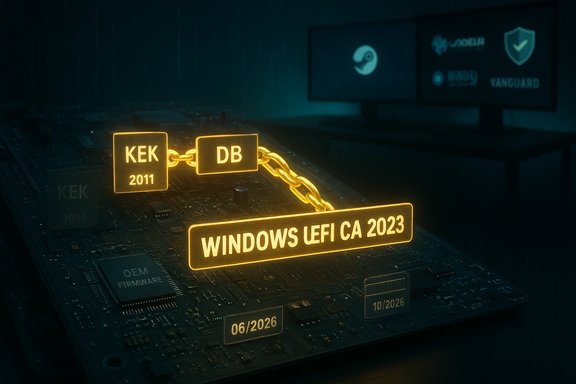
The OS‑side flow is deliberately order‑sensitive to avoid leaving a device with an untrusted boot manager. The high‑level sequence is:- 1) Add the Windows UEFI CA 2023 to the firmware DB.
- 2) If the old Microsoft UEFI CA 2011 is present, add Microsoft UEFI CA 2023 and Microsoft Option ROM UEFI CA 2023 to DB (these split previous roles to allow finer policy control).
- 3) Add the Microsoft Corporation KEK 2K CA 2023 to KEK (this step often requires OEM‑signed KEK material; firmware cooperation is necessary).
- 4) Replace the Windows boot manager with a version signed under the Windows UEFI CA 2023. This requires a restart and completes the trust hand‑off.
Registry control and enterprise deployment knobs
Microsoft published supported registry keys that organizations can use when they want to manage rollouts centrally:- HKEY_LOCAL_MACHINE\SYSTEM\CurrentControlSet\Control\SecureBoot\AvailableUpdates — a REG_DWORD bitmask that triggers update actions (enterprise guidance commonly uses the value 0x5944 to request the full deployment).
- UEFICA2023Status / UEFICA2023Error — status and error reporting for the per‑device flow.
- HighConfidenceOptOut and MicrosoftUpdateManagedOptIn — flags to opt out of Microsoft’s high‑confidence automated buckets or to opt in to Microsoft‑managed assistance (which requires diagnostic data).
Who is affected (and who is not)
- A large portion of Windows devices manufactured since roughly 2012 may contain the expiring 2011 certificates in firmware and therefore are potentially affected if not updated before June–October 2026.
- Devices that regularly receive OEM firmware updates and keep Windows Update enabled are the most likely to be updated automatically and without incident.
- High‑risk groups include air‑gapped systems, devices with telemetry disabled or blocked, unsupported legacy hardware where OEMs no longer provide firmware updates, and some virtualized guests on hypervisors whose virtual firmware cannot be modified from inside the guest.
Operational impact and realistic worst‑case scenarios
The practical outcomes if devices fail to transition before the 2011 CAs expire:- Loss of the ability to install future Secure Boot updates for pre‑boot components on the affected device. This prevents Microsoft from delivering fixes to Windows Boot Manager and other pre‑OS code.
- Devices may refuse to trust new boot manager binaries or other components signed under the new CA if firmware lacks the 2023 entries, producing boot or compatibility errors for updated components.
- In constrained scenarios (locked firmware, missing OEM KEK updates, certain VM platforms), remediation may require OEM firmware updates, online OEM intervention, or, in the worst case, hardware replacement.
Cross‑platform and virtual‑environment effects
- Many Linux distributions rely on a Microsoft‑signed shim to maintain Secure Boot compatibility. The transition impacts the signing chain for those shims: if a platform’s firmware doesn’t include the new Microsoft UEFI CA 2023 entries, newly signed Linux shim/GRUB binaries may not be trusted. Linux distributors have been tracking this transition and recommending dual‑signing or other mitigations.
- Virtual machines running on hypervisors sometimes expose a virtual UEFI firmware that must be updated by the hypervisor vendor. Several virtualization setups (notably older ESXi versions or locked VM firmware settings) have reported inability to update KEK from inside the guest, requiring host‑level action or special VM options. Microsoft Tech Community threads and vendor advisories document these VM caveats.
Practical, prioritized checklist for administrators (step‑by‑step)
- Inventory: identify Secure Boot‑enabled devices and collect firmware versions and OEM model identifiers. Use Confirm‑SecureBootUEFI in PowerShell and Microsoft’s inventory scripts for scale.
- Check OEM guidance: consult OEM advisories (HP, Dell, Lenovo, Surface guidance) for per‑model minimum BIOS versions and apply firmware updates where required before OS‑side certificate enrollment.
- Pilot: pick representative models and test the full flow (registry trigger → DB/KEK updates → boot manager swap). Monitor UEFICA2023Status, UEFICA2023Error and event log IDs for success/failure.
- Decide deployment mechanism:
- Use the registry/GPO/WinCS approach to push 0x5944 to AvailableUpdates for controlled, self‑managed deployments.
- Or enroll devices in Microsoft’s Controlled Feature Rollout (CFR) and ensure required diagnostic data is allowed to leverage Microsoft’s high‑confidence assist.
- Stage rollouts in waves with BitLocker recovery and image rollback plans in place. Validate WinRE and recovery media on pilot devices.
- Track exceptions: build a list of devices that fail KEK updates or report firmware rejection; escalate to OEMs for firmware patches or document replacement plans for unsupported hardware.
- Confirm‑SecureBootUEFI (PowerShell) — returns True if Secure Boot is enabled.
- Inspect registry keys: HKEY_LOCAL_MACHINE\SYSTEM\CurrentControlSet\Control\SecureBoot\Servicing\UEFICA2023Status and UEFICA2023Error.
- Event logs: monitor platform Secure Boot event IDs Microsoft published for success/failure telemetry.
Risks, trade‑offs and what can go wrong
Strengths of Microsoft’s approach:- The phased, telemetry‑gated rollout mitigates the chance of a mass failure by only targeting devices that show strong update success signals.
- The ordered servicing flow (DB → KEK → boot manager) prevents a device from having a new boot manager without the firmware trusting its signer.
- Firmware variability: different OEMs and models implement UEFI variable handling differently. Some devices require OEM‑signed KEK changes and cannot be updated purely from the OS.
- Telemetry and permissions: Microsoft’s high‑confidence bucket requires diagnostic data; organizations with strict telemetry policies may be opted out of Microsoft‑managed assists and must run manual deployments.
- Virtual machines: many hypervisor/host combinations block or complicate KEK updates from within guest OSes; host or hypervisor updates may be required.
- Recovery/compatibility: improper sequencing of DBX revocations or missing dual‑signing for third‑party boot components could break recovery media or older boot scenarios; DBX revocations can be effectively irreversible on some firmwares. Treat DBX changes with extreme caution.
Guidance for home users and small businesses
- Keep Windows Update enabled and install the January 2026 (and later) cumulative updates relevant to your build to receive the servicing logic and payload.
- Check your OEM support page for firmware updates and apply them per vendor instructions; for branded laptops/desktops this is often the fastest path to a successful transition.
- Verify Secure Boot is enabled: Settings > Privacy & Security > Windows Security > Device Security will show Secure Boot state. Use Confirm‑SecureBootUEFI for an exact verification.
- If you are not comfortable managing firmware or registry changes, rely on automatic Windows Update behavior; for most consumer devices that stay current this is sufficient.
What to watch for in the weeks ahead
- OEM firmware advisories listing affected platforms and minimum BIOS versions (HP, Dell, Lenovo, Microsoft Surface pages are primary sources). Confirm those lists for any device in your estate.
- Event log and registry changes as pilot deployments run — track UEFICA2023Status and UEFICA2023Error to catch early failures.
- Microsoft KB and support pages for any change in the expiry windows or updated deployment mechanics; Microsoft has already published a Secure Boot FAQ and playbook for IT teams.
Final analysis and recommended posture
This certificate refresh is an unusual but necessary platform‑level maintenance event. It is not a simple “patch,” it is a renewal of cryptographic trust anchors that underpin UEFI Secure Boot and the ability to deliver future pre‑boot security fixes. Microsoft’s approach — packaged certificate payloads, ordered servicing, telemetry gating and a combination of automated and manual deployment methods — prioritizes safety and minimizes blast radius while recognizing the platform dependencies on OEM firmware.Actionable priorities:
- Treat this as a high‑priority, time‑sensitive operational project for any managed fleet. Inventory, pilot, and schedule firmware updates now.
- For unmanaged or consumer devices, ensure Windows Update and OEM firmware updates are applied; most current systems will likely transition automatically if kept current.
- For air‑gapped, regulated, or telemetry‑off environments, design manual remediation workflows using Microsoft’s documented registry/GPO/WinCS methods and confirm OEM cooperation where KEK updates are required.
Source: SC Media Microsoft automates Secure Boot certificate updates for Windows 11