

Microsoft’s latest guidance on Windows 11 security settles a question that has lingered for years: for most people, Microsoft Defender is enough. In a new Microsoft Windows article published in April 2026, the company says Windows 11 includes built-in antivirus protection that is active by default, integrated into the operating system, and continuously updated, with Defender Antivirus covering everyday risk for many users without additional software. That stance aligns with Microsoft’s broader security message, but it also comes with important nuance: power users, families, and businesses may still benefit from third-party tools with specialized controls, identity monitoring, or centralized management.
For as long as Windows has been the world’s most widely targeted desktop platform, the antivirus question has been part security, part habit, and part industry marketing. The old answer used to be simple: install a third-party suite and hope it didn’t slow the machine to a crawl. Microsoft spent much of the last decade trying to change that perception by turning Windows Security into a layered, always-on defense system rather than a basic virus scanner.
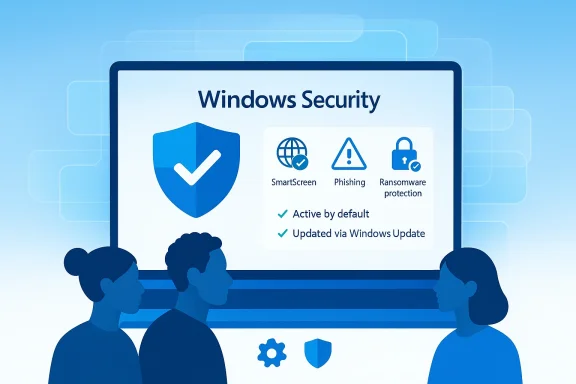
That shift has accelerated in Windows 11. Microsoft has repeatedly framed Windows 11 as the “most secure Windows yet”, and the company’s current messaging emphasizes that its protections are built in, active by default, and updated continuously. In practical terms, that means Microsoft Defender Antivirus works alongside SmartScreen, reputation-based protection, ransomware controls, and other security features rather than operating as a single standalone app.
The new guidance is important because it comes from Microsoft itself, not just from enthusiasts or AV testers. When Microsoft says many Windows 11 users do not need extra antivirus, it is making a statement about how far its own stack has come. It is also a subtle message to users who still treat antivirus subscriptions as mandatory baggage from the Windows 7 era.
At the same time, Microsoft is careful not to oversell the idea that built-in protection solves every problem. The company notes that the need for extra security depends on how the PC is used and which features the user values. That distinction matters because modern threats are no longer limited to malicious files; they also include phishing, scam pages, credential theft, and social engineering that can slip past traditional signature-based detection.
Microsoft also reinforces the point that its security stack is layered. Defender Antivirus handles malware defense, while SmartScreen helps with phishing sites, malicious downloads, and suspicious apps. In other words, the company is arguing that antivirus should be understood as part of a broader trust and reputation system.
The wording also reflects a consumer-security market that has become more mature. Built-in protection is no longer the weak compromise it once was, and third-party vendors increasingly compete on features, dashboards, identity services, and bundle value rather than raw malware detection alone.
The value of this arrangement is not just convenience. A built-in engine can interact more cleanly with system components, manage exclusions more intelligently, and avoid the sort of duplicated scanning that can degrade performance. Microsoft’s own documentation notes that if you install and enable another antivirus product, Defender turns itself off automatically, which helps prevent competing real-time scanners from stepping on each other.
This is one of the key reasons Microsoft can argue that Windows 11 security is more than antivirus. Modern attacks often start with a link, a fake login page, or a dangerous download disguised as something harmless. SmartScreen is meant to intervene before the payload ever reaches the machine.
It also helps explain why many users are now safe relying on the default stack. When the baseline is this comprehensive, the gap that third-party antivirus used to fill is much narrower than it once was.
That evolution matters because most consumer security needs are not exotic. They revolve around downloads, phishing links, sketchy USB files, and malicious scripts. For those threats, a well-maintained built-in system can do a substantial amount of work before the user ever notices danger.
In practical terms, the biggest difference is not whether Defender exists. It is whether users actually leave the protective features turned on, keep Windows updated, and avoid treating antivirus as a substitute for cautious behavior. Security products work best when they are paired with sane habits, not when they are expected to rescue reckless browsing.
That said, the message is not just marketing. It reflects a genuine shift in the security baseline available to ordinary users. The modern Windows 11 default stack is good enough that the burden of proof has moved to third-party vendors to explain why their product is worth the extra complexity.
In that sense, the antivirus decision becomes a services decision. If a buyer wants parental controls, dark web monitoring, credit alerts, or a consolidated identity bundle, third-party suites can still be appealing even if Defender itself is already competent.
That is why Microsoft’s consumer guidance should not be read as a universal enterprise security rule. A business with managed devices, sensitive data, and a security team may prefer a more advanced endpoint platform for reasons that have little to do with raw AV effectiveness.
In these situations, the value proposition is not “Defender is weak.” It is “my risk profile makes extra tooling worthwhile.” That distinction is easy to miss, but it is the most honest way to think about the issue.
That overhead is not always dramatic, but it is real. The irony is that many users install extra security for peace of mind and end up buying a product that makes the machine feel slower, noisier, or more intrusive.
Microsoft’s approach of turning Defender off automatically when another antivirus takes over is meant to avoid that mess. But users who manually combine several tools without understanding how they interact can still create a security setup that is more complicated and less dependable than the built-in default.
That is why Microsoft’s message resonates: for many Windows 11 users, the strongest security improvement is not another subscription, but discipline around downloads, updates, and account hygiene.
This is where Microsoft’s emphasis on SmartScreen and phishing protections becomes especially important. If the OS can interrupt the attack before a user authorizes it, the prevention model becomes much stronger than file scanning alone.
Microsoft’s own protection story reflects this reality. SmartScreen is not just a side feature; it is a central defense layer designed to stop unsafe websites and downloads before they do damage.
The broad lesson is simple: the best protection is layered, current, and boring. Windows 11’s built-in stack is increasingly designed to be exactly that.
This is also why many consumer antivirus vendors have drifted toward packaging extras. When basic detection is good enough, the product has to justify itself with convenience, cross-device coverage, family management, or privacy-adjacent features.
Microsoft understands this distinction, which is why the company has separate endpoint and enterprise offerings. The consumer message is not intended to eliminate enterprise-grade endpoint security; it is intended to make ordinary users more confident in the default Windows experience.
That middle ground is where most antivirus debates actually live. People are rarely choosing between “perfect security” and “no security.” They are choosing between a clean baseline and a more feature-rich stack with more overhead.
Another concern is feature mismatch. Defender may be sufficient for protection, yet still not provide the identity services, family controls, or centralized oversight that some users want. In those cases, the real danger is not malware exposure but a false assumption that built-in security automatically equals complete security.
That does not mean the third-party market disappears. It means vendors must keep proving their worth with features that Windows itself does not fully cover. For many buyers, that will be identity monitoring, family controls, cross-device dashboards, and business-grade management rather than classic virus detection.
A few things are worth watching:
Microsoft’s latest guidance does not end the antivirus debate, but it does redraw the map. For ordinary Windows 11 users who keep updates on, leave the built-in protections enabled, and browse with a little caution, Defender is now a credible first and often final answer. The era when Windows needed a mandatory add-on just to feel secure is fading, and that may be one of the most important changes in the Windows ecosystem right now.
Source: PCWorld Microsoft officially says you don't need extra antivirus on Windows 11
 Background
For as long as Windows has been the world’s most widely targeted desktop platform, the antivirus question has been part security, part habit, and part industry marketing. The old answer used to be simple: install a third-party suite and hope it didn’t slow the machine to a crawl. Microsoft spent much of the last decade trying to change that perception by turning Windows Security into a layered, always-on defense system rather than a basic virus scanner.That shift has accelerated in Windows 11. Microsoft has repeatedly framed Windows 11 as the “most secure Windows yet”, and the company’s current messaging emphasizes that its protections are built in, active by default, and updated continuously. In practical terms, that means Microsoft Defender Antivirus works alongside SmartScreen, reputation-based protection, ransomware controls, and other security features rather than operating as a single standalone app.
The new guidance is important because it comes from Microsoft itself, not just from enthusiasts or AV testers. When Microsoft says many Windows 11 users do not need extra antivirus, it is making a statement about how far its own stack has come. It is also a subtle message to users who still treat antivirus subscriptions as mandatory baggage from the Windows 7 era.
At the same time, Microsoft is careful not to oversell the idea that built-in protection solves every problem. The company notes that the need for extra security depends on how the PC is used and which features the user values. That distinction matters because modern threats are no longer limited to malicious files; they also include phishing, scam pages, credential theft, and social engineering that can slip past traditional signature-based detection.
What Microsoft Is Actually Saying
Microsoft’s current guidance is more measured than the headline implies. The company says that for many Windows 11 users, Microsoft Defender Antivirus covers everyday risk without requiring additional software, and that the decision to add third-party antivirus depends on use case and feature needs. It is a strong endorsement of Defender, but it is not a blanket ban on alternatives.The core message
The practical takeaway is that built-in protection is now the default recommendation. Microsoft wants users to view Windows 11 security as a complete baseline, not a stripped-down preview that needs immediate augmentation. That is a notable shift from the era when OEMs often preloaded trial antivirus products and users assumed Windows itself was unfinished without them.Microsoft also reinforces the point that its security stack is layered. Defender Antivirus handles malware defense, while SmartScreen helps with phishing sites, malicious downloads, and suspicious apps. In other words, the company is arguing that antivirus should be understood as part of a broader trust and reputation system.
Why the wording matters
Microsoft’s phrasing is careful because it is addressing both consumers and professionals. Saying “you don’t need extra antivirus” is useful shorthand, but the underlying article leaves room for exceptions, which is exactly where the business reality lives. If a user wants identity monitoring, family controls, or fleet management, Microsoft knows Defender alone is not the whole answer.The wording also reflects a consumer-security market that has become more mature. Built-in protection is no longer the weak compromise it once was, and third-party vendors increasingly compete on features, dashboards, identity services, and bundle value rather than raw malware detection alone.
- Defender is the baseline, not an optional extra.
- Additional tools are situational, not universally required.
- Features matter as much as detection for many buyers.
- Windows 11’s security pitch is integrated, not bolted on.
- Microsoft is steering users toward simplicity over security sprawl.
How Windows 11 Security Works Today
Windows 11’s security model is built around multiple layers, and that is one of the reasons Microsoft can make such a confident claim. The OS includes Microsoft Defender Antivirus, SmartScreen, and other protections that activate from the moment a device is set up. The result is a security posture that is intended to work out of the box rather than after a purchase decision.Defender as the primary layer
Defender Antivirus is now the main malware protection engine on Windows 11. Microsoft says it runs continuously, is deeply integrated into the operating system, and receives updates through Windows Update. That integration is significant because it reduces the friction that often comes with third-party security tools, which may install extra services, browser extensions, and background scanners.The value of this arrangement is not just convenience. A built-in engine can interact more cleanly with system components, manage exclusions more intelligently, and avoid the sort of duplicated scanning that can degrade performance. Microsoft’s own documentation notes that if you install and enable another antivirus product, Defender turns itself off automatically, which helps prevent competing real-time scanners from stepping on each other.
SmartScreen and reputation-based protection
Defender is only part of the story. Microsoft Defender SmartScreen helps protect against phishing and malware sites and blocks or warns about suspicious downloads. Microsoft’s support materials describe how SmartScreen checks sites against a dynamic list of reported malicious destinations and warns users before they continue.This is one of the key reasons Microsoft can argue that Windows 11 security is more than antivirus. Modern attacks often start with a link, a fake login page, or a dangerous download disguised as something harmless. SmartScreen is meant to intervene before the payload ever reaches the machine.
The layered model in practice
The layered approach is valuable because it addresses different phases of an attack. One layer handles the file, another watches the web, and others help with exploit mitigation, credential safety, or ransomware resilience. That design is much better suited to current threat patterns than the old model of “scan it after it lands.”It also helps explain why many users are now safe relying on the default stack. When the baseline is this comprehensive, the gap that third-party antivirus used to fill is much narrower than it once was.
- Defender handles malware scanning and real-time protection.
- SmartScreen checks downloads and suspicious websites.
- Windows Update keeps definitions current.
- Defense is layered rather than singular.
- Defender disables itself when another AV takes over.
Why Microsoft Feels Confident Now
Microsoft would not make this kind of statement unless the company believed its native protection had reached a respectable maturity point. For years, built-in Windows security was good enough for casual use, but not always good enough to quiet skepticism. That skepticism has faded because Microsoft’s own stack has improved, and because independent testing has generally shown that built-in protection is no longer a second-tier option.A better baseline than the old days
Windows Defender used to be the kind of product people tolerated because it was free. That is no longer an accurate description. Microsoft has invested heavily in cloud-backed detection, behavior analysis, browser integration, and endpoint intelligence, turning Defender into a credible default for mainstream use.That evolution matters because most consumer security needs are not exotic. They revolve around downloads, phishing links, sketchy USB files, and malicious scripts. For those threats, a well-maintained built-in system can do a substantial amount of work before the user ever notices danger.
Testing and reputation
Microsoft is also benefiting from a favorable reputation in independent antivirus evaluations, which has helped normalize the idea that the built-in option is not a compromise. That reputation does not mean every threat is stopped, but it does mean average users are less likely to lose much by sticking with the default.In practical terms, the biggest difference is not whether Defender exists. It is whether users actually leave the protective features turned on, keep Windows updated, and avoid treating antivirus as a substitute for cautious behavior. Security products work best when they are paired with sane habits, not when they are expected to rescue reckless browsing.
The marketing logic behind the message
There is, of course, a business dimension here. Microsoft wants users to trust the Windows security story because that trust reduces friction, cuts clutter, and makes the platform feel more polished. A built-in solution also discourages the ecosystem of preinstalled trialware that has long annoyed buyers of new PCs.That said, the message is not just marketing. It reflects a genuine shift in the security baseline available to ordinary users. The modern Windows 11 default stack is good enough that the burden of proof has moved to third-party vendors to explain why their product is worth the extra complexity.
- Defender has matured technically.
- Cloud intelligence improves detection.
- The default stack covers common consumer threats.
- Microsoft benefits from simplicity and trust.
- Third-party vendors now compete on extras more than basics.
When Third-Party Antivirus Still Makes Sense
Microsoft’s guidance leaves room for users who genuinely need more than the built-in tools. That does not mean more malware protection necessarily, but it does mean more features, more administration, or more specialized controls. In those cases, third-party security can still be justified.Families, shared PCs, and convenience features
Microsoft specifically calls out scenarios involving multiple devices, shared household systems, identity monitoring, and parental controls. These are all areas where consumer security suites often bundle value beyond simple real-time scanning. A household may prefer one subscription that covers several users and devices with a single dashboard.In that sense, the antivirus decision becomes a services decision. If a buyer wants parental controls, dark web monitoring, credit alerts, or a consolidated identity bundle, third-party suites can still be appealing even if Defender itself is already competent.
Enterprise and managed environments
The business case is different. Corporate environments often need centralized policy enforcement, endpoint telemetry, managed response workflows, and deeper integration with broader security operations. Microsoft has its own enterprise stack for this, but many organizations still use third-party products because of existing contracts, analyst workflows, or compliance requirements.That is why Microsoft’s consumer guidance should not be read as a universal enterprise security rule. A business with managed devices, sensitive data, and a security team may prefer a more advanced endpoint platform for reasons that have little to do with raw AV effectiveness.
Specialized workflows and niche risk profiles
Some users also have unusual needs. A journalist, researcher, developer, or enthusiast downloading many unfamiliar binaries may prefer a product with stronger sandboxing, reputation scoring, or file inspection tools. Others may want browser-level controls or DNS filtering that go beyond what Windows Security offers by default.In these situations, the value proposition is not “Defender is weak.” It is “my risk profile makes extra tooling worthwhile.” That distinction is easy to miss, but it is the most honest way to think about the issue.
- Households may want identity and parental features.
- Businesses may need centralized management.
- Power users may value specialized controls.
- Compliance requirements can override consumer simplicity.
- Security suites often sell convenience, not just detection.
The Performance and Conflict Problem
One of the strongest arguments against piling on extra antivirus software is not philosophical; it is operational. Multiple real-time security products can create conflicts, duplicate effort, and consume system resources that are better used elsewhere. Microsoft’s own guidance acknowledges that choice matters, and this is where the practical trade-offs become obvious.Background load and system overhead
Third-party antivirus suites often install more than a scanner. They may add browser extensions, email hooks, firewall modules, cloud services, telemetry, and update agents. Each layer may be defensible on its own, but together they can create a noticeable footprint on memory and CPU, especially on modest laptops.That overhead is not always dramatic, but it is real. The irony is that many users install extra security for peace of mind and end up buying a product that makes the machine feel slower, noisier, or more intrusive.
Conflicts with Defender
The bigger problem is that multiple real-time scanners can interfere with each other. Security software is designed to examine files the moment they are opened or downloaded, and two products trying to do that at once can create odd behavior. In the worst cases, this can lead to file-locking problems, stalled downloads, or duplicated alerts that train users to ignore warnings.Microsoft’s approach of turning Defender off automatically when another antivirus takes over is meant to avoid that mess. But users who manually combine several tools without understanding how they interact can still create a security setup that is more complicated and less dependable than the built-in default.
Why simplicity wins for most users
Most home users do not need a heavily layered custom security stack. They need one reliable real-time engine, safe browser behavior, timely updates, and a little judgment. The more software a person adds to the security path, the more opportunities there are for misconfiguration and the more likely it is that alerts get ignored.That is why Microsoft’s message resonates: for many Windows 11 users, the strongest security improvement is not another subscription, but discipline around downloads, updates, and account hygiene.
- Extra suites can consume more RAM and CPU.
- Multiple scanners can conflict.
- More alerts can mean less attention.
- Default protection is often enough.
- Security sprawl can be its own risk.
The Threat Landscape Has Changed
The reason antivirus debates still matter is that the threat landscape has evolved faster than many users’ habits. Attackers do not rely only on obvious malware attachments anymore. They use phishing, fake installers, token theft, credential harvesting, browser abuse, and other tactics that test the edges of traditional defense tools.Files are only one attack path
Modern attacks frequently begin with social engineering. A user is tricked into signing in, approving a prompt, opening a document, or running a command. In that world, the best antivirus in the world may only be one part of the defense, because the attacker is aiming at the human rather than the file system.This is where Microsoft’s emphasis on SmartScreen and phishing protections becomes especially important. If the OS can interrupt the attack before a user authorizes it, the prevention model becomes much stronger than file scanning alone.
Browser-centric risk
A great deal of malware exposure now happens through the browser. Fake update pages, scam login screens, and malicious redirects are more common than old-fashioned infected email attachments. That makes browser integration a huge part of Windows 11 security, especially for users living in Edge or handling Microsoft account credentials.Microsoft’s own protection story reflects this reality. SmartScreen is not just a side feature; it is a central defense layer designed to stop unsafe websites and downloads before they do damage.
AI makes the problem harder
The pace of attacker adaptation also means static defenses have to work harder. Malware can be generated faster, mutated more easily, and customized for specific victims or campaigns. That does not make traditional antivirus obsolete, but it does mean users should think of security as a set of cooperating controls rather than a single silver bullet.The broad lesson is simple: the best protection is layered, current, and boring. Windows 11’s built-in stack is increasingly designed to be exactly that.
- Phishing is often more important than files.
- Browser-based attacks dominate many incidents.
- Credentials are a prime target.
- AI can accelerate attacker adaptation.
- Layered defense beats a single scanner.
Enterprise vs. Consumer Reality
Microsoft’s statement lands differently depending on who is reading it. For a consumer with a personal laptop, the guidance is reassuring and practical. For an enterprise, the same sentence is only the beginning of the conversation.Consumer needs are narrower
Most consumers want something simple: protection that is on by default, updates automatically, and does not interfere with work or gaming. That is exactly where Defender shines. If a user is not managing fleets, enforcing policy, or monitoring identities, the built-in stack is often all they actually need.This is also why many consumer antivirus vendors have drifted toward packaging extras. When basic detection is good enough, the product has to justify itself with convenience, cross-device coverage, family management, or privacy-adjacent features.
Enterprises need controls and visibility
Corporate security teams need visibility into endpoints, alerts, incident response, and compliance. They may also need integration with SIEM tools, device posture systems, access policies, and managed remediation workflows. Those requirements are well beyond the scope of a casual home installation.Microsoft understands this distinction, which is why the company has separate endpoint and enterprise offerings. The consumer message is not intended to eliminate enterprise-grade endpoint security; it is intended to make ordinary users more confident in the default Windows experience.
The middle ground
There is also a large middle segment: advanced home users, freelancers, small offices, and family IT administrators. These users may not need a full corporate platform, but they still want more than a single scan engine. For them, the right answer may be Defender plus a few carefully chosen complementary tools, not necessarily a full third-party suite.That middle ground is where most antivirus debates actually live. People are rarely choosing between “perfect security” and “no security.” They are choosing between a clean baseline and a more feature-rich stack with more overhead.
- Consumers benefit from simplicity.
- Enterprises need management and telemetry.
- Small teams live in the middle.
- Feature bundles drive many third-party purchases.
- Microsoft’s message is strongest at the consumer level.
Strengths and Opportunities
Microsoft’s position has several clear advantages, both for Windows 11 users and for the broader platform strategy. The company is making security feel native instead of optional, which lowers friction and makes the OS easier to trust. It also gives Microsoft a cleaner story when comparing Windows 11 to older versions or to rival platforms.- Built-in protection is easier to maintain than a patchwork of third-party tools.
- Default-on security reduces user error, especially on new PCs.
- SmartScreen adds a valuable anti-phishing layer beyond file scanning.
- Lower software clutter can improve performance and usability.
- Microsoft can keep improving the stack through updates without asking users to switch products.
- Families and casual users gain a credible baseline without needing to shop for add-ons.
- The platform feels more integrated, which can strengthen Windows 11’s security reputation.
Risks and Concerns
The strongest risk in Microsoft’s message is overconfidence. If users hear “you don’t need extra antivirus” and translate that into “I’m safe no matter what,” they may become careless about phishing, updates, or suspicious downloads. The built-in tools are good, but they are not a license for bad judgment.Another concern is feature mismatch. Defender may be sufficient for protection, yet still not provide the identity services, family controls, or centralized oversight that some users want. In those cases, the real danger is not malware exposure but a false assumption that built-in security automatically equals complete security.
- User complacency is the biggest behavioral risk.
- Phishing and scams still bypass many defenses if users trust the wrong page.
- Some third-party suites add value beyond antivirus.
- Extra software can create performance issues if installed carelessly.
- Enterprises may misapply consumer guidance to managed environments.
- Users may not verify that defaults remain enabled after tweaking settings.
- Marketing language can blur the difference between adequate and ideal protection.
Looking Ahead
The most likely future is not a comeback of bulky antivirus suites. It is a continued move toward platform-integrated security, where the operating system, browser, cloud identity layer, and endpoint engine cooperate as one system. Microsoft is already signaling that direction by emphasizing Defender, SmartScreen, and reputation-based protection as the default foundation.That does not mean the third-party market disappears. It means vendors must keep proving their worth with features that Windows itself does not fully cover. For many buyers, that will be identity monitoring, family controls, cross-device dashboards, and business-grade management rather than classic virus detection.
A few things are worth watching:
- Whether Microsoft continues adding consumer-facing security features to Windows 11.
- How third-party vendors reposition themselves around identity and family services.
- Whether independent tests keep favoring Defender in mainstream scenarios.
- How attackers adapt toward phishing and fileless tactics.
- Whether enterprises standardize on Microsoft’s native stack or keep diversifying.
Microsoft’s latest guidance does not end the antivirus debate, but it does redraw the map. For ordinary Windows 11 users who keep updates on, leave the built-in protections enabled, and browse with a little caution, Defender is now a credible first and often final answer. The era when Windows needed a mandatory add-on just to feel secure is fading, and that may be one of the most important changes in the Windows ecosystem right now.
Source: PCWorld Microsoft officially says you don't need extra antivirus on Windows 11
