

Windows has a security story that Linux fans often underestimate, and the gap is narrower than the usual platform-war talking points suggest. In three practical areas—full-disk encryption, biometric sign-in, and enforced update hygiene—Windows 11 now offers a more opinionated, more consistent, and in many cases more user-friendly baseline than the average Linux desktop. That does not make Windows universally safer, but it does mean the old “Linux is always more secure” argument is no longer enough on its own. For mainstream users, and especially for laptops and enterprise fleets, the security trade-offs look very different in 2026 than they did even a few years ago.
For years, Linux earned a strong reputation on security because of its permission model, package management culture, and smaller desktop malware footprint. That reputation is deserved in many contexts, especially on servers and developer systems where administrators understand the stack and control the configuration. But consumer security is not just about theoretical attack surface; it is about defaults, friction, and whether the average person actually turns protections on. That is where Windows has made major gains.
The modern Windows security model leans heavily on hardware-backed trust, automatic encryption, passwordless sign-in, and aggressive patch delivery. Microsoft’s own documentation makes clear that Windows device encryption can be enabled automatically on qualifying systems, with recovery keys attached to a Microsoft or work account during first sign-in, and that BitLocker remains the broader enterprise-grade option for richer policy control. In other words, Windows is not merely capable of strong protection; it is increasingly designed to activate that protection without asking average users to become security admins first.
By contrast, Linux distributions vary widely in how they approach the same problems. Ubuntu, for example, now enables unattended security updates by default and includes automatic daily security patching on desktop and server editions, but other distributions leave more of that choice to the user or administrator. Likewise, Linux biometric support exists and is functional through projects such as fprintd and Howdy, but it is still fragmented, less standardized, and more dependent on hardware and distribution integration than Windows Hello.
The real story is not that Windows has “beaten” Linux in every security measure. It has not. Linux remains highly robust in many environments, and its transparency and customizability are real strengths. But on the three fronts that matter most to everyday users—protecting data at rest, making sign-in secure without making it painful, and preventing systems from lingering unpatched—Windows is no longer playing catch-up. In some cases, it is the more mature product.
Windows also benefits from a layered hardware story. Microsoft ties device encryption and BitLocker closely to TPM 2.0, Secure Boot, and the broader Windows 11 security baseline, which is why the company now describes TPM as a key building block for Windows 11 security features. In practical terms, that means encryption is not just a software checkbox; it is part of a larger hardware-backed trust chain that makes offline attacks harder.
Linux can absolutely encrypt a drive, and most serious distributions support it. But unlike Windows’ consumer defaults, Linux encryption still tends to feel like an intentional setup step rather than a background assumption. On Ubuntu, for example, automatic security hardening is strong and well documented, but disk encryption remains a separate design choice the user must make during installation or afterward. That difference in default behavior is the whole point: security features only help if they are on.
Windows also benefits from a more coherent recovery model for mainstream users. Microsoft documents that the recovery key is attached to the account used during setup on qualifying devices, which reduces the chances that a user will encrypt their machine and then permanently lock themselves out. That is not a trivial detail; a security feature that users fear is a feature users disable.
That broader reach matters because consumer security depends on inclusiveness. If a feature is available only to specialists, the “secure” path becomes a premium path. Windows now gives many ordinary users the ability to get full-disk encryption without learning enterprise tooling, which is a meaningful win for baseline safety. Microsoft’s documentation is explicit that device encryption is designed for everyday users who do not want to manage complex security settings.
Linux distributions have improved too, but the landscape is still uneven. Ubuntu’s docs show that automatic security updates are enabled by default, which is excellent, yet that does not translate into a universally polished encryption experience across all distros and installers. Arch, Fedora, Debian, Mint, and others each take different approaches, and that fragmentation is one reason Linux security often looks better on paper than it feels in everyday use.
For consumers, the story is simpler. Windows makes it hard to accidentally leave a new laptop unencrypted on supported hardware. Linux often requires the user to make more deliberate setup choices, which is fine for enthusiasts but not ideal for general-purpose devices. The result is that Windows is now better at giving average users a secure enough by default experience, which is exactly where most security battles are won or lost.
That built-in approach matters because biometric systems only become useful when they are fast, reliable, and common enough that people actually adopt them. Windows Hello is presented during setup, works with supported cameras and fingerprint readers, and is integrated into the sign-in flow across consumer and business environments. Microsoft’s documentation also emphasizes enhanced sign-in security, where biometric template data and matching operations can be isolated in trusted hardware or protected memory regions.
Linux does have biometric tools, but the ecosystem is fragmented. The fprintd project provides fingerprint authentication support across many Linux distributions, and Howdy offers Windows Hello-style face authentication for Linux, but both exist as separate projects rather than a universal, first-party default. Even Howdy’s own documentation warns that it is less secure than a password and should not be used as the sole authentication method. That honesty is admirable, but it also underscores the gap in mainstream readiness.
Windows Hello does that well because it complements rather than replaces broader account security. The PIN is device-bound, the biometric components are tied into Windows authentication, and the sign-in experience is unified across the OS. Linux can approximate this with PAM modules and third-party tooling, but the result is usually more DIY and less coherent.
This is a genuine differentiator from most Linux desktops, where patching is typically more discretionary. Ubuntu is a notable exception: Canonical says unattended-upgrades is installed by default and applies security updates automatically, with daily checks and optional post-install reboot behavior. But that is one distribution’s policy, not the universal Linux desktop norm. Fedora documents that users must decide whether to use automatic DNF updates, and many other distros leave the cadence even more in the user’s hands.
The security argument here is simple. Vulnerabilities are discovered continuously, exploitation is often automated, and the delay between patch release and patch application is when systems are most exposed. A system that nudges or coerces users toward timely updates reduces the chance of becoming the “one forgotten machine” on a network that everyone else assumes is safe. Windows is better at reducing that human delay at scale.
Microsoft’s approach effectively says that a little annoyance is worth less than a lot of risk. That may sound paternalistic, but it is often the correct design philosophy for consumer security. In fact, Ubuntu’s own documentation now mirrors that conclusion by defaulting to automatic security updates in a way that is much closer to Windows than to the classic “manual Linux maintenance” stereotype.
This matters because modern attacks are increasingly aimed below the app layer. Firmware tampering, bootkits, credential theft, and offline disk attacks are not theoretical edge cases anymore. A platform that bakes security into the boot path and device identity gets a head start before the user even sees a login screen. Windows has been methodically building that stack into the mainstream product, not just the enterprise SKU.
Linux can absolutely use hardware protections too, but the implementation details are far more dependent on distribution choices, firmware quality, and user expertise. That is fine for a system designed around flexibility. It is less ideal for a system trying to protect a broad consumer base without making them experts. The security bar for the desktop is no longer “can it be secured?” but “does it secure itself well enough by default?” Windows is increasingly answering yes.
That does not mean Linux is losing its relevance. It means Linux’s advantages are becoming more specialized. On servers, in developer workflows, and in bespoke deployments, Linux remains excellent. On consumer security defaults, however, Windows has learned from the best parts of the Linux world while packaging them more coherently for ordinary users.
Linux also benefits from a different ecosystem of maintenance and tooling. Ubuntu’s security documentation is mature and explicit, with unattended-upgrades running by default and flexible configuration for automatic reboots, logging, and repository control. In other words, Linux is not behind because it lacks the concept of automatic patching; it is behind because that concept is not universally standardized across the desktop ecosystem.
Windows, by contrast, has become increasingly opinionated about what “safe” looks like. Its security story is not that users can build a secure environment if they know how. It is that the product tries to make the secure path the normal one. That is a stronger consumer proposition, especially for nontechnical users and organizations that need predictable outcomes.
A skilled Linux admin can create an exceptionally secure machine. A casual user can also forget to encrypt a drive, delay updates for months, and skip biometric setup altogether. Windows tries to reduce those chances through product design, and that is why it now deserves more credit than it gets.
Linux absolutely has enterprise-grade security stacks, but the management model is often more heterogeneous. One organization may standardize on Ubuntu with automatic security updates, another on Fedora with custom policy automation, and another on a hardened server-focused distribution. That flexibility is valuable, but it also means more internal engineering effort is required to achieve uniform protection. Windows’ strength is that the platform comes with fewer decisions already made for you.
The practical consequence is that Windows often wins not because it is “more secure” in some absolute abstract sense, but because it is easier to make secure across a fleet. That is the kind of advantage executives notice when they are balancing risk, support cost, and user experience.
That distinction explains why so many Linux-vs-Windows arguments talk past each other. One side talks about the theoretical properties of the platform, while the other side cares about the probability that 10,000 employees will actually leave the defaults in place. Windows is winning more of those practical conversations now than it did in the past.
That may actually be the most important point of all. Security is not just about what a platform can do; it is about what the platform reliably does when nobody is paying close attention. Windows has become better at protecting users when they are busy, distracted, or inexperienced, and that is precisely the kind of security win that matters in the real world.
Source: How-To Geek Linux fans won’t admit it, but Windows wins on these 3 security fronts
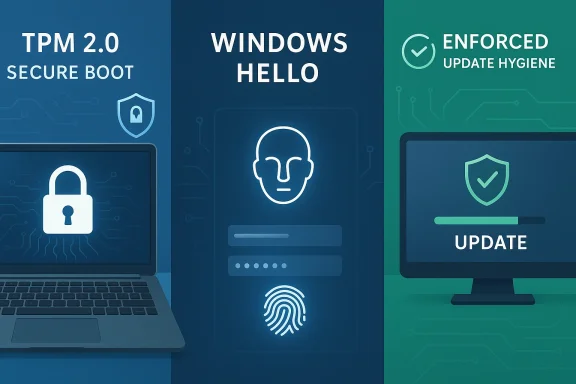 Overview
For years, Linux earned a strong reputation on security because of its permission model, package management culture, and smaller desktop malware footprint. That reputation is deserved in many contexts, especially on servers and developer systems where administrators understand the stack and control the configuration. But consumer security is not just about theoretical attack surface; it is about defaults, friction, and whether the average person actually turns protections on. That is where Windows has made major gains.The modern Windows security model leans heavily on hardware-backed trust, automatic encryption, passwordless sign-in, and aggressive patch delivery. Microsoft’s own documentation makes clear that Windows device encryption can be enabled automatically on qualifying systems, with recovery keys attached to a Microsoft or work account during first sign-in, and that BitLocker remains the broader enterprise-grade option for richer policy control. In other words, Windows is not merely capable of strong protection; it is increasingly designed to activate that protection without asking average users to become security admins first.
By contrast, Linux distributions vary widely in how they approach the same problems. Ubuntu, for example, now enables unattended security updates by default and includes automatic daily security patching on desktop and server editions, but other distributions leave more of that choice to the user or administrator. Likewise, Linux biometric support exists and is functional through projects such as fprintd and Howdy, but it is still fragmented, less standardized, and more dependent on hardware and distribution integration than Windows Hello.
The real story is not that Windows has “beaten” Linux in every security measure. It has not. Linux remains highly robust in many environments, and its transparency and customizability are real strengths. But on the three fronts that matter most to everyday users—protecting data at rest, making sign-in secure without making it painful, and preventing systems from lingering unpatched—Windows is no longer playing catch-up. In some cases, it is the more mature product.
1. Default drive encryption changes the risk equation
The strongest security is the kind people actually have turned on, and this is where Windows device encryption has a clear practical advantage. Microsoft says qualifying Windows devices can turn on device encryption automatically at first sign-in, with the recovery key backed up to the user’s Microsoft account or a work or school account. That matters because stolen laptops remain one of the most common real-world threats, and full-disk encryption is the difference between a lost device and a compromised identity.Windows also benefits from a layered hardware story. Microsoft ties device encryption and BitLocker closely to TPM 2.0, Secure Boot, and the broader Windows 11 security baseline, which is why the company now describes TPM as a key building block for Windows 11 security features. In practical terms, that means encryption is not just a software checkbox; it is part of a larger hardware-backed trust chain that makes offline attacks harder.
Linux can absolutely encrypt a drive, and most serious distributions support it. But unlike Windows’ consumer defaults, Linux encryption still tends to feel like an intentional setup step rather than a background assumption. On Ubuntu, for example, automatic security hardening is strong and well documented, but disk encryption remains a separate design choice the user must make during installation or afterward. That difference in default behavior is the whole point: security features only help if they are on.
Why “default” matters more than purity
Security culture often prizes freedom of choice, and Linux does that well. But freedom can become friction when the threat model is a stolen laptop in a coffee shop, a misplaced bag at an airport, or a reused drive sold secondhand. A default-enabled encryption policy catches those cases without requiring the owner to know what LUKS, TPM, or recovery keys even mean.Windows also benefits from a more coherent recovery model for mainstream users. Microsoft documents that the recovery key is attached to the account used during setup on qualifying devices, which reduces the chances that a user will encrypt their machine and then permanently lock themselves out. That is not a trivial detail; a security feature that users fear is a feature users disable.
- Windows device encryption can activate automatically on supported hardware.
- Recovery keys are integrated into account workflows.
- TPM-backed encryption lowers the value of a physically stolen drive.
- BitLocker still gives IT teams deeper policy control when needed.
- Linux encryption remains solid, but less consistently turnkey for consumers.
2. BitLocker and device encryption are more broadly usable than Linux alternatives
A common misconception is that Windows encryption is only for business editions. That was closer to true in the past, but Microsoft now distinguishes between BitLocker on Pro, Enterprise, and Education editions and device encryption on a wider range of consumer devices, including many Windows Home PCs. Functionally, both rely on the same underlying encryption methods on qualifying systems, with the difference being control, management, and policy depth rather than raw confidentiality.That broader reach matters because consumer security depends on inclusiveness. If a feature is available only to specialists, the “secure” path becomes a premium path. Windows now gives many ordinary users the ability to get full-disk encryption without learning enterprise tooling, which is a meaningful win for baseline safety. Microsoft’s documentation is explicit that device encryption is designed for everyday users who do not want to manage complex security settings.
Linux distributions have improved too, but the landscape is still uneven. Ubuntu’s docs show that automatic security updates are enabled by default, which is excellent, yet that does not translate into a universally polished encryption experience across all distros and installers. Arch, Fedora, Debian, Mint, and others each take different approaches, and that fragmentation is one reason Linux security often looks better on paper than it feels in everyday use.
Enterprise versus consumer reality
In the enterprise, Windows’ strength is not just encryption but administration. Microsoft documents BitLocker management through Intune, Entra-backed key handling, and policy controls that make it easier to enforce consistency across thousands of devices. That is a major competitive advantage, because security at scale is mostly about reducing variance.For consumers, the story is simpler. Windows makes it hard to accidentally leave a new laptop unencrypted on supported hardware. Linux often requires the user to make more deliberate setup choices, which is fine for enthusiasts but not ideal for general-purpose devices. The result is that Windows is now better at giving average users a secure enough by default experience, which is exactly where most security battles are won or lost.
- BitLocker delivers enterprise policy depth.
- Device encryption extends protection to more consumer systems.
- Microsoft account recovery reduces support friction.
- Windows management tools are unified for IT departments.
- Linux encryption remains powerful but more distribution-specific.
3. Windows Hello is the biometrics layer Linux still lacks as a default
Authentication is one of those areas where convenience and security are often treated as opposites, but Windows Hello is a good example of a platform that tries to collapse the trade-off. Microsoft describes Windows Hello as a more personal and secure way to sign in using facial recognition, fingerprint recognition, or a PIN, and it is built into the OS rather than added through a patchwork of optional components.That built-in approach matters because biometric systems only become useful when they are fast, reliable, and common enough that people actually adopt them. Windows Hello is presented during setup, works with supported cameras and fingerprint readers, and is integrated into the sign-in flow across consumer and business environments. Microsoft’s documentation also emphasizes enhanced sign-in security, where biometric template data and matching operations can be isolated in trusted hardware or protected memory regions.
Linux does have biometric tools, but the ecosystem is fragmented. The fprintd project provides fingerprint authentication support across many Linux distributions, and Howdy offers Windows Hello-style face authentication for Linux, but both exist as separate projects rather than a universal, first-party default. Even Howdy’s own documentation warns that it is less secure than a password and should not be used as the sole authentication method. That honesty is admirable, but it also underscores the gap in mainstream readiness.
Biometrics are not magic, but they are practical
Biometrics are often oversold in marketing and undersold in engineering discussions. The important thing is not whether a fingerprint is “more secure” than a password in the abstract. The important thing is whether the platform can offer stronger everyday authentication without pushing users into weaker habits like password reuse, sticky-note secrets, or disabling lock screens entirely.Windows Hello does that well because it complements rather than replaces broader account security. The PIN is device-bound, the biometric components are tied into Windows authentication, and the sign-in experience is unified across the OS. Linux can approximate this with PAM modules and third-party tooling, but the result is usually more DIY and less coherent.
- Windows Hello is built into the platform.
- Face, fingerprint, and PIN options are centralized.
- Linux support exists, but it is decentralized and distro-dependent.
- Third-party Linux face unlock tools often carry security caveats.
- Biometric convenience can improve adoption of stronger sign-in habits.
4. Enforced updates are annoying, but they are also a security feature
This is the most controversial of Windows’ advantages, because people dislike forced restarts almost as much as they dislike ransomware. Still, from a security perspective, mandatory update behavior is often a feature, not a bug. Microsoft’s support pages show that Windows 11 keeps delivering security updates as usual and allows users to defer some non-security and feature updates, but the platform is designed to keep critical patching moving.This is a genuine differentiator from most Linux desktops, where patching is typically more discretionary. Ubuntu is a notable exception: Canonical says unattended-upgrades is installed by default and applies security updates automatically, with daily checks and optional post-install reboot behavior. But that is one distribution’s policy, not the universal Linux desktop norm. Fedora documents that users must decide whether to use automatic DNF updates, and many other distros leave the cadence even more in the user’s hands.
The security argument here is simple. Vulnerabilities are discovered continuously, exploitation is often automated, and the delay between patch release and patch application is when systems are most exposed. A system that nudges or coerces users toward timely updates reduces the chance of becoming the “one forgotten machine” on a network that everyone else assumes is safe. Windows is better at reducing that human delay at scale.
Security discipline is not the same as user freedom
Linux users often counter that they value control, and that is fair. Administrators on Linux can design elegant patch pipelines, snapshot-based rollbacks, and staged deployments. But the average consumer is not an administrator. Most people do not regularly inspect CVE feeds or benchmark their own patch hygiene, and they should not have to.Microsoft’s approach effectively says that a little annoyance is worth less than a lot of risk. That may sound paternalistic, but it is often the correct design philosophy for consumer security. In fact, Ubuntu’s own documentation now mirrors that conclusion by defaulting to automatic security updates in a way that is much closer to Windows than to the classic “manual Linux maintenance” stereotype.
- Windows prioritizes security patch delivery over user convenience.
- Windows 11 can defer some updates, but it does not treat patching as optional.
- Ubuntu has adopted a similar default for security updates.
- Many Linux distros still rely on user or admin discipline.
- The threat window is often the gap between patch release and installation.
5. Hardware trust is becoming the real battleground
The argument that Windows is more secure today is really an argument about hardware-backed security. Microsoft keeps anchoring Windows 11 to TPM 2.0, Secure Boot, and security-processor features exposed in the Windows Security app. That stack improves encryption, identity protection, and boot integrity in ways that are difficult to replicate as a uniform consumer experience across the Linux desktop ecosystem.This matters because modern attacks are increasingly aimed below the app layer. Firmware tampering, bootkits, credential theft, and offline disk attacks are not theoretical edge cases anymore. A platform that bakes security into the boot path and device identity gets a head start before the user even sees a login screen. Windows has been methodically building that stack into the mainstream product, not just the enterprise SKU.
Linux can absolutely use hardware protections too, but the implementation details are far more dependent on distribution choices, firmware quality, and user expertise. That is fine for a system designed around flexibility. It is less ideal for a system trying to protect a broad consumer base without making them experts. The security bar for the desktop is no longer “can it be secured?” but “does it secure itself well enough by default?” Windows is increasingly answering yes.
Why this is a market shift
This trend also changes the competitive narrative. For years, Linux advocates could argue that Windows was inherently weaker because it depended on broader attack surfaces and had weaker security defaults. But as Windows tightened defaults around encryption and identity, the discussion shifted from philosophy to execution. Windows is now competing on the same terrain as modern Linux distributions, and in several areas it has the more polished baseline.That does not mean Linux is losing its relevance. It means Linux’s advantages are becoming more specialized. On servers, in developer workflows, and in bespoke deployments, Linux remains excellent. On consumer security defaults, however, Windows has learned from the best parts of the Linux world while packaging them more coherently for ordinary users.
- TPM 2.0 is central to Windows 11 security.
- Secure Boot helps anchor trust early in the boot process.
- Hardware-backed security reduces the impact of offline attacks.
- Linux can match pieces of the model, but rarely with the same uniformity.
- Consumer security increasingly depends on invisible defaults rather than user expertise.
6. The best Linux arguments are still real, but they are narrower than they used to be
It would be a mistake to overstate the case for Windows and pretend Linux has lost its edge. Linux still enjoys major advantages in transparency, system control, and the ability for security-conscious users to audit or tailor nearly every layer. For many professionals, that visibility is more valuable than an out-of-the-box default they cannot easily inspect. That is a real security advantage, just not always the one that protects everyday users best.Linux also benefits from a different ecosystem of maintenance and tooling. Ubuntu’s security documentation is mature and explicit, with unattended-upgrades running by default and flexible configuration for automatic reboots, logging, and repository control. In other words, Linux is not behind because it lacks the concept of automatic patching; it is behind because that concept is not universally standardized across the desktop ecosystem.
Windows, by contrast, has become increasingly opinionated about what “safe” looks like. Its security story is not that users can build a secure environment if they know how. It is that the product tries to make the secure path the normal one. That is a stronger consumer proposition, especially for nontechnical users and organizations that need predictable outcomes.
Different platforms, different priorities
There is also a philosophical distinction worth keeping in mind. Linux tends to maximize choice, composability, and visibility. Windows tends to maximize managed consistency. Both philosophies can produce secure systems, but they optimize different failure modes.A skilled Linux admin can create an exceptionally secure machine. A casual user can also forget to encrypt a drive, delay updates for months, and skip biometric setup altogether. Windows tries to reduce those chances through product design, and that is why it now deserves more credit than it gets.
- Linux offers stronger transparency and deeper control.
- Linux security can be excellent in expert hands.
- Windows provides more consistent consumer-grade defaults.
- Security outcomes depend heavily on user behavior.
- The best platform is often the one users do not accidentally misconfigure.
7. Enterprise buyers care about consistency more than ideology
In enterprise environments, the debate is even less ideological than it is on the desktop. IT teams want repeatable policy enforcement, centralized recovery, predictable authentication, and devices that stay within compliance windows. Windows’ built-in security model is designed around those needs, with Intune, BitLocker management, Windows Hello for Business, and hardware attestation all playing into a more unified posture.Linux absolutely has enterprise-grade security stacks, but the management model is often more heterogeneous. One organization may standardize on Ubuntu with automatic security updates, another on Fedora with custom policy automation, and another on a hardened server-focused distribution. That flexibility is valuable, but it also means more internal engineering effort is required to achieve uniform protection. Windows’ strength is that the platform comes with fewer decisions already made for you.
The practical consequence is that Windows often wins not because it is “more secure” in some absolute abstract sense, but because it is easier to make secure across a fleet. That is the kind of advantage executives notice when they are balancing risk, support cost, and user experience.
Consumer versus enterprise trade-offs
For consumers, the best security is frictionless security. For enterprises, the best security is enforceable security. Windows has improved both. Linux can still be excellent in the right hands, but it usually requires more explicit organizational discipline to get there.That distinction explains why so many Linux-vs-Windows arguments talk past each other. One side talks about the theoretical properties of the platform, while the other side cares about the probability that 10,000 employees will actually leave the defaults in place. Windows is winning more of those practical conversations now than it did in the past.
- Windows is built for centralized management.
- BitLocker and device encryption fit enterprise policy models.
- Windows Hello integrates with modern identity frameworks.
- Linux offers flexibility at the cost of uniformity.
- Fleet-wide consistency is often more important than maximum configurability.
Strengths and Opportunities
Windows’ security position is stronger than many Linux advocates like to admit, and that strength is not based on flashy features so much as usable defaults. The platform has leaned into encryption, biometrics, hardware trust, and patch discipline in a way that reduces the burden on ordinary users while still giving enterprises room to tighten control. That combination is why Windows now looks more secure in the contexts that matter most to mainstream computing.- Automatic device encryption reduces the chance that a stolen laptop turns into a data breach.
- BitLocker and TPM 2.0 give Windows a solid hardware-backed foundation.
- Windows Hello makes strong sign-in easier to adopt.
- Mandatory or strongly encouraged updates shrink the patch-delay window.
- Unified management tooling helps enterprises enforce compliance.
- User-friendly recovery workflows lower the odds of security features being abandoned.
- Broader consumer reach means more users benefit without technical setup.
Risks and Concerns
None of this means Windows is unassailable, and security gains always come with trade-offs. A platform that centralizes trust also centralizes failure modes, and the more deeply a security model depends on account integration, hardware compatibility, and vendor policy, the more important transparency and resilience become. Windows’ advantage is real, but it is not free of risk.- Account-backed recovery keys can create dependence on Microsoft-managed workflows.
- Forced updates can frustrate users and encourage risky workarounds.
- Biometrics can fail in edge cases or be unavailable on lower-end hardware.
- Hardware requirements may exclude older systems from the strongest protections.
- Centralized trust can make platform-wide issues more consequential.
- Enterprise policy complexity can still lead to misconfiguration.
- Consumer complacency remains a risk even when defaults are strong.
Looking Ahead
The next phase of the Windows-vs-Linux security debate will be less about ideology and more about whether each platform can keep closing the gap between “possible” and “default.” Windows already has a strong answer in device encryption, Windows Hello, and a hard push toward timely patching. Linux, meanwhile, has narrowed some of the difference through better defaults in distributions like Ubuntu, but the ecosystem remains uneven enough that the average user still has to do more work.That may actually be the most important point of all. Security is not just about what a platform can do; it is about what the platform reliably does when nobody is paying close attention. Windows has become better at protecting users when they are busy, distracted, or inexperienced, and that is precisely the kind of security win that matters in the real world.
- Watch for broader adoption of hardware-backed sign-in across consumer devices.
- Expect continued pressure toward automatic patching on both Windows and Linux.
- Look for more convergence in encryption defaults as laptop theft and offline attacks remain common.
- Track whether Linux desktop environments unify biometric support beyond niche tooling.
- Monitor enterprise policy tools as the deciding factor in fleet-wide security outcomes.
Source: How-To Geek Linux fans won’t admit it, but Windows wins on these 3 security fronts
