

Microsoft’s latest guidance on Windows 11 security is less a bombshell than a very public confirmation of where the platform has already been heading for years: for most people, Microsoft Defender is now “good enough.” The company’s own messaging says built-in protection can cover everyday risk when default safeguards are enabled, updates are current, and downloads are handled carefully. That does not mean third-party antivirus is dead, but it does mean the old reflex of installing a separate security suite on every Windows PC is no longer the default answer.
Microsoft’s current advice lands at an interesting moment for Windows users. The company is not merely defending its own product; it is effectively re-framing the security conversation around behavior, feature needs, and system complexity rather than around a simple “install antivirus or you’re exposed” narrative. That is a significant shift, especially for a user base that still spans everyone from casual home users to IT-managed enterprise fleets.
The context matters. In the Windows XP and Windows 7 era, the case for third-party antivirus was easy to make because Microsoft’s built-in protections were either missing, limited, or not trusted by consumers. The market for Norton, McAfee, and Kaspersky was built on that reality. Windows 10 changed user expectations, and Windows 11 has pushed built-in security farther into the center of the product story.
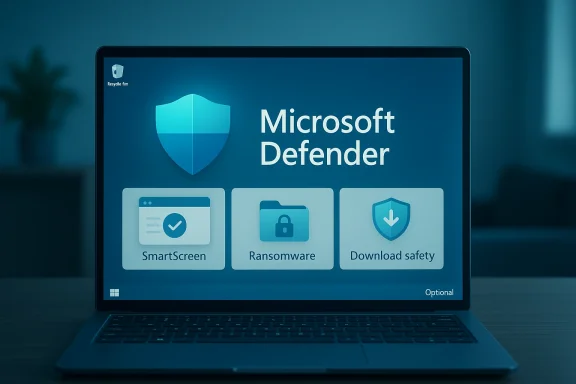
Microsoft’s updated guidance says that Windows Defender Antivirus and related layers such as SmartScreen and ransomware protection already address common threats like malicious files, phishing sites, and unsafe installers. In other words, Microsoft is no longer pitching a minimal backstop; it is pitching a layered security model that is meant to be the baseline. That shift explains why the company can now say, without embarrassment, that extra software is optional for many people.
At the same time, Microsoft is careful not to overstate the claim. The company explicitly notes that users managing multiple devices, sharing devices with family, or wanting extras such as identity monitoring and parental controls may still benefit from third-party suites. That nuance is important because it acknowledges that antivirus is no longer a binary choice between safe and unsafe. It is now a broader decision about convenience, feature bundles, and how much complexity you are willing to accept.
There is also a practical support angle. When users run multiple real-time security products at once, the result can be slower performance, conflicts, update errors, and confusion about which product is actually enforcing policy. Microsoft Support has long recommended against running more than one real-time antivirus or antispyware product simultaneously because of those issues. The company’s current guidance reflects that same idea, now packaged for a broader audience.
The company also benefits from a simpler consumer story. If Windows 11 already includes effective baseline protection, Microsoft can focus on promoting built-in layers like SmartScreen, ransomware defenses, and regular updates as part of the operating system’s value proposition. That is much easier to explain than a fragmented ecosystem of paid security add-ons with overlapping capabilities.
In practical terms, Microsoft is trying to normalize the idea that a secure Windows PC does not require a separate antivirus subscription. That does not eliminate the market for premium suites, but it reduces the sense that such software is mandatory for ordinary home users. For an ecosystem that has historically depended on upselling fear, that is a meaningful change.
The company also emphasizes that protection is active by default on Windows 11. That means the security model starts before the user begins shopping for additional software, which is a significant usability advantage. The less a user has to configure to reach a competent baseline, the more likely they are to remain protected in the real world.
A modern antivirus discussion therefore has to include more than the malware engine itself. It has to include reputation checks, cloud-based intelligence, exploit mitigation, and update cadence. Microsoft is banking on the idea that these layers work better together than older “scan everything on a schedule” products did in the past.
This is also where Microsoft’s enterprise and consumer narratives begin to diverge. The consumer pitch is ease and sufficiency; the enterprise pitch is integrated management and broader endpoint telemetry. That dual message lets Microsoft speak to both casual users and IT teams without having to choose one audience over the other.
There is also a class of user who values the ecosystem around the antivirus more than the detection engine itself. Some people want a single subscription that includes password managers, VPNs, credit monitoring, device cleanup tools, or family safety dashboards. For them, the question is not whether Defender can block malware; it is whether Defender replaces the convenience package they are already paying for.
At the same time, Microsoft warns that each extra tool adds background activity and complexity. That is not just a performance issue; it is also a usability issue, because security tools with overlapping controls can create uncertainty about what is being blocked and why. The more layers you add, the more you need to understand those layers.
For power users, that trade-off can go either way. Some will welcome the deeper control and reporting from premium products. Others will decide that a leaner Windows setup with Defender plus safe browsing habits is the better long-term arrangement.
This matters more on laptops and lower-powered systems, where every background service competes for battery life, memory, and CPU cycles. A third-party suite that feels invisible on a high-end desktop may feel intrusive on an older notebook. So when Microsoft recommends keeping things simple, it is speaking to a very real cost of over-provisioned security software.
Microsoft’s advice effectively pushes users toward right-sized security. A home user who browses the web, uses email, and installs mainstream software may not need the same suite of tools as someone who is handling multiple family profiles, traveling with business data, or managing sensitive workflows. That framing is more mature than the old one-size-fits-all antivirus pitch.
The performance argument will continue to influence consumer behavior because people feel slowdowns more than they feel theoretical risk. If Windows Security provides enough baseline confidence, many users will simply prefer fewer prompts, fewer subscriptions, and fewer background processes. That makes Microsoft’s current positioning both practical and strategically smart.
For enterprises, the story is more complicated. Corporate security decisions are rarely based on malware detection alone, because IT teams need policy enforcement, endpoint visibility, compliance reporting, and integration with identity systems. Microsoft Defender for Endpoint and its related intelligence updates speak to that world, where the issue is not whether protection exists, but how it is managed.
Microsoft’s own ecosystem is designed to bridge that gap. Defender’s built-in presence in Windows gives consumers a low-friction default while the broader Defender platform offers additional controls and telemetry for managed environments. That duality helps Microsoft compete against both consumer antivirus vendors and enterprise endpoint security specialists.
It also means the debate is no longer “Defender or nothing.” Instead, it is “what level of security management do you actually need?” That is a more realistic question for 2026, and one that reflects how security tooling has evolved.
That said, it does put pressure on products that rely mainly on brand recognition and fear-based upselling. If Windows users are repeatedly told by Microsoft itself that built-in protection is usually enough, the burden shifts to third-party vendors to prove why their extra cost is justified. That is especially true for casual users who do not need advanced features.
That also helps explain why security companies keep emphasizing “all-in-one” protection. They know the core detection layer is becoming harder to monetize on its own. If Windows includes a decent baseline for free, a paid product must offer something beyond the baseline to stand out.
Consumers are likely to benefit from that pressure. When the free default is strong, premium vendors have to compete on actual value rather than inertia. That is usually a healthy outcome for users, even if it makes life harder for the weakest products in the category.
Windows 10 marked the real turning point by making built-in security far more respectable, and Windows 11 has continued that trajectory. Microsoft’s current language essentially confirms what many users have gradually discovered: the default tools are not a toy anymore. They are a credible security baseline for everyday use.
The persistence of that old advice also benefits vendors. The antivirus market has spent years teaching users that protection should be purchased, not inherited. Microsoft’s messaging is trying to undo that habit without minimizing the real importance of secure browsing, regular updates, and careful downloads.
So this is not just a product story. It is a cultural shift in how Windows users think about risk. Once security becomes a default platform feature, the conversation moves from buying safety to maintaining it.
That is important because many compromises happen not because a machine lacked an antivirus subscription, but because a user clicked something they should not have, delayed a patch, or reused weak credentials. A good security stack helps, but it does not make unsafe behavior harmless.
Another concern is feature confusion. Some users may not realize that they are choosing between core malware protection and value-added extras like identity monitoring or parental controls. When the marketing language blurs those categories, people may either overpay for redundancy or underbuy important services they actually need.
The antivirus market will not disappear, but it will keep evolving. Premium vendors will need to justify themselves with services that Windows does not provide by default, while Microsoft will keep using Defender as proof that the OS itself can shoulder much more of the burden. The winners will be the companies that make security easier, not louder.
Source: Forbes This Is ‘Best Antivirus Software For 2026’—Microsoft Says
 Overview
Microsoft’s current advice lands at an interesting moment for Windows users. The company is not merely defending its own product; it is effectively re-framing the security conversation around behavior, feature needs, and system complexity rather than around a simple “install antivirus or you’re exposed” narrative. That is a significant shift, especially for a user base that still spans everyone from casual home users to IT-managed enterprise fleets.The context matters. In the Windows XP and Windows 7 era, the case for third-party antivirus was easy to make because Microsoft’s built-in protections were either missing, limited, or not trusted by consumers. The market for Norton, McAfee, and Kaspersky was built on that reality. Windows 10 changed user expectations, and Windows 11 has pushed built-in security farther into the center of the product story.
Microsoft’s updated guidance says that Windows Defender Antivirus and related layers such as SmartScreen and ransomware protection already address common threats like malicious files, phishing sites, and unsafe installers. In other words, Microsoft is no longer pitching a minimal backstop; it is pitching a layered security model that is meant to be the baseline. That shift explains why the company can now say, without embarrassment, that extra software is optional for many people.
At the same time, Microsoft is careful not to overstate the claim. The company explicitly notes that users managing multiple devices, sharing devices with family, or wanting extras such as identity monitoring and parental controls may still benefit from third-party suites. That nuance is important because it acknowledges that antivirus is no longer a binary choice between safe and unsafe. It is now a broader decision about convenience, feature bundles, and how much complexity you are willing to accept.
Why Microsoft Is Saying This Now
Microsoft’s timing is not accidental. Security is one of the strongest selling points for Windows 11, and the company has been steadily emphasizing that the operating system is designed with layered defenses built in. The more Microsoft can convince users that the platform already protects them well, the less room there is for the old perception that Windows needs a paid add-on to be usable.There is also a practical support angle. When users run multiple real-time security products at once, the result can be slower performance, conflicts, update errors, and confusion about which product is actually enforcing policy. Microsoft Support has long recommended against running more than one real-time antivirus or antispyware product simultaneously because of those issues. The company’s current guidance reflects that same idea, now packaged for a broader audience.
The messaging shift
The language is notable because it sounds like advice, not marketing. Microsoft is telling users to think about how they actually use their PCs rather than assuming that more software automatically means more safety. That is a subtle but important repositioning: security as configuration, not security as product shopping.The company also benefits from a simpler consumer story. If Windows 11 already includes effective baseline protection, Microsoft can focus on promoting built-in layers like SmartScreen, ransomware defenses, and regular updates as part of the operating system’s value proposition. That is much easier to explain than a fragmented ecosystem of paid security add-ons with overlapping capabilities.
In practical terms, Microsoft is trying to normalize the idea that a secure Windows PC does not require a separate antivirus subscription. That does not eliminate the market for premium suites, but it reduces the sense that such software is mandatory for ordinary home users. For an ecosystem that has historically depended on upselling fear, that is a meaningful change.
What Microsoft Defender Actually Covers
Microsoft Defender Antivirus is no longer just a basic malware scanner buried inside Windows. The current guidance presents it as part of a layered system that works alongside SmartScreen, ransomware protections, and routine security intelligence updates delivered through Windows Update. That matters because the product is not being sold as a single feature, but as a constantly updated security posture.The company also emphasizes that protection is active by default on Windows 11. That means the security model starts before the user begins shopping for additional software, which is a significant usability advantage. The less a user has to configure to reach a competent baseline, the more likely they are to remain protected in the real world.
Built-in layers, not one checkbox
The bigger point is that Defender is only one layer. Microsoft’s own guidance describes SmartScreen as helping to block phishing sites and unsafe downloads, while ransomware protection adds another line of defense for files and folders. That layered architecture is the reason the company can credibly say the built-in stack is enough for many users.A modern antivirus discussion therefore has to include more than the malware engine itself. It has to include reputation checks, cloud-based intelligence, exploit mitigation, and update cadence. Microsoft is banking on the idea that these layers work better together than older “scan everything on a schedule” products did in the past.
This is also where Microsoft’s enterprise and consumer narratives begin to diverge. The consumer pitch is ease and sufficiency; the enterprise pitch is integrated management and broader endpoint telemetry. That dual message lets Microsoft speak to both casual users and IT teams without having to choose one audience over the other.
When Third-Party Antivirus Still Makes Sense
Microsoft is not pretending every user should abandon third-party protection. In fact, the company’s own guidance says additional security software may be worth considering if you manage several devices, share devices with family members, or want features like identity monitoring and parental controls. That is a sensible carve-out because those are exactly the kinds of bundled extras many security suites still use to justify their price.There is also a class of user who values the ecosystem around the antivirus more than the detection engine itself. Some people want a single subscription that includes password managers, VPNs, credit monitoring, device cleanup tools, or family safety dashboards. For them, the question is not whether Defender can block malware; it is whether Defender replaces the convenience package they are already paying for.
Feature bundles versus core protection
That distinction is critical. Third-party products increasingly compete less on raw virus detection and more on adjacent services. If your actual concern is identity theft alerts or controlling what your kids can access, a paid suite may still make sense even if Defender handles the malware protection portion just fine.At the same time, Microsoft warns that each extra tool adds background activity and complexity. That is not just a performance issue; it is also a usability issue, because security tools with overlapping controls can create uncertainty about what is being blocked and why. The more layers you add, the more you need to understand those layers.
For power users, that trade-off can go either way. Some will welcome the deeper control and reporting from premium products. Others will decide that a leaner Windows setup with Defender plus safe browsing habits is the better long-term arrangement.
The Performance Argument Is Not Trivial
One of the most compelling reasons Microsoft’s guidance resonates is that it reflects a complaint users have had for years: security software can slow machines down. Microsoft Support explicitly notes that running more than one real-time security product can affect PC performance, and Microsoft’s own Q&A guidance says Defender is generally sufficient for most users and can help avoid those issues. That is not a niche concern; it is a daily usability issue for many Windows owners.This matters more on laptops and lower-powered systems, where every background service competes for battery life, memory, and CPU cycles. A third-party suite that feels invisible on a high-end desktop may feel intrusive on an older notebook. So when Microsoft recommends keeping things simple, it is speaking to a very real cost of over-provisioned security software.
Why “more security” can mean less practicality
There is an old assumption that more security layers automatically equal better safety. In practice, that is only true when those layers are well coordinated and do not duplicate each other’s work. If two tools are trying to inspect the same traffic, scan the same files, or intercept the same behavior, the result can be friction rather than protection.Microsoft’s advice effectively pushes users toward right-sized security. A home user who browses the web, uses email, and installs mainstream software may not need the same suite of tools as someone who is handling multiple family profiles, traveling with business data, or managing sensitive workflows. That framing is more mature than the old one-size-fits-all antivirus pitch.
The performance argument will continue to influence consumer behavior because people feel slowdowns more than they feel theoretical risk. If Windows Security provides enough baseline confidence, many users will simply prefer fewer prompts, fewer subscriptions, and fewer background processes. That makes Microsoft’s current positioning both practical and strategically smart.
Consumer vs Enterprise: Different Stakes, Different Decisions
For home users, the question is usually simple: do I need to pay for extra antivirus if Windows already protects me? Microsoft’s answer is increasingly “not necessarily,” provided users keep default protections on and stay current with updates. That answer aligns with how most people actually use their computers, and it will likely resonate with anyone tired of subscription fatigue.For enterprises, the story is more complicated. Corporate security decisions are rarely based on malware detection alone, because IT teams need policy enforcement, endpoint visibility, compliance reporting, and integration with identity systems. Microsoft Defender for Endpoint and its related intelligence updates speak to that world, where the issue is not whether protection exists, but how it is managed.
Consumer convenience versus managed control
Consumers generally want protection to disappear into the background. Enterprises, by contrast, want to see what is happening, control it centrally, and tie it into broader security operations. That means a third-party suite can still have value in the enterprise, but its value proposition is different from the home-user pitch.Microsoft’s own ecosystem is designed to bridge that gap. Defender’s built-in presence in Windows gives consumers a low-friction default while the broader Defender platform offers additional controls and telemetry for managed environments. That duality helps Microsoft compete against both consumer antivirus vendors and enterprise endpoint security specialists.
It also means the debate is no longer “Defender or nothing.” Instead, it is “what level of security management do you actually need?” That is a more realistic question for 2026, and one that reflects how security tooling has evolved.
What This Means for the Antivirus Market
Microsoft’s guidance is not going to wipe out the antivirus market. The market has already adapted, and many vendors now sell bundles, identities, VPNs, and family features rather than just a classic virus scanner. In that sense, Microsoft’s statement may hurt the old commodity antivirus model more than it hurts the broader security software industry.That said, it does put pressure on products that rely mainly on brand recognition and fear-based upselling. If Windows users are repeatedly told by Microsoft itself that built-in protection is usually enough, the burden shifts to third-party vendors to prove why their extra cost is justified. That is especially true for casual users who do not need advanced features.
Competition is moving up the stack
The real competition is no longer just around malware detection. It is around identity protection, parent controls, backup, VPN, and cross-device convenience. Vendors that can package those services well may continue to thrive even if the basic antivirus function becomes less central.That also helps explain why security companies keep emphasizing “all-in-one” protection. They know the core detection layer is becoming harder to monetize on its own. If Windows includes a decent baseline for free, a paid product must offer something beyond the baseline to stand out.
Consumers are likely to benefit from that pressure. When the free default is strong, premium vendors have to compete on actual value rather than inertia. That is usually a healthy outcome for users, even if it makes life harder for the weakest products in the category.
Historical Context: From Necessity to Preference
The antivirus market grew up in an era when Windows security was visibly weaker and malware was more blatant. Back then, installing a third-party suite was a near-automatic step after buying a PC. It was part insurance, part ritual, and part admission that the operating system itself was not enough.Windows 10 marked the real turning point by making built-in security far more respectable, and Windows 11 has continued that trajectory. Microsoft’s current language essentially confirms what many users have gradually discovered: the default tools are not a toy anymore. They are a credible security baseline for everyday use.
Why the old advice still lingers
A lot of user behavior is shaped by memory, not present-day reality. People remember sluggish laptops, pop-up-heavy security suites, and horror stories about viruses from the 2000s, so they assume paid antivirus is still the safest default. That psychology is powerful, and it explains why Microsoft’s current guidance is important even if it seems obvious to security professionals.The persistence of that old advice also benefits vendors. The antivirus market has spent years teaching users that protection should be purchased, not inherited. Microsoft’s messaging is trying to undo that habit without minimizing the real importance of secure browsing, regular updates, and careful downloads.
So this is not just a product story. It is a cultural shift in how Windows users think about risk. Once security becomes a default platform feature, the conversation moves from buying safety to maintaining it.
Security Advice That Actually Matters
The best part of Microsoft’s current guidance is that it returns attention to fundamentals. Antivirus is useful, but it is not a substitute for updates, good judgment, or safe account hygiene. Microsoft’s guidance repeatedly emphasizes default protections, regular updates, and deliberate downloads, which are the habits that actually reduce risk over time.That is important because many compromises happen not because a machine lacked an antivirus subscription, but because a user clicked something they should not have, delayed a patch, or reused weak credentials. A good security stack helps, but it does not make unsafe behavior harmless.
The practical checklist
A sensible Windows security routine in 2026 is straightforward, and it does not require turning your PC into a fortress. It requires consistency. That is the real message behind Microsoft’s guidance.- Keep Windows Update enabled and current.
- Leave Microsoft Defender Antivirus turned on.
- Use SmartScreen and avoid suspicious downloads.
- Treat email links and attachments with caution.
- Add third-party security only if you truly need its extras.
Strengths and Opportunities
Microsoft’s position has several advantages, and they are not limited to product marketing. The company is aligning the security message with how Windows 11 actually works, which gives users a cleaner and more realistic default. That also creates room for Microsoft to keep improving security without forcing everyone into a paid add-on model.- Lower friction for everyday users who want protection without extra setup.
- Fewer conflicts from running multiple real-time security products.
- Better performance on machines that struggle with heavy background services.
- Clearer defaults that reduce confusion about what is protecting the PC.
- Stronger platform trust for Windows 11 as a modern, secure OS.
- More honest purchasing decisions for users who only need bonus features.
- Room for premium vendors to compete on identity, family, and bundle services rather than basic scanning.
Risks and Concerns
The biggest risk is oversimplification. If users hear “Defender is enough” and ignore updates, phishing, account security, or risky downloads, they may walk away with a false sense of invulnerability. Microsoft’s guidance is nuanced, but public shorthand often is not.Another concern is feature confusion. Some users may not realize that they are choosing between core malware protection and value-added extras like identity monitoring or parental controls. When the marketing language blurs those categories, people may either overpay for redundancy or underbuy important services they actually need.
- False confidence if users treat antivirus as a complete safety solution.
- Subscription creep if vendors bundle too many overlapping services.
- Performance degradation when multiple real-time tools are installed.
- User confusion over what Defender covers versus what premium suites add.
- Support complexity in mixed environments with different security stacks.
- Regional variation in feature availability and product behavior.
- Complacency risk if users stop paying attention to updates and habits.
Looking Ahead
The next phase of this story is likely to be less about antivirus alone and more about endpoint security as a broader platform capability. Microsoft will continue to fold security deeper into Windows, and that will keep moving the conversation away from standalone scanners and toward integrated protection stacks. For most users, that is a good thing because the best security is often the kind they barely have to think about.The antivirus market will not disappear, but it will keep evolving. Premium vendors will need to justify themselves with services that Windows does not provide by default, while Microsoft will keep using Defender as proof that the OS itself can shoulder much more of the burden. The winners will be the companies that make security easier, not louder.
What to watch next
- Whether Microsoft expands Defender-related consumer features without adding clutter.
- Whether third-party vendors lean even harder into identity and family protection.
- Whether performance remains strong as security layers become more integrated.
- Whether Microsoft’s guidance changes how retailers bundle PCs and subscriptions.
- Whether enterprises adopt more of Microsoft’s managed security stack by default.
Source: Forbes This Is ‘Best Antivirus Software For 2026’—Microsoft Says
