

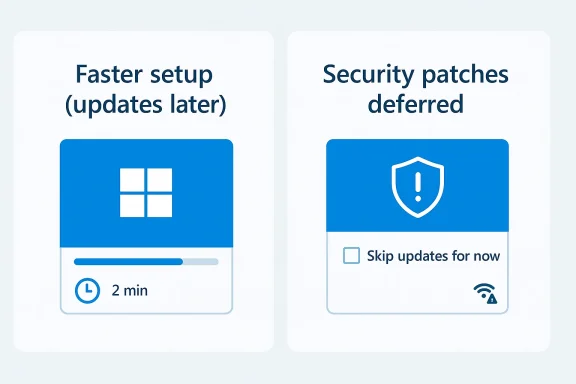
Microsoft’s latest Windows 11 setup change is small on paper but meaningful in practice: during installation, users can now choose to skip the update phase and get to the desktop faster. That sounds like a simple convenience tweak, yet it speaks to a bigger shift in how Microsoft is trying to balance setup speed, security, and user patience. The catch is obvious: if you defer those updates, you are also deferring security fixes that matter the moment the PC touches the internet. Microsoft’s own documentation has long treated OOBE updates as an important part of the first-boot experience, which makes this new option less like a radical reversal and more like a belated acknowledgment that users want control as much as they want protection.
Windows installation has always been a negotiation between convenience and completeness. On one side, Microsoft wants a fresh PC to arrive in a safe, supported state with the latest cumulative updates, compatibility fixes, and security patches already applied. On the other side, users want the machine usable now, not after an hour of background downloads, reboots, and progress bars. The new “update later” option lands in the middle of that tension and gives users a chance to decide whether fast setup or fully patched setup matters more in the moment.
This is not the first time Microsoft has refined the Windows 11 out-of-box experience, commonly called OOBE. The company has repeatedly adjusted what happens during first boot, including when updates are pulled down, when devices reboot, and how much background activity occurs before the user reaches the desktop. Microsoft’s documentation shows that Windows updates during OOBE have been an explicit part of the process for at least the last several releases, especially for important fixes and zero-day patches that the company wants to apply as early as possible.
But there has also been steady pressure from users and administrators to make setup less intrusive. New PCs, refurbished machines, and clean installs often sit through a seemingly endless “getting updates” phase before the operating system is ready to use. For businesses, that delay can complicate deployment scheduling. For consumers, it can make a brand-new device feel like a chore before the first click. Microsoft’s newly surfaced option reflects a recognition that setup time itself is now part of the product experience, not just an IT detail hidden behind the curtain.
The timing is especially interesting because Microsoft is also signaling broader changes in update behavior. Its support and Learn documentation still emphasizes immediate patching for important fixes, but the company has been exploring more flexible update controls across the Windows stack, from Intune expedite policies to OOBE-specific update behaviors. In other words, this isn’t merely about shaving minutes off a setup wizard; it is part of a larger effort to make Windows feel less authoritarian and more adaptable.
At the same time, cynicism around Microsoft’s motives is easy to understand. When Windows 11 has long been criticized for friction, forced reboots, and a setup experience that can feel overmanaged, any user-facing improvement is likely to be greeted with the question: why now? That suspicion has grown stronger in a market where users can more easily compare Windows with macOS, Linux distributions, and other increasingly polished alternatives.
That matters because setup time shapes first impressions. A device that boots quickly to a working desktop feels modern and responsive, while one that immediately dives into update mechanics feels heavy and bureaucratic. Microsoft knows that first-run moments define how a user judges a new PC, and this change appears aimed at reducing friction right where frustration is highest.
That distinction is crucial. If a device is connected to the internet before it is updated, it may be exposed to vulnerabilities that would otherwise have been closed during installation. Microsoft has repeatedly emphasized the importance of patching early, especially when it knows a release contains security fixes or zero-day protections. The new option is about user choice, but the tradeoff is real and immediate.
This is why the new shortcut should be viewed as a tool, not a default. In a secure environment, allowing a user to defer updates may make sense if they are offline, on a trusted network, or actively rebuilding a machine that will not be used for sensitive work until later. But on a consumer PC that is immediately used for email, banking, or downloads, the safer practice remains the same: patch first, browse second.
For this reason, the feature works best when the installation workflow includes clear guidance. If Microsoft wants this to be widely used without harming users, it needs to make the consequences explicit without making the process feel punitive. The company has a long history of trying to educate users at setup time, but Windows still struggles when instructions compete with impatience.
For consumers, the frustration is not just the elapsed time; it is the uncertainty. Users can tolerate a long process if they know the endpoint, but update-driven setup often gives the sense that the machine is still unfinished long after the main install is done. That uncertainty is a product problem, not just a technical one.
At the same time, it is not likely to change how power users think about Windows overnight. Enthusiasts who already image systems, script installs, or manage updates manually may appreciate the option, but they are not the audience most constrained by OOBE delays. The real win is for ordinary users who simply want the machine to stop acting like a project.
That modularity can be good for productivity, but it also makes the setup story harder to explain. When different editions, management states, and network conditions all affect what happens during installation, Windows risks becoming more flexible but less legible. Flexibility is valuable, but it should not come at the cost of clarity.
For that reason, a faster install is strategically helpful. It does not solve all the reasons people consider Linux, but it removes one irritant from the Windows experience. In product strategy, removing irritants often matters more than adding flashy features.
That said, consumer education becomes critical. If the interface makes the update-later option look as safe as updating immediately, some users may misread the risk. Microsoft needs to preserve choice while still making it obvious that deferral is not the same as protection.
In some workplaces, the new option may reduce setup bottlenecks at scale. In others, it may simply add one more variable to a process that has to be tightly governed. The difference will come down to policy, not preference.
Another thing to watch is whether Microsoft extends the same philosophy to more parts of the update lifecycle. The company has already signaled flexibility in update management, including expedite policies and OOBE-specific controls, which suggests a future where users and IT admins get more nuanced choices rather than one-size-fits-all behavior. The challenge will be making those choices understandable enough that people actually use them well.
The good news is that this time, Microsoft appears to be offering a choice instead of a mandate. That is the right direction, even if it arrives years later than many users would have liked. In a market where every minute, every reboot, and every extra prompt can influence platform loyalty, small acts of restraint may be exactly what Windows needs most.
Source: TechRadar https://www.techradar.com/computing...ation-as-part-of-the-big-drive-to-fix-the-os/
 Background
Windows installation has always been a negotiation between convenience and completeness. On one side, Microsoft wants a fresh PC to arrive in a safe, supported state with the latest cumulative updates, compatibility fixes, and security patches already applied. On the other side, users want the machine usable now, not after an hour of background downloads, reboots, and progress bars. The new “update later” option lands in the middle of that tension and gives users a chance to decide whether fast setup or fully patched setup matters more in the moment.This is not the first time Microsoft has refined the Windows 11 out-of-box experience, commonly called OOBE. The company has repeatedly adjusted what happens during first boot, including when updates are pulled down, when devices reboot, and how much background activity occurs before the user reaches the desktop. Microsoft’s documentation shows that Windows updates during OOBE have been an explicit part of the process for at least the last several releases, especially for important fixes and zero-day patches that the company wants to apply as early as possible.
But there has also been steady pressure from users and administrators to make setup less intrusive. New PCs, refurbished machines, and clean installs often sit through a seemingly endless “getting updates” phase before the operating system is ready to use. For businesses, that delay can complicate deployment scheduling. For consumers, it can make a brand-new device feel like a chore before the first click. Microsoft’s newly surfaced option reflects a recognition that setup time itself is now part of the product experience, not just an IT detail hidden behind the curtain.
The timing is especially interesting because Microsoft is also signaling broader changes in update behavior. Its support and Learn documentation still emphasizes immediate patching for important fixes, but the company has been exploring more flexible update controls across the Windows stack, from Intune expedite policies to OOBE-specific update behaviors. In other words, this isn’t merely about shaving minutes off a setup wizard; it is part of a larger effort to make Windows feel less authoritarian and more adaptable.
At the same time, cynicism around Microsoft’s motives is easy to understand. When Windows 11 has long been criticized for friction, forced reboots, and a setup experience that can feel overmanaged, any user-facing improvement is likely to be greeted with the question: why now? That suspicion has grown stronger in a market where users can more easily compare Windows with macOS, Linux distributions, and other increasingly polished alternatives.
What Microsoft Changed
The practical change is straightforward: during Windows 11 installation, users can now choose to skip the part where the system immediately downloads and applies available updates. That means the installer can finish faster, and the user can reach the desktop without waiting for every current patch to land first. The option is designed to be situational, not universal, and it is most useful when the priority is speed rather than absolute completeness.A Faster Path to the Desktop
The appeal is obvious. If you are reinstalling a machine, deploying a refurbished laptop, or setting up Windows on a constrained network, the difference between “fully updated during install” and “install now, patch later” can be significant. TechRadar’s estimate that the delay may save 20 to 30 minutes is not crazy in real-world conditions, especially on slower connections. Even if the exact number varies, the principle is clear: less waiting means a better perceived setup experience.That matters because setup time shapes first impressions. A device that boots quickly to a working desktop feels modern and responsive, while one that immediately dives into update mechanics feels heavy and bureaucratic. Microsoft knows that first-run moments define how a user judges a new PC, and this change appears aimed at reducing friction right where frustration is highest.
- Less time spent staring at setup screens
- Better for slow or metered connections
- Useful for reimaged or refurbished devices
- Lets users delay large downloads until convenient
- Improves first-boot perception without removing updates entirely
What It Does Not Do
This is not a removal of updates, and it is not a permanent bypass. The missing patches still need to be installed afterward, and Microsoft’s documentation continues to treat early patching as important for protection and compatibility. In practice, the feature is closer to a deferral control than a security exemption.That distinction is crucial. If a device is connected to the internet before it is updated, it may be exposed to vulnerabilities that would otherwise have been closed during installation. Microsoft has repeatedly emphasized the importance of patching early, especially when it knows a release contains security fixes or zero-day protections. The new option is about user choice, but the tradeoff is real and immediate.
Why the Option Matters
The feature matters not just because it is faster, but because it acknowledges a common reality: many users want to finish the setup process first and deal with updates once the machine is usable. That approach lets people set language, account, personalization, and device preferences while background updates run after they reach the desktop. It is a more humane ordering of tasks, and it may reduce the feeling that the machine is “not done” for too long.The Security Tradeoff
The strongest argument against skipping updates is also the oldest one: an unpatched Windows installation is a risk. A fresh system that has not yet applied the latest fixes may be missing security patches for the kernel, networking stack, drivers, browser components, or other attack surfaces. If the user starts browsing the web or opening files before patching, they are effectively running with a smaller safety net.Why Security Still Comes First
Microsoft’s own messaging has consistently framed updates as essential to maintaining the health of the platform. The company’s OOBE documentation notes that critical zero-day patching can begin automatically during setup once network connectivity is present. That policy exists for a reason: first boot is one of the highest-risk moments for a newly installed operating system, because the device is connected, active, and often not yet hardened by the user.This is why the new shortcut should be viewed as a tool, not a default. In a secure environment, allowing a user to defer updates may make sense if they are offline, on a trusted network, or actively rebuilding a machine that will not be used for sensitive work until later. But on a consumer PC that is immediately used for email, banking, or downloads, the safer practice remains the same: patch first, browse second.
- Missing patches may include important security fixes
- First internet session is the highest-risk window
- Safer on offline or controlled deployments
- Risk rises quickly if the user goes online immediately
- Delaying updates is a convenience choice, not a best practice
Consumer Behavior Is the Real Variable
The technical risk is only half the story. The bigger question is how people actually behave after setup. Many users will see a working desktop and begin using the machine immediately, not waiting around for updates in the background. That is where the danger lies, because the convenience of the feature can easily overpower the caution that should accompany it.For this reason, the feature works best when the installation workflow includes clear guidance. If Microsoft wants this to be widely used without harming users, it needs to make the consequences explicit without making the process feel punitive. The company has a long history of trying to educate users at setup time, but Windows still struggles when instructions compete with impatience.
Enterprise View: Different Risk Model
For IT departments, the calculus is different. Enterprises often image devices, stage updates, and control network access through management tools. A faster OOBE could reduce deployment time, but it also adds another variable to policy enforcement unless the organization defines exactly when patching should occur. Microsoft Intune’s expedite and update-management features show that the company understands this environment, but the new installation option still introduces more flexibility than many admins will want by default.Why Users Wanted This
Users have wanted installation without immediate updates for years, even if they did not always phrase it that way. What they usually asked for was simple: let the PC boot, let me in, and let me decide when to update. That demand becomes louder when setup is slow, a network is unreliable, or the device is being prepared for temporary use.The Friction of “Waiting to Finish Waiting”
Windows setup often feels like a chain of waiting states. There is the initial file copy, then device preparation, then rebooting, then account setup, then the update phase, then another reboot, and sometimes another pause after that. Even when each step is individually reasonable, the cumulative effect can be exhausting, especially on a laptop that should feel ready out of the box.For consumers, the frustration is not just the elapsed time; it is the uncertainty. Users can tolerate a long process if they know the endpoint, but update-driven setup often gives the sense that the machine is still unfinished long after the main install is done. That uncertainty is a product problem, not just a technical one.
- Reduces the feeling of a never-ending first boot
- Helps when the machine is only needed quickly
- Gives users agency over their own timing
- Makes installation less intimidating for casual users
- Aligns with the broader trend toward user-controlled maintenance
Better for Edge Cases Than for Everyone
The best use cases are obvious: poor internet, metered data plans, device testing, and rapid redeployment. In those scenarios, waiting for updates during install is not efficient, and the ability to defer them is genuinely useful. This is the kind of feature that can quietly become indispensable without ever being headline-grabbing.At the same time, it is not likely to change how power users think about Windows overnight. Enthusiasts who already image systems, script installs, or manage updates manually may appreciate the option, but they are not the audience most constrained by OOBE delays. The real win is for ordinary users who simply want the machine to stop acting like a project.
The Psychology of Choice
Sometimes the most valuable improvement is not time saved but control restored. If users believe they can choose when updates happen, they are more likely to regard Windows as accommodating rather than obstructive. That perception can matter almost as much as the underlying technical improvement, especially in a market where convenience is now part of platform loyalty.Microsoft’s Broader Update Strategy
The new installation option should be read alongside Microsoft’s wider work on update control. The company has been refining how Windows handles quality updates, feature updates, and managed deployment scenarios, including faster rollback paths, expedites, and post-install timing changes. This is not a one-off gesture; it is part of a broader attempt to make updates more flexible without making them optional in any dangerous sense.OOBE Is Becoming More Modular
Historically, OOBE was where Microsoft tried to ensure a device was secure and current before the user got going. Now, the experience is being split into smaller decisions, including whether to install updates during setup and whether to postpone certain actions until later. Microsoft’s documentation shows that the setup pipeline is increasingly configurable, which gives both users and administrators more control over when the system does the heavy lifting.That modularity can be good for productivity, but it also makes the setup story harder to explain. When different editions, management states, and network conditions all affect what happens during installation, Windows risks becoming more flexible but less legible. Flexibility is valuable, but it should not come at the cost of clarity.
Compatibility and Deployment Implications
For IT teams, the bigger implication is that Microsoft is acknowledging diverse deployment environments. A managed enterprise laptop, a kiosk, a classroom device, and a consumer ultrabook do not need identical setup behavior. By loosening the installation sequence, Microsoft can tailor Windows to a wider range of scenarios without hard-coding a single “best” experience for everyone.- Supports different deployment workflows
- Helps managed environments reduce first-boot wait time
- Could simplify imaging and resale workflows
- Makes Windows more adaptable across device classes
- Risks confusing users if guidance is not clear
Why This Is a Messaging Challenge
Microsoft has to be careful not to make this look like an admission that its updates were too burdensome all along. The company wants the feature to feel empowering, not apologetic. That is why the framing matters so much: the change should be presented as a choice for specific situations, not as a workaround for a broken default.The Competitive Context
The cynicism from some users is understandable because Windows is no longer judged in isolation. macOS is seen as polished and largely invisible in daily maintenance, while Linux distributions have become increasingly user-friendly, especially for enthusiasts who value speed, control, and less intrusive system behavior. In that light, a smoother Windows install looks less like generosity and more like overdue parity.The Linux and SteamOS Angle
The Reddit joke about users “jumping ship to Linux” reflects a real undercurrent in desktop conversations: some users are more willing than ever to try alternatives when Windows feels cumbersome. Gaming-friendly Linux setups, particularly around SteamOS-like experiences, have raised the expectation that a PC can be fast, lean, and relatively hands-off. Even if Windows remains dominant, Microsoft is now competing with an expectation of simplicity, not just with an ecosystem.For that reason, a faster install is strategically helpful. It does not solve all the reasons people consider Linux, but it removes one irritant from the Windows experience. In product strategy, removing irritants often matters more than adding flashy features.
macOS and the “It Just Works” Expectation
Apple has long benefited from the perception that setup and updates are tightly integrated and relatively calm. Users may still wait, but they tend to experience the process as part of a coherent ecosystem rather than a series of interruptions. Microsoft’s move suggests awareness that Windows must keep closing the gap not only in capability, but in emotional tone.- Windows must compete on perceived smoothness
- Linux benefits from control and speed messaging
- macOS benefits from consistency and polish
- Setup friction can influence brand loyalty
- Small UX wins can have outsized strategic value
“MacBook Neo” and the Budget Threat Narrative
The mention of “MacBook Neo” in online discussion is more meme than market analysis, but the underlying point is familiar: cheaper, attractive laptops matter because they shape buyer behavior at the entry level. If a budget machine feels faster to set up, easier to maintain, and less annoying during first use, it can win the moment before platform loyalty even enters the picture. Microsoft cannot afford to treat those decisions as trivial.Enterprise vs Consumer Impact
The same feature means different things depending on who is installing Windows. Consumers mostly care about convenience and immediacy, while enterprises care about repeatability, compliance, and predictable security states. That split is important because the biggest risks and the biggest gains do not line up neatly across those audiences.Consumer Reality
For home users, the option is a clear quality-of-life improvement. It helps on slow Wi‑Fi, mobile hotspots, and any situation where the machine is meant to be in use fast rather than perfect. It also reduces the irritation of having to sit through update screens on a day when the user’s real goal is simply to finish setup and move on.That said, consumer education becomes critical. If the interface makes the update-later option look as safe as updating immediately, some users may misread the risk. Microsoft needs to preserve choice while still making it obvious that deferral is not the same as protection.
Enterprise Reality
In enterprise environments, administrators already have mechanisms to manage rollout timing, including policies that expedite security updates or control background behavior. Microsoft Intune’s update tools show how much of this world is already policy-driven. For those customers, a faster OOBE can be helpful, but only if it fits neatly into existing imaging and compliance pipelines.In some workplaces, the new option may reduce setup bottlenecks at scale. In others, it may simply add one more variable to a process that has to be tightly governed. The difference will come down to policy, not preference.
Where the Interests Overlap
Both audiences want one thing: less wasted time. Enterprises want faster deployment, and consumers want faster access. Microsoft’s challenge is to deliver speed without making the process feel casual about security, which is a delicate balance in any update-heavy operating system.Strengths and Opportunities
This change has more upside than its modest surface area suggests. It improves the visible experience of Windows installation, reduces frustration at a critical moment, and acknowledges that not every device needs the same setup path. If Microsoft pairs the feature with clear language and sensible defaults, it could quietly become one of those improvements people appreciate without noticing the engineering behind it.- Speeds up first boot and initial setup
- Reduces frustration on slow or metered connections
- Gives users meaningful control over timing
- Supports diverse deployment scenarios
- Improves perceived quality of Windows 11
- Fits Microsoft’s broader push toward flexible update management
- Can help enterprises optimize imaging workflows
- May reduce one of the common complaints about Windows setup
Better Perception, Not Just Better Mechanics
The best opportunity here is reputational. Windows has often been criticized less for what it can do than for how hard it makes users wait to do it. A setup flow that respects the user’s time can shift the emotional tone of the platform, and that may be the more important victory.Risks and Concerns
The biggest risk is that convenience will outrun caution. If users skip updates and immediately go online, they may be exposing themselves to vulnerabilities Microsoft explicitly tries to close during setup. A second concern is that the feature could create confusion if users believe they are still “up to date” when they are not.- Increased exposure if users browse before patching
- Confusion about whether the PC is secure
- Possible inconsistency across install scenarios
- Risk of de-emphasizing Microsoft’s patch-first messaging
- More complexity for support and troubleshooting
- Potential mismatch between consumer and enterprise expectations
- Users may treat deferral as a default habit
Security Messaging Will Make or Break It
This is where Microsoft’s communication matters most. If the company treats the feature as a convenience option with explicit warnings, it can be a net positive. If it feels like an invitation to ignore updates altogether, then the change risks undermining the very safety model Microsoft has built into Windows OOBE.The Danger of Normalizing Delay
There is also a subtle cultural risk. Once people get used to skipping updates during setup, they may begin to view patch deferral as harmless in general. That would be the wrong lesson to draw, especially given how quickly newly installed systems can become targets if they are left unpatched and connected.Looking Ahead
The next question is whether this becomes part of a broader redesign of Windows setup and update behavior. Microsoft has already shown it is willing to adjust OOBE, update timing, and manageability features, so the more interesting story may be the direction, not this one switch. If setup becomes faster, clearer, and more user-directed without becoming less secure, Windows 11 could quietly shed one of its most persistent annoyances.Another thing to watch is whether Microsoft extends the same philosophy to more parts of the update lifecycle. The company has already signaled flexibility in update management, including expedite policies and OOBE-specific controls, which suggests a future where users and IT admins get more nuanced choices rather than one-size-fits-all behavior. The challenge will be making those choices understandable enough that people actually use them well.
- Whether Microsoft adds clearer warnings around skipped updates
- Whether the option becomes available more broadly across Windows 11 builds
- Whether setup time drops enough to be noticeable for ordinary users
- Whether enterprises incorporate the feature into imaging workflows
- Whether Microsoft continues loosening update timing elsewhere in Windows
- Whether competitors force Microsoft to keep improving first-boot experience
The Real Test Is Trust
In the end, this change is less about technology than trust. Microsoft is asking users to believe that it can give them freedom without leaving them unprotected, and that is a hard sell in a world where update fatigue is real but security risk is also very real. If it gets the balance right, Windows 11 gets faster and friendlier; if it gets the balance wrong, the new option becomes just another reminder that convenience and safety still pull in opposite directions.The good news is that this time, Microsoft appears to be offering a choice instead of a mandate. That is the right direction, even if it arrives years later than many users would have liked. In a market where every minute, every reboot, and every extra prompt can influence platform loyalty, small acts of restraint may be exactly what Windows needs most.
Source: TechRadar https://www.techradar.com/computing...ation-as-part-of-the-big-drive-to-fix-the-os/
