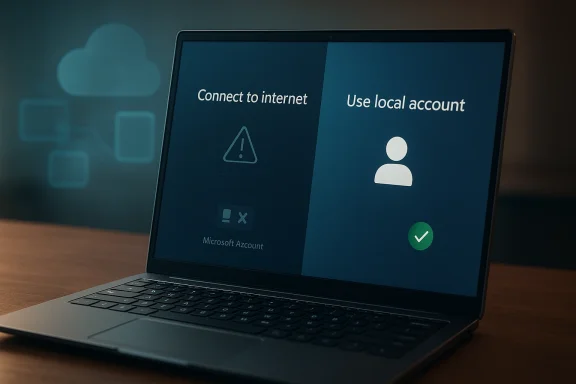
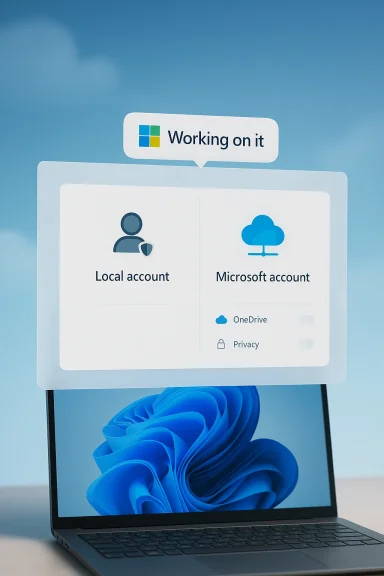
Microsoft may be preparing a notable reversal in Windows 11 setup policy, after a company vice president said engineers are “working on” the ability to complete initial setup without a Microsoft account. If that change reaches the finished product, it would directly address one of the most persistent complaints about Windows 11’s out-of-box experience and restore a more traditional local-account path for people who value privacy, simplicity, or offline installation. The catch, for now, is that this looks more like a signal than a ship date: Microsoft has not announced a rollout, and the company has spent the past year tightening rather than loosening account requirements during setup.
Windows 11 setup has become one of the platform’s most debated design choices because it now pushes users toward a Microsoft account much earlier than Windows users were historically accustomed to. In practice, that means the first boot experience is no longer just about naming a device, choosing a region, and getting to the desktop. It is increasingly tied to cloud identity, synchronization, security prompts, and Microsoft’s broader ecosystem strategy.
For many consumers, that shift is invisible or even convenient. A Microsoft account can sync settings, passwords, OneDrive content, Store apps, and other services across devices, which is useful when you live inside Microsoft’s ecosystem. But for a large and vocal segment of Windows users, especially power users, IT administrators, privacy-conscious buyers, and people setting up lab machines or offline PCs, the account requirement feels like a constraint rather than a benefit.
The current news matters because it appears to soften a policy that Microsoft has steadily hardened. Over the past year, Microsoft has been removing or warning against common workarounds used to create local accounts during OOBE, or out-of-box experience. In preview builds, Microsoft explicitly said it was removing “known mechanisms” for creating a local account during Windows Setup, while also arguing that some of those methods caused critical setup screens to be skipped.
That makes Scott Hanselman’s comment especially significant. Hanselman is not a random employee posting a personal preference; he is a Microsoft vice president tied to the company’s Windows reliability and performance push. When he says engineers are “working on it,” that strongly suggests the idea is at least under active consideration inside Microsoft, even if the final implementation, timing, and scope remain undefined.
The broader context is important too. Microsoft is trying to improve Windows 11’s reputation around reliability, performance, and usability after years of criticism about friction, advertising, forced services, and setup complexity. Allowing a local-account path again would be a small interface change with a much larger symbolic value: it would tell users that Microsoft is willing to loosen control when that control becomes a trust problem.
Microsoft’s own recent messaging shows that it is aware of the friction. In preview build notes, the company said the local-account bypasses could skip critical setup screens and leave a device not fully configured. That is a real concern, but it is also an admission that Microsoft’s current setup flow is complicated enough that users have been inventing escape hatches just to get through it.
The key question is not whether Microsoft has a technical rationale; it clearly does. The question is whether the company can design a setup experience that preserves security and completion checks without forcing every user into the same identity model. That is where the policy debate begins, because the current approach often feels like a blunt instrument.
Still, public comments by a vice president matter because they often indicate where internal priorities are shifting. Microsoft has been talking more about reliability, performance, and reducing Windows pain points, and this kind of statement fits that broader narrative. It suggests a company trying to rebuild goodwill by fixing the behaviors people find most annoying, even when those behaviors support broader strategic goals.
The phrasing also matters. “Working on it” implies engineering effort, which usually means more than a policy review. That could involve changes to setup flows, account prompts, fallback logic, or edition-specific behavior. It might even mean Microsoft is trying to preserve required onboarding steps while still allowing a local account, which would be a more nuanced solution than the current one-size-fits-all model.
The old Windows model emphasized ownership and local control. The new model emphasizes sign-in continuity and service attachment. Neither is inherently wrong, but the way Windows 11 has enforced the new model has often made the process feel less like setup and more like compliance. That is a particularly bad feeling for enterprise admins and enthusiasts who are accustomed to making intentional configuration choices.
But there is another side to that logic. If users are resorting to command-line tricks, registry edits, or obscure setup manipulations, then the design has already failed a usability test. Users do not usually dig through workarounds for fun; they do it because the default flow conflicts with their needs. That is why the backlash has been so durable and so broad.
A smarter approach would preserve the ability to finish setup cleanly while offering a clearly labeled offline or local path for those who want it. That would reduce support risk without forcing every installation into the same identity framework. Whether Microsoft will choose that route is the real story behind this rumor.
That cat-and-mouse dynamic is expensive in a non-obvious way. It burns goodwill, creates support confusion, and fragments the installation experience across forums, guides, and unofficial tips. The more Microsoft obscures the official path, the more users lean on third-party advice, and the more likely they are to encounter incomplete or unsafe guidance. That is exactly the kind of problem a platform vendor should want to avoid.
There is also an image problem. When the easiest path is blocked, users infer that the company is prioritizing its own data and service objectives over their convenience. Whether that inference is fair or not, it becomes part of the Windows brand narrative. And in 2026, brand narrative matters because Windows is competing not just with other desktop operating systems, but with user expectations shaped by mobile and cloud ecosystems.
For enterprises, Microsoft accounts are often not the real issue. Managed devices frequently rely on Entra ID, domain joins, MDM, or other provisioning layers rather than consumer-style account flows. In that world, the more important question is whether Windows setup remains predictable and compatible with automated provisioning. A local-account option would be welcome only if it does not complicate managed deployment paths.
Microsoft would likely see benefits here too. A less hostile setup process can reduce abandonment during installation, cut down on support questions, and make Windows feel more approachable. It may even improve the perception that Microsoft is listening, which is valuable in a period where the company is trying to position Windows 11 as more polished and trustworthy.
The challenge is that Microsoft has to avoid making the local-account option feel like a hidden exception. If it returns, it should be obvious, documented, and stable. Anything less would simply extend the existing confusion in a slightly different form.
Trust is the bigger strategic issue. Users tolerate a lot when they feel the platform is honest about its goals, but they react strongly when they feel nudged or cornered. Windows 11 setup has sometimes crossed that line by making the “preferred” path also the path of least resistance, while making alternatives awkward enough to look intentionally discouraging. That distinction is subtle, but users feel it immediately.
This also dovetails with a larger industry trend. Many platforms are under pressure to justify every permission, every sync relationship, and every mandatory sign-in. Users have become far more aware of how identity can be used to link devices and services. In that environment, making Windows easier to set up without a Microsoft account is not just a convenience feature; it is a trust repair measure.
If Microsoft gets this right, the payoff is bigger than a smoother installer. It would help reposition Windows 11 as a platform that can still respect local ownership, even while promoting cloud capabilities. That balance may be exactly what the company needs if it wants to keep advanced users from drifting away in frustration.
Another possible reason is reputational. Microsoft gets disproportionate criticism when Windows setup feels manipulative because it shapes the very first experience with the OS. A company can survive one annoying dialog, but it is harder to defend a policy that users interpret as forced ecosystem enrollment. Letting people finish setup locally would be an inexpensive way to signal responsiveness.
The financial logic cuts both ways. Microsoft benefits when more people use its services, but it also benefits when users choose Windows in the first place. If forcing a Microsoft account at setup creates enough resentment to influence purchase decisions, the company may be trading away platform goodwill for a marginal increase in sign-ins. That is a poor long-term bargain.
The most likely outcome is a compromise. Microsoft could restore a visible local path while still surfacing sign-in and cloud features later in setup or after the desktop appears. That would let the company preserve its ecosystem ambitions without making the installation process feel like a gatekeeping exercise.
Another possibility is that Microsoft only reintroduces the option in some editions or under specific conditions. Enterprise or education channels, for example, often have different deployment expectations from consumer Home builds. That would be a classic Microsoft compromise: preserve policy for the mass market while easing pain for advanced users and managed environments.
A more user-centric design would be to present a clear choice early, then explain the tradeoffs in plain language. Users could decide whether they want cloud sync, password recovery, OneDrive integration, or a standalone local account. That kind of transparency would do a lot to reduce resentment, even if the functionality behind the options stayed largely the same.
What users should watch is not just whether the option returns, but how Microsoft frames it. A respectful implementation would make the choice obvious, explain the implications, and avoid forcing users through secret commands or unsupported tricks. If Microsoft wants credit for listening, it will need to prove that the fix is designed for ordinary people, not just for people who already know where the escape hatches are.
Source: TechRadar https://www.techradar.com/computing...ccount-with-software-engineers-working-on-it/
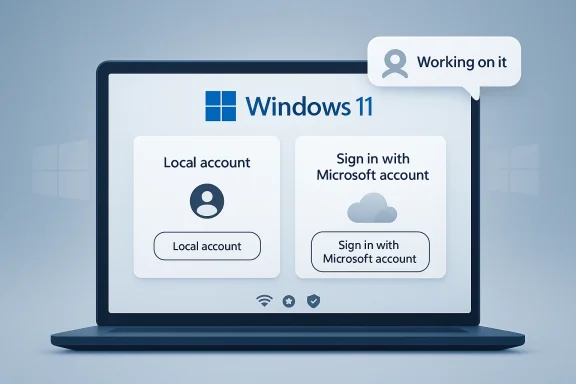 Overview
Windows 11 setup has become one of the platform’s most debated design choices because it now pushes users toward a Microsoft account much earlier than Windows users were historically accustomed to. In practice, that means the first boot experience is no longer just about naming a device, choosing a region, and getting to the desktop. It is increasingly tied to cloud identity, synchronization, security prompts, and Microsoft’s broader ecosystem strategy.For many consumers, that shift is invisible or even convenient. A Microsoft account can sync settings, passwords, OneDrive content, Store apps, and other services across devices, which is useful when you live inside Microsoft’s ecosystem. But for a large and vocal segment of Windows users, especially power users, IT administrators, privacy-conscious buyers, and people setting up lab machines or offline PCs, the account requirement feels like a constraint rather than a benefit.
The current news matters because it appears to soften a policy that Microsoft has steadily hardened. Over the past year, Microsoft has been removing or warning against common workarounds used to create local accounts during OOBE, or out-of-box experience. In preview builds, Microsoft explicitly said it was removing “known mechanisms” for creating a local account during Windows Setup, while also arguing that some of those methods caused critical setup screens to be skipped.
That makes Scott Hanselman’s comment especially significant. Hanselman is not a random employee posting a personal preference; he is a Microsoft vice president tied to the company’s Windows reliability and performance push. When he says engineers are “working on it,” that strongly suggests the idea is at least under active consideration inside Microsoft, even if the final implementation, timing, and scope remain undefined.
The broader context is important too. Microsoft is trying to improve Windows 11’s reputation around reliability, performance, and usability after years of criticism about friction, advertising, forced services, and setup complexity. Allowing a local-account path again would be a small interface change with a much larger symbolic value: it would tell users that Microsoft is willing to loosen control when that control becomes a trust problem.
Why the Microsoft Account Requirement Became a Flashpoint
The move toward mandatory account sign-in did not happen all at once. It emerged gradually as Microsoft made cloud services more central to Windows, then used the setup process to normalize that behavior from the first boot onward. That strategy may have made sense from a platform-integration standpoint, but it also changed the psychological contract between the OS and its users. Windows increasingly stopped feeling like software installed on your machine and started feeling like a service you were joining.The local account was never just a workaround
A local account is not merely an old-fashioned preference. It is a practical choice for offline installs, temporary machines, shared computers, test rigs, and environments where cloud identity is unnecessary or undesirable. For some users it is also about reducing data linkage and minimizing the amount of personal information tied to a device.Microsoft’s own recent messaging shows that it is aware of the friction. In preview build notes, the company said the local-account bypasses could skip critical setup screens and leave a device not fully configured. That is a real concern, but it is also an admission that Microsoft’s current setup flow is complicated enough that users have been inventing escape hatches just to get through it.
The key question is not whether Microsoft has a technical rationale; it clearly does. The question is whether the company can design a setup experience that preserves security and completion checks without forcing every user into the same identity model. That is where the policy debate begins, because the current approach often feels like a blunt instrument.
- Local accounts remain useful for offline and controlled deployments.
- Microsoft accounts bring sync, recovery, and cloud integration.
- The tension is not technical only; it is philosophical.
- Setup friction has made the issue more visible than it once was.
What Scott Hanselman’s Comment Really Signals
Hanselman’s public remark is important because it came in response to a user asking about Windows 11 setup without a Microsoft account, and he said software engineers are working on it. That is not a formal product roadmap, but it is more than a shrug. It is an acknowledgment from a senior executive that the current user experience is not necessarily where Microsoft wants it to remain.A public hint, not a release promise
There is a crucial distinction between “we hear you” and “it is shipping.” Microsoft has not issued an official announcement, no feature flag has been publicly documented, and there is no release window attached to the comment. So the responsible reading is that the company is exploring or developing a change, not that Windows 11 will suddenly relax its account requirement in the next update.Still, public comments by a vice president matter because they often indicate where internal priorities are shifting. Microsoft has been talking more about reliability, performance, and reducing Windows pain points, and this kind of statement fits that broader narrative. It suggests a company trying to rebuild goodwill by fixing the behaviors people find most annoying, even when those behaviors support broader strategic goals.
The phrasing also matters. “Working on it” implies engineering effort, which usually means more than a policy review. That could involve changes to setup flows, account prompts, fallback logic, or edition-specific behavior. It might even mean Microsoft is trying to preserve required onboarding steps while still allowing a local account, which would be a more nuanced solution than the current one-size-fits-all model.
- Hanselman’s comment is not an official launch announcement.
- It does suggest active engineering work.
- Any final feature could be limited, phased, or edition-specific.
- The company may be aiming for a less disruptive workaround than before.
The Setup Experience Problem
Windows setup is one of those interfaces that most people only see occasionally, yet it shapes their opinion of the entire platform. If OOBE feels smooth, users quickly move on. If it feels coercive or full of dead ends, they remember it for years. That is why the Microsoft account requirement has become such a sticky issue: it turns the first impression into a negotiation.The old Windows model emphasized ownership and local control. The new model emphasizes sign-in continuity and service attachment. Neither is inherently wrong, but the way Windows 11 has enforced the new model has often made the process feel less like setup and more like compliance. That is a particularly bad feeling for enterprise admins and enthusiasts who are accustomed to making intentional configuration choices.
Why Microsoft is defending the change
Microsoft’s argument is straightforward: some local-account bypass methods can skip critical screens, including screens that establish network access or key device settings. From a support perspective, that creates downstream problems. A device that is technically “installed” but not properly finished is a headache for both users and Microsoft’s support ecosystem.But there is another side to that logic. If users are resorting to command-line tricks, registry edits, or obscure setup manipulations, then the design has already failed a usability test. Users do not usually dig through workarounds for fun; they do it because the default flow conflicts with their needs. That is why the backlash has been so durable and so broad.
A smarter approach would preserve the ability to finish setup cleanly while offering a clearly labeled offline or local path for those who want it. That would reduce support risk without forcing every installation into the same identity framework. Whether Microsoft will choose that route is the real story behind this rumor.
How the Workarounds Evolved
The persistence of local-account workarounds tells you something important about user demand. Even as Microsoft pushed the account-first model, communities kept finding methods to complete installation offline or minimize the sign-in requirement. Those methods ranged from simple network disconnections to command-line tricks and setup modifications.A cat-and-mouse relationship
The technical details of those workarounds matter less than the pattern they reveal. Users discover a path, Microsoft closes it, users discover another, and the cycle repeats. By early 2026, community discussions were still focused on whether the classic bypass techniques were functioning on newer Windows 11 releases, which shows that demand for a local path has not gone away.That cat-and-mouse dynamic is expensive in a non-obvious way. It burns goodwill, creates support confusion, and fragments the installation experience across forums, guides, and unofficial tips. The more Microsoft obscures the official path, the more users lean on third-party advice, and the more likely they are to encounter incomplete or unsafe guidance. That is exactly the kind of problem a platform vendor should want to avoid.
There is also an image problem. When the easiest path is blocked, users infer that the company is prioritizing its own data and service objectives over their convenience. Whether that inference is fair or not, it becomes part of the Windows brand narrative. And in 2026, brand narrative matters because Windows is competing not just with other desktop operating systems, but with user expectations shaped by mobile and cloud ecosystems.
- Workarounds demonstrate real demand for local accounts.
- Blocking those methods has not eliminated the preference.
- Unofficial methods create support and safety risks.
- The cycle undermines trust in the setup process.
Enterprise Versus Consumer Impact
The potential return of a straightforward local-account option would not affect every user equally. Consumers would mostly experience it as a convenience and privacy win, while businesses would view it through deployment, compliance, and device-management lenses. That distinction matters because Microsoft has to satisfy both groups without letting one use case break the other.For enterprises, Microsoft accounts are often not the real issue. Managed devices frequently rely on Entra ID, domain joins, MDM, or other provisioning layers rather than consumer-style account flows. In that world, the more important question is whether Windows setup remains predictable and compatible with automated provisioning. A local-account option would be welcome only if it does not complicate managed deployment paths.
Consumer freedom still matters
For consumers, the conversation is much simpler. A lot of people just want to install Windows and use the PC they bought, without being compelled to create or recover a Microsoft identity first. That preference may be strongest among privacy-minded users, but it also applies to ordinary buyers who simply do not want another account in their lives.Microsoft would likely see benefits here too. A less hostile setup process can reduce abandonment during installation, cut down on support questions, and make Windows feel more approachable. It may even improve the perception that Microsoft is listening, which is valuable in a period where the company is trying to position Windows 11 as more polished and trustworthy.
The challenge is that Microsoft has to avoid making the local-account option feel like a hidden exception. If it returns, it should be obvious, documented, and stable. Anything less would simply extend the existing confusion in a slightly different form.
- Consumers want a clean, low-friction install path.
- Enterprises want consistency and compatibility with managed provisioning.
- IT admins need predictable behavior across editions and versions.
- A good solution should not depend on obscure tricks.
What This Means for Privacy and Trust
Privacy is central to this discussion, but not in the simplistic sense that a Microsoft account is always bad. The real issue is user control over identity at the moment of device ownership. When a computer is new, the user should be deciding how much cloud integration they want, not discovering that the OS has already made that choice for them.Trust is the bigger strategic issue. Users tolerate a lot when they feel the platform is honest about its goals, but they react strongly when they feel nudged or cornered. Windows 11 setup has sometimes crossed that line by making the “preferred” path also the path of least resistance, while making alternatives awkward enough to look intentionally discouraging. That distinction is subtle, but users feel it immediately.
Identity is now part of the product debate
A local account is not a rejection of Microsoft services. It is a request to delay the identity decision until after the machine is usable. That is a reasonable ask, and arguably the most user-respecting implementation would allow Windows to start locally and then offer cloud features as opt-ins later.This also dovetails with a larger industry trend. Many platforms are under pressure to justify every permission, every sync relationship, and every mandatory sign-in. Users have become far more aware of how identity can be used to link devices and services. In that environment, making Windows easier to set up without a Microsoft account is not just a convenience feature; it is a trust repair measure.
If Microsoft gets this right, the payoff is bigger than a smoother installer. It would help reposition Windows 11 as a platform that can still respect local ownership, even while promoting cloud capabilities. That balance may be exactly what the company needs if it wants to keep advanced users from drifting away in frustration.
Why Microsoft Might Be Reconsidering Now
Timing often reveals strategy. Microsoft has been talking more openly about Windows 11 reliability and performance improvements, and that broader initiative suggests the company is trying to remove friction points that users associate with bloat or overreach. The account requirement is a perfect candidate because it is visible, controversial, and easy to understand.Another possible reason is reputational. Microsoft gets disproportionate criticism when Windows setup feels manipulative because it shapes the very first experience with the OS. A company can survive one annoying dialog, but it is harder to defend a policy that users interpret as forced ecosystem enrollment. Letting people finish setup locally would be an inexpensive way to signal responsiveness.
Competition matters more than Microsoft admits
Microsoft is also operating in a broader competitive environment where users have more alternatives than they did a decade ago. Some buyers are curious about Linux, some want lightweight devices, and some simply want fewer account entanglements across their tech life. Windows does not need to mimic those platforms, but it does need to stop making itself feel like the most cumbersome choice.The financial logic cuts both ways. Microsoft benefits when more people use its services, but it also benefits when users choose Windows in the first place. If forcing a Microsoft account at setup creates enough resentment to influence purchase decisions, the company may be trading away platform goodwill for a marginal increase in sign-ins. That is a poor long-term bargain.
The most likely outcome is a compromise. Microsoft could restore a visible local path while still surfacing sign-in and cloud features later in setup or after the desktop appears. That would let the company preserve its ecosystem ambitions without making the installation process feel like a gatekeeping exercise.
Possible Implementation Scenarios
If Microsoft does follow through, there are several ways it could implement the change. The company could bring back a clearly labeled local-account path, add a temporary offline option, or make the behavior vary by edition or region. Each approach would have different consequences for users, support teams, and Microsoft’s own telemetry goals.How the options could differ
A pure local-account button would be the most straightforward and user-friendly outcome, but it would also be the least aligned with Microsoft’s current strategy. A softer compromise might allow offline setup only after certain screens are completed, preserving security and configuration checks while still preventing forced sign-in. That would fit Microsoft’s stated concern about skipped setup screens.Another possibility is that Microsoft only reintroduces the option in some editions or under specific conditions. Enterprise or education channels, for example, often have different deployment expectations from consumer Home builds. That would be a classic Microsoft compromise: preserve policy for the mass market while easing pain for advanced users and managed environments.
A more user-centric design would be to present a clear choice early, then explain the tradeoffs in plain language. Users could decide whether they want cloud sync, password recovery, OneDrive integration, or a standalone local account. That kind of transparency would do a lot to reduce resentment, even if the functionality behind the options stayed largely the same.
- Restore a direct local account option.
- Offer an offline setup flow that still completes key screens.
- Limit the change to certain editions or channels.
- Present the decision as a transparent tradeoff, not a hidden workaround.
Strengths and Opportunities
Microsoft has a genuine opportunity here to reduce frustration and rebuild trust without sacrificing the core value of its cloud ecosystem. A better Windows 11 setup experience could become one of those rare small changes that produce outsized goodwill because they affect every new installation. It would also reinforce the idea that Microsoft is listening, which is a strategic asset in its own right.- Restores user choice at a moment that matters most.
- Reduces setup friction for consumers and power users.
- Improves trust by making the installation flow feel less coercive.
- Cuts dependence on unofficial workarounds and forum lore.
- Supports offline and lab environments more cleanly.
- Signals responsiveness during Microsoft’s broader reliability push.
- Could reduce support confusion around broken bypass methods.
Risks and Concerns
The risk is that Microsoft may reintroduce a local-account option in a way that is inconsistent, hidden, or half-finished. That would create a new layer of confusion rather than solving the old one, and it could leave users with the worst of both worlds. There is also the chance that Microsoft’s security and configuration concerns are real enough that a careless rollback could undermine the setup experience it is trying to protect.- Inconsistent behavior across editions or builds could confuse users.
- Incomplete setup paths may still skip important configuration steps.
- Support costs could rise if the new option is poorly documented.
- Privacy advocates may view a weak compromise as cosmetic.
- Microsoft could backtrack if telemetry or support data looks bad.
- Enterprise admins may need to revalidate provisioning workflows.
- A hidden implementation would likely reignite criticism.
Looking Ahead
The next few Windows 11 preview cycles will tell us whether this is a meaningful policy shift or just a well-intentioned executive comment that never becomes product reality. If Microsoft is serious, the change should eventually appear in Insider builds first, likely with enough documentation to show how it interacts with OOBE and account setup. If it does not, then the company’s public message about user-focused improvements will ring a little hollow.What users should watch is not just whether the option returns, but how Microsoft frames it. A respectful implementation would make the choice obvious, explain the implications, and avoid forcing users through secret commands or unsupported tricks. If Microsoft wants credit for listening, it will need to prove that the fix is designed for ordinary people, not just for people who already know where the escape hatches are.
- Watch for Insider build notes mentioning local or offline setup.
- Watch for changes to OOBE wording and screen flow.
- Watch for edition-specific behavior in Home, Pro, or enterprise channels.
- Watch for official documentation that replaces workaround culture with a real option.
- Watch for whether Microsoft presents this as a user choice or a technical exception.
Source: TechRadar https://www.techradar.com/computing...ccount-with-software-engineers-working-on-it/