

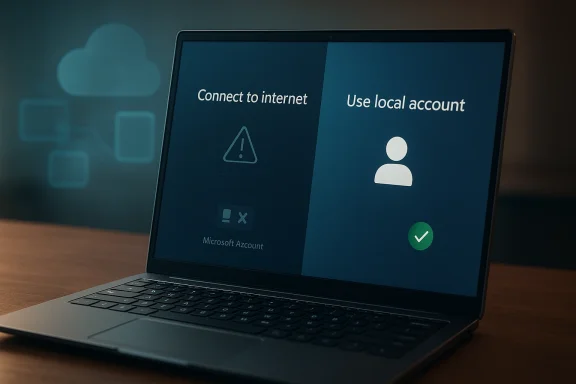
Microsoft appears to be rethinking one of the most disliked parts of Windows 11: the requirement to connect to the internet and sign in with a Microsoft Account during initial setup for Home and Pro editions used for personal devices. That change is not official yet, but the public signals are suddenly much louder than they were a week ago. Between a Microsoft executive’s unusually candid response on X and the company’s own support pages still spelling out the existing rule, the story is less about a finished product decision than a meaningful internal debate now spilling into public view.
The Microsoft Account requirement in Windows 11 did not appear overnight, and it did not become controversial by accident. It grew out of a broader shift in Microsoft’s operating system strategy, where identity, cloud services, device syncing, and ongoing feature delivery became increasingly central to the Windows experience. For Microsoft, a signed-in user is not just a logged-in user; it is a gateway to backup, OneDrive, Microsoft 365, Store downloads, and account-based security recovery.
That logic is understandable from a platform perspective, but it has always collided with a large group of users who want Windows to behave like a traditional local OS. Power users, privacy-minded buyers, offline installers, IT admins, and enthusiasts have long argued that a computer should not require a cloud identity to get through first boot. Microsoft’s current support guidance still states that an internet connection is required to finish setting up Windows Home or Pro for consumer use, while also acknowledging that local accounts remain a distinct concept on the system.
This tension has been building for years. On one side are modern convenience features that genuinely improve the experience for many users. On the other side are friction points that make Windows feel less flexible than it once was, especially for people setting up a secondary PC, a lab machine, a child’s device, or a system intended to stay mostly offline. Microsoft’s own docs continue to show how strongly the company wants users connected at setup, even when it provides workarounds and accessibility paths that acknowledge the reality of different installation scenarios.
The latest spark came not from an official Windows roadmap, but from a public reply by Scott Hanselman. His comment, as reported, effectively confirmed that the complaint is being heard internally, and that he personally dislikes the requirement. That matters because Microsoft is usually careful with its messaging around Windows setup rules, and because a candid executive response often indicates that a topic is at least being debated at the right level. It is still not a commitment, but it is more than silence.
At the same time, Microsoft’s Windows Insider and support channels have been busy shipping many other changes: Copilot integration, taskbar refinements, File Explorer updates, widget changes, and broader account-linked functionality. That backdrop is important because it shows the company’s near-term priorities are still centered on a cloud-connected Windows, which makes any rollback on setup requirements more politically and strategically significant than it might first appear.
The distinction matters because Microsoft has a long history of preserving the overall direction of Windows even while softening some of the most unpopular edges. The company often uses Insider builds, support articles, and executive comments to test the temperature before changing something big. If this requirement is relaxed, it will likely happen in stages, perhaps starting with narrower device categories or a setup option exposed more cleanly than the current maze of prompts and workarounds.
It also creates pressure inside Microsoft because setup policy is not a trivial preference. It touches security, identity, licensing, cloud adoption, and support costs all at once. A statement like that can be read as a sign that leadership understands the reputational damage caused by over-indexing on account creation during the most sensitive part of the PC lifecycle.
The frustration is not only philosophical. Users who want local-only machines or who are building systems in places with poor connectivity encounter real friction. Microsoft’s support article explicitly says an internet connection is required to finish setup for Windows Home or Pro, which means the company is not hiding the requirement; it is actively endorsing it. That directness is useful for clarity, but it also underscores how rigid the policy has become.
This is where Microsoft runs into a recurring product design problem. The company wants Windows to be both a personal operating system and a cloud identity hub. The more it pushes the second identity, the more it risks alienating the first-time setup experience that many users still regard as the most important trust-building moment in the product.
Enterprise environments, by contrast, already have other pathways. Organizations use managed identity systems, deployment tools, and policy-driven provisioning that are far removed from the average retail laptop unboxing experience. Microsoft’s own platform messaging increasingly distinguishes between personal devices and work or school accounts, and that is a clue that the company knows these audiences cannot be treated as one homogeneous setup problem.
For enterprises, however, account sign-in is part of the control plane. Device enrollment, policy enforcement, and security posture all benefit from a strongly managed identity layer. In that context, Microsoft is unlikely to abandon account-based workflows; at most, it may loosen the default consumer path while preserving business provisioning options.
At the same time, Microsoft’s accessibility and account guidance leaves small but important openings. One support article says a Windows device can be set up with or without internet connectivity, while another notes that a local account does not require internet access to sign in. These nuances suggest the company’s support documentation is already straddling two truths: the official setup requirement and the practical reality that local-only use still exists.
That inconsistency is often a sign of a policy under strain. When support content starts to drift around a rule, it usually means the rule is unpopular, hard to explain, or both. If Microsoft is indeed rethinking the requirement, expect documentation cleanup to follow the product change rather than precede it.
There is also a competitive angle. Even if rivals do not market themselves around local-account freedom, alternative operating systems and older Windows conventions give users a clear point of comparison. When a user feels coerced during setup, they do not necessarily conclude that Microsoft’s model is better; they conclude that it is more restrictive. That is dangerous in a market where trust is part of the upgrade calculus.
Another reason is that Windows increasingly leans on AI and cloud-connected services that are far more persuasive after the OS has already proven itself useful. Microsoft’s recent Windows messaging has emphasized Copilot, widgets, file actions, and account-tied features, suggesting the company knows it can win users over with utility instead of forcing an upfront login. That is a subtler, and probably smarter, adoption strategy.
Microsoft’s recent update notes show that the OS is still evolving around account-aware experiences, whether through File Explorer interactions that depend on a Microsoft Account or through widgets and Copilot surfaces that assume cloud connectivity. That makes the account debate even more interesting, because the company is simultaneously expanding sign-in-dependent features while considering whether to relax sign-in pressure at first boot.
That is why the account setup issue resonates so strongly. It is not just one prompt. It is the symbol of a broader pattern in which Windows increasingly behaves like a service gateway rather than a neutral platform. If Microsoft wants to reverse that perception, setup is the best place to start.
The market implication is broader than just Windows vs. Windows alternatives. It touches OEM relationships, enterprise imaging workflows, refurbisher processes, educational deployments, and repair scenarios. Any friction removed from setup can ripple through the entire PC ecosystem, because setup is the first operational step after hardware leaves the box.
IT pros and system builders would also welcome more predictable setup flows. Even when they can work around current policies, having to dodge account requirements at every install is inefficient and undermines repeatability. Microsoft would be helping not just enthusiasts, but the people who deploy and maintain large numbers of PCs.
The most useful thing to watch is not just whether Microsoft drops the requirement, but how it chooses to present the alternative. A good solution would preserve cloud features for those who want them while making local or offline setup obvious, legitimate, and supported instead of hidden or workaround-based. That would be a meaningful quality improvement, not just a legalistic one.
Source: VideoCardz.com https://videocardz.com/newz/microsoft-may-relax-windows-11-microsoft-account-setup-requirement/
 Background
The Microsoft Account requirement in Windows 11 did not appear overnight, and it did not become controversial by accident. It grew out of a broader shift in Microsoft’s operating system strategy, where identity, cloud services, device syncing, and ongoing feature delivery became increasingly central to the Windows experience. For Microsoft, a signed-in user is not just a logged-in user; it is a gateway to backup, OneDrive, Microsoft 365, Store downloads, and account-based security recovery.That logic is understandable from a platform perspective, but it has always collided with a large group of users who want Windows to behave like a traditional local OS. Power users, privacy-minded buyers, offline installers, IT admins, and enthusiasts have long argued that a computer should not require a cloud identity to get through first boot. Microsoft’s current support guidance still states that an internet connection is required to finish setting up Windows Home or Pro for consumer use, while also acknowledging that local accounts remain a distinct concept on the system.
This tension has been building for years. On one side are modern convenience features that genuinely improve the experience for many users. On the other side are friction points that make Windows feel less flexible than it once was, especially for people setting up a secondary PC, a lab machine, a child’s device, or a system intended to stay mostly offline. Microsoft’s own docs continue to show how strongly the company wants users connected at setup, even when it provides workarounds and accessibility paths that acknowledge the reality of different installation scenarios.
The latest spark came not from an official Windows roadmap, but from a public reply by Scott Hanselman. His comment, as reported, effectively confirmed that the complaint is being heard internally, and that he personally dislikes the requirement. That matters because Microsoft is usually careful with its messaging around Windows setup rules, and because a candid executive response often indicates that a topic is at least being debated at the right level. It is still not a commitment, but it is more than silence.
At the same time, Microsoft’s Windows Insider and support channels have been busy shipping many other changes: Copilot integration, taskbar refinements, File Explorer updates, widget changes, and broader account-linked functionality. That backdrop is important because it shows the company’s near-term priorities are still centered on a cloud-connected Windows, which makes any rollback on setup requirements more politically and strategically significant than it might first appear.
What Microsoft Is Actually Signaling
The most important point is that this is not yet a product change. What Microsoft has shown, publicly, is a willingness to revisit the issue, not a confirmed plan, timeline, or feature branch. In practical terms, that means users should treat this as a live policy discussion rather than a promise that the setup flow will change in the next cumulative update.The distinction matters because Microsoft has a long history of preserving the overall direction of Windows even while softening some of the most unpopular edges. The company often uses Insider builds, support articles, and executive comments to test the temperature before changing something big. If this requirement is relaxed, it will likely happen in stages, perhaps starting with narrower device categories or a setup option exposed more cleanly than the current maze of prompts and workarounds.
Why Hanselman’s comment matters
A public “I hate it and I’m working on it” from a Microsoft vice president is not just internet diplomacy. It suggests the issue has become visible enough inside the company that someone senior felt compelled to address it directly, instead of deflecting or staying quiet. That does not mean the final answer will be the one users want, but it does mean the complaint has crossed from community grumbling into internal product discussion.It also creates pressure inside Microsoft because setup policy is not a trivial preference. It touches security, identity, licensing, cloud adoption, and support costs all at once. A statement like that can be read as a sign that leadership understands the reputational damage caused by over-indexing on account creation during the most sensitive part of the PC lifecycle.
- Not official yet
- Publicly acknowledged
- Internally discussed
- Possibly headed toward change, but not guaranteed
How Windows 11 Setup Became So Frustrating
Windows 11 setup was designed to be cleaner than the old days of sprawling installers and multiple reboot loops, but convenience and control do not always align. By tying initial setup to an online Microsoft Account, the company turned a basic OS provisioning step into a cloud onboarding flow. For many consumers that may be harmless, even helpful, but for others it feels like an unnecessary gate.The frustration is not only philosophical. Users who want local-only machines or who are building systems in places with poor connectivity encounter real friction. Microsoft’s support article explicitly says an internet connection is required to finish setup for Windows Home or Pro, which means the company is not hiding the requirement; it is actively endorsing it. That directness is useful for clarity, but it also underscores how rigid the policy has become.
Local accounts still matter
Microsoft still acknowledges the existence of local accounts, and its support content explains the basic difference: local accounts stay on the device, while Microsoft Accounts can sync settings, files, and services across devices. That distinction remains useful, especially for people who want a machine to operate independently or who do not want cloud sync as part of day-one setup.This is where Microsoft runs into a recurring product design problem. The company wants Windows to be both a personal operating system and a cloud identity hub. The more it pushes the second identity, the more it risks alienating the first-time setup experience that many users still regard as the most important trust-building moment in the product.
- Local accounts remain relevant
- Offline setup is still important
- Cloud sync is convenient but not universal
- Setup is the wrong moment to over-assert policy
The Enterprise and Consumer Divide
If Microsoft makes any change here, the impact will not be evenly distributed. Consumers buying Home editions are the clearest target, because that is where the friction is most visible and the complaints are loudest. Pro users also care, but many of them are willing to accept account-based onboarding if the system eventually gives them the control they want.Enterprise environments, by contrast, already have other pathways. Organizations use managed identity systems, deployment tools, and policy-driven provisioning that are far removed from the average retail laptop unboxing experience. Microsoft’s own platform messaging increasingly distinguishes between personal devices and work or school accounts, and that is a clue that the company knows these audiences cannot be treated as one homogeneous setup problem.
Different users, different expectations
For consumers, the setup experience is emotional as much as technical. A buyer unboxing a new PC expects a short, intuitive, low-friction process. If the system demands an account before it is even usable, the brand impression changes immediately, and not in Microsoft’s favor.For enterprises, however, account sign-in is part of the control plane. Device enrollment, policy enforcement, and security posture all benefit from a strongly managed identity layer. In that context, Microsoft is unlikely to abandon account-based workflows; at most, it may loosen the default consumer path while preserving business provisioning options.
- Consumers want speed and simplicity
- Enterprise wants control and compliance
- Home edition is the pressure point
- Pro edition sits between those expectations
What the Support Pages Reveal
Microsoft’s own support pages are often more revealing than product announcements because they describe the system the way support teams are expected to explain it. Right now, those pages still state plainly that connecting to the internet during Windows setup helps ensure the latest features, security updates, and drivers, and that an internet connection is required to finish setting up Windows Home or Pro. That language is strong, unambiguous, and current.At the same time, Microsoft’s accessibility and account guidance leaves small but important openings. One support article says a Windows device can be set up with or without internet connectivity, while another notes that a local account does not require internet access to sign in. These nuances suggest the company’s support documentation is already straddling two truths: the official setup requirement and the practical reality that local-only use still exists.
The documentation contradiction
This is the part that makes the current situation feel unstable. One support page says internet is required to complete setup, while another says you can complete setup with or without internet connectivity. That does not necessarily mean Microsoft is being sloppy; it may mean the company is describing different setup scenarios, such as accessibility flows or later configuration paths. Still, to ordinary users, it reads like contradiction.That inconsistency is often a sign of a policy under strain. When support content starts to drift around a rule, it usually means the rule is unpopular, hard to explain, or both. If Microsoft is indeed rethinking the requirement, expect documentation cleanup to follow the product change rather than precede it.
- Current support language still favors online setup
- Other Microsoft docs acknowledge offline possibilities
- The gap suggests policy tension
- Documentation may be a leading indicator of change
Why Microsoft Might Change Course
Microsoft is not likely to change this rule out of pure generosity. If the company moves, it will be because the setup friction is costing it something measurable: customer goodwill, device satisfaction, support overhead, or some combination of all three. Windows 11 has already absorbed years of criticism for being more opinionated than users expected, and the account requirement is one of the most visible examples.There is also a competitive angle. Even if rivals do not market themselves around local-account freedom, alternative operating systems and older Windows conventions give users a clear point of comparison. When a user feels coerced during setup, they do not necessarily conclude that Microsoft’s model is better; they conclude that it is more restrictive. That is dangerous in a market where trust is part of the upgrade calculus.
Strategic reasons to loosen the rule
One reason to loosen the requirement is that Microsoft already has plenty of other ways to promote sign-in later. Account prompts can appear in onboarding, in settings, in OneDrive integration, in Microsoft 365 cues, and in post-install recommendations. The company does not need to make the first five minutes of ownership feel like a compliance exercise.Another reason is that Windows increasingly leans on AI and cloud-connected services that are far more persuasive after the OS has already proven itself useful. Microsoft’s recent Windows messaging has emphasized Copilot, widgets, file actions, and account-tied features, suggesting the company knows it can win users over with utility instead of forcing an upfront login. That is a subtler, and probably smarter, adoption strategy.
- Reduce setup resentment
- Improve first-run trust
- Shift sign-in prompts later
- Let features, not friction, sell the account
The User Experience Problem Goes Beyond Accounts
The Microsoft Account issue is only the most visible symptom of a broader Windows UX problem: the OS often asks for too much, too early, and too often. Users routinely complain about repeated OneDrive prompts, Office install nudges, and post-update recommendations that feel more like nagware than assistance. Those complaints may not be as headline-friendly as the setup rule, but they feed the same perception that Windows increasingly sells services before it earns trust.Microsoft’s recent update notes show that the OS is still evolving around account-aware experiences, whether through File Explorer interactions that depend on a Microsoft Account or through widgets and Copilot surfaces that assume cloud connectivity. That makes the account debate even more interesting, because the company is simultaneously expanding sign-in-dependent features while considering whether to relax sign-in pressure at first boot.
The nag factor
A system can be technically elegant and still feel exhausting if it constantly asks for attention. Windows has long walked that line, but the balance has become more fragile as Microsoft layers cloud services, AI prompts, and subscription tie-ins into the desktop. Every additional nudge may make business sense individually, yet together they can make the product feel crowded and opportunistic.That is why the account setup issue resonates so strongly. It is not just one prompt. It is the symbol of a broader pattern in which Windows increasingly behaves like a service gateway rather than a neutral platform. If Microsoft wants to reverse that perception, setup is the best place to start.
- Repeated prompts erode goodwill
- Cloud-first design can feel intrusive
- AI features raise the stakes
- Setup is where first impressions harden
Competitive Implications
If Microsoft softens the setup requirement, it will not simply be making a customer-service tweak. It will be responding to competitive pressure in a way that could influence how Windows is perceived relative to other desktop platforms. The change would signal that Microsoft still understands one of the oldest operating system truths: users want the machine they bought to feel like theirs on first boot.The market implication is broader than just Windows vs. Windows alternatives. It touches OEM relationships, enterprise imaging workflows, refurbisher processes, educational deployments, and repair scenarios. Any friction removed from setup can ripple through the entire PC ecosystem, because setup is the first operational step after hardware leaves the box.
OEMs and installers benefit too
PC makers prefer frictionless onboarding because it reduces abandoned setups and support calls. If Microsoft makes local or offline setup easier again, OEMs may benefit from fewer activation headaches in the field, fewer customer complaints, and a smoother handoff from hardware to usable device. That is especially true for lower-cost systems where support margins are thin.IT pros and system builders would also welcome more predictable setup flows. Even when they can work around current policies, having to dodge account requirements at every install is inefficient and undermines repeatability. Microsoft would be helping not just enthusiasts, but the people who deploy and maintain large numbers of PCs.
- Better first-boot experience
- Fewer abandoned setups
- Cleaner OEM handoff
- More predictable deployment workflows
Strengths and Opportunities
The upside here is bigger than a single checkbox in setup. If Microsoft handles this well, it can improve trust, reduce churn, and make Windows feel less coercive without giving up the cloud advantages that power its ecosystem. That balance would be a real product win, not just a cosmetic fix.- Improved first-run trust
- Better appeal to privacy-conscious users
- Less friction for offline and low-connectivity setups
- Fewer complaints from enthusiasts and system builders
- More room to upsell services after installation
- Cleaner alignment between user choice and product design
- Potential reduction in support friction
Risks and Concerns
The biggest risk for Microsoft is that loosening the requirement could create confusion if the company does it half-way. A vague or inconsistently documented change would frustrate users even more, especially if it leaves some editions, markets, or device categories behaving differently without a clear explanation.- Confusing or inconsistent setup behavior
- Documentation lag behind product changes
- Loss of momentum for cloud-service adoption
- Security or recovery trade-offs for some users
- Potential fragmentation between editions
- Support burden if fallback paths are obscure
- Risk of perceived backtracking without clear messaging
Looking Ahead
The next phase will likely be defined by whether Microsoft turns this public acknowledgment into a concrete Windows Insider change. If the company is serious, the first visible sign may appear in preview builds or support documentation before it reaches consumer retail images. If nothing changes over the coming months, the comment will end up looking like a pressure valve rather than a policy pivot.The most useful thing to watch is not just whether Microsoft drops the requirement, but how it chooses to present the alternative. A good solution would preserve cloud features for those who want them while making local or offline setup obvious, legitimate, and supported instead of hidden or workaround-based. That would be a meaningful quality improvement, not just a legalistic one.
- Windows Insider build clues
- Support page revisions
- Setup flow changes in retail images
- Clearer local account options
- Reduced setup-time account pressure
Source: VideoCardz.com https://videocardz.com/newz/microsoft-may-relax-windows-11-microsoft-account-setup-requirement/
