

Microsoft’s long game with Windows 11 reached a decisive inflection point in 2025: security concerns forced a migration push, Microsoft’s AI ambitions reshaped product messaging, and market metrics finally showed Windows 11 moving ahead of its predecessor — but adoption remains patchy, contentious, and distinctly uneven across consumers, enterprises, and regions. The headline is simple: Windows 10 reached its end-of-support deadline in October 2025, and Windows 11 is now the majority desktop Windows version on many trackers. Behind those numbers lies a complex mix of hardware gating, enterprise economics, feature trade-offs, and a pitched debate over whether Windows 11’s security and AI gains justify the costs of migration for organizations that prize stability over novelty.
Microsoft formally ended mainstream support for Windows 10 on October 14, 2025. After that date Microsoft stopped delivering free security and feature updates for Windows 10 Home and Pro, and strongly recommended a move to Windows 11 or enrollment in extended security programs for machines that could not upgrade. Microsoft also committed to continuing security updates for Microsoft 365 Apps on Windows 10 through October 10, 2028 while limiting feature updates and guidance around migration. Those decisions converted what had been a voluntary upgrade into a compliance and risk-management decision for many IT teams. StatCounter and other widely cited trackers show the practical effect: by late 2025 Windows 11 overtook Windows 10 in pageview-weighted charts, crossing the majority threshold in several snapshots and closing out the year in the lead. The precise numbers vary by tracker and measurement method, but StatCounter’s December 2025 snapshot reports Windows 11 at roughly 50.7% and Windows 10 at 44.6% of global Windows version pageviews — a clear milestone after four years of gradual adoption. That parity, however, masks very different migration dynamics across consumer and enterprise segments.
For enterprise leaders the right answer is pragmatic: inventory, pilot, govern, and measure. For consumers the choice is personal: upgrade when the device and workflows will actually benefit, and rely on legitimate ESU and Microsoft 365 bridges only as temporary measures. Microsoft has delivered an OS that is modern in capability and ambition; the critical next step is execution — reducing regressions, clarifying governance for AI features, and ensuring the migration path is affordable and sustainable for the billions who still rely on Windows every day.
Source: BusinessLine Windows 11’s slow climb: security wins but productivity questions remain
 Background
Microsoft formally ended mainstream support for Windows 10 on October 14, 2025. After that date Microsoft stopped delivering free security and feature updates for Windows 10 Home and Pro, and strongly recommended a move to Windows 11 or enrollment in extended security programs for machines that could not upgrade. Microsoft also committed to continuing security updates for Microsoft 365 Apps on Windows 10 through October 10, 2028 while limiting feature updates and guidance around migration. Those decisions converted what had been a voluntary upgrade into a compliance and risk-management decision for many IT teams. StatCounter and other widely cited trackers show the practical effect: by late 2025 Windows 11 overtook Windows 10 in pageview-weighted charts, crossing the majority threshold in several snapshots and closing out the year in the lead. The precise numbers vary by tracker and measurement method, but StatCounter’s December 2025 snapshot reports Windows 11 at roughly 50.7% and Windows 10 at 44.6% of global Windows version pageviews — a clear milestone after four years of gradual adoption. That parity, however, masks very different migration dynamics across consumer and enterprise segments. Why adoption lagged: the mechanics behind the slow climb
Hardware gating and the compatibility cliff
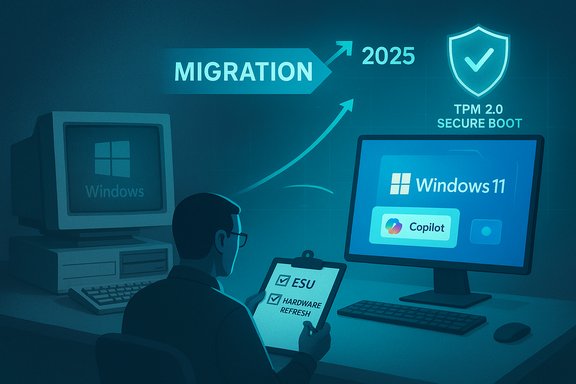
Windows 11’s stricter minimums — notably TPM 2.0, UEFI Secure Boot, and a modern CPU list — were adopted in the name of baseline security. Those requirements materially raised the bar for older machines and created a compatibility cliff that excluded many otherwise functional PCs. For organizations with carefully budgeted refresh cycles, that translated into a choice: pay for hardware replacement now, accept extended support costs, or delay migration until the next refresh window. Microsoft documents these baseline requirements explicitly, and they are frequently cited by enterprises and OEMs as the primary reason migrations have to be staged and budgeted. The practical result is a two-tiered installed base. New devices ship with Windows 11 preinstalled and increasingly with Copilot+ or NPU-enabled silicon, while vast swathes of enterprise and consumer PCs remain on Windows 10 or on “supported-but-not-fully-featured” Windows 11 installs. The gating is technically defensible — hardware-backed features enable virtualization-based security, secure boot protections, and a stronger encryption baseline — but the economic and environmental costs of forcing a rapid hardware refresh are significant.Enterprise caution: compatibility, training and cost control
Large organizations do not flip an OS overnight. Migrations require compatibility testing, application certification, update/management tool validation, and user training — each item consumes IT cycles and often budgeted capital. Analysts and managed service providers repeatedly report that enterprises have chosen phased pilots and staggered rollouts to reduce business risk. Where Windows 10 still satisfies core workloads, many CIOs saw no immediate business pain that justified a large-scale migration prior to the support deadline. For regulated industries the calculus is different — the security baseline of Windows 11 can be compelling — but for many businesses the migration is a timing and total-cost-of-ownership conversation rather than a technical inevitability.Perceived value: incremental UX changes and the AI promise
For many users the day-to-day experience of Windows 11 looks like a refinement rather than a revolution. Centered taskbar, rounded corners, Snap Layouts — these are useful, but for knowledge workers who run Office, web browsers, and line-of-business applications, they don’t always justify immediate disruption. Microsoft’s strategic bet has been to make Windows 11 the platform for on-device AI (Copilot and Copilot+ experiences) and new security baselines. Those investments are meaningful, but they require compatible hardware and, in many cases, additional subscriptions or device refreshes to realize their full promise. Until those AI-driven productivity gains translate into measurable, everyday ROI, enterprises will continue to prioritize stability.The security case: real wins, measurable trade-offs
Stronger baseline protections
Windows 11’s adoption of TPM 2.0, Secure Boot, and virtualization-based protections (VBS) represent concrete improvements to the platform’s security posture. Those hardware-backed capabilities make certain classes of firmware and credential attacks significantly harder and align Windows with modern threat mitigation frameworks used in regulated industries. For organizations with compliance pressures, those gains are not theoretical — they matter for audits and cyber-risk scoring. Microsoft and independent security teams emphasize that hardware-rooted protections are now a baseline expectation for modern fleets.ESU and the security bridge
Microsoft provided an Extended Security Updates (ESU) path for Windows 10 as a bridge to migration, with consumer-focused mechanisms (including one-year coverage via backup/OneDrive sync, a small paid option, or rewards redemption) and enterprise ESU channels. Microsoft also committed to continuing security updates for Microsoft 365 Apps on Windows 10 through October 10, 2028, giving organizations additional runway. Those policies reduced the near-term pressure for immediate replacements, but they should be seen as tactical bridges rather than a long-term strategy: running an unsupported OS accrues increasing operational and compliance costs over time.The security–performance trade-off
Some security defaults in Windows 11 — memory integrity, VBS, and more aggressive device encryption — can introduce performance impacts, driver conflicts, or additional operational complexity for older hardware. IT teams must validate these features against critical endpoint tooling, third-party drivers, and legacy peripherals. In practice that produces a trade-off matrix where the improved threat posture earns points for risk mitigation but demands investment in testing, driver updates, and occasionally hardware replacement. Community threads and field reports note that enabling the full Windows 11 security stack without remediation can cause compatibility regressions for niche but important business applications.Productivity and AI: promise vs. present reality
Copilot, Copilot+, and the device-centered AI pitch
Microsoft has anchored Windows 11’s longer-term value proposition on integrated AI — Copilot as the conversational assistant and Copilot+ as the hardware-enabled, NPU-accelerated platform for low-latency on-device AI tasks. The company’s messaging focuses on features like Recall (a local activity index), on-device model execution, and new workflows that can generate documents, images, and meeting summaries atop local and cloud models. For people on compatible hardware, these features can shorten repetitive tasks and reduce latency. For the broader installed base they remain aspirational.The productivity gap
Despite ambitious demos, independent reviews and user reports indicate that most knowledge workers will not yet see a dramatic uplift from Windows 11 alone. AI features often require opt-in connectors, account linking, or Copilot+ hardware to meet Microsoft’s performance claims. As a result, productivity benefits today are uneven: on Copilot+ devices and for workflows that involve heavy content creation or rapid iteration, the gains are tangible; for standard Office and browser-heavy tasks, the improvements are marginal and frequently substituted by third-party tools that organizations already use. That mismatch helps explain why enterprises are pacing migration to align with hardware refresh cycles that justify Copilot investments.Privacy, control, and governance concerns
On-device AI features like Recall raise legitimate governance questions. They index user activity to make content discovery more powerful, and while Microsoft emphasizes local, encrypted storage with hardware protections, the enterprise governance model needs clarity around retention, e-discovery, and policy controls. Early enterprise pilots flagged the need for more granular administrative guardrails before wider adoption. For regulated industries these questions can be showstoppers until answered satisfactorily.Market numbers: what the trackers actually show
- StatCounter’s December 2025 pageview-weighted figures list Windows 11 at ~50.7% and Windows 10 at ~44.6%, a milestone widely reported by the trade press. Those figures reflect web activity from StatCounter’s panel, which is directional and sensitive to regional and usage-pattern skews.
- Other trackers and vendor telemetry show similar but not identical patterns: Windows 11 crossed parity in mid-to-late 2025 on several metrics, largely because OEM preloads and forced migrations close to Windows 10’s support deadline pushed active pageviews upward. Yet installed-base inventories, enterprise asset databases, and vendor field data show a persistent Windows 10 tail — particularly in conservative corporate fleets and cost-constrained regions. Those nuances matter for procurement, security, and lifecycle planning.
Practical guidance for IT teams and power users
- Inventory and segmentation first. Run PC eligibility tools (PC Health Check and vendor utilities), map workloads to hardware classes, and identify mission-critical systems that must migrate early. Prioritize internet-facing, admin and compliance-sensitive endpoints.
- Pilot with purpose. Create small, representative pilot rings that test driver maturity, VBS and Memory Integrity interactions, and Copilot connectors where relevant. Use those pilots to quantify support cost delta per device class.
- Treat ESU as a tactical bridge only. Extended Security Updates buy time, not a long-term solution. Compare multi-year ESU spend to a phased hardware refresh plan and factor in training, management and lost productivity risk.
- Govern AI features. Define policy for Copilot/Recall use, retention, connectors and sharing before enabling broad deployments. Make sure Consent, encryption-at-rest, and e-discovery processes are tested and documented.
- Measure outcomes. For Copilot investments, define tangible KPIs (time saved per task, reduction in meeting minutes, draft-to-final cycles shortened) and measure them in pilots before committing to wide procurement. AI-enabled devices are an engineering and economics play — prove the value first.
Strengths and notable wins
- Security baseline: Windows 11’s hardware-backed protections represent a real and verifiable improvement in mitigation posture for modern threats. For organizations that must meet stringent compliance standards, that matters.
- Platform for AI: Copilot and Copilot+ create a consistent place to deliver integrated AI experiences, reducing fragmentation between third-party assistants and platform-level agents. For creative and latency-sensitive work, device-centered AI can be transformative.
- OEM alignment: New devices ship with Windows 11 preinstalled, and vendors have built a hardware roadmap that includes NPUs and power optimizations, simplifying future procurement and standardization. That alignment reduces future migration friction for organizations that can time refreshes.
Risks, unresolved questions, and caveats
- Fragmentation and management overhead: A prolonged period of mixed Windows 10/Windows 11 fleets increases testing burden, adds complexity to patching strategies, and raises helpdesk cost per incident. Many organizations now confront bimodal endpoint management for several years.
- Perception and trust erosion: High-visibility regressions, intrusive promos, and frequent feature toggles have eroded some user trust in continuous delivery models. Rebuilding confidence requires demonstrable stability and clearer opt-in models for disruptive features. Community reporting in 2025 highlighted repeated “fix, break, fix” cycles that delayed adoption decisions.
- Environmental and equity implications: Pushing upgrades through hardware gating risks accelerating e-waste and creating a two-tier experience where lower-budget organizations and consumers cannot access the latest AI and privacy features without costly replacement. Responsible migration strategies must include refurbishment, trade-in, and recycling programs.
- Unverifiable marketing claims: Vendor statistics about “total devices” or “Copilot readiness” often use proprietary definitions (preloads, active monthly devices, shipped units). Treat single marketing claims cautiously and verify them against independent trackers and telemetry where possible. When telemetry is opaque, assume ambiguity.
What this means for buyers, admins, and everyday users
- Buyers: If you’re buying PCs today, prefer Windows 11-ready devices. Copilot+ machines are worth considering only if you have defined AI use-cases where reduced latency and local inference matter; otherwise standard Windows 11 devices will meet most needs for several years.
- IT admins: Plan a multi-year migration that aligns with hardware refresh cycles. Use ESU selectively to protect critical legacy endpoints while scheduling staged moves for the rest. Invest in pilot measurement and governance for AI features before broad enablement.
- Everyday users: If your PC is eligible and you value the latest security protections, upgrading to Windows 11 is sensible. If you rely on specialized peripherals or older software that hasn’t been certified on Windows 11, weigh the short-term convenience of staying put (with ESU or Microsoft 365 security extensions) against long-term security and compatibility risk.
Conclusion
Windows 11’s path to majority usage completed a key strategic objective: the platform is now the supported future of Windows, with a modern security baseline and a clear line to Microsoft’s AI roadmap. Yet the climb was slower than prior migrations because Microsoft deliberately raised the platform baseline and because enterprises — rationally — deferred upgrades until the business case justified the expense. The net result is a mature but imperfect transition: better security and a clearer platform for AI, coupled with a prolonged period of mixed fleets, management complexity, and real questions about the immediate productivity payoff for the majority of users.For enterprise leaders the right answer is pragmatic: inventory, pilot, govern, and measure. For consumers the choice is personal: upgrade when the device and workflows will actually benefit, and rely on legitimate ESU and Microsoft 365 bridges only as temporary measures. Microsoft has delivered an OS that is modern in capability and ambition; the critical next step is execution — reducing regressions, clarifying governance for AI features, and ensuring the migration path is affordable and sustainable for the billions who still rely on Windows every day.
Source: BusinessLine Windows 11’s slow climb: security wins but productivity questions remain
