

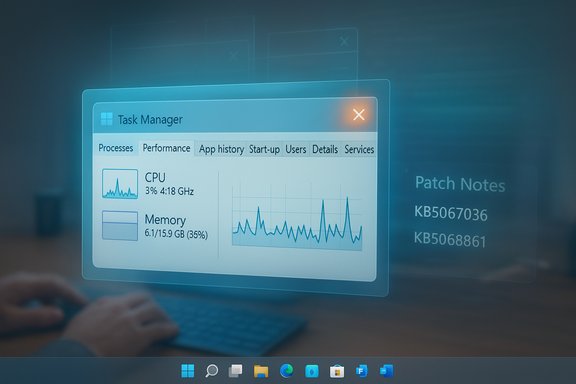
Microsoft has quietly closed out one of the oddest Windows 11 regressions of the year: an optional preview update temporarily turned Task Manager’s Close (X) into a lie, allowing invisible taskmgr.exe processes to pile up in the background — and the November cumulative has now fixed it.
The story begins with an optional, non‑security preview cumulative distributed by Microsoft on October 28, 2025: KB5067036. That package targeted Windows 11 builds in the 26100/26200 families and bundled several UI and servicing tweaks, including a change to how Task Manager groups apps with their underlying processes. Within hours of the rollout, community testers and multiple independent outlets reproduced an unsettling lifecycle regression: closing Task Manager with the window Close (X) sometimes did not terminate the process, and each reopen could spawn a fresh visible Task Manager while the previous taskmgr.exe instance remained running in the background.
Microsoft acknowledged the symptom and folded a targeted repair into the November Patch Tuesday cumulative (identified as KB5068861), which updates systems to later OS builds in the 26100/26200 families and restores the expected Task Manager lifecycle: closing the UI now reliably ends the process rather than leaving ghost instances.
Possible, plausible technical pathways:
Why this matters in practice:
Key deployment notes for administrators:
Source: PC Gamer Microsoft has patched out our favorite Windows bug of the year, and that makes me sad
 Background
The story begins with an optional, non‑security preview cumulative distributed by Microsoft on October 28, 2025: KB5067036. That package targeted Windows 11 builds in the 26100/26200 families and bundled several UI and servicing tweaks, including a change to how Task Manager groups apps with their underlying processes. Within hours of the rollout, community testers and multiple independent outlets reproduced an unsettling lifecycle regression: closing Task Manager with the window Close (X) sometimes did not terminate the process, and each reopen could spawn a fresh visible Task Manager while the previous taskmgr.exe instance remained running in the background.Microsoft acknowledged the symptom and folded a targeted repair into the November Patch Tuesday cumulative (identified as KB5068861), which updates systems to later OS builds in the 26100/26200 families and restores the expected Task Manager lifecycle: closing the UI now reliably ends the process rather than leaving ghost instances.
Overview of the bug: what users actually saw
- Symptom: Open Task Manager (Ctrl+Shift+Esc), click the Close (X) button, then reopen Task Manager. On affected systems the Processes list could contain more than one “Task Manager” entry; repeated open→close cycles increased the number of resident taskmgr.exe instances. These were real processes shown by Task Manager itself, Process Explorer, tasklist, and PowerShell.
- Resource footprint: Independent reproductions consistently measured a modest per‑instance memory footprint — typically in the ~20–30 MB range — and occasional tiny CPU polling spikes. That per‑process number is small, but repeated accumulation in long‑running systems could add up to hundreds of megabytes or more. Community stress tests demonstrated contrived extremes (hundreds of opens/closes) that produced multi‑gigabyte totals.
- Persistence: Orphaned Task Manager processes were not persistent across reboots; a restart cleared them. The immediate cost was increased RAM use and occasional background CPU, not corruption or data loss.
Technical analysis: what likely went wrong (and what we don’t know)
At a high level, Task Manager consists of UI threads that render windows and background sampling threads that query performance counters, aggregate process groups, and surface metrics. The October preview explicitly changed Task Manager’s process‑grouping logic — the code responsible for mapping UI rows to underlying process trees and their combined metrics. That change is the most plausible starting point for the regression: alterations to grouping semantics often touch object ownership, reference counting, and teardown sequencing, and a subtle lifecycle regression can easily allow a process to outlive its UI.Possible, plausible technical pathways:
- A background sampling thread or COM object retained a handle or reference that prevented normal process exit after the UI window was destroyed.
- The close handler or main message loop failed to post WM_QUIT/WM_DESTROY under certain conditions, leaving the process headless but alive.
- Interactions with third‑party hooks, shell extensions, or security software created a race where cleanup blocked and never completed, while a subsequent launch created a new visible Task Manager instance.
Who was affected, and how widespread was the problem?
The reports clustered around users who installed the KB5067036 preview (builds 26100.7019 / 26200.7019) — but not every device with that preview exhibited the symptom. Staged feature gating, differences in installed drivers, third‑party utilities, and environmental variations meant that the regression appeared only on a subset of installs. Independent hands‑on testing (virtual machines and physical devices) reproduced the defect frequently enough to make it a meaningful operational issue for many power users, helpdesk teams, and IT shops piloting the preview.Why this matters in practice:
- On memory‑constrained systems (8 GB, 16 GB) the additive effect of dozens of orphaned taskmgr.exe instances could push machines into swap, cause sluggishness, and increase battery drain.
- For helpdesk staff and administrators who rely on Task Manager as a primary troubleshooting tool, the tool becoming the source of resource leakage is a direct productivity hit.
- The problem is not a security vulnerability or data integrity issue, but it is operationally visible and easy to reproduce — which is why it gained traction quickly in community channels.
How Microsoft fixed it
Microsoft’s remediation was delivered as part of the November Patch Tuesday cumulative, KB5068861, which advances affected devices to later OS builds (reported as 26200.7171 / 26100.7171 in affected release notes). The official update notes include an explicit entry: closing Task Manager with the Close button now properly ends the process instead of leaving background instances that could slow performance. The fix was validated in Insider flights before landing in the mainstream cumulative distribution.Key deployment notes for administrators:
- The cumulative arrives via the normal Windows Update channels and is also available as an offline MSU through the Microsoft Update Catalog for managed deployments.
- A reboot is required to complete the install and reclaim corrected behavior.
- Because some UI features are server‑side gated, installing the corrected cumulative supplies the repaired binaries but may not instantly surface all visual changes for every device.
How to check whether you were affected — validated steps
- Confirm your build:
- Press Windows+R, type
winver, and check the build string (look for 26100.7019 or 26200.7019 if you installed the October preview; the fix appears in later November cumulative builds like 26100.7171 / 26200.7171). - Reproduce the symptom:
- Open Task Manager (Ctrl+Shift+Esc).
- Click the window Close (X) button.
- Reopen Task Manager and switch to Processes → Background processes.
- If you see extra “Task Manager” entries that increase after each open→close cycle, the machine showed the orphaned instance behavior.
- Verify with command line (optional):
- In PowerShell:
Get-Process -Name taskmgr - In Command Prompt:
tasklist | findstr taskmgr.exe
If multiple taskmgr.exe entries appear and persist after close, they are real processes.
Practical mitigations (what to do if you hit the bug before updating)
Before the November cumulative shipped, community and official guidance converged on reliable workarounds:- Use End task instead of clicking the Close (X) button:
- Open Task Manager → Processes → right‑click the Task Manager entry → End task. This activates Task Manager’s normal teardown path and reliably terminates the process.
- Force‑kill all Task Manager instances (fast, scriptable):
- Elevated Command Prompt:
taskkill /im taskmgr.exe /f - PowerShell:
Get-Process -Name taskmgr | Stop-Process -Force
These commands forcibly terminate every taskmgr.exe instance immediately. - Reboot to clear orphaned instances if you don’t have time to kill them individually.
- If KB5067036 is installed and unacceptable on production systems, consider uninstalling the optional preview via Settings → Windows Update → Update history → Uninstall updates, or hold deployment in pilot rings until the cumulative fix is confirmed. Note: combined servicing packages can complicate uninstall semantics, so proceed carefully in managed environments.
Broader implications: why a little bug matters for update practice
This incident is a classic example of how targeted, well‑intentioned fixes can produce surprising regressions in complex software. A few practical takeaways:- Preview updates are valuable for surfacing regressions in real‑world environments, but they are precisely that: previews. Organizations should confine preview packages to test and pilot rings and validate critical workflows that include management tools like Task Manager.
- Tools used for diagnostics and troubleshooting must be part of test matrices. When a diagnostic tool itself misbehaves, it can amplify support costs and confuse triage.
- Rapid community reproduction accelerates remediation. The visible, reproducible nature of this bug — combined with community stress tests and independent reporting — helped push a fix into the next cumulative faster than many regressions that are quieter or harder to reproduce.
- Maintain staged deployment rings and pilot updates in representative environments.
- Include diagnostic tools (Task Manager, Process Explorer) in validation checklists.
- Log reproducible traces (ProcMon, Process Explorer dumps, ETW) and submit Feedback Hub reports to speed vendor triage when regressions appear.
Strengths, risks, and the small print
Strengths in Microsoft’s handling:- The defect was acknowledged and fixed quickly via the regular cumulative channel, preserving Microsoft’s cumulative servicing model and keeping the surface area of users affected low.
- The fix was validated in Insider flights before being rolled out in the November cumulative, matching the intended role of preview rings and staged releases.
- The precise internal root cause has not been publicly detailed; vendor post‑mortems remain the gold standard for engineering clarity. Until Microsoft publishes that forensic analysis, any single‑path explanation remains an engineering inference. Flag this as an unverified claim.
- Optional preview updates can carry regressions by design. Organizations that treat every preview like a production patch will occasionally face disruptive outcomes; careful staging is essential.
- Community stress tests reported extreme accumulations by opening and closing Task Manager hundreds of times and measured contrived totals near multiple gigabytes. Those tests are valid demonstrations but should not be treated as universal telemetry — actual impact varies with environment, frequency of Task Manager use, and available RAM. Use them as scale examples, not as absolute expectations.
Recommended actions (concise)
- Home users: Install the November cumulative (KB5068861) via Windows Update, reboot, and confirm the Task Manager close behavior returns to normal. Use End task or
taskkill /im taskmgr.exe /fas an interim measure if needed. - Power users/testers: Keep preview updates on non‑production machines for validation. Reproduce critical workflows (including Task Manager lifecycle) and file Feedback Hub reports when regressions appear.
- Enterprise IT: Pilot the November cumulative in a representative ring, validate application and driver compatibility, and prioritize the update for devices that previously installed KB5067036 or showed symptoms. Use automated detection (
Get-Process -Name taskmgr) to find and remediate orphaned instances in fleets.
Conclusion
A tiny bug turned a ubiquitous Windows utility into an unlikely resource leak: closing Task Manager could leave taskmgr.exe instances alive in the background, and repeated open/close cycles multiplied that nuisance. The culprit traced back to an October preview (KB5067036) that changed Task Manager’s process‑grouping logic, and Microsoft remedied the regression in the November cumulative (KB5068861), restoring expected behavior. The episode is a reminder of the complexity beneath even the smallest UI behaviors and of the value — and risk — of preview servicing channels. For users and admins, the practical takeaway is straightforward: validate previews in controlled rings, apply the cumulative that contains the fix, and use the provided mitigations if you encounter similar quirks before an update lands.Source: PC Gamer Microsoft has patched out our favorite Windows bug of the year, and that makes me sad
